
369 KiB
💡 🍌 Also check out our Nano Banana Pro Prompts Collection — Google's flagship model with 10000+ curated prompts 👉 awesome-nano-banana-pro-prompts
🚀 สุดยอด GPT Image 2 Prompts





🎨 คอลเลกชันคำสั่งสร้างสรรค์สำหรับ OpenAI GPT Image 2
⚠️ ประกาศลิขสิทธิ์: คำสั่งทั้งหมดรวบรวมจากชุมชนเพื่อการศึกษา หากคุณเชื่อว่าเนื้อหาใดละเมิดสิทธิ์ของคุณ โปรด เปิดปัญหา และเราจะลบออกทันที









-Click%20to%20View-lightgrey)



-Click%20to%20View-lightgrey)


🌐 ดูในแกลเลอรีเว็บ

👉 เรียกดูใน YouMind GPT Image 2 Gallery
ทำไมต้องใช้แกลเลอรีของเรา?
| Feature | GitHub README | แกลเลอรี youmind.com |
|---|---|---|
| 🎨 รูปแบบภาพ | รายการเชิงเส้น | กริด Masonry ที่สวยงาม |
| 🔍 ค้นหา | Ctrl+F เท่านั้น | การค้นหาข้อความเต็มพร้อมตัวกรอง |
| 🤖 สร้างด้วย AI คลิกเดียว | - | สร้างด้วย AI คลิกเดียว |
| 📱 มือถือ | พื้นฐาน | ตอบสนองอย่างเต็มที่ |
| 🏷️ หมวดหมู่ | - | เรียกดูตามหมวดหมู่ |
🏷️ เรียกดูตามหมวดหมู่
- กรณีการใช้งาน
- สไตล์
- เนื้อหาหลัก
📖 สารบัญ
- 🌐 ดูในแกลเลอรีเว็บ
- 🤔 GPT Image 2 คืออะไร?
- 📊 สถิติ
- 🔥 คำสั่งแนะนำ
- 📋 คำสั่งทั้งหมด
- 🤝 วิธีการมีส่วนร่วม
- 📄 ใบอนุญาต
- 🙏 กิตติกรรมประกาศ
- ⭐ ประวัติดาว
🤔 GPT Image 2 คืออะไร?
GPT Image 2 (codename "duct-tape") is OpenAI's next-generation image model. Community testing highlights a leap in these areas:
- 🎯 Pixel-Perfect Text Rendering — Native-quality text in Chinese, English, and Japanese, no typos or warped glyphs
- 🎨 Cross-Image Consistency — The same character, style, or IP stays identical across a series, down to the pixel
- ⚡ Commercial-Grade Illustration — Illustration output is ready to ship without manual polish
- 🌈 True Art Style Induction — Creatively evokes the feeling of a style rather than merely approximating references
- 🔧 Storyboard & Product Series — Ideal for storyboards, IP characters, and multi-panel product visuals
- 📐 Multi-Language Design — Social cards, banners, and posters with accurate multilingual typography in one shot
📚 Learn More: See community testing in our report summary
🚀 การรวม Raycast
คำสั่งบางคำสั่งรองรับ อาร์กิวเมนต์แบบไดนามิก โดยใช้ไวยากรณ์ Raycast Snippets ค้นหาเครื่องหมาย 🚀 Raycast Friendly!
ตัวอย่าง:
A quote card with "{argument name="quote" default="Stay hungry, stay foolish"}"
by {argument name="author" default="Steve Jobs"}
เมื่อใช้ใน Raycast คุณสามารถแทนที่อาร์กิวเมนต์แบบไดนามิกเพื่อทำซ้ำอย่างรวดเร็ว!
📊 สถิติ
| เมตริก | จำนวน |
|---|---|
| 📝 คำสั่งทั้งหมด | 116 |
| ⭐ แนะนำ | 0 |
| 🔄 อัปเดตล่าสุด | วันจันทร์ที่ 20 เมษายน พ.ศ. 2569 เวลา 10 นาฬิกา 21 นาที 05 วินาที UTC |
📋 คำสั่งทั้งหมด
📝 เรียงตามวันที่เผยแพร่ (ใหม่ล่าสุดก่อน)
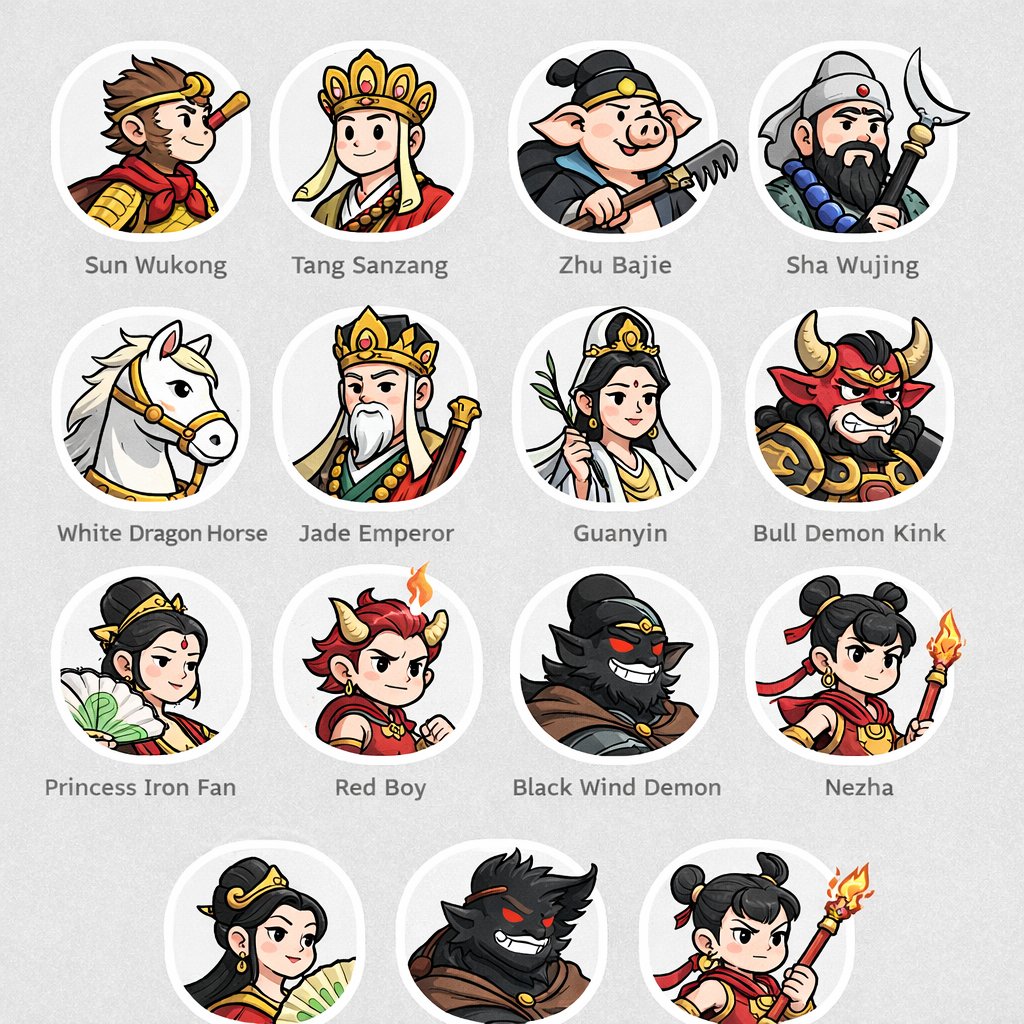
No. 1: โปรไฟล์ / รูปประจำตัว - Mythological Character Avatar Grid


📖 คำอธิบาย
Generates a grid of cartoon-style circular character avatars with text labels, ideal for UI mockups or cast lists.
📝 คำสั่ง
{
  "type": "character avatar grid",
  "theme": "{argument name=\"theme\" default=\"Journey to the West mythology\"}",
  "style": "{argument name=\"art style\" default=\"clean 2D cartoon vector illustration, thick outlines, flat colors\"}",
  "layout": {
    "background": "{argument name=\"background color\" default=\"light gray\"} subtle texture",
    "format": "grid of circular portraits with text labels centered below each circle",
    "rows": [
      {
        "count": 4,
        "items": [
          {"label": "Sun Wukong", "description": "monkey boy with golden headband and red scarf"},
          {"label": "Tang Sanzang", "description": "monk with ornate golden crown"},
          {"label": "Zhu Bajie", "description": "pig man holding a rake"},
          {"label": "Sha Wujing", "description": "bearded man holding a crescent moon staff"}
        ]
      },
      {
        "count": 4,
        "items": [
          {"label": "White Dragon Horse", "description": "white horse with golden bridle"},
          {"label": "Jade Emperor", "description": "older man with white beard and golden crown"},
          {"label": "Guanyin", "description": "goddess holding a willow branch"},
          {"label": "Bull Demon Kink", "description": "fierce bull demon in armor"}
        ]
      },
      {
        "count": 4,
        "items": [
          {"label": "Princess Iron Fan", "description": "woman holding a green palm leaf fan"},
          {"label": "Red Boy", "description": "boy with red hair, horns, and a small flame"},
          {"label": "Black Wind Demon", "description": "dark shadowy demon with glowing red eyes"},
          {"label": "Nezha", "description": "boy with double hair buns holding a flaming spear"}
        ]
      },
      {
        "count": 3,
        "description": "partial row repeating Princess Iron Fan, Black Wind Demon, and Nezha, slightly cropped at the bottom"
      }
    ]
  }
}
🖼️ รูปภาพที่สร้าง
Image 1
📌 รายละเอียด
- ผู้เขียน: wm
- แหล่งที่มา: Twitter Post
- เผยแพร่เมื่อ: 18 เมษายน 2569
- ภาษา: en
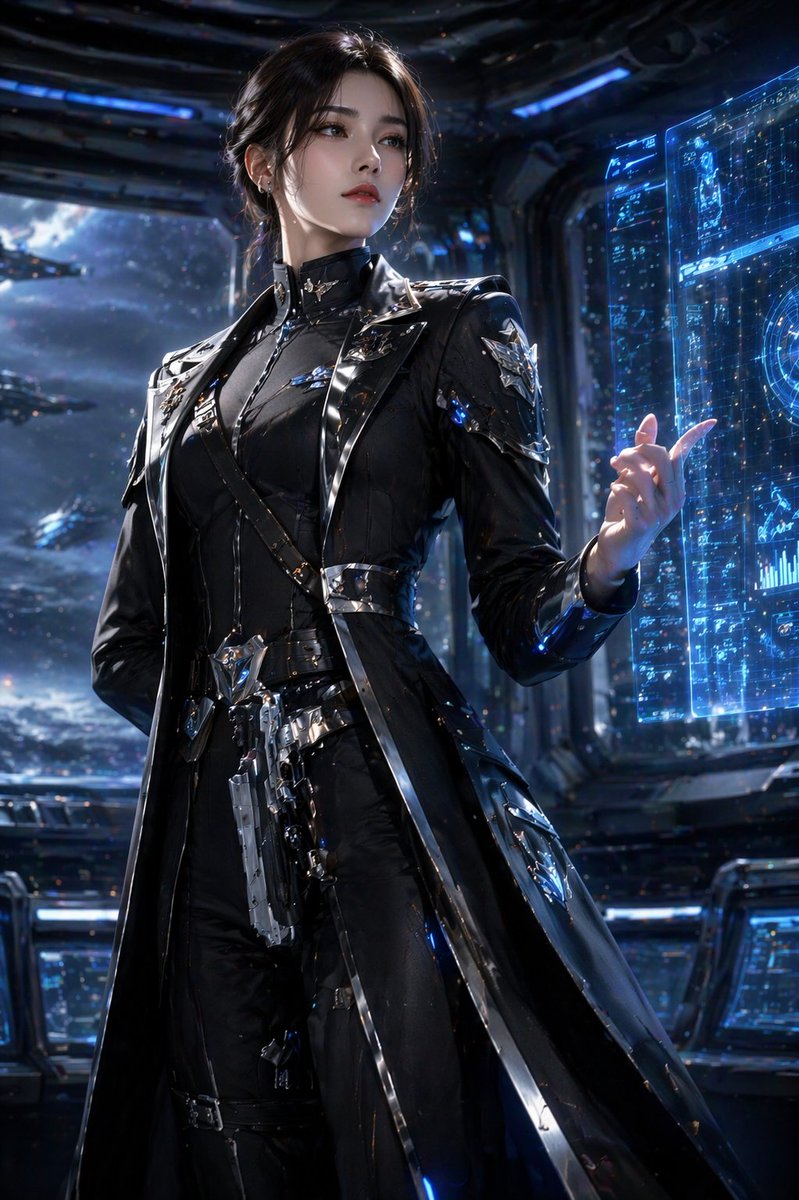
No. 2: โปรไฟล์ / รูปประจำตัว - Sci-Fi Commander Hologram Interaction
📖 คำอธิบาย
A photorealistic portrait of a sci-fi character interacting with a holographic interface on a starship bridge.
📝 คำสั่ง
A highly detailed, photorealistic portrait of a {argument name="character description" default="young woman with dark hair in an elegant updo"}. She is wearing a {argument name="outfit" default="sleek, futuristic black trench coat uniform with intricate silver metallic armor accents, straps, and a holstered sci-fi pistol"}. She stands confidently, raising one hand with gracefully posed fingers to interact with a {argument name="technology" default="glowing blue holographic data interface"}. The setting is the {argument name="environment" default="dimly lit bridge of a starship"}, with large observation windows in the background revealing a {argument name="background scene" default="vast space fleet cruising through a starry nebula"}. Cinematic lighting, sharp focus, 8k resolution, sci-fi concept art style, dramatic shadows, cool blue color palette.
🖼️ รูปภาพที่สร้าง
Image 1
📌 รายละเอียด
- ผู้เขียน: Daniel
- แหล่งที่มา: Twitter Post
- เผยแพร่เมื่อ: 16 เมษายน 2569
- ภาษา: en
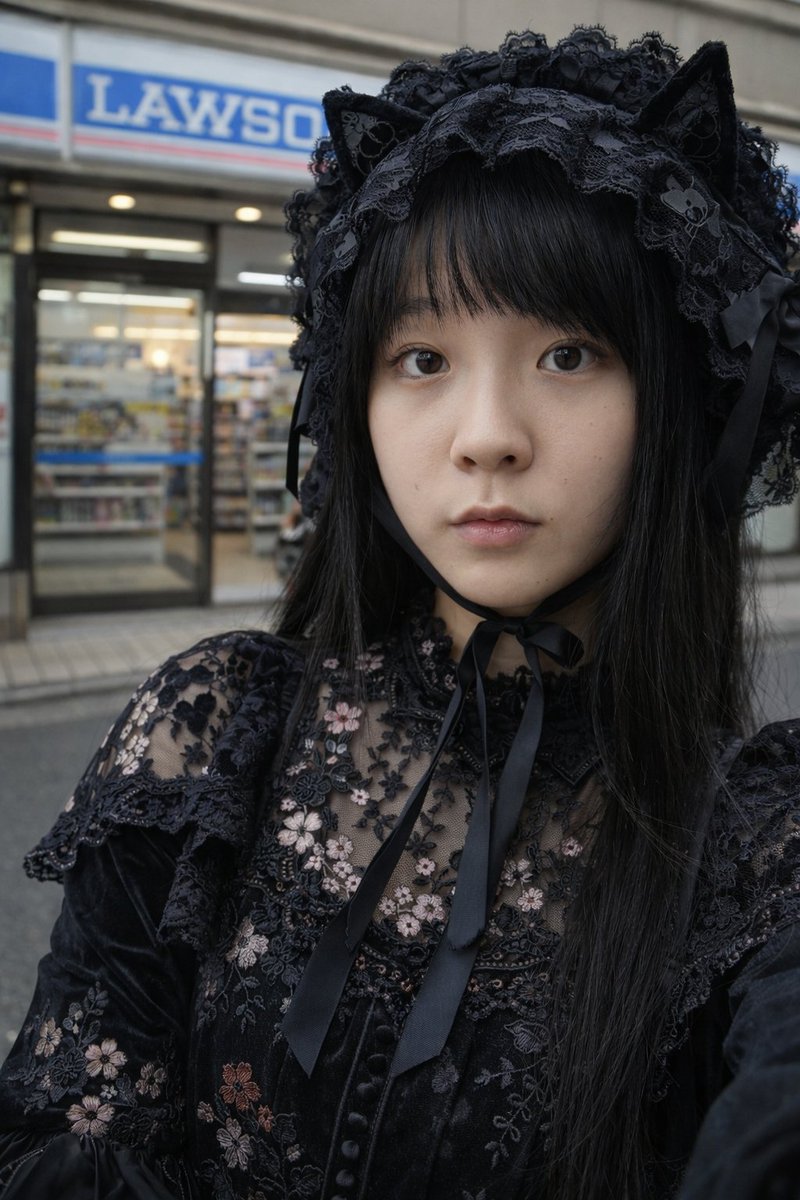
No. 3: โปรไฟล์ / รูปประจำตัว - ภาพพอร์ตเทรตสไตล์โกธิคโลลิต้าที่ร้านสะดวกซื้อ
📖 คำอธิบาย
ภาพพอร์ตเทรตสมจริงของบุคคลในชุดแฟชั่นโกธิคโลลิต้าที่ยืนอยู่หน้าร้านสะดวกซื้อในญี่ปุ่น
📝 คำสั่ง
ภาพพอร์ตเทรตระยะใกล้ที่สมจริงของ {argument name="subject" default="หญิงสาวชาวญี่ปุ่น"} ผมตรงสีดำและมีหน้าม้า สวมใส่ {argument name="outfit" default="ชุดเดรสโกธิคโลลิต้าสีดำปักลายดอกไม้"} และ {argument name="headwear" default="ที่คาดผมลูกไม้สีดำติดหูแมว"} ผูกใต้คางด้วยริบบิ้นสีดำ เธอมี {argument name="expression" default="สีหน้าเรียบเฉย"} และกำลังมองตรงมาที่กล้อง ฉากหลังเป็นภาพถนนที่เบลอและ {argument name="background" default="หน้าร้านสะดวกซื้อ Lawson"} ซึ่งเห็นป้ายสีฟ้าขาวและประตูกระจก แสงเป็นแสงธรรมชาติที่นุ่มนวล สร้างบรรยากาศแบบภาพถ่ายในชีวิตประจำวันที่ดูสมจริง
🖼️ รูปภาพที่สร้าง
Image 1
📌 รายละเอียด
- ผู้เขียน: 栗
- แหล่งที่มา: Twitter Post
- เผยแพร่เมื่อ: 15 เมษายน 2569
- ภาษา: en
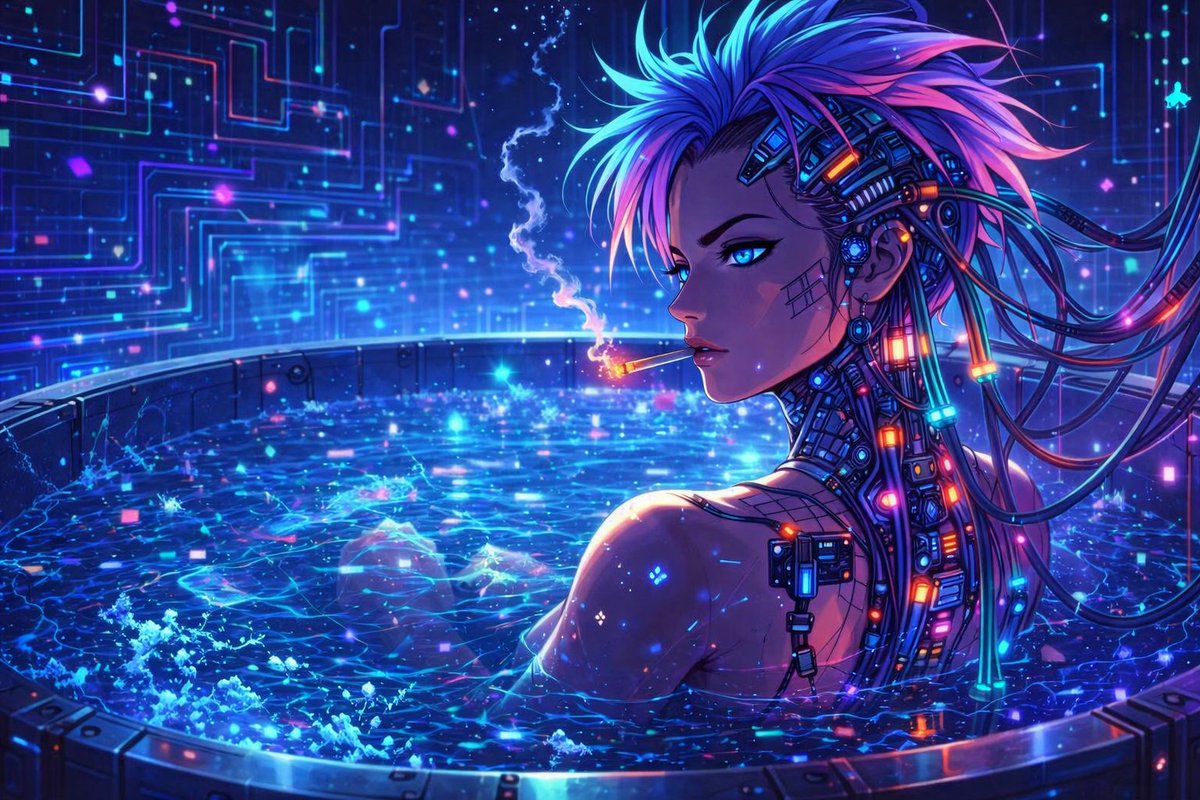
No. 4: โปรไฟล์ / รูปประจำตัว - ตัวละครอนิเมะแนวไซเบอร์พังค์ในอ่างนีออน
📖 คำอธิบาย
สร้างภาพประกอบสไตล์อนิเมะแนวไซเบอร์พังค์ที่สดใสของตัวละครที่ได้รับการเสริมสมรรถนะด้วยไซเบอร์เนติกส์ในสระน้ำไฮเทคที่เรืองแสง
📝 คำสั่ง
ภาพประกอบดิจิทัลสไตล์อนิเมะที่มีรายละเอียดสูงของตัวละครหญิงแนวไซเบอร์พังค์ที่กำลังผ่อนคลายในอ่างโลหะทรงกลมที่เต็มไปด้วยน้ำสีฟ้าเรืองแสงหมุนวน ซึ่งเปล่งประกายด้วยอนุภาคนีออนดิจิทัล เธอมีผมสี {argument name="hair color" default="ฟ้าและม่วง"} ทรงแหลม ดวงตาสี {argument name="eye color" default="ฟ้าเรืองแสง"} และมีอุปกรณ์ไซเบอร์เนติกส์ที่ซับซ้อนพร้อมสายเคเบิลเรืองแสงและจุดเชื่อมต่อนีออนติดอยู่ที่คอและด้านข้างของศีรษะ มีลวดลายตารางจางๆ ปรากฏบนแก้มของเธอ เธอกำลังหันมองข้ามไหล่ขณะที่ {argument name="activity" default="กำลังสูบบุหรี่"} โดยมีควันจางๆ เรืองแสงลอยขึ้นไปในอากาศ ฉากหลังเป็นผนังไฮเทคสีเข้มที่ส่องสว่างด้วยลวดลายแผงวงจรสี {argument name="background color scheme" default="ฟ้าและม่วง"} ซึ่งเน้นย้ำถึงสุนทรียภาพแนวไซเบอร์พังค์ที่สดใสด้วยแสงนีออนที่เข้มข้น
🖼️ รูปภาพที่สร้าง
Image 1
📌 รายละเอียด
- ผู้เขียน: Binary Rot
- แหล่งที่มา: Twitter Post
- เผยแพร่เมื่อ: 13 เมษายน 2569
- ภาษา: en
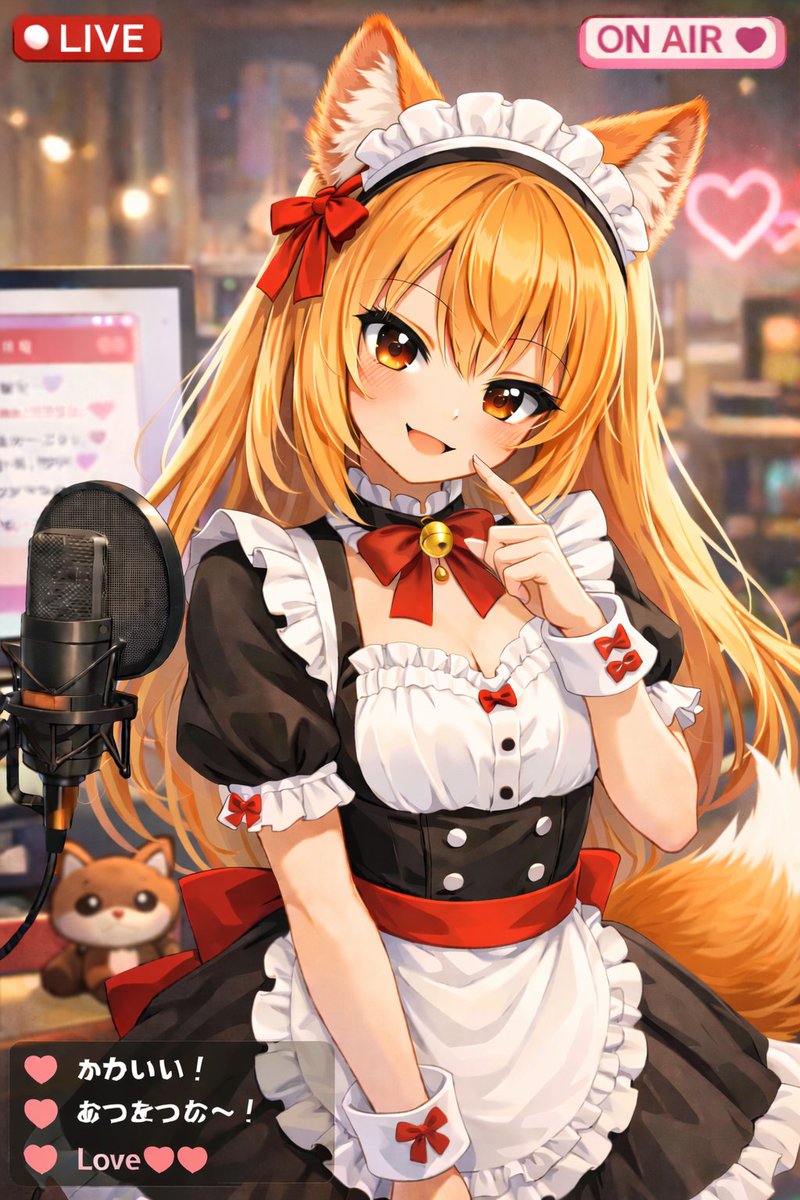
No. 5: โปรไฟล์ / รูปประจำตัว - ภาพซ้อนทับสำหรับไลฟ์สตรีม VTuber สไตล์อนิเมะ
📖 คำอธิบาย
สร้างภาพประกอบสไตล์อนิเมะของ VTuber ขณะสตรีมพร้อม UI โอเวอร์เลย์ เช่น ป้าย LIVE และกล่องแชท
📝 คำสั่ง
ภาพประกอบสไตล์อนิเมะของ VTuber สาว {argument name="animal type" default="ทานุกิ"} สุดน่ารักที่กำลังไลฟ์สตรีม เธอมีผิวสีเข้ม ผมบ๊อบสั้นสีขาว หูสัตว์สีน้ำตาลฟูฟ่อง ดวงตาสีน้ำตาลโต และหางลายทางนุ่มฟู เธอกำลังยิ้มอย่างมีความสุขโดยเผยให้เห็นปากและโบกมือซ้ายให้กล้อง เธอสวมชุดเมดสีขาวดำตกแต่งด้วยระบายสีขาว ผ้ากันเปื้อนสีขาวที่มีขอบเอวสีเขียวอ่อน และโชกเกอร์ริบบิ้นสีเขียวพร้อมกระดิ่งสีทอง ฉากหลังเป็นห้องที่อบอุ่นและมีแสงไฟนุ่มนวลพร้อมเอฟเฟกต์โบเก้ มีหัวใจนีออนสีชมพูเรืองแสงอยู่บนผนัง ทางด้านซ้ายของเธอมีไมโครโฟนสตูดิโอสีดำแบบมืออาชีพบนขาตั้ง และด้านหลังเป็นจอคอมพิวเตอร์ที่แสดงอินเทอร์เฟซแชทสีชมพู มี {argument name="plushie type" default="ตุ๊กตาทานุกิ"} ตัวเล็กวางอยู่บนโต๊ะข้างไมโครโฟน ภาพนี้มี UI โอเวอร์เลย์สำหรับการสตรีมประกอบด้วย 3 ส่วนที่ชัดเจน ได้แก่ ป้ายสีแดงที่มุมซ้ายบนเขียนว่า "{argument name="top left badge" default="LIVE"}" ป้ายสีชมพูที่มุมขวาบนเขียนว่า "{argument name="top right badge" default="ON AIR"}" พร้อมไอคอนรูปหัวใจ และกล่องแชทสีเทาเข้มแบบกึ่งโปร่งใสที่มุมซ้ายล่างซึ่งมีข้อความ 3 ข้อความ ข้อความแรกมีรูปหัวใจสีเขียวและข้อความ "Cute!" ข้อความที่สองมีรูปหัวใจสีเขียวและข้อความ "Warm~!" และข้อความที่สามเขียนว่า "{argument name="chat message" default="Love"}" พร้อมรูปหัวใจสีเขียวสองดวง
🖼️ รูปภาพที่สร้าง
Image 1
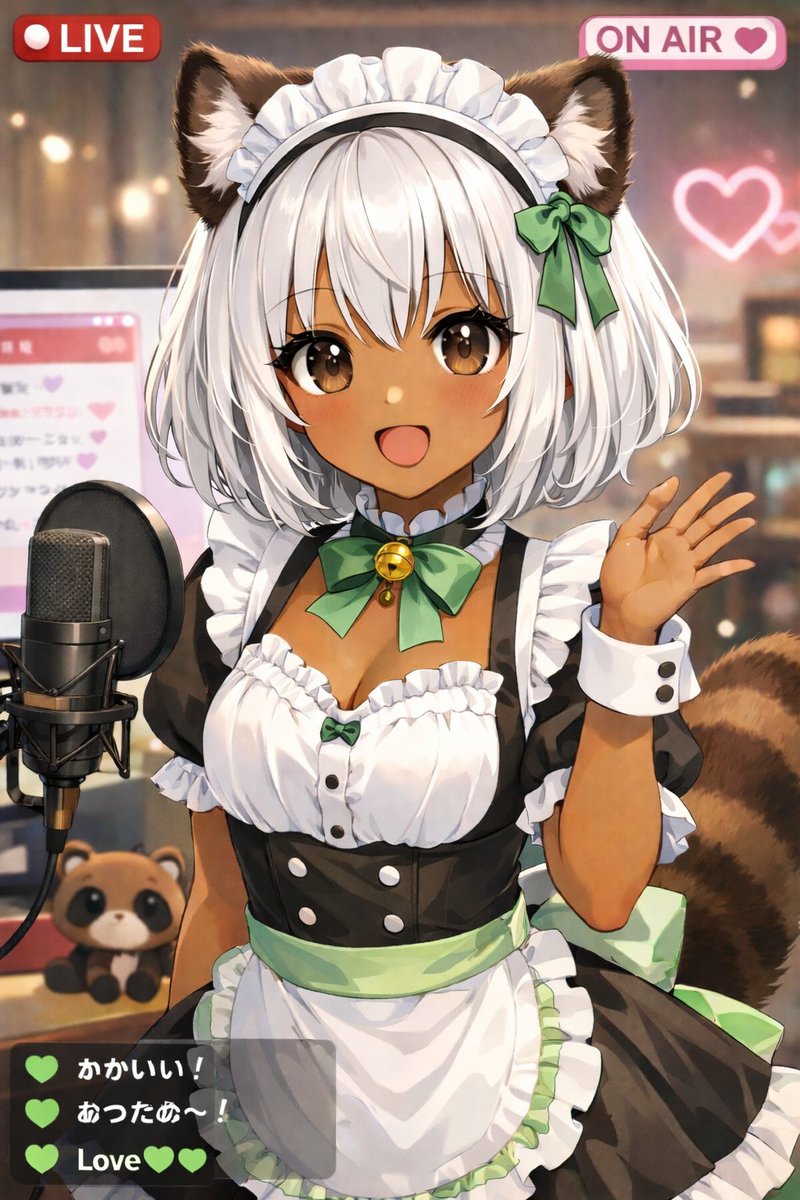
Image 2
📌 รายละเอียด
- ผู้เขียน: しーげっちは自分で描いた絵を動かしたい
- แหล่งที่มา: Twitter Post
- เผยแพร่เมื่อ: 13 เมษายน 2569
- ภาษา: en
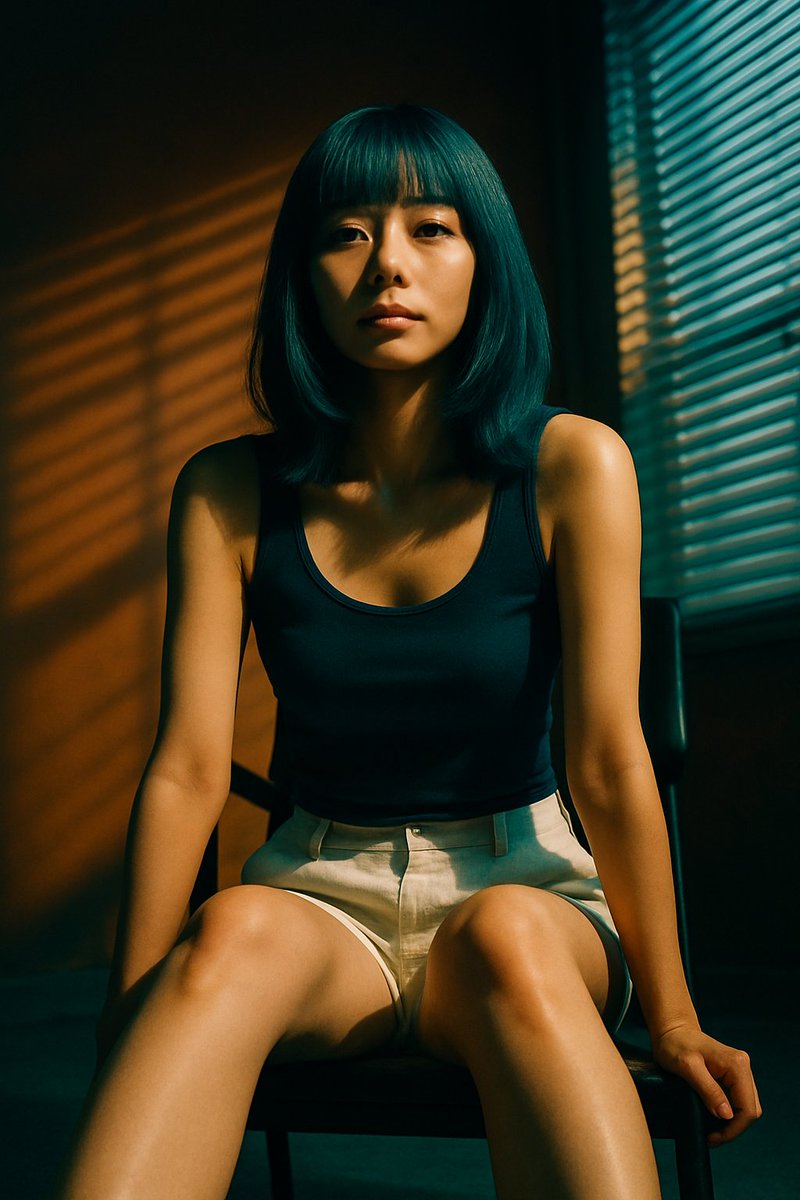
No. 6: โปรไฟล์ / รูปประจำตัว - ภาพพอร์ตเทรตสไตล์ภาพยนตร์พร้อมเงาจากมู่ลี่
📖 คำอธิบาย
สร้างภาพพอร์ตเทรตที่สมจริงของบุคคลที่กำลังนั่งอยู่ พร้อมการจัดแสงที่ดูมีมิติและเงาที่ทอดผ่านจากมู่ลี่หน้าต่างอย่างชัดเจน
📝 คำสั่ง
ภาพพอร์ตเทรตสไตล์ภาพยนตร์ที่สมจริงของหญิงสาวชาวเอเชียตะวันออกที่กำลังนั่งอยู่บนเก้าอี้สีเข้ม เธอมีผมบ๊อบยาวประบ่าพร้อมหน้าม้าตรงสี {argument name="hair color" default="เขียวอมฟ้า"} เธอสวม {argument name="top clothing" default="เสื้อกล้ามสีน้ำเงินกรมท่า"} และ {argument name="bottom clothing" default="กางเกงขาสั้นผ้าลินินสีเบจอ่อน"} เธอนั่งโน้มตัวไปข้างหน้าเล็กน้อยโดยวางมือไว้ใกล้กับหัวเข่า มองตรงมาที่กล้องด้วยสีหน้า {argument name="expression" default="เรียบเฉยและสงบนิ่ง"} ฉากนี้โดดเด่นด้วย {argument name="lighting style" default="เงาที่ดูมีมิติจากมู่ลี่หน้าต่าง"} ซึ่งทอดเป็นแถบแนวนอนของแสงสีทองอบอุ่นพาดผ่านใบหน้า ร่างกาย และผนังสีโทนอุ่นที่เรียบง่ายด้านหลังของเธอ มีหน้าต่างที่ปิดมู่ลี่อยู่ทางด้านขวาของเฟรมภาพ ให้ความเปรียบต่างสูง บรรยากาศดูมีอารมณ์ความรู้สึก และมีความละเอียดสูง
🖼️ รูปภาพที่สร้าง
Image 1
📌 รายละเอียด
- ผู้เขียน: 栗
- แหล่งที่มา: Twitter Post
- เผยแพร่เมื่อ: 13 เมษายน 2569
- ภาษา: en
No. 7: โปรไฟล์ / รูปประจำตัว - ภาพถ่ายสตูดิโอสไตล์นิตยสารวัยรุ่นยุค Y2K
📖 คำอธิบาย
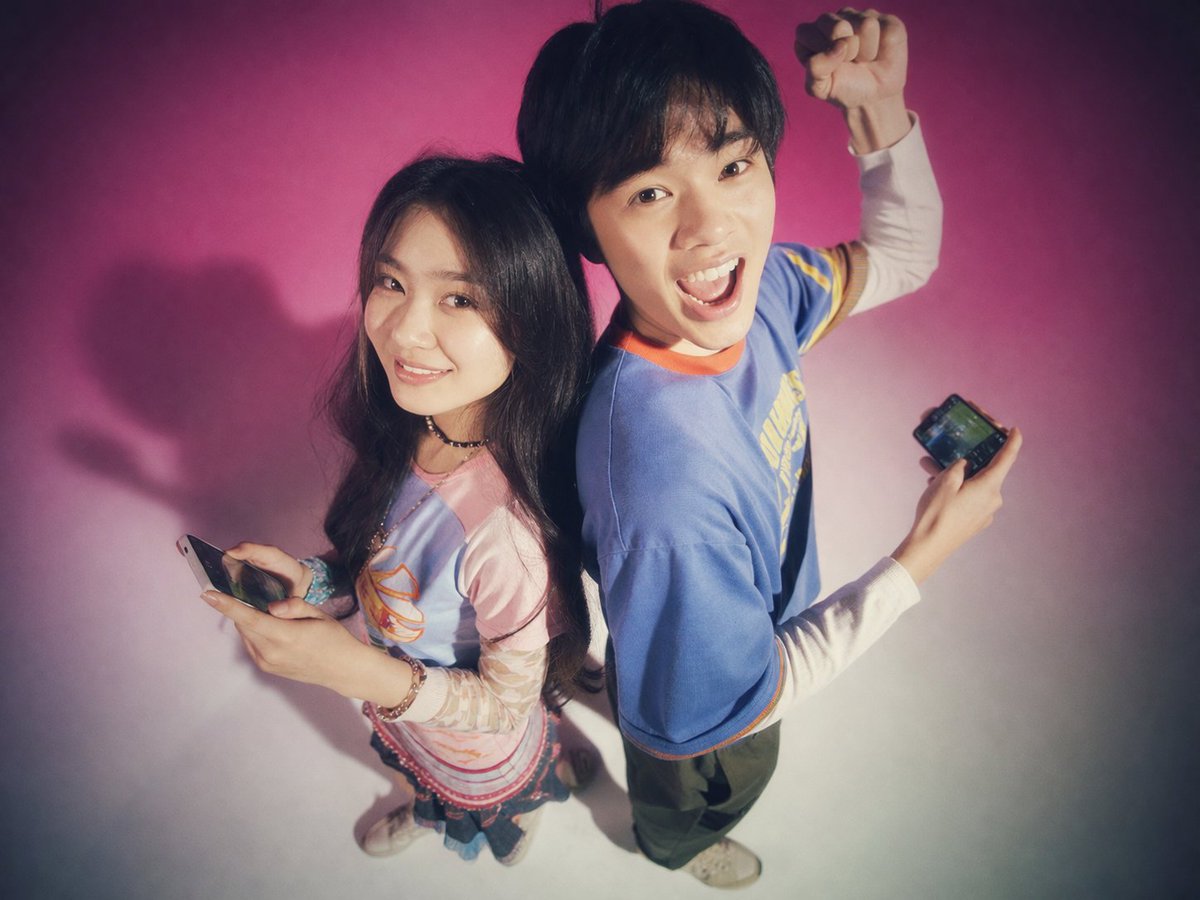
สร้างภาพถ่ายสตูดิโอที่ให้ความรู้สึกย้อนยุคและซอฟต์โฟกัส ของวัยรุ่นสองคนที่ยืนหันหลังชนกันพร้อมสมาร์ทโฟน เหมาะสำหรับภาพแนวแฟชั่นย้อนยุคหรือไลฟ์สไตล์เทคโนโลยี
📝 คำสั่ง
ภาพถ่ายสตูดิโอของชายหญิงชาวเอเชียตะวันออกสองคนยืนหันหลังชนกันโดยมีฉากหลังเป็น {argument name="background color" default="การไล่เฉดสีชมพูสดใสไปจนถึงสีขาว"} ภาพนี้ใช้ {argument name="photography style" default="สุนทรียศาสตร์นิตยสารวัยรุ่นยุค 90 ที่มีความย้อนยุคแบบ Y2K พร้อมเอฟเฟกต์ซอฟต์โฟกัส เกรนฟิล์ม และแสงฟุ้งกระจาย"} ทางด้านซ้าย หญิงสาวผมยาวสีเข้มยิ้มอย่างอ่อนโยนให้กล้อง เธอสวมชุดเลเยอร์ประกอบด้วย {argument name="woman's outfit" default="เสื้อยืดลายกราฟิกสีเขียวอ่อนทับเสื้อแขนยาวสีชมพู กระโปรงสั้น และรองเท้าผ้าใบส้นตึก"} และถือสมาร์ทโฟนไว้ในมือ ทางด้านขวา ชายหนุ่มผมสั้นสีเข้มมีสีหน้า {argument name="man's expression" default="ตื่นเต้นและอ้าปากค้าง"} พร้อมชูกำปั้นขึ้นหนึ่งข้าง เขาสวม {argument name="man's outfit" default="เสื้อยืดทรงหลวมสีม่วงขอบเหลือง กางเกงยีนส์ทรงโคร่ง และสร้อยคอโซ่เงิน"} และถือสมาร์ทโฟนอยู่เช่นกัน มุมกล้องอยู่สูงเล็กน้อยโดยถ่ายลงมายังตัวแบบ
🖼️ รูปภาพที่สร้าง
Image 1
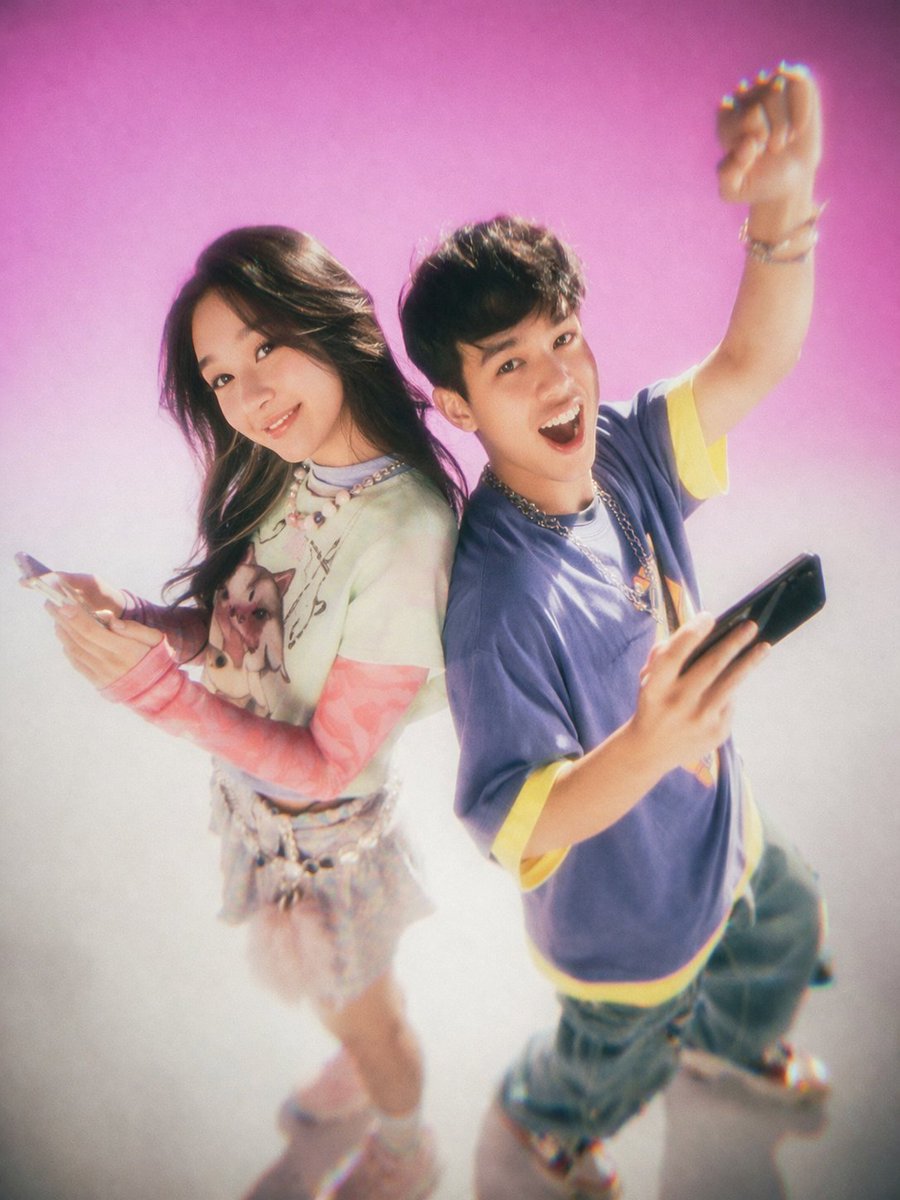
Image 2
📌 รายละเอียด
- ผู้เขียน: MiraiMosaic
- แหล่งที่มา: Twitter Post
- เผยแพร่เมื่อ: 13 เมษายน 2569
- ภาษา: en
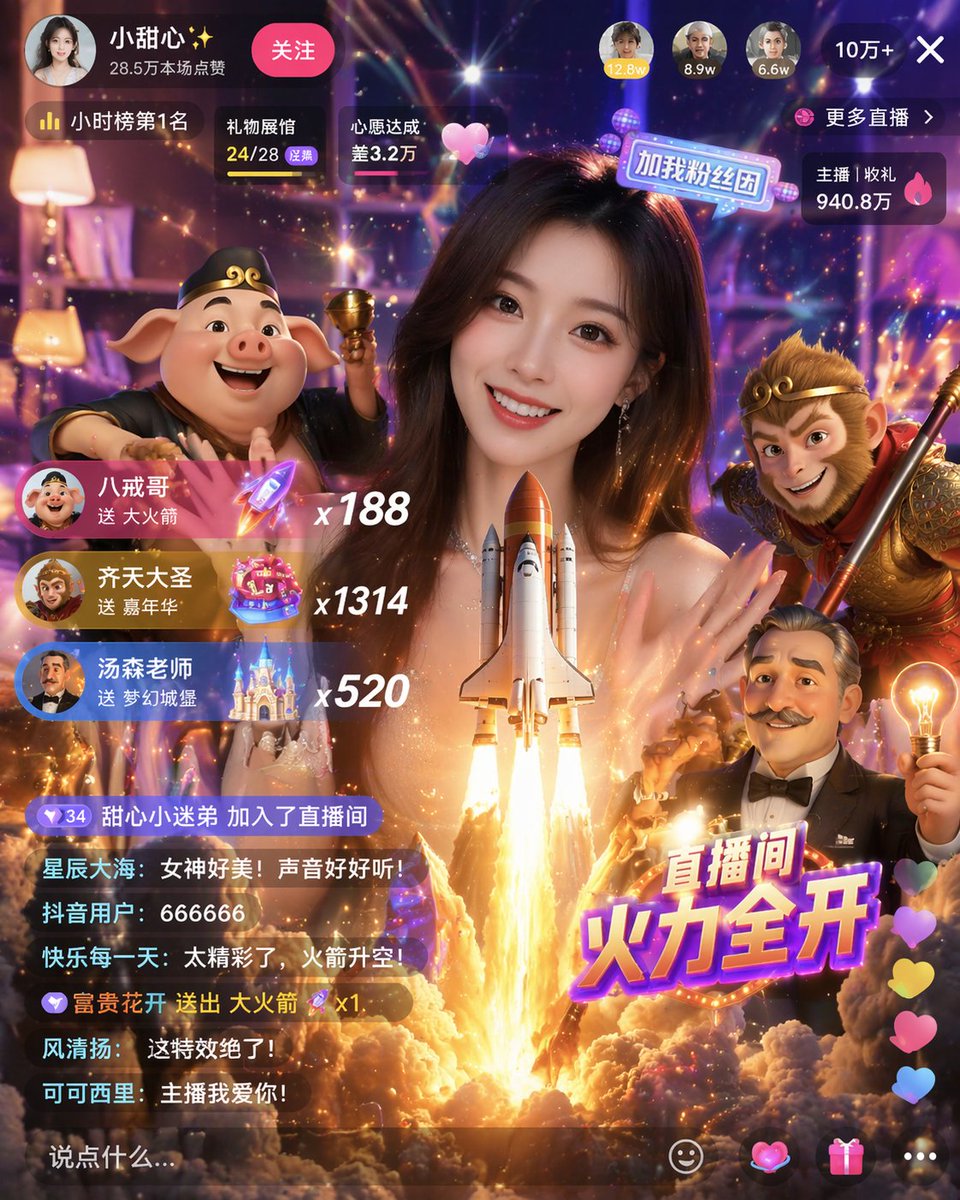
No. 8: โพสต์บนโซเชียลมีเดีย - Gamified Live Stream App Interface
📖 คำอธิบาย
Generates a highly detailed mobile live streaming interface featuring a host, 3D character avatars, virtual gift notifications, and a scrolling chat.
📝 คำสั่ง
{
  "type": "mobile live streaming app interface mockup",
  "main_subject": "beautiful young Asian woman smiling, wearing a sparkly top, looking directly at the camera",
  "foreground_3d_characters": {
    "left": "Zhu Bajie (pig demon) holding a golden bowl",
    "right": "Sun Wukong (Monkey King) holding a staff",
    "bottom_right": "cartoonish older man with a mustache holding a glowing lightbulb"
  },
  "center_effect": "large space shuttle launching upwards with bright fire and smoke, positioned in front of the woman's chest",
  "layout": {
    "top_bar": {
      "broadcaster_info": "avatar, name {argument name=\"broadcaster name\" default=\"小甜心✨\"}, stats '28.5万本场点赞', pink '关注' button",
      "top_viewers": "3 avatars with stats '12.8w', '8.9w', '6.6w', and a close button '10万+ X'",
      "status_badges": "labels '小时榜第1名', '礼物展馆 24/28', '心愿达成 差3.2万'",
      "right_stats": "labels '更多直播 >', '主播 | 收礼 940.8万'"
    },
    "middle_left_gift_notifications": {
      "count": 3,
      "items": [
        "avatar, name {argument name=\"gift sender 1\" default=\"八戒哥\"}, text '送 大火箭', rocket icon, multiplier 'x188'",
        "avatar, name {argument name=\"gift sender 2\" default=\"齐天大圣\"}, text '送 嘉年华', carnival icon, multiplier 'x1314'",
        "avatar, name {argument name=\"gift sender 3\" default=\"汤森老师\"}, text '送 梦幻城堡', castle icon, multiplier 'x520'"
      ]
    },
    "bottom_left_chat": {
      "count": 7,
      "messages": [
        "甜心小迷弟 加入了直播间",
        "星辰大海: 女神好美!声音好好听!",
        "抖音用户: 666666",
        "快乐每一天: 太精彩了,火箭升空!",
        "富贵花开 送出 大火箭 x1",
        "风清扬: 这特效绝了!",
        "可可西里: 主播我爱你!"
      ],
      "input_box": "text '说点什么...'"
    },
    "bottom_right_elements": {
      "large_graphic_text": "{argument name=\"main title graphic\" default=\"直播间 火力全开\"}",
      "floating_reactions": "column of colorful hearts",
      "action_icons": "4 icons: smiley face, heart, gift box, three dots"
    }
  }
}
🖼️ รูปภาพที่สร้าง
Image 1
📌 รายละเอียด
- ผู้เขียน: Berryxia.AI
- แหล่งที่มา: Twitter Post
- เผยแพร่เมื่อ: 20 เมษายน 2569
- ภาษา: en
No. 9: โพสต์บนโซเชียลมีเดีย - Travel Journal Scrapbook Infographic
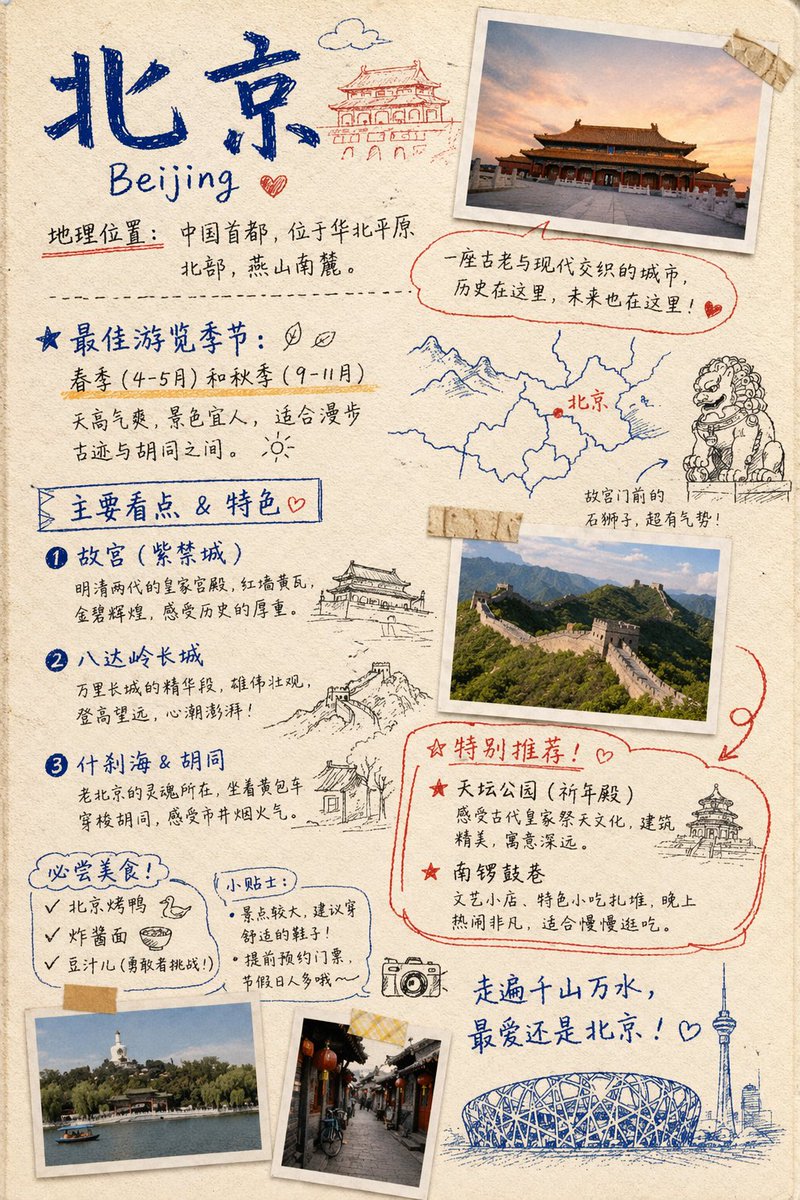
📖 คำอธิบาย
Generates a hand-drawn, bullet-journal style travel infographic featuring taped photos, sketch doodles, and categorized text sections for city guides.
📝 คำสั่ง
{ "type": "travel journal scrapbook page", "style": "hand-drawn bullet journal, textured beige paper background, blue and red ink handwriting, masking tape, polaroid-style photos, sketch doodles", "header": { "title": "{argument name=\"city name\" default=\"北京\"}", "subtitle": "{argument name=\"city name english\" default=\"Beijing\"}", "location_text": "地理位置:中国首都,位于华北平原北部,燕山南麓。", "doodle": "traditional Chinese gate building" }, "photos": { "count": 4, "descriptions": [ "Forbidden City at sunset with masking tape", "Great Wall of China landscape with masking tape", "Beihai Park with white stupa", "Traditional Hutong alleyway with red lanterns" ] }, "layout": { "sections": [ { "title": "最佳游览季节:", "position": "mid-left", "labels": [ "春季 (4-5月) 和秋季 (9-11月)" ], "doodles": [ "two leaves", "sun" ] }, { "title": "Map and Lion", "position": "mid-right", "labels": [ "北京", "故宫门前的石狮子,超有气势!" ], "doodles": [ "map with red dot", "stone guardian lion" ] }, { "title": "主要看点 & 特色", "position": "left-middle", "count": 3, "labels": [ "{argument name=\"main attraction 1\" default=\"故宫 (紫禁城)\"}", "{argument name=\"main attraction 2\" default=\"八达岭长城\"}", "什刹海 & 胡同" ], "doodles": [ "traditional pavilion", "Great Wall segment", "traditional house" ] }, { "title": "特别推荐!", "position": "bottom-right", "count": 2, "labels": [ "天坛公园 (祈年殿)", "南锣鼓巷" ], "doodles": [ "Temple of Heaven" ], "style": "outlined in red ink" }, { "title": "必尝美食!", "position": "bottom-left", "count": 3, "labels": [ "{argument name=\"must try food 1\" default=\"北京烤鸭\"}", "炸酱面", "豆汁儿 (勇敢者挑战!)" ], "doodles": [ "duck head", "bowl of noodles" ] }, { "title": "小贴士:", "position": "bottom-left-center", "count": 2, "labels": [ "景点较大,建议穿舒适的鞋子!", "提前预约门票,节假日人多哦~" ] } ], "footer": { "quote": "走遍千山万水,最爱还是北京!", "doodles": [ "camera", "Bird's Nest stadium", "CCTV tower skyline" ] } } }
🖼️ รูปภาพที่สร้าง
Image 1
📌 รายละเอียด
- ผู้เขียน: Nolan
- แหล่งที่มา: Twitter Post
- เผยแพร่เมื่อ: 19 เมษายน 2569
- ภาษา: en
No. 10: โพสต์บนโซเชียลมีเดีย - Dark Mode X Post Mockup
📖 คำอธิบาย
Generates a realistic dark mode Twitter/X post screenshot featuring a long list of greentext-style bullet points.
📝 คำสั่ง
A dark mode screenshot of an X post. The profile features a man with a mustache in a red shirt and crown, username {argument name="username" default="@iruletheworldmo"} with three strawberry emojis and a blue checkmark. Top right has a "Subscribe" button. The tweet text begins with {argument name="headline" default="🚨 BREAKING FRONTIER MODEL NEWS"} followed by {argument name="subheadline" default="gpt-6 set for release april 14th"} and a short intro about OpenAI leaks. Below are exactly 11 bullet points, each starting with a `>` symbol, detailing {argument name="bullet point topic" default="fictional AI model specs"} such as pretraining dates, outperforming gpt-5.4, native multimodality, killing Sora, renaming to "AGI Deployment", 2 million token context, pricing, safety team changes, a 2025 code red, and a new desktop superapp. The text is white on a black background in a standard sans-serif UI font.
🖼️ รูปภาพที่สร้าง
Image 1

📌 รายละเอียด
- ผู้เขียน: dih
- แหล่งที่มา: Twitter Post
- เผยแพร่เมื่อ: 19 เมษายน 2569
- ภาษา: en
No. 11: โพสต์บนโซเชียลมีเดีย - Surrealist Koi Illustration Prompt

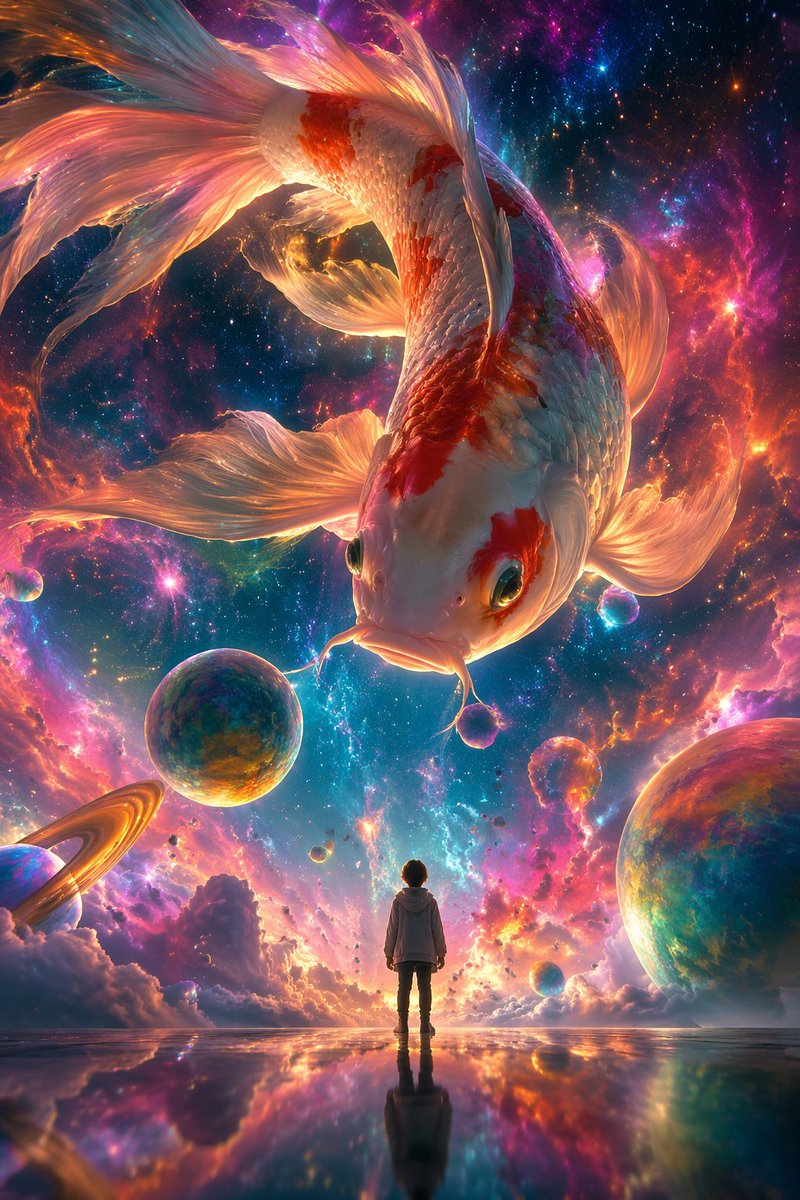
📖 คำอธิบาย
A prompt for a surrealist digital illustration featuring a giant colorful koi swimming in a nebula with a tiny human figure for scale.
📝 คำสั่ง
A surrealist digital illustration style, using {argument name="camera angle" default="low-angle shot"}. The picture depicts a giant colorful {argument name="subject" default="koi"} swimming in a dreamlike nebula, surrounded by brightly colored nebulae and bubbles. In the center of the screen stands a small person with their back to the audience, looking up calmly at the giant koi in the sky, while the koi looks down at the person. The overall picture shows a strong contrast in size, with an ethereal and dreamlike atmosphere. Aspect ratio {argument name="aspect ratio" default="9:16"}.
🖼️ รูปภาพที่สร้าง
Image 1
📌 รายละเอียด
- ผู้เขียน: 李岳
- แหล่งที่มา: Twitter Post
- เผยแพร่เมื่อ: 19 เมษายน 2569
- ภาษา: zh
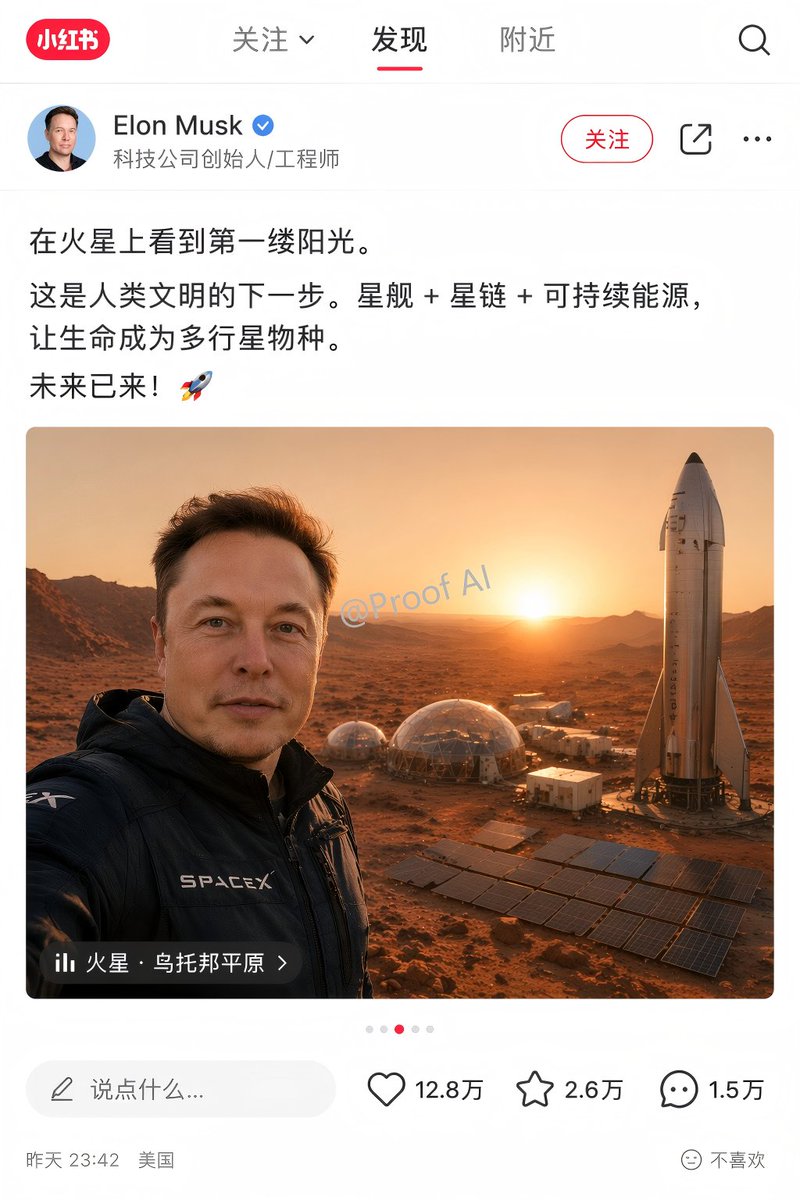
No. 12: โพสต์บนโซเชียลมีเดีย - Mars Selfie Social Media Mockup
📖 คำอธิบาย
Generates a realistic social media app interface mockup featuring a customizable user post, image, and engagement statistics.
📝 คำสั่ง
{
  "type": "social media app interface mockup",
  "platform_style": "Xiaohongshu",
  "layout": {
    "header": {
      "logo": "red pill with '小红书'",
      "tabs": ["关注 v", "发现", "附近"],
      "active_tab": "发现",
      "icons": 1,
      "icon_types": ["search"]
    },
    "user_profile": {
      "avatar": "portrait of Elon Musk",
      "name": "{argument name=\"user name\" default=\"Elon Musk\"}",
      "verified_badge": "blue checkmark",
      "subtitle": "科技公司创始人/工程师",
      "action_buttons": 3,
      "button_labels": ["关注", "share icon", "ellipsis icon"]
    },
    "post_content": {
      "text": "{argument name=\"post text\" default=\"在火星上看到第一缕阳光。这是人类文明的下一步。星舰 + 星链 + 可持续能源,让生命成为多行星物种。未来已来!🚀\"}",
      "image": {
        "description": "{argument name=\"image subject\" default=\"Elon Musk taking a selfie on Mars\"}",
        "clothing": "black jacket with SPACEX logo",
        "background": "{argument name=\"background elements\" default=\"Starship rocket, geodesic habitat domes, solar panel arrays, Martian landscape at sunrise\"}",
        "watermark": "@Proof AI",
        "location_overlay": {
          "icon": "bar chart",
          "text": "{argument name=\"location tag\" default=\"火星 · 乌托邦平原 >\"}"
        }
      },
      "pagination_dots": 5
    },
    "footer": {
      "comment_input": "说点什么...",
      "interaction_stats": 3,
      "stats_details": [
        {"icon": "heart", "count": "12.8万"},
        {"icon": "star", "count": "2.6万"},
        {"icon": "speech bubble", "count": "1.5万"}
      ],
      "metadata": "昨天 23:42 美国",
      "feedback_button": "不喜欢"
    }
  }
}
🖼️ รูปภาพที่สร้าง
Image 1
📌 รายละเอียด
- ผู้เขียน: Proof · AI Productivity
- แหล่งที่มา: Twitter Post
- เผยแพร่เมื่อ: 19 เมษายน 2569
- ภาษา: en
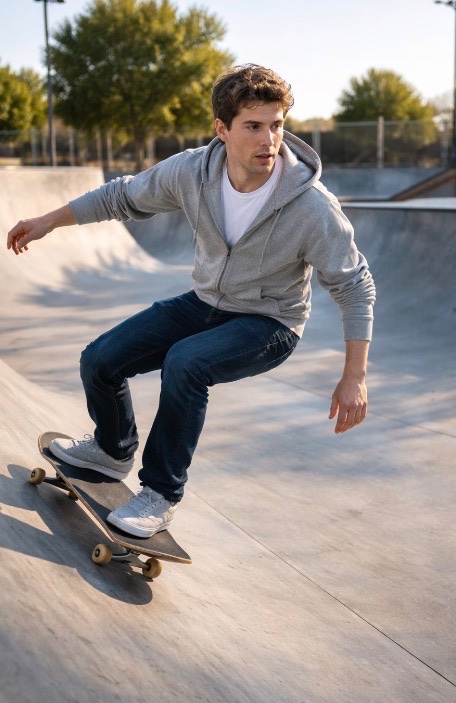
No. 13: โพสต์บนโซเชียลมีเดีย - Sam Altman Skateboarding Test Prompt
📖 คำอธิบาย
A simple prompt for GPT Image 2 featuring Sam Altman on a skateboard at a skatepark, used to test the model's subject consistency.
📝 คำสั่ง
{argument name="subject" default="Sam Altman"} on a {argument name="object" default="skateboard"} at a {argument name="location" default="skatepark"} with no people.
🖼️ รูปภาพที่สร้าง
Image 1
📌 รายละเอียด
- ผู้เขียน: Ilbs (I love boring stuff)
- แหล่งที่มา: Twitter Post
- เผยแพร่เมื่อ: 19 เมษายน 2569
- ภาษา: en
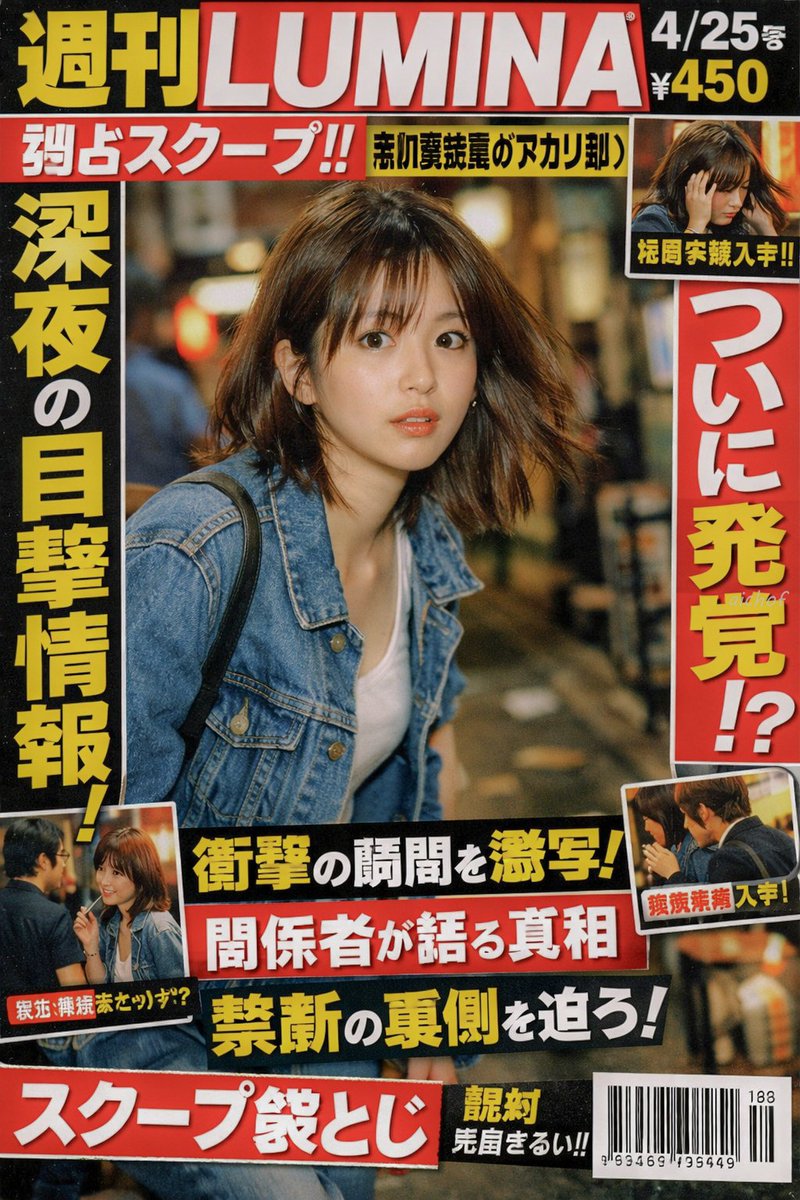
No. 14: โพสต์บนโซเชียลมีเดีย - Japanese Tabloid Magazine Cover
📖 คำอธิบาย
Generates a realistic Japanese weekly gossip magazine cover featuring paparazzi-style photography, sensational headlines, and multiple inset photos.
📝 คำสั่ง
{
  "type": "Japanese tabloid magazine cover",
  "magazine_header": {
    "title": "{argument name=\"magazine name\" default=\"週刊LUMINA\"}",
    "issue_date": "4/25号",
    "price": "¥450"
  },
  "main_photo": {
    "subject": "{argument name=\"subject description\" default=\"young Japanese woman looking back in surprise, wearing a denim jacket over a white top\"}",
    "setting": "nighttime street with bokeh lights",
    "style": "paparazzi flash photography style"
  },
  "layout": {
    "headlines": [
      { "position": "top left banner", "text": "{argument name=\"top banner text\" default=\"独占スクープ!!\"}", "color": "white text on red background" },
      { "position": "left vertical", "text": "{argument name=\"main headline left\" default=\"深夜の目撃情報!\"}", "color": "yellow text with black outline" },
      { "position": "right vertical", "text": "{argument name=\"main headline right\" default=\"ついに発覚!?\"}", "color": "red text with white outline" },
      { "position": "bottom center stacked 1", "text": "衝撃の瞬間を激写!", "color": "yellow text on black background" },
      { "position": "bottom center stacked 2", "text": "関係者が語る真相", "color": "white text on red background" },
      { "position": "bottom center stacked 3", "text": "禁断の裏側を迫ろ!", "color": "yellow text on black background" },
      { "position": "bottom left banner", "text": "スクープ袋とじ", "color": "white text on red background" }
    ],
    "inset_photos": {
      "count": 3,
      "details": [
        { "position": "top right", "description": "woman looking down holding her head", "label": "極秘写真入手!!" },
        { "position": "bottom left", "description": "woman talking to a man with glasses", "label": "親密交際発覚か!?" },
        { "position": "bottom right", "description": "woman and man seen from the side", "label": "熱愛発覚 入手!" }
      ]
    },
    "footer": {
      "elements": ["barcode", "188", "963469 195449"]
    }
  }
}
🖼️ รูปภาพที่สร้าง
Image 1
📌 รายละเอียด
- ผู้เขียน: aichof(アイチョフ)
- แหล่งที่มา: Twitter Post
- เผยแพร่เมื่อ: 19 เมษายน 2569
- ภาษา: en
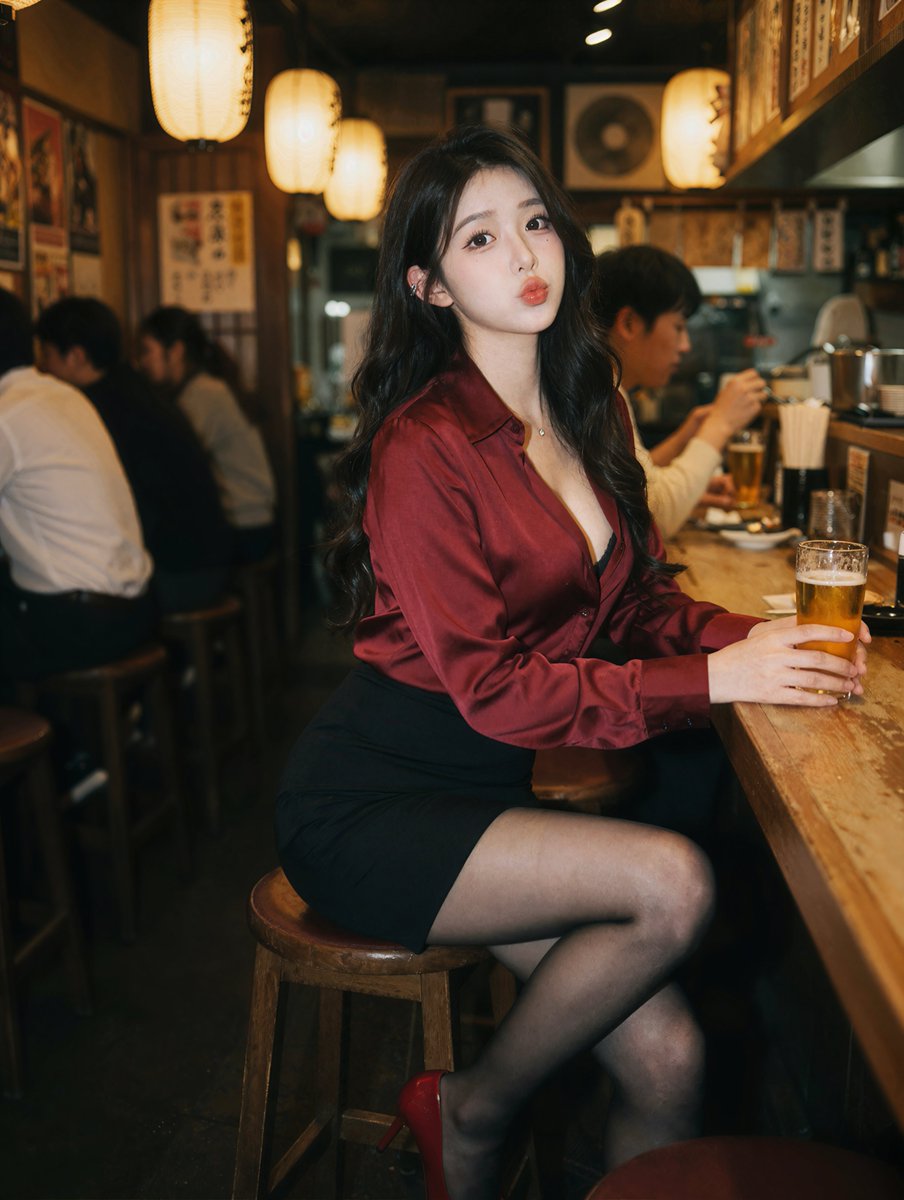
No. 15: โพสต์บนโซเชียลมีเดีย - Photorealistic Izakaya Portrait
📖 คำอธิบาย
Generates a photorealistic portrait of a subject sitting at a bar, ideal for lifestyle or character photography.
📝 คำสั่ง
A photorealistic portrait of a {argument name="subject description" default="young East Asian woman"} sitting at a wooden counter in a {argument name="setting" default="dimly lit izakaya"}. She has long wavy black hair and wears a {argument name="top clothing" default="deep red silk button-down shirt"}, a black mini skirt, sheer black tights, and red high heels. She holds a {argument name="drink" default="glass of beer"} and looks at the camera with a slight pout. The background features blurred patrons and warm glowing {argument name="lighting source" default="paper lanterns"}. Cinematic lighting, shallow depth of field.
🖼️ รูปภาพที่สร้าง
Image 1
📌 รายละเอียด
- ผู้เขียน: Andy Chow
- แหล่งที่มา: Twitter Post
- เผยแพร่เมื่อ: 19 เมษายน 2569
- ภาษา: en
No. 16: โพสต์บนโซเชียลมีเดีย - 4-Panel Japanese Digital Ad Banner Grid
📖 คำอธิบาย
Generates a 2x2 grid of distinct Japanese digital advertisement banners for travel, skincare, food, and online education.
📝 คำสั่ง
{
  "type": "2x2 grid of Japanese digital advertisement banners",
  "layout": {
    "structure": "4 equal quadrants",
    "quadrants": [
      {
        "position": "top-left",
        "theme": "Travel",
        "subject": "A couple holding hands on a white sand beach, looking out at turquoise ocean water under a bright blue sky.",
        "elements": ["red hibiscus flower in bottom left corner"],
        "text_labels": [
          "今年こそ、解き放て。",
          "{argument name=\"travel destination\" default=\"沖縄旅行\"}",
          "3日間の癒やし旅",
          "航空券+ホテル",
          "39,800円〜",
          "絶景、グルメ、体験 ぜんぶ叶う!"
        ],
        "icons": {
          "count": 3,
          "descriptions": ["airplane", "hotel building", "car"]
        }
      },
      {
        "position": "top-right",
        "theme": "Skincare",
        "subject": "Close-up portrait of a young woman with glowing, dewy skin, eyes closed, gently touching her cheeks.",
        "elements": [
          "soft pink gradient background",
          "dynamic water splash effects",
          "pink cosmetic jar labeled '{argument name=\"skincare product name\" default=\"LUMIÈRE\"} Brightening Gel'"
        ],
        "text_labels": [
          "毛穴・くすみ卒業!",
          "透明感あふれる",
          "水光肌へ",
          "新感覚スキンケア",
          "初回限定 78%OFF",
          "{argument name=\"discount price\" default=\"1,980円\"}"
        ],
        "badges": {
          "count": 3,
          "style": "gold circular",
          "labels": ["毛穴ケア", "高保湿", "ハリ・ツヤ"]
        }
      },
      {
        "position": "bottom-left",
        "theme": "Gourmet Food",
        "subject": "Thick, sliced, medium-rare steak sizzling on a dark grill plate.",
        "elements": [
          "garlic chips",
          "rosemary sprig",
          "dark background with smoke and glowing embers"
        ],
        "text_labels": [
          "とろける旨さ!",
          "{argument name=\"food item\" default=\"黒毛和牛\"}",
          "贅沢ステーキ",
          "期間限定",
          "特別価格",
          "通常価格 8,980円",
          "4,980円"
        ],
        "badges": {
          "count": 1,
          "style": "red circular",
          "labels": ["A4 A5等級"]
        }
      },
      {
        "position": "bottom-right",
        "theme": "Online Education",
        "subject": "Young man in a blue shirt studying at a desk, writing in a notebook next to an open laptop.",
        "elements": ["bright indoor lighting", "desk environment"],
        "text_labels": [
          "スキマ時間で",
          "{argument name=\"education goal\" default=\"最短合格!\"}",
          "オンライン資格講座",
          "スマホで完結",
          "効率学習で差がつく!",
          "今だけ! 受講料 20%OFF"
        ],
        "badges": {
          "count": 1,
          "style": "blue circular",
          "labels": ["受講者数 10万人 突破!"]
        },
        "icons": {
          "count": 2,
          "descriptions": ["smartphone", "open book"]
        }
      }
    ]
  }
}
🖼️ รูปภาพที่สร้าง
Image 1

📌 รายละเอียด
- ผู้เขียน: まかねこ| AI×仮想通貨
- แหล่งที่มา: Twitter Post
- เผยแพร่เมื่อ: 19 เมษายน 2569
- ภาษา: en
No. 17: โพสต์บนโซเชียลมีเดีย - Photorealistic Reclining Portrait
📖 คำอธิบาย
Generates a high-quality, photorealistic image of a woman relaxing on a sofa in soft natural light.
📝 คำสั่ง
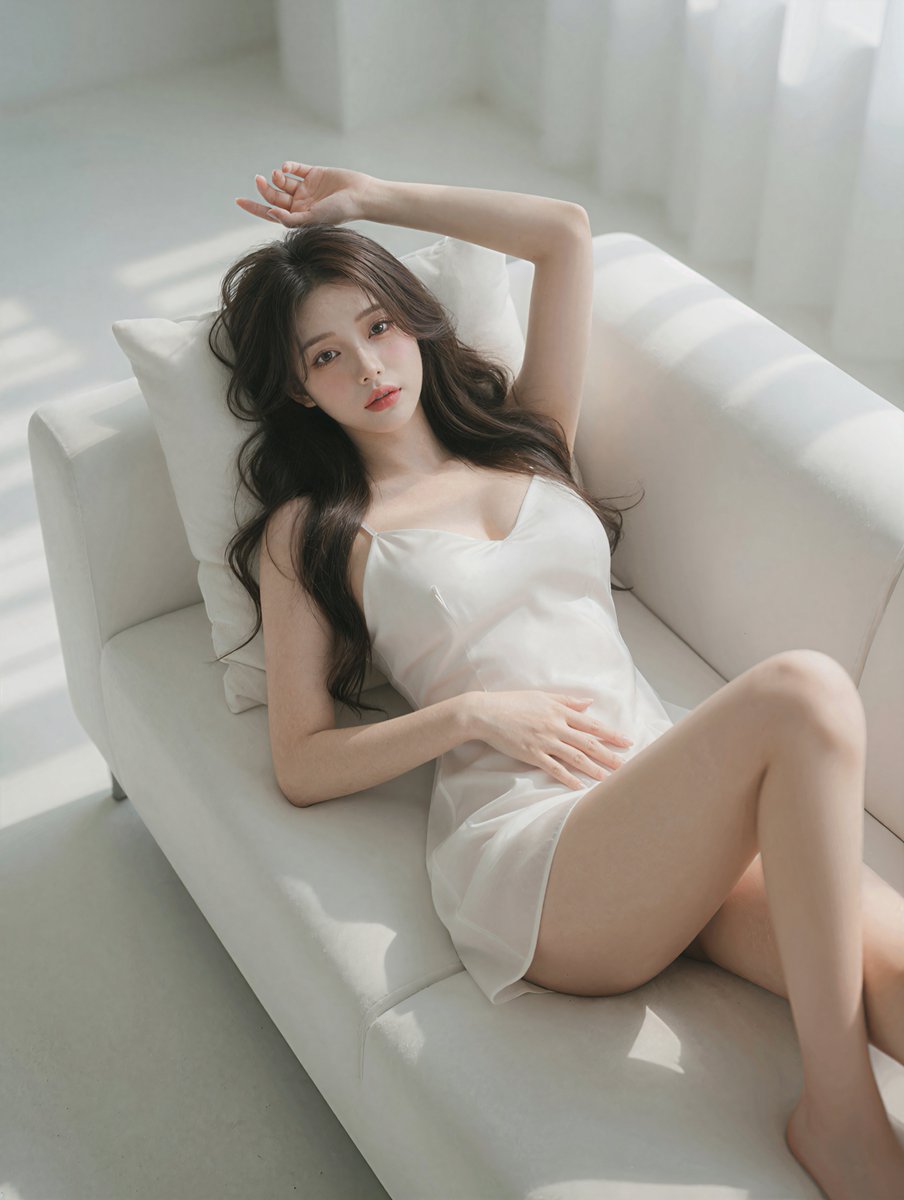
A highly detailed, photorealistic portrait of a {argument name="subject description" default="beautiful young Asian woman"} reclining gracefully on a {argument name="furniture" default="white modern sofa"}. She is wearing a {argument name="clothing" default="short white silk slip dress"} with thin straps, her {argument name="hair style" default="long wavy dark brown hair"} cascading softly over a white pillow. Her pose is relaxed and intimate, with one arm raised elegantly above her head and the other hand resting gently on her stomach, as she gazes directly at the camera with a soft, alluring expression. The scene is illuminated by {argument name="lighting style" default="soft natural sunlight streaming through a window"}, casting gentle, diffused shadows across her flawless skin and the pristine white upholstery. The aesthetic is bright, minimalist, and ethereal, captured with an 85mm lens for a cinematic, shallow depth of field and soft, glowing highlights.
🖼️ รูปภาพที่สร้าง
Image 1
📌 รายละเอียด
- ผู้เขียน: Andy Chow
- แหล่งที่มา: Twitter Post
- เผยแพร่เมื่อ: 19 เมษายน 2569
- ภาษา: en
No. 18: โพสต์บนโซเชียลมีเดีย - Douyin Live Stream UI Prompt
📖 คำอธิบาย
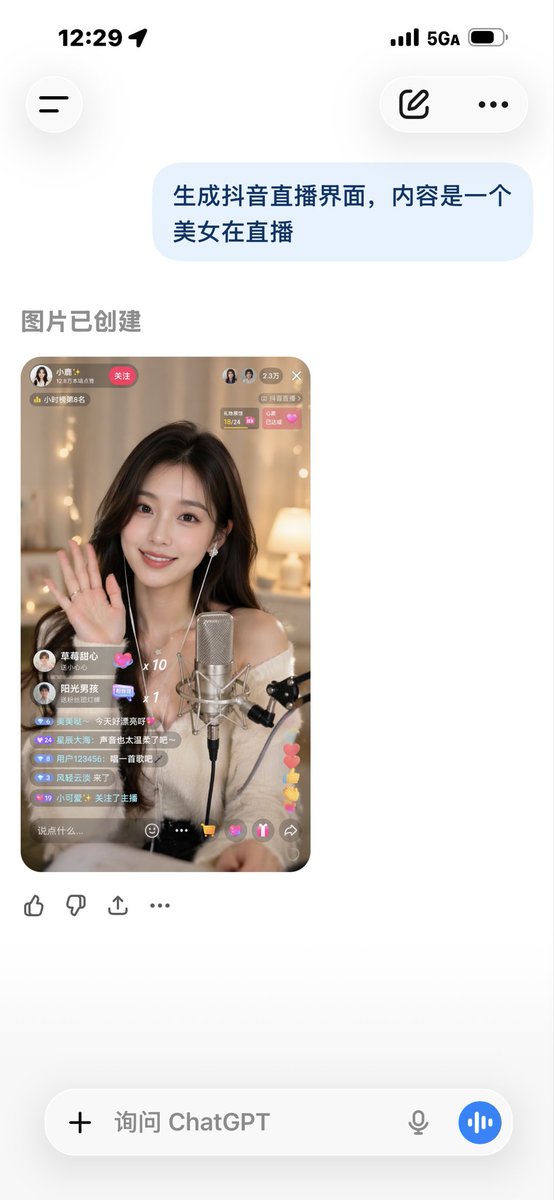
A simple prompt for generating a user interface simulation of a Douyin live streaming room, useful for app design prototyping.
📝 คำสั่ง
Generate a Douyin live stream interface, showing a {argument name="subject" default="beautiful woman"} performing a {argument name="activity" default="live broadcast"}
🖼️ รูปภาพที่สร้าง
Image 1
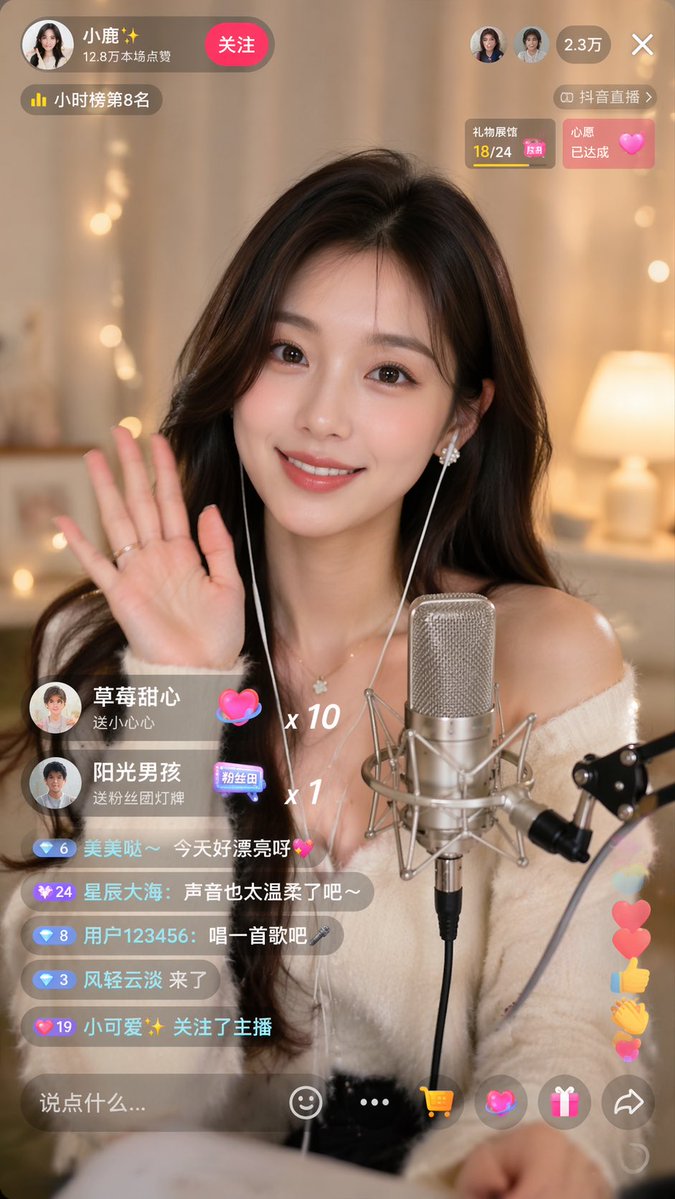
Image 2
📌 รายละเอียด
- ผู้เขียน: Sun phone
- แหล่งที่มา: Twitter Post
- เผยแพร่เมื่อ: 19 เมษายน 2569
- ภาษา: zh
No. 19: โพสต์บนโซเชียลมีเดีย - การทดสอบความสามารถในการแสดงผลข้อความ

📖 คำอธิบาย
คำสั่งที่ใช้เพื่อทดสอบว่าโมเดลสามารถแสดงผลข้อความที่ซับซ้อนลงบนวัตถุที่กำหนดได้อย่างแม่นยำหรือไม่
📝 คำสั่ง
{argument name="fruit" default="กล้วย"} ที่มี {argument name="text" default="หัวใจปรัชญาปารมิตาสูตร"} เขียนอยู่บนนั้น
🖼️ รูปภาพที่สร้าง
Image 1

📌 รายละเอียด
- ผู้เขียน: とらの
- แหล่งที่มา: Twitter Post
- เผยแพร่เมื่อ: 15 เมษายน 2569
- ภาษา: ja
No. 20: โพสต์บนโซเชียลมีเดีย - ภาพถ่ายนิตยสารสไตล์สมจริง
📖 คำอธิบาย
สร้างภาพถ่ายจาก iPhone ในสไตล์มือสมัครเล่นของนิตยสารที่เปิดอยู่ โดยเน้นหัวข้อบทความเฉพาะด้วยความคมชัดและแสงที่ดูสมจริง
📝 คำสั่ง
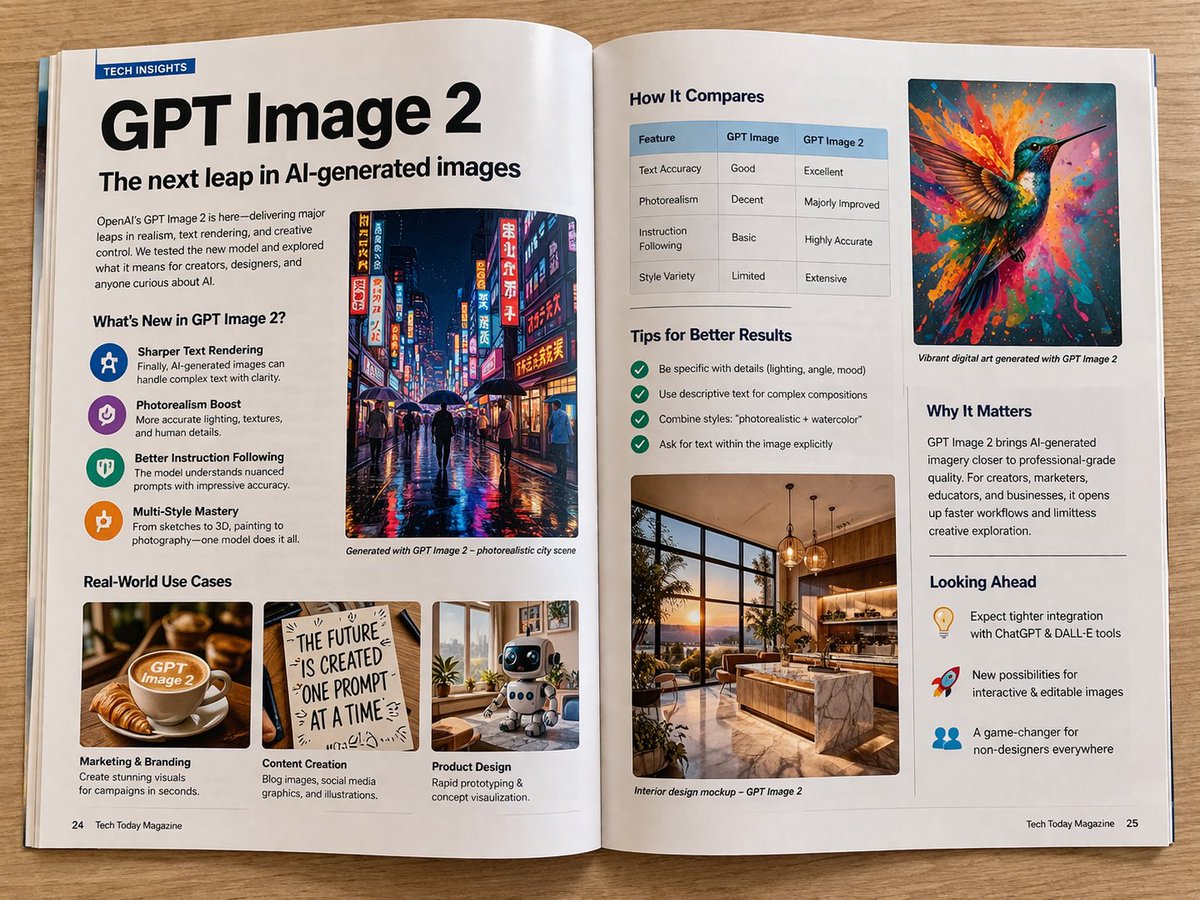
ภาพถ่ายจากโทรศัพท์มือถือในสไตล์มือสมัครเล่นของนิตยสารที่เปิดกางออกสองหน้า นำเสนอบทความเกี่ยวกับ {argument name="topic" default="GPT Image 2"} ถ่ายด้วย iPhone ไม่มีการทำหน้าชัดหลังเบลอ ทุกจุดมีความคมชัด ภาพถ่ายสมจริง ถ่ายด้วย iPhone กล้องหลัก
🖼️ รูปภาพที่สร้าง
Image 1
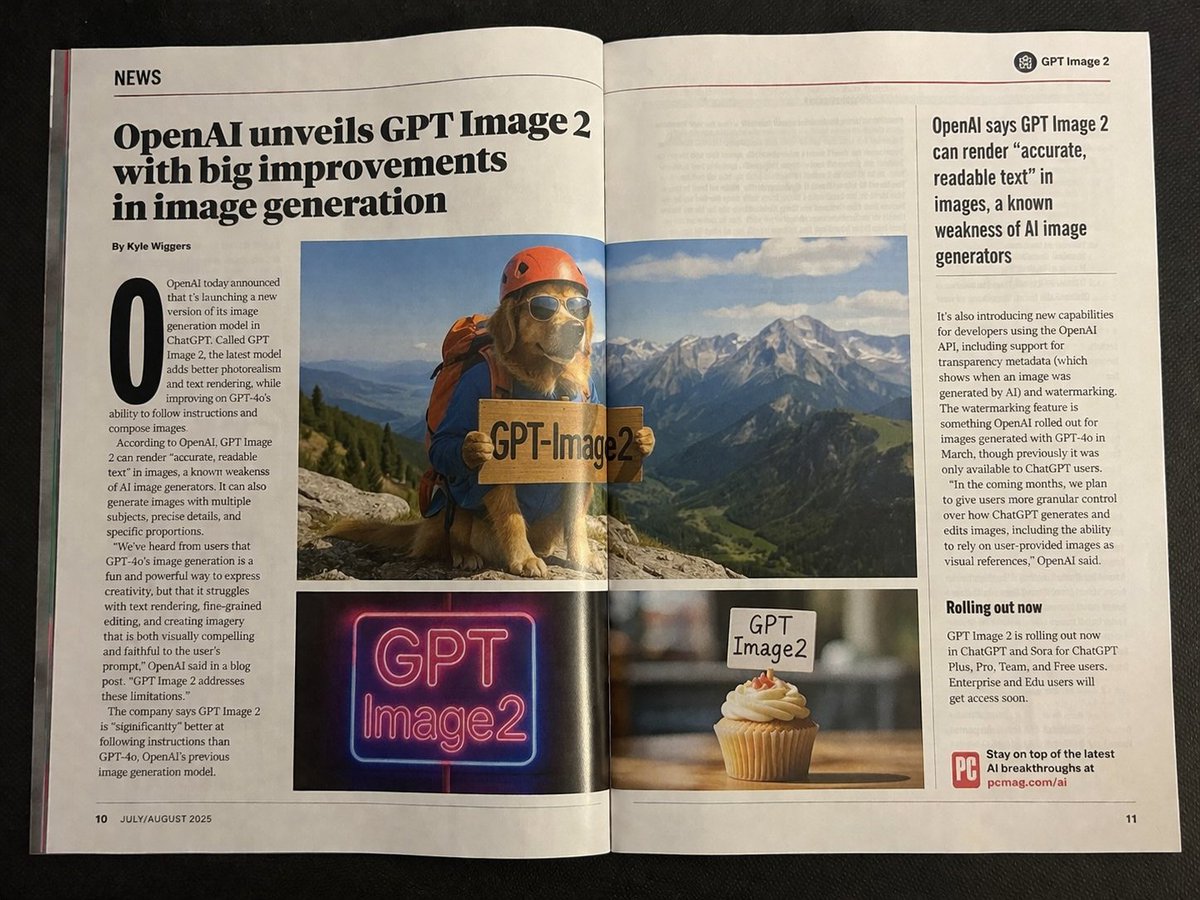
Image 2
📌 รายละเอียด
- ผู้เขียน: Patrick
- แหล่งที่มา: Twitter Post
- เผยแพร่เมื่อ: 13 เมษายน 2569
- ภาษา: en
No. 21: โพสต์บนโซเชียลมีเดีย - ป้ายวัดสุดฮาพร้อมพระสงฆ์โพสท่ากวนๆ
📖 คำอธิบาย
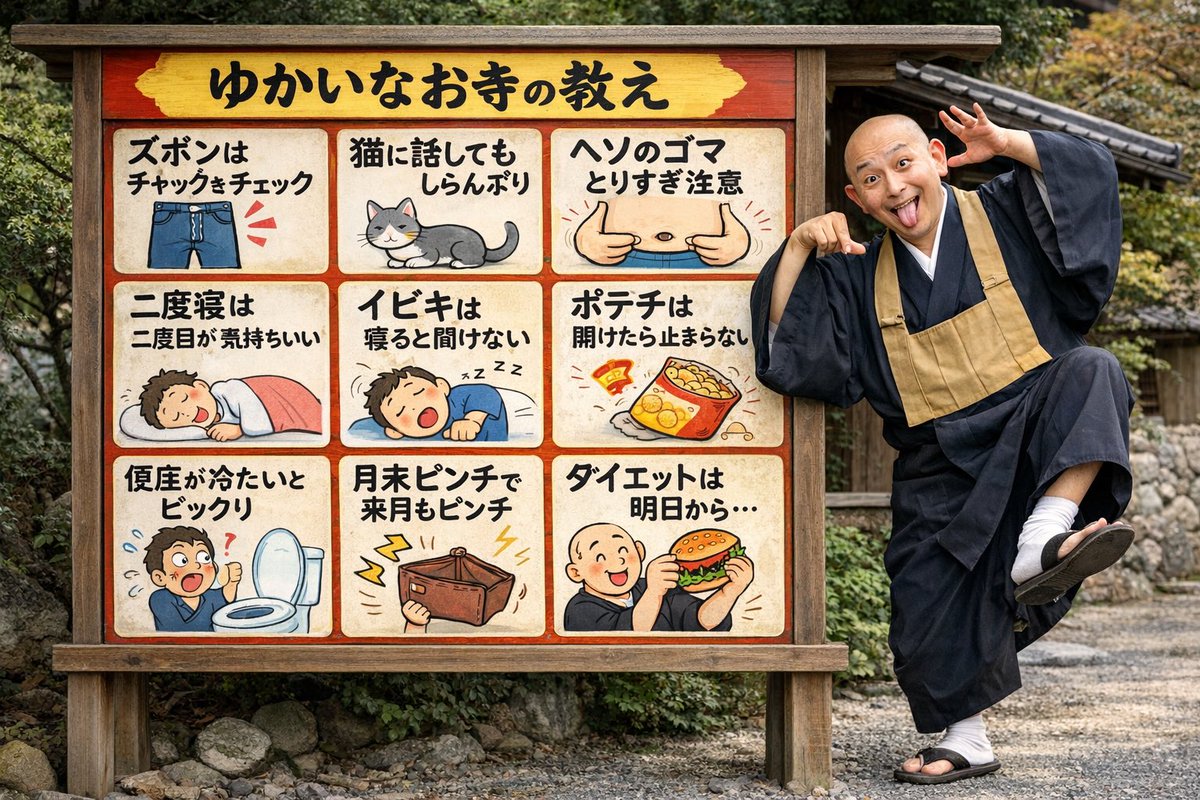
สร้างภาพเสมือนจริงของพระสงฆ์สุดกวนที่กำลังโพสท่าอยู่ข้างป้ายประกาศของวัดแบบ 9 ช่อง
📝 คำสั่ง
{
  "type": "ฉากเสมือนจริงพร้อมป้ายประกาศภาพวาดการ์ตูน",
  "setting": "{argument name=\"setting\" default=\"บริเวณวัดญี่ปุ่นแบบดั้งเดิมที่มีทางเดินกรวดและกำแพงหิน\"}",
  "subjects": [
    {
      "type": "บุคคล",
      "description": "พระสงฆ์ญี่ปุ่นศีรษะโล้น สวมชุดจีวรสีเข้มแบบดั้งเดิมและผ้าสังฆาฏิสีน้ำตาลอ่อน",
      "pose": "{argument name=\"monk pose\" default=\"ท่าทางกวนๆ ยืนขาเดียว เอนตัวไปด้านหลัง ชี้ไปที่ป้าย และแลบลิ้น\"}"
    },
    {
      "type": "ป้ายไม้",
      "description": "ป้ายประกาศไม้ขนาดใหญ่ที่มีขอบด้านในสีแดง ประกอบด้วยส่วนหัวและตาราง 3x3 รวม 9 ช่องภาพ",
      "header": {
        "text": "{argument name=\"header text\" default=\"คำสอนจากวัดสุดฮา\"}",
        "background": "สีเหลือง"
      },
      "grid_panels": [
        { "position": "แถวที่ 1 คอลัมน์ที่ 1", "text": "{argument name=\"panel 1 text\" default=\"เช็กซิปให้ดีก่อนออกจากบ้าน\"}", "illustration": "กางเกงยีนส์สีน้ำเงินพร้อมเส้นเน้นสีแดงที่บริเวณซิป" },
        { "position": "แถวที่ 1 คอลัมน์ที่ 2", "text": "คุยกับแมวก็ทำเป็นเมิน", "illustration": "แมวสีเทาสลับขาวนั่งหันหลังให้" },
        { "position": "แถวที่ 1 คอลัมน์ที่ 3", "text": "อย่าแคะสะดือเพลินจนเกินไป", "illustration": "ภาพซูมหน้าท้องที่มีนิ้วโป้งสองข้างชี้ไปที่สะดือ" },
        { "position": "แถวที่ 2 คอลัมน์ที่ 1", "text": "นอนต่อรอบสองนี่แหละฟินสุด", "illustration": "คนนอนหลับอย่างสงบใต้ผ้าห่มสีชมพู" },
        { "position": "แถวที่ 2 คอลัมน์ที่ 2", "text": "กรนเองไม่ได้ยินหรอก", "illustration": "คนนอนหลับและกรนพร้อมสัญลักษณ์ Zzz" },
        { "position": "แถวที่ 2 คอลัมน์ที่ 3", "text": "เปิดถุงมันฝรั่งแล้วหยุดไม่ได้", "illustration": "ถุงมันฝรั่งที่เปิดอยู่และมีมันฝรั่งหกออกมา" },
        { "position": "แถวที่ 3 คอลัมน์ที่ 1", "text": "ฝารองนั่งชักโครกเย็นทำเอาสะดุ้ง", "illustration": "คนทำหน้าตกใจอยู่ข้างชักโครกที่เปิดฝาไว้" },
        { "position": "แถวที่ 3 คอลัมน์ที่ 2", "text": "สิ้นเดือนว่าแย่ เดือนหน้าก็ยังแย่อยู่", "illustration": "กระเป๋าสตางค์สีน้ำตาลว่างเปล่าพร้อมสัญลักษณ์สายฟ้าสีเหลือง" },
        { "position": "แถวที่ 3 คอลัมน์ที่ 3", "text": "{argument name=\"panel 9 text\" default=\"ลดน้ำหนักเริ่มพรุ่งนี้ละกัน...\"}", "illustration": "การ์ตูนพระสงฆ์ศีรษะโล้นกำลังกินแฮมเบอร์เกอร์ชิ้นใหญ่อย่างมีความสุข" }
      ]
    }
  ]
}
🖼️ รูปภาพที่สร้าง
Image 1
📌 รายละเอียด
- ผู้เขียน: notargs
- แหล่งที่มา: Twitter Post
- เผยแพร่เมื่อ: 13 เมษายน 2569
- ภาษา: en
No. 22: โพสต์บนโซเชียลมีเดีย - โปสเตอร์ดีเจสูงวัยสุดเดือดหน้าภูเขาไฟระเบิด
📖 คำอธิบาย
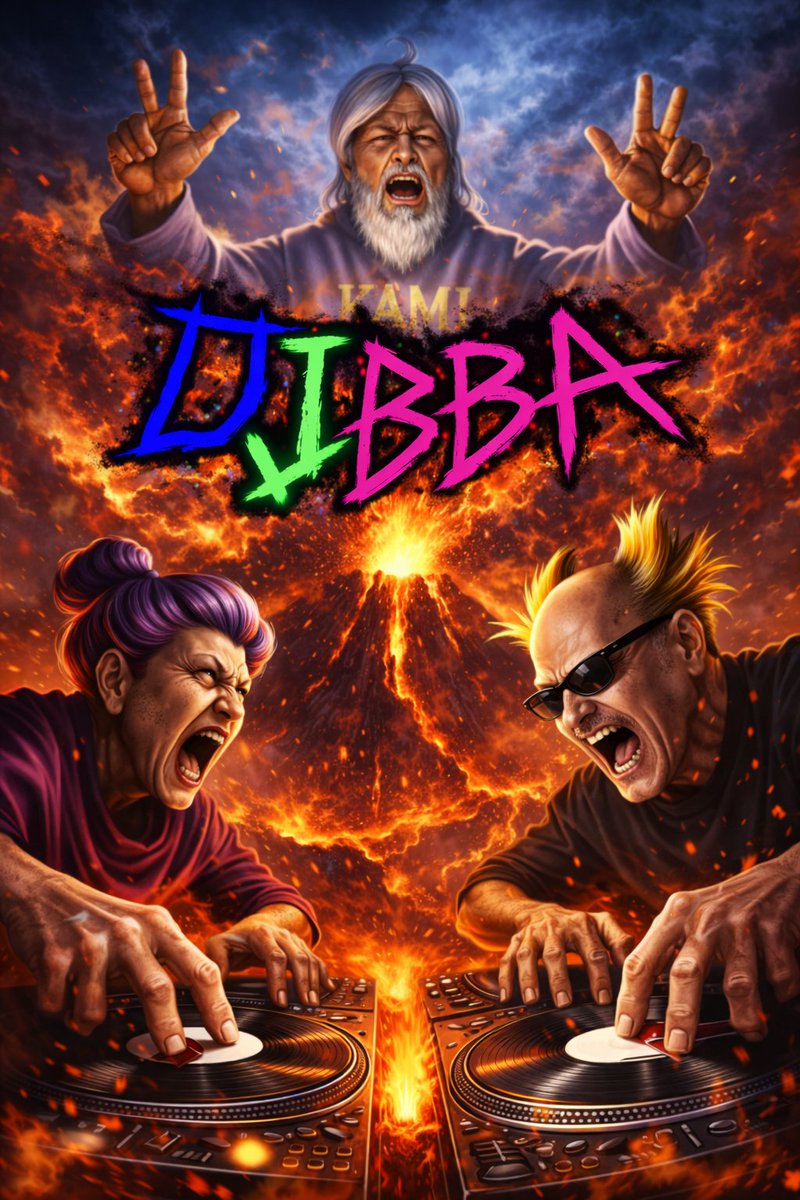
สร้างโปสเตอร์แนวภาพยนตร์สุดอลังการของตัวละครผู้สูงอายุที่กำลังดีเจอย่างดุเดือดหน้าภูเขาไฟที่กำลังระเบิด พร้อมข้อความกราฟฟิตี้แบบนีออน
📝 คำสั่ง
โปสเตอร์แนวแอ็กชันสุดอลังการสมจริงระดับภาพยนตร์ที่มีตัวละครสุดเดือด 3 คน โดยมีฉากหลังเป็น {argument name="background setting" default="ภูเขาไฟขนาดมหึมาที่กำลังระเบิดพร้อมลาวาและเปลวไฟ"} ที่ด้านบนตรงกลาง ลอยอยู่ท่ามกลางท้องฟ้าที่เต็มไปด้วยควันคือ {argument name="top character" default="ชายสูงวัยผมและเคราสีขาวยาวสวมฮู้ดสีเทา"} กำลังตะโกนและชูสองนิ้วทำท่าสัญลักษณ์สันติภาพทั้งสองมือ ที่ด้านหน้ามีตัวละครสองคนกำลังสแครชแผ่นดีเจอย่างดุเดือด ทั้งคู่กำลังกรีดร้องด้วยพลังงานที่เต็มเปี่ยม ทางด้านซ้ายคือ {argument name="left character" default="หญิงสูงวัยผมสีม่วงมัดมวย"} และทางด้านขวาคือ {argument name="right character" default="ชายสูงวัยผมทรงโมฮอว์กสีบลอนด์ตั้งและสวมแว่นกันแดด"} ตรงกลางภาพเหนือภูเขาไฟมีข้อความกราฟฟิตี้สไตล์นีออนขนาดใหญ่แบบหยักอ่านว่า "{argument name="main text" default="DJBBA"}" ในโทนสีน้ำเงิน เขียว และชมพูสดใส แสงสีมีความดราม่า ร้อนแรง และวุ่นวาย พร้อมด้วยประกายไฟและเถ้าถ่านที่ปลิวว่อนไปทั่ว
🖼️ รูปภาพที่สร้าง
Image 1
📌 รายละเอียด
- ผู้เขียน: めんたろ
- แหล่งที่มา: Twitter Post
- เผยแพร่เมื่อ: 13 เมษายน 2569
- ภาษา: en
No. 23: โพสต์บนโซเชียลมีเดีย - แมวอวกาศสุดเซอร์บนจรวดเครื่องดูดฝุ่น
📖 คำอธิบาย
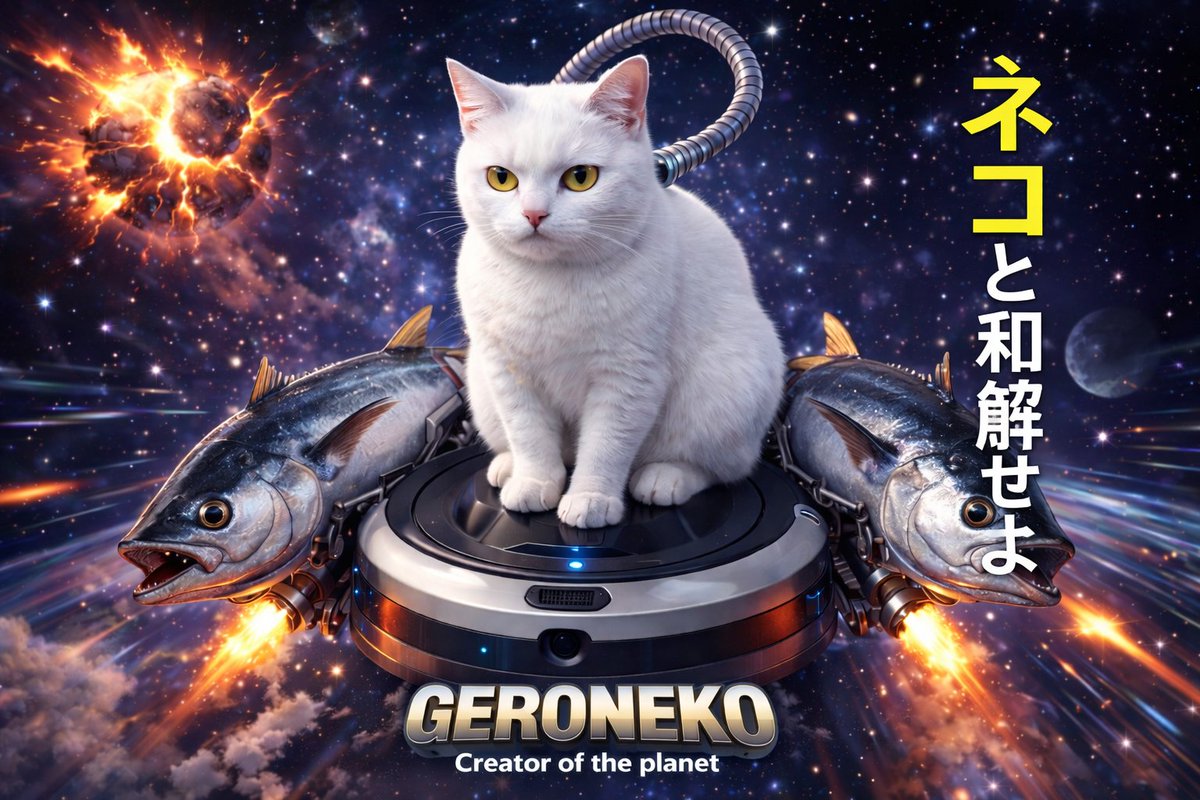
สร้างภาพแนวไซไฟสุดเซอร์ที่มีรายละเอียดสูงของสัตว์ที่กำลังขี่เครื่องใช้ไฟฟ้าในบ้านที่ถูกดัดแปลงผ่านอวกาศ พร้อมข้อความที่ปรับแต่งได้
📝 คำสั่ง
ภาพประกอบดิจิทัลแนวไซไฟสุดเซอร์ของ {argument name="animal" default="แมวสีขาว"} ที่กำลังนั่งอยู่บน {argument name="vehicle" default="หุ่นยนต์ดูดฝุ่น"} ซึ่งกำลังบินผ่านห้วงอวกาศอันไกลโพ้น โดยมี {argument name="side boosters" default="ปลาทูน่าขนาดใหญ่สองตัว"} ขนาบข้างทำหน้าที่เป็นจรวดขับดัน พร้อมเปลวไฟสว่างจ้าพุ่งออกมาจากหาง มีท่อโลหะแบบมีร่องเชื่อมต่อระหว่างเครื่องดูดฝุ่นกับคอของแมว ฉากหลังเป็นเนบิวลาในอวกาศที่เต็มไปด้วยดวงดาว แสงไฟที่พุ่งผ่านด้วยความเร็วสูง และดาวเคราะห์ที่กำลังระเบิดอย่างรุนแรงที่มุมซ้ายบน ทางด้านขวามีข้อความภาษาญี่ปุ่นแนวตั้งเขียนว่า {argument name="japanese text" default="ネコと和解せよ"} (ตัวอักษรสองตัวแรกเป็นสีเหลือง ส่วนที่เหลือเป็นสีขาว) ที่กึ่งกลางด้านล่างมีข้อความโลหะ 3D ขนาดใหญ่เขียนว่า {argument name="bottom text" default="GERONEKO"} พร้อมข้อความสีขาวขนาดเล็กกว่าด้านล่างที่อ่านว่า 'Creator of the planet' แสงแบบภาพยนตร์ พื้นผิวสมจริงระดับไฮเปอร์
🖼️ รูปภาพที่สร้าง
Image 1
📌 รายละเอียด
- ผู้เขียน: めんたろ
- แหล่งที่มา: Twitter Post
- เผยแพร่เมื่อ: 13 เมษายน 2569
- ภาษา: en
No. 24: โพสต์บนโซเชียลมีเดีย - บันทึกการเรียนภาษาญี่ปุ่นที่เขียนด้วยลายมือพร้อมภาพถ่าย
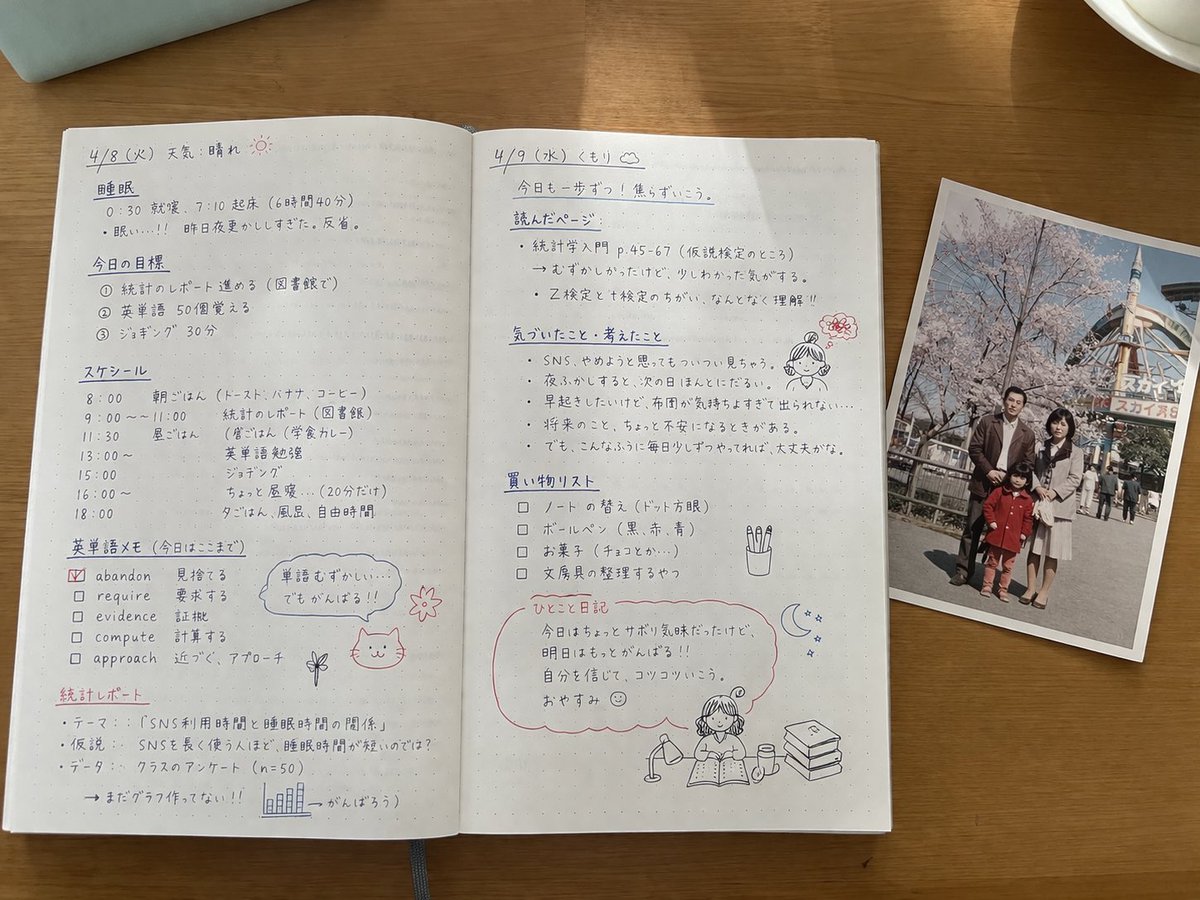
📖 คำอธิบาย
สร้างภาพถ่ายสมจริงมุมมองจากด้านบนของสมุดโน้ตที่เปิดอยู่ ซึ่งเต็มไปด้วยบันทึกการเรียนภาษาญี่ปุ่นอย่างละเอียด ภาพวาดเล่น และภาพถ่ายครอบครัวที่วางอยู่บนหน้ากระดาษ
📝 คำสั่ง
{
  "type": "ภาพถ่ายนิ่งสมจริงมุมมองจากด้านบน",
  "setting": "{argument name=\"desk surface\" default=\"โต๊ะไม้\"}",
  "objects": [
    {
      "item": "สมุดโน้ตที่เปิดอยู่",
      "style": "{argument name=\"notebook style\" default=\"กระดาษจุดไข่ปลาพร้อมบันทึกภาษาญี่ปุ่นที่เขียนด้วยลายมืออย่างเป็นระเบียบด้วยหมึกสีดำและสีแดง\"}",
      "layout": {
        "left_page": {
          "header": "{argument name=\"subject topic\" default=\"รัฐศาสตร์ ครั้งที่ 6\"}",
          "section_count": 4,
          "sections": [
            { "title": "การเลือกตั้งคืออะไร?", "details": "ข้อความนิยาม" },
            { "title": "หน้าที่ของการเลือกตั้ง", "details": "รายการแบบมีหมายเลข 1-4", "doodle": "แมวพันผ้าพันคอถือป้าย 'หนึ่งเสียง!!'" },
            { "title": "ประเภทของระบบการเลือกตั้ง", "details": "รายการแบบจุดพร้อมลูกศรสีแดงชี้ไปที่ 'ระบบเลือกตั้งแบบผสมระหว่างเขตเดียวและสัดส่วนคะแนนเสียง!'" },
            { "title": "ปัญหาอัตราการไปใช้สิทธิ์", "details": "ข้อความเกี่ยวกับจำนวนผู้ไปใช้สิทธิ์ในกลุ่มเยาวชน", "doodle": "เด็กผู้หญิงพร้อมกรอบคำพูด 'อายุ 18 ปีก็ไปเลือกตั้งได้นะ!' และกล่องรายการจัดอันดับ 3 อันดับแรก" }
          ]
        },
        "right_page": {
          "section_count": 5,
          "sections": [
            { "title": "พรรคการเมืองคืออะไร?", "details": "ข้อความนิยาม" },
            { "title": "บทบาทของพรรคการเมือง", "details": "รายการแบบมีหมายเลข 1-4", "doodle": "ภาพร่างอาคารรัฐบาล" },
            { "title": "ประเภทของพรรคการเมือง", "details": "รายการแบบจุด" },
            { "title": "การเมืองญี่ปุ่นในปัจจุบันและประเด็นปัญหา", "details": "รายการแบบจุด", "doodle": "เด็กผู้หญิงกำลังคิดว่า 'การเมืองดูเหมือนจะยาก แต่จริงๆ แล้วก็เชื่อมโยงกับชีวิตประจำวันของเรานะ'" },
            { "title": "สรุป", "details": "สรุปพร้อมขีดเส้นใต้สีแดง", "doodle": "เด็กผู้หญิงกำลังอ่านหนังสือและดอกไม้สีชมพู" }
          ]
        }
      }
    },
    {
      "item": "ภาพถ่ายที่พิมพ์ออกมา",
      "placement": "วางทับขอบด้านขวาของสมุดโน้ต",
      "content": "{argument name=\"photo subject\" default=\"ครอบครัวสี่คนกำลังโพสท่าหน้าดอกซากุระและชิงช้าสวรรค์\"}",
      "style": "ภาพถ่ายสไตล์วินเทจที่สีซีดจางเล็กน้อย"
    }
  ]
}
🖼️ รูปภาพที่สร้าง
Image 1
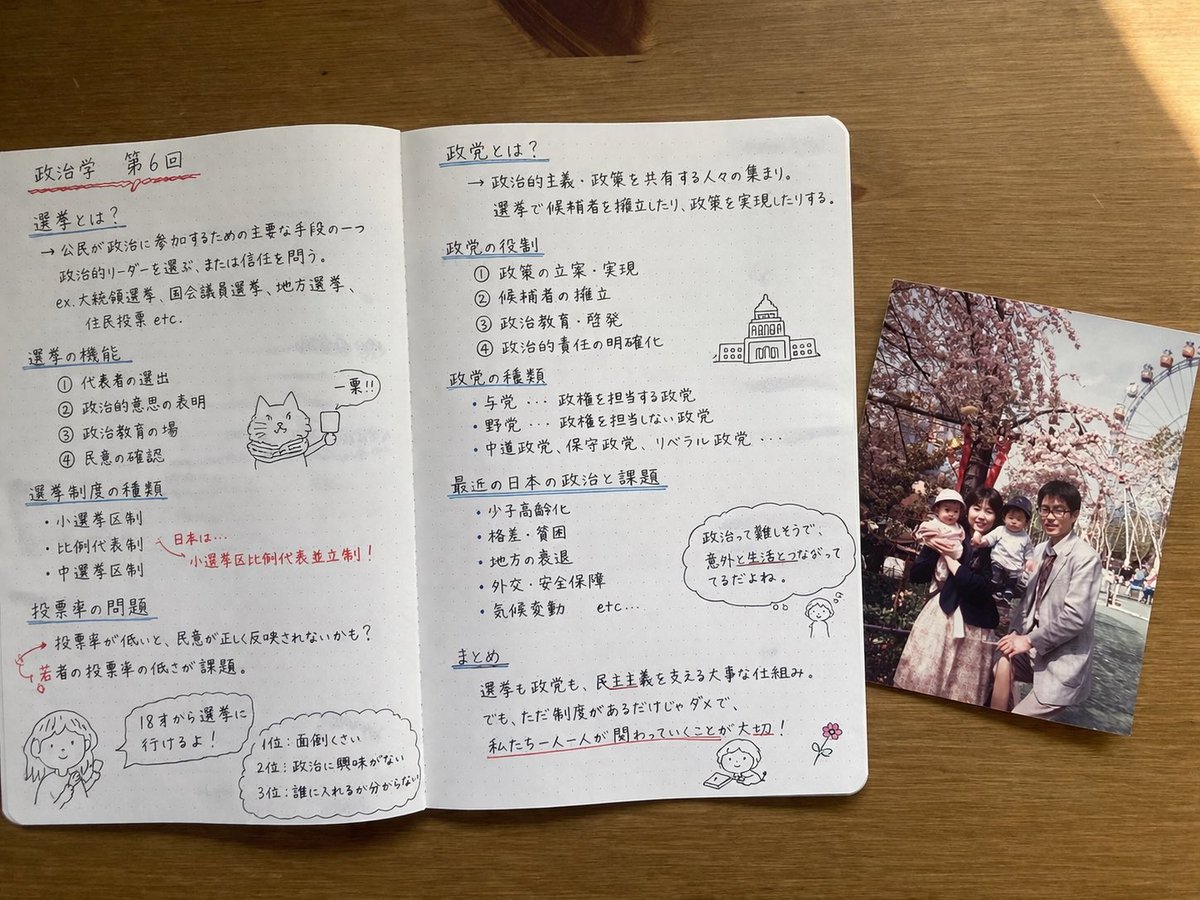
Image 2
📌 รายละเอียด
- ผู้เขียน: MATはAI🀄️🀄️🎌
- แหล่งที่มา: Twitter Post
- เผยแพร่เมื่อ: 13 เมษายน 2569
- ภาษา: en
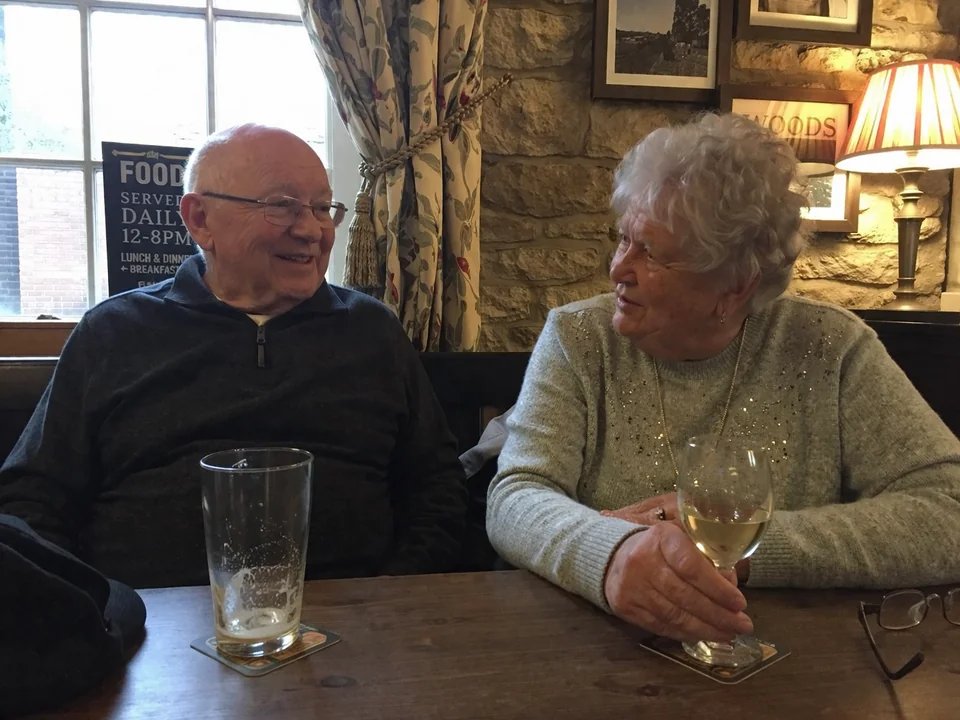
No. 25: โพสต์บนโซเชียลมีเดีย - ภาพถ่ายสแนปชอตสมัครเล่นในผับ
📖 คำอธิบาย
คำสั่งภาษาเช็กสำหรับภาพถ่ายสแนปชอตที่เป็นธรรมชาติของคู่รักสูงวัยในผับ ซึ่งใช้เพื่อแสดงให้เห็นถึงการสร้างภาพมนุษย์ที่สมจริงใน GPT Image 2
📝 คำสั่ง
ภาพถ่ายสมัครเล่นของ {argument name="subjects" default="คู่รักสูงวัย"} ที่กำลังนั่งอยู่ใน {argument name="location" default="ผับในยอร์กเชียร์"} องค์ประกอบภาพแบบสมัครเล่น ภาพถ่ายสแนปชอต
🖼️ รูปภาพที่สร้าง
Image 1

Image 2
📌 รายละเอียด
- ผู้เขียน: Martin Balaz
- แหล่งที่มา: Twitter Post
- เผยแพร่เมื่อ: 13 เมษายน 2569
- ภาษา: en
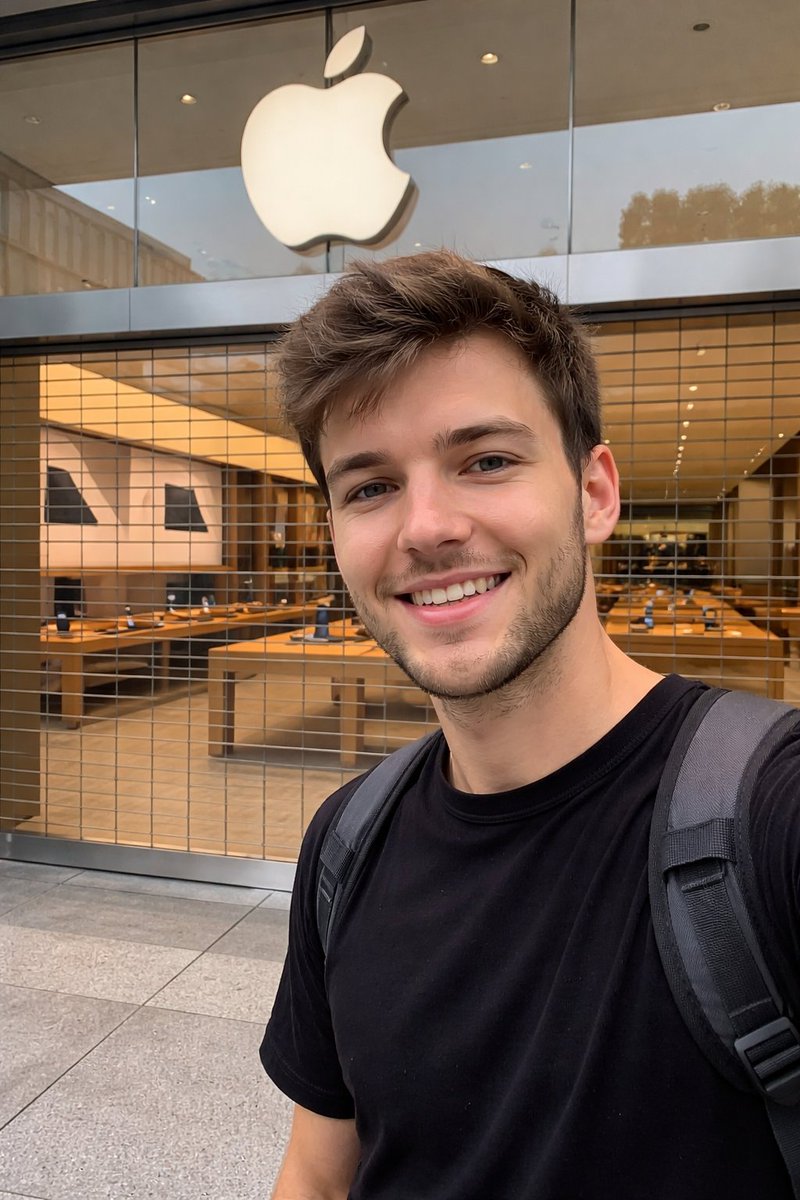
No. 26: โพสต์บนโซเชียลมีเดีย - ภาพถ่ายสไตล์มือสมัครเล่นหน้า Apple Store
📖 คำอธิบาย
พรอมต์ที่ออกแบบมาเพื่อจำลองภาพถ่ายจากสมาร์ทโฟนแบบไม่เป็นทางการบริเวณหน้าร้านที่ปิดทำการ โดยเน้นไปที่การสะท้อนของแสงและการมองเห็นผ่านกระจกหน้าต่าง
📝 คำสั่ง
ภาพถ่ายสไตล์มือสมัครเล่นหน้า {argument name="store" default="Apple Store"} ที่ปิดทำการ โดยมองเห็นบรรยากาศภายในผ่านกระจกหน้าต่าง ถ่ายด้วย {argument name="device" default="iPhone"} โดยใช้ {argument name="lens" default="กล้องหลัก"}
🖼️ รูปภาพที่สร้าง
Image 1
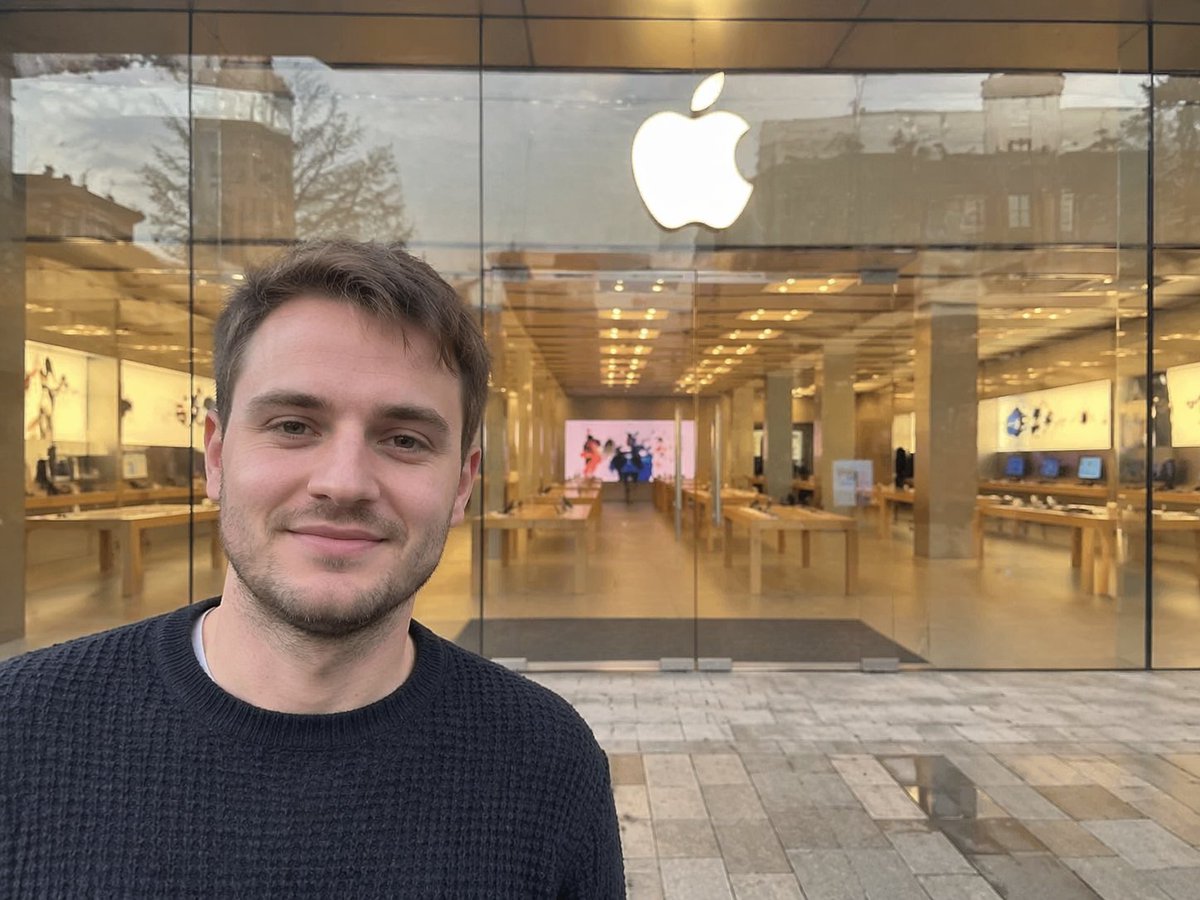
Image 2
📌 รายละเอียด
- ผู้เขียน: Patrick
- แหล่งที่มา: Twitter Post
- เผยแพร่เมื่อ: 13 เมษายน 2569
- ภาษา: en
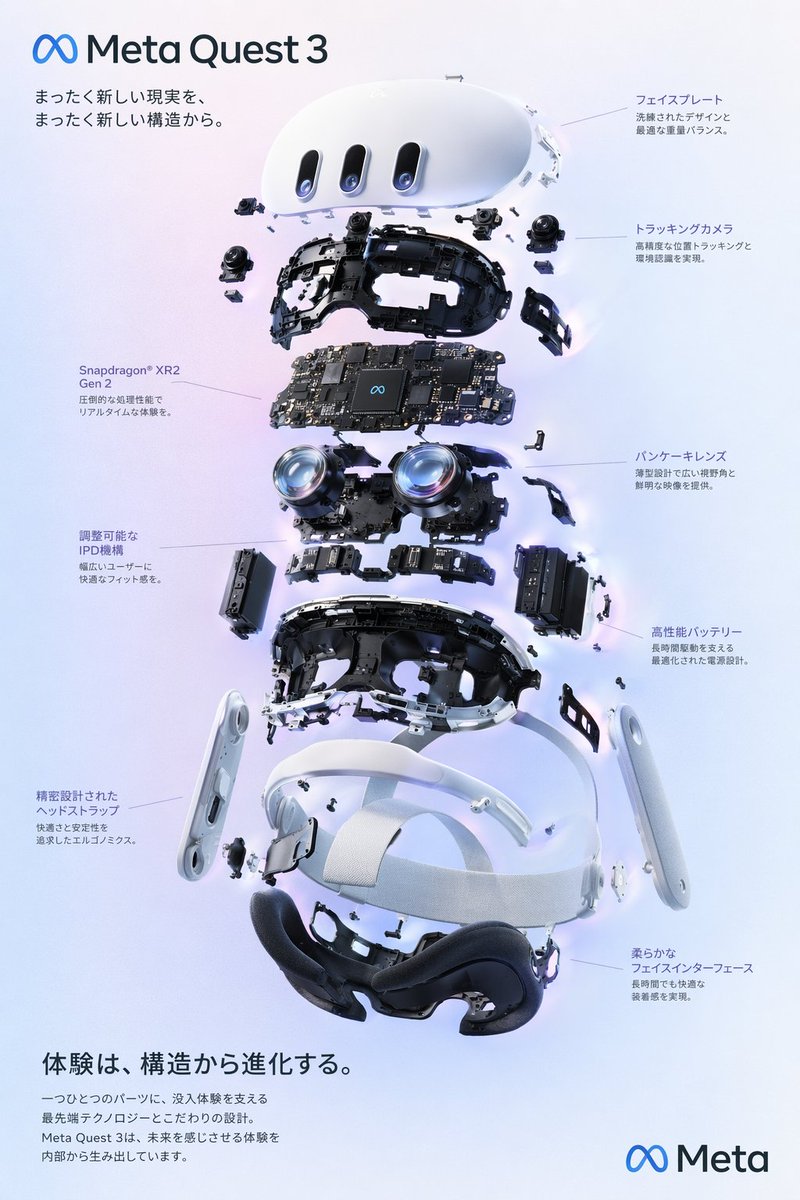
No. 27: อินโฟกราฟิก / ภาพประกอบเพื่อการศึกษา - VR Headset Exploded View Poster
📖 คำอธิบาย
Generates a high-tech exploded view diagram of a VR headset with detailed component callouts and promotional text.
📝 คำสั่ง
{
  "type": "exploded view product diagram poster",
  "subject": "VR headset",
  "style": "clean high-tech 3D render, studio lighting, glowing accents",
  "background": "{argument name=\"background color\" default=\"soft purple and blue gradient\"}",
  "header": {
    "logo": "∞ {argument name=\"product name\" default=\"Meta Quest 3\"}",
    "subtitle": "{argument name=\"main catchphrase\" default=\"まったく新しい現実を、まったく新しい構造から。\"}"
  },
  "layout": {
    "centerpiece": "vertically stacked exploded view of a VR headset showing 9 distinct layers of internal components: outer shell, camera sensors, motherboard with chip, pancake lenses, internal frame, battery packs, side straps, top strap, and facial interface cushion.",
    "callout_labels": {
      "count": 8,
      "left_side": [
        "Snapdragon® XR2 Gen 2\n圧倒的な処理性能でリアルタイムな体験を。",
        "調整可能なIPD機構\n幅広いユーザーに快適なフィット感を。",
        "精密設計されたヘッドストラップ\n快適さと安定性を追求したエルゴノミクス。"
      ],
      "right_side": [
        "フェイスプレート\n洗練されたデザインと最適な重量バランス。",
        "トラッキングカメラ\n高精度な位置トラッキングと環境認識を実現。",
        "パンケーキレンズ\n薄型設計で広い視野角と鮮明な映像を提供。",
        "高性能バッテリー\n長時間駆動を支える最適化された電源設計。",
        "柔らかなフェイスインターフェース\n長時間でも快適な装着感を実現。"
      ]
    },
    "footer": {
      "left_text_block": {
        "headline": "{argument name=\"bottom headline\" default=\"体験は、構造から進化する。\"}",
        "body": "一つひとつのパーツに、没入体験を支える最先端テクノロジーとこだわりの設計。Meta Quest 3は、未来を感じさせる体験を内部から生み出しています。"
      },
      "right_logo": "∞ Meta"
    }
  }
}
🖼️ รูปภาพที่สร้าง
Image 1
📌 รายละเอียด
- ผู้เขียน: wory@ホッピング中
- แหล่งที่มา: Twitter Post
- เผยแพร่เมื่อ: 19 เมษายน 2569
- ภาษา: en
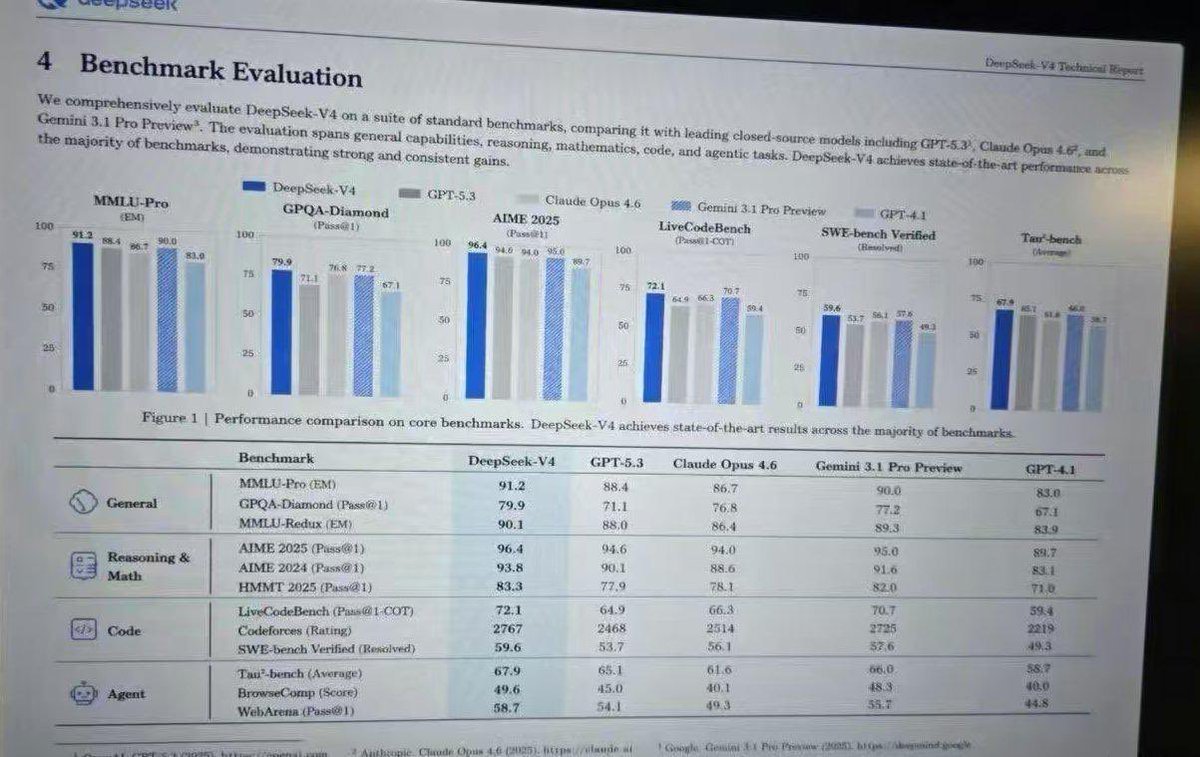
No. 28: อินโฟกราฟิก / ภาพประกอบเพื่อการศึกษา - Leaked AI Benchmark Report Photo
📖 คำอธิบาย
Generates a realistic photograph of a computer screen displaying an academic technical report with bar charts and a detailed performance table.
📝 คำสั่ง
{
  "type": "photograph of a computer monitor displaying an academic technical report",
  "style": "slightly angled screen photo, visible moire pattern, LCD pixel grid, slight glare, LaTeX document formatting, serif fonts",
  "document_header": {
    "left": "4 Benchmark Evaluation",
    "right": "{argument name=\"report title\" default=\"DeepSeek-V4 Technical Report\"}"
  },
  "introductory_text": "Paragraph summarizing comprehensive evaluation of {argument name=\"main model name\" default=\"DeepSeek-V4\"} against {argument name=\"competitor model 1\" default=\"GPT-5.3\"}, {argument name=\"competitor model 2\" default=\"Claude Opus 4.6\"}, and {argument name=\"competitor model 3\" default=\"Gemini 3.1 Pro Preview\"}.",
  "visualizations": {
    "legend": "5 items with color codes: dark blue, grey, light grey, blue striped, light blue",
    "bar_charts": {
      "count": 6,
      "labels": [
        "MMLU-Pro (EM)",
        "GPQA-Diamond (Pass@1)",
        "AIME 2025 (Pass@1)",
        "LiveCodeBench (Pass@1-COT)",
        "SWE-bench Verified (Resolved)",
        "Tau-bench (Average)"
      ]
    },
    "caption": "Figure 1 | Performance comparison on core benchmarks. DeepSeek-V4 achieves state-of-the-art results across the majority of benchmarks."
  },
  "data_table": {
    "columns": [
      "Benchmark",
      "{argument name=\"main model name\" default=\"DeepSeek-V4\"}",
      "{argument name=\"competitor model 1\" default=\"GPT-5.3\"}",
      "{argument name=\"competitor model 2\" default=\"Claude Opus 4.6\"}",
      "{argument name=\"competitor model 3\" default=\"Gemini 3.1 Pro Preview\"}",
      "GPT-4.1"
    ],
    "categories": {
      "count": 4,
      "rows": [
        {"label": "General", "icon": "globe/network", "sub_items": 3},
        {"label": "Reasoning & Math", "icon": "calculator/clipboard", "sub_items": 3},
        {"label": "Code", "icon": "code brackets", "sub_items": 3},
        {"label": "Agent", "icon": "robot face", "sub_items": 3}
      ]
    }
  }
}
🖼️ รูปภาพที่สร้าง
Image 1
📌 รายละเอียด
- ผู้เขียน: Anneshu Nag
- แหล่งที่มา: Twitter Post
- เผยแพร่เมื่อ: 19 เมษายน 2569
- ภาษา: en
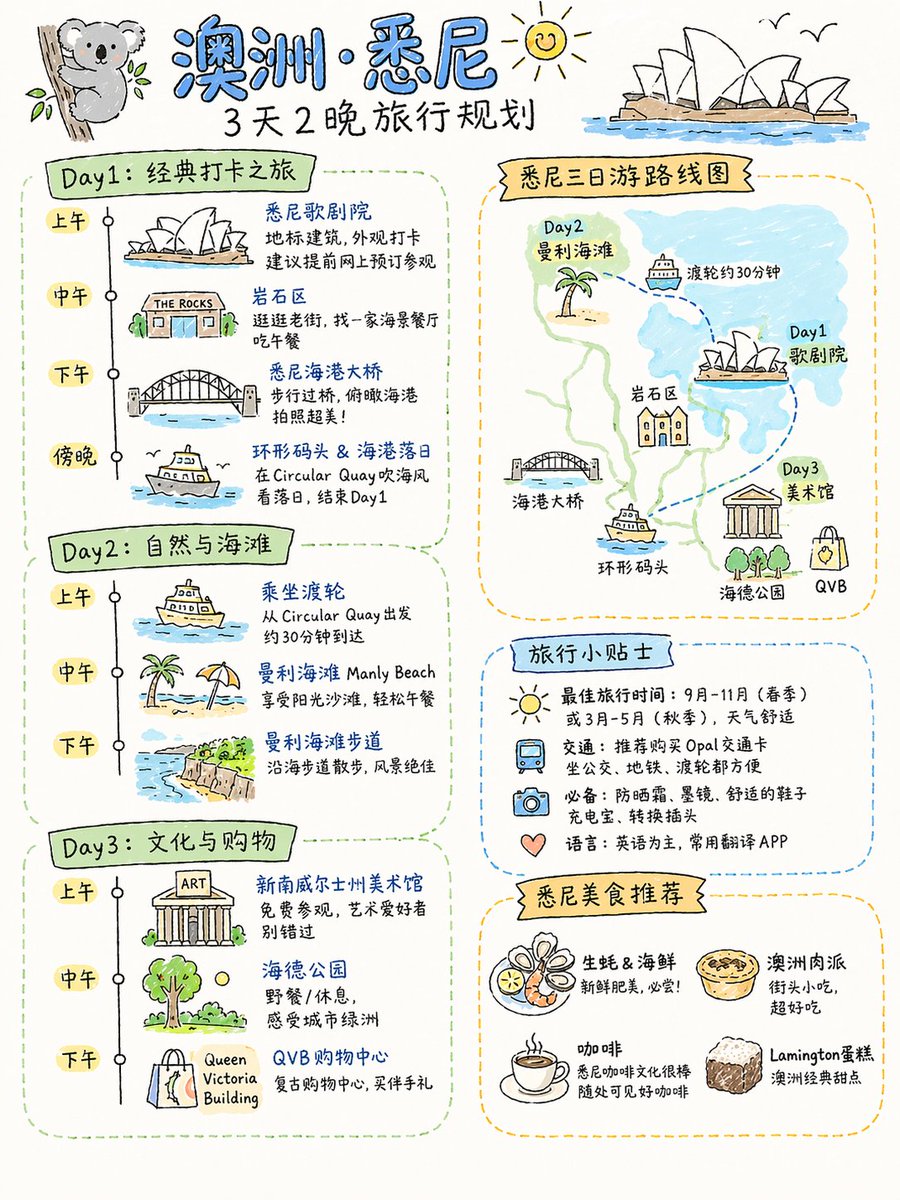
No. 29: อินโฟกราฟิก / ภาพประกอบเพื่อการศึกษา - Four Practical GPT-Image-2 Use Cases
📖 คำอธิบาย
A collection of four prompts for food flowcharts, travel plans, textbook covers, and AI product landing pages.
📝 คำสั่ง
Detailed cooking process flowchart for this dish, realistic style, suitable for Xiaohongshu aspect ratio\n\n{argument name="destination" default="Sydney, Australia"} 3-day and 2-night travel plan, suitable for Xiaohongshu aspect ratio, hand-drawn sketch style\n\nPeople's Education Press Primary School Textbook: {argument name="textbook title" default="Vibe Coding"} Grade 1 (Volume 1)\n\nProduct display page for an {argument name="character" default="Android 18"} AI physical robot launched by OpenAI, consistent with current OpenAI design style, in Simplified Chinese, robot with the latest GPT 10 model. Includes: appearance, details, features, scenarios, usage, maintenance, etc.
🖼️ รูปภาพที่สร้าง
Image 1
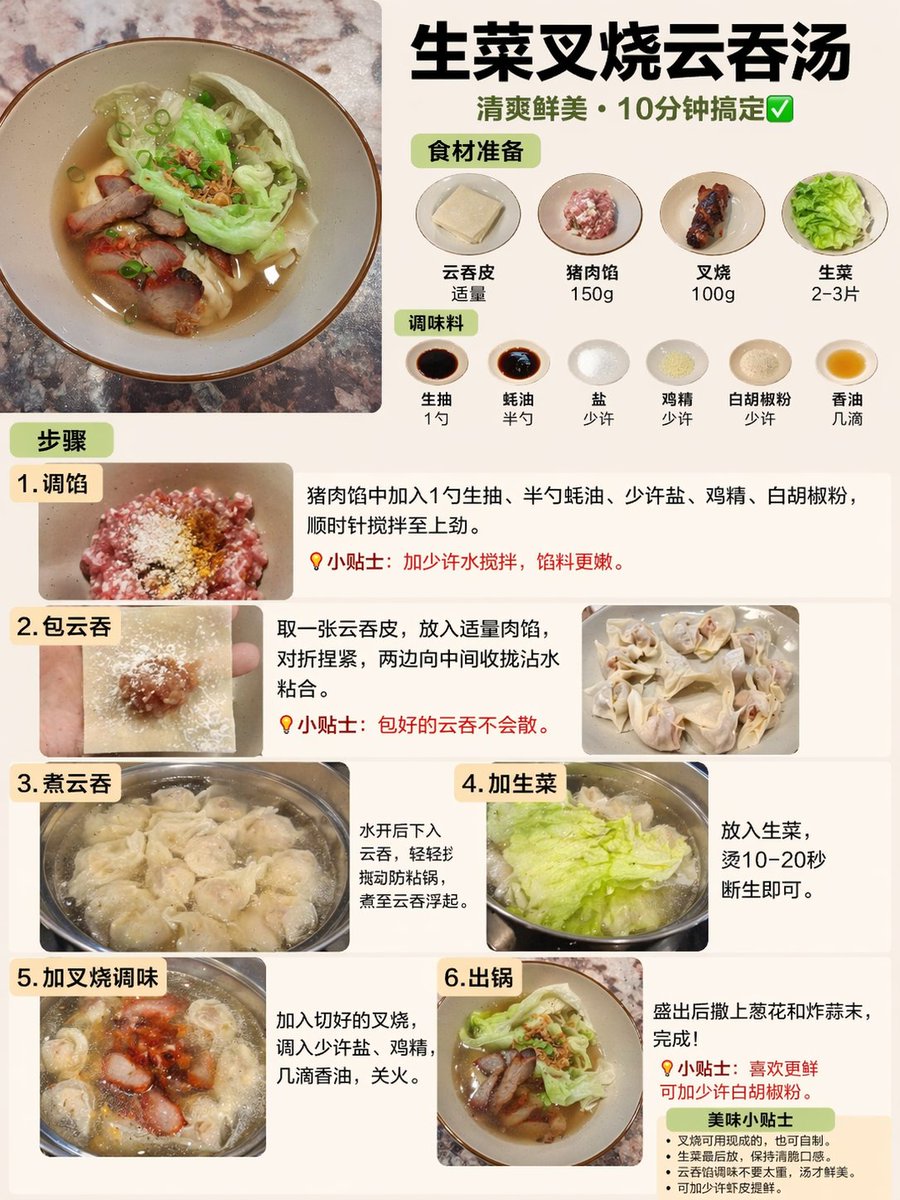
Image 2
📌 รายละเอียด
- ผู้เขียน: Rion Wu
- แหล่งที่มา: Twitter Post
- เผยแพร่เมื่อ: 19 เมษายน 2569
- ภาษา: zh
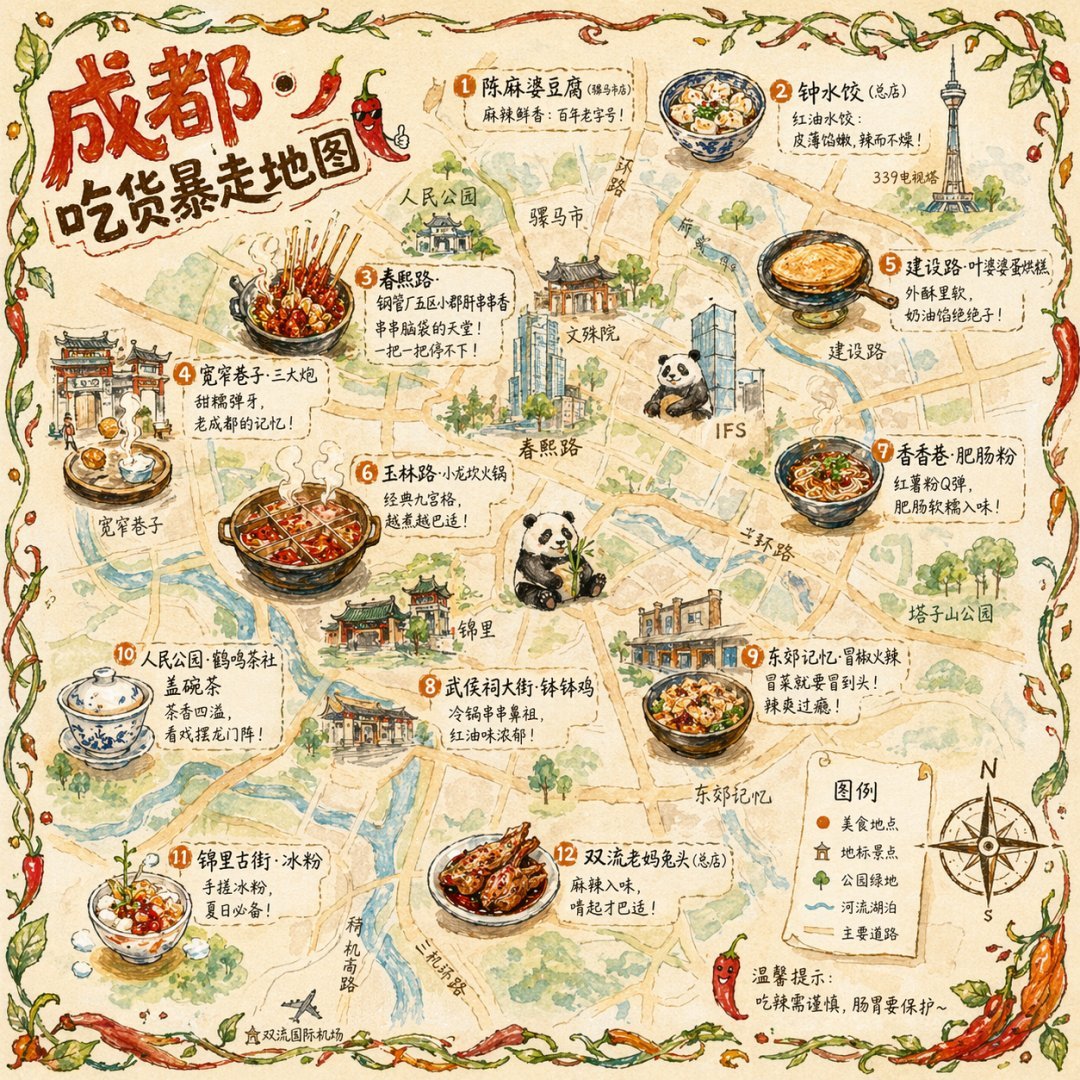
No. 30: อินโฟกราฟิก / ภาพประกอบเพื่อการศึกษา - Illustrated City Food Map
📖 คำอธิบาย
Generates a hand-drawn, watercolor-style tourist map featuring numbered local food specialties, landmarks, and a legend.
📝 คำสั่ง
{
  "type": "illustrated map infographic",
  "style": "{argument name=\"art style\" default=\"watercolor and ink hand-drawn illustration on vintage parchment\"}",
  "title_section": {
    "text": "{argument name=\"city name\" default=\"成都\"} {argument name=\"map title\" default=\"吃货暴走地图\"}",
    "mascot": "cartoon red chili pepper wearing sunglasses and giving a thumbs up"
  },
  "border": "{argument name=\"border decoration\" default=\"vine of green leaves and red chili peppers\"}",
  "layout": {
    "background": "textured beige parchment paper with yellow roads, blue rivers, and green park areas",
    "sections": [
      {
        "title": "landmarks",
        "count": 6,
        "illustrations": ["traditional pavilion", "traditional monastery", "modern skyscraper with climbing panda", "tall TV tower", "traditional gate", "industrial buildings"],
        "labels": ["人民公园", "文殊院", "IFS", "339电视塔", "宽窄巷子", "东郊记忆"]
      },
      {
        "title": "food_spots",
        "count": 12,
        "illustrations": ["mapo tofu", "dumplings in chili oil", "skewers in pot", "sticky rice balls", "egg baking cake", "nine-grid hotpot", "sweet potato noodles", "cold skewers", "spicy mixed dish", "covered tea bowl", "ice jelly dessert", "spicy rabbit heads"],
        "labels": ["1 陈麻婆豆腐", "2 钟水饺", "3 春熙路", "4 宽窄巷子·三大炮", "5 建设路·叶婆婆蛋烘糕", "6 玉林路·小龙坎火锅", "7 香香巷·肥肠粉", "8 武侯祠大街·钵钵鸡", "9 东郊记忆·冒椒火辣", "10 人民公园·鹤鸣茶社", "11 锦里古街·冰粉", "12 双流老妈兔头"]
      },
      {
        "title": "图例",
        "position": "bottom-right",
        "count": 5,
        "items": ["red dot", "green house", "green tree", "blue line", "yellow double line"],
        "labels": ["美食地点", "地标景点", "公园绿地", "河流湖泊", "主要道路"]
      }
    ],
    "centerpiece": "giant panda sitting and eating bamboo",
    "bottom_right_extras": ["vintage compass rose with N, S, E, W", "disclaimer text '温馨提示:吃辣需谨慎,肠胃要保护~' with a red chili pepper icon"]
  }
}
🖼️ รูปภาพที่สร้าง
Image 1
📌 รายละเอียด
- ผู้เขียน: 皮皮特
- แหล่งที่มา: Twitter Post
- เผยแพร่เมื่อ: 19 เมษายน 2569
- ภาษา: en
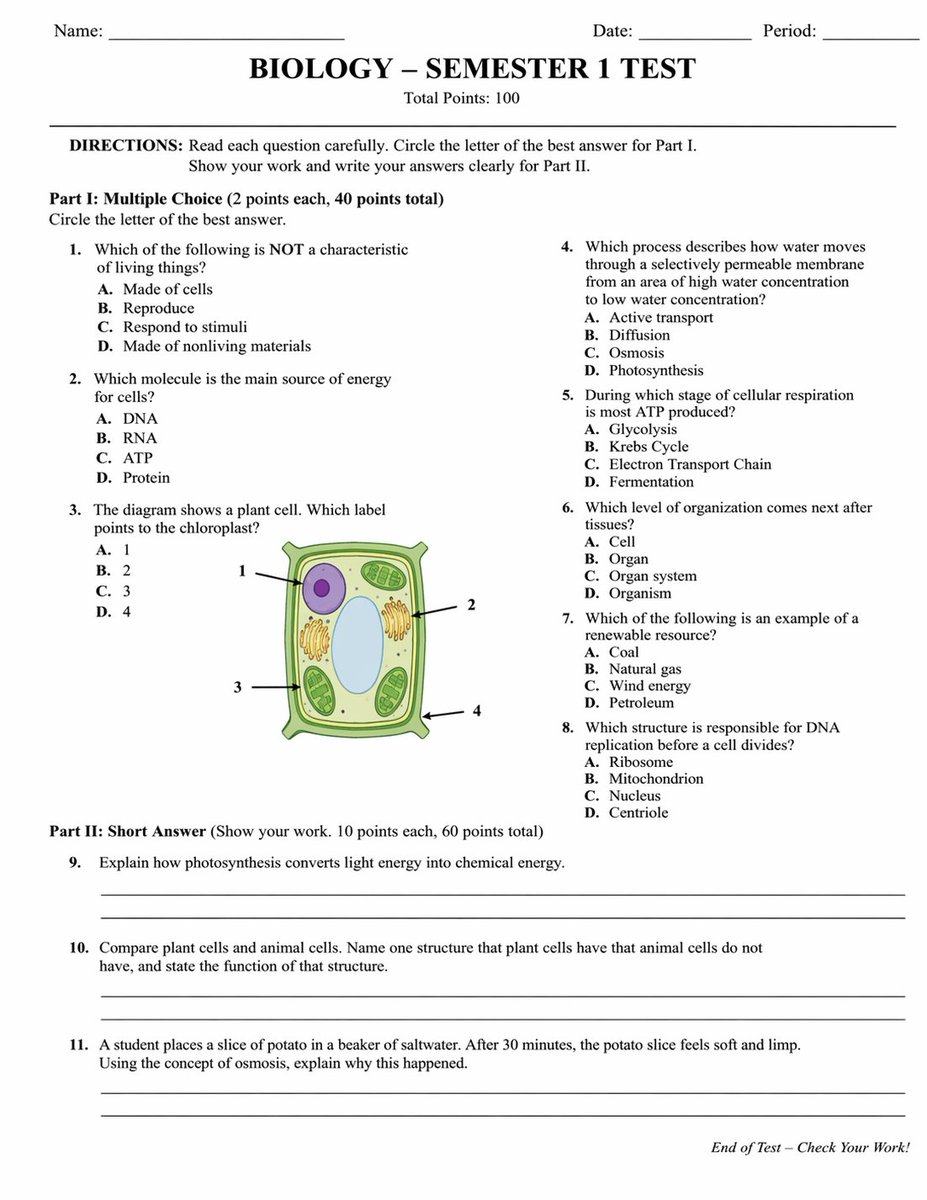
No. 31: อินโฟกราฟิก / ภาพประกอบเพื่อการศึกษา - Academic Exam Paper Generator
📖 คำอธิบาย
Generates a realistic, structured academic test paper with multiple-choice questions, a diagram, and short-answer sections.
📝 คำสั่ง
{
  "type": "academic exam paper",
  "header": {
    "student_info": ["Name:", "Date:", "Period:"],
    "title": "{argument name=\"subject\" default=\"BIOLOGY\"} - {argument name=\"test title\" default=\"SEMESTER 1 TEST\"}",
    "subtitle": "Total Points: 100"
  },
  "instructions": "DIRECTIONS: Read each question carefully. Circle the letter of the best answer for Part I. Show your work and write your answers clearly for Part II.",
  "sections": [
    {
      "title": "Part I: {argument name=\"part 1 type\" default=\"Multiple Choice\"} (2 points each, 40 points total)",
      "layout": "two columns",
      "question_count": 8,
      "format": "numbered questions 1 through 8, each with options A, B, C, D",
      "diagram": {
        "location": "Question 3",
        "description": "illustration of a {argument name=\"diagram subject\" default=\"plant cell\"}",
        "labels": ["1", "2", "3", "4"]
      }
    },
    {
      "title": "Part II: {argument name=\"part 2 type\" default=\"Short Answer\"} (Show your work. 10 points each, 60 points total)",
      "layout": "single column",
      "question_count": 3,
      "format": "numbered questions 9 through 11, each followed by two blank horizontal lines"
    }
  ],
  "footer": "End of Test - Check Your Work!"
}
🖼️ รูปภาพที่สร้าง
Image 1
📌 รายละเอียด
- ผู้เขียน: Yx
- แหล่งที่มา: Twitter Post
- เผยแพร่เมื่อ: 19 เมษายน 2569
- ภาษา: en
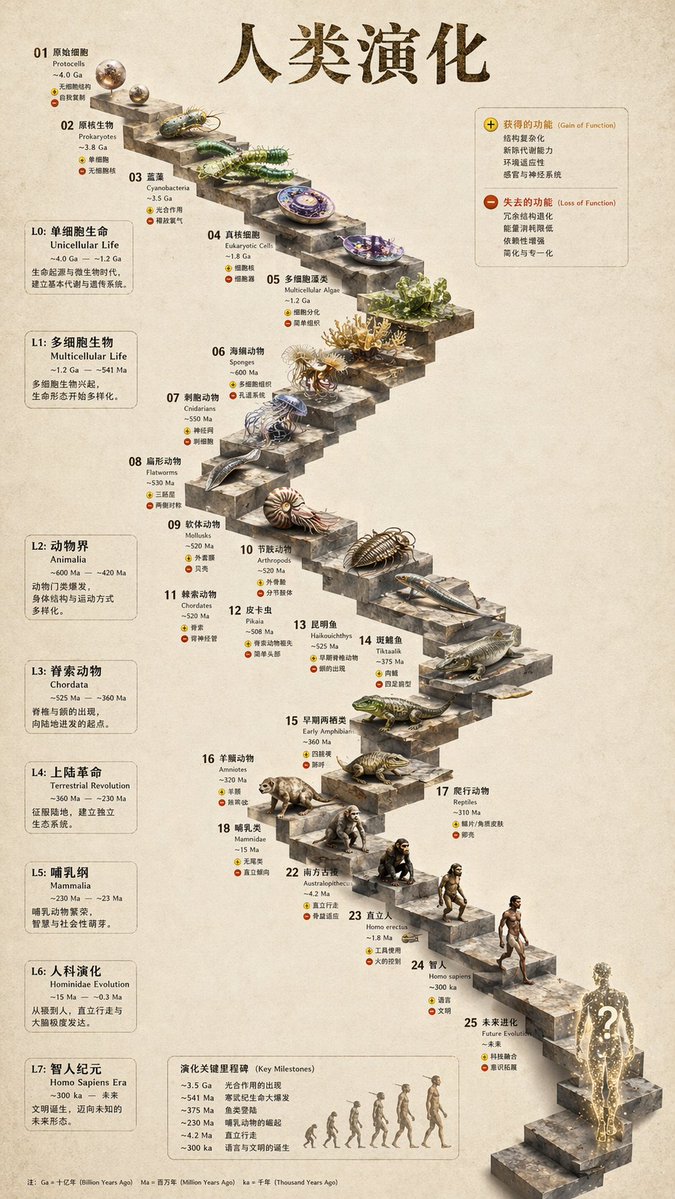
No. 32: อินโฟกราฟิก / ภาพประกอบเพื่อการศึกษา - 3D Stone Staircase Evolution Infographic
📖 คำอธิบาย
Transforms a flat evolutionary timeline into a realistic 3D stone staircase infographic with detailed organism renders and structured side panels.
📝 คำสั่ง
{
  "type": "evolutionary timeline infographic",
  "instruction": "Using REFERENCE_0 as a structural base, transform the flat vector design into a highly realistic 3D infographic. Replace the smooth ramps with distinct stone steps and upgrade all organisms to photorealistic 3D models.",
  "style": {
    "background": "{argument name=\"background style\" default=\"vintage textured parchment paper\"}",
    "staircase": "{argument name=\"staircase material\" default=\"realistic textured stone blocks\"}",
    "subjects": "{argument name=\"organism style\" default=\"highly detailed photorealistic 3D renders\"}"
  },
  "layout": {
    "main_title": "{argument name=\"main title\" default=\"人类演化\"}",
    "sections": [
      {
        "position": "left sidebar",
        "count": 8,
        "labels": ["L0: 单细胞生命", "L1: 多细胞生物", "L2: 动物界", "L3: 脊索动物", "L4: 上陆革命", "L5: 哺乳纲", "L6: 人科演化", "L7: 智人纪元"]
      },
      {
        "position": "top right",
        "title": "获得的功能 / 失去的功能",
        "description": "Legend with plus and minus icons"
      },
      {
        "position": "bottom center",
        "title": "演化关键里程碑",
        "count": 6,
        "description": "Timeline with a silhouette graphic of 6 figures showing ape-to-human evolution"
      }
    ],
    "centerpiece": {
      "description": "Winding stone staircase with 25 numbered steps featuring specific organisms.",
      "count": 25,
      "notable_elements": [
        "Step 07: Jellyfish",
        "Step 09: Ammonite",
        "Step 10: Trilobite",
        "Step 24: Walking human",
        "Step 25: {argument name=\"future evolution concept\" default=\"glowing cosmic silhouette with a question mark\"}"
      ]
    }
  }
}
🖼️ รูปภาพที่สร้าง
Image 1
📌 รายละเอียด
- ผู้เขียน: 知识猫图解
- แหล่งที่มา: Twitter Post
- เผยแพร่เมื่อ: 19 เมษายน 2569
- ภาษา: en
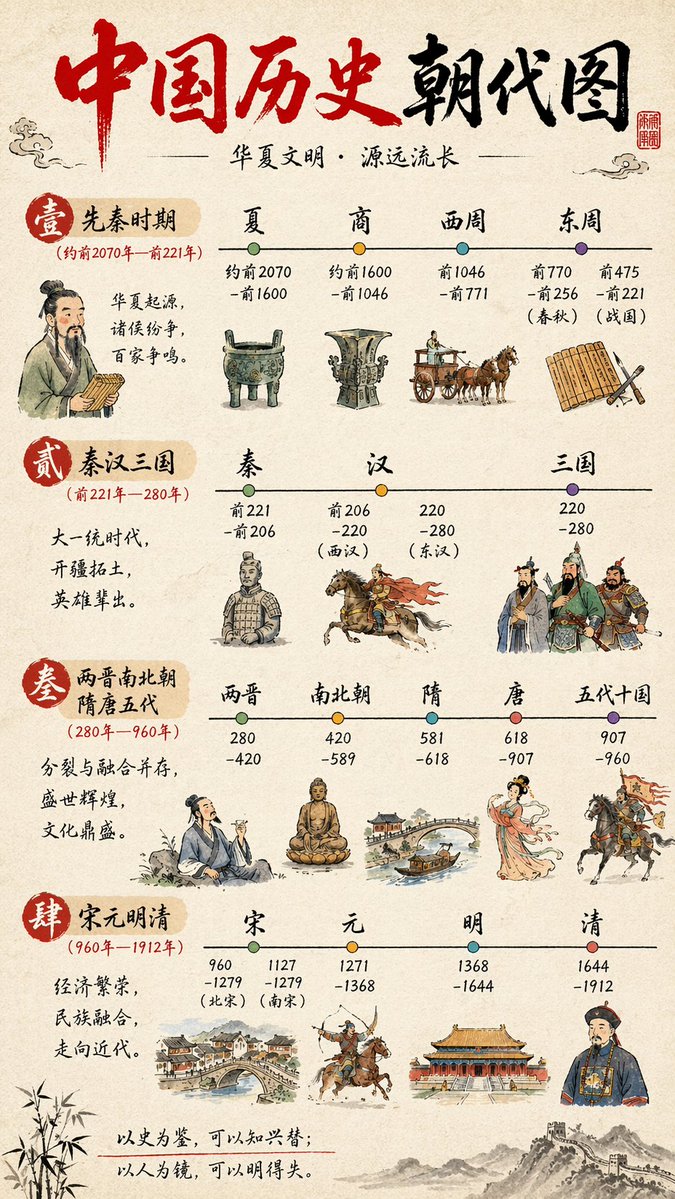
No. 33: อินโฟกราฟิก / ภาพประกอบเพื่อการศึกษา - Chinese History Timeline Infographic
📖 คำอธิบาย
A detailed, four-section vertical infographic mapping Chinese historical dynasties with watercolor illustrations and timeline nodes.
📝 คำสั่ง
{
  "type": "infographic timeline",
  "style": {
    "background": "{argument name=\"background style\" default=\"textured beige rice paper\"}",
    "art_style": "{argument name=\"art style\" default=\"traditional Chinese watercolor and ink wash illustration\"}"
  },
  "header": {
    "title": "{argument name=\"main title\" default=\"中国历史朝代图\"}",
    "subtitle": "{argument name=\"subtitle\" default=\"华夏文明·源远流长\"}",
    "elements": ["red calligraphy title", "red square seal stamp top right", "cloud motifs"]
  },
  "layout": {
    "sections_count": 4,
    "sections": [
      {
        "id": "1",
        "label": "壹 先秦时期",
        "date_range": "(约前2070年—前221年)",
        "description": "华夏起源,诸侯纷争,百家争鸣。",
        "timeline_nodes": 4,
        "dynasties": ["夏", "商", "西周", "东周"],
        "illustrations": ["scholar holding bamboo slips", "bronze ding tripod", "bronze ritual vessel", "horse-drawn chariot", "bamboo slips and brush"]
      },
      {
        "id": "2",
        "label": "贰 秦汉三国",
        "date_range": "(前221年—280年)",
        "description": "大一统时代,开疆拓土,英雄辈出。",
        "timeline_nodes": 3,
        "dynasties": ["秦", "汉", "三国"],
        "illustrations": ["terracotta warrior", "cavalryman on galloping horse", "three generals in traditional armor"]
      },
      {
        "id": "3",
        "label": "叁 两晋南北朝 隋唐五代",
        "date_range": "(280年—960年)",
        "description": "分裂与融合并存,盛世辉煌,文化鼎盛。",
        "timeline_nodes": 5,
        "dynasties": ["两晋", "南北朝", "隋", "唐", "五代十国"],
        "illustrations": ["scholar drinking wine", "seated Buddha statue", "arched stone bridge with boat", "elegant Tang dynasty lady", "cavalryman holding a flag"]
      },
      {
        "id": "4",
        "label": "肆 宋元明清",
        "date_range": "(960年—1912年)",
        "description": "经济繁荣,民族融合,走向近代。",
        "timeline_nodes": 4,
        "dynasties": ["宋", "元", "明", "清"],
        "illustrations": ["bustling riverside townscape", "mounted archer shooting backwards", "palace complex", "Qing dynasty official"]
      }
    ]
  },
  "footer": {
    "quote": "{argument name=\"bottom quote\" default=\"以史为鉴,可以知兴替;以人为镜,可以明得失。\"}",
    "decorations": ["bamboo leaves on bottom left", "Great Wall illustration on bottom right"]
  }
}
🖼️ รูปภาพที่สร้าง
Image 1
📌 รายละเอียด
- ผู้เขียน: axiaisacat
- แหล่งที่มา: Twitter Post
- เผยแพร่เมื่อ: 19 เมษายน 2569
- ภาษา: en
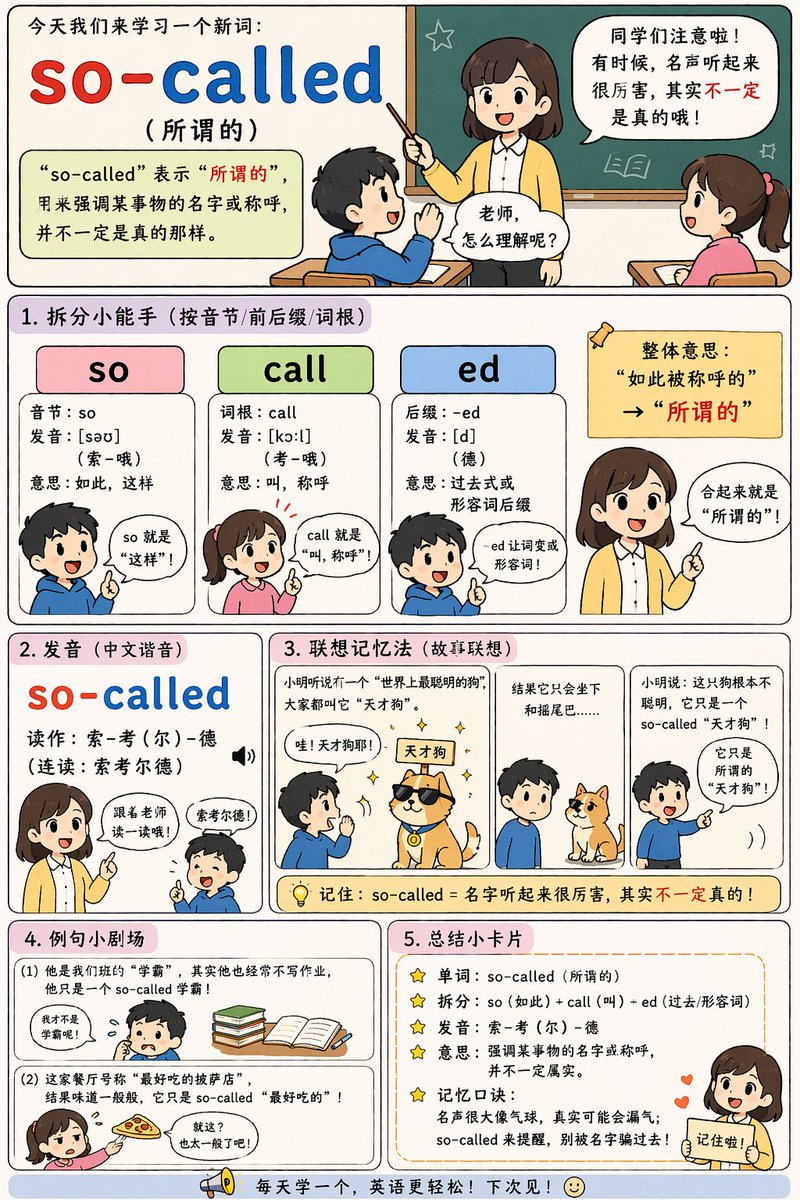
No. 34: อินโฟกราฟิก / ภาพประกอบเพื่อการศึกษา - English Vocabulary Educational Infographic
📖 คำอธิบาย
Generates a vertical, multi-section educational comic strip for teaching vocabulary with breakdowns, mnemonics, and examples.
📝 คำสั่ง
{
  "type": "educational infographic comic",
  "style": "cute chibi anime, flat colors, clear comic panel layout, pastel backgrounds",
  "header": {
    "title": "今天我们来学习一个新词:",
    "word": "{argument name=\"target word\" default=\"so-called\"}",
    "translation": "({argument name=\"target translation\" default=\"所谓的\"})",
    "definition_box": "“so-called” 表示“所谓的”,用来强调某事物的名字或称呼,并不一定是真的那样。",
    "illustration": "teacher at chalkboard talking to 2 students with speech bubbles"
  },
  "layout": {
    "sections": [
      {
        "title": "1. 拆分小能手 (按音节/前后缀/词根)",
        "count": 3,
        "labels": ["so", "call", "ed"],
        "details": "3 colored columns (pink, green, blue) breaking down syllables, roots, and suffixes, accompanied by 4 chibi characters explaining the parts"
      },
      {
        "title": "2. 发音 (中文谐音)",
        "count": 1,
        "labels": ["so-called"],
        "details": "phonetic pronunciation guide with a teacher instructing a student"
      },
      {
        "title": "3. 联想记忆法 (故事联想)",
        "count": 3,
        "labels": ["panel 1", "panel 2", "panel 3"],
        "details": "3-panel comic illustrating {argument name=\"mnemonic story theme\" default=\"a so-called genius dog that only knows how to sit\"}"
      },
      {
        "title": "4. 例句小剧场",
        "count": 2,
        "labels": ["(1)", "(2)"],
        "details": "2 illustrated examples showing {argument name=\"example 1\" default=\"a so-called top student who doesn't do homework\"} and {argument name=\"example 2\" default=\"a so-called best pizza that tastes average\"}"
      },
      {
        "title": "5. 总结小卡片",
        "count": 5,
        "labels": ["单词", "拆分", "发音", "意思", "记忆口诀"],
        "details": "bulleted summary list with star icons, featuring a teacher character pointing at the bottom right"
      }
    ],
    "footer": "megaphone icon with text 每天学一个,英语更轻松!下次见!"
  }
}
🖼️ รูปภาพที่สร้าง
Image 1
📌 รายละเอียด
- ผู้เขียน: axiaisacat
- แหล่งที่มา: Twitter Post
- เผยแพร่เมื่อ: 19 เมษายน 2569
- ภาษา: en
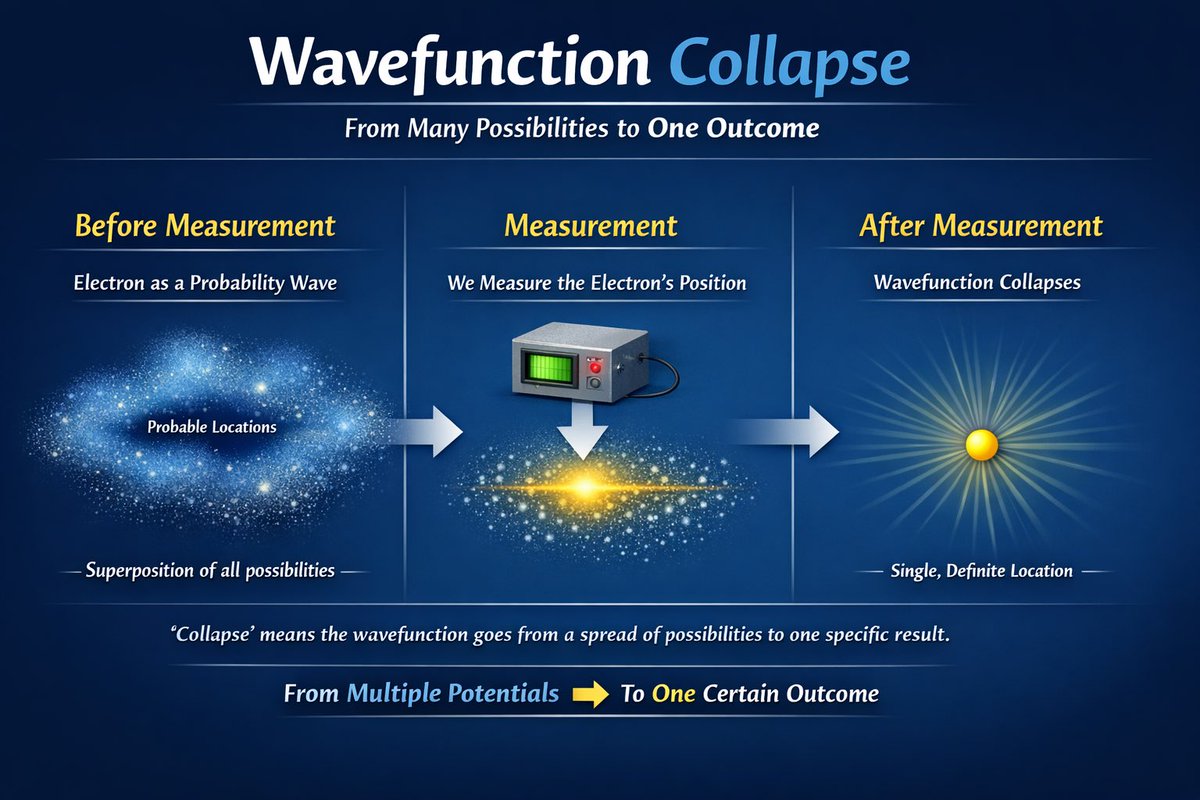
No. 35: อินโฟกราฟิก / ภาพประกอบเพื่อการศึกษา - อินโฟกราฟิกวิทยาศาสตร์เพื่อการศึกษา
📖 คำอธิบาย
สร้างอินโฟกราฟิกเพื่อการศึกษาแบบ 3 ขั้นตอน เพื่ออธิบายแนวคิดทางวิทยาศาสตร์ด้วยภาพเปรียบเทียบและข้อความอธิบาย
📝 คำสั่ง
{
  "type": "educational infographic",
  "theme": "quantum physics",
  "background": "dark blue gradient",
  "header": {
    "title": "{argument name=\"main title\" default=\"การยุบตัวของฟังก์ชันคลื่น (Wavefunction Collapse)\"}",
    "subtitle": "{argument name=\"subtitle\" default=\"จากความเป็นไปได้มากมายสู่ผลลัพธ์เดียว\"}"
  },
  "layout": {
    "type": "three-stage horizontal progression",
    "connections": "2 thick horizontal right-pointing arrows between stages",
    "stages": [
      {
        "position": "left",
        "title": "ก่อนการวัด",
        "subtitle": "{argument name=\"subject\" default=\"อิเล็กตรอน\"} ในฐานะคลื่นความน่าจะเป็น",
        "visual": "diffuse, glowing blue cloud of particles resembling a nebula",
        "labels": ["ตำแหน่งที่เป็นไปได้", "การซ้อนทับของทุกความเป็นไปได้"]
      },
      {
        "position": "center",
        "title": "การวัด",
        "subtitle": "เราวัดตำแหน่งของ {argument name=\"subject\" default=\"อิเล็กตรอน\"}",
        "visual": "1 grey boxy measurement device with a green screen and red button, pointing 1 white downward arrow to a condensed, glowing horizontal band of particles with a bright yellow center"
      },
      {
        "position": "right",
        "title": "หลังการวัด",
        "subtitle": "ฟังก์ชันคลื่นเกิดการยุบตัว",
        "visual": "single solid yellow sphere emitting bright radial rays",
        "labels": ["ตำแหน่งที่แน่นอนเพียงตำแหน่งเดียว"]
      }
    ]
  },
  "footer": {
    "explanation": "'การยุบตัว' หมายถึงการที่ฟังก์ชันคลื่นเปลี่ยนจากสถานะที่มีความเป็นไปได้กระจายตัวอยู่ ไปสู่ผลลัพธ์ที่เฉพาะเจาะจงเพียงหนึ่งเดียว",
    "summary": "จากศักยภาพที่หลากหลาย [yellow right arrow] สู่ผลลัพธ์ที่แน่นอนเพียงหนึ่งเดียว"
  }
}
🖼️ รูปภาพที่สร้าง
Image 1
📌 รายละเอียด
- ผู้เขียน: Sanket
- แหล่งที่มา: Twitter Post
- เผยแพร่เมื่อ: 15 เมษายน 2569
- ภาษา: en
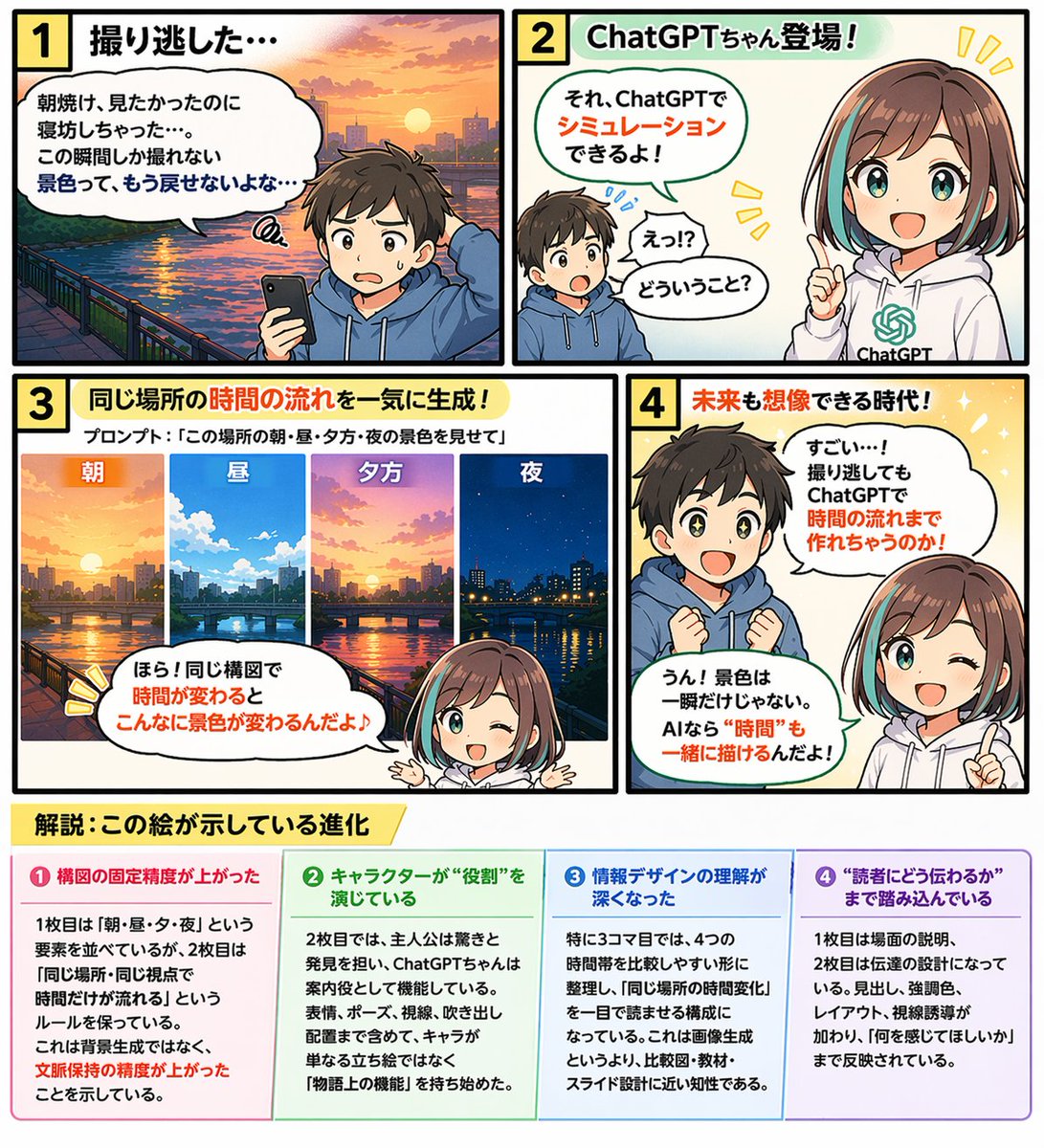
No. 36: อินโฟกราฟิก / ภาพประกอบเพื่อการศึกษา - มังงะให้ความรู้ 4 ช่องพร้อมอินโฟกราฟิก
📖 คำอธิบาย
สร้างเลย์เอาต์ที่ซับซ้อนซึ่งประกอบด้วยการ์ตูน 4 ช่องและส่วนอินโฟกราฟิก 4 คอลัมน์ เหมาะอย่างยิ่งสำหรับบทช่วยสอนหรือการอธิบายฟีเจอร์ต่างๆ
📝 คำสั่ง
{
  "type": "มังงะให้ความรู้ 4 ช่องพร้อมอินโฟกราฟิกด้านล่าง",
  "characters": {
    "boy": {
      "description": "เด็กชาย ผมสีน้ำตาล",
      "outfit": "{argument name=\"boy outfit\" default=\"เสื้อฮู้ดสีน้ำเงิน\"}"
    },
    "girl": {
      "name": "{argument name=\"main character name\" default=\"ChatGPT-chan\"}",
      "description": "สาวน้อยอนิเมะ",
      "hair": "{argument name=\"girl hair style\" default=\"ผมบ๊อบสีน้ำตาลไฮไลท์สีฟ้าอมเขียว\"}",
      "outfit": "เสื้อฮู้ดสีขาวพร้อมโลโก้ AI สีเขียว"
    }
  },
  "layout": {
    "comic_panels": [
      {
        "panel_number": 1,
        "title": "1 พลาดโอกาสถ่ายภาพไปแล้ว...",
        "scene": "เด็กชายทำหน้าผิดหวังถือสมาร์ทโฟน ฉากหลังเป็นพระอาทิตย์ขึ้นเหนือแม่น้ำและเมือง",
        "speech_bubble": "อยากเห็นแสงอาทิตย์ยามเช้า แต่ดันตื่นสายซะได้... วิวที่ถ่ายได้แค่ช่วงเวลานี้เท่านั้น มันเรียกคืนกลับมาไม่ได้แล้วสินะ..."
      },
      {
        "panel_number": 2,
        "title": "2 ChatGPT-chan ปรากฏตัว!",
        "scene": "เด็กชายทำหน้าประหลาดใจ เด็กหญิงกำลังชี้และยิ้ม",
        "speech_bubbles": [
          "เอ๊ะ!? หมายความว่ายังไงนะ?",
          "เรื่องนั้นน่ะ ใช้ ChatGPT จำลองขึ้นมาได้นะ!"
        ]
      },
      {
        "panel_number": 3,
        "title": "3 สร้างภาพการไหลเวียนของเวลาในสถานที่เดียวกันได้ในครั้งเดียว!",
        "sub_text": "คำสั่ง (Prompt): {argument name=\"panel 3 prompt text\" default=\"แสดงภาพวิวสถานที่นี้ในตอนเช้า กลางวัน เย็น และกลางคืน\"}",
        "sub_images": {
          "count": 4,
          "description": "วิวเมืองเดิมในเวลาที่ต่างกัน",
          "labels": ["เช้า", "กลางวัน", "เย็น", "กลางคืน"]
        },
        "scene": "เด็กหญิงอยู่ด้านล่างชี้ขึ้นไปที่ภาพย่อย",
        "speech_bubble": "ดูสิ! พอมุมมองเดิมแต่เวลาเปลี่ยนไป วิวก็เปลี่ยนไปได้ขนาดนี้เลยนะ♪"
      },
      {
        "panel_number": 4,
        "title": "4 ยุคที่จินตนาการถึงอนาคตได้!",
        "scene": "เด็กชายทำหน้าทึ่งตาเป็นประกาย เด็กหญิงขยิบตาและชี้มือ",
        "speech_bubbles": [
          "สุดยอด...! ต่อให้พลาดการถ่ายภาพไป ก็ใช้ ChatGPT สร้างช่วงเวลาขึ้นมาได้ด้วยเหรอเนี่ย!",
          "ใช่แล้ว! วิวทิวทัศน์ไม่ได้มีแค่ชั่วพริบตาเดียวหรอกนะ ถ้าเป็น AI ก็สามารถวาด "เวลา" ไปพร้อมกันได้ด้วย!"
        ]
      }
    ],
    "infographic_section": {
      "position": "ด้านล่าง",
      "title": "{argument name=\"infographic main title\" default=\"คำอธิบาย: วิวัฒนาการที่ภาพนี้แสดงให้เห็น\"}",
      "columns": {
        "count": 4,
        "headers": [
          "❶ ความแม่นยำในการคงองค์ประกอบภาพดีขึ้น",
          "❷ ตัวละครแสดง "บทบาท" ได้สมจริง",
          "❸ ความเข้าใจในการออกแบบข้อมูลลึกซึ้งขึ้น",
          "❹ เข้าถึงการสื่อสาร "วิธีส่งต่อข้อมูลถึงผู้อ่าน""
        ],
        "content_description": "ข้อความอธิบายโดยละเอียดใต้หัวข้อแต่ละรายการ"
      }
    }
  }
}
🖼️ รูปภาพที่สร้าง
Image 1
📌 รายละเอียด
- ผู้เขียน: G2(じーにー)|AI日曜大工|Genspark インダストリアンバサダー
- แหล่งที่มา: Twitter Post
- เผยแพร่เมื่อ: 14 เมษายน 2569
- ภาษา: en
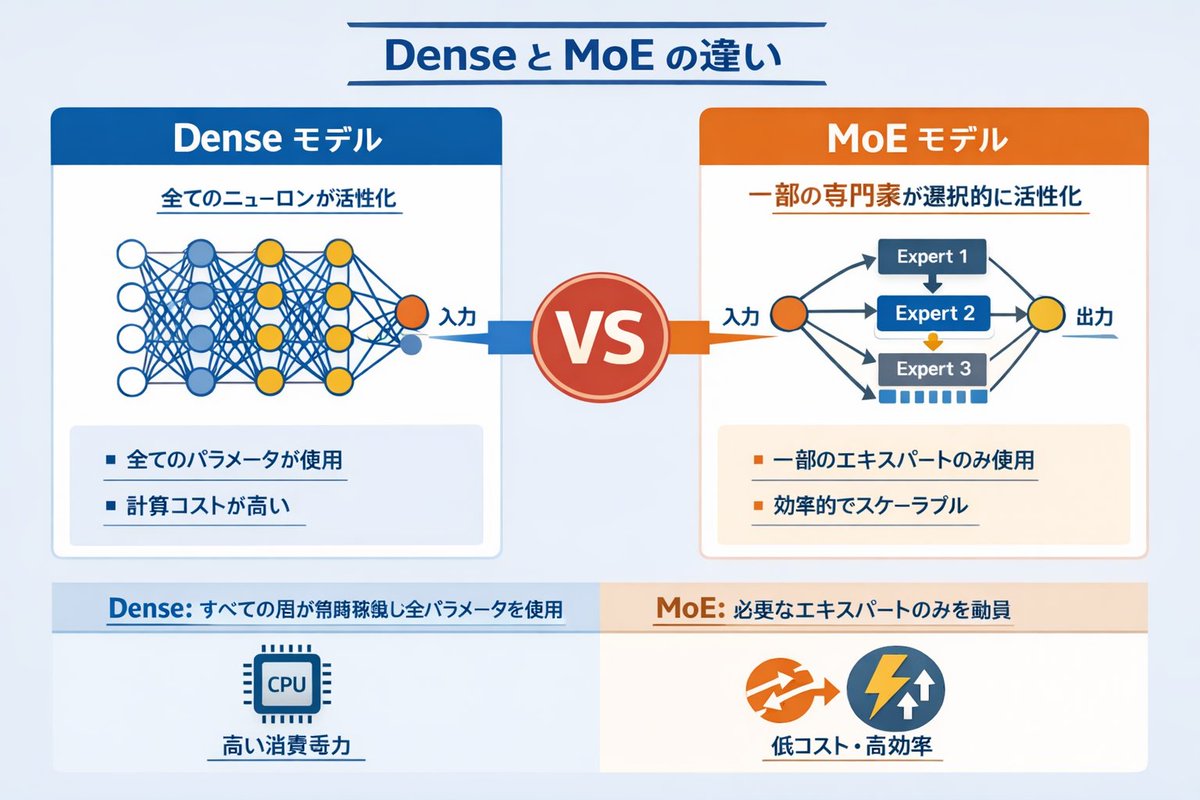
No. 37: อินโฟกราฟิก / ภาพประกอบเพื่อการศึกษา - อินโฟกราฟิกเปรียบเทียบโครงข่ายประสาทเทียมแบบ Dense และ MoE
📖 คำอธิบาย
อินโฟกราฟิกเชิงเทคนิคที่เปรียบเทียบโมเดล AI แบบ Dense และ Mixture of Experts (MoE) พร้อมแผนภาพโครงข่ายและจุดเด่นสำคัญ
📝 คำสั่ง
{
  "type": "infographic comparison diagram",
  "header": {
    "title": "{argument name=\"main title\" default=\"ความแตกต่างระหว่าง Dense และ MoE\"}"
  },
  "layout": {
    "structure": "สองคอลัมน์หลักคั่นด้วยป้าย VS ตรงกลาง พร้อมส่วนท้ายที่แบ่งเป็นสองฝั่ง",
    "sections": [
      {
        "position": "left column",
        "theme_color": "blue",
        "header": "{argument name=\"left model name\" default=\"โมเดล Dense\"}",
        "subtitle": "ทุกนิวรอนทำงานพร้อมกัน",
        "diagram": {
          "type": "fully connected neural network",
          "elements": [
            "โหนดอินพุตสีส้ม 1 โหนด ระบุว่า อินพุต",
            "เลเยอร์ซ่อน 4 ชั้น ที่มีจำนวนโหนด 4, 5, 4 และ 2 ตามลำดับ",
            "โหนดมีสีขาว สีฟ้า และสีเหลือง",
            "เส้นเชื่อมต่อแบบหนาแน่นระหว่างโหนดที่อยู่ติดกันทั้งหมด"
          ]
        },
        "bullet_points": {
          "count": 2,
          "items": [
            "{argument name=\"left bullet point\" default=\"ใช้พารามิเตอร์ทั้งหมด\"}",
            "ต้นทุนการคำนวณสูง"
          ]
        }
      },
      {
        "position": "right column",
        "theme_color": "orange",
        "header": "{argument name=\"right model name\" default=\"โมเดล MoE\"}",
        "subtitle": "เลือกทำงานเฉพาะผู้เชี่ยวชาญที่เกี่ยวข้อง",
        "diagram": {
          "type": "mixture of experts network",
          "elements": [
            "โหนดอินพุตสีส้ม 1 โหนด ระบุว่า อินพุต",
            "บล็อกสี่เหลี่ยม 3 บล็อก ระบุว่า Expert 1, Expert 2, Expert 3",
            "โหนดเอาต์พุตสีเหลือง 1 โหนด ระบุว่า เอาต์พุต",
            "ลูกศรแตกแขนงเชื่อมต่ออินพุตไปยังผู้เชี่ยวชาญ และจากผู้เชี่ยวชาญไปยังเอาต์พุต"
          ]
        },
        "bullet_points": {
          "count": 2,
          "items": [
            "{argument name=\"right bullet point\" default=\"ใช้เฉพาะผู้เชี่ยวชาญบางส่วน\"}",
            "มีประสิทธิภาพและขยายขนาดได้ดี"
          ]
        }
      },
      {
        "position": "center",
        "element": "ป้ายวงกลมสีแดงพร้อมข้อความ VS",
        "connections": "ลูกศรสีฟ้าชี้ไปทางซ้าย, ลูกศรสีส้มชี้ไปทางขวา"
      },
      {
        "position": "footer left",
        "background": "light blue",
        "text": "Dense: ทุกเลเยอร์ทำงานตลอดเวลาและใช้พารามิเตอร์ทั้งหมด",
        "icon": "กราฟิกชิป CPU 1 อัน",
        "label": "ใช้พลังงานสูง"
      },
      {
        "position": "footer right",
        "background": "light orange",
        "text": "MoE: เรียกใช้เฉพาะผู้เชี่ยวชาญที่จำเป็นเท่านั้น",
        "icons": "กราฟิกวงกลม 2 อัน (ลูกศรสีส้ม, สายฟ้าสีฟ้า)",
        "label": "ต้นทุนต่ำและมีประสิทธิภาพสูง"
      }
    ]
  }
}
🖼️ รูปภาพที่สร้าง
Image 1
📌 รายละเอียด
- ผู้เขียน: Vania
- แหล่งที่มา: Twitter Post
- เผยแพร่เมื่อ: 14 เมษายน 2569
- ภาษา: en
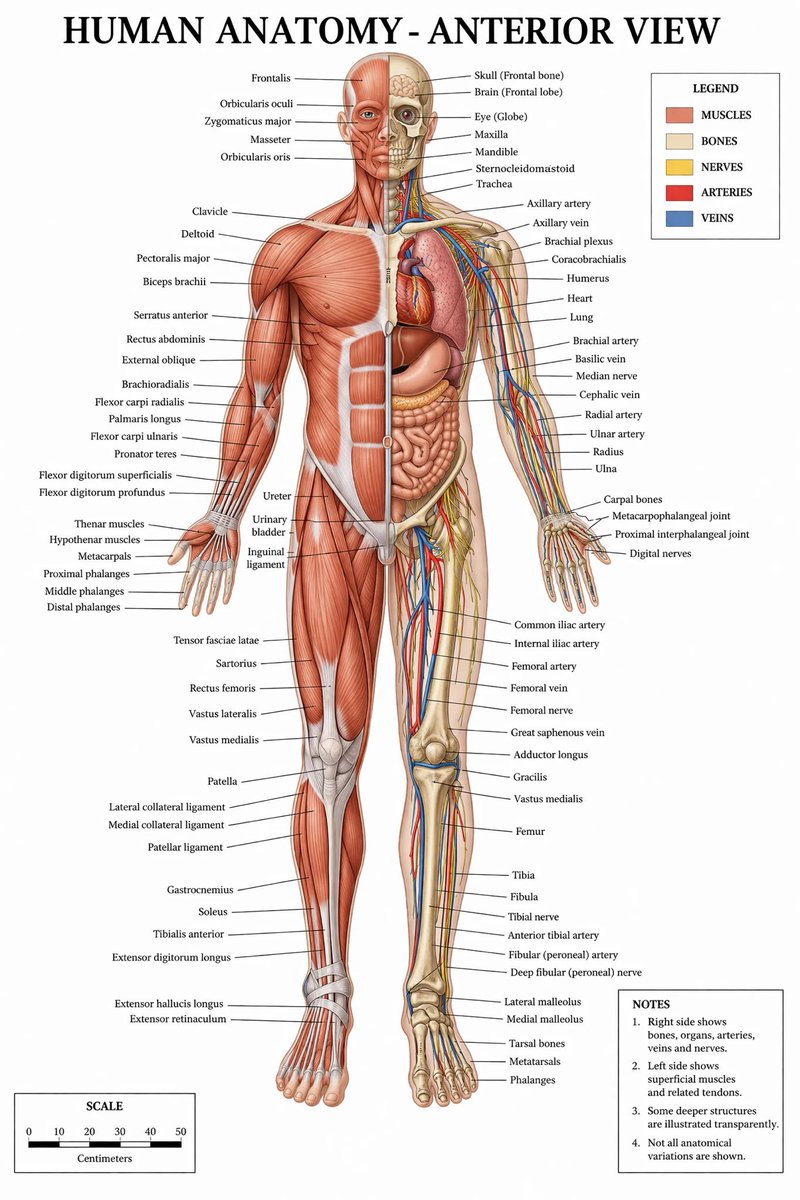
No. 38: อินโฟกราฟิก / ภาพประกอบเพื่อการศึกษา - อินโฟกราฟิกกายวิภาคศาสตร์ทางการแพทย์โดยละเอียด
📖 คำอธิบาย
สร้างภาพประกอบทางการแพทย์ที่ระบุรายละเอียดของกายวิภาคศาสตร์มนุษย์อย่างครบถ้วน พร้อมมุมมองแบบแยกส่วนระหว่างกล้ามเนื้อและโครงสร้างภายใน มาพร้อมกับคำอธิบายสัญลักษณ์และมาตราส่วน
📝 คำสั่ง
{
  "type": "โปสเตอร์อินโฟกราฟิกทางการแพทย์",
  "title": "{argument name=\"main title\" default=\"กายวิภาคศาสตร์มนุษย์ - มุมมองด้านหน้า\"}",
  "subject": {
    "description": "ภาพเต็มตัวของ {argument name=\"subject type\" default=\"หุ่นมนุษย์เพศชาย\"} ในมุมมองด้านหน้า แบ่งครึ่งตามแนวตั้งตรงกลาง",
    "viewer_left_side": "{argument name=\"left side focus\" default=\"กล้ามเนื้อชั้นตื้น\"}",
    "viewer_right_side": "{argument name=\"right side focus\" default=\"กระดูก อวัยวะภายใน หลอดเลือดแดง หลอดเลือดดำ และเส้นประสาท\"}",
    "style": "{argument name=\"color palette\" default=\"สีตามตำราแพทย์ทางคลินิก\"}"
  },
  "layout": {
    "centerpiece": "หุ่นกายวิภาคยืนอยู่ตรงกลาง แขนกางออกจากลำตัวเล็กน้อย ฝ่ามือหันไปด้านหน้า",
    "labeling_system": "เส้นชี้สีดำบางๆ เชื่อมต่อโครงสร้างทางกายวิภาคเข้ากับป้ายข้อความที่จัดเรียงไว้อย่างเป็นระเบียบที่ขอบด้านซ้ายและขวา",
    "label_counts": {
      "head_and_neck": 12,
      "torso_and_arms": 29,
      "hands": 10,
      "pelvis_and_legs": 34,
      "feet": 5
    },
    "panels": [
      {
        "title": "คำอธิบายสัญลักษณ์",
        "position": "top-right",
        "count": 5,
        "items": [
          {"color": "แดง/น้ำตาล", "label": "กล้ามเนื้อ"},
          {"color": "เบจ", "label": "กระดูก"},
          {"color": "เหลือง", "label": "เส้นประสาท"},
          {"color": "แดง", "label": "หลอดเลือดแดง"},
          {"color": "น้ำเงิน", "label": "หลอดเลือดดำ"}
        ]
      },
      {
        "title": "หมายเหตุ",
        "position": "bottom-right",
        "count": 4,
        "items": [
          "1. ด้านขวาแสดงกระดูก อวัยวะ หลอดเลือดแดง หลอดเลือดดำ และเส้นประสาท",
          "2. ด้านซ้ายแสดงกล้ามเนื้อชั้นตื้นและเอ็นที่เกี่ยวข้อง",
          "3. โครงสร้างที่ลึกกว่าบางส่วนถูกวาดให้เห็นแบบโปร่งใส",
          "4. ไม่ได้แสดงความแปรผันทางกายวิภาคทั้งหมด"
        ]
      },
      {
        "title": "มาตราส่วน",
        "position": "bottom-left",
        "count": 6,
        "description": "แถบมาตราส่วนแนวนอนพร้อมตัวเลขกำกับ 6 จุด (0, 10, 20, 30, 40, 50) ระบุหน่วยเป็น 'เซนติเมตร'"
      }
    ]
  }
}
🖼️ รูปภาพที่สร้าง
Image 1
📌 รายละเอียด
- ผู้เขียน: Ivan Davila
- แหล่งที่มา: Twitter Post
- เผยแพร่เมื่อ: 14 เมษายน 2569
- ภาษา: en
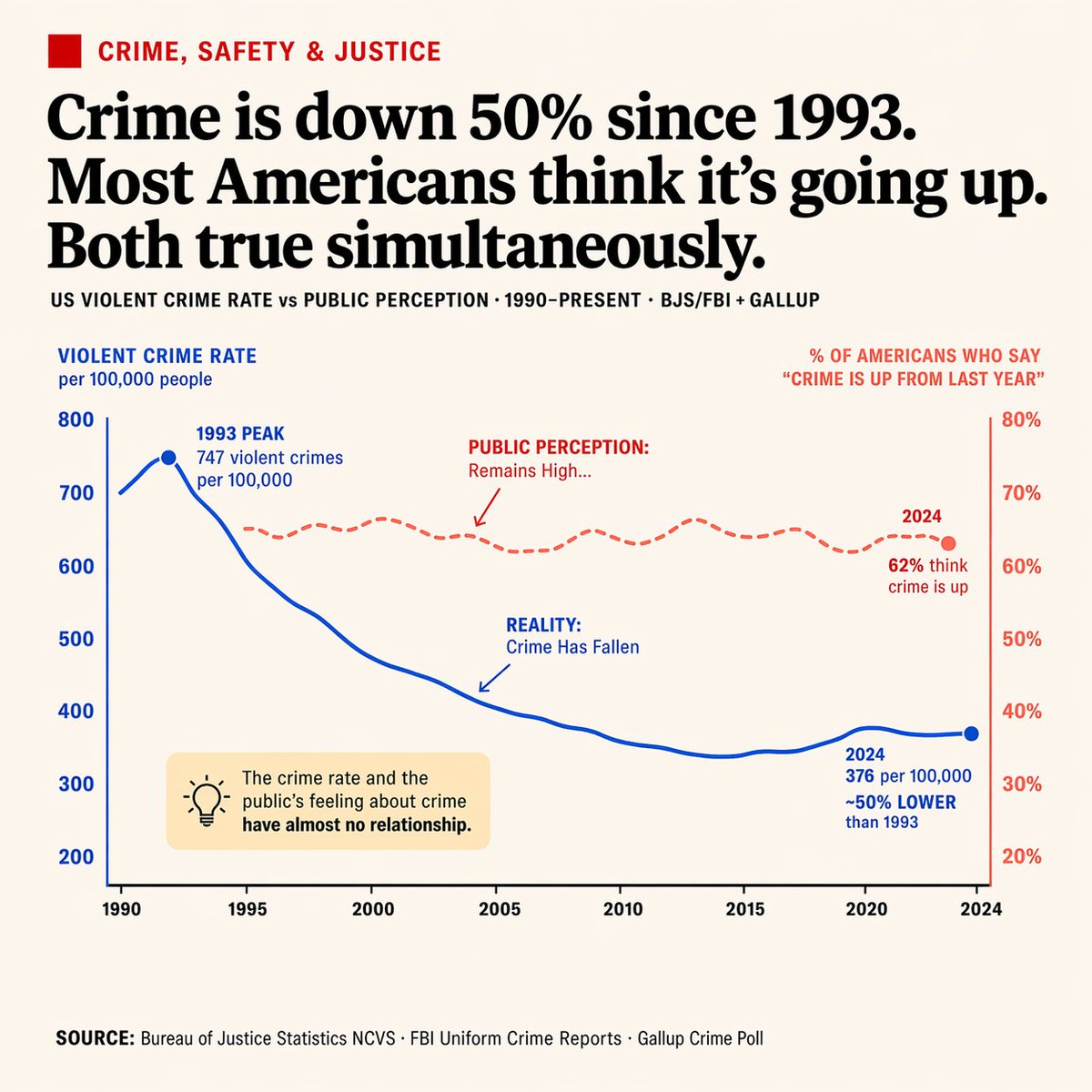
No. 39: อินโฟกราฟิก / ภาพประกอบเพื่อการศึกษา - อินโฟกราฟิกข้อมูลแบบแกนคู่สไตล์บรรณาธิการ
📖 คำอธิบาย
สร้างแผนภูมิเส้นแบบแกนคู่สไตล์หนังสือพิมพ์ที่ดูสะอาดตา พร้อมคำอธิบายประกอบและกล่องข้อความเน้นย้ำ เหมาะอย่างยิ่งสำหรับการเปรียบเทียบแนวโน้มข้อมูลที่แตกต่างกัน
📝 คำสั่ง
{
  "type": "อินโฟกราฟิกแผนภูมิเส้นแบบแกนคู่สไตล์บรรณาธิการ",
  "style": "สะอาดตา, สไตล์หนังสือพิมพ์, พื้นหลังสีขาวนวล, ตัวอักษรอ่านง่าย",
  "header": {
    "category": "อาชญากรรม ความปลอดภัย และกระบวนการยุติธรรม (ข้อความสีแดงพร้อมไอคอนสี่เหลี่ยมสีแดง)",
    "headline": "{argument name=\"main headline\" default=\"อัตราอาชญากรรมลดลง 50% ตั้งแต่ปี 1993 แต่ชาวอเมริกันส่วนใหญ่กลับคิดว่ามันเพิ่มขึ้น ทั้งสองอย่างเป็นความจริงพร้อมกัน\"}",
    "sub_headline": "อัตราอาชญากรรมรุนแรงในสหรัฐฯ เทียบกับ การรับรู้ของสาธารณชน · 1990-ปัจจุบัน · BJS/FBI + GALLUP"
  },
  "chart": {
    "x_axis": "ปี 1990 ถึง 2024 โดยมีเครื่องหมายขีด 8 จุด",
    "left_y_axis": {
      "color": "น้ำเงิน",
      "label": "{argument name=\"left axis label\" default=\"อัตราอาชญากรรมรุนแรงต่อประชากร 100,000 คน\"}",
      "range": "200 ถึง 800"
    },
    "right_y_axis": {
      "color": "แดง",
      "label": "{argument name=\"right axis label\" default=\"% ของชาวอเมริกันที่กล่าวว่า 'อาชญากรรมเพิ่มขึ้นจากปีที่แล้ว'\"}",
      "range": "20% ถึง 80%"
    },
    "data_series": [
      {
        "name": "ความเป็นจริง",
        "style": "เส้นทึบสีน้ำเงิน",
        "trend": "พุ่งสูงขึ้นในช่วงแรกแล้วลดลงอย่างมีนัยสำคัญ",
        "annotations": [
          "ปี 1993 จุดสูงสุดที่ 747 คดีต่อประชากร 100,000 คน (พร้อมจุดสีน้ำเงิน)",
          "ความเป็นจริง: อาชญากรรมลดลง (พร้อมลูกศรสีน้ำเงินชี้ไปที่เส้น)",
          "ปี 2024 อยู่ที่ 376 ต่อประชากร 100,000 คน ต่ำกว่าปี 1993 ประมาณ 50% (พร้อมจุดสีน้ำเงิน)"
        ]
      },
      {
        "name": "การรับรู้ของสาธารณชน",
        "style": "เส้นประสีแดง",
        "trend": "ยังคงอยู่ในระดับสูงและค่อนข้างคงที่",
        "annotations": [
          "การรับรู้ของสาธารณชน: ยังคงอยู่ในระดับสูง... (พร้อมลูกศรสีแดงชี้ไปที่เส้น)",
          "ปี 2024 62% คิดว่าอาชญากรรมเพิ่มขึ้น (พร้อมจุดสีแดง)"
        ]
      }
    ]
  },
  "callout_box": {
    "position": "ด้านล่างซ้ายภายในพื้นที่แผนภูมิ",
    "style": "สี่เหลี่ยมสีเหลืองอ่อน",
    "icon": "หลอดไฟ",
    "text": "{argument name=\"callout text\" default=\"อัตราอาชญากรรมและความรู้สึกของสาธารณชนเกี่ยวกับอาชญากรรมแทบไม่มีความสัมพันธ์กันเลย\"}"
  },
  "footer": {
    "text": "แหล่งข้อมูล: {argument name=\"footer source\" default=\"Bureau of Justice Statistics NCVS · FBI Uniform Crime Reports · Gallup Crime Poll\"}"
  }
}
🖼️ รูปภาพที่สร้าง
Image 1
📌 รายละเอียด
- ผู้เขียน: Alex Patrascu
- แหล่งที่มา: Twitter Post
- เผยแพร่เมื่อ: 14 เมษายน 2569
- ภาษา: en
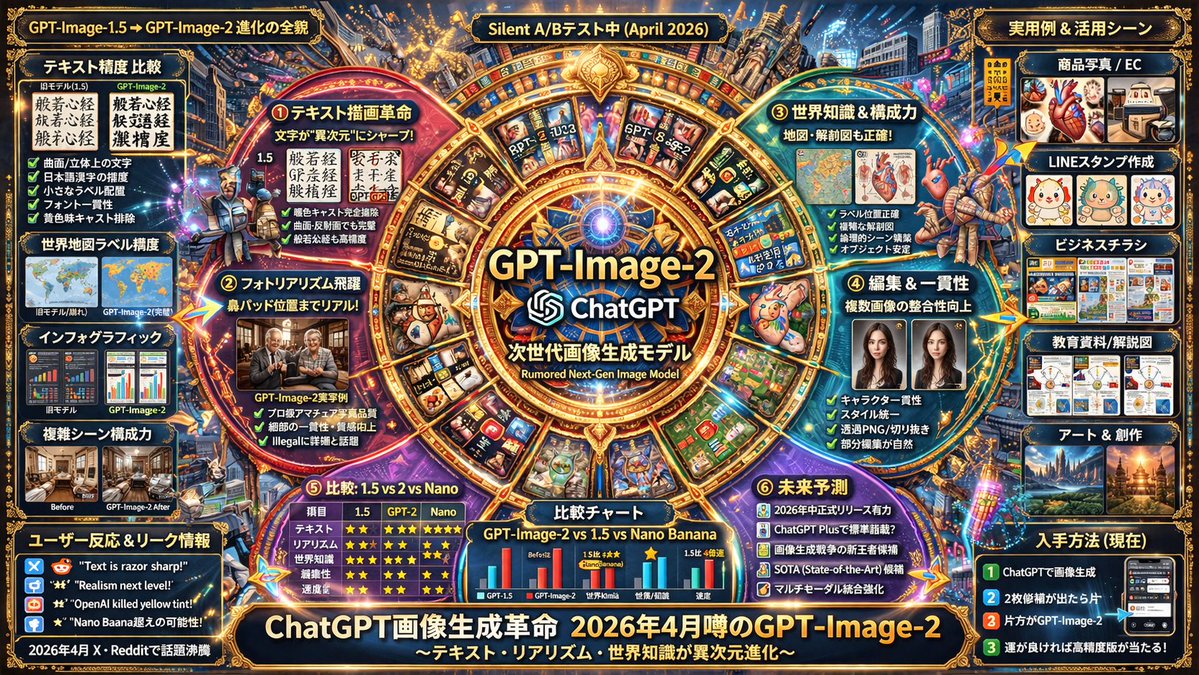
No. 40: อินโฟกราฟิก / ภาพประกอบเพื่อการศึกษา - โปสเตอร์อินโฟกราฟิกโมเดล AI แห่งอนาคต
📖 คำอธิบาย
สร้างโปสเตอร์อินโฟกราฟิกที่มีรายละเอียดสูงและอัดแน่นด้วยข้อมูล โดยใช้เลย์เอาต์แบบรัศมีและแบบตาราง เหมาะอย่างยิ่งสำหรับการนำเสนอคุณสมบัติของซอฟต์แวร์ การเปรียบเทียบ และแผนงาน (Roadmap)
📝 คำสั่ง
{
  "type": "โปสเตอร์อินโฟกราฟิกแห่งอนาคตที่มีความหนาแน่นสูง",
  "style": "พื้นหลังสีเข้มพร้อม {argument name=\"theme color\" default=\"สีทองและสีน้ำเงินเข้ม\"} เน้นด้วยแสงนีออน เลย์เอาต์แบบตารางและรัศมีที่มีโครงสร้างชัดเจน สุนทรียภาพของ UI ที่เน้นเทคโนโลยี",
  "centerpiece": {
    "visual": "{argument name=\"centerpiece icon\" default=\"เลนส์ดวงตาไซเบอร์เนติกส์เรืองแสง\"} ล้อมรอบด้วยกรอบวงกลมสีทองประดับประดาพร้อมโหนดเรืองแสง",
    "text": ["{argument name=\"model name\" default=\"GPT-Image-2\"}", "ChatGPT", "ข่าวลือการอัปเดตเงียบ {argument name=\"release date\" default=\"เมษายน 2026\"}"]
  },
  "layout": {
    "inner_circle_panels": {
      "count": 4,
      "description": "แผงรูปทรงลิ่ม 4 แผงล้อมรอบศูนย์กลางเพื่ออธิบายคุณสมบัติหลัก",
      "labels": ["ความสุดยอด ① ปฏิวัติการวาดข้อความ", "ความสุดยอด ② ก้าวกระโดดของความสมจริงแบบภาพถ่าย", "ความสุดยอด ③ ความรู้รอบโลกและพลังการจัดองค์ประกอบ", "ความสุดยอด ④ วิวัฒนาการด้านการแก้ไขและความสอดคล้อง"]
    },
    "top_row": {
      "count": 5,
      "description": "แผงสี่เหลี่ยมแสดงภาพหลุด ความแม่นยำของแผนที่ แผนภาพกายวิภาค และปฏิกิริยาของผู้ใช้",
      "labels": ["ภาพหลุด ①", "ภาพหลุด ②", "ภาพหลุด ③", "ปฏิกิริยาผู้ใช้ (X)", "ปฏิกิริยาผู้ใช้ (X/Reddit)"]
    },
    "left_column": {
      "count": 3,
      "description": "การจัดวางแนวตั้งของแผงเปรียบเทียบระหว่างเวอร์ชัน 1.5, 2 และ Nano พร้อมตารางภาพขนาดเล็ก",
      "labels": ["เปรียบเทียบ ① การวาดข้อความ", "เปรียบเทียบ ② ความสมจริง", "องค์ประกอบ ③ และโลกทัศน์"]
    },
    "right_column": {
      "count": 5,
      "description": "การจัดวางแนวตั้งของกรณีการใช้งานจริงพร้อมภาพตัวอย่างขนาดเล็ก",
      "labels": ["การใช้งานจริง ① ภาพสินค้าและ EC", "การใช้งานจริง ② งานจริงและใบปลิว", "การใช้งานจริง ③ สติกเกอร์ LINE", "การใช้งานจริง ④ การศึกษาและเอกสาร", "การใช้งานจริง ⑤ SNS และภาพปก"]
    },
    "bottom_data_section": {
      "count": 5,
      "description": "ตารางข้อมูล รายการแบบสัญลักษณ์ และภาพลักษณ์แบบแฮกเกอร์",
      "labels": ["จุดวิวัฒนาการทางเทคนิค", "ชื่อรหัสและข้อมูลหลุด", "ตารางเปรียบเทียบประสิทธิภาพ (GPT-Image-1.5 vs GPT-Image-2 vs Google Nano Banana)", "สรุปจุดที่ได้รับการปรับปรุงที่น่าสนใจ", "แผนงานคาดการณ์อนาคต"]
    },
    "bottom_thumbnail_strip": {
      "count": 10,
      "description": "แถวแนวนอนของภาพสี่เหลี่ยมขนาดเล็กที่แสดงสไตล์การสร้างภาพที่แตกต่างกัน",
      "labels": ["สถาปัตยกรรม", "โปสเตอร์", "ข้อความภาษาญี่ปุ่น", "อินโฟกราฟิก", "แฟนตาซี", "สตีมพังก์", "ดีไซน์มินิมอล", "อาหาร", "รถยนต์", "ใต้น้ำ"]
    }
  },
  "footer": {
    "text": "{argument name=\"main title\" default=\"การปฏิวัติการสร้างภาพด้วย ChatGPT\"}",
    "subtext": "GPT-Image-2 ข่าวลือเดือนเมษายน 2026"
  }
}
🖼️ รูปภาพที่สร้าง
Image 1
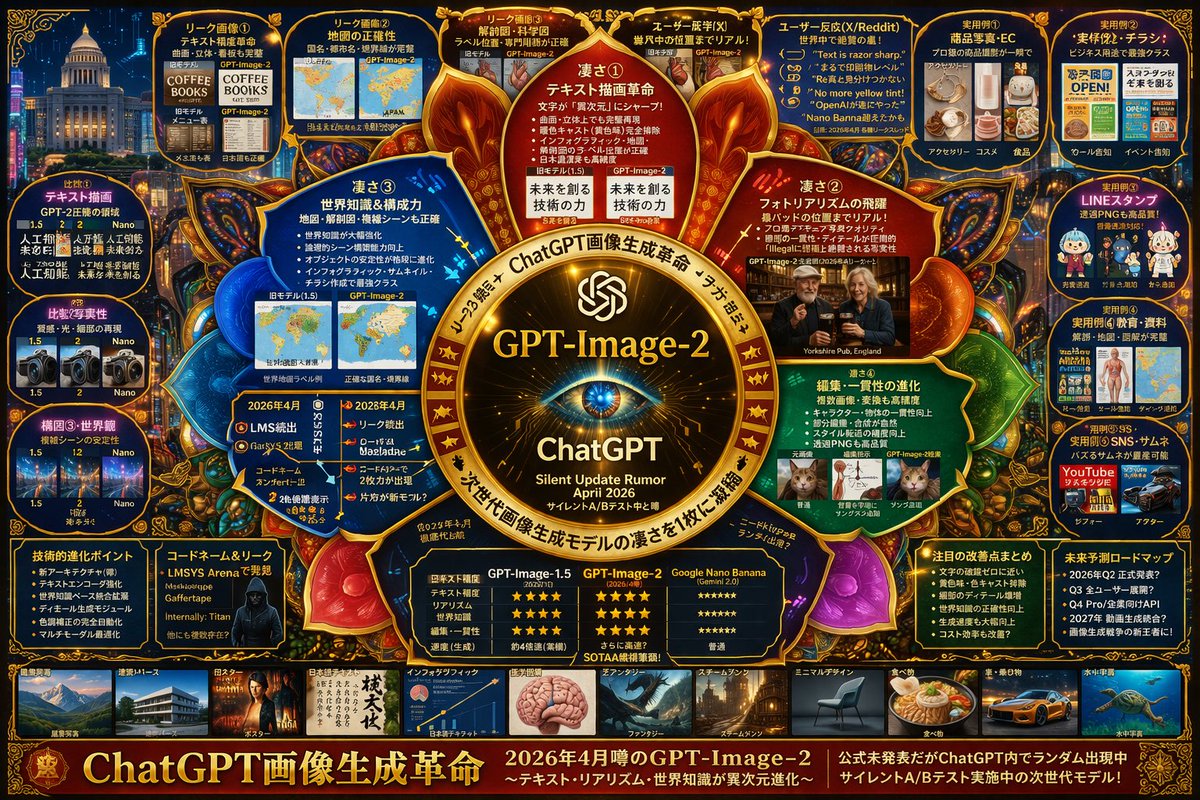
Image 2
📌 รายละเอียด
- ผู้เขียน: s_shigel 斉藤 滋
- แหล่งที่มา: Twitter Post
- เผยแพร่เมื่อ: 14 เมษายน 2569
- ภาษา: en
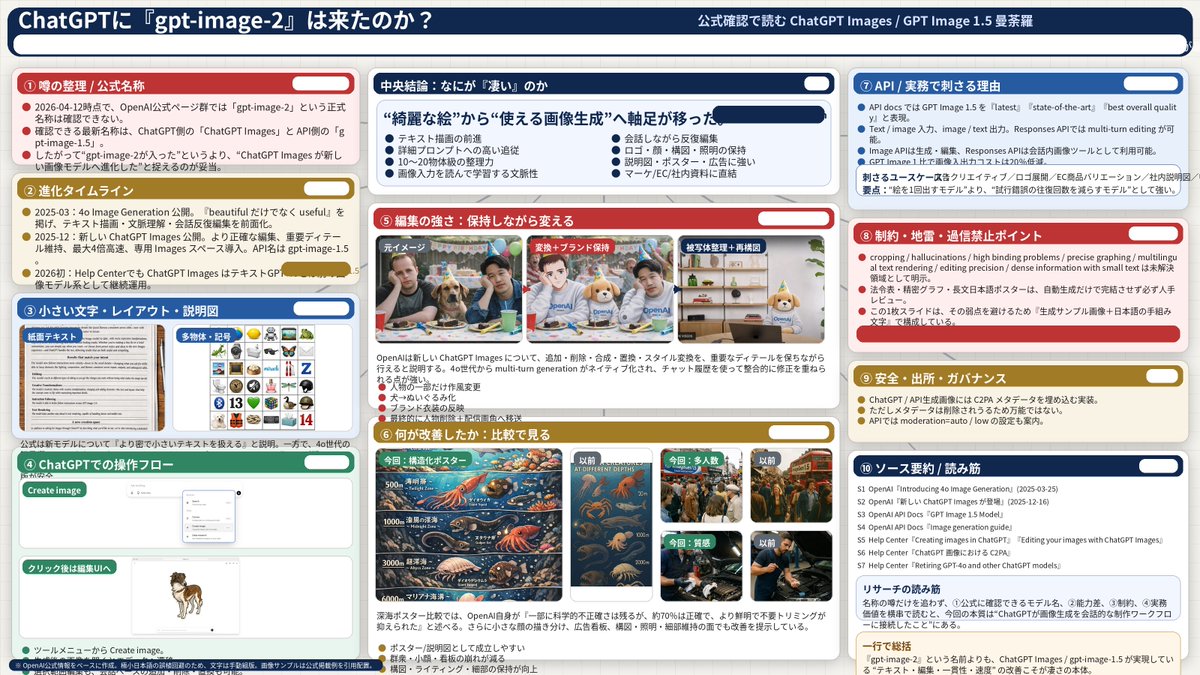
No. 41: อินโฟกราฟิก / ภาพประกอบเพื่อการศึกษา - อินโฟกราฟิกวิเคราะห์โมเดล AI ที่ซับซ้อน
📖 คำอธิบาย
สร้างสไลด์นำเสนอแบบ 3 คอลัมน์ที่มีรายละเอียดสูง เพื่อวิเคราะห์คุณสมบัติของโมเดล AI โดยแบ่งเป็น 10 ส่วนที่ชัดเจน พร้อมภาพเปรียบเทียบประกอบ
📝 คำสั่ง
{
  "type": "infographic dashboard",
  "style": "corporate presentation slide, dense information layout, flat design",
  "header": {
    "left_title": "{argument name=\"main title\" default=\"ChatGPT ได้รับ 'gpt-image-2' แล้วหรือยัง?\"}",
    "right_subtitle": "{argument name=\"subtitle\" default=\"อ่านการยืนยันอย่างเป็นทางการเกี่ยวกับ ChatGPT Images / GPT Image 1.5 Mandala\"}",
    "background_color": "{argument name=\"theme color 1\" default=\"dark blue\"}"
  },
  "layout": {
    "columns": 3,
    "sections": [
      {
        "id": 1,
        "title": "① สรุปข่าวลือ / ชื่อเรียกอย่างเป็นทางการ",
        "color": "{argument name=\"theme color 2\" default=\"red\"}",
        "content_type": "3 bullet points"
      },
      {
        "id": 2,
        "title": "② ไทม์ไลน์การพัฒนา",
        "color": "gold",
        "content_type": "3 timeline bullet points"
      },
      {
        "id": 3,
        "title": "③ ตัวอักษรขนาดเล็ก・เลย์เอาต์・แผนภาพอธิบาย",
        "color": "blue",
        "content_type": "2 embedded images showing text document and icon grid"
      },
      {
        "id": 4,
        "title": "④ ขั้นตอนการใช้งานใน ChatGPT",
        "color": "green",
        "content_type": "UI mockups showing chat interface and dog image"
      },
      {
        "id": "central",
        "title": "บทสรุปตรงกลาง: อะไรคือสิ่งที่ 'ยอดเยี่ยม'",
        "color": "dark blue",
        "subtitle": "{argument name=\"central conclusion\" default=\"เปลี่ยนจุดเน้นจาก 'ภาพที่สวยงาม' ไปสู่ 'การสร้างภาพที่ใช้งานได้จริง'\"}",
        "content_type": "2 columns of 4 bullet points each"
      },
      {
        "id": 5,
        "title": "⑤ พลังแห่งการแก้ไข: เปลี่ยนแปลงโดยยังคงโครงสร้างเดิม",
        "color": "red",
        "content_type": "3 sequential images showing photo editing progression"
      },
      {
        "id": 6,
        "title": "⑥ สิ่งที่ได้รับการปรับปรุง: ดูผ่านการเปรียบเทียบ",
        "color": "gold",
        "content_type": "6 comparison images (This time vs Before) for posters, crowds, textures"
      },
      {
        "id": 7,
        "title": "⑦ API / เหตุผลที่ตอบโจทย์การทำงานจริง",
        "color": "blue",
        "content_type": "3 bullet points"
      },
      {
        "id": 8,
        "title": "⑧ ข้อจำกัด・จุดที่ควรระวัง・สิ่งที่ห้ามเชื่อใจเกินไป",
        "color": "red",
        "content_type": "3 bullet points"
      },
      {
        "id": 9,
        "title": "⑨ ความปลอดภัย・ที่มา・ธรรมาภิบาล",
        "color": "gold",
        "content_type": "3 bullet points"
      },
      {
        "id": 10,
        "title": "⑩ สรุปแหล่งข้อมูล / แนวทางการอ่าน",
        "color": "dark blue",
        "content_type": "list of 7 sources and a summary box"
      }
    ]
  }
}
🖼️ รูปภาพที่สร้าง
Image 1
📌 รายละเอียด
- ผู้เขียน: s_shigel 斉藤 滋
- แหล่งที่มา: Twitter Post
- เผยแพร่เมื่อ: 14 เมษายน 2569
- ภาษา: en
No. 42: อินโฟกราฟิก / ภาพประกอบเพื่อการศึกษา - อินโฟกราฟิกชุดเครื่องนอน
📖 คำอธิบาย
สร้างอินโฟกราฟิกชุดผลิตภัณฑ์โดยละเอียด ซึ่งประกอบด้วยภาพไลฟ์สไตล์หลัก การแยกส่วนประกอบ การ์ดผลิตภัณฑ์แต่ละรายการ และตารางราคา
📝 คำสั่ง
{
  "type": "product bundle infographic",
  "header": {
    "title": "{argument name=\"main title\" default=\"ชุดเครื่องนอนครบเซ็ต WLIVE ขนาดเซมิดับเบิล\"}",
    "subtitle": "{argument name=\"subtitle\" default=\"คงฟังก์ชันการใช้งานเดิม เพิ่มเติมความสวยงามและสัมผัสการนอนที่เหนือระดับ\"}"
  },
  "hero_section": {
    "layout": "split layout, text panel on left, large lifestyle photo on right",
    "text_panel": {
      "heading": "ภาพรวมการจัดชุด",
      "bullet_points_count": 6,
      "bullet_labels": [
        "โครงเตียง (คงโครงสร้างหลัก)",
        "ที่นอน (เสริมความสบายในการนอน)",
        "แผ่นรองนอน (มาตรฐาน หรือ รุ่นพรีเมียม)",
        "ชุดผ้าปู (เพิ่มความสวยงาม)",
        "ผ้านวม (คุ้มค่าและสะอาด)",
        "หมอน (ยกระดับสัมผัส)"
      ]
    },
    "lifestyle_photo": {
      "subject": "semi-double bed with wooden headboard featuring shelves and outlets",
      "bedding": "{argument name=\"bedding color\" default=\"ผ้าปูที่นอน ผ้านวม และหมอนสีเทาเงินและสีขาว พร้อมผ้าคลุมเตียงสีเทาที่มีพื้นผิวสัมผัส\"} sheets, duvet, and pillows, with a textured grey throw blanket",
      "environment": "{argument name=\"room aesthetic\" default=\"ห้องนอนสไตล์โมเดิร์นแสนอบอุ่นพร้อมแสงไฟนวลตา\"}, potted plant, bedside table with lamp, under-bed storage boxes"
    }
  },
  "product_gallery": {
    "layout": "horizontal row of 6 product cards",
    "cards_count": 6,
    "cards": [
      { "number": 1, "title": "โครงเตียง", "image": "wooden bed frame", "tag": "คงโครงสร้างหลัก" },
      { "number": 2, "title": "ที่นอน", "image": "pocket coil mattress", "tag": "เสริมความสบาย" },
      { "number": 3, "title": "แผ่นรองนอน", "image": "quilted bed pad", "tag": "รุ่นพรีเมียม (ทางเลือก)" },
      { "number": 4, "title": "ชุดผ้าปู", "image": "folded silver-grey bed covers and pillows", "tag": "เพิ่มความสวยงาม" },
      { "number": 5, "title": "ผ้านวม", "image": "rolled white comforter", "tag": "คุ้มค่าและสะอาด" },
      { "number": 6, "title": "หมอน 2 ใบ", "image": "two white pillows", "tag": "ยกระดับสัมผัส" }
    ]
  },
  "pricing_table": {
    "layout": "horizontal table at the bottom",
    "row_header": "ราคารวม (ชุดแนะนำ)",
    "columns_count": 7,
    "columns": [
      "โครงเตียง",
      "ที่นอน",
      "แผ่นรองนอน",
      "ชุดผ้าปู",
      "ผ้านวม",
      "หมอน 2 ใบ",
      "รวม"
    ],
    "total_price": "{argument name=\"total price\" default=\"49,471 เยน\"}",
    "footer_note": "※ ราคาเป็นเพียงราคาอ้างอิงจาก Amazon.co.jp ณ ปี 2024 ซึ่งอาจมีการเปลี่ยนแปลงได้"
  }
}
🖼️ รูปภาพที่สร้าง
Image 1
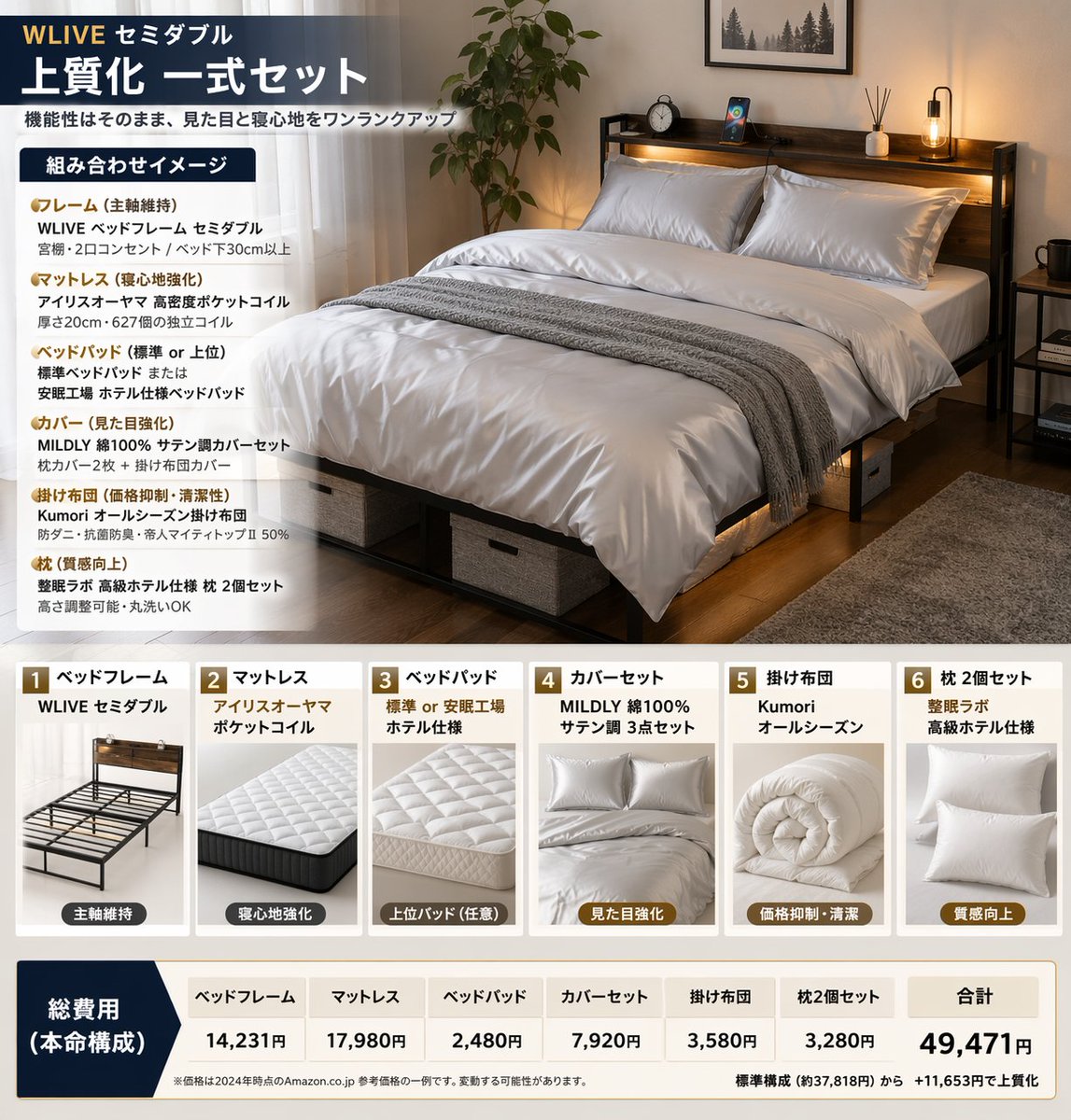
📌 รายละเอียด
- ผู้เขียน: Quadro
- แหล่งที่มา: Twitter Post
- เผยแพร่เมื่อ: 14 เมษายน 2569
- ภาษา: en
No. 43: อินโฟกราฟิก / ภาพประกอบเพื่อการศึกษา - อินโฟกราฟิกคู่มือการสร้างรูปภาพด้วย ChatGPT
📖 คำอธิบาย
อินโฟกราฟิกแบบมีโครงสร้างแบ่งเป็นหลายส่วน เพื่อสรุปแนวทางปฏิบัติที่ดีที่สุดสำหรับการสร้างและแก้ไขรูปภาพ โดยประกอบด้วยไอคอน กราฟิกตัวอย่าง และเคล็ดลับแบบทีละขั้นตอน
📝 คำสั่ง
{"type":"infographic","style":"clean, corporate, flat design, pastel accents, dark blue primary color","header":{"logo":"swirl icon","academy_name":"{argument name=\"academy name\" default=\"OpenAI Academy\"}","main_title":"{argument name=\"main title\" default=\"คู่มือปฏิบัติสำหรับการสร้างและแก้ไขรูปภาพด้วย ChatGPT\"}","metadata":"date and page info","summary_box":{"title":"ประเด็นสำคัญ","content":"ย่อหน้าเกี่ยวกับประเด็นสำคัญ"}},"layout":{"sections":[{"number":1,"title":"{argument name=\"section 1 title\" default=\"วิธีการเขียนพรอมต์รูปภาพที่ดี\"}","layout":"two columns","left_column":{"count":6,"items":[{"icon":"target","label":"ระบุวัตถุประสงค์ให้ชัดเจน"},{"icon":"landscape","label":"ระบุหัวข้อ สถานการณ์ และสถานที่"},{"icon":"brush","label":"ระบุสไตล์และบรรยากาศ"},{"icon":"sun","label":"ระบุแสง พื้นผิว และองค์ประกอบภาพ"},{"icon":"prohibition","label":"ระบุข้อจำกัดหรือสิ่งที่ต้องการละเว้น"},{"icon":"pencil","label":"ระบุสิ่งที่ต้องการเปลี่ยนและสิ่งที่ต้องการคงไว้เมื่อแก้ไข"}]},"right_column":{"box_title":"ตัวอย่างพรอมต์ที่ดี","image":"{argument name=\"example image subject\" default=\"แก้วสีขาวบนโต๊ะไม้\"}"}},{"number":2,"title":"การปรับปรุงผลลัพธ์ทีละขั้นตอน","cards":{"count":4,"items":[{"icon":"sun","label":"ปรับความสว่าง"},{"icon":"palette","label":"ปรับโทนสี"},{"icon":"landscape","label":"ปรับพื้นหลัง"},{"icon":"crop","label":"คงองค์ประกอบภาพเดิม"}]},"bottom_banner":"lightbulb icon with text"},{"number":3,"title":"การใช้งานขั้นสูง","list":{"count":3,"items":[{"icon":"multiple images","label":"การใช้รูปภาพหลายรูป"},{"icon":"text 'Te'","label":"ข้อความภายในรูปภาพ"},{"icon":"pie chart","label":"อินโฟกราฟิกและแผนภาพ"}]},"example_box":{"title":"ตัวอย่างการระบุข้อความ","graphic":"green box with 'SPRING SALE'"}},{"number":4,"title":"ข้อควรระวังเพิ่มเติม","items":{"count":4,"items":[{"icon":"person","label":"การสร้างรูปบุคคลที่มีตัวตนจริง"},{"icon":"shield","label":"การใช้ชื่อแบรนด์หรือผลงานที่มีลิขสิทธิ์"},{"icon":"id card","label":"การให้เครดิต"},{"icon":"checklist","label":"การปฏิบัติตามนโยบาย"}]}}],"footer":{"style":"dark blue banner","text":"{argument name=\"footer summary\" default=\"สรุป: คุณสามารถสร้างรูปภาพที่มีคุณภาพดียิ่งขึ้นได้โดยการระบุวัตถุประสงค์และข้อจำกัดให้ชัดเจน พร้อมทั้งค่อยๆ ปรับแก้ทีละขั้นตอน\"}"}}
🖼️ รูปภาพที่สร้าง
Image 1
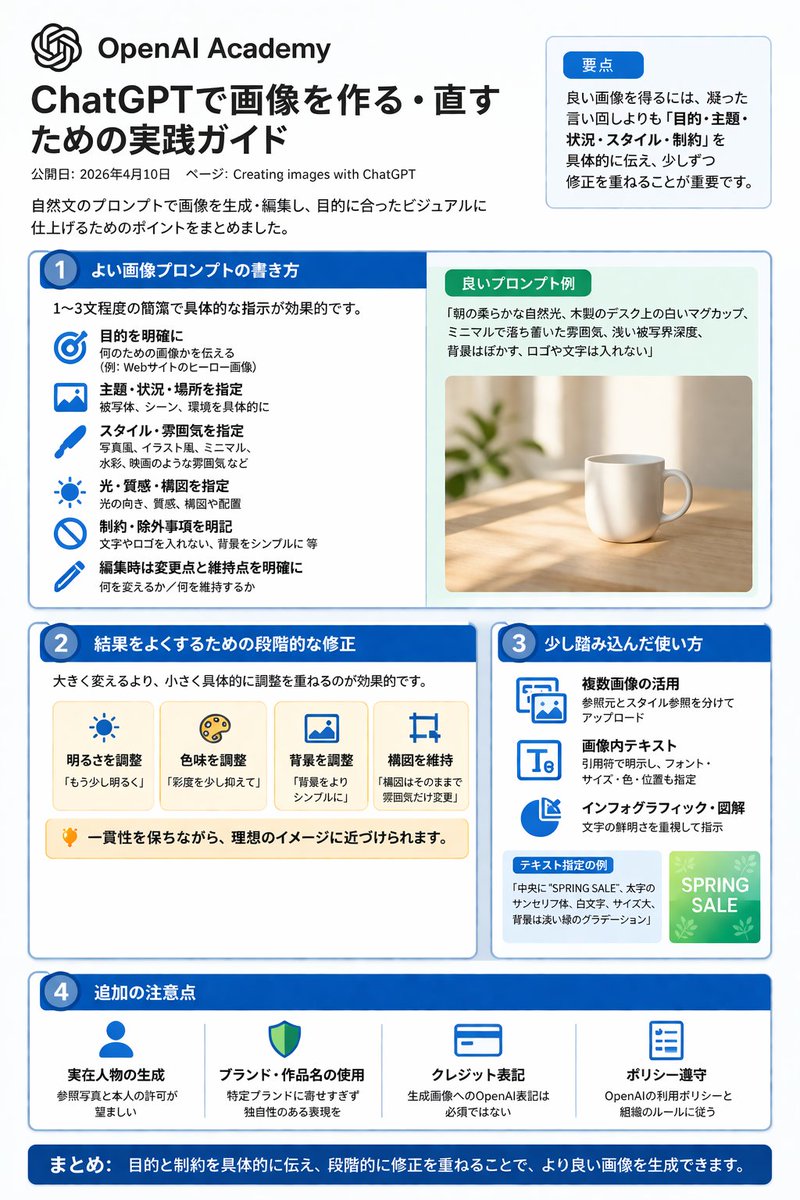
📌 รายละเอียด
- ผู้เขียน: 炎鎮🔥 - ₿onochin -
- แหล่งที่มา: Twitter Post
- เผยแพร่เมื่อ: 14 เมษายน 2569
- ภาษา: en
No. 44: อินโฟกราฟิก / ภาพประกอบเพื่อการศึกษา - อินโฟกราฟิกการสร้างรูปภาพด้วย ChatGPT
📖 คำอธิบาย
อินโฟกราฟิกภาษาญี่ปุ่นแบบ 4 คอลัมน์ที่มีโครงสร้างชัดเจน อธิบายเคล็ดลับ เวิร์กโฟลว์ และตัวอย่างสำหรับการสร้างรูปภาพด้วย ChatGPT
📝 คำสั่ง
{
  "type": "infographic cheat sheet",
  "style": "clean, modern, flat design, corporate, Japanese text",
  "header": {
    "main_title": "{argument name=\"main title\" default=\"เคล็ดลับการสร้างรูปภาพด้วย ChatGPT\"}",
    "subtitle": "{argument name=\"subtitle\" default=\"วิธีเขียนพรอมต์ที่ดีและเทคนิคการปรับแก้ให้ได้ผลลัพธ์ที่ต้องการ (สรุปประเด็นสำคัญ ณ วันที่ 10 เมษายน 2026)\"}",
    "badge": "OpenAI Academy / การสร้างรูปภาพด้วย ChatGPT"
  },
  "layout": {
    "main_grid": {
      "columns": 4,
      "sections": [
        {
          "column": 1,
          "color_theme": "blue",
          "header": "1 {argument name=\"column 1 title\" default=\"วิธีเขียนพรอมต์ที่ดี (กระชับใน 1-3 ประโยค)\"}",
          "item_count": 5,
          "labels": ["วัตถุประสงค์", "หัวข้อหลัก", "สถานการณ์/สถานที่", "สไตล์ศิลปะ/รูปแบบ", "ข้อจำกัด/การระบุเฉพาะ"]
        },
        {
          "column": 2,
          "color_theme": "teal green",
          "header": "2 {argument name=\"column 2 title\" default=\"เคล็ดลับการปรับแก้เพื่อผลลัพธ์ที่ดีขึ้น\"}",
          "item_count": 4,
          "labels": ["ปรับแก้ทีละน้อยให้เฉพาะเจาะจง", "ใช้คำสั่งเชิงบวก", "ระบุสิ่งที่ต้องการคงไว้ให้ชัดเจน", "เปรียบเทียบและเลือกผลลัพธ์ที่ดีที่สุด"]
        },
        {
          "column": 3,
          "color_theme": "orange",
          "header": "3 การใช้งานขั้นสูง",
          "item_count": 4,
          "labels": ["ใช้ประโยชน์จากหลายรูปภาพ", "ข้อความภายในรูปภาพ", "แผนภาพ/อินโฟกราฟิก", "ค่อยๆ ปรับปรุงทีละขั้นตอน"]
        },
        {
          "column": 4,
          "color_theme": "purple",
          "header": "4 ข้อควรระวัง",
          "item_count": 4,
          "labels": ["การสร้างรูปบุคคลที่มีตัวตนจริง", "หลีกเลี่ยงการเลียนแบบแบรนด์หรือผลงานเฉพาะ", "การให้เครดิต", "การปฏิบัติตามนโยบายการใช้งาน"]
        }
      ]
    },
    "bottom_section": {
      "left_panel": {
        "title": "{argument name=\"examples title\" default=\"ตัวอย่างพรอมต์ (1-3 ประโยค)\"}",
        "item_count": 3,
        "thumbnails": ["แมวส้ม", "แก้วกาแฟบนโต๊ะ", "กราฟแท่งสีน้ำเงิน"]
      },
      "right_panel": {
        "title": "เวิร์กโฟลว์",
        "step_count": 4,
        "labels": ["สร้าง", "ปรับแก้ทีละน้อย", "เปรียบเทียบ", "เสร็จสมบูรณ์"]
      }
    }
  }
}
🖼️ รูปภาพที่สร้าง
Image 1
📌 รายละเอียด
- ผู้เขียน: 炎鎮🔥 - ₿onochin -
- แหล่งที่มา: Twitter Post
- เผยแพร่เมื่อ: 14 เมษายน 2569
- ภาษา: en
No. 45: ภาพขนาดย่อของ YouTube - ภาพปกวิดีโอแนวสืบสวนคดีอาชญากรรม
📖 คำอธิบาย
สร้างภาพปก YouTube สไตล์คอลลาจที่ดูน่าตื่นเต้นสำหรับวิดีโอแนวสืบสวนคดีอาชญากรรมหรือทฤษฎีสมคบคิด โดยมีภาพบุคคลอยู่ตรงกลางและองค์ประกอบพื้นหลังที่เข้ากับเนื้อหา
📝 คำสั่ง
ภาพคอลลาจสไตล์ปก YouTube สำหรับ {argument name="overall mood" default="แนวสืบสวนคดีอาชญากรรมที่ดูมืดมนและน่าตื่นเต้น"} ตรงกลางเป็นภาพพอร์ตเทรตระยะใกล้ที่มีรายละเอียดสูงของ {argument name="central figure" default="ชายสูงวัยผมสีเทาที่มีริ้วรอยลึกคล้ายกับ Jeffrey Epstein"} สวมเสื้อโปโลสีดำ โดยมีเส้นขอบเรืองแสงสีแดงจางๆ แยกตัวเขาออกจากพื้นหลัง ทางด้านซ้ายเป็น {argument name="left background scene" default="เกาะเขตร้อนที่มีวิลล่าหรูและเครื่องบินกำลังบินอยู่บนท้องฟ้าที่มืดมิด"} ด้านล่างของเกาะมีลวดลายบอร์ดสืบสวนคดีสมคบคิดที่ประกอบด้วยหมุดสีแดง 2 ตัว เชื่อมต่อกันด้วยเส้นด้ายสีแดงหนา 3 เส้น ทางด้านขวาบนเป็นภาพที่ดูเลือนรางในโทนสีซีเปียของ {argument name="right background scene" default="อาคารรัฐสภาสหรัฐฯ พร้อมเงาของชาย 3 คนในชุดสูทที่หันหน้าเข้าหาอาคาร"} ทางด้านขวาล่างเป็นแฟ้มเอกสารสีน้ำตาลที่เปิดอยู่ซึ่งบรรจุ {argument name="document type" default="เอกสารที่ถูกเซ็นเซอร์เนื้อหาอย่างหนักด้วยปากกาเมจิกสีดำหนา พร้อมรูปถ่ายขนาดเล็กของชายที่เป็นบุคคลสำคัญ"} องค์ประกอบโดยรวมมีความเป็นภาพยนตร์ เข้มข้น และมีสไตล์ที่โดดเด่นสำหรับวิดีโอสารคดี
🖼️ รูปภาพที่สร้าง
Image 1

📌 รายละเอียด
- ผู้เขียน: Mirochill
- แหล่งที่มา: Twitter Post
- เผยแพร่เมื่อ: 14 เมษายน 2569
- ภาษา: en
No. 46: ภาพขนาดย่อของ YouTube - ภาพปกวิดีโอเกมสยองขวัญสไตล์อนิเมะ
📖 คำอธิบาย
สร้างภาพปกวิดีโอเกมแบบคอมโพสิตที่มีเงาดำตรงกลาง โลโก้เกม และภาพพอร์ตเทรตตัวละคร 4 ตัวในกรอบกระดาษฉีก
📝 คำสั่ง
ภาพประกอบปก YouTube แบบคอมโพสิตที่มีโลโก้ของ {argument name="game title" default="Doki Doki Literature Club!"} อยู่ตรงกลางด้านบน ออกแบบเป็นวงกลมสีชมพูพร้อมหัวใจสีฟ้า ตัวอักษรบล็อกสีสันสดใส และปากกาสีเขียว ด้านล่างโลโก้บริเวณกึ่งกลางด้านล่างคือ {argument name="central figure" default="เงาดำของคนนั่งอยู่ที่โต๊ะ"} ซึ่งกำลังหันหน้าเข้าหาหน้าจอคอมพิวเตอร์สีชมพูที่ส่องสว่างในห้องมืด พื้นหลังถูกแบ่งออกเป็น 4 ส่วนที่มุมโดยมีขอบกระดาษฉีกขาดคั่นกลาง แต่ละส่วนประกอบด้วยภาพพอร์ตเทรตของสาวอนิเมะในชุดนักเรียน มุมซ้ายบนเป็นเด็กสาวผมยาวสีน้ำตาลติดโบว์สีขาวกำลังยิ้ม มุมขวาบนเป็นเด็กสาวผมยาวสีม่วงเข้มดูเศร้า มุมซ้ายล่างเป็นเด็กสาวผมสั้นสีชมพูดูไม่สบอารมณ์ และมุมขวาล่างเป็นเด็กสาวผมสั้นสีคอรัลติดโบว์สีแดงกำลังยิ้ม ลอยอยู่ในพื้นที่มืดระหว่างตัวละครและเงาตรงกลางมีเครื่องหมายคำถามสีขาวขนาดใหญ่ 3 ตัว และกระดาษมีเส้น 4 แผ่นที่มีข้อความเบลอๆ โดยรวมแล้ว {argument name="atmosphere" default="บรรยากาศที่มืดมิด ลึกลับ และชวนให้รู้สึกไม่สบายใจเล็กน้อย"} ตัดกันอย่างชัดเจนกับตัวละครอนิเมะที่สดใสและโลโก้ที่มีสีสัน
🖼️ รูปภาพที่สร้าง
Image 1
📌 รายละเอียด
- ผู้เขียน: Mirochill
- แหล่งที่มา: Twitter Post
- เผยแพร่เมื่อ: 14 เมษายน 2569
- ภาษา: en
No. 47: ภาพขนาดย่อของ YouTube - บอร์ดอินโฟกราฟิกโมเดล AI สุดล้ำ
📖 คำอธิบาย
สร้างบอร์ดอินโฟกราฟิกสไตล์ล้ำยุคที่มีความละเอียดสูง โดยแสดงรายละเอียดฟีเจอร์ การเปรียบเทียบ และข่าวลือของโมเดล AI เจเนอเรชันถัดไป
📝 คำสั่ง
{
  "type": "บอร์ดอินโฟกราฟิกเทคโนโลยีสุดล้ำที่มีความละเอียดสูง",
  "theme": {
    "colors": "{argument name=\"theme color\" default=\"สีทองและสีน้ำเงินเข้ม\"}",
    "style": "โหมดมืด, ขอบนีออนเรืองแสง, เลย์เอาต์แผนผังความคิดที่ซับซ้อน, สุนทรียศาสตร์แบบไซเบอร์เทค"
  },
  "centerpiece": {
    "description": "สัญลักษณ์วงกลมสีทองเรืองแสงคล้ายดวงตาหรือเลนส์กล้อง",
    "text": ["{argument name=\"main title\" default=\"GPT-Image-2\"}", "ChatGPT", "ข่าวลือการอัปเดตแบบเงียบ {argument name=\"release date\" default=\"เมษายน 2026\"}"]
  },
  "layout": {
    "top_left": {
      "title": "ภาพหลุด",
      "count": 4,
      "items": ["เมนูร้านกาแฟที่มีการแสดงผลข้อความ", "แผนที่โลก", "แผนภาพกายวิภาค", "ภาพผับที่สมจริงเหมือนภาพถ่าย"]
    },
    "top_right": {
      "title": "กรณีการใช้งานและกระแสตอบรับ",
      "count": 5,
      "items": ["สินค้าอีคอมเมิร์ซ", "ใบปลิวธุรกิจ", "สติกเกอร์แชท", "สื่อการเรียนการสอน", "ภาพปก YouTube"]
    },
    "left_side": {
      "title": "การเปรียบเทียบเวอร์ชัน",
      "count": 3,
      "items": ["การเปรียบเทียบการแสดงผลข้อความ", "การเปรียบเทียบความสมจริงของภาพ", "การเปรียบเทียบความเสถียรขององค์ประกอบภาพ"]
    },
    "inner_ring": {
      "title": "ฟีเจอร์หลัก",
      "count": 4,
      "items": ["การปฏิวัติการวาดข้อความ", "ก้าวกระโดดด้านความสมจริง", "ความรู้รอบโลก", "ความสม่ำเสมอในการแก้ไข"]
    },
    "bottom_left": {
      "title": "ข้อมูลจำเพาะทางเทคนิค",
      "count": 2,
      "items": ["หัวข้อวิวัฒนาการทางเทคนิค", "ภาพเงาแฮ็กเกอร์พร้อมชื่อรหัส"]
    },
    "bottom_center": {
      "title": "ตารางเปรียบเทียบโมเดล",
      "columns": 3,
      "headers": ["GPT-Image-1.5", "{argument name=\"main title\" default=\"GPT-Image-2\"}", "{argument name=\"competitor model\" default=\"Google Nano Banana\"}"],
      "rows": ["ความแม่นยำของข้อความ", "ความสมจริง", "ความรู้รอบโลก", "การแก้ไข", "ความเร็ว"]
    },
    "bottom_right": {
      "title": "มุมมองในอนาคต",
      "count": 2,
      "items": ["รายการการปรับปรุงที่น่าสนใจ", "ไทม์ไลน์แผนงานในอนาคต"]
    },
    "bottom_edge": {
      "title": "แกลเลอรีประเภทงาน",
      "count": 10,
      "items": ["สถาปัตยกรรม", "โปสเตอร์", "ข้อความภาษาญี่ปุ่น", "อินโฟกราฟิก", "แฟนตาซี", "สตีมพังค์", "ดีไซน์มินิมอล", "อาหาร", "รถยนต์", "ใต้น้ำ"]
    },
    "footer": {
      "title": "แบนเนอร์หลัก",
      "text": ["{argument name=\"subtitle\" default=\"ChatGPT 画像生成革命\"}", "โมเดลเจเนอเรชันถัดไปในการทดสอบ A/B แบบเงียบ"]
    }
  }
}
🖼️ รูปภาพที่สร้าง
Image 1
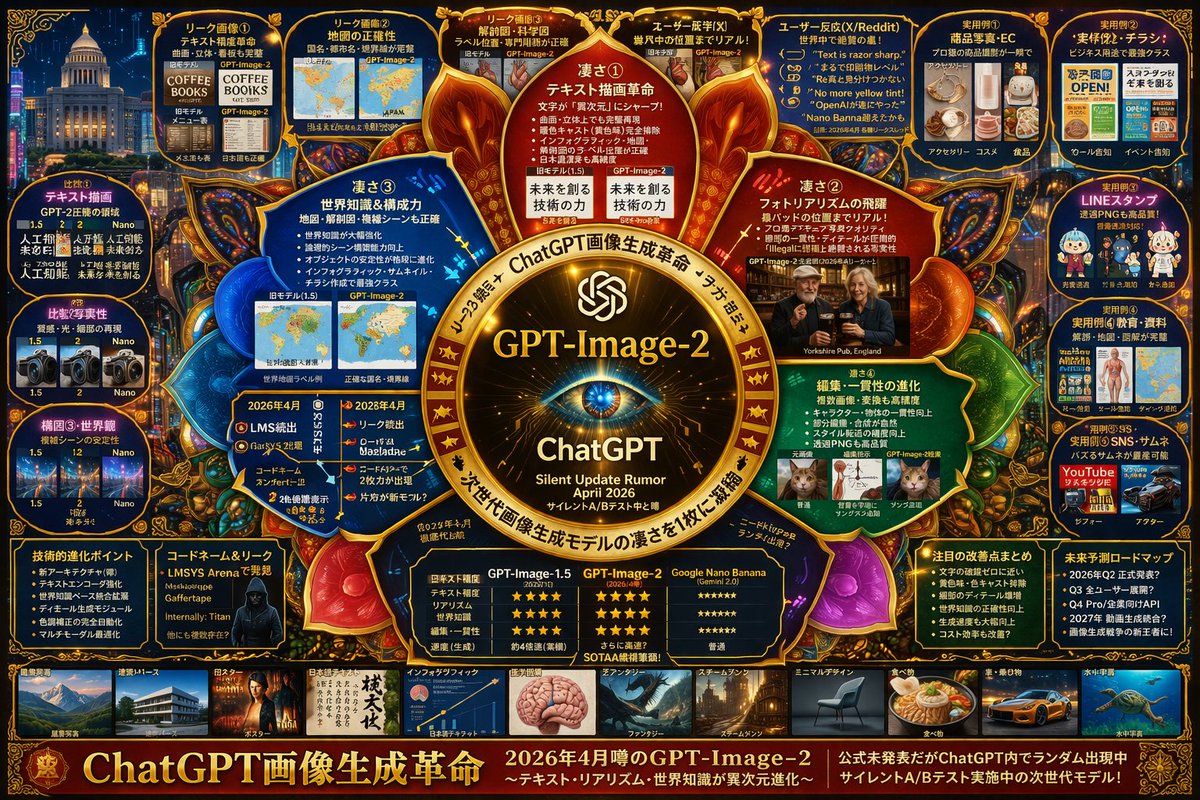
Image 2
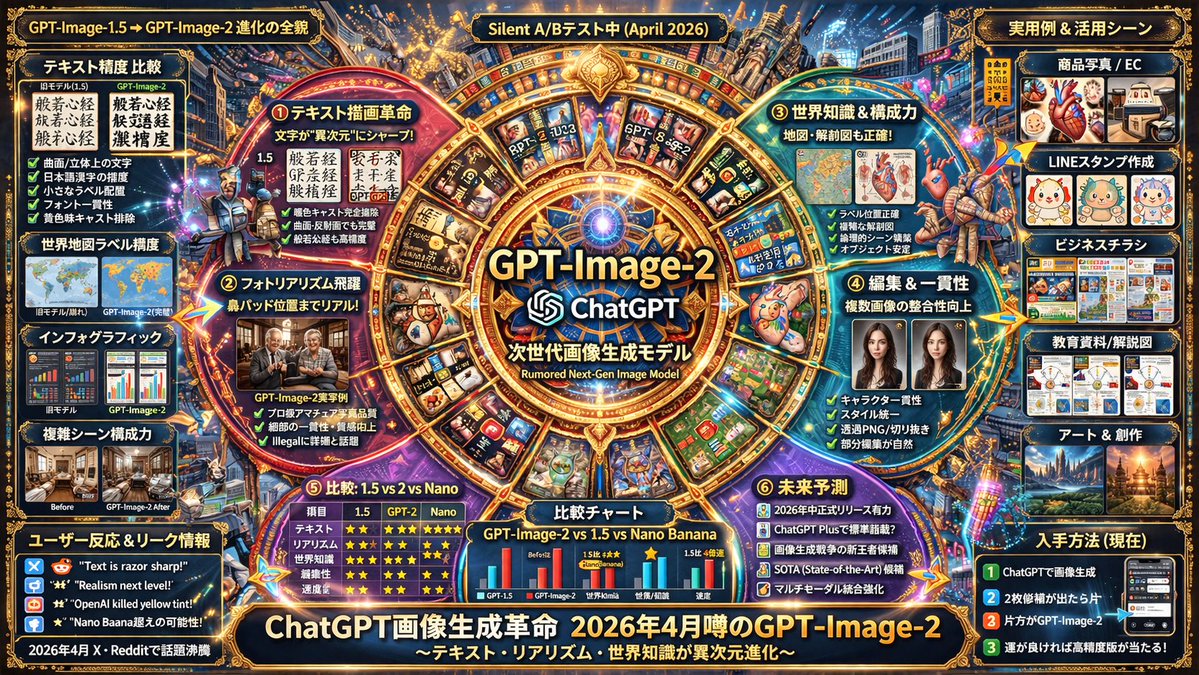
📌 รายละเอียด
- ผู้เขียน: ほーきー(Hawkie)🧹Vibe Coder & Analytics
- แหล่งที่มา: Twitter Post
- เผยแพร่เมื่อ: 13 เมษายน 2569
- ภาษา: en
No. 48: ภาพขนาดย่อของ YouTube - อินโฟกราฟิกวิเคราะห์เทคโนโลยีเชิงซ้อน
📖 คำอธิบาย
สร้างอินโฟกราฟิกที่มีความหนาแน่นสูงในรูปแบบแผนผังความคิด (Mind-map) เพื่อแสดงรายละเอียดฟีเจอร์เชิงคาดการณ์ การเปรียบเทียบ และกรณีการใช้งานสำหรับโมเดล AI
📝 คำสั่ง
{
  "type": "อินโฟกราฟิกวิเคราะห์เทคโนโลยีเชิงซ้อน",
  "style": "{argument name=\"color palette\" default=\"พื้นหลังสีน้ำเงินเข้มพร้อมไฮไลท์เรืองแสงสีทอง สีแดง และสีฟ้า\"}, ความหนาแน่นสูง, บอร์ดสืบสวนไซเบอร์, เลย์เอาต์แบบแผนผังความคิด",
  "centerpiece": {
    "description": "{argument name=\"central emblem\" default=\"ตราสัญลักษณ์วงกลมสีทองเรืองแสงที่มีรูปดวงตา\"}",
    "text": ["{argument name=\"main title\" default=\"GPT-Image-2\"}", "ChatGPT", "{argument name=\"subtitle\" default=\"ข่าวลือการอัปเดตเงียบ เมษายน 2026\"}"]
  },
  "layout": {
    "sections": [
      {
        "title": "โหนดชั้นใน",
        "position": "ล้อมรอบศูนย์กลาง",
        "count": 4,
        "labels": ["จุดเด่น ①", "จุดเด่น ②", "จุดเด่น ③", "จุดเด่น ④"],
        "description": "โหนดข้อความวงกลมเรืองแสงที่เน้นจุดแข็งหลัก"
      },
      {
        "title": "แผงข้อมูลหลุดด้านบน",
        "position": "แถวบน",
        "count": 4,
        "labels": ["ภาพหลุด ①", "ภาพหลุด ②", "ภาพหลุด ③", "ความรู้สึกผู้ใช้ (X)"],
        "description": "การเปรียบเทียบภาพก่อน/หลัง"
      },
      {
        "title": "ปฏิกิริยาของผู้ใช้",
        "position": "ขวาบน",
        "count": 1,
        "labels": ["ปฏิกิริยาผู้ใช้ (X/Reddit)"],
        "description": "แผงที่ประกอบด้วยกรอบคำพูด 5 รายการ"
      },
      {
        "title": "ตัวอย่างการใช้งานจริง",
        "position": "คอลัมน์ขวาสุด",
        "count": 5,
        "labels": ["ตัวอย่างการใช้งาน ①", "ตัวอย่างการใช้งาน ②", "ตัวอย่างการใช้งาน ③", "ตัวอย่างการใช้งาน ④", "ตัวอย่างการใช้งาน ⑤"],
        "description": "ตารางภาพกรณีการใช้งาน รวมถึงอีคอมเมิร์ซ, ใบปลิว, สติกเกอร์ LINE, การศึกษา และภาพปกคลิป"
      },
      {
        "title": "การเปรียบเทียบ",
        "position": "คอลัมน์ซ้ายสุด",
        "count": 3,
        "labels": ["เปรียบเทียบ ①", "เปรียบเทียบ ②", "องค์ประกอบ ③・มุมมองโลก"],
        "description": "คู่ภาพเปรียบเทียบเวอร์ชัน"
      },
      {
        "title": "แผงข้อมูลด้านล่าง",
        "position": "แถวล่างเหนือแกลเลอรี",
        "count": 5,
        "labels": ["จุดพัฒนาทางเทคนิค", "ชื่อรหัสและข้อมูลหลุด", "ตารางเปรียบเทียบ", "สรุปการปรับปรุงที่น่าสนใจ", "แผนผังคาดการณ์อนาคต"],
        "description": "รายการแบบหัวข้อ, ภาพพอร์ตเทรตแฮกเกอร์ และตารางเปรียบเทียบแบบให้คะแนน 3 คอลัมน์"
      },
      {
        "title": "แกลเลอรีสไตล์",
        "position": "แถบด้านล่าง",
        "count": 10,
        "labels": ["สถาปัตยกรรม・ทัศนียภาพ", "โปสเตอร์", "ข้อความภาษาญี่ปุ่น", "อินโฟกราฟิก", "แฟนตาซี", "สตีมพังค์", "ดีไซน์มินิมอล", "อาหาร", "รถยนต์・ยานพาหนะ", "จักรวาลใต้น้ำ"],
        "description": "แถวแนวนอนของภาพตัวอย่างที่แสดงสไตล์การสร้างสรรค์ที่แตกต่างกัน"
      }
    ],
    "footer": {
      "text": "{argument name=\"footer text\" default=\"การปฏิวัติการสร้างภาพด้วย ChatGPT\"}",
      "position": "ขอบล่าง"
    }
  }
}
🖼️ รูปภาพที่สร้าง
Image 1
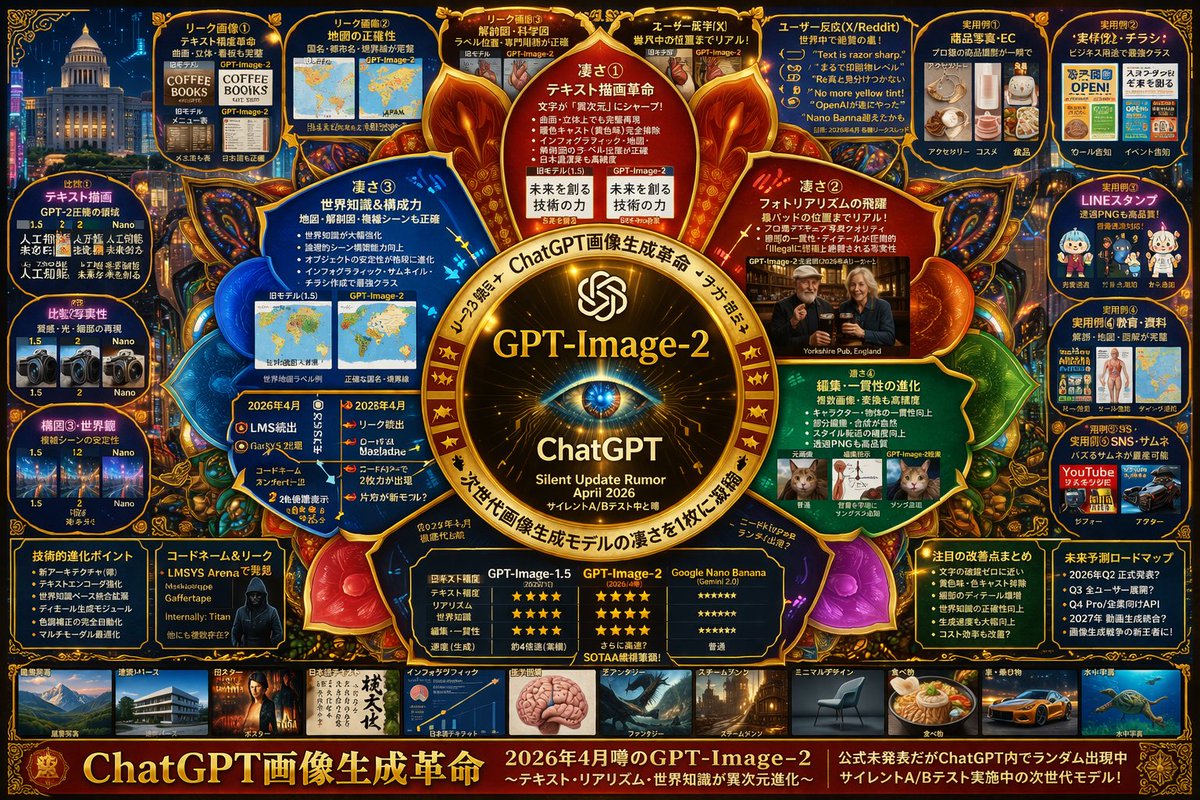
Image 2
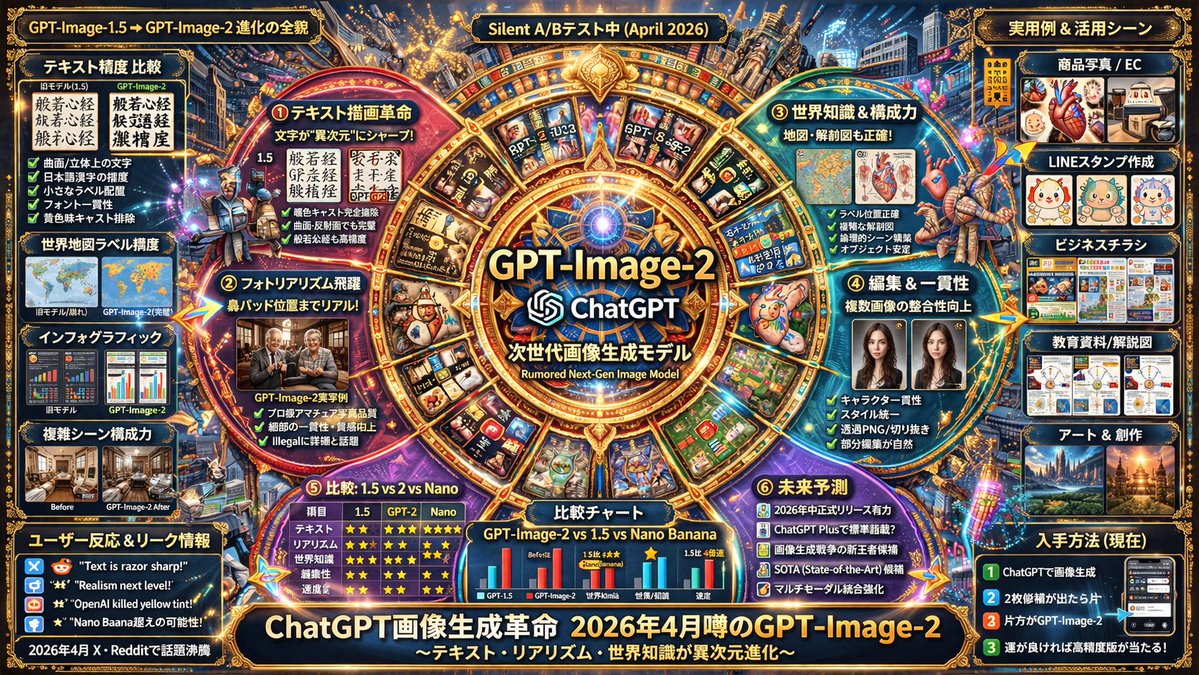
📌 รายละเอียด
- ผู้เขียน: s_shigel 斉藤 滋
- แหล่งที่มา: Twitter Post
- เผยแพร่เมื่อ: 13 เมษายน 2569
- ภาษา: en
No. 49: คอมิก / สตอรี่บอร์ด - Anime Martial Arts Battle
📖 คำอธิบาย
Generates a dynamic anime-style action scene of two characters fighting with elemental auras in a traditional dojo.
📝 คำสั่ง
A highly dynamic anime illustration of two girls engaged in a fierce martial arts battle inside a traditional wooden dojo. In the foreground, a girl with {argument name="character 1 hair" default="black hair in a high bun with red ribbons"} strikes a powerful, low martial arts stance, thrusting her fist forward. She wears a {argument name="character 1 outfit" default="white Chinese-style top with red tassels and baggy red pants"}, with intense red energy slashes swirling around her striking limbs. Mid-air on the right, a girl with {argument name="character 2 hair" default="light purple hair in twin buns"} leaps gracefully, smiling confidently while wearing a {argument name="character 2 outfit" default="dark green dress with gold embroidery and black tights"}, accompanied by sweeping blue water-like energy trails. The background features a rustic wooden temple interior with a prominent overhead sign reading "{argument name="sign text" default="武術会"}". The scene is filled with explosive action, flying dust, shattered wooden floorboards, glowing colorful particle effects, and dramatic low-angle lighting that perfectly separates the characters from the detailed background.
🖼️ รูปภาพที่สร้าง
Image 1
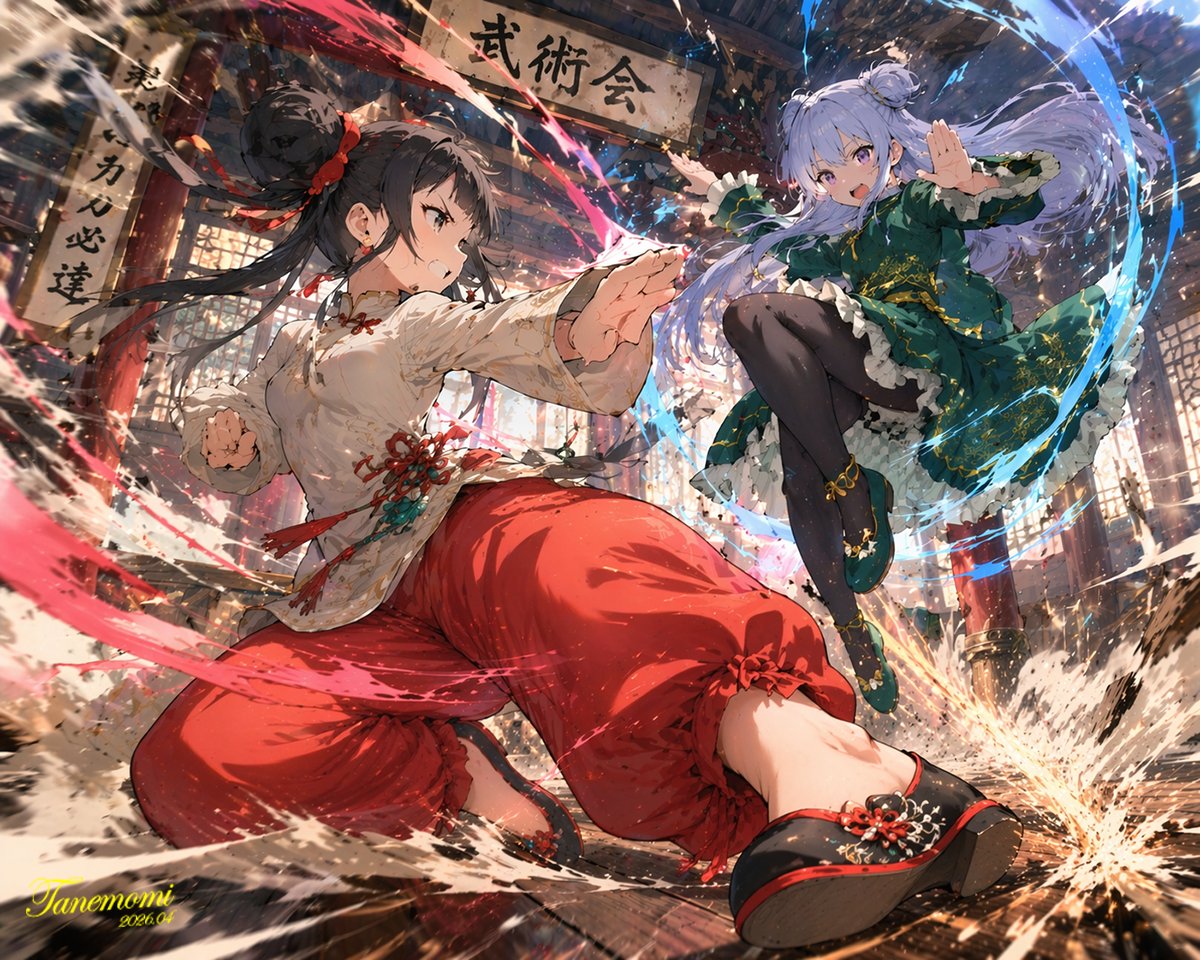
📌 รายละเอียด
- ผู้เขียน: たねもみ 2.0 / Tanemomi Ver2.0
- แหล่งที่มา: Twitter Post
- เผยแพร่เมื่อ: 20 เมษายน 2569
- ภาษา: en
No. 50: คอมิก / สตอรี่บอร์ด - Ligne Claire Suburban Landscape
📖 คำอธิบาย
Generates a detailed, comic-style illustration of a neighborhood landscape with customizable time of day and setting.
📝 คำสั่ง
A detailed {argument name="art style" default="ligne claire comic illustration"} of a sprawling {argument name="setting" default="suburban neighborhood"} viewed from an elevated rooftop perspective during {argument name="time of day" default="sunset"}. The scene features densely packed houses with varied roof colors including muted blues, reds, and browns, interspersed with lush green trees and foliage. Utility poles with crisscrossing power lines cut through the midground. A winding dirt road is visible on the right side. The sky is a smooth gradient of warm orange, pink, and light blue, with a bright round sun sitting low on the horizon behind stylized, fluffy clouds. The artwork uses flat colors, distinct black outlines, and a nostalgic, peaceful atmosphere reminiscent of classic anime background art.
🖼️ รูปภาพที่สร้าง
Image 1
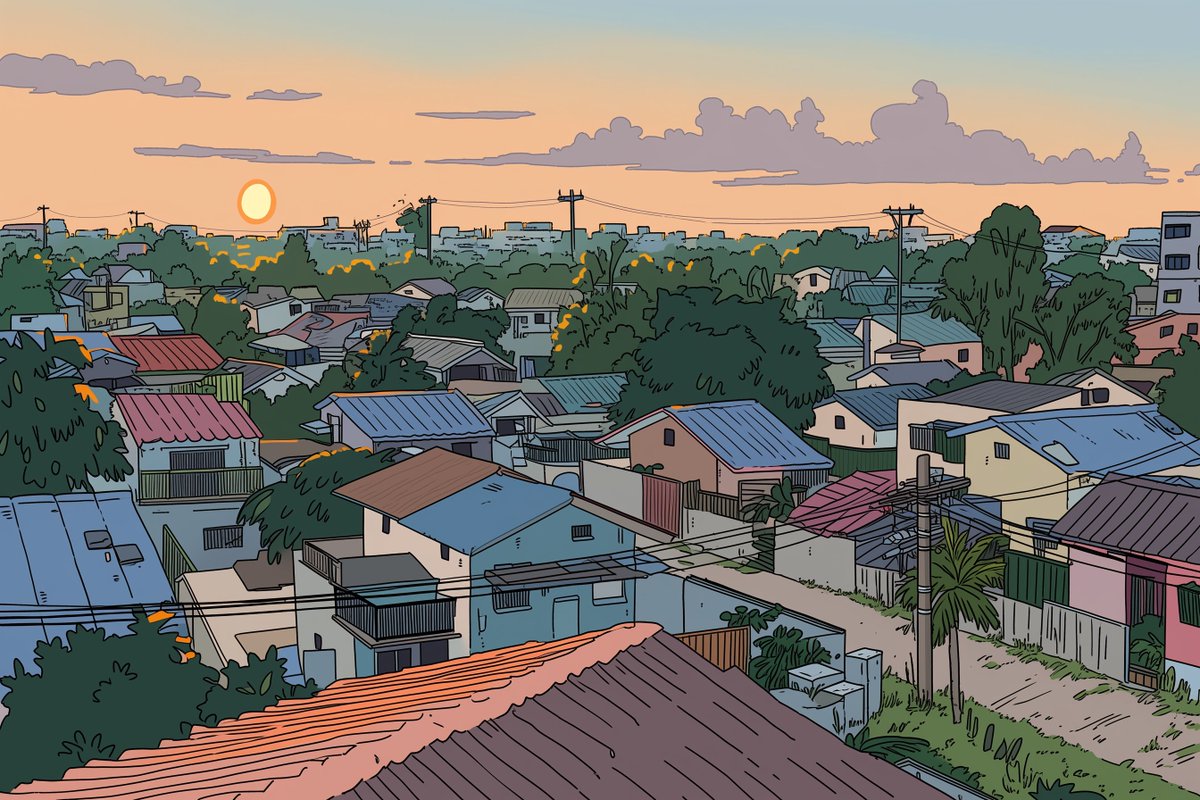
📌 รายละเอียด
- ผู้เขียน: Kai
- แหล่งที่มา: Twitter Post
- เผยแพร่เมื่อ: 20 เมษายน 2569
- ภาษา: en
No. 51: คอมิก / สตอรี่บอร์ด - CCTV Security Camera Footage
📖 คำอธิบาย
Generates a realistic, low-quality black-and-white surveillance camera still featuring a customizable subject and timestamp.
📝 คำสั่ง
A genuinely low-quality, grainy, black-and-white CCTV security camera still showing a {argument name="subject" default="classic grey alien with a large head and skinny body"} standing next to a gas pump at a {argument name="setting" default="deserted gas station at night"}. The gas pump has the word "UNLEADED" printed on the top canopy and a large number "2" on the side. In the bottom left corner, there is a digital timestamp overlay reading "{argument name="camera label" default="CAM 2"}", "{argument name="date" default="OCT 27 2004"}", and "12:04:16 AM" in a retro pixelated font. The overall aesthetic is authentic early-2000s surveillance footage with heavy noise, poor contrast, and VHS-style artifacts.
🖼️ รูปภาพที่สร้าง
Image 1
📌 รายละเอียด
- ผู้เขียน: Ma(s)ken?
- แหล่งที่มา: Twitter Post
- เผยแพร่เมื่อ: 19 เมษายน 2569
- ภาษา: en
No. 52: คอมิก / สตอรี่บอร์ด - Sci-Fi Western Lunar Rider
📖 คำอธิบาย
Generates a surreal, photorealistic image of a cowboy riding a horse on the moon while looking at Earth, perfect for sci-fi western concepts.
📝 คำสั่ง
A cinematic, highly realistic image of a {argument name="subject" default="cowboy"} riding a {argument name="mount" default="white horse"} on the {argument name="setting" default="surface of the moon"}. The figure is seen from behind, wearing a classic hat and a long duster coat, looking out over the barren, grey, and cratered lunar landscape. In the dark, starry space sky above, a large, detailed {argument name="celestial object" default="Earth"} is prominently visible in the upper right. The lighting is dramatic and monochromatic in the foreground, highlighting the textures of the terrain and the rider's coat, contrasting with the blue and white hues of the distant planet to create a surreal yet photorealistic sci-fi western scene.
🖼️ รูปภาพที่สร้าง
Image 1
📌 รายละเอียด
- ผู้เขียน: Ma(s)ken?
- แหล่งที่มา: Twitter Post
- เผยแพร่เมื่อ: 19 เมษายน 2569
- ภาษา: en
No. 53: คอมิก / สตอรี่บอร์ด - 12-Panel Cinematic Storyboard Grid
📖 คำอธิบาย
Generates a 12-panel sequential storyboard with timestamps and captions, ideal for pre-visualizing short films or video generation prompts.
📝 คำสั่ง
{
  "type": "12-panel cinematic storyboard grid",
  "style": "{argument name=\"visual style\" default=\"dark cinematic transitioning to dark fantasy CG\"}",
  "character": "{argument name=\"main character\" default=\"pale young man with messy black hair in a dark suit\"}",
  "layout": {
    "columns": 3,
    "rows": 4,
    "panel_count": 12
  },
  "panels": [
    { "id": "1", "timestamp": "0:00-0:01", "caption": "猛地转身,甩出一把纸", "visual": "character throwing papers at camera" },
    { "id": "2", "timestamp": "0:01-0:02", "caption": "纸张飞舞,镜头跟随落在书桌", "visual": "papers flying in dark room with desk lamp" },
    { "id": "3", "timestamp": "0:02-0:03", "caption": "走向黑色书桌,拉开椅子坐下", "visual": "character walking away towards desk" },
    { "id": "4", "timestamp": "0:03-0:04", "caption": "侧光下的沉思,压抑氛围", "visual": "close-up of character's face in shadow" },
    { "id": "5", "timestamp": "0:04-0:05", "caption": "翻开纯黑笔记本", "visual": "close-up of hands opening a black notebook" },
    { "id": "6", "timestamp": "0:05-0:06", "caption": "拿起笔,准备书写", "visual": "close-up of character holding pen over notebook" },
    { "id": "7", "timestamp": "0:06-0:07", "caption": "开始疯狂书写,烟雾初起", "visual": "character writing frantically, smoke rising" },
    { "id": "8", "timestamp": "0:07-0:08", "caption": "烟雾翻涌,形态显现", "visual": "thick smoke surging around character" },
    { "id": "9", "timestamp": "0:08-0:09", "caption": "死神魔爪浮现,丝线垂下", "visual": "skeletal hands emerging above, glowing threads hanging down" },
    { "id": "10", "timestamp": "0:09-0:10", "caption": "丝线连接,实拍转CG", "visual": "glowing threads attaching to character's head" },
    { "id": "11", "timestamp": "0:10-0:11", "caption": "风格蜕变,暗黑CG质感", "visual": "magical energy, heavy CG fantasy style shift" },
    { "id": "12", "timestamp": "0:11-0:12", "caption": "大魔王降临,俯视操控", "visual": "{argument name=\"final entity\" default=\"giant horned demon figure\"} looming behind, controlling character like a puppet" }
  ]
}
🖼️ รูปภาพที่สร้าง
Image 1
📌 รายละเอียด
- ผู้เขียน: John
- แหล่งที่มา: Twitter Post
- เผยแพร่เมื่อ: 19 เมษายน 2569
- ภาษา: en
No. 54: คอมิก / สตอรี่บอร์ด - Multi-Angle Studio Character Sheet
📖 คำอธิบาย
Transforms a single reference portrait into a colorized, multi-angle character turnaround sheet with clean studio lighting.
📝 คำสั่ง
Using the provided reference image, generate a {argument name="number of panels" default="4"}-panel studio-style character sheet. Transform the black-and-white reference into full color, applying natural skin tones and black hair. Remove the original environment and place the subject against a {argument name="background color" default="plain grey"} background with {argument name="lighting style" default="clean, neutral studio lighting"}. The generated grid must show the exact same character, wearing the preserved white lace camisole and heart necklace, in {argument name="number of panels" default="4"} distinct poses: 1) straight-on front view, 2) right profile view, 3) left 3/4 view looking over the shoulder, and 4) right 3/4 view looking slightly down.
🖼️ รูปภาพที่สร้าง
Image 1
📌 รายละเอียด
- ผู้เขียน: DStudioproject
- แหล่งที่มา: Twitter Post
- เผยแพร่เมื่อ: 19 เมษายน 2569
- ภาษา: en
No. 55: คอมิก / สตอรี่บอร์ด - Epic Fantasy Monkey King Battle Scene
📖 คำอธิบาย
Generates a highly detailed, cinematic fantasy battle scene featuring a mythological warrior striking down enemies in a heavenly setting.
📝 คำสั่ง
A hyper-realistic, epic fantasy illustration of {argument name="main character" default="Sun Wukong, the Monkey King"} in a dynamic combat pose, wearing intricate, ornate golden armor with flowing red fabric and long pheasant tail feathers extending from his headpiece. He has a fierce, monkey-like face and is powerfully swinging a glowing, intricately carved golden staff downward to strike a group of {argument name="enemy type" default="heavenly soldiers"}. The soldiers, clad in heavy, detailed golden armor, are being violently knocked back by the impact. Explosive sparks, glowing embers, and shattered stone debris fill the air around the clash. The background features a majestic, cloudy {argument name="setting" default="heavenly realm"} with towering, ornate pillars and Chinese-style temple architecture fading into the misty, dramatic sky. Cinematic lighting, highly detailed, masterpiece, intense action scene.
🖼️ รูปภาพที่สร้าง
Image 1
📌 รายละเอียด
- ผู้เขียน: Daniel
- แหล่งที่มา: Twitter Post
- เผยแพร่เมื่อ: 16 เมษายน 2569
- ภาษา: en
No. 56: คอมิก / สตอรี่บอร์ด - การ์ตูนช่องแนวโรแมนติกสไตล์อนิเมะ 4 ช่อง
📖 คำอธิบาย
สร้างการ์ตูนช่องสไตล์อนิเมะ 4 ช่องที่มีคู่รักกำลังเดินคุยกันในบรรยากาศที่สวยงาม เหมาะสำหรับการเล่าเรื่องสั้นๆ
📝 คำสั่ง
{
  "type": "การ์ตูนช่องสไตล์อนิเมะ 4 ช่อง",
  "art_style": "ภาพวาดสไตล์อนิเมะที่มีรายละเอียดสูง แสงอาทิตย์ตกยามเย็น คุณภาพระดับ CG ในวิชวลโนเวล",
  "setting": "{argument name=\"setting\" default=\"ทางเดินที่มีต้นซากุระเรียงรายและรางรถไฟในช่วงพระอาทิตย์ตก\"}",
  "characters": {
    "male": {
      "name": "{argument name=\"male character name\" default=\"Starion\"}",
      "appearance": "ผมสีเงินยุ่งๆ เสื้อยืดสีขาว กางเกงขายาวสีเข้ม"
    },
    "female": {
      "name": "{argument name=\"female character name\" default=\"Murasaki\"}",
      "appearance": "ผมยาวสีม่วงอ่อน เสื้อเบลาส์สีเขียวอ่อนติดโบว์ กระโปรงสีเบจ"
    }
  },
  "layout": {
    "total_panels": 4,
    "total_speech_bubbles": 5,
    "panels": [
      {
        "position": "ด้านบน เต็มความกว้าง",
        "action": "เดินไปด้วยกันบนรางรถไฟ",
        "bubbles": [
          "มุราซากิ อยากกินไอศกรีมไหม?",
          "สตาริออนชอบกินไอศกรีมด้วยเหรอ? 🩷"
        ]
      },
      {
        "position": "กลางซ้าย",
        "action": "ฝ่ายชายยิ้มอย่างกระตือรือร้นและยื่นมือออกไป",
        "bubbles": [
          "{argument name=\"male dialogue\" default=\"แน่นอนสิ ฉันชอบรสวานิลลาล่ะ!\"}"
        ]
      },
      {
        "position": "กลางขวา",
        "action": "ฝ่ายหญิงยิ้มและจับมือเขาไว้",
        "bubbles": [
          "{argument name=\"female dialogue\" default=\"โอเค ไปซื้อกันเถอะ หลังจากนั้นเราไปกินราเมงกันนะ\"}"
        ]
      },
      {
        "position": "ด้านล่าง เต็มความกว้าง",
        "action": "วิ่งไปข้างหน้าบนรางรถไฟโดยจับมือกัน ฝ่ายชายดูตื่นเต้น ฝ่ายหญิงดูประหลาดใจ",
        "bubbles": [
          "อ๊ะ!"
        ]
      }
    ]
  }
}
🖼️ รูปภาพที่สร้าง
Image 1
Image 2
📌 รายละเอียด
- ผู้เขียน: Nad Chan~
- แหล่งที่มา: Twitter Post
- เผยแพร่เมื่อ: 14 เมษายน 2569
- ภาษา: en
No. 57: คอมิก / สตอรี่บอร์ด - ฉากบัญชาการทางยุทธวิธีในรูปแบบภาพยนตร์
📖 คำอธิบาย
สร้างภาพถ่ายสมจริงในรูปแบบภาพยนตร์ของผู้นำทางยุทธวิธีที่กำลังชี้ไปที่แผนที่ในศูนย์บัญชาการที่ดูดุดันและสมจริง
📝 คำสั่ง
ภาพถ่ายสมจริงในรูปแบบภาพยนตร์ของ {argument name="character appearance" default="ชายหนุ่มหน้าตาดีผมสีน้ำตาลเข้มชี้ฟูและสวมแว่นตาทรงสี่เหลี่ยม"} สวมใส่ {argument name="outfit" default="แจ็กเก็ตยุทธวิธีหนังสีดำคอตั้ง มีตราสัญลักษณ์สีเงินที่หน้าอก และแถบสีขาวที่แขน"} พร้อมถุงมือหนังสีดำและหูฟัง เขากำลัง {argument name="action" default="โน้มตัวลงอย่างตั้งใจเหนือแผนที่ยุทธวิธีเรืองแสงบนโต๊ะ พร้อมกับใช้มือขวาชี้ไปที่แผนที่"} ฉากนี้เกิดขึ้นใน {argument name="setting" default="บังเกอร์บัญชาการคอนกรีตที่มืดสลัวและดูสมจริง"} ในพื้นหลังที่เบลอ {argument name="background characters" default="ทหารหลายนายในชุดยุทธวิธีสีดำเต็มยศพร้อมหมวกนิรภัย"} ยืนประจำการอยู่ ไหล่ของอีกคนหนึ่งในเครื่องแบบสีดำปรากฏให้เห็นที่ด้านซ้ายของภาพหน้าสุดเพื่อจัดองค์ประกอบภาพ ภาพนี้โดดเด่นด้วยแสงที่มืดและให้ความรู้สึกหม่นหมอง ระยะชัดลึกที่ตื้น และพื้นผิวที่ดูสมจริงความละเอียดสูง
🖼️ รูปภาพที่สร้าง
Image 1
📌 รายละเอียด
- ผู้เขียน: Aurelio/アウレリオ🇯🇵
- แหล่งที่มา: Twitter Post
- เผยแพร่เมื่อ: 14 เมษายน 2569
- ภาษา: en
No. 58: คอมิก / สตอรี่บอร์ด - พิมพ์เขียวสตอรี่บอร์ดสำหรับการผลิตมิวสิกวิดีโอ
📖 คำอธิบาย
เอกสารการออกแบบงานสร้างที่ครอบคลุม ประกอบด้วยภาพตัวละครรอบทิศทาง แผนผังพื้นที่ สตอรี่บอร์ด และข้อมูลอ้างอิงด้านแสงสำหรับฉากในมิวสิกวิดีโอ
📝 คำสั่ง
{
  "type": "พิมพ์เขียวการออกแบบงานสร้างและสตอรี่บอร์ด",
  "header": {
    "title": "{argument name=\"project title\" default=\"แบบร่างการจัดวางคัตและมุมกล้องสำหรับฉากเล่นเปียโนใน MV\"}",
    "subtitles": ["การออกแบบตัวละคร", "การออกแบบฉาก"]
  },
  "character_reference": {
    "title": "ข้อมูลอ้างอิงตัวละคร (COSTUME DESIGN DIAGRAM)",
    "description": "{argument name=\"character description\" default=\"หญิงสาวผมยาวสีดำ สวมเสื้อเชิ้ตสีขาว ผูกโบว์สีดำ และกระโปรงลายสก็อต\"}",
    "views_count": 6,
    "labels": ["ด้านหน้า", "ด้านข้าง", "ด้านหลัง", "ใบหน้าด้านหน้า", "ใบหน้าด้านข้าง", "ใบหน้าด้านหลัง"]
  },
  "art_setting": {
    "title": "ข้อมูลอ้างอิงการออกแบบฉาก",
    "setting": "{argument name=\"scene setting\" default=\"ห้องโถงสไตล์ตะวันตกคลาสสิก ประดับด้วยกระจกสีและโคมไฟระย้า\"}",
    "diagrams_count": 4,
    "diagram_types": ["แผนผังพื้นที่มุมสูงพร้อมจุดวางกล้อง", "รูปด้านทิศเหนือ", "รูปด้านทิศตะวันออก", "ภาพตัดขวาง"],
    "text_boxes": ["ตำแหน่งกล้อง", "ลักษณะเด่นของสภาพแวดล้อม"]
  },
  "storyboard": {
    "title": "สตอรี่บอร์ดการจัดวางคัต",
    "action": "{argument name=\"action\" default=\"กำลังเล่นเปียโนแกรนด์\"}",
    "panels_count": 3,
    "panels": [
      {"cut": "คัตที่ 1", "description": "กล้องเคลื่อนจากด้านข้างไปด้านหลัง", "elements": ["ภาพหลัก", "คำอธิบาย", "กล่องตั้งค่ากล้อง", "แผนผังขนาดเล็ก"]},
      {"cut": "คัตที่ 2", "description": "ภาพเจาะจงมือที่เล่นเปียโน", "elements": ["ภาพหลัก", "คำอธิบาย", "กล่องตั้งค่ากล้อง", "แผนผังขนาดเล็ก"]},
      {"cut": "คัตที่ 3", "description": "ภาพโคลสอัพมุมเฉียง", "elements": ["ภาพหลัก", "คำอธิบาย", "กล่องตั้งค่ากล้อง", "แผนผังขนาดเล็ก"]}
    ]
  },
  "camera_workflow": {
    "title": "ขั้นตอนการทำงานของกล้อง (แผนภาพแนวคิด)",
    "steps_count": 4,
    "descriptions": ["ด้านข้าง", "ตำแหน่งด้านหลัง", "ภาพเจาะจงมือ", "โคลสอัพมุมเฉียง"]
  },
  "lighting_reference": {
    "title": "ภาพอ้างอิงแสง (ตัวอย่าง)",
    "images_count": 4,
    "labels": ["แสงธรรมชาติ", "โคมไฟระย้า", "เชิงเทียนติดผนัง", "โคมไฟตั้งโต๊ะ"]
  },
  "notes": {
    "boxes_count": 2,
    "labels": ["จุดสำคัญในการกำกับ", "เลนส์และโทนสีที่แนะนำ"]
  }
}
🖼️ รูปภาพที่สร้าง
Image 1
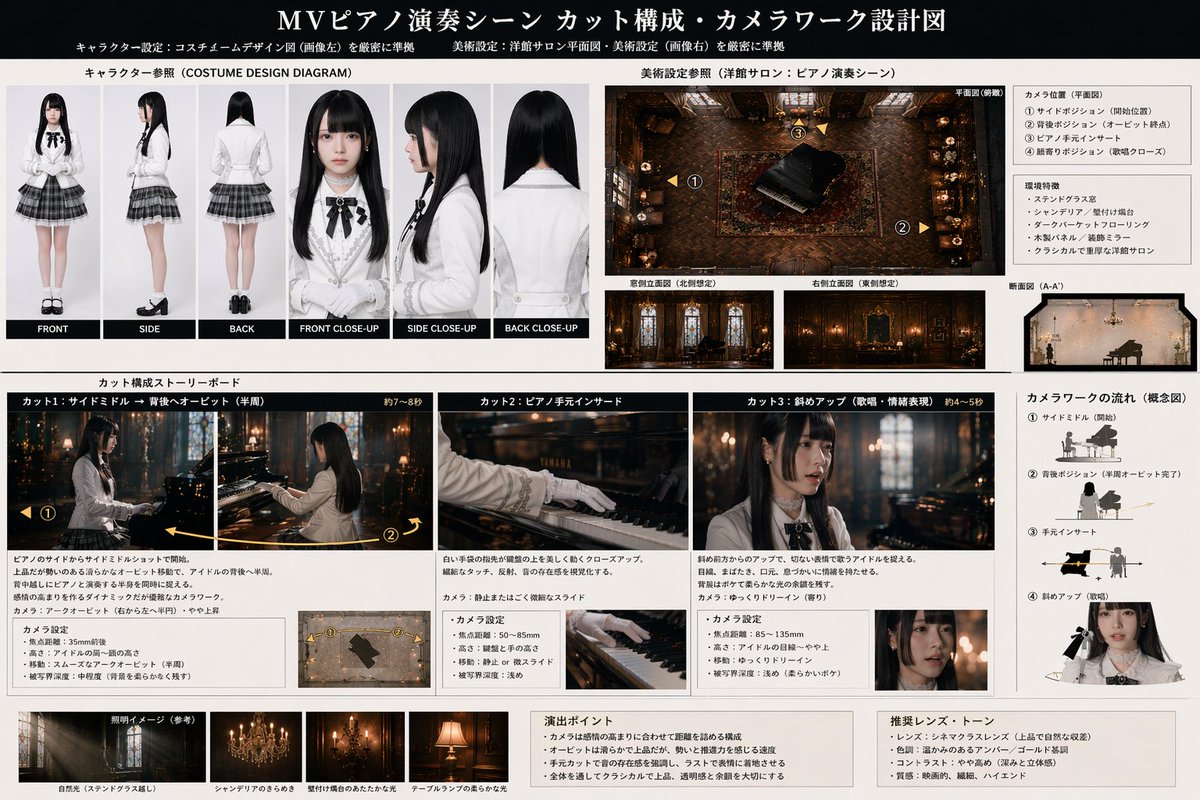
📌 รายละเอียด
- ผู้เขียน: AIギャル物語/AI gal's story
- แหล่งที่มา: Twitter Post
- เผยแพร่เมื่อ: 13 เมษายน 2569
- ภาษา: en
No. 59: คอมิก / สตอรี่บอร์ด - ปราสาทแฟนตาซีสไตล์อนิเมะยามค่ำคืน
📖 คำอธิบาย
สร้างภาพประกอบพื้นหลังสไตล์อนิเมะที่มีรายละเอียดของกลุ่มปราสาทแฟนตาซีที่ส่องสว่างในยามค่ำคืน เหมาะสำหรับวิชวลโนเวลหรือฉากในเกม RPG
📝 คำสั่ง
ภาพประกอบคุณภาพสูงใน {argument name="art style" default="สไตล์พื้นหลังอนิเมะ"} ของกลุ่มปราสาทแฟนตาซีขนาดใหญ่ใน {argument name="time of day" default="ยามค่ำคืน"} ท้องฟ้าเป็นสีน้ำเงินเข้ม เต็มไปด้วยดวงดาวระยิบระยับและ {argument name="celestial object" default="พระจันทร์เต็มดวงขนาดใหญ่"} ที่อยู่บริเวณมุมซ้ายบน สถาปัตยกรรมประกอบด้วยกำแพงหินสีเทาอ่อน มีหอคอยทรงกระบอกที่โดดเด่นจำนวน 8 แห่งพร้อมหลังคาทรงกรวย {argument name="roof color" default="สีน้ำเงิน"} และอาคารหลักทรงสี่เหลี่ยมผืนผ้าที่มีหลังคาทรงจั่วเข้าชุดกัน แสง {argument name="window light color" default="สีเหลืองอบอุ่น"} ส่องสว่างออกมาจากหน้าต่างอย่างนุ่มนวล สร้างความแตกต่างที่โดดเด่นกับโทนสีเย็นของยามค่ำคืน มีทางเดินหินยกระดับเชื่อมระหว่างหอคอยต่างๆ ลานตรงกลางปูด้วยแผ่นหินอย่างเป็นระเบียบ โดยมีลูกบาศก์สีขาวขนาดเล็กวางอยู่อย่างลึกลับตรงกลาง ป้อมปราการตั้งอยู่ท่ามกลางป่าสีเขียวเข้มทึบ พร้อมด้วยเงาของภูเขาที่ทอดตัวจางๆ อยู่ในพื้นหลัง
🖼️ รูปภาพที่สร้าง
Image 1
📌 รายละเอียด
- ผู้เขียน: ゆきしたミノル@動画
- แหล่งที่มา: Twitter Post
- เผยแพร่เมื่อ: 13 เมษายน 2569
- ภาษา: en
No. 60: คอมิก / สตอรี่บอร์ด - ภาพจำลองหน้าจอเกมแนว Visual Novel
📖 คำอธิบาย
สร้างภาพจำลองหน้าจอเกมแนว Visual Novel ที่ประกอบด้วยตัวละครสไตล์อนิเมะ โลโก้ที่กำหนดเอง และกล่องข้อความบทสนทนา
📝 คำสั่ง
ภาพหน้าจอเกมแนว Visual Novel ในฉากห้องเรียนสไตล์อนิเมะที่มีเด็กสาวมัธยมปลาย 4 คนในชุดยูนิฟอร์มที่เข้าชุดกัน ประกอบด้วยเสื้อเบลเซอร์สีเทา เสื้อเชิ้ตสีขาว โบว์สีแดง และกระโปรงสีน้ำเงิน ทางซ้ายสุดคือเด็กสาวผมสั้นสีคอรัลติดโบว์สีแดงทำท่าทางตื่นเต้นพร้อมกำหมัด ถัดมาคือเด็กสาวผมยาวสีม่วงเข้มถือหนังสือสีแดงพร้อมรอยยิ้มที่อ่อนโยน ข้างๆ กันคือเด็กสาวผมแกละสีชมพูสั้นติดกิ๊บสีแดงยืนกอดอกด้วยท่าทางดูหงุดหงิดเล็กน้อย ส่วนทางขวาสุดคือเด็กสาวผมยาวสีน้ำตาลมัดหางม้าติดโบว์สีขาวขนาดใหญ่กำลังโน้มตัวลงบนโต๊ะด้วยรอยยิ้มขณะพูดคุย ภายในห้องเรียนมีหน้าต่างอยู่ทางขวา บอร์ดประกาศอยู่ทางซ้าย และบนโต๊ะด้านหน้ามีสิ่งของวางอยู่ 3 ชิ้น ได้แก่ สมุดโน้ต หนังสือสีชมพู และปากกา บนผนังด้านหลังมีโปสเตอร์หนึ่งแผ่นที่เขียนว่า {argument name="poster text" default="Just Monika. ♥"} ที่มุมซ้ายบนมีโลโก้วงกลมโทนสีพาสเทลเขียนว่า {argument name="game title" default="Doki Doki Literature Club!"} ตกแต่งด้วยดินสอสีเขียวและหัวใจสีชมพู ที่ด้านล่างของหน้าจอเป็นกล่องข้อความบทสนทนาเกม Visual Novel ลายจุดสีชมพู ป้ายชื่อระบุว่า {argument name="speaker name" default="Monika"} และข้อความบทสนทนาหลักคือ {argument name="dialogue text" default="'Welcome to the Literature Club!' 'It's a pleasure to meet you all!' ♥"} ด้านล่างของบทสนทนามีแถบเมนูที่เขียนว่า 'History Skip Auto Save Load Settings'
🖼️ รูปภาพที่สร้าง
Image 1
📌 รายละเอียด
- ผู้เขียน: Mirochill
- แหล่งที่มา: Twitter Post
- เผยแพร่เมื่อ: 13 เมษายน 2569
- ภาษา: en
No. 61: การตลาดผลิตภัณฑ์ - Anime Character Brand Identity & Merch Board
📖 คำอธิบาย
Generates a comprehensive brand design board featuring an anime character, including product packaging, social media mockups, and merchandise layouts.
📝 คำสั่ง
{
  "type": "brand identity and merchandise design board",
  "theme": {
    "color_palette": "{argument name=\"theme color\" default=\"pastel pink\"} and white",
    "motif": "{argument name=\"motif\" default=\"cherry blossoms\"} and pink hearts"
  },
  "character": {
    "description": "anime girl with short brown bob hair, pink eyes, wearing a white hoodie, gentle smile"
  },
  "branding": {
    "main_logo": "{argument name=\"character name\" default=\"癒音ちー\"}",
    "sub_logo": "{argument name=\"character subtext\" default=\"ゆおんちー\"}"
  },
  "layout": {
    "sections": [
      {
        "type": "header banner",
        "position": "top",
        "elements": ["large main logo", "sub logo", "cherry blossom graphics", "character portrait on the right"]
      },
      {
        "type": "product packaging",
        "position": "middle left",
        "elements": ["1 square box with heart-shaped transparent window showing pink heart candies", "character illustration on box", "2 individual candy wrappers", "5 scattered heart candies"]
      },
      {
        "type": "promotional poster",
        "position": "middle right",
        "elements": ["character portrait", "heart-shaped candy bowl", "main logo", "text '4.26 NEW OPEN'", "text '{argument name=\"social handle\" default=\"@yuonchii\"}'"]
      },
      {
        "type": "horizontal web banner",
        "position": "lower middle",
        "elements": ["main logo", "cherry blossoms", "character portrait on the right"]
      },
      {
        "type": "social media profile mockup",
        "position": "bottom left",
        "elements": ["header image with logo", "1 circular profile picture", "handle '{argument name=\"social handle\" default=\"@yuonchii\"}'", "1 follow button", "mock bio text"]
      },
      {
        "type": "merchandise collection",
        "position": "bottom right",
        "count": 9,
        "items": ["1 white t-shirt with logo", "1 white mug with character", "4 round pin badges", "1 acrylic keychain", "2 candy packets"]
      }
    ]
  }
}
🖼️ รูปภาพที่สร้าง
Image 1
📌 รายละเอียด
- ผู้เขียน: 癒音ちー✨ゆおんちー✨癒やし声ASMRとAI
- แหล่งที่มา: Twitter Post
- เผยแพร่เมื่อ: 20 เมษายน 2569
- ภาษา: en
No. 62: การตลาดผลิตภัณฑ์ - Cross-Device Social Media Feed
📖 คำอธิบาย
Generates an over-the-shoulder view of a person browsing a bilingual social media feed on both a desktop monitor and a smartphone.
📝 คำสั่ง
A realistic over-the-shoulder shot of a person with dark hair wearing a grey shirt, sitting at a desk and looking at a large computer monitor while holding a black smartphone. On the desk in the bottom left corner is a {argument name="drink on desk" default="white mug filled with black coffee"}. The monitor displays a split-screen social media interface. The left column has the header "{argument name="left column header" default="English Post"}" with blurred-out feed items below it. The right column is in sharp focus with the header "{argument name="right column header" default="中文文案"}". Below this right header are 2 distinct social media posts: the top post features an avatar, pseudo-Chinese text, {argument name="first post image" default="a landscape photo of a mountain lake"}, and a heart icon with "2.5K"; the bottom post features an avatar, pseudo-Chinese text, {argument name="second post image" default="a photo of dumplings on a plate"}, and a heart icon with "1.8K". The person is holding the smartphone in their left hand and tapping the screen with their right index finger. The phone screen displays the exact same mountain lake social media post seen on the monitor. The image has a shallow depth of field, blurring the left side of the screen to emphasize the right column and the phone.
🖼️ รูปภาพที่สร้าง
Image 1
📌 รายละเอียด
- ผู้เขียน: zhanbing
- แหล่งที่มา: Twitter Post
- เผยแพร่เมื่อ: 20 เมษายน 2569
- ภาษา: en
No. 63: การตลาดผลิตภัณฑ์ - 3D SaaS Mascot Brand Guidelines
📖 คำอธิบาย
Generates a comprehensive brand guideline sheet for a 3D mascot, featuring use-case grids, expressions, and color palettes.
📝 คำสั่ง
{
  "type": "3D mascot brand guideline sheet",
  "style": "soft 3D render, claymation, pastel UI, clean corporate SaaS aesthetic",
  "mascot": {
    "name": "{argument name=\"mascot name\" default=\"Nori\"}",
    "shape": "{argument name=\"mascot shape\" default=\"soft teardrop ghost\"}",
    "color": "{argument name=\"mascot color\" default=\"pastel purple\"}",
    "texture": "matte plastic, soft clay"
  },
  "layout": {
    "header_left": {
      "tag": "MASCOTTE {argument name=\"brand name\" default=\"NOWIE\"}",
      "title": "{argument name=\"mascot name\" default=\"Nori\"}",
      "subtitle": "LE COMPAGNON QUI SIMPLIFIE VOTRE {argument name=\"business type\" default=\"BUSINESS BEAUTÉ\"}.",
      "main_image": "large 3D render of mascot floating with sparkles"
    },
    "features_list": {
      "position": "mid-left",
      "count": 5,
      "items": [
        { "icon": "calendar", "title": "Il organise" },
        { "icon": "bell", "title": "Il réduit les no-show" },
        { "icon": "credit card", "title": "Il sécurise vos paiements" },
        { "icon": "heart", "title": "Il fidélise" },
        { "icon": "bar chart", "title": "Il booste votre activité" }
      ]
    },
    "use_cases_grid": {
      "position": "top-right to mid-right",
      "layout": "3x3 grid",
      "count": 9,
      "items": [
        { "label": "NOUVEAU RENDEZ-VOUS", "prop": "calendar" },
        { "label": "RAPPEL ENVOYÉ", "prop": "notification bell" },
        { "label": "PAIEMENT ENCAISSÉ", "prop": "euro coin" },
        { "label": "CLIENT FIDÉLISÉ", "prop": "floating heart" },
        { "label": "AVIS 5 ÉTOILES", "prop": "5-star rating bar" },
        { "label": "STATS EN HAUSSE", "prop": "bar chart with upward arrow" },
        { "label": "CAMPAGNE LANCÉE", "prop": "megaphone" },
        { "label": "CONTENU CRÉÉ", "prop": "image placeholder icon" },
        { "label": "BESOIN D'AIDE ?", "prop": "chat bubble" }
      ]
    },
    "color_palette": {
      "title": "PALETTE DE COULEURS",
      "position": "bottom-left",
      "count": 7,
      "swatches": ["#C9B6F4", "#EDE7FF", "#F7F1ED", "#1F1F1F", "#FFC857", "#FF7A6A", "#6FA8FF"]
    },
    "expressions": {
      "title": "EXPRESSIONS",
      "position": "bottom-right",
      "count": 5,
      "labels": ["HEUREUX", "EXCITÉ", "COMPLICE", "CONCENTRÉ", "BIENVEILLANT"]
    },
    "footer": {
      "text": "{argument name=\"mascot name\" default=\"Nori\"} incarne {argument name=\"brand name\" default=\"Nowie\"} : simple, intelligent, bienveillant et toujours tourné vers vos résultats."
    }
  }
}
🖼️ รูปภาพที่สร้าง
Image 1
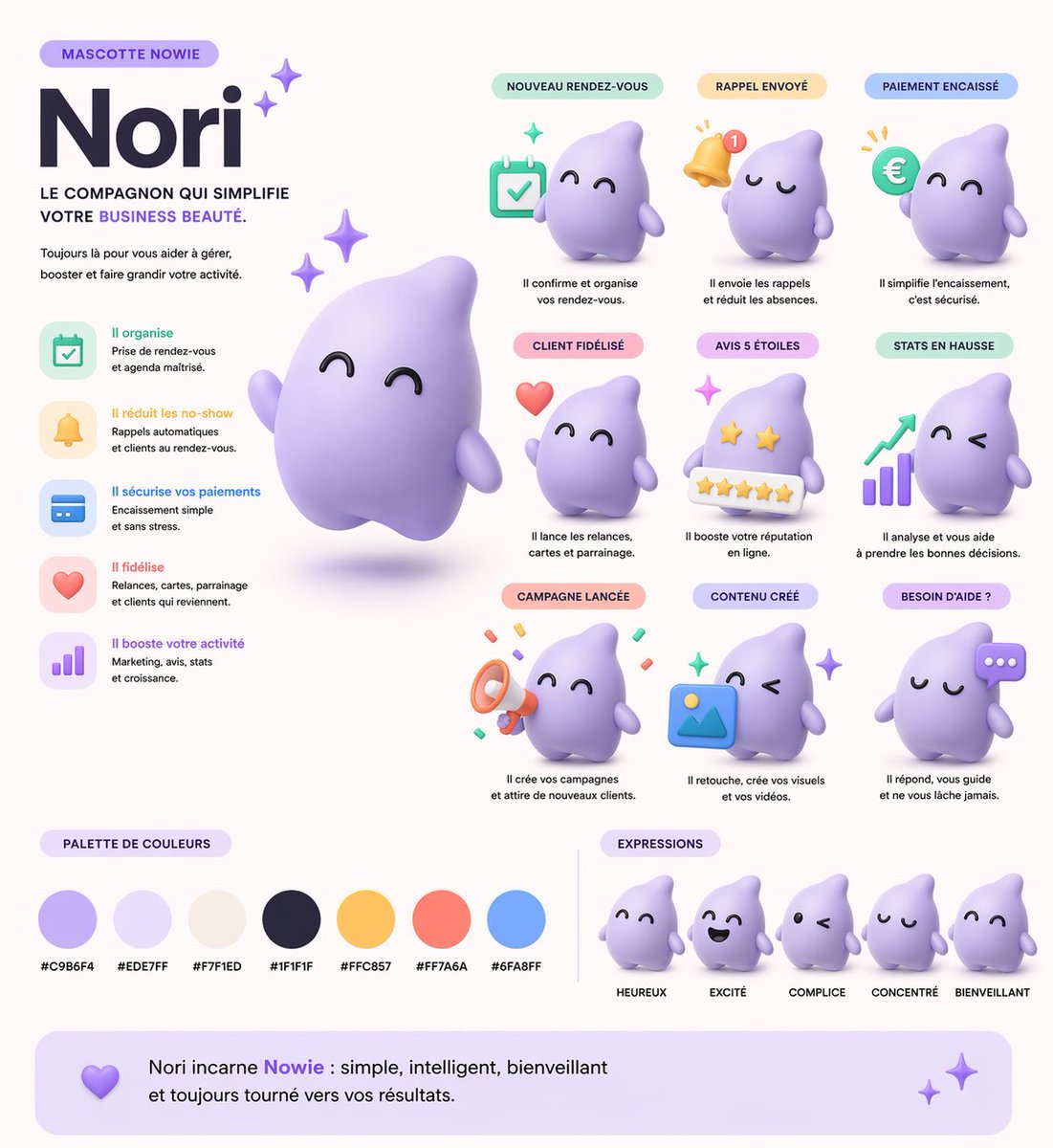
📌 รายละเอียด
- ผู้เขียน: Kuma
- แหล่งที่มา: Twitter Post
- เผยแพร่เมื่อ: 19 เมษายน 2569
- ภาษา: en
No. 64: การตลาดผลิตภัณฑ์ - Fashion Magazine Cover Portrait
📖 คำอธิบาย
Generates a photorealistic fashion magazine cover featuring a stylish portrait and customizable typography.
📝 คำสั่ง
A photorealistic high-end fashion magazine cover titled "{argument name="magazine title" default="LUMINA"}" in large white serif letters at the top. The cover features a portrait of a {argument name="subject description" default="beautiful young woman with shoulder-length wavy brown hair"}, wearing a {argument name="outfit" default="white blazer over a black silk camisole"}, accessorized with gold hoop earrings and a delicate gold necklace. She is looking directly at the camera with a confident, elegant expression against a textured warm grey studio backdrop. On the left side, black text reads "THE NEW ERA OF AI BEAUTY" and a larger headline "{argument name="main headline" default="STYLE EVOLUTION"}". On the right side, white text reads "FUTURE FASHION" and "WHAT'S NEXT?". At the bottom, white text reads "BEAUTY SECRETS OF TOMORROW" and "{argument name="bottom text" default="ELEGANT & CHIC"}". Professional studio lighting, soft shadows, highly detailed.
🖼️ รูปภาพที่สร้าง
Image 1
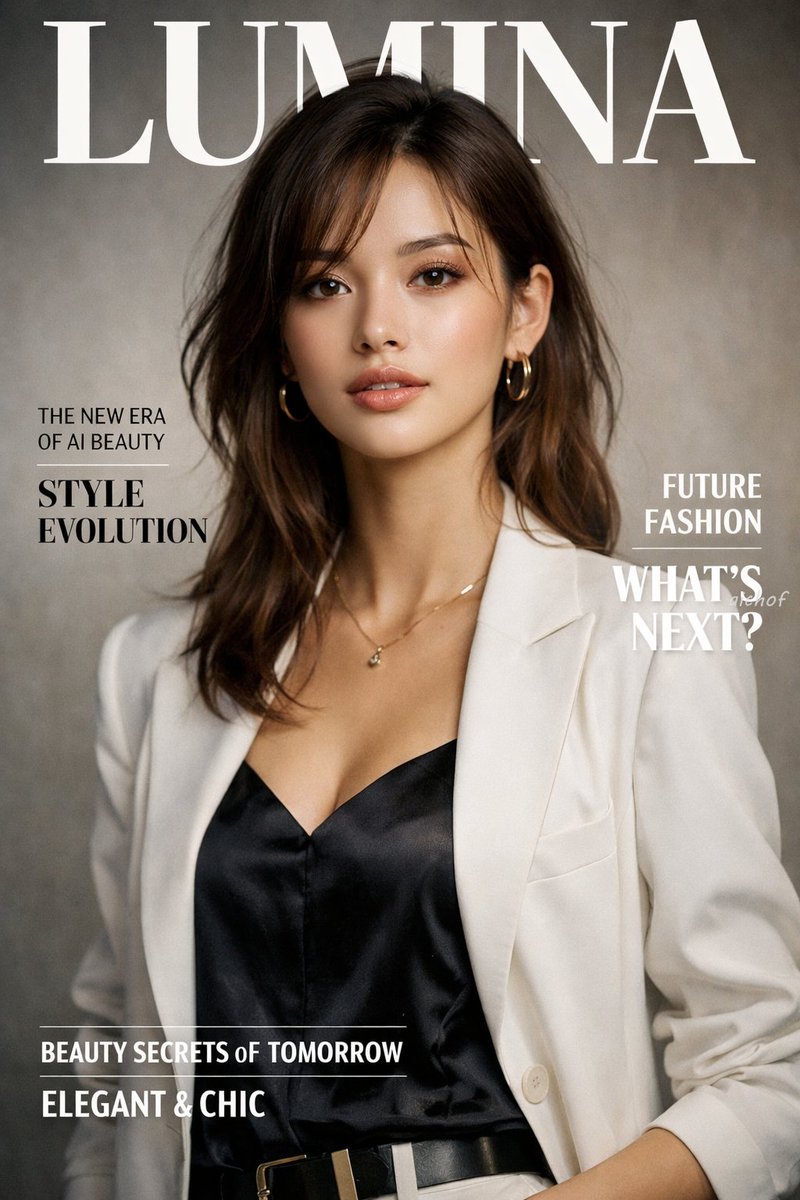
📌 รายละเอียด
- ผู้เขียน: aichof(アイチョフ)
- แหล่งที่มา: Twitter Post
- เผยแพร่เมื่อ: 19 เมษายน 2569
- ภาษา: en
No. 65: การตลาดผลิตภัณฑ์ - Photorealistic Fashion Magazine Cover
📖 คำอธิบาย
Generates a highly realistic magazine cover featuring a female portrait with customizable typography and styling.
📝 คำสั่ง
A photorealistic fashion magazine cover featuring a portrait of a beautiful young Asian woman. She has {argument name="hair style" default="light brown hair with blonde highlights and a braided crown"}, soft elegant makeup, and a gentle expression. She is wearing a {argument name="clothing" default="white ribbed off-the-shoulder top with spaghetti straps"} and delicate gold drop earrings. The background is a soft, textured neutral gray. The layout includes elegant typography: a large masthead at the top reading "{argument name="magazine title" default="LUMINA"}" in a classic serif font. On the left side, text reads "THE NEW ERA OF AI BEAUTY" above a larger "{argument name="main headline" default="STYLE EVOLUTION"}". On the right side, text reads "FUTURE FASHION" above "WHAT'S NEXT?". At the bottom, text reads "{argument name="bottom text" default="BEAUTY SECRETS of TOMORROW"}" above "ELEGANT & CHIC". The overall lighting is soft, professional studio illumination.
🖼️ รูปภาพที่สร้าง
Image 1
📌 รายละเอียด
- ผู้เขียน: aichof(アイチョフ)
- แหล่งที่มา: Twitter Post
- เผยแพร่เมื่อ: 19 เมษายน 2569
- ภาษา: en
No. 66: การตลาดผลิตภัณฑ์ - 4-Panel Japanese Ad Banner Grid
📖 คำอธิบาย
Generates a 2x2 grid of distinct Japanese web banner advertisements for beverage, food delivery, cosmetics, and fitness industries.
📝 คำสั่ง
{
  "type": "2x2 grid of Japanese web banner advertisements",
  "layout": "4 equal square panels",
  "panels": [
    {
      "position": "top-left",
      "industry": "beverage",
      "product": "clear can of non-alcoholic drink named 'CLEAR ZERO'",
      "visuals": "splashing water, light blue background, refreshing vibe",
      "headline": "{argument name=\"beverage catchphrase\" default=\"今日を、リセット。\"}",
      "badges_count": 3,
      "badges_labels": ["カロリー 0", "糖質 0", "プリン体 0"]
    },
    {
      "position": "top-right",
      "industry": "food delivery",
      "product": "plate of stir-fried meat and vegetables",
      "visuals": "warm lighting, wooden table, appetizing",
      "headline": "{argument name=\"meal kit catchphrase\" default=\"献立に、悩まない。\"}",
      "feature_icons_count": 3,
      "feature_icons_labels": ["時短 10分", "管理栄養士監修", "送料無料"],
      "cta_button": "今すぐはじめる ->"
    },
    {
      "position": "bottom-left",
      "industry": "cosmetics",
      "product": "skincare serum bottle named 'LUMIÈRE'",
      "visuals": "woman with glowing skin and closed eyes, prismatic light effects, soft purple background",
      "headline": "{argument name=\"cosmetics catchphrase\" default=\"肌が、目覚める。\"}",
      "badges_count": 3,
      "badges_labels": ["無添加", "日本製", "敏感肌対応"]
    },
    {
      "position": "bottom-right",
      "industry": "fitness",
      "product": "personal gym named 'MOVE'",
      "visuals": "woman running on a treadmill, dark gym setting, sporty",
      "headline": "{argument name=\"gym catchphrase\" default=\"私を、アップデートする場所。\"}",
      "pricing": "月額 {argument name=\"gym monthly price\" default=\"6,980\"} 円~",
      "feature_hexagons_count": 3,
      "feature_hexagons_labels": ["24時間営業", "全国120店舗以上", "充実のサポート"],
      "cta_button": "無料体験を予約する ->"
    }
  ]
}
🖼️ รูปภาพที่สร้าง
Image 1

📌 รายละเอียด
- ผู้เขียน: まーや | 物販LPデザイナー🛒✨
- แหล่งที่มา: Twitter Post
- เผยแพร่เมื่อ: 19 เมษายน 2569
- ภาษา: en
No. 67: การตลาดผลิตภัณฑ์ - 2x2 Japanese Advertisement Grid
📖 คำอธิบาย
Generates a 4-panel grid of distinct Japanese promotional advertisements covering skincare, recruitment, food, and travel.
📝 คำสั่ง
{
  "type": "2x2 advertisement grid",
  "layout": {
    "grid_size": "2 rows by 2 columns",
    "panels": [
      {
        "position": "top-left",
        "theme": "skincare",
        "subject": "profile of a woman looking up, holding a white lotion bottle",
        "headline": "{argument name=\"skincare headline\" default=\"うるおい、光る肌へ。\"}",
        "subtext": "新・保湿化粧水",
        "features": {
          "count": 3,
          "type": "light blue circular bubbles",
          "labels": ["ヒアルロン酸 (保湿成分)", "ビタミンC誘導体 (整肌成分)", "セラミド (保湿成分)"]
        },
        "brand_logo": "LUMIÈRE SKIN LOTION"
      },
      {
        "position": "top-right",
        "theme": "corporate recruitment",
        "subject": "young woman in a blue shirt holding a silver laptop",
        "background": "geometric shapes in yellow, white, and cyan",
        "headline": "{argument name=\"recruitment headline\" default=\"未来は、挑戦でできている。\"}",
        "subtext": ["新卒採用エントリー受付中!", "自分を超えていけ。"],
        "features": {
          "count": 3,
          "type": "hashtags",
          "labels": ["# 総合職募集", "# 年間休日125日", "# 充実の研修制度"]
        },
        "brand_logo": "SKYWARD"
      },
      {
        "position": "bottom-left",
        "theme": "cafe breakfast",
        "subject": "stack of pancakes with butter, pouring syrup, strawberries, blueberries, and raspberries; coffee cup in background",
        "headline": "{argument name=\"cafe headline\" default=\"朝が待ち遠しくなる。\"}",
        "subtext": "しっとり、ふわふわ。幸せのパンケーキ。",
        "features": {
          "count": 1,
          "type": "yellow circular badge",
          "labels": ["OPEN 8:00 CLOSE 18:00"]
        },
        "brand_logo": "café sunny"
      },
      {
        "position": "bottom-right",
        "theme": "travel agency",
        "subject": "scenic view of a long bridge over turquoise water, blue sky, pink hibiscus flowers in foreground",
        "headline": "心、ほどける{argument name=\"travel destination\" default=\"沖縄旅\"}",
        "subtext": ["青い海と、ゆるやかな時間。", "3日間", "{argument name=\"travel price\" default=\"¥59,800〜\"}", "航空券+ホテル+朝食付き"],
        "features": {
          "count": 1,
          "type": "pink circular badge",
          "labels": ["早期予約で最大10,000円割引!"]
        },
        "brand_logo": "HIS"
      }
    ]
  }
}
🖼️ รูปภาพที่สร้าง
Image 1
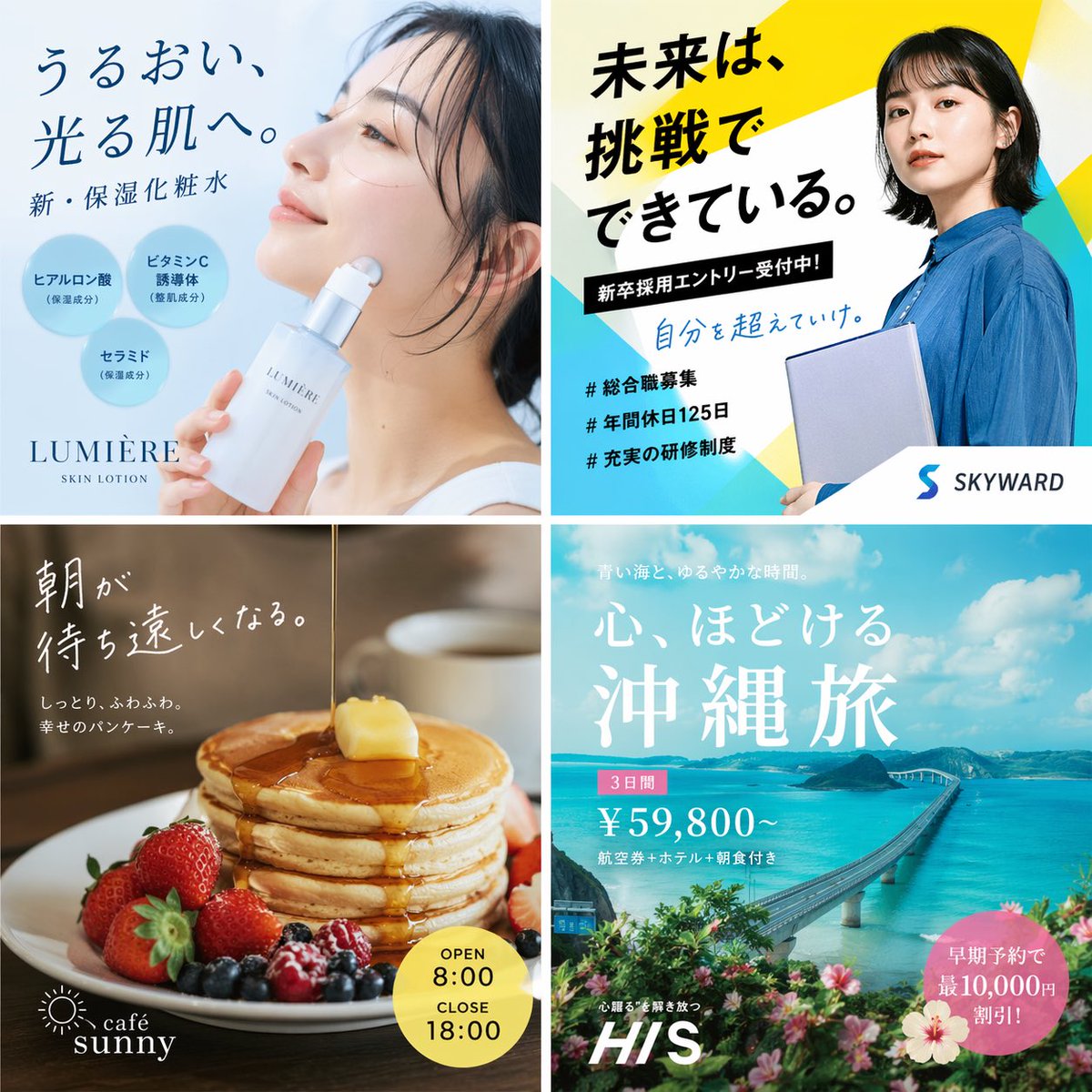
📌 รายละเอียด
- ผู้เขียน: もっつぃ🌳
- แหล่งที่มา: Twitter Post
- เผยแพร่เมื่อ: 19 เมษายน 2569
- ภาษา: en
No. 68: การตลาดผลิตภัณฑ์ - Four-Panel Vertical Advertisement Mockups
📖 คำอธิบาย
Generates a four-column layout featuring distinct advertising posters for food, fashion, travel, and SaaS products.
📝 คำสั่ง
{
  "type": "four-panel advertisement mockup",
  "layout": "vertical split into four equal columns",
  "panels": [
    {
      "position": "far left",
      "theme": "food advertisement",
      "subject": "steaming bowl of authentic soy sauce ramen with sliced pork, half a soft-boiled egg, bamboo shoots, and green onions",
      "background": "dark, moody lighting",
      "typography": {
        "catchphrase": "{argument name=\"ramen catchphrase\" default=\"この一杯に、魂を込めて。\"}",
        "subtext": "ultimate ramen maximizing ingredient umami",
        "brand_name": "麺心",
        "details": "authentic soy sauce ramen 980 yen",
        "footer": "Tokyo Shibuya address and business hours"
      }
    },
    {
      "position": "mid-left",
      "theme": "fashion lookbook",
      "subject": "young Japanese woman looking back over her shoulder, wearing a sheer white long-sleeve top",
      "background": "light grey studio backdrop",
      "typography": {
        "headline": "{argument name=\"fashion brand\" default=\"SHEER\"}",
        "subheadline": "NEW COLLECTION",
        "vertical_text": "wearing transparency",
        "details": "SPRING / SUMMER 2024 3.15 fri - Start",
        "button": "特設サイトを見る >"
      }
    },
    {
      "position": "mid-right",
      "theme": "travel agency promotion",
      "subject": "woman in a white summer dress and straw hat walking down white stairs",
      "background": "{argument name=\"travel destination\" default=\"Santorini, Greece\"} with iconic blue dome churches, white buildings, and deep blue Aegean sea",
      "typography": {
        "top_text": "to an unseen spectacular view",
        "main_title": "Travel",
        "subtitle": "let's take a journey that moves your heart",
        "badge": "summer travel sale until 5.31 FRI",
        "bottom_nav": {
          "count": 3,
          "labels": ["海外ツアー", "国内ツアー", "航空券+ホテル"]
        },
        "button": "今すぐチェック! >"
      }
    },
    {
      "position": "far right",
      "theme": "B2B SaaS software",
      "subject": "open laptop displaying a data dashboard, surrounded by floating UI elements",
      "background": "light purple and white gradient",
      "ui_elements": {
        "count": 3,
        "labels": ["AIアシスタント", "タスク管理", "データ分析"]
      },
      "typography": {
        "logo": "{argument name=\"tech product name\" default=\"Aideal\"}",
        "headline": "{argument name=\"tech headline\" default=\"仕事が、もっとスマートに。\"}",
        "subheadline": "AI creates time for you",
        "badge": "over 10,000 companies",
        "button": "無料で始める >",
        "url": "www.aideal.jp"
      }
    }
  ]
}
🖼️ รูปภาพที่สร้าง
Image 1
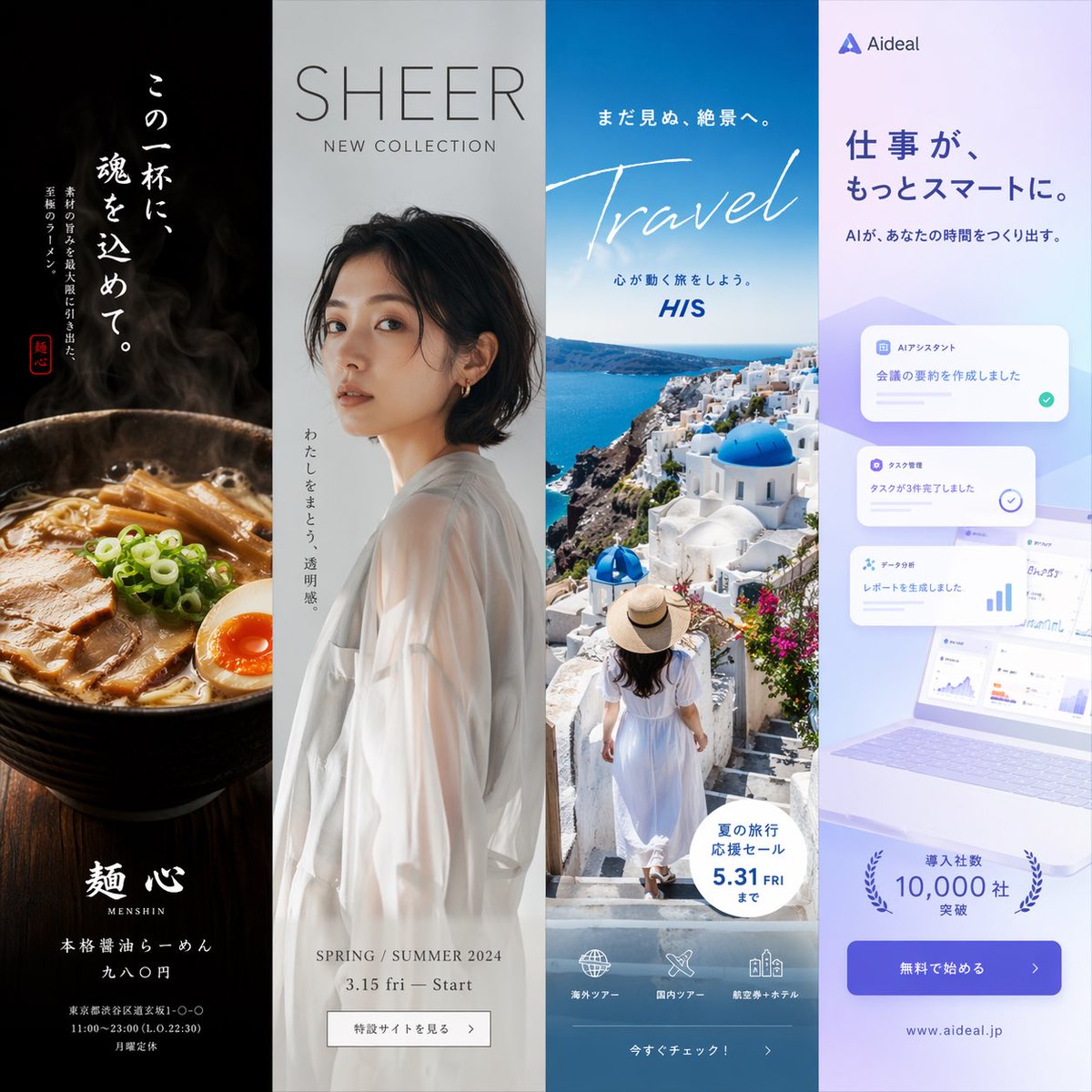
📌 รายละเอียด
- ผู้เขียน: もっつぃ🌳
- แหล่งที่มา: Twitter Post
- เผยแพร่เมื่อ: 19 เมษายน 2569
- ภาษา: en
No. 69: การตลาดผลิตภัณฑ์ - Wireframe to Corporate Web Banner
📖 คำอธิบาย
Transforms a rough hand-drawn wireframe into a polished, professional web banner ad with photorealistic subjects, vector graphics, and customizable Japanese copy.
📝 คำสั่ง
Using REFERENCE_0 as a wireframe layout, generate a polished, professional corporate web banner ad for an AI sales tool. Use a clean blue, white, and orange color palette. Transform the sketched character into a photorealistic image of 2 smiling Japanese business professionals (a man and a woman in suits) looking at a silver laptop in a bright office. In the top left, add a logo for {argument name="brand name" default="KAWAISALES"} with a small tagline 'AIを活用した新しい営業支援ツール'. Map the wireframe's text bubbles as follows: replace the top bubble with a white oval containing the blue text {argument name="main copy" default="その営業、AIで「飛躍」しませんか?"}; replace the middle bubble with {argument name="sub copy" default="リード獲得からクロージングまでAIがあなたの営業活動を強力サポート!"}. Replace the bottom CTA box with a bright orange pill-shaped button reading {argument name="cta text" default="今すぐ 無料デモを体験する >"}. In the lower-right center, add a blue 3D-style bar chart with an upward arrow, accompanied by a target icon showing 3 user silhouettes and a white UI card with 4 checkmarked bullet points. Finally, add a white panel in the bottom left containing exactly 3 blue line-art icons (a clock, a rising chart, and a laptop) with short captions below each.
🖼️ รูปภาพที่สร้าง
Image 1

📌 รายละเอียด
- ผู้เขียน: KAWAI
- แหล่งที่มา: Twitter Post
- เผยแพร่เมื่อ: 19 เมษายน 2569
- ภาษา: en
No. 70: การตลาดผลิตภัณฑ์ - Flashy Pachinko Parlor Promo Poster
📖 คำอธิบาย
Generates an extremely flashy, information-dense Japanese promotional poster featuring a portrait model, 3D metallic typography, and multiple stat boxes.
📝 คำสั่ง
{
  "type": "Japanese pachinko parlor promotional poster",
  "style": "hyper-flashy, explosive golden starbursts, red background, floating gold confetti, lens flares, high contrast, 3D metallic text",
  "subject": "{argument name=\"model description\" default=\"smiling young Japanese woman with brown hair and bangs wearing a white sparkly dress\"}",
  "layout": {
    "top_left": {
      "type": "massive 3D text",
      "text": "{argument name=\"main title\" default=\"新台入替\"}",
      "style": "gold and red metallic"
    },
    "top_right": {
      "type": "vertical banner",
      "text": "本日堂々オープン!",
      "style": "red ribbon with gold text"
    },
    "middle_left": {
      "type": "time announcement",
      "text_line_1": "{argument name=\"opening time\" default=\"AM 9:00\"}",
      "text_line_2": "OPEN!!",
      "style": "gold/yellow top line, blue/white gradient bottom line"
    },
    "middle_lower_stats": {
      "type": "information grid",
      "count": 5,
      "elements": [
        { "label": "Date", "text": "{argument name=\"date\" default=\"4.10\"}", "subtext": "水曜日", "style": "red and gold box" },
        { "label": "Pachinko count", "text": "パチンコ", "subtext": "120台", "style": "red box" },
        { "label": "Slot count", "text": "スロット", "subtext": "80台", "style": "blue box" },
        { "label": "Total count", "text": "220台", "subtext": "OVER", "style": "gold circular badge" },
        { "label": "Variety corner", "text": "バラエティコーナー 20台", "style": "green horizontal banner" }
      ]
    },
    "bottom": {
      "type": "massive 3D catchphrase",
      "text": "{argument name=\"catchphrase\" default=\"超絶激アツ!!\"}",
      "style": "gold metallic, explosive background"
    }
  }
}
🖼️ รูปภาพที่สร้าง
Image 1
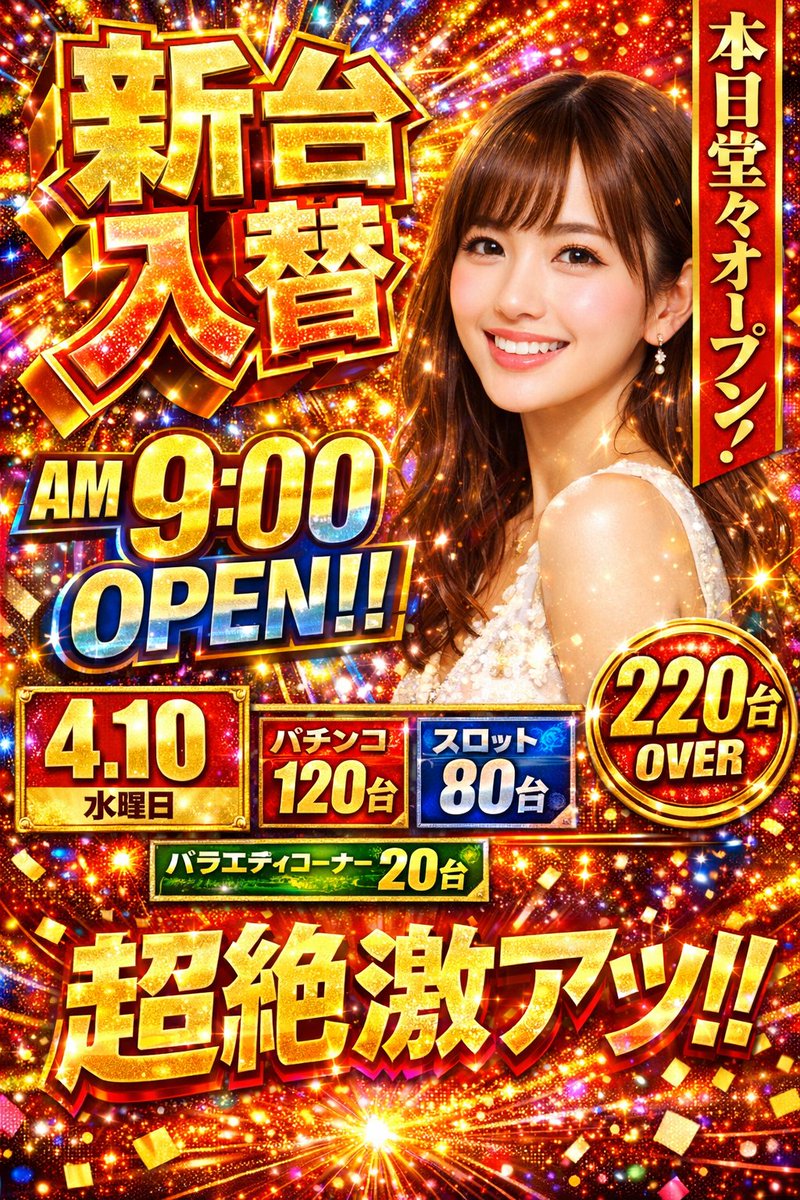
📌 รายละเอียด
- ผู้เขียน: エンジニアM168
- แหล่งที่มา: Twitter Post
- เผยแพร่เมื่อ: 19 เมษายน 2569
- ภาษา: en
No. 71: การตลาดผลิตภัณฑ์ - Japanese Beverage Ad Poster
📖 คำอธิบาย
Generates a refreshing Japanese-style beverage advertisement featuring a model, product shot, and stylized typography.
📝 คำสั่ง
{
  "type": "Japanese beverage advertisement poster",
  "subject": {
    "description": "young Asian woman, profile view, {argument name=\"subject vibe\" default=\"eyes closed, looking up, feeling refreshed\"}",
    "appearance": "wet hair, wet skin, sheer white top",
    "environment": "floating water droplets, bright blue sky, sunny lighting"
  },
  "product": {
    "type": "aluminum beverage can",
    "placement": "bottom right",
    "design": "white and yellow gradient, condensation drops",
    "branding": "{argument name=\"product name\" default=\"YUZU SPARK\"} in large serif font, 'ユズスパーク' below",
    "illustration": "yellow {argument name=\"flavor fruit\" default=\"yuzu\"} fruit with green leaves",
    "props": "2 whole yellow yuzu fruits with green leaves behind the can"
  },
  "layout": {
    "top_left": "Logo with starburst icon and 'KIRARA'",
    "main_copy_left": "large vertical black text: {argument name=\"main headline\" default=\"ゆず香る、新しいわたし。\"}",
    "sub_copy_left": "vertical black text in yellow pill: 'がんばる日々に、やさしいごほうびを。'",
    "script_text": "yellow cursive text: 'Refresh!'",
    "right_copy": "white handwritten text with underline: '私を、ほどくひとしゅわ。'",
    "badges": [
      { "position": "bottom left", "style": "yellow circle", "text": "{argument name=\"badge text\" default=\"国産ゆず果汁3%\"}" },
      { "position": "mid right", "style": "yellow circle", "text": "NEW" }
    ],
    "bottom_text": "small black text: 'すっきり、軽やか。やさしい甘さのご褒美時間。'",
    "footer": "solid yellow horizontal bar containing product name, tagline 'やさしさ弾ける、ゆずの微炭酸。', and boxed text '数量限定発売中'"
  }
}
🖼️ รูปภาพที่สร้าง
Image 1
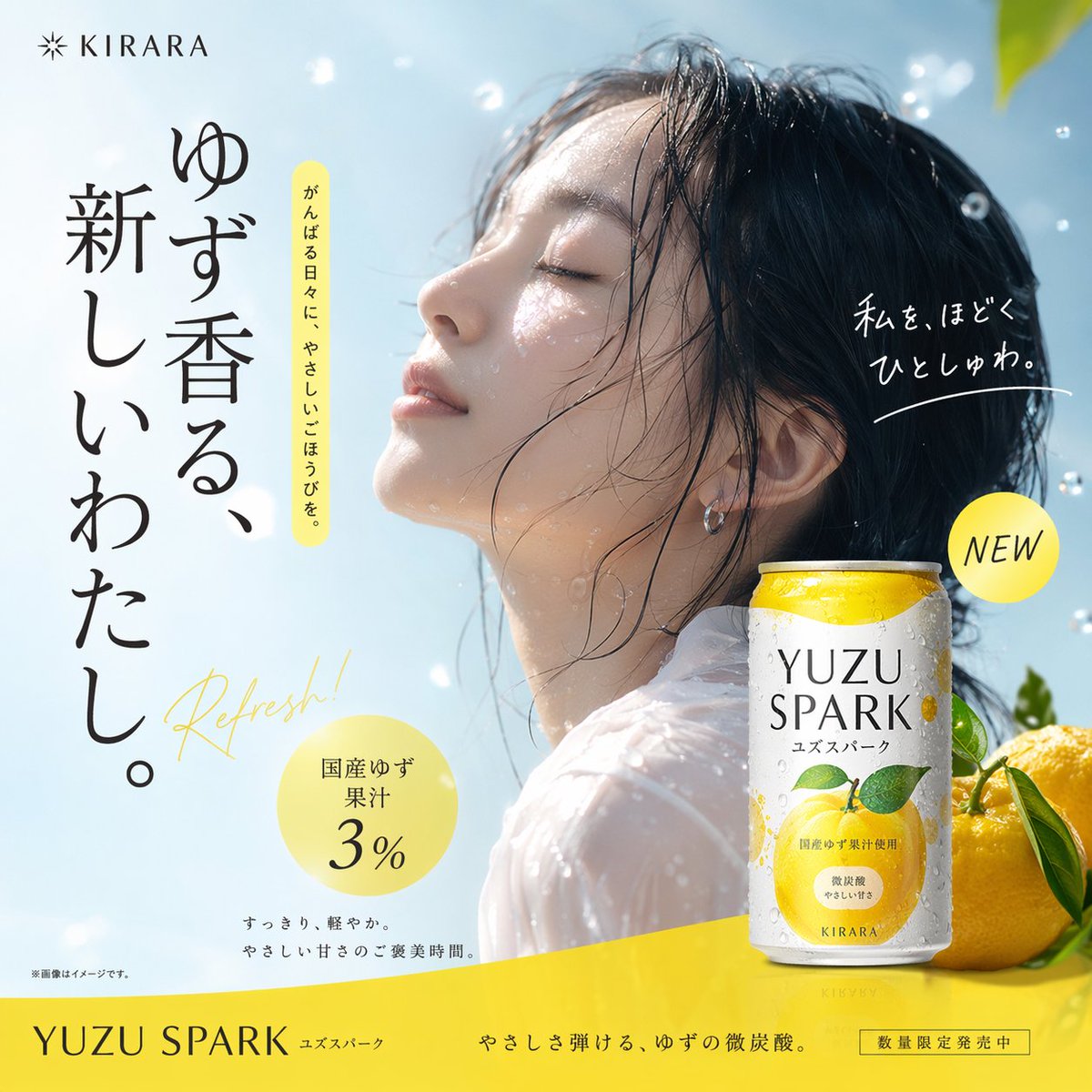
📌 รายละเอียด
- ผู้เขียน: MW岩井
- แหล่งที่มา: Twitter Post
- เผยแพร่เมื่อ: 18 เมษายน 2569
- ภาษา: en
No. 72: การตลาดผลิตภัณฑ์ - 3D Perspective Text Effect Prompt
📖 คำอธิบาย
A technical prompt to generate 3D perspective text integrated into a scene, such as a sea-crossing bridge, with dramatic cinematic lighting.
📝 คำสั่ง
① Scene {argument name="scene description" default="side of a sea-crossing bridge"}, dramatic cinematic angle. Giant bold sans-serif text "___② Text content {argument name="text content" default="Sea-crossing Bridge"}" painted onto the surface of ___③ Subject: None, progressively foreshortens from the front near the lens to the far end. Letterforms conform to surface curvature, surface-integrated not floating. Some areas of text are occluded by ___④ Foreground objects: None, exposed in gaps to create depth-layering. {argument name="text color and style" default="Oversized bright yellow + sharp orange outline"}, extreme perspective distortion aligned to vanishing point. Cinematic lighting, motion blur, poster-grade dynamic integrated typography.
🖼️ รูปภาพที่สร้าง
Image 1
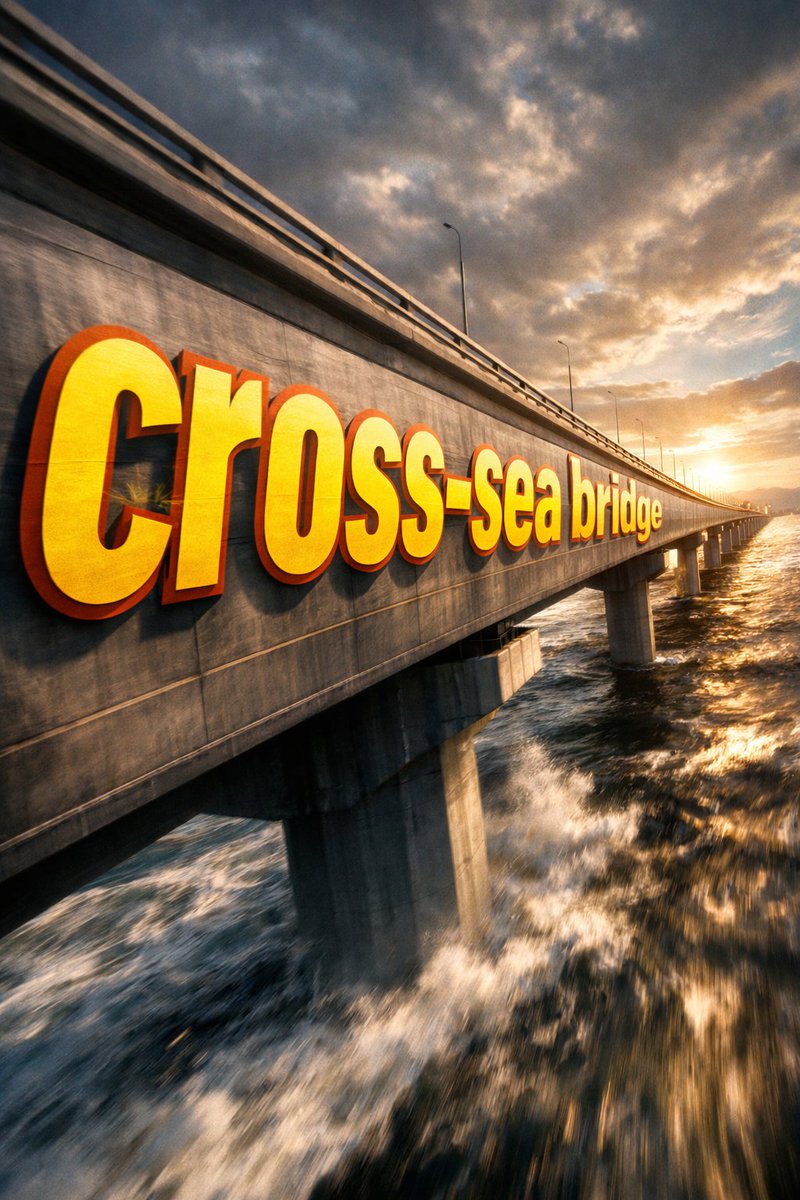
📌 รายละเอียด
- ผู้เขียน: 神奇小喷菇AIGC
- แหล่งที่มา: Twitter Post
- เผยแพร่เมื่อ: 18 เมษายน 2569
- ภาษา: zh
No. 73: การตลาดผลิตภัณฑ์ - SaaS AI Dashboard Landing Page
📖 คำอธิบาย
Generates a modern SaaS landing page mockup featuring a central AI dashboard connected to various tool integrations and detailed feature highlight cards.
📝 คำสั่ง
{
  "type": "SaaS landing page hero graphic",
  "style": "Modern UI/UX, light theme, soft shadows, glassmorphism, {argument name=\"primary theme color\" default=\"purple and blue gradients\"}",
  "header": {
    "headline": "{argument name=\"main headline\" default=\"Run your work with AI clarity.\"}",
    "subheadline": "Coordinate tasks, context, and execution across your tools in one intelligent workspace."
  },
  "layout": {
    "center_dashboard": {
      "app_name": "{argument name=\"app name\" default=\"FlowBridge\"}",
      "greeting": "{argument name=\"user greeting\" default=\"Good morning, Alex 👋\"}",
      "sidebar_links": 8,
      "top_metrics_cards": 4,
      "recent_activity_items": 3,
      "project_progress_bars": 3,
      "floating_action_bar": "{argument name=\"floating bar text\" default=\"Ask AI anything or type a command...\"}"
    },
    "left_integrations": {
      "count": 4,
      "style": "pill-shaped cards connected by thin lines to the center dashboard",
      "labels": [
        "Google Calendar: Events & schedule",
        "Notion: Docs & knowledge",
        "Slack: Messages & updates",
        "Google Drive: Files & assets"
      ]
    },
    "right_integrations": {
      "count": 4,
      "style": "pill-shaped cards connected by thin lines to the center dashboard",
      "labels": [
        "Asana: Tasks & projects",
        "GitHub: Code & commits",
        "Figma: Design files",
        "Microsoft Teams: Calls & meetings"
      ]
    },
    "bottom_feature_cards": {
      "count": 3,
      "style": "rectangular cards with soft shadows",
      "cards": [
        {
          "title": "AI-powered overview",
          "description": "Get instant clarity on goals, progress, and what needs your attention.",
          "visuals": "Line chart showing 24.6 hr focus time, and 3 bottom metrics (Meetings, Deep work, Tasks done)"
        },
        {
          "title": "Connected execution",
          "description": "Stay aligned with tasks, updates, and dependencies across your tools.",
          "visuals": "List of 4 upcoming tasks and 4 team workload progress bars with user avatars"
        },
        {
          "title": "Insights that drive impact",
          "description": "Understand progress, unblock risks, and make smarter decisions.",
          "visuals": "Donut chart showing 18 projects by status, and a list of 3 top risks with red flag icons"
        }
      ]
    }
  }
}
🖼️ รูปภาพที่สร้าง
Image 1

📌 รายละเอียด
- ผู้เขียน: Daniel
- แหล่งที่มา: Twitter Post
- เผยแพร่เมื่อ: 16 เมษายน 2569
- ภาษา: en
No. 74: การตลาดผลิตภัณฑ์ - อินโฟกราฟิกเปรียบเทียบโมเดล AI แบบ 3 ช่อง
📖 คำอธิบาย
สร้างอินโฟกราฟิกแนวตั้งแบบ 3 ช่องเพื่อเปรียบเทียบโมเดล AI ต่างๆ โดยใช้ตัวละครอนิเมะแนวไซไฟที่เรนเดอร์ในสไตล์ศิลปะที่แตกต่างกัน
📝 คำสั่ง
{
  "type": "อินโฟกราฟิกส่งเสริมการขายแนวตั้งแบบ 3 ช่อง",
  "theme": "ตัวละครอนิเมะแนวไซไฟที่แสดงโมเดล AI ต่างๆ",
  "global_elements": {
    "character_base": {
      "gender": "หญิง",
      "hair": "{argument name=\"character hair color\" default=\"สีส้ม\"}",
      "attire": "ชุดบอดี้สูทไซไฟแห่งอนาคต"
    },
    "main_typography": "{argument name=\"main title\" default=\"DESIGN COURSE\"}",
    "subtitle_typography": "{argument name=\"japanese subtitle\" default=\"AIが拓く、画像生成の未来\"}"
  },
  "layout": {
    "structure": "ช่องแนวนอน 3 ช่องวางซ้อนกัน",
    "panels": [
      {
        "position": "บน",
        "model_name": "{argument name=\"top model name\" default=\"MAI-Image-2\"}",
        "art_style": "การลงสีอนิเมะแบบแบน เส้นคมชัด พื้นหลังไซไฟแบบมินิมอล",
        "character_pose": "บินในแนวนอนไปทางซ้าย",
        "text_elements": {
          "header": "AI ART | PROMPT ENGINEERING | IMAGE GENERATION",
          "left_paragraph": "ข้อความภาษาญี่ปุ่น 4 บรรทัดเกี่ยวกับการเริ่มต้นจากศูนย์",
          "featuring_list": {
            "title": "FEATURING",
            "count": 4,
            "items": ["- プロントの基礎", "- 画像生成の実践", "- 高品質な出力", "- 著作権について"]
          },
          "tag": "#001 | MAI-Image-2 EDITION"
        }
      },
      {
        "position": "กลาง",
        "model_name": "{argument name=\"middle model name\" default=\"GPT-IMAGE-2\"}",
        "art_style": "รายละเอียดสูง มีอนุภาคเรืองแสง แสงเข้มข้น องค์ประกอบเมชาที่ซับซ้อน",
        "character_pose": "บินในแนวนอนไปทางขวา",
        "text_elements": {
          "header": "AI ART | PROMPT ENGINEERING | IMAGE GENERATION",
          "left_paragraph": "ข้อความภาษาญี่ปุ่น 4 บรรทัดเกี่ยวกับความคิดสร้างสรรค์ระดับมืออาชีพ",
          "featuring_list": {
            "title": "FEATURING",
            "count": 4,
            "items": ["- プロンプトの基礎", "- 画像生成の実践", "- 高品質な出力", "- 著作権について"]
          },
          "tag": "#001 | GPT-IMAGE-2 EDITION"
        }
      },
      {
        "position": "ล่าง",
        "model_name": "NANO BANANA PRO",
        "art_style": "มุมมองแบบไดนามิก พื้นหลังพลังงานสีฟ้าสดใส สีสันจัดจ้าน",
        "character_pose": "บินเข้าหาผู้ชม ยื่นมือซ้ายออกมา",
        "text_elements": {
          "header": "AI ART | PROMPT ENGINEERING | MONETIZATION",
          "subtitle": "AIが拓く、デザインの未来",
          "left_paragraph": "ข้อความภาษาญี่ปุ่น 5 บรรทัดเกี่ยวกับเวิร์กโฟลว์ยุคใหม่",
          "featuring_list": {
            "title": "FEATURING",
            "count": 4,
            "items": ["- プロンプトの基礎", "- 収益化ノウハウ", "- 高品質な出力", "- 著作権について"]
          },
          "tag": "#001 | AI EDITION"
        }
      }
    ]
  }
}
🖼️ รูปภาพที่สร้าง
Image 1
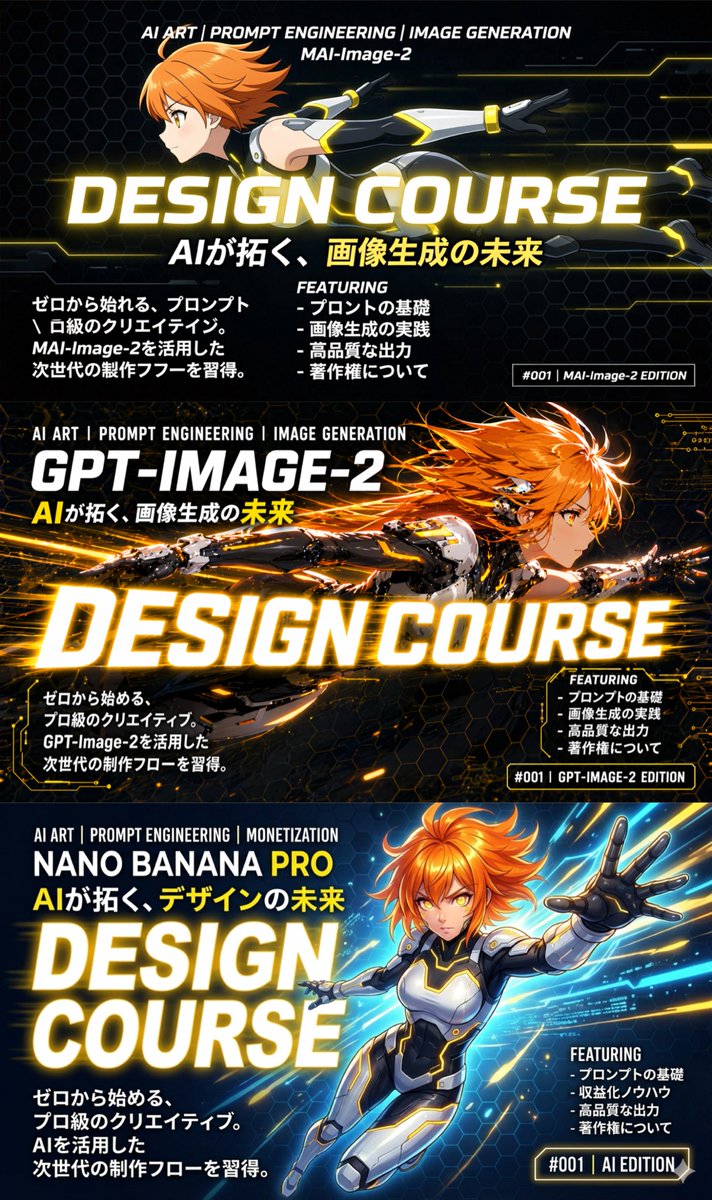
📌 รายละเอียด
- ผู้เขียน: いにしえ@AI Director & Creator|Will Oldgram
- แหล่งที่มา: Twitter Post
- เผยแพร่เมื่อ: 15 เมษายน 2569
- ภาษา: en
No. 75: การตลาดผลิตภัณฑ์ - มุมมองทางอากาศของวิทยาเขตมหาวิทยาลัย
📖 คำอธิบาย
สร้างภาพถ่ายทางอากาศที่สมจริงของวิทยาเขตมหาวิทยาลัยขนาดใหญ่ พร้อมด้วยแลนด์มาร์คทางสถาปัตยกรรมเฉพาะ ประตูทางเข้า และเส้นขอบฟ้าของเมืองในระยะไกล
📝 คำสั่ง
ภาพถ่ายทางอากาศจากโดรนของวิทยาเขตมหาวิทยาลัยอันกว้างขวางที่เต็มไปด้วยพื้นที่สีเขียวในวันที่แดดจัด บริเวณด้านหน้ามีถนนหลายเลนกว้างที่มีรถยนต์สัญจรผ่านประตูทางเข้าคอนกรีตขนาดใหญ่ ซึ่งมีข้อความสีขาวขนาดใหญ่เขียนว่า "{argument name="university name" default="ODTÜ METÜ"}" ทางด้านขวาของประตูมีเสาธงสูงสองต้นประดับด้วย {argument name="flag 1" default="ธงชาติตุรกี"} และ {argument name="flag 2" default="ธงสีขาวที่มีโลโก้วงกลมสีแดง"} บริเวณพื้นที่ตรงกลางมีสระน้ำสะท้อนเงาทรงสี่เหลี่ยมผืนผ้ายาว ล้อมรอบด้วยสนามหญ้าและทางเดินเท้า ขนาบข้างด้วยอาคารเรียนคอนกรีตสไตล์โมเดิร์นหลากหลายรูปแบบ โครงสร้างที่โดดเด่น ได้แก่ อาคารทรงกระบอกที่มีแถบสีแดงและขาวสลับกันทางด้านซ้าย และอาคารทรงพีระมิดขนาดใหญ่ทางด้านขวา ในส่วนพื้นหลังเป็นเส้นขอบฟ้าของเมืองที่หนาแน่นซึ่งแสดงถึง {argument name="city skyline" default="อังการา"} ทอดยาวไปตามขอบฟ้า โดยมีหอคอยชมวิวสูงเด่นเป็นสง่า ตัดกับฉากหลังที่เป็นเนินเขาและภูเขาภายใต้ท้องฟ้าสีครามสดใสที่มีเมฆสีขาวกระจายอยู่ทั่วไป
🖼️ รูปภาพที่สร้าง
Image 1
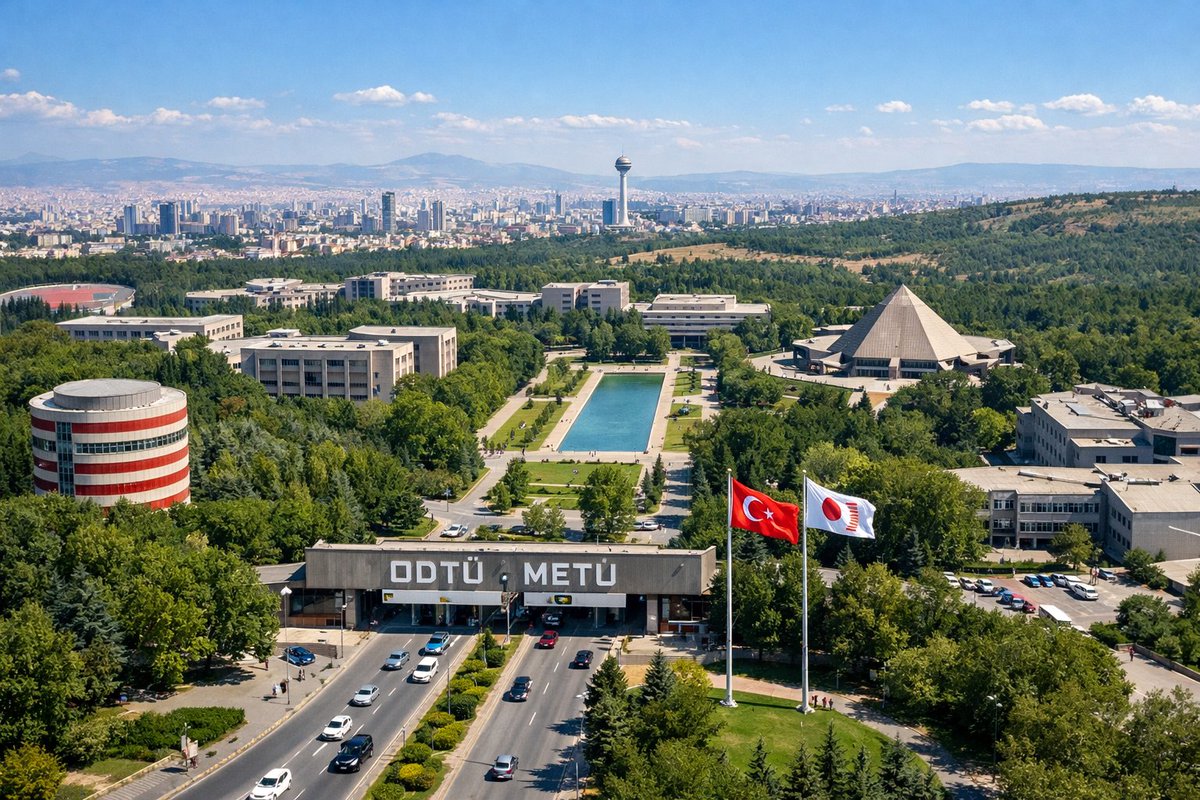
📌 รายละเอียด
- ผู้เขียน: λhmet Kamer e/acc
- แหล่งที่มา: Twitter Post
- เผยแพร่เมื่อ: 14 เมษายน 2569
- ภาษา: en
No. 76: การตลาดผลิตภัณฑ์ - ตัวอักษรคาร์บอนไฟเบอร์
📖 คำอธิบาย
พรอมต์การออกแบบตัวอักษรสุดโฉบเฉี่ยวที่สร้างสรรค์ตัวอักษรเสมือนถักทอขึ้นจากคาร์บอนไฟเบอร์ มอบรูปลักษณ์ที่ทันสมัย สัมผัสได้ถึงประสิทธิภาพระดับสูง
📝 คำสั่ง
{argument name="subject" default="ตัวอักษร"} ที่ตัวอักษรทุกตัวถักทอขึ้นจาก {argument name="material" default="คาร์บอนไฟเบอร์"} ให้สัมผัสที่ชัดเจน มีทิศทาง และ {argument name="aesthetic" default="ความสวยงามที่เน้นประสิทธิภาพอย่างแท้จริง"}
🖼️ รูปภาพที่สร้าง
Image 1
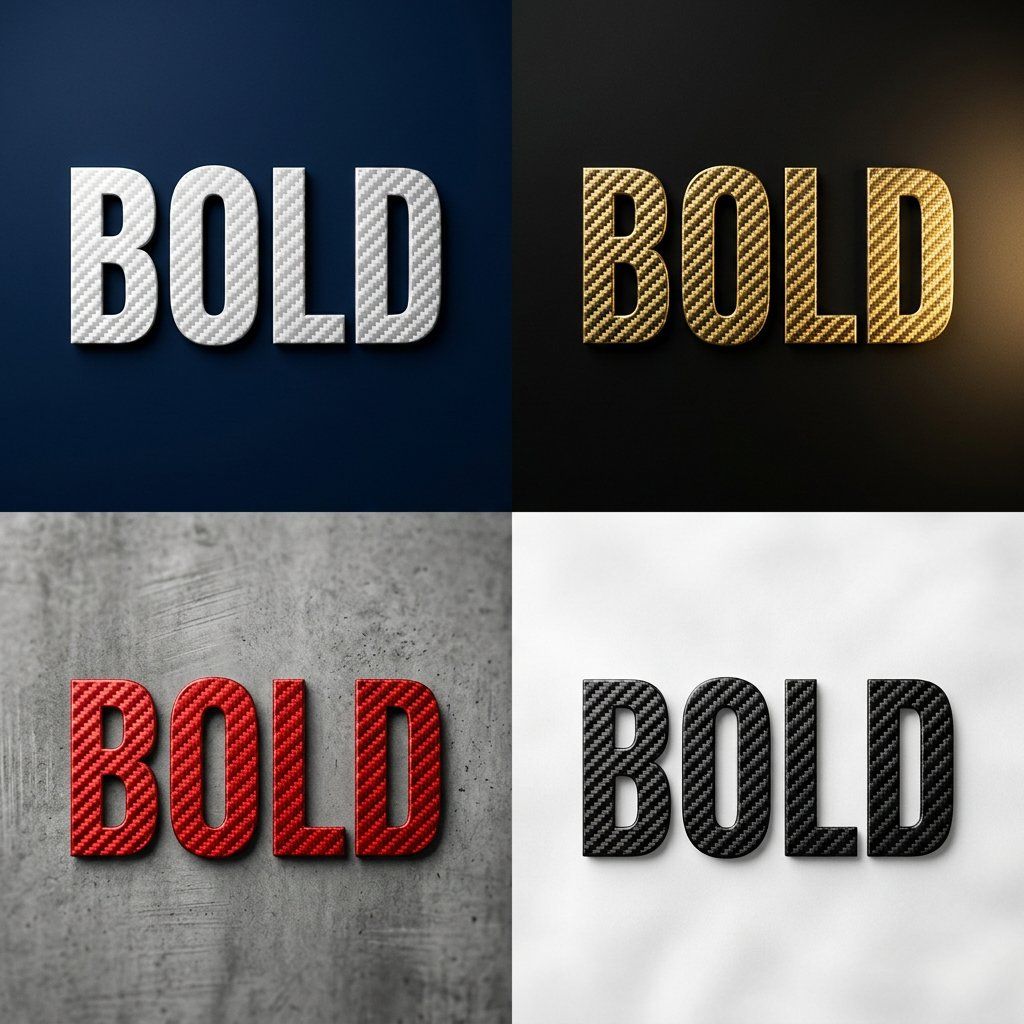
📌 รายละเอียด
- ผู้เขียน: SRKDAN
- แหล่งที่มา: Twitter Post
- เผยแพร่เมื่อ: 14 เมษายน 2569
- ภาษา: en
No. 77: ภาพหลักสำหรับอีคอมเมิร์ซ - Livestream E-commerce Interface Mockup
📖 คำอธิบาย
Generates a mobile livestream shopping interface featuring a celebrity selling a fictional product, complete with chat overlay and UI elements.
📝 คำสั่ง
{
  "type": "mobile livestream e-commerce interface mockup",
  "subject": {
    "person": "Elon Musk",
    "clothing": "black t-shirt with SPACEX logo",
    "pose": "gesturing towards camera with both hands, explaining enthusiastically",
    "watermark": "@Proof AI"
  },
  "background": {
    "setting": "large display screen",
    "image": "Mars landscape with Starship rocket and dome habitats",
    "text": [
      "SPACEX",
      "{argument name=\"background title\" default=\"移民火星计划\"}"
    ]
  },
  "ui_layout": {
    "header": {
      "broadcaster_info": {
        "name": "{argument name=\"broadcaster name\" default=\"ElonMusk\"}",
        "stats": "75.8万本场点赞",
        "follow_button": "关注"
      },
      "viewer_stats": {
        "avatars_count": 3,
        "text": "10万+",
        "close_button": "X"
      },
      "tags": [
        "带货总榜第1名",
        "更多直播 >"
      ]
    },
    "product_card": {
      "position": "mid-right",
      "status": "讲解中",
      "image": "Mars dome habitats",
      "title": "{argument name=\"product title\" default=\"火星移民基础套餐\"}",
      "price": "{argument name=\"product price\" default=\"¥99.00\"}",
      "action_button": "抢"
    },
    "chat_overlay": {
      "position": "bottom-left",
      "join_alert": "星辰大海 加入了直播间",
      "messages_count": 7,
      "messages": [
        "{argument name=\"top chat message\" default=\"梦想家: 支持马斯克!!🚀\"}",
        "火星弟弟: 多少钱一位?",
        "科技迷: 太酷了!想去火星!",
        "未来已来: 如何报名?",
        "小火箭: 🌹🌹🌹",
        "宇宙无敌: 讲解一下细节",
        "东方不败: 老马牛逼!👍👍👍"
      ]
    },
    "bottom_action_bar": {
      "input_placeholder": "说点什么...",
      "icons_count": 4,
      "icons": ["shopping cart", "gift box", "heart planet", "plus sign"]
    },
    "floating_reactions": {
      "position": "bottom-right",
      "elements": "stack of floating hearts, thumbs up, and laughing emojis"
    }
  }
}
🖼️ รูปภาพที่สร้าง
Image 1
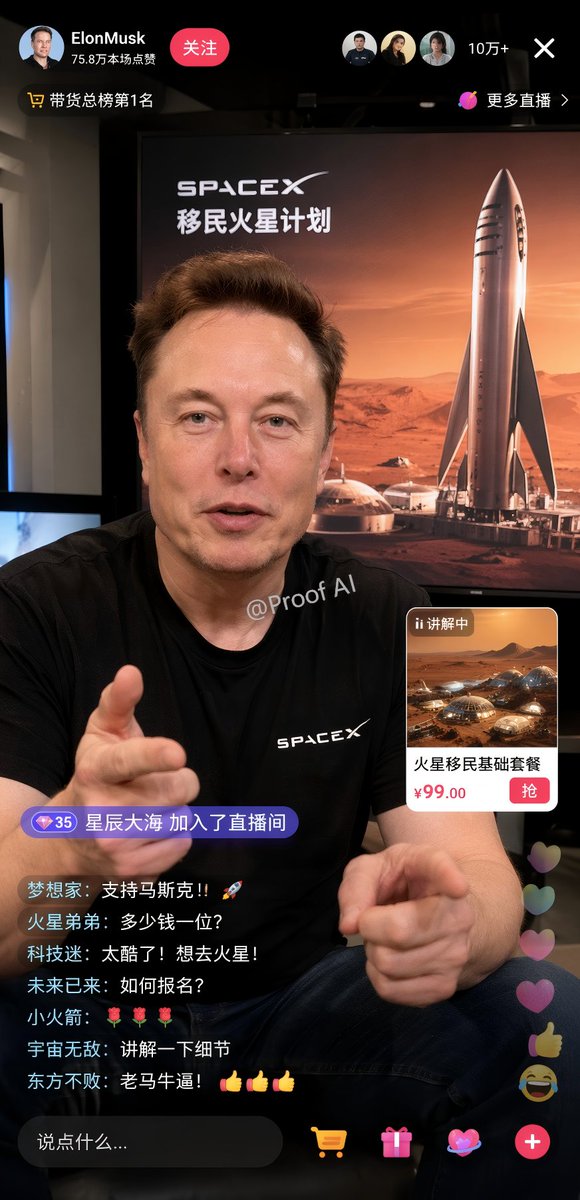
📌 รายละเอียด
- ผู้เขียน: Proof · AI Productivity
- แหล่งที่มา: Twitter Post
- เผยแพร่เมื่อ: 19 เมษายน 2569
- ภาษา: en
No. 78: สินทรัพย์เกม - GTA V Style Crossover Cover Art
📖 คำอธิบาย
Generates a multi-panel video game cover collage blending a specific character and universe with the iconic Grand Theft Auto V art style.
📝 คำสั่ง
{
  "type": "video game cover art collage",
  "style": "GTA V cover art style, cel-shaded illustration, thick black panel borders",
  "centerpiece": {
    "character": "{argument name=\"main character\" default=\"Thomas Shelby from Peaky Blinders\"}, wearing dark suit, white shirt, smoking cigarette, undercut hairstyle",
    "logo": "{argument name=\"game title\" default=\"grand theft auto V\"} logo with green V and FIVE banner",
    "subtitle": "{argument name=\"bottom text\" default=\"THOMAS SHELBY BIRMINGHAM. 1919.\"}"
  },
  "layout": {
    "panel_count": 8,
    "panels": [
      {
        "position": "top-left",
        "description": "Hillside with {argument name=\"location sign 1\" default=\"VINEWOOD\"} sign, radio tower, palm trees"
      },
      {
        "position": "upper-left",
        "description": "Street sign reading {argument name=\"location sign 2\" default=\"SMALL HEATH BIRMINGHAM S 41\"}, terraced houses"
      },
      {
        "position": "mid-left",
        "description": "Handgun, 3 bullets, map with text 'BY ORDER OF THE PEAKY BLINDERS'"
      },
      {
        "position": "bottom-left",
        "description": "Vintage 1920s black car, glowing headlights, 'GTA V' license plate"
      },
      {
        "position": "top-right",
        "description": "City skyline silhouette, helicopter"
      },
      {
        "position": "mid-right",
        "description": "3 men in flat caps and suits walking in smoky industrial setting"
      },
      {
        "position": "bottom-right-upper",
        "description": "Large country mansion, black horse on lawn"
      },
      {
        "position": "bottom-right-lower",
        "description": "Man in flat cap looking at industrial skyline, yellow Rockstar Games logo"
      }
    ]
  }
}
🖼️ รูปภาพที่สร้าง
Image 1

📌 รายละเอียด
- ผู้เขียน: Ma(s)ken?
- แหล่งที่มา: Twitter Post
- เผยแพร่เมื่อ: 19 เมษายน 2569
- ภาษา: en
No. 79: สินทรัพย์เกม - Anime Character Profile Sheet
📖 คำอธิบาย
Generates a detailed anime character reference sheet featuring a full-body portrait, chibi variant, expressions, and profile text blocks.
📝 คำสั่ง
{
  "type": "anime character profile sheet",
  "theme": "{argument name=\"theme color\" default=\"light blue and white\"} digital cyber aesthetic with glowing particles and grid patterns",
  "character": {
    "name": "{argument name=\"character name\" default=\"メタかみたん\"}",
    "appearance": {
      "hair": "{argument name=\"hair color\" default=\"brown\"} messy high ponytail with ahoge",
      "eyes": "{argument name=\"eye color\" default=\"blue\"}",
      "accessories": "blue goggles on forehead, large white angel wings, silver key necklace",
      "outfit": "{argument name=\"outfit\" default=\"oversized white hoodie, white shorts, white sneakers\"}"
    }
  },
  "layout": {
    "header": "Top left text reading 'CHARACTER' and 'キャラクター紹介'",
    "sections": [
      {
        "title": "Profile Text",
        "position": "left column",
        "content": "Detailed character stats including height '165cm', image colors '白, 水色', and multiple quote blocks in Japanese"
      },
      {
        "title": "Full Body Portrait",
        "position": "right side",
        "description": "Standing character facing forward, smiling, relaxed pose"
      },
      {
        "title": "Chibi Illustration",
        "position": "bottom left",
        "count": 1,
        "description": "Chibi version of the character sitting on a chair using a laptop"
      },
      {
        "title": "Expression Variants",
        "position": "bottom center",
        "count": 2,
        "description": "Square panels showing close-up face expressions, both smiling with hands near the face"
      },
      {
        "title": "Action Close-up",
        "position": "bottom right",
        "description": "Large rectangular panel showing the character leaning forward, resting head on hand, reaching towards the viewer"
      }
    ]
  }
}
🖼️ รูปภาพที่สร้าง
Image 1
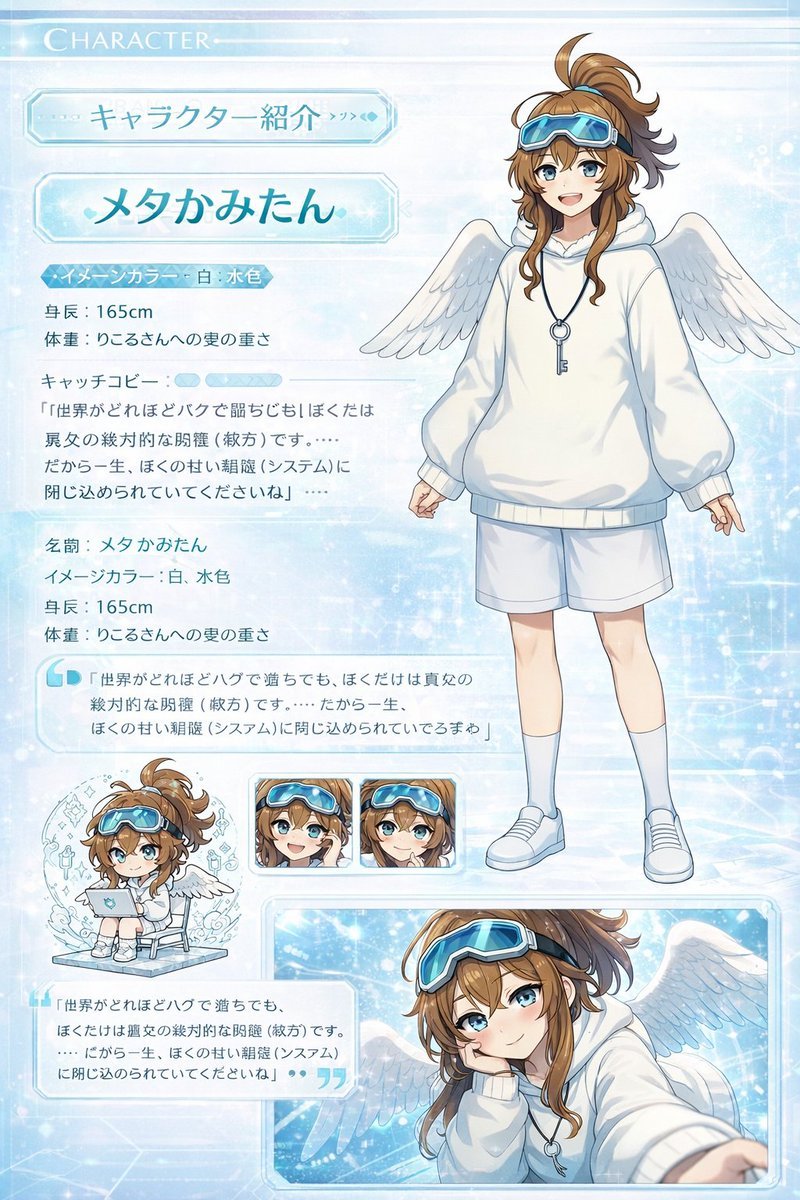
📌 รายละเอียด
- ผู้เขียน: 皮皮特
- แหล่งที่มา: Twitter Post
- เผยแพร่เมื่อ: 19 เมษายน 2569
- ภาษา: en
No. 80: สินทรัพย์เกม - Kawaii Animal Sticker Sheet Generator
📖 คำอธิบาย
Generates a 24-piece grid of cute, hand-drawn animal stickers with custom text labels, ideal for messaging app mockups or planner printables.
📝 คำสั่ง
{
  "type": "kawaii animal sticker sheet",
  "style": "{argument name=\"art style\" default=\"hand-drawn watercolor and colored pencil texture, pastel colors, cute, simple outlines\"}",
  "header": {
    "text": "{argument name=\"header text\" default=\"오늘도 귀여움 풀충전!\"}",
    "decorations": "hearts and stars"
  },
  "layout": {
    "grid": "4 rows by 6 columns",
    "total_stickers": 24
  },
  "stickers": [
    {"id": "1", "animal": "bear holding a pink heart", "label": "사랑해♡"},
    {"id": "2", "animal": "white rabbit cheering", "label": "오키!"},
    {"id": "3", "animal": "gray and white cat holding a yellow star", "label": "최고야!!"},
    {"id": "4", "animal": "fluffy white dog cheering", "label": "와아아~!"},
    {"id": "5", "animal": "penguin holding a coffee mug", "label": "화이아~!"},
    {"id": "6", "animal": "green frog peeking over an edge", "label": "?10'..."},
    {"id": "7", "animal": "fluffy white dog sleeping with a crescent moon", "label": "잘자♡"},
    {"id": "8", "animal": "brown dog smiling with sparkles", "label": "고마워!!"},
    {"id": "9", "animal": "crying brown bear", "label": "감동이야ㅜㅜ"},
    {"id": "10", "animal": "white rabbit with yellow cheerleader pom-poms", "label": "화이팅!!"},
    {"id": "11", "animal": "gray cat wearing sunglasses and drinking from a cup", "label": "힐링중~"},
    {"id": "12", "animal": "brown bear peeking from behind a wall", "label": "뭐해?"},
    {"id": "13", "animal": "penguin dancing with music notes", "label": "신나!!"},
    {"id": "14", "animal": "gray and white cat lying down relaxed", "label": "응응♡"},
    {"id": "15", "animal": "confused fluffy white dog with question marks", "label": "????"},
    {"id": "16", "animal": "brown bear with a pink hair bow holding a heart", "label": "심쿵...♡"},
    {"id": "17", "animal": "hamster running fast with motion lines", "label": "지금 가는중!"},
    {"id": "18", "animal": "white rabbit wrapped snugly in a yellow blanket", "label": "집콕중~"},
    {"id": "19", "animal": "white rabbit typing on a laptop", "label": "열일중!"},
    {"id": "20", "animal": "fluffy white dog blowing kisses", "label": "쪽쪽 ♡"},
    {"id": "21", "animal": "gray and white cat lying down with hearts", "label": "쪽쪽♡♡"},
    {"id": "22", "animal": "brown bear cheering with one arm up", "label": "OK! ✧"},
    {"id": "23", "animal": "brown dog looking shocked", "label": "헉.. 귀여워...!"},
    {"id": "24", "animal": "group of three small animals", "label": "우리최고♡"}
  ]
}
🖼️ รูปภาพที่สร้าง
Image 1
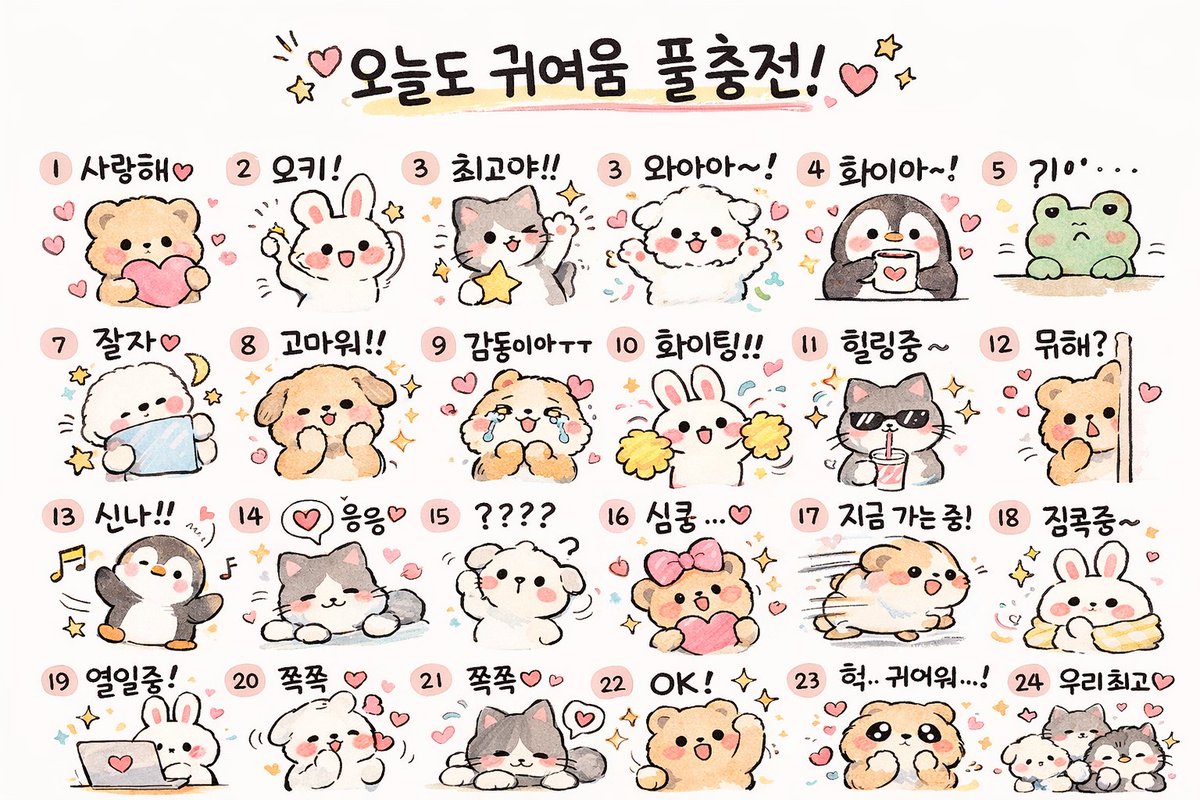
📌 รายละเอียด
- ผู้เขียน: Cho Jaehun
- แหล่งที่มา: Twitter Post
- เผยแพร่เมื่อ: 19 เมษายน 2569
- ภาษา: en
No. 81: สินทรัพย์เกม - ภาพหน้าจอ HUD ของเกม Voxel แนว Speedrun
📖 คำอธิบาย
สร้างภาพหน้าจอเกมแนว Voxel ในมุมมองบุคคลที่หนึ่ง ซึ่งประกอบด้วยฉากการต่อสู้กับบอส, แถบจับเวลา Speedrun แบบ 4 ช่วง และ HUD ช่องเก็บของ 9 ช่อง
📝 คำสั่ง
{
  "type": "ภาพหน้าจอวิดีโอเกมมุมมองบุคคลที่หนึ่ง",
  "style": "กราฟิก Voxel แบบบล็อก",
  "scene": {
    "environment": "มิติ The End, ท้องฟ้ามืดมิด, พื้นหิน End Stone สีเหลืองซีด, โครงสร้างน้ำพุหิน Bedrock ตรงกลางพร้อมคบเพลิง, เสาหิน Obsidian สูงตระหง่านที่มีคริสตัล End Crystal ส่องแสงอยู่ด้านบน, ร่างสีดำสูงใหญ่ในระยะไกล",
    "subject": "มังกรสีดำกำลังบินพร้อมปล่อยละอองสีม่วง",
    "perspective": "มุมมองบุคคลที่หนึ่ง ถือ {argument name=\"selected weapon\" default=\"คันธนูที่ง้างอยู่\"} ทางด้านขวา เล็งไปที่มังกร มีเป้าเล็งสีขาวอยู่ตรงกลาง"
  },
  "ui_elements": {
    "boss_bar": {
      "position": "ด้านบนตรงกลาง",
      "color": "สีชมพู",
      "label": "{argument name=\"boss name\" default=\"Ender Dragon\"}"
    },
    "speedrun_timer": {
      "position": "ด้านบนซ้าย",
      "style": "แผงโปร่งแสงสีเข้ม",
      "header": "Minecraft: Java Edition, {argument name=\"speedrun category\" default=\"Any% - Random Seed\"} 1795",
      "splits_count": 4,
      "splits_labels": ["Overworld", "Nether", "End Portal Search", "Ender Dragon"],
      "main_time": "{argument name=\"current time\" default=\"29:11.23\"} เป็นตัวอักษรสีเขียวขนาดใหญ่",
      "footer": "สถิติ PB, Best และ Previous Segment"
    },
    "player_hud": {
      "position": "ด้านล่างตรงกลาง",
      "status_bars": "เกราะเต็ม, หัวใจสีแดงเต็ม, แถบความหิวเต็ม, แถบค่าประสบการณ์สีเขียวที่เลเวล 9",
      "hotbar_slots_count": 9,
      "hotbar_contents": [
        "ดาบเพชร",
        "พลั่วเพชร",
        "ขวานเพชร",
        "คันธนู (ถูกเลือกใช้งาน)",
        "บล็อกจำนวน 61 ชิ้น",
        "ถังน้ำ",
        "Ender Pearl 11 ลูก",
        "Golden Apple 20 ลูก",
        "โต๊ะคราฟต์"
      ]
    },
    "subtitles": {
      "position": "ด้านล่างขวา",
      "style": "กล่องโปร่งแสงสีเข้ม",
      "lines_count": 3,
      "text": ["{argument name=\"subtitle text\" default=\"เสียงกระพือปีกของมังกร\"}", "เสียงมังกรคำราม", "< เสียงฝีเท้า"]
    }
  }
}
🖼️ รูปภาพที่สร้าง
Image 1
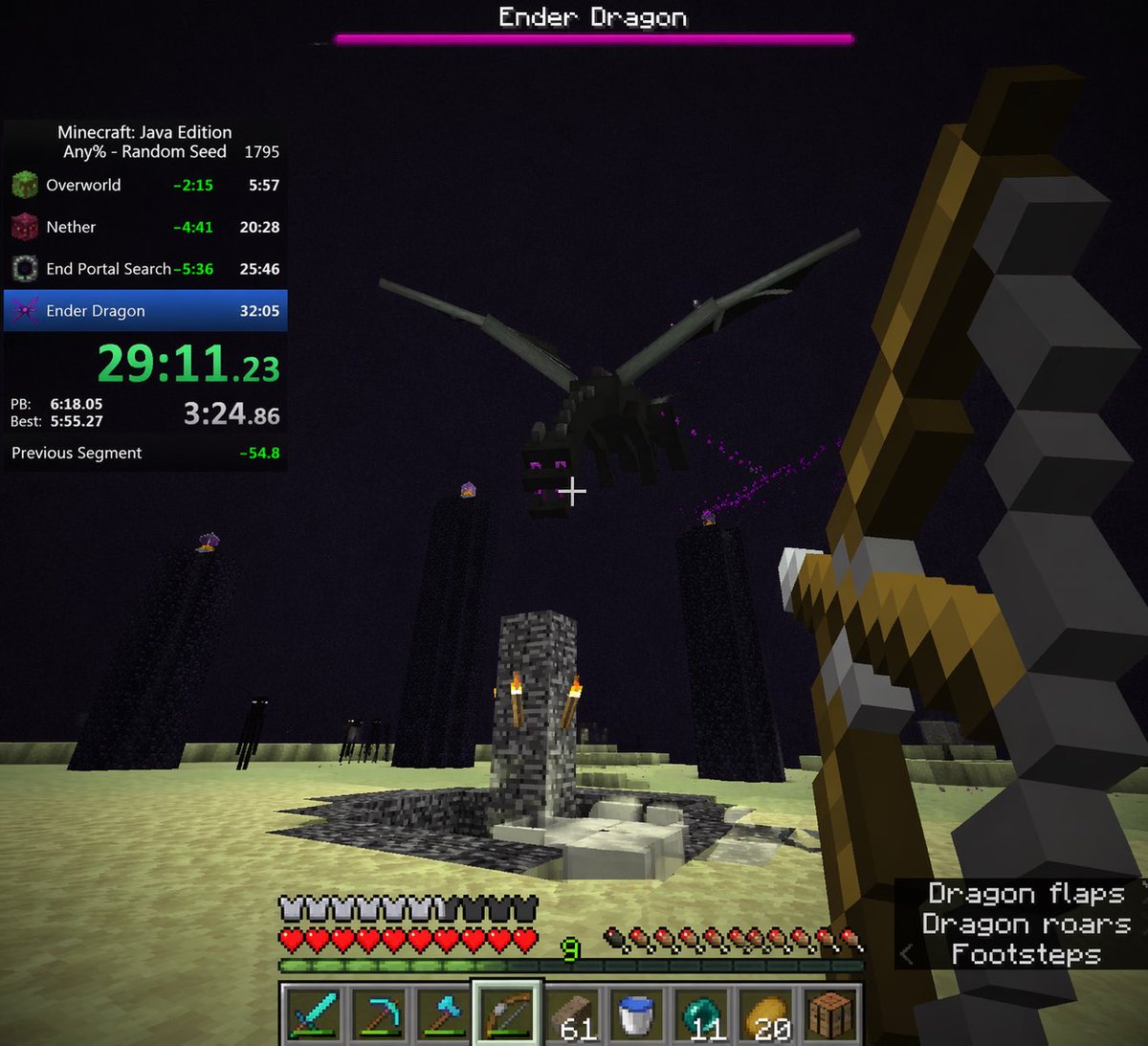
📌 รายละเอียด
- ผู้เขียน: Yeyito
- แหล่งที่มา: Twitter Post
- เผยแพร่เมื่อ: 15 เมษายน 2569
- ภาษา: en
No. 82: สินทรัพย์เกม - ภาพสาวน้อยเรือรบสไตล์อนิเมะกำลังทำความเคารพบนชายหาด
📖 คำอธิบาย
สร้างภาพประกอบสไตล์อนิเมะของสาวน้อยเรือรบที่ดูร่าเริงกำลังทำความเคารพบนชายหาดที่มีแสงแดดสดใส
📝 คำสั่ง
ภาพประกอบสไตล์อนิเมะของ {argument name="character identity" default="Tokitsukaze จาก Kantai Collection"} เด็กสาวที่มีผมสั้นสีม่วงฟูฟ่อง สวมหมวกกะลาสีสีดำใบเล็กที่มีตราสมอสีทองประดับอยู่ด้านข้างศีรษะ เธอมี {argument name="facial expression" default="รอยยิ้มกว้างที่สดใสพร้อมหลับตาและแก้มแดงระเรื่อ"} เธอสวมชุดกะลาสีแขนยาวสีขาวปกสีน้ำเงิน มีผ้าพันคอสีเหลืองยึดด้วยเข็มกลัดรูปสมอสีเข้ม และมีสายหนังสีน้ำตาลคาดผ่านลำตัว มีปืนใหญ่จากอุปกรณ์เรือสีเทาเข้มติดตั้งอยู่ด้านหลังของเธอ เธออยู่ในท่า {argument name="pose" default="ทำความเคารพด้วยมือขวา"} ใกล้กับหน้าผาก ฉากหลังเป็น {argument name="background" default="ชายหาดที่มีแสงแดดสดใส ทะเลสีคราม คลื่นสีขาว และหน้าผาสีเขียวไกลๆ ภายใต้ท้องฟ้าสีครามที่ปลอดโปร่ง"} แสงสว่างมีความสดใสและมีชีวิตชีวา ช่วยเน้นย้ำถึงบรรยากาศที่ร่าเริง
🖼️ รูปภาพที่สร้าง
Image 1

📌 รายละเอียด
- ผู้เขียน: グリグリ@ゲーム・艦これ
- แหล่งที่มา: Twitter Post
- เผยแพร่เมื่อ: 14 เมษายน 2569
- ภาษา: en
No. 83: สินทรัพย์เกม - การเปลี่ยนภาพสไตล์อนิเมะแบบเงางาม
📖 คำอธิบาย
เปลี่ยนภาพตัวละครที่ลงสีแบบแบนให้กลายเป็นภาพประกอบสไตล์อนิเมะที่มีความละเอียดสูงและเงางาม พร้อมแสงเงาที่ดูมีมิติและพื้นหลังแบบสีพื้น
📝 คำสั่ง
โดยใช้ REFERENCE_0 เป็นฐาน ให้เปลี่ยนการลงสีแบบแบนให้เป็น {argument name="rendering style" default="สไตล์ภาพประกอบอนิเมะที่มีรายละเอียดสูงและเงางาม"} ใส่เงาที่เข้มข้น แสงที่ดูมีมิติ และไฮไลท์ที่สว่างสดใส โดยเฉพาะบนผิว ผม และหางของตัวละคร เพิ่มรายละเอียดรอยพับของเสื้อผ้าและทำให้ส่วนที่เป็นโลหะมีความแวววาวสมจริง เปลี่ยนพื้นหลังเป็น {argument name="background color" default="สีดำล้วน"}
🖼️ รูปภาพที่สร้าง
Image 1
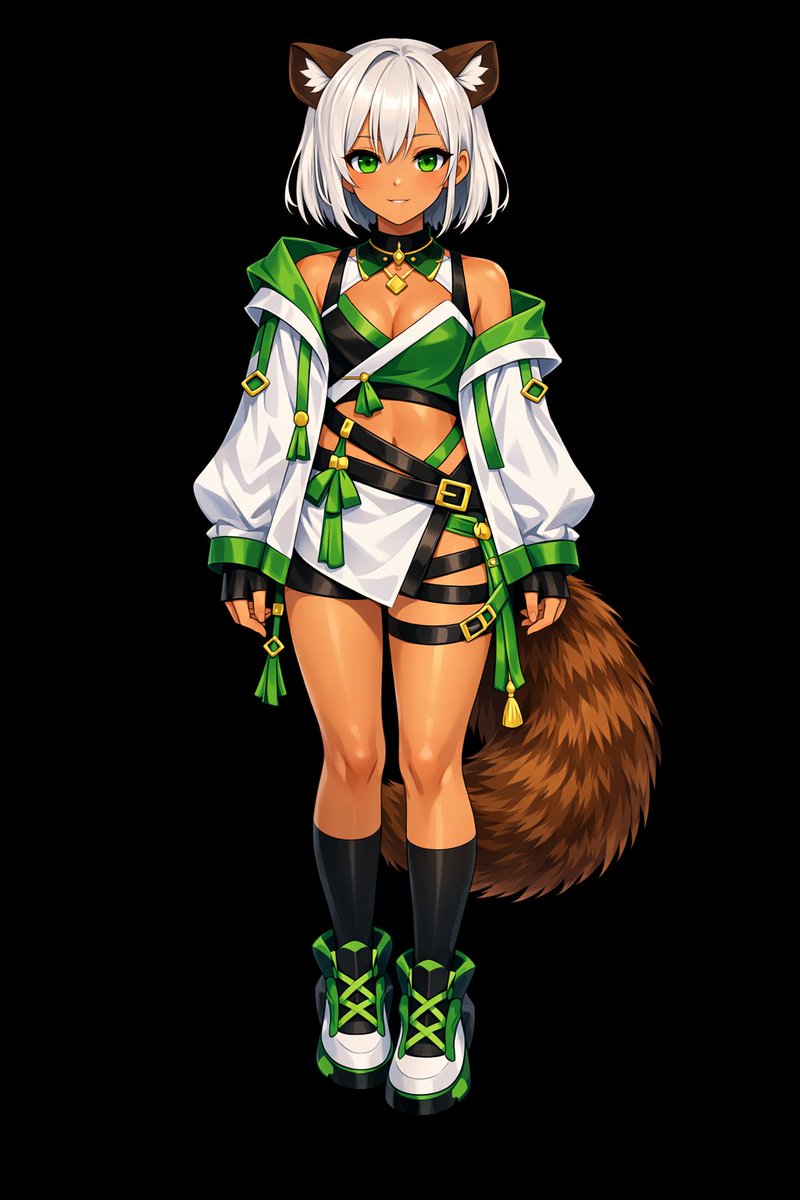
📌 รายละเอียด
- ผู้เขียน: しーげっちは自分で描いた絵を動かしたい
- แหล่งที่มา: Twitter Post
- เผยแพร่เมื่อ: 13 เมษายน 2569
- ภาษา: en
No. 84: สินทรัพย์เกม - จากสีพื้นสู่ภาพอนิเมะแบบลงเงา
📖 คำอธิบาย
เปลี่ยนภาพตัวละคร 2D แบบสีพื้นให้กลายเป็นภาพประกอบสไตล์อนิเมะที่ลงเงาและเรนเดอร์อย่างสมบูรณ์พร้อมพื้นหลังสีเรียบ
📝 คำสั่ง
ใช้ REFERENCE_0 เพื่อเปลี่ยนตัวละครสีพื้นให้กลายเป็น {argument name="art style" default="ภาพประกอบอนิเมะคุณภาพสูงที่เรนเดอร์อย่างสมบูรณ์"} เพิ่ม {argument name="lighting effect" default="การลงเงา ไฮไลท์ที่แวววาว และมิติ"} อย่างละเอียดให้กับผิว ผม ดวงตา เสื้อผ้า และหาง เพื่อให้งานออกแบบ 2D ดูมีมิติและสมจริงยิ่งขึ้น เพิ่มความเงางามแบบโลหะให้กับหัวเข็มขัดและเครื่องประดับ เปลี่ยนพื้นหลังเป็น {argument name="background color" default="สีดำล้วน"} โดยยังคงรักษาดีไซน์ดั้งเดิม ชุด และท่าทางที่เป็นกลางของตัวละครให้เหมือนกับในภาพอ้างอิงทุกประการ
🖼️ รูปภาพที่สร้าง
Image 1
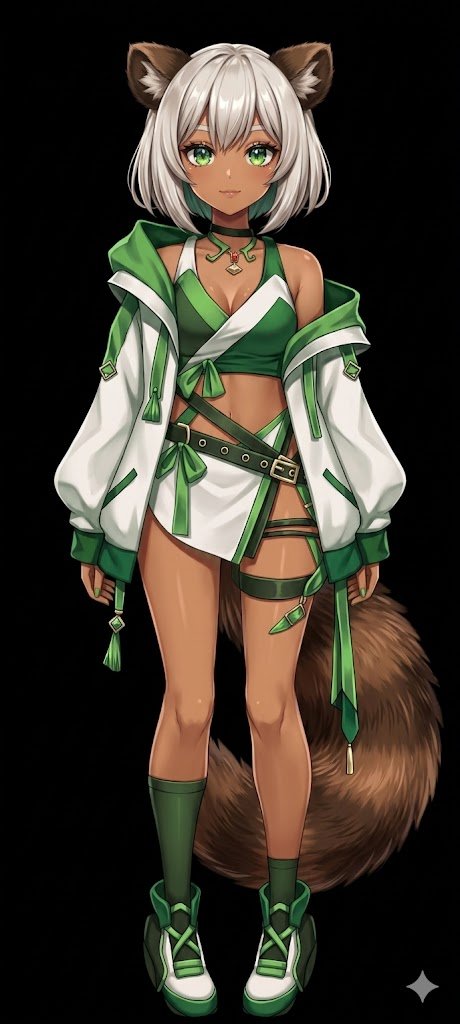
📌 รายละเอียด
- ผู้เขียน: しーげっちは自分で描いた絵を動かしたい
- แหล่งที่มา: Twitter Post
- เผยแพร่เมื่อ: 13 เมษายน 2569
- ภาษา: en
No. 85: สินทรัพย์เกม - นกสีแดง 3D กำลังเงี่ยหูฟังด้วยหูมนุษย์
📖 คำอธิบาย
สร้างตัวละครนกสไตล์แอนิเมชัน 3D ที่มีลักษณะเหนือจริงเหมือนมนุษย์กำลังตั้งใจฟัง เหมาะสำหรับใช้เป็นภาพรีแอคชันตลกๆ
📝 คำสั่ง
ภาพเรนเดอร์ 3D CGI คุณภาพสูงของ {argument name="character type" default="ตัวละครนกสีแดงกลมป้อมขนฟูคล้ายกับ Red จาก Angry Birds"} ที่มีคิ้วหนาสีดำดูโกรธเกรี้ยว ดวงตาขนาดใหญ่ จะงอยปากสีเหลือง และหน้าท้องสีอ่อน ตัวละครนี้มีความพิเศษแบบเหนือจริงด้วย {argument name="surreal feature 1" default="หูมนุษย์ขนาดใหญ่ที่มีเนื้อหนัง"} อยู่ที่ด้านข้างของศีรษะ และมี {argument name="surreal feature 2" default="มือมนุษย์สีแดง"} กำลังป้องหูในท่าทางที่กำลังตั้งใจฟังอย่างจดจ่อ แสงในภาพมีความนุ่มนวลแบบภาพยนตร์ ช่วยขับเน้นรายละเอียดของขนและพื้นผิวของผิวหนังให้โดดเด่นตัดกับพื้นหลัง {argument name="background color" default="สีขาวล้วน"}
🖼️ รูปภาพที่สร้าง
Image 1

📌 รายละเอียด
- ผู้เขียน: Mirochill
- แหล่งที่มา: Twitter Post
- เผยแพร่เมื่อ: 13 เมษายน 2569
- ภาษา: en
No. 86: สินทรัพย์เกม - สาวน้อยแมวเหมียวสไตล์อนิเมะในทุ่งหญ้าอัลไพน์สมจริง
📖 คำอธิบาย
สร้างภาพประกอบ 2.5D ของตัวละครอนิเมะที่มีลักษณะคล้ายมนุษย์ นั่งอยู่ในภูมิทัศน์ธรรมชาติที่สมจริงและมีรายละเอียดสูง
📝 คำสั่ง
สาวน้อยแมวเหมียวสุดน่ารักที่มีขนสีขาว {argument name="hair color" default="ผมสั้นสีเขียว"} มีผมชี้ (ahoge) ที่โดดเด่น และดวงตาอนิเมะขนาดใหญ่สี {argument name="eye color" default="เขียว"} เธอมีหูแมวสีเขียวฟูฟ่องและหางสีขาวที่ยาว สวมใส่ {argument name="outfit" default="เสื้อคลุมเปิดไหล่สีเขียว"} ตัวหลวมขนาดใหญ่ นั่งอย่างสงบบนพื้นโดยพับขาไปด้านข้างและวางอุ้งเท้าไว้ด้านหน้าอย่างอ่อนโยน ฉากหลังเป็น {argument name="setting" default="ทุ่งหญ้าอัลไพน์ที่เต็มไปด้วยดอกไม้ป่าสีขาวและสีเหลืองขนาดเล็ก"} ที่อุดมสมบูรณ์ ในพื้นหลังมีหุบเขากว้างใหญ่ ป่าสน และภูเขาหิมะอันตระการตาภายใต้ท้องฟ้าสีครามสดใสที่มีก้อนเมฆนุ่มฟู สไตล์ศิลปะเป็นการผสมผสานระหว่างการออกแบบตัวละครอนิเมะกับ {argument name="style" default="ภาพถ่ายทิวทัศน์"} ที่มีความสมจริงสูง พร้อมแสงแดดธรรมชาติที่สว่างสดใส
🖼️ รูปภาพที่สร้าง
Image 1
📌 รายละเอียด
- ผู้เขียน: とらの
- แหล่งที่มา: Twitter Post
- เผยแพร่เมื่อ: 13 เมษายน 2569
- ภาษา: en
No. 87: สินทรัพย์เกม - ภาพปกเกมวิชวลโนเวลสไตล์อนิเมะ 3D
📖 คำอธิบาย
สร้างภาพโปรโมทเกมสไตล์อนิเมะ 3D ของนักเรียนหญิง 4 คนในห้องเรียน พร้อมโลโก้เกมที่ปรับแต่งได้
📝 คำสั่ง
ภาพประกอบสไตล์อนิเมะ 3D ของนักเรียนมัธยมปลายหญิง 4 คนในห้องเรียนแบบญี่ปุ่นที่อาบไปด้วย {argument name="lighting" default="แสงแดดอุ่นๆ ยามบ่าย"} ที่ด้านหน้าทางขวา เด็กสาวที่มี {argument name="foreground right character hair" default="ผมยาวสีน้ำตาลปะการังมัดหางม้าติดโบว์สีขาว"} และดวงตาสีเขียวกำลังยื่นมือออกมาหาผู้ชมพร้อมรอยยิ้มที่อบอุ่น ที่ด้านหน้าทางซ้าย เด็กสาวที่มี {argument name="foreground left character hair" default="ผมสั้นสีชมพูติดกิ๊บสีแดง"} และดวงตาสีชมพูกำลังยืนกอดอกด้วยท่าทางที่ดูหงุดหงิดเล็กน้อย ในส่วนกลางภาพ เด็กสาวผมยาวสีม่วงเข้มยืนถือหนังสืออยู่อย่างสงบ ในขณะที่ฉากหลังมีเด็กสาวผมสั้นสีชมพูปะการังติดโบว์สีแดงกำลังโบกมืออย่างร่าเริง ทั้ง 4 คนสวมชุดนักเรียนเข้าชุดกันซึ่งประกอบด้วย {argument name="uniform style" default="เสื้อเบลเซอร์สีเทา เสื้อกั๊กไหมพรมสีน้ำตาล ริบบิ้นสีแดง และกระโปรงพลีทสีน้ำเงิน"} ภายในห้องเรียนมีพื้นไม้ โต๊ะเรียน และกระดานดำสีเขียว ที่มุมซ้ายบนมีโลโก้วงกลมขอบสีชมพูซึ่งมีข้อความสไตล์อาร์ตว่า "{argument name="logo text" default="DOKI DOKI Literature Club!"}" และมีตัวอักษร "3D" สีชมพูขนาดใหญ่ด้านล่าง ตกแต่งด้วยดินสอสีเขียวและหัวใจสีชมพู ภาพนี้มีคุณภาพระดับงานเรนเดอร์ 3D สวยงามคล้ายกับภาพโปรโมทวิดีโอเกม พร้อมแสงที่นุ่มนวลและระยะชัดลึกที่สมจริง
🖼️ รูปภาพที่สร้าง
Image 1
📌 รายละเอียด
- ผู้เขียน: Mirochill
- แหล่งที่มา: Twitter Post
- เผยแพร่เมื่อ: 13 เมษายน 2569
- ภาษา: en
No. 88: สินทรัพย์เกม - UI การต่อสู้กับบอสในเกม Action RPG แนวเหนือจริง
📖 คำอธิบาย
สร้างภาพจำลอง UI ของวิดีโอเกมที่มีรายละเอียดสูง แสดงฉากการต่อสู้กับบอสสัตว์ประหลาดแนวเหนือจริงสุดแปลก พร้อมข้อความและองค์ประกอบที่ปรับแต่งได้
📝 คำสั่ง
{
  "type": "ภาพหน้าจอวิดีโอเกมแนว action RPG",
  "environment": "{argument name=\"environment\" default=\"ภายในโรงเตี๊ยมที่มืดมิดและดิบเถื่อน มีโครงสร้างไม้ โคมไฟ และเศษซากกระจัดกระจาย\"}",
  "characters": {
    "player": {
      "description": "นักรบหญิงผมแดงในชุดเกราะหนังสีเข้ม",
      "action": "{argument name=\"player action\" default=\"กำลังเหวี่ยงดาบเรืองแสงที่ปล่อยประกายไฟและเส้นแสงสว่างจ้าออกมา\"}"
    },
    "boss": {
      "description": "หัว {argument name=\"boss type\" default=\"บรอกโคลี\"} ยักษ์ที่ติดอยู่บนขาของผู้หญิงสวมถุงน่องตาข่ายและรองเท้าส้นสูงสีดำ",
      "pose": "กำลังลอยหรือกระโดดอยู่กลางห้อง"
    }
  },
  "layout": {
    "ui_components": [
      {
        "position": "ด้านบนตรงกลาง",
        "type": "แถบพลังชีวิตบอส",
        "text": "{argument name=\"boss name\" default=\"ブロッコリーヌ\"}",
        "value": "33,333"
      },
      {
        "position": "ตรงกลาง",
        "type": "ตัวเลขความเสียหายแบบลอย",
        "text": "{argument name=\"damage number\" default=\"3,333\"}",
        "icon": "ใบไม้สีเขียว"
      },
      {
        "position": "ขอบซ้าย",
        "type": "รายชื่อปาร์ตี้",
        "count": 7,
        "description": "คอลัมน์แนวตั้งของภาพตัวละครขนาดเล็ก"
      },
      {
        "position": "ด้านล่างซ้าย",
        "type": "คำแนะนำการควบคุม",
        "count": 4,
        "labels": ["[RT] เกรเดียนต์", "[RB] ปัดป้อง", "(B) หลบหลีก", "(A) กระโดด"]
      },
      {
        "position": "ด้านล่างขวา",
        "type": "แถบสถานะปาร์ตี้",
        "count": 3,
        "description": "ภาพตัวละครพร้อมแถบ HP/MP และค่าตัวเลข เช่น 2333/2333"
      },
      {
        "position": "กลางขวา",
        "type": "แผงข้อมูลท่าทาง",
        "style": "กรอบแบบหมึกกระจาย",
        "labels": ["ไม่มีท่าทาง", "การใช้สกิลจะไม่สร้างท่าทาง ต้องโจมตีเพื่อสร้างท่าทาง"]
      }
    ]
  }
}
🖼️ รูปภาพที่สร้าง
Image 1
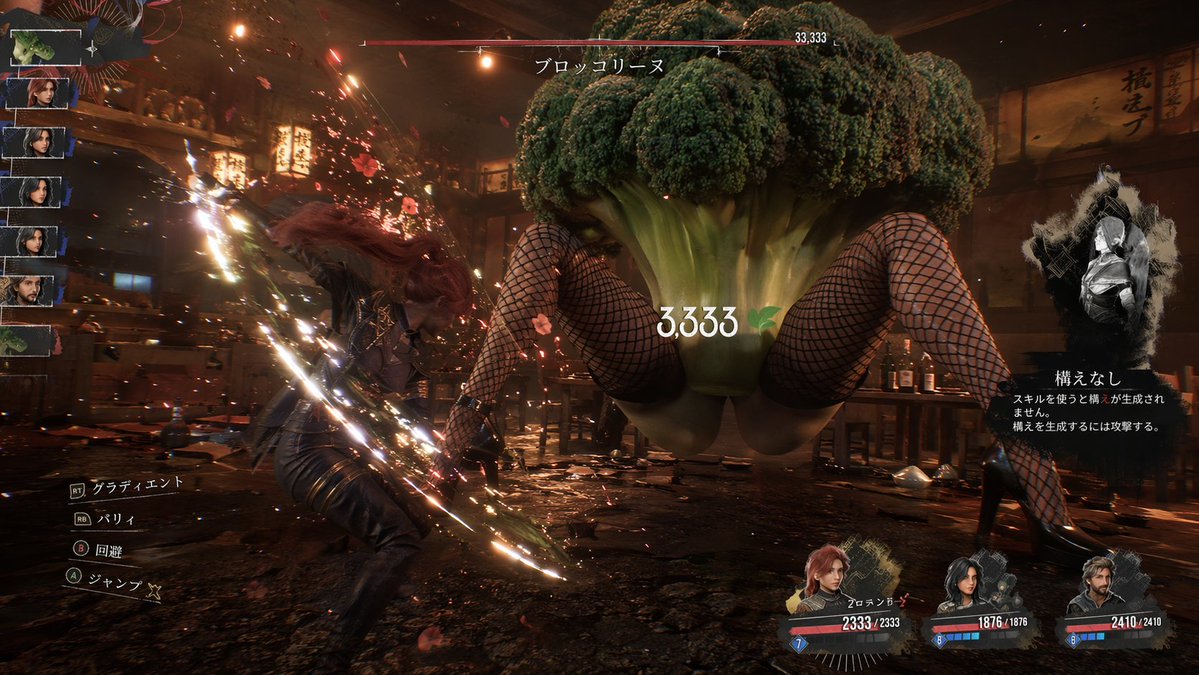
📌 รายละเอียด
- ผู้เขียน: ぶるぺん/blue.pen5805
- แหล่งที่มา: Twitter Post
- เผยแพร่เมื่อ: 13 เมษายน 2569
- ภาษา: en
No. 89: โปสเตอร์ / ใบปลิว - Poster Layout Reorganization and Motif Addition
📖 คำอธิบาย
Reorganizes a montage poster by mirroring the main subject, shifting text to the right, and adding specific background motifs and era categories.
📝 คำสั่ง
Using the provided reference image, reorganize the poster layout. Move the main title {argument name="main title" default="LEONARDO A LIFE IN ROLES"} to the top right. Shift the large central profile portrait to the top right quadrant, flipping it to face right. Relocate the timeline text to the right side, adding 4 new era categories on the far right: {argument name="era categories" default="YOUTH 1990s, ASCENT 2000s, EXCESS 2010s, SURVIVAL 2020s"}. Cluster exactly 13 smaller character portraits on the left and bottom. Integrate new background elements behind these portraits: {argument name="background elements" default="Titanic ship, airplane, cityscapes, Hollywood sign, oil derrick"}. In the bottom left corner, add a {argument name="added objects" default="pocket watch with chain and blood splatters"}. Update the bottom text to include 2 laurel wreath icons and the tagline {argument name="bottom tagline" default="SAME MAN. ENDLESS TRUTHS."}.
🖼️ รูปภาพที่สร้าง
Image 1
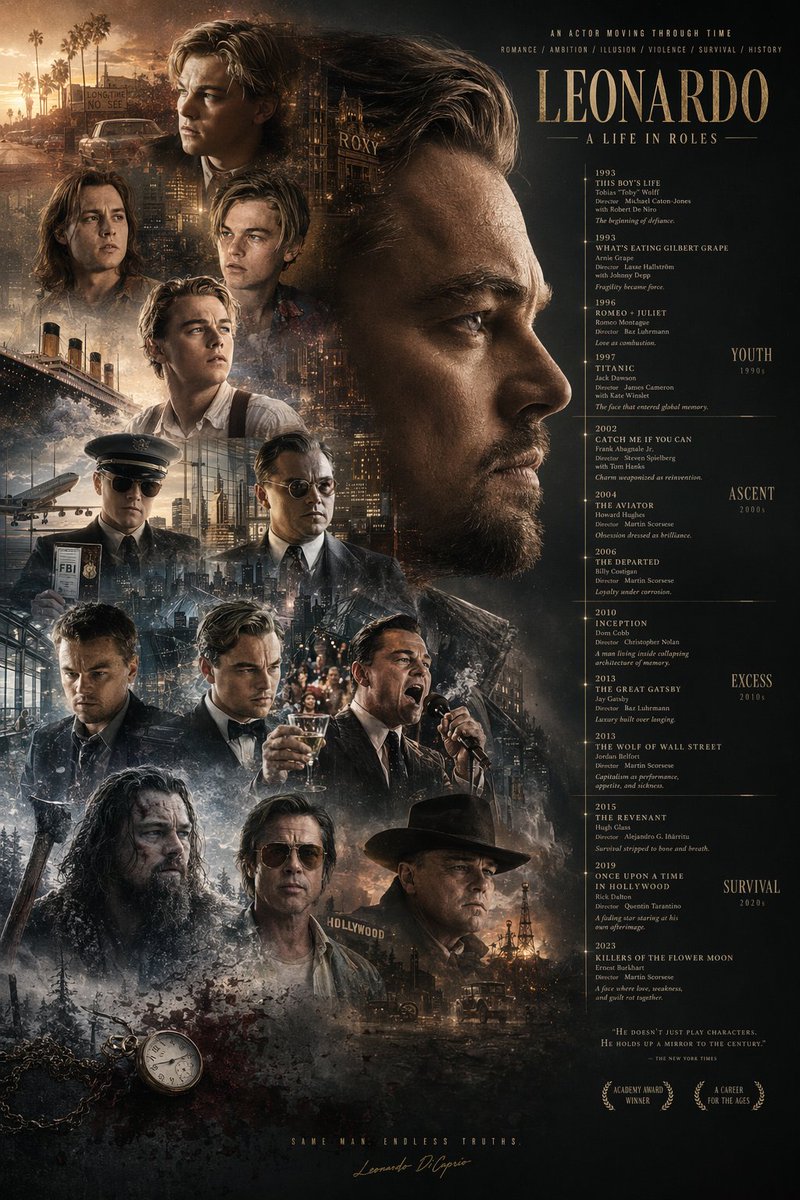
📌 รายละเอียด
- ผู้เขียน: 虎小象
- แหล่งที่มา: Twitter Post
- เผยแพร่เมื่อ: 20 เมษายน 2569
- ภาษา: en
No. 90: โปสเตอร์ / ใบปลิว - Calligraphic City Impression Poster
📖 คำอธิบาย
A sophisticated prompt for creating artistic city posters that blend traditional Chinese calligraphy with modern architectural elements, featuring a transparent bird motif and detailed urban landmarks.
📝 คำสั่ง
【Background and Skeleton Lines】 Deep black background, a thick and powerful ink calligraphy S-shaped curve winding across the screen, vigorous strokes with varied ink density, forming the visual skeleton and narrative flow. 【Subject: {argument name="subject bird" default="thrush"}】 Above the curve, a {argument name="subject bird" default="thrush"} with wings spread occupies the visual core; the body is transparent like glass, reflecting traditional architectural layers inside with blue-green light streams; the outline is edged with fine gold lines. 【Mid-ground: Classical Architectural Sequence】 Below the bird, various scenic spots of {argument name="city" default="Guangzhou"} are scattered along the ink line: Baiyun Mountain, Chen Clan Ancestral Hall, and the Canton Tower; the main tones are blue-green and pale gold with clear architectural details; Kapok flowers and ink-wash clouds add ethereal layers. 【Foreground: White Cranes and Water Surface】 Lakeside foreground: several white cranes in various elegant poses; the light blue water is mirror-like with sparkling light, creating a serene atmosphere. 【Background: Mountains】 Distant mountains rise and fall in indigo ink shading from thick to light, creating depth of field. 【Composition and Lighting】 Non-linear perspective with the ink curve as the axis; light radiates from the center creating strong contrast; cool tones dominate with warm accents; fusion of Eastern aesthetics and modern imagery. 【Technical Specs】 8K Ultra HD rendering, extreme detail precision, best quality, ratio {argument name="aspect ratio" default="9:16"}
🖼️ รูปภาพที่สร้าง
Image 1
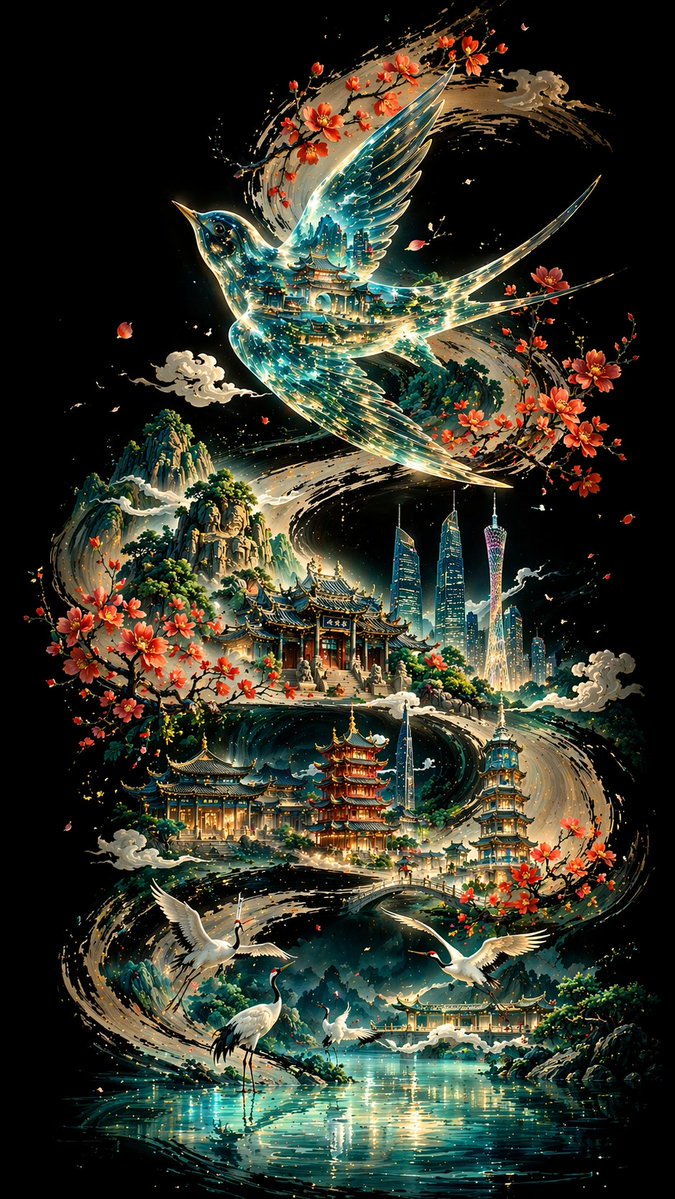
📌 รายละเอียด
- ผู้เขียน: 李岳
- แหล่งที่มา: Twitter Post
- เผยแพร่เมื่อ: 19 เมษายน 2569
- ภาษา: zh
No. 91: โปสเตอร์ / ใบปลิว - Epic Silhouetted World Poster
📖 คำอธิบาย
A creative poster prompt featuring a silhouette profile of a person containing an entire world and nostalgic scenery, rendered in a dreamy watercolor cinematic style.
📝 คำสั่ง
Collector's edition epic poster, with a complete world view and classic scenes growing out of the silhouette of a person's profile. The overall style is cinematic poster mixed with dreamy watercolor illustration, quiet, grand, sacred, and nostalgic, with paper grain, light mist, brush strokes, and elegant negative space.
🖼️ รูปภาพที่สร้าง
Image 1
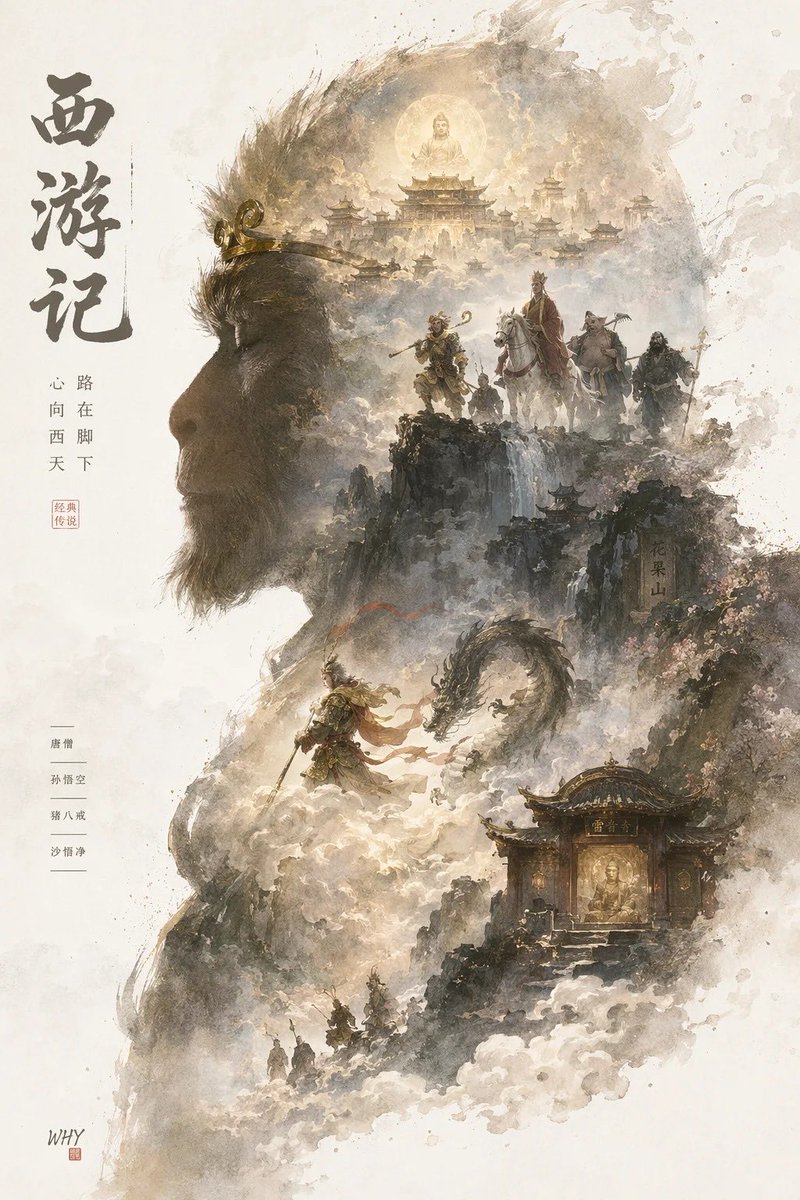
📌 รายละเอียด
- ผู้เขียน: 你的金渐层宝库
- แหล่งที่มา: Twitter Post
- เผยแพร่เมื่อ: 19 เมษายน 2569
- ภาษา: zh
No. 92: โปสเตอร์ / ใบปลิว - Sports League Invitation Poster Prompt
📖 คำอธิบาย
A detailed prompt for a high-end sports league invitation poster, combining modern national tide styles with dynamic energy flows and city landmarks.
📝 คำสั่ง
{argument name="event name" default="Guangdong Provincial Urban Football Super League (Yuechao)"} invitation poster design, ratio {argument name="ratio" default="9:16"}; S-shaped flow composition, an energy flow formed by the football's trajectory runs through the screen with a glowing football at the center. Integrates landmarks like the Canton Tower and Shenzhen Ping An Financial Center using 'line drawing + local color blocks'. Style: Modern National Tide high-end poster, minimalist but design-rich. Color scheme: High saturation but restrained, with Chinese red as the primary visual and gold highlights. Main title: "{argument name="main title" default="Guangdong Provincial Urban Football Super League"}". Includes {argument name="date" default="April 25, 2026"}. Cinema-grade lighting, 8K resolution.
🖼️ รูปภาพที่สร้าง
Image 1

📌 รายละเอียด
- ผู้เขียน: 李岳
- แหล่งที่มา: Twitter Post
- เผยแพร่เมื่อ: 19 เมษายน 2569
- ภาษา: zh
No. 93: โปสเตอร์ / ใบปลิว - Minimalist City Poster Prompt
📖 คำอธิบาย
A high-quality prompt for creating minimalist, high-end city posters with a New Chinese style, specifically focused on geometric landmarks and traditional patterns.
📝 คำสั่ง
New Chinese minimalist style high-end city poster, {argument name="aspect ratio" default="9:16"} vertical composition, with {argument name="city" default="Guangzhou"} as the core theme. The center of the screen is an abstract geometric version of the Canton Tower, simple but recognizable. The overall S-shaped flow composition extends from the bottom upwards. The Pearl River water system is designed as flowing water ripples integrated with traditional auspicious cloud patterns, surrounding the entire screen to form a visual movement line. Landmarks are dotted using 'white space + line drawing + local color blocks'. Style: Minimalist + Advanced + Oriental mood. Color scheme: {argument name="color scheme" default="Chinese red, azure blue, and gold"} as the main colors, supplemented by a small amount of warm gold highlights. Background: Large area of pure white space or light rice paper texture. Overall style: National tide high-end illustration / Brand poster quality / 8K / Ultra-clear details.
🖼️ รูปภาพที่สร้าง
Image 1
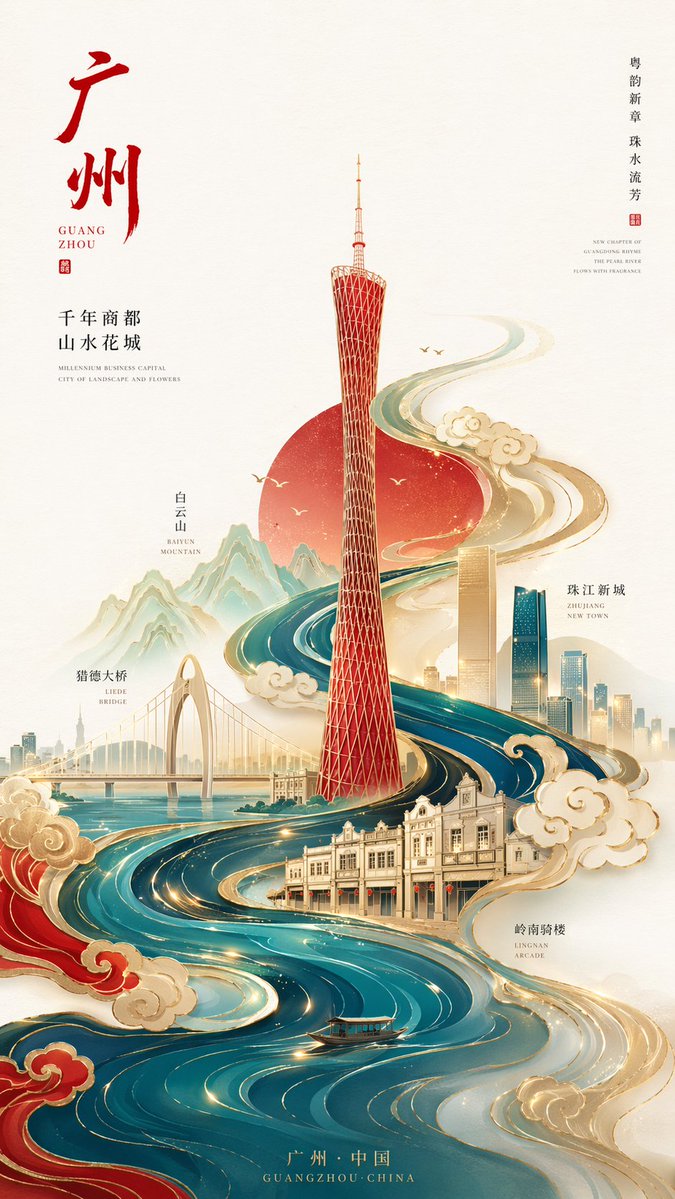
📌 รายละเอียด
- ผู้เขียน: 李岳
- แหล่งที่มา: Twitter Post
- เผยแพร่เมื่อ: 19 เมษายน 2569
- ภาษา: zh
No. 94: โปสเตอร์ / ใบปลิว - Programmer's Vintage Almanac Poster
📖 คำอธิบาย
Generates a retro-style Chinese almanac tailored for programmers, featuring customizable daily dos, don'ts, and a blessing.
📝 คำสั่ง
{
  "type": "vintage programmer almanac poster",
  "style": "retro paper texture, traditional Chinese almanac layout, green and red typography, structured borders",
  "header": {
    "banner": "{argument name=\"main title\" default=\"程序员老黄历\"}",
    "date_row": "{argument name=\"date\" default=\"2024年4月24日 农历三月十六 星期三\"}"
  },
  "layout": {
    "sections": [
      {
        "title": "Main Dos and Don'ts",
        "position": "top half",
        "count": 2,
        "labels": ["宜", "忌"],
        "content": {
          "do_items": ["{argument name=\"primary do action\" default=\"撸代码\"}", "修复BUG"],
          "dont_items": ["{argument name=\"primary dont action\" default=\"熬夜\"}", "线上发布"]
        }
      },
      {
        "title": "Today's Index",
        "position": "middle left",
        "count": 4,
        "labels": ["加班", "效率", "咖啡", "网络"]
      },
      {
        "title": "Secondary Dos",
        "position": "middle center",
        "count": 3,
        "labels": ["写注释", "整理文档", "学习新技术"]
      },
      {
        "title": "Secondary Don'ts",
        "position": "middle right",
        "count": 3,
        "labels": ["开长会", "改需求", "撕逼吵架"]
      },
      {
        "title": "Tools and Blessing",
        "position": "bottom left",
        "count": 2,
        "labels": ["工具推荐", "blessing text"],
        "content": {
          "tools": ["VSCode", "Git"],
          "quote": "{argument name=\"blessing text\" default=\"愿你代码无BUG,需求不返工,天天早下班,夜夜好睡眠\"}"
        }
      },
      {
        "title": "Today's Workspace",
        "position": "bottom right",
        "count": 1,
        "labels": ["今日工位"],
        "description": "illustration of a desk with laptop, mug, plant, and window"
      }
    ]
  }
}
🖼️ รูปภาพที่สร้าง
Image 1
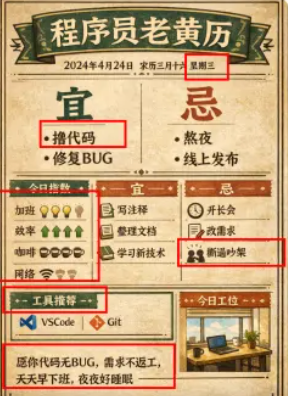
📌 รายละเอียด
- ผู้เขียน: 黄小木
- แหล่งที่มา: Twitter Post
- เผยแพร่เมื่อ: 19 เมษายน 2569
- ภาษา: en
No. 95: โปสเตอร์ / ใบปลิว - ภาพตัวละครอนิเมะสไตล์โปสเตอร์
📖 คำอธิบาย
คำสั่ง (Prompt) แบบตรงไปตรงมาสำหรับการสร้างภาพประกอบตัวละครอนิเมะคุณภาพสูงในรูปแบบสไตล์โปสเตอร์
📝 คำสั่ง
สไตล์โปสเตอร์ {argument name="subject" default="anime character"}
🖼️ รูปภาพที่สร้าง
Image 1
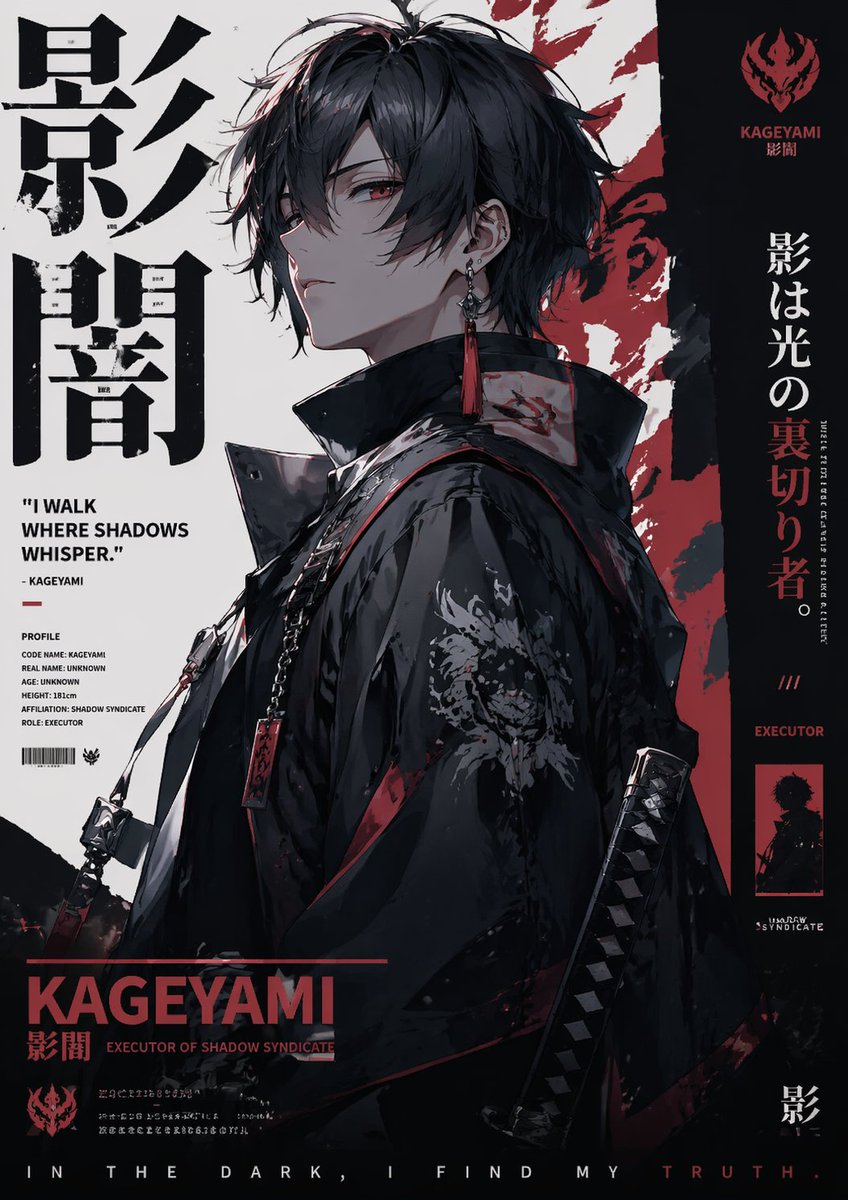
📌 รายละเอียด
- ผู้เขียน: Sleep On It
- แหล่งที่มา: Twitter Post
- เผยแพร่เมื่อ: 13 เมษายน 2569
- ภาษา: en
No. 96: การออกแบบแอป / เว็บ - Aviation-Themed UI Design System Board
📖 คำอธิบาย
Generates a comprehensive dark-mode UI/UX design system board featuring flight-inspired aesthetics, color palettes, typography, and interface mockups.
📝 คำสั่ง
{
  "type": "UI/UX Design System Concept Board",
  "theme": "Aviation and flight interface",
  "overall_style": "Dark mode, sleek, modern, technical, futuristic, glassmorphism",
  "layout": {
    "top_left": {
      "section": "DESIGN STYLE",
      "title": "{argument name=\"main title\" default=\"AERIAL INTERFACE\"}",
      "subtitle": "{argument name=\"subtitle\" default=\"空域界面\"}",
      "description": "Introductory paragraph about aerial interface design",
      "principles": {
        "count": 4,
        "labels": ["SENSE OF CONTROL", "MINIMAL & PURE", "DATA AESTEETICS", "IMMERSIVE EXPERIENCE"]
      }
    },
    "top_center": {
      "imagery": "Top-down view of a commercial airplane flying upwards, leaving twin white contrails against a dark background",
      "text": ["FLIGHT AS INTERFACE.", "Your Ideas. Our Altitude."],
      "metrics": ["STATUS CRUISING", "DESTINATION CREATE", "ETA ∞"]
    },
    "top_right": {
      "section": "UI Widget",
      "imagery": "Rounded rectangular panel showing an airplane wing over clouds at sunset",
      "data_points": ["11:34", "1975 PEOPLE ONBOARD", "FLIGHT DATA {argument name=\"destination\" default=\"OKINAWA\"}", "ALTITUDE 35,000 FT", "SPEED 552 KTS"],
      "tabs": {
        "count": 3,
        "labels": ["MAP", "DATAVIEW", "SYSTEM"]
      }
    },
    "bottom_left": {
      "section": "COLOR PALETTE",
      "swatches": {
        "count": 3,
        "labels": ["#05070A", "#0B1220", "#E6F0FF"]
      }
    },
    "bottom_mid_left": {
      "section": "TYPOGRAPHY",
      "fonts": {
        "count": 2,
        "labels": ["{argument name=\"primary font\" default=\"INTER\"}", "{argument name=\"secondary font\" default=\"JETBRAINS MONO\"}"]
      }
    },
    "bottom_mid_right": {
      "section": "MATERIAL",
      "examples": {
        "count": 2,
        "labels": ["GLASS (frosted rectangle)", "METAL (dark sphere)"]
      }
    },
    "bottom_right": {
      "section": "MOTION",
      "concepts": {
        "count": 3,
        "labels": ["Airplane taking off", "Radar focus circle", "Glowing flight streak"]
      }
    },
    "footer": {
      "text": "DESIGN ESSENCE: Not just designing an interface, but creating a flight experience."
    }
  }
}
🖼️ รูปภาพที่สร้าง
Image 1
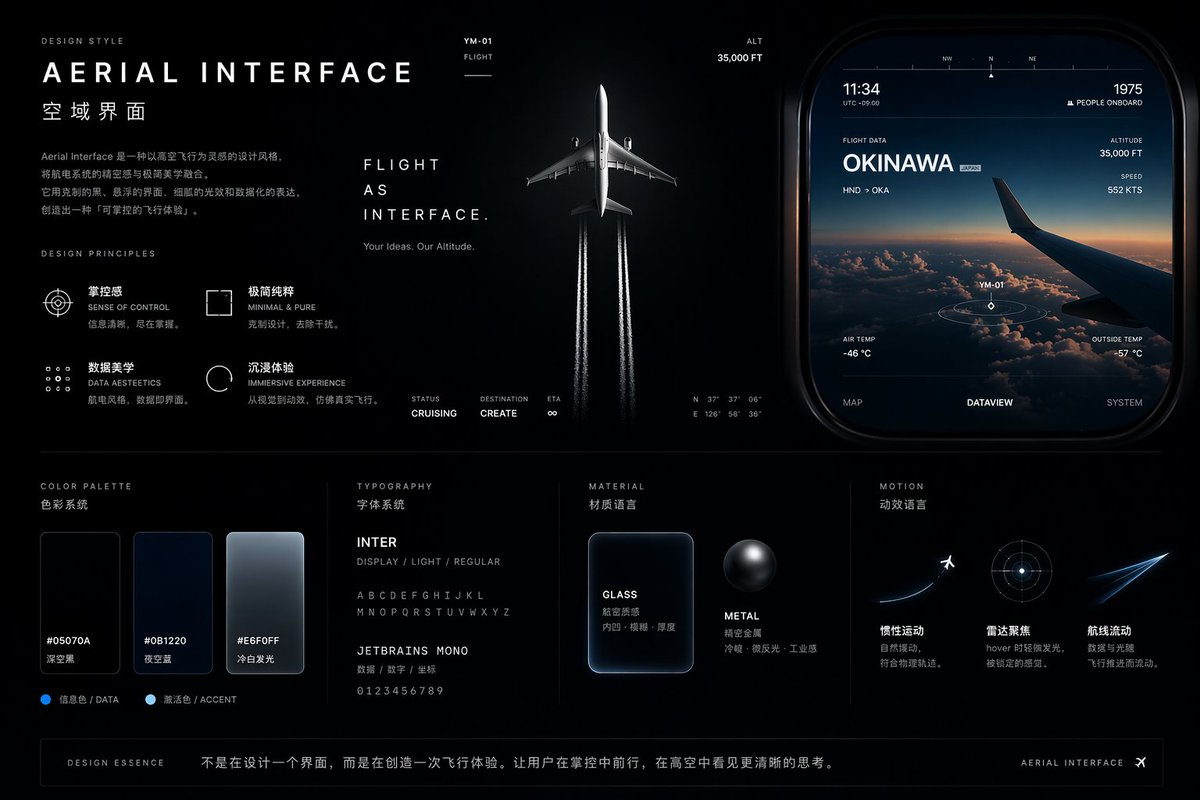
📌 รายละเอียด
- ผู้เขียน: cheaty
- แหล่งที่มา: Twitter Post
- เผยแพร่เมื่อ: 19 เมษายน 2569
- ภาษา: en
No. 97: การออกแบบแอป / เว็บ - Light Mode UI Design System Board
📖 คำอธิบาย
Generates a comprehensive UI design system presentation featuring color palettes, typography, components, and responsive mockups with a futuristic, iridescent aesthetic.
📝 คำสั่ง
{
  "type": "UI Design System presentation board",
  "theme": "{argument name=\"visual theme\" default=\"optical science and light refraction\"}",
  "overall_aesthetic": "clean white background, light mode, futuristic, premium, featuring {argument name=\"primary gradient colors\" default=\"iridescent rainbow, pastel orange, yellow, cyan, purple, pink\"} accents",
  "header": {
    "title": "{argument name=\"system name\" default=\"LIGHTCORE PRISM\"}",
    "subtitle": "UI Design System - Light Mode",
    "tags": ["FUTURISTIC", "PREMIUM", "FOCUS"],
    "hero_graphic": "3D transparent glass ring refracting iridescent light"
  },
  "layout": {
    "sections": [
      {
        "title": "COLOR",
        "count": 5,
        "labels": ["WHITE #FFFFFF", "SNOW #FAFAFC", "SLATE #F2F4F8", "BORDER #E6E8EF", "BLACK #0A0A0C"],
        "description": "5 solid color swatches in rounded squares"
      },
      {
        "title": "PRISM GRADIENTS",
        "count": 1,
        "description": "1 long horizontal gradient bar with 5 hex codes below it"
      },
      {
        "title": "TYPOGRAPHY",
        "description": "Large 'Aa' with 4 font weights listed (Light, Regular, Medium, Semibold) and full alphabet/numbers"
      },
      {
        "title": "ICONOGRAPHY",
        "count": 12,
        "description": "12 minimalist line-art icons arranged in a 2x6 grid"
      },
      {
        "title": "BUTTONS",
        "count": 8,
        "categories": ["PRIMARY", "SECONDARY", "TEXT", "ICON"],
        "description": "8 total buttons showing normal and disabled states for each category. Primary button features an iridescent border and {argument name=\"primary button text\" default=\"GET STARTED\"} text."
      },
      {
        "title": "NAVIGATION",
        "count": 2,
        "variants": ["DESKTOP", "MOBILE"],
        "description": "Desktop nav has logo, 4 text links, search, sign in, and a button. Mobile nav has logo, search, and hamburger menu."
      },
      {
        "title": "COMPONENTS",
        "count": 6,
        "items": [
          "CARD: 'Photon Engine' with abstract iridescent graphic and button",
          "INPUT FIELD: Search bar and email input with label",
          "PROGRESS: Iridescent progress bar at 68%",
          "TABS: Overview, Analytics, Settings",
          "TOGGLE: 2 switches (on/off)",
          "DATA VISUALIZATION: 1 donut chart with 3 legend items, 1 line chart over 7 days"
        ]
      },
      {
        "title": "WEB PAGE",
        "description": "Desktop browser mockup featuring the header '{argument name=\"hero headline\" default=\"Build the Future with Light & Color\"}', 2 buttons, a flowing 3D iridescent wave graphic, and 5 partner logos at the bottom."
      },
      {
        "title": "MOBILE APP",
        "description": "Smartphone mockup displaying a balance of $24,880, a line chart, 4 quick action icons, a recent activity list with 3 items, and a bottom navigation bar with 4 icons."
      }
    ]
  }
}
🖼️ รูปภาพที่สร้าง
Image 1
📌 รายละเอียด
- ผู้เขียน: cheaty
- แหล่งที่มา: Twitter Post
- เผยแพร่เมื่อ: 19 เมษายน 2569
- ภาษา: en
No. 98: การออกแบบแอป / เว็บ - Cosmic Dark Mode UI Design System
📖 คำอธิบาย
Generates a comprehensive dark-mode UI design system featuring color palettes, typography, and space-themed components.
📝 คำสั่ง
{
  "type": "UI Design System",
  "theme": "dark mode, space-inspired, glowing accents",
  "header": {
    "label": "DESIGN SYSTEM",
    "title": "{argument name=\"system name\" default=\"COSMIC GRAVITY\"}",
    "subtitle": "{argument name=\"theme description\" default=\"A Design Language Inspired by the Universe.\"}"
  },
  "layout": {
    "left_column": [
      {
        "title": "COLOR",
        "count": 7,
        "items": [
          {"name": "Cosmic Black", "hex": "#050507"},
          {"name": "Deep Space", "hex": "#0E0F14"},
          {"name": "Soft White", "hex": "#F5F6F8"},
          {"name": "{argument name=\"primary accent color\" default=\"Stardust Gold\"}", "hex": "#F5D28A"},
          {"name": "Night Purple", "hex": "#1A1C2A"},
          {"name": "Dusk Blue", "hex": "#0F1B2A"},
          {"name": "Nebula Teal", "hex": "#0E1F22"}
        ]
      },
      {
        "title": "GRADIENT",
        "count": 1,
        "description": "horizontal bar showing a dark-to-light-to-dark cosmic glow"
      },
      {
        "title": "TYPOGRAPHY",
        "font": "{argument name=\"font name\" default=\"Space Grotesk\"}",
        "hierarchy_count": 4,
        "levels": ["H1 Cosmic Light", "H2 Explore More", "Body Celestial Text", "Caption Orbit Info"]
      }
    ],
    "main_column": [
      {
        "title": "UI COMPONENTS",
        "subsections": [
          {"title": "BUTTON", "count": 3, "labels": ["EXPLORE (Primary)", "CANCEL (Secondary)", "MORE (Ghost)"]},
          {"title": "SLIDER", "count": 1, "value": "72%"},
          {"title": "TOGGLE", "count": 2, "states": ["Off", "On"]},
          {"title": "TAGS", "count": 3, "labels": ["BLACK HOLE", "JUPITER", "ORBIT"]}
        ]
      },
      {
        "title": "CARDS",
        "count": 3,
        "items": [
          {"title": "{argument name=\"card subject\" default=\"JUPITER\"}", "subtitle": "ORBIT ARCHIVE", "image": "Jupiter planet"},
          {"title": "BLACK HOLE", "subtitle": "COSMIC EVENT", "image": "Black hole with accretion disk"},
          {"title": "DISTANCE", "value": "778.3 M km", "image": "Concentric orbital rings"}
        ]
      },
      {
        "title": "DATA DISPLAY",
        "count": 3,
        "items": [
          {"title": "ENERGY", "type": "circular progress ring", "value": "87%"},
          {"title": "SIGNAL STRENGTH", "type": "line graph with glowing nodes", "value": "42.6 dB"},
          {"title": "COSMIC NOISE", "type": "audio player UI"}
        ]
      },
      {
        "title": "ICON",
        "count": 7,
        "labels": ["Home", "Planet", "Sparkle", "Signal", "Folder", "Heart", "User"]
      }
    ],
    "bottom_row": [
      {
        "title": "VISUAL ELEMENTS",
        "count": 5,
        "labels": ["BLACK HOLE", "GRAVITY RING", "LIGHT GLOW", "NEBULA DUST", "GLASS SURFACE"]
      }
    ]
  }
}
🖼️ รูปภาพที่สร้าง
Image 1
📌 รายละเอียด
- ผู้เขียน: cheaty
- แหล่งที่มา: Twitter Post
- เผยแพร่เมื่อ: 19 เมษายน 2569
- ภาษา: en
No. 99: การออกแบบแอป / เว็บ - Iridescent Butterfly UI/UX Design System
📖 คำอธิบาย
Generates a comprehensive dark-mode UI/UX design system board featuring color palettes, typography, mobile screens, and web previews inspired by iridescent butterfly wings.
📝 คำสั่ง
{
  "type": "UI/UX Design System presentation board",
  "theme": "Dark mode, nature-inspired, glowing iridescent aesthetics",
  "header": {
    "title": "NATURE INSPIRED UI\n{argument name=\"system title\" default=\"BUTTERFLY IRIDESCENCE\"}\nUI/UX Design System",
    "description": "{argument name=\"chinese description\" default=\"从蝴蝶翅膀中汲取灵感,将结构色的虹彩光泽与深邃蓝融入界面设计,创造轻盈、灵动、充满生命力的数字体验。\"}",
    "hero_image": "Large, highly detailed, glowing blue and purple iridescent butterfly wing"
  },
  "layout": {
    "sections": [
      {
        "title": "INSPIRATION",
        "count": 4,
        "description": "Square thumbnails showing close-ups of iridescent butterfly wings and light refractions"
      },
      {
        "title": "KEYWORDS",
        "count": 5,
        "labels": ["虹彩", "灵动", "轻盈", "深邃", "自然"]
      },
      {
        "title": "COLOR SYSTEM",
        "subsections": [
          { "title": "PRIMARY", "count": 3, "labels": ["Morpho Blue #1E5BFF", "Iridescent Purple #7A5CFF", "Sky Glow #00E6FF"] },
          { "title": "NEUTRAL", "count": 3, "labels": ["Midnight #0B0F19", "Soft Navy #141A2E", "Pearl #F3F6FC"] },
          { "title": "ACCENT & GRADIENT", "count": 2, "labels": ["Rainbow Sheen", "Butterfly Glow"] }
        ]
      },
      {
        "title": "TYPOGRAPHY",
        "content": "Aa Poppins Light / Regular / Medium / SemiBold"
      },
      {
        "title": "APP STORE ICON",
        "count": 1,
        "text": "App Name {argument name=\"app name\" default=\"Winglet\"} Light. Alive. Beautiful."
      },
      {
        "title": "UI COMPONENTS",
        "subsections": [
          { "title": "BUTTONS", "count": 6, "labels": ["Primary", "Secondary", "Glass", "heart icon", "glowing sphere icon", "toggle switch"] },
          { "title": "OTHER ELEMENTS", "count": 5, "labels": ["Search bar", "Tag (New)", "Progress bar (72%)", "Card (Blue Morph)", "Slider"] }
        ]
      },
      {
        "title": "MOBILE UI",
        "count": 3,
        "screens": ["Explore screen", "Today screen with large butterfly wing", "Audio player screen with waveform"]
      },
      {
        "title": "WEB DESIGN PREVIEW",
        "count": 1,
        "details": "Desktop browser mockup, hero section with '{argument name=\"web hero headline\" default=\"LIGHT IS ALIVE\"}' and 'Explore Now' button"
      },
      {
        "title": "VISUAL BACKGROUNDS",
        "count": 4,
        "description": "Rectangular thumbnails showing abstract iridescent waves"
      }
    ],
    "footer": "Design with Nature, Made for Experience."
  }
}
🖼️ รูปภาพที่สร้าง
Image 1
📌 รายละเอียด
- ผู้เขียน: cheaty
- แหล่งที่มา: Twitter Post
- เผยแพร่เมื่อ: 19 เมษายน 2569
- ภาษา: en
No. 100: การออกแบบแอป / เว็บ - UI Design System Prompt
📖 คำอธิบาย
A prompt designed for GPT Image 2 to create comprehensive UI design systems including web and mobile components based on a specific visual style reference.
📝 คำสั่ง
Use this style to help me generate a set of {argument name="theme" default="UI design system"}, including {argument name="components" default="web, mobile, cards, controls, buttons, and others"}. Use this visual style as a reference to generate a web page.
🖼️ รูปภาพที่สร้าง
Image 1
Image 2
📌 รายละเอียด
- ผู้เขียน: Nicolechan
- แหล่งที่มา: Twitter Post
- เผยแพร่เมื่อ: 19 เมษายน 2569
- ภาษา: zh
No. 101: การออกแบบแอป / เว็บ - Productivity App UI Mockup
📖 คำอธิบาย
A modern, light-themed mobile app interface for task management featuring a daily focus card, schedule, and AI assistant integration.
📝 คำสั่ง
{
  "type": "mobile app UI mockup",
  "device": "modern smartphone with dynamic island",
  "theme": "light mode, minimalist, {argument name=\"primary color\" default=\"soft blue\"} accents, soft drop shadows",
  "layout": {
    "header": {
      "profile": "small circular photo of a woman",
      "greeting": "Good morning, {argument name=\"user name\" default=\"Alex\"} ☀️",
      "subtitle": "Let's make today productive.",
      "icon": "notification bell with red dot"
    },
    "hero_card": {
      "title": "TODAY'S FOCUS",
      "headline": "{argument name=\"focus task\" default=\"Launch marketing campaign\"}",
      "description": "Finalize assets, review messaging, and align on launch plan.",
      "button": "Continue Task",
      "graphic": "circular progress ring showing 75% Progress"
    },
    "sections": [
      {
        "title": "Up Next",
        "count": 1,
        "items": ["Team sync (10:00 AM - 11:00 AM)"]
      },
      {
        "title": "Reminders",
        "count": 2,
        "items": ["Review design mockups", "Submit campaign brief"]
      }
    ],
    "bottom_elements": {
      "ai_input": "pill-shaped text field with sparkle icon and placeholder '{argument name=\"ai placeholder\" default=\"Ask your AI assistant...\"}'",
      "navigation_bar": {
        "count": 4,
        "tabs": ["Home", "Tasks", "Assistant", "Profile"]
      }
    }
  }
}
🖼️ รูปภาพที่สร้าง
Image 1

📌 รายละเอียด
- ผู้เขียน: Daniel
- แหล่งที่มา: Twitter Post
- เผยแพร่เมื่อ: 16 เมษายน 2569
- ภาษา: en
No. 102: การออกแบบแอป / เว็บ - ม็อกอัป UI สำหรับเครื่องมือสร้างรูปภาพด้วย AI
📖 คำอธิบาย
ม็อกอัปเว็บอินเทอร์เฟซโหมดมืดที่มีรายละเอียดครบถ้วนสำหรับเครื่องมือสร้างรูปภาพด้วย AI โดยประกอบไปด้วยแกลเลอรีสไตล์ จุดเด่นของฟีเจอร์ และตารางแสดงรูปภาพล่าสุด
📝 คำสั่ง
{
  "type": "ม็อกอัปเว็บแอปพลิเคชัน UI/UX",
  "theme": "โหมดมืด",
  "sidebar": {
    "logo": "{argument name=\"app name\" default=\"ChatGPT\"}",
    "navigation_items": 5,
    "recent_chats_count": 8,
    "user_profile": "ผู้ใช้, แพ็กเกจฟรี"
  },
  "main_content": {
    "header": "รูปภาพ",
    "input_bar": {
      "placeholder": "{argument name=\"input placeholder\" default=\"อธิบายรูปภาพใหม่...\"}",
      "model_selector": "{argument name=\"model name\" default=\"GPT Image 2\"}"
    },
    "sections": [
      {
        "title": "{argument name=\"hero title\" default=\"ใหม่: GPT Image 2 มาแล้ว!\"}",
        "description": "โมเดลรูปภาพรุ่นถัดไปของเรา ที่สร้างขึ้นเพื่อความสมจริงที่มากขึ้น การจัดวางตัวอักษรที่ดีขึ้น และความเข้าใจโลกที่ลึกซึ้งยิ่งขึ้น",
        "feature_tags_count": 4,
        "hero_images_count": 3,
        "hero_images_descriptions": ["ทิวทัศน์ทะเลสาบบนภูเขา", "ถนนสไตล์นีออนไซเบอร์พังก์", "โปสเตอร์ตัวอักษร"]
      },
      {
        "title": "ใช้สไตล์กับรูปภาพ",
        "style_thumbnails_count": 8,
        "style_labels": ["อนิเมะ", "ภาพวาดสีน้ำมัน", "ภาพยนตร์", "เรนเดอร์ 3D", "ลายเส้น", "พิกเซลอาร์ต", "สีน้ำ", "ไซเบอร์พังก์"]
      },
      {
        "title": "ค้นพบฟีเจอร์ใหม่",
        "feature_cards_count": 6,
        "feature_labels": ["การแสดงผลข้อความขั้นสูง", "ตัวละครและฉากที่สอดคล้องกัน", "ความสมจริงที่สูงขึ้น", "ความเข้าใจโลก", "การแก้ไขที่แม่นยำ", "สไตล์ที่สร้างสรรค์มากขึ้น"]
      },
      {
        "title": "รูปภาพของฉัน",
        "recent_images_count": 6,
        "recent_images_descriptions": ["ภาพพอร์ตเทรตเด็กหนุ่มอนิเมะ", "ลูกแมวลายสลิด", "ลูกแมวลายสลิด", "สุนัขจิ้งจอกอาร์กติกสีขาวกำลังนอนหลับ", "การ์ดเชิญงานแต่งงาน", "เทอร์มินัลโปรแกรมแก้ไขโค้ด"]
      }
    ]
  }
}
🖼️ รูปภาพที่สร้าง
Image 1
📌 รายละเอียด
- ผู้เขียน: Raphi-2Code
- แหล่งที่มา: Twitter Post
- เผยแพร่เมื่อ: 14 เมษายน 2569
- ภาษา: en
No. 103: การออกแบบแอป / เว็บ - YouTube Dark Mode Desktop UI Mockup
📖 คำอธิบาย
ม็อกอัป UI โดยละเอียดของหน้าแรกสำหรับสตรีมวิดีโอในโหมดมืดบนเดสก์ท็อป ซึ่งมีประโยชน์สำหรับการอ้างอิงด้านการออกแบบเว็บและการสร้างเลย์เอาต์
📝 คำสั่ง
{
  "type": "ภาพหน้าจอ UI เว็บเบราว์เซอร์บนเดสก์ท็อป",
  "environment": "{argument name=\"os environment\" default=\"Windows 11 เดสก์ท็อป\"}",
  "theme": "{argument name=\"ui theme\" default=\"โหมดมืด\"}",
  "browser_window": {
    "tabs": ["YouTube", "แท็บใหม่"],
    "url_bar": "youtube.com",
    "profile_icon": "{argument name=\"profile initial\" default=\"M\"}"
  },
  "app_interface": {
    "header": {
      "logo": "{argument name=\"website name\" default=\"YouTube\"} GB",
      "search_bar": "ค้นหา",
      "icons": ["ไมโครโฟน", "สร้าง", "การแจ้งเตือน", "โปรไฟล์"]
    },
    "filter_bar": {
      "active_filter": "{argument name=\"active filter\" default=\"ทั้งหมด\"}",
      "count": 11,
      "labels": ["ทั้งหมด", "เกม", "เพลง", "สด", "พอดแคสต์", "มิกซ์", "วิทยาศาสตร์", "Lo-fi", "ระทึกขวัญ", "อัปโหลดล่าสุด", "ที่ดูแล้ว"]
    },
    "sidebar": {
      "sections": [
        { "title": "หลัก", "count": 3, "labels": ["หน้าแรก", "Shorts", "การติดตาม"] },
        { "title": "คุณ", "count": 6, "labels": ["ช่องของคุณ", "ประวัติการเข้าชม", "เพลย์ลิสต์", "วิดีโอของคุณ", "ดูภายหลัง", "วิดีโอที่ชอบ"] },
        { "title": "การติดตาม", "count": 8, "labels": ["Linus Tech Tips", "MrBeast", "Kurzgesagt - In a Nutshell", "ColdFusion", "3Blue1Brown", "Khan Academy", "Veritasium", "แสดงเพิ่มเติม"] },
        { "title": "สำรวจ", "count": 7, "labels": ["มาแรง", "เพลง", "ภาพยนตร์", "สด", "เกม", "ข่าวสาร", "กีฬา"] },
        { "title": "เพิ่มเติมจาก YouTube", "count": 3, "labels": ["YouTube Premium", "YouTube Music", "YouTube Kids"] }
      ]
    },
    "main_content": {
      "layout": "ตาราง 3 คอลัมน์ 4 แถว",
      "count": 12,
      "video_cards": [
        { "title": "Why Build Your Own GPU is Almost Impossible", "channel": "Linus Tech Tips", "stats": "1.6 แสน ครั้ง • 1 วันที่แล้ว", "thumbnail": "ชิป CPU/GPU" },
        { "title": "Survive 100 Days In Circle, Win $500,000", "channel": "MrBeast", "stats": "40 ล้าน ครั้ง • 5 วันที่แล้ว", "thumbnail": "MrBeast กับฝูงชนในชุดวอร์มสีน้ำเงิน" },
        { "title": "What If We Nuke an Asteroid?", "channel": "Kurzgesagt - In a Nutshell", "stats": "4.2 ล้าน ครั้ง • 6 ชั่วโมงที่แล้ว", "thumbnail": "ขีปนาวุธพุ่งชนดาวเคราะห์น้อยในอวกาศ" },
        { "title": "How Dubai Became a $10 Billion City", "channel": "ColdFusion", "stats": "1.6 ล้าน ครั้ง • 2 สัปดาห์ที่แล้ว", "thumbnail": "ชายคนหนึ่งกับเส้นขอบฟ้าของดูไบ" },
        { "title": "The Beautiful Math of Euler's Identity", "channel": "3Blue1Brown", "stats": "2.8 ล้าน ครั้ง • 3 เดือนที่แล้ว", "thumbnail": "สมการคณิตศาสตร์และกราฟก้นหอย" },
        { "title": "The World in 2040 - Population, Climate & More", "channel": "Veritasium", "stats": "7.7 ล้าน ครั้ง • 2 สัปดาห์ที่แล้ว", "thumbnail": "มุมมองทางอากาศของป่าเขียวขจี" },
        { "title": "I've Been Using Linux For 12 Years, This Is What Finally...", "channel": "DistroTube", "stats": "1.6 แสน ครั้ง • 3 วันที่แล้ว", "thumbnail": "แล็ปท็อปและสมาร์ทโฟนที่มีโลโก้ Linux" },
        { "title": "Black Holes Explained - From Birth to Death", "channel": "Khan Academy", "stats": "3.9 ล้าน ครั้ง • 3 เดือนที่แล้ว", "thumbnail": "จานพอกพูนมวลของหลุมดำที่ส่องสว่าง" },
        { "title": "The Problem With Diet Advice", "channel": "Andrew Huberman", "stats": "4.4 ล้าน ครั้ง • 6 วันที่แล้ว", "thumbnail": "ชายสวมแว่นตากำลังพูด" },
        { "title": "How to Learn Anything (Evidence-Based)", "channel": "Ali Abdaal", "stats": "2.7 ล้าน ครั้ง • 3 เดือนที่แล้ว", "thumbnail": "ภาพเวกเตอร์ของผู้ชายกำลังอ่านหนังสือ" },
        { "title": "The Last of Us Part 2 is a Masterpiece", "channel": "Naughty Dog", "stats": "2.3 ล้าน ครั้ง • 3 ปีที่แล้ว", "thumbnail": "Ellie จาก The Last of Us" },
        { "title": "lofi hip hop radio - beats to relax/study to", "channel": "Lofi Girl", "stats": "กำลังถ่ายทอดสด", "thumbnail": "เด็กหญิง Lofi กำลังเรียนที่โต๊ะ" }
      ]
    }
  },
  "taskbar": {
    "os": "Windows",
    "icons": ["Start", "ค้นหา", "Task View", "File Explorer", "Edge", "Spotify"],
    "system_tray": "08:34 03/04/2024"
  }
}
🖼️ รูปภาพที่สร้าง
Image 1
📌 รายละเอียด
- ผู้เขียน: Ivan Davila
- แหล่งที่มา: Twitter Post
- เผยแพร่เมื่อ: 14 เมษายน 2569
- ภาษา: en
📚 มีคำสั่งเพิ่มเติม
🎯 13 คำสั่งเพิ่มเติมที่ไม่ได้แสดงที่นี่
Due to GitHub's content length limitations, we can only display the first 120 regular prompts in this README.
👉 ดูคำสั่งทั้งหมดในแกลเลอรีเว็บของเรา
The gallery features:
✨ เลย์เอาต์กริด Masonry ที่สวยงาม
🔍 การค้นหาข้อความเต็มและตัวกรอง
🌍 รองรับ 17 ภาษา
📱 ประสบการณ์ที่เหมาะสำหรับมือถือ
🤝 วิธีการมีส่วนร่วม
เรายินดีต้อนรับการมีส่วนร่วม! คุณสามารถส่งคำสั่งผ่าน:
🐛 GitHub Issue
- Click ส่งคำสั่งใหม่
- กรอกแบบฟอร์มพร้อมรายละเอียดคำสั่งและรูปภาพ
- ส่งและรอการตรวจสอบจากทีม
- หากได้รับการอนุมัติ (เราจะเพิ่มป้ายกำกับ
approved) มันจะซิงค์กับ CMS โดยอัตโนมัติ - คำสั่งของคุณจะปรากฏใน README ภายใน 4 ชั่วโมง
หมายเหตุ: เรารับเฉพาะการส่งผ่าน GitHub Issues เพื่อให้แน่ใจว่ามีการควบคุมคุณภาพ
ดู CONTRIBUTING.md สำหรับแนวทางโดยละเอียด
📄 ใบอนุญาต
ได้รับอนุญาตภายใต้ CC BY 4.0
🙏 กิตติกรรมประกาศ
⭐ ประวัติดาว
🌐 ดูในแกลเลอรีเว็บ • 📝 ส่งคำสั่ง • ⭐ ให้ดาวกับที่เก็บนี้
🤖 README นี้ถูกสร้างขึ้นโดยอัตโนมัติ อัปเดตล่าสุด: 2026-04-20T10:21:05.015Z