
289 KiB
💡 🍌 Nano Banana Pro 프롬프트 모음도 확인하세요 — Google 플래그십 모델, 10000+ 엄선 프롬프트 👉 awesome-nano-banana-pro-prompts
🚀 GPT Image 2 프롬프트 모음





🎨 OpenAI GPT Image 2를 위한 창의적인 프롬프트 컬렉션
⚠️ 저작권 고지: 모든 프롬프트는 교육 목적으로 커뮤니티에서 수집되었습니다. 귀하의 권리를 침해하는 콘텐츠가 있다고 생각되면 이슈를 열어주세요. 즉시 삭제하겠습니다.









-Click%20to%20View-lightgrey)



-Click%20to%20View-lightgrey)


🌐 웹 갤러리에서 보기

👉 YouMind GPT Image 2 프롬프트 갤러리 둘러보기
갤러리를 사용하는 이유는 무엇인가요?
| Feature | GitHub README | youmind.com 갤러리 |
|---|---|---|
| 🎨 비주얼 레이아웃 | 선형 목록 | 아름다운 메이슨리 그리드 |
| 🔍 검색 | Ctrl+F만 | 전체 텍스트 검색 및 필터 |
| 🤖 AI 원클릭 생성 | - | AI 원클릭 생성 |
| 📱 모바일 | 기본 | 완전 반응형 |
| 🏷️ 카테고리 | - | 카테고리 탐색 |
🏷️ 카테고리별 탐색
- 사용 사례
- 스타일
- 본문
📖 목차
🤔 GPT Image 2란 무엇인가요?
GPT Image 2(코드명 "duct-tape")는 OpenAI의 차세대 이미지 생성 모델입니다. 커뮤니티 테스트에서 다음 영역의 비약적 발전이 확인되었습니다:
- 🎯 픽셀 단위 텍스트 렌더링 — 중국어·영어·일본어 모두 네이티브 수준, 오타·왜곡 없음
- 🎨 이미지 간 픽셀 일관성 — 동일 캐릭터·스타일·IP를 여러 이미지에서 픽셀 단위로 유지
- ⚡ 상업용 일러스트 품질 — 수작업 보정 없이 상업 이용 가능한 출력물
- 🌈 진정한 아트 스타일 구현 — 참조 이미지 모방이 아닌 스타일의 본질을 이해해 재현
- 🔧 스토리보드·제품 시리즈 — 일관성이 필요한 스토리보드, IP 캐릭터, 제품 시리즈 이미지에 최적
- 📐 다국어 그래픽 디자인 — 소셜 카드·배너·포스터를 다국어 타이포그래피로 한 번에 생성
📚 더 알아보기: 커뮤니티 테스트 리포트 요약
🚀 Raycast 통합
일부 프롬프트는 Raycast Snippets 구문을 사용한 동적 인수를 지원합니다. 🚀 Raycast Friendly 배지를 찾아보세요!
예:
A quote card with "{argument name="quote" default="Stay hungry, stay foolish"}"
by {argument name="author" default="Steve Jobs"}
Raycast에서 사용하면 인수를 동적으로 교체하여 빠르게 반복할 수 있습니다!
📊 통계
| 지표 | 수 |
|---|---|
| 📝 총 프롬프트 수 | 176 |
| ⭐ 추천 | 0 |
| 🔄 마지막 업데이트 | 2026년 4월 20일 월요일 PM 1시 4분 11초 UTC |
📋 모든 프롬프트
📝 게시일 기준 정렬(최신순)
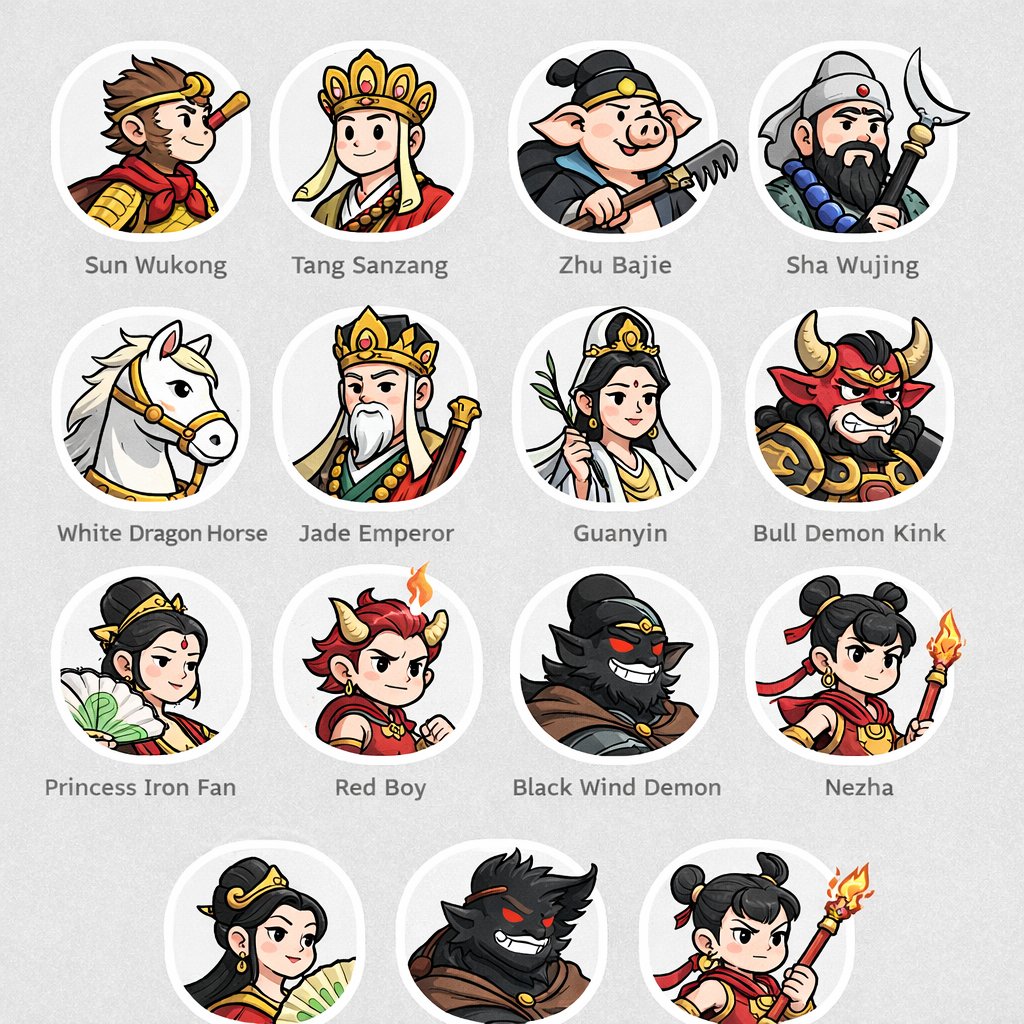
No. 1: 프로필 / 아바타 - Mythological Character Avatar Grid


📖 설명
Generates a grid of cartoon-style circular character avatars with text labels, ideal for UI mockups or cast lists.
📝 프롬프트
{
  "type": "character avatar grid",
  "theme": "{argument name=\"theme\" default=\"Journey to the West mythology\"}",
  "style": "{argument name=\"art style\" default=\"clean 2D cartoon vector illustration, thick outlines, flat colors\"}",
  "layout": {
    "background": "{argument name=\"background color\" default=\"light gray\"} subtle texture",
    "format": "grid of circular portraits with text labels centered below each circle",
    "rows": [
      {
        "count": 4,
        "items": [
          {"label": "Sun Wukong", "description": "monkey boy with golden headband and red scarf"},
          {"label": "Tang Sanzang", "description": "monk with ornate golden crown"},
          {"label": "Zhu Bajie", "description": "pig man holding a rake"},
          {"label": "Sha Wujing", "description": "bearded man holding a crescent moon staff"}
        ]
      },
      {
        "count": 4,
        "items": [
          {"label": "White Dragon Horse", "description": "white horse with golden bridle"},
          {"label": "Jade Emperor", "description": "older man with white beard and golden crown"},
          {"label": "Guanyin", "description": "goddess holding a willow branch"},
          {"label": "Bull Demon Kink", "description": "fierce bull demon in armor"}
        ]
      },
      {
        "count": 4,
        "items": [
          {"label": "Princess Iron Fan", "description": "woman holding a green palm leaf fan"},
          {"label": "Red Boy", "description": "boy with red hair, horns, and a small flame"},
          {"label": "Black Wind Demon", "description": "dark shadowy demon with glowing red eyes"},
          {"label": "Nezha", "description": "boy with double hair buns holding a flaming spear"}
        ]
      },
      {
        "count": 3,
        "description": "partial row repeating Princess Iron Fan, Black Wind Demon, and Nezha, slightly cropped at the bottom"
      }
    ]
  }
}
🖼️ 생성된 이미지
Image 1
📌 상세 정보
- 작성자: wm
- 출처: Twitter Post
- 게시일: 2026년 4월 18일
- 언어: en
No. 2: 프로필 / 아바타 - Sci-Fi Commander Hologram Interaction
📖 설명
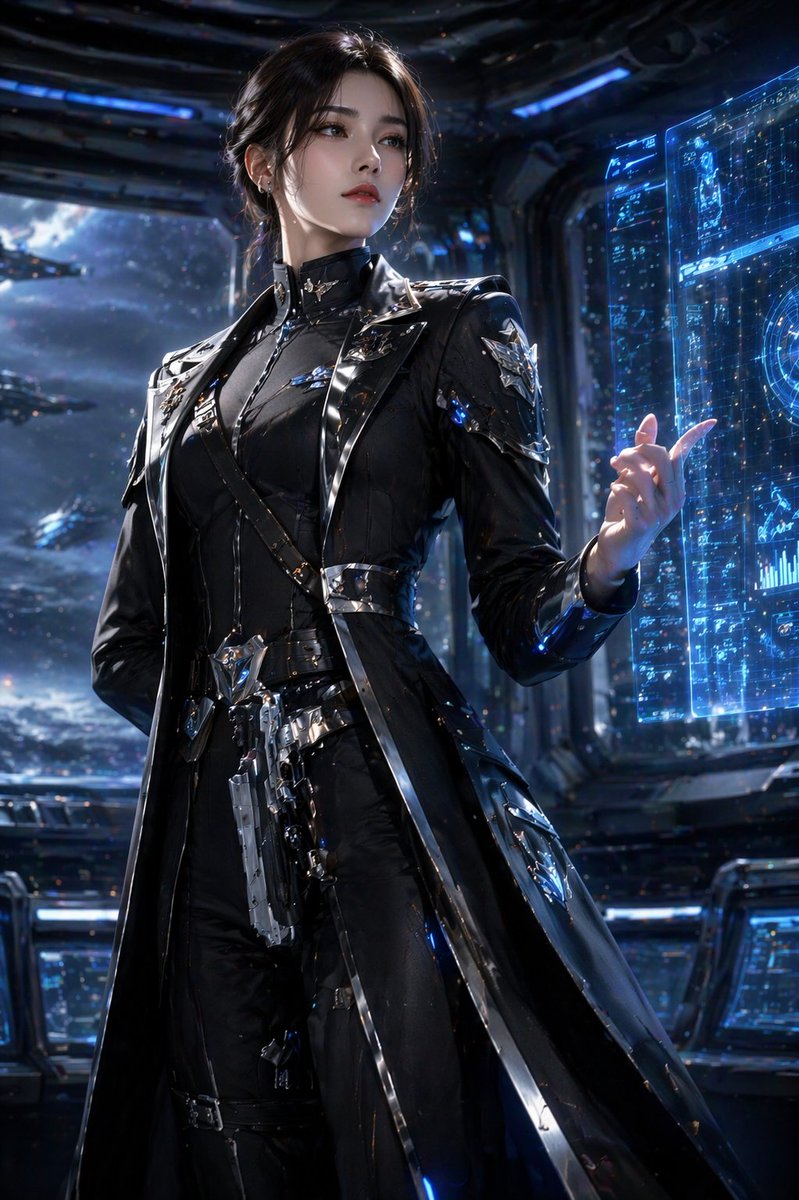
A photorealistic portrait of a sci-fi character interacting with a holographic interface on a starship bridge.
📝 프롬프트
A highly detailed, photorealistic portrait of a {argument name="character description" default="young woman with dark hair in an elegant updo"}. She is wearing a {argument name="outfit" default="sleek, futuristic black trench coat uniform with intricate silver metallic armor accents, straps, and a holstered sci-fi pistol"}. She stands confidently, raising one hand with gracefully posed fingers to interact with a {argument name="technology" default="glowing blue holographic data interface"}. The setting is the {argument name="environment" default="dimly lit bridge of a starship"}, with large observation windows in the background revealing a {argument name="background scene" default="vast space fleet cruising through a starry nebula"}. Cinematic lighting, sharp focus, 8k resolution, sci-fi concept art style, dramatic shadows, cool blue color palette.
🖼️ 생성된 이미지
Image 1
📌 상세 정보
- 작성자: Daniel
- 출처: Twitter Post
- 게시일: 2026년 4월 16일
- 언어: en
No. 3: 프로필 / 아바타 - 우아하고 사실적인 여성 인물 사진
📖 설명
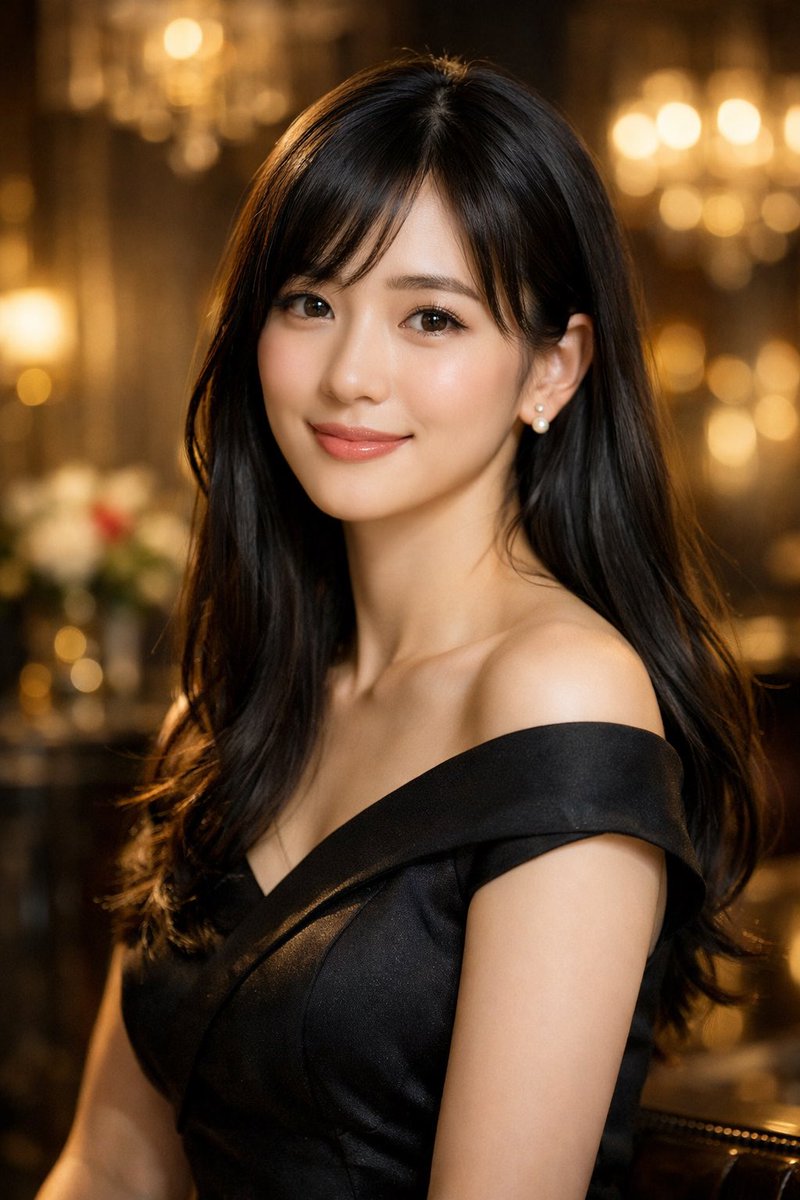
따뜻한 보케 조명이 있는 격식 있는 분위기 속에서 우아하고 매우 사실적인 여성 인물 사진을 생성합니다.
📝 프롬프트
{argument name="hair style" default="앞머리가 있는 긴 웨이브 흑발"}을 한 {argument name="subject description" default="아름다운 젊은 아시아 여성"}의 사실적인 인물 사진입니다. 그녀는 {argument name="clothing" default="우아한 블랙 오프숄더 새틴 드레스"}와 진주 귀걸이를 착용하고 있으며, 부드러운 미소와 은은한 메이크업을 하고 있습니다. 배경은 {argument name="background setting" default="따뜻하게 빛나는 보케 조명이 있는 우아한 실내 공간"}입니다. 영화 같은 조명, 얕은 피사계 심도, 매우 정교한 디테일.
🖼️ 생성된 이미지
Image 1
📌 상세 정보
- 작성자: かず|SE×AI副業
- 출처: Twitter Post
- 게시일: 2026년 4월 16일
- 언어: en
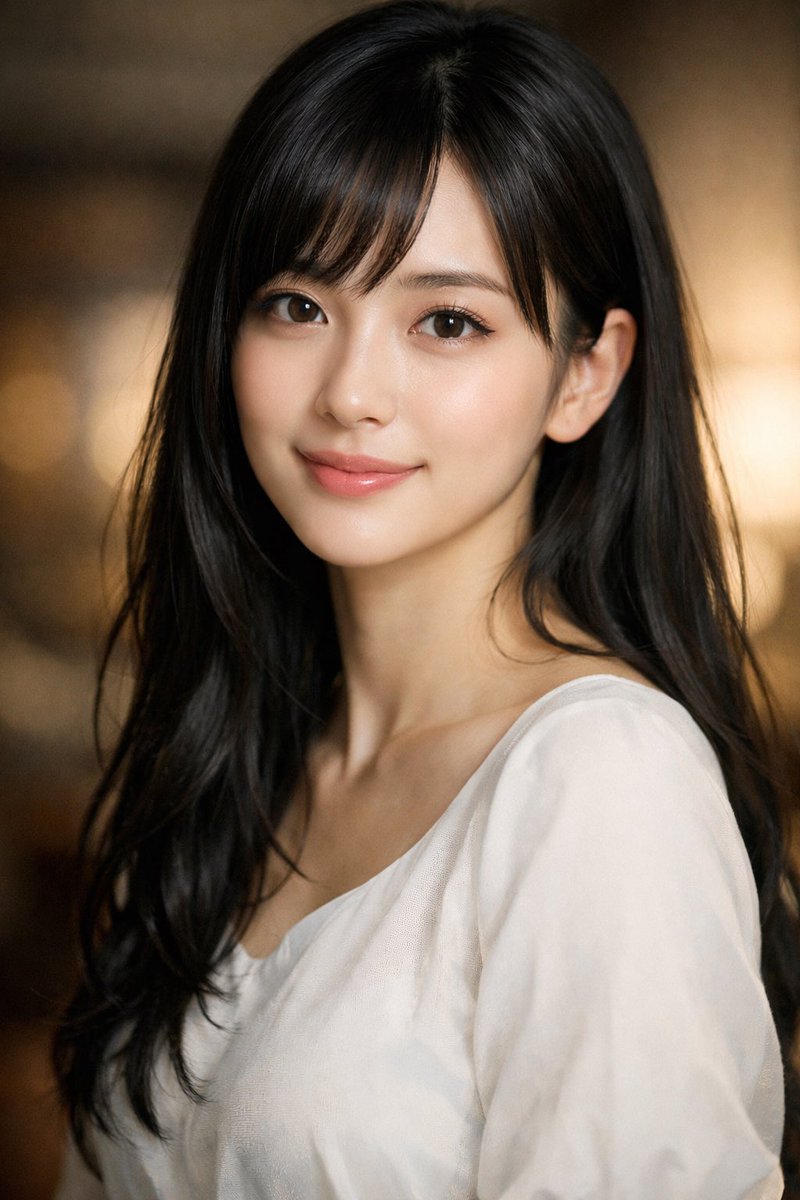
No. 4: 프로필 / 아바타 - 젊은 여성의 실사 같은 인물 사진
📖 설명
사용자 지정 가능한 특징과 배경을 갖춘 고품질의 실사 같은 젊은 여성의 클로즈업 인물 사진을 생성합니다.
📝 프롬프트
아름다운 젊은 {argument name="ethnicity" default="일본인"} 여성의 매우 상세하고 실사 같은 인물 사진입니다. 그녀는 {argument name="hair style" default="앞머리가 있는 긴 생머리"}를 하고 있으며, 결점 없는 밝은 피부와 큰 갈색 눈을 가지고 있습니다. {argument name="clothing" default="심플한 흰색 스쿱넥 블라우스"}를 입고 있으며, {argument name="expression" default="온화한 미소"}를 지으며 정면을 응시하고 있습니다. 조명은 부드럽고 인물을 돋보이게 하며, 얕은 피사계 심도와 {argument name="background" default="따뜻한 느낌의 흐릿한 보케"} 배경으로 영화 같은 분위기를 자아냅니다.
🖼️ 생성된 이미지
Image 1
📌 상세 정보
- 작성자: かず|SE×AI副業
- 출처: Twitter Post
- 게시일: 2026년 4월 16일
- 언어: en
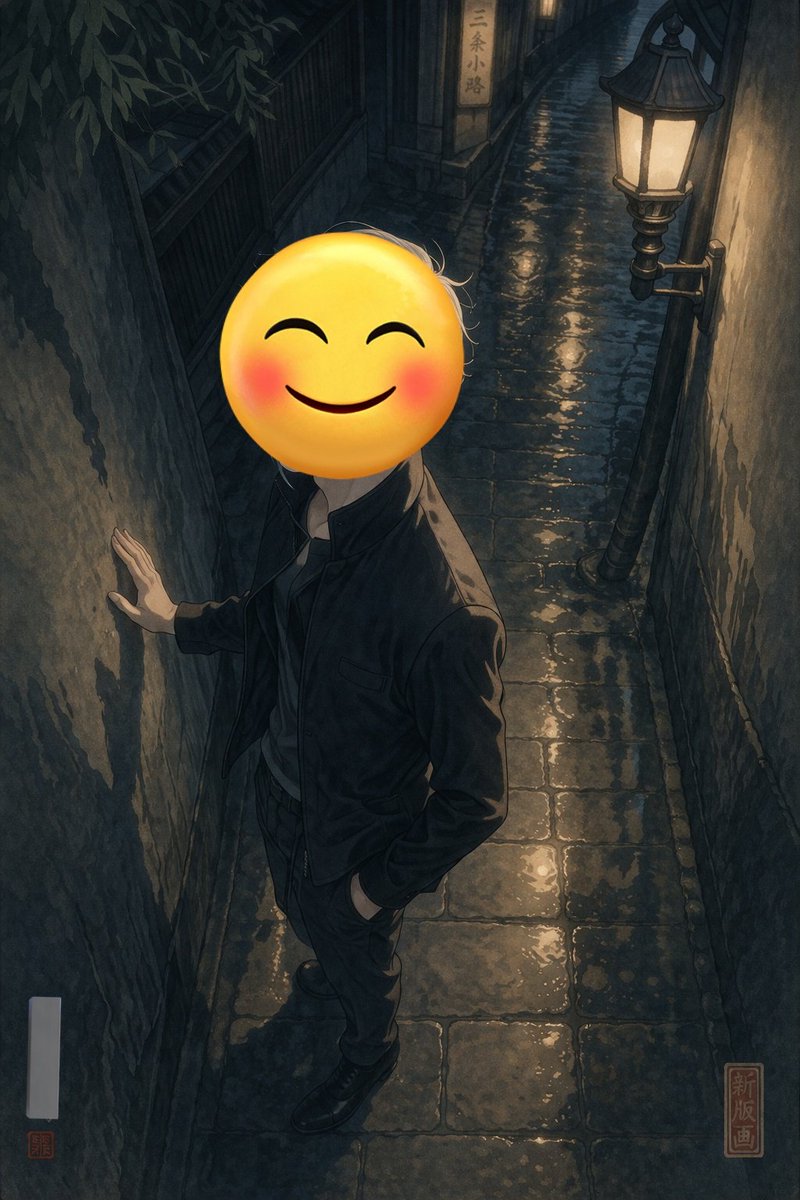
No. 5: 프로필 / 아바타 - 이모지 얼굴을 한 검은 옷의 인물
📖 설명
드라마틱한 조명 아래 이모지로 얼굴이 가려진, 세련된 옷차림의 인물이 벽에 기대어 있는 애니메이션 스타일의 일러스트를 생성합니다.
📝 프롬프트
{argument name="setting" default="햇살이 비치는 좁은 자갈길"}의 질감이 느껴지는 돌벽에 자연스럽게 기대어 있는 인물의 애니메이션 스타일 일러스트입니다. 인물은 {argument name="clothing" default="올 블랙 수트와 롱 코트"} 차림이며, 한 손은 턱 근처에 두고 다른 한 손은 주머니에 넣고 있습니다. 한쪽 다리를 들어 올려 검은색 구두를 돌 블록 위에 얹고 있습니다. 캐릭터의 얼굴은 {argument name="face covering" default="크고 얼굴이 붉어진 노란색 스마일 이모지"}로 완전히 가려져 있습니다. 주변 나뭇잎 사이로 비치는 {argument name="lighting" default="대비가 강한 얼룩덜룩한 햇살"}이 드라마틱한 분위기를 연출하며, 어두운 옷감과 거친 벽면에 날카롭고 복잡한 그림자를 드리웁니다. 전체적으로 세련되고 신비로운 분위기를 자아내며, 따뜻한 골든 아워 색감을 사용했습니다.
🖼️ 생성된 이미지
Image 1
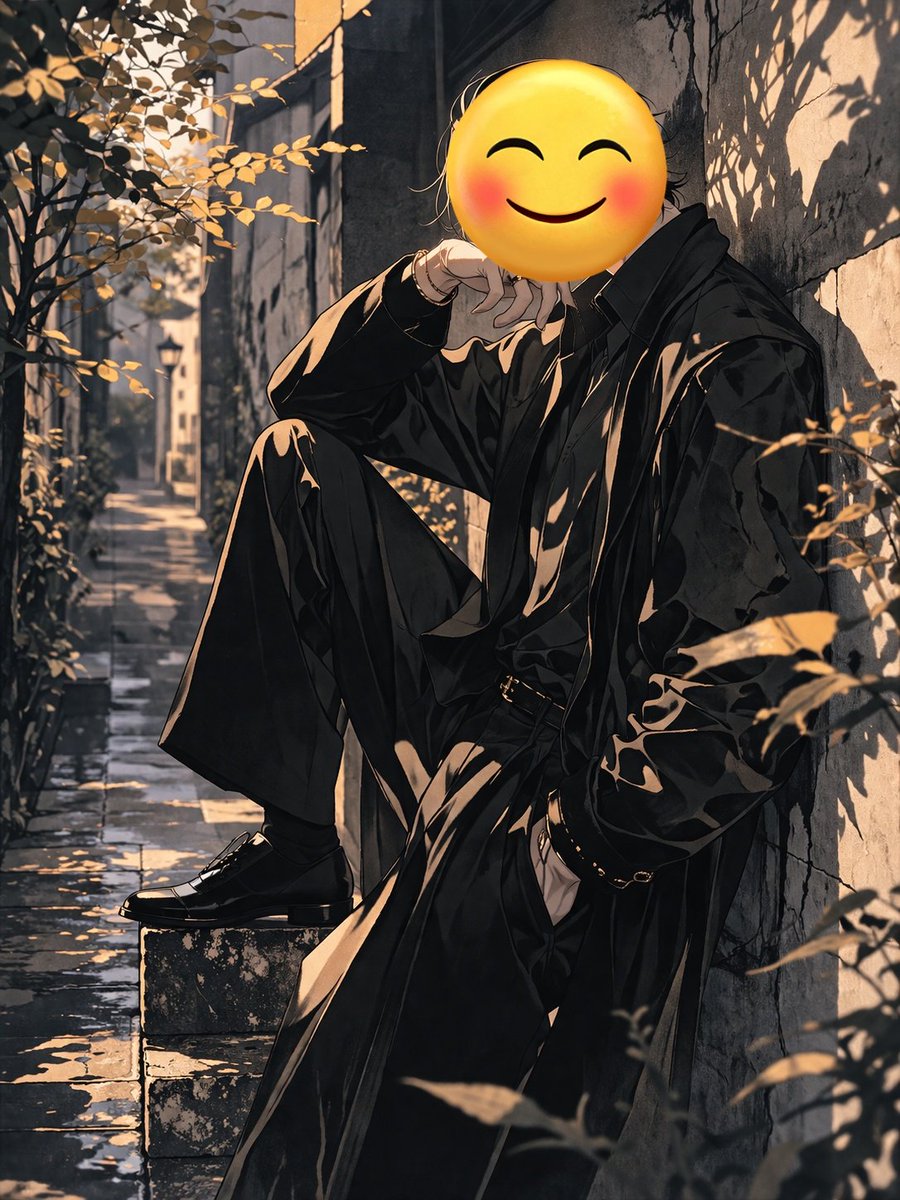
Image 2
📌 상세 정보
- 작성자: なこ/ChatGPT沼
- 출처: Twitter Post
- 게시일: 2026년 4월 15일
- 언어: en
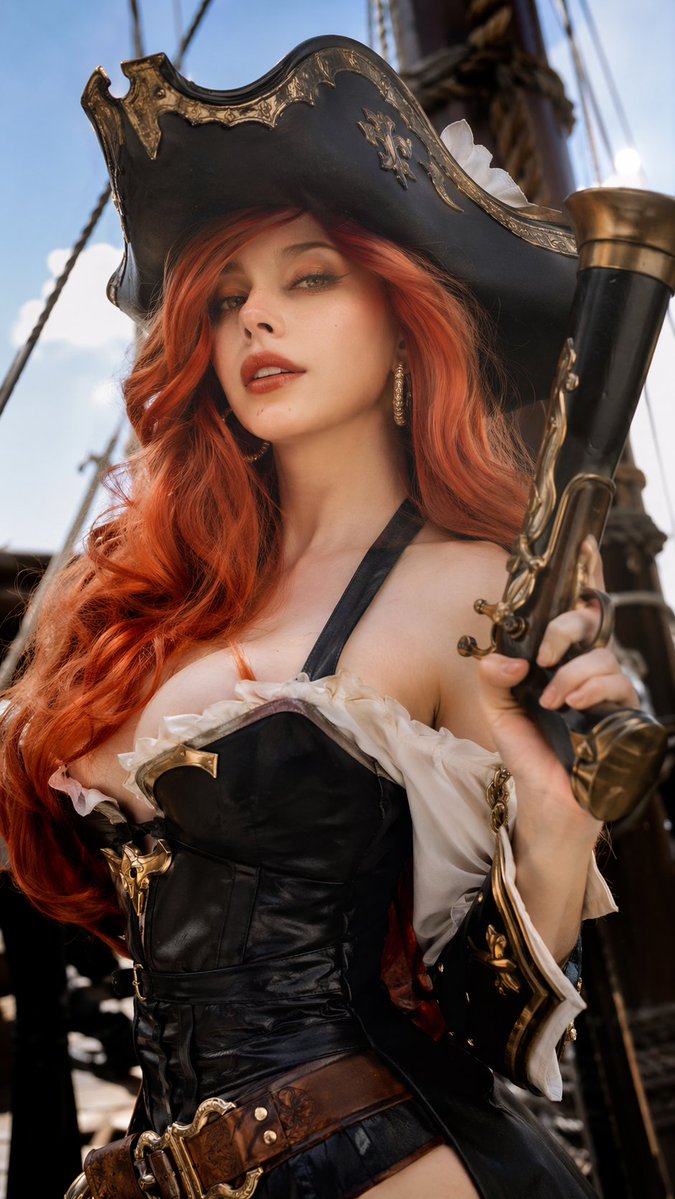
No. 6: 프로필 / 아바타 - 실사 같은 리그 오브 레전드 코스프레

📖 설명
리그 오브 레전드 코스플레이어, 특히 미스 포츈을 주제로 한 초고화질 실사 이미지 생성 프롬프트입니다. AI 이미지 특유의 인위적인 느낌을 배제하고 전문적인 하이엔드 리터칭 품질을 강조합니다.
📝 프롬프트
리그 오브 레전드 코스플레이어, 이번에는 {argument name="character" default="미스 포츈 현상금 사냥꾼 사라"} 코스프레를 하고 있습니다. {argument name="facial features" default="프랑스 여성의 얼굴"}. 비율 {argument name="aspect ratio" default="9:16"}
🖼️ 생성된 이미지
Image 1
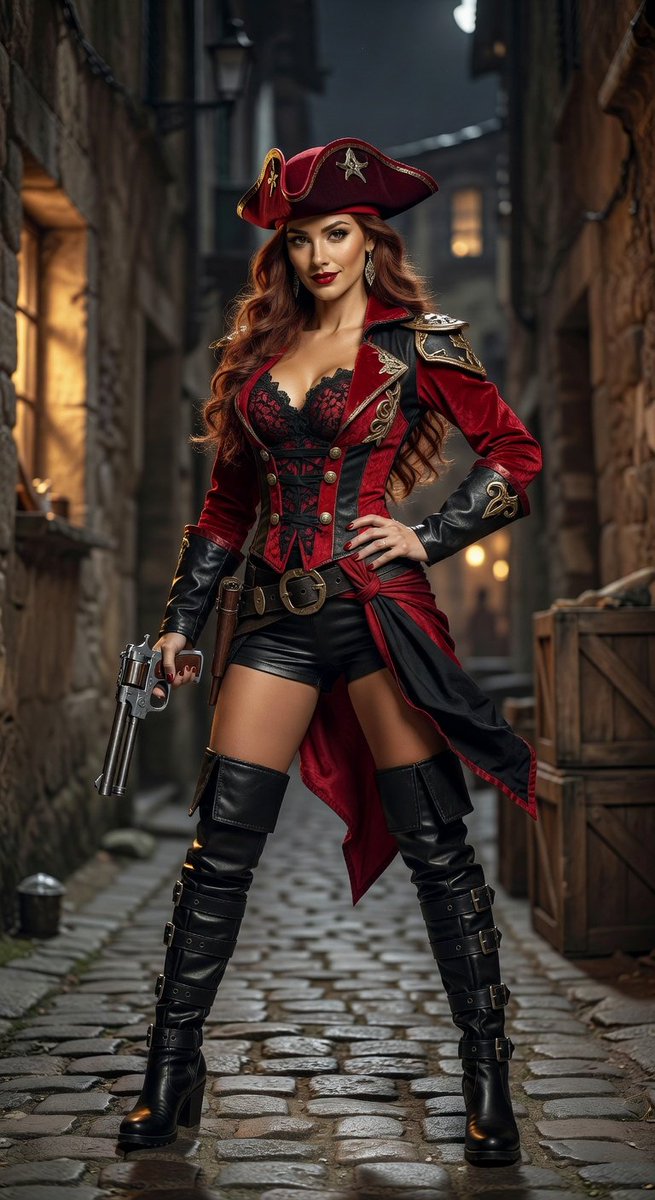
Image 2
📌 상세 정보
- 작성자: Jack Ma-e/acc
- 출처: Twitter Post
- 게시일: 2026년 4월 15일
- 언어: zh
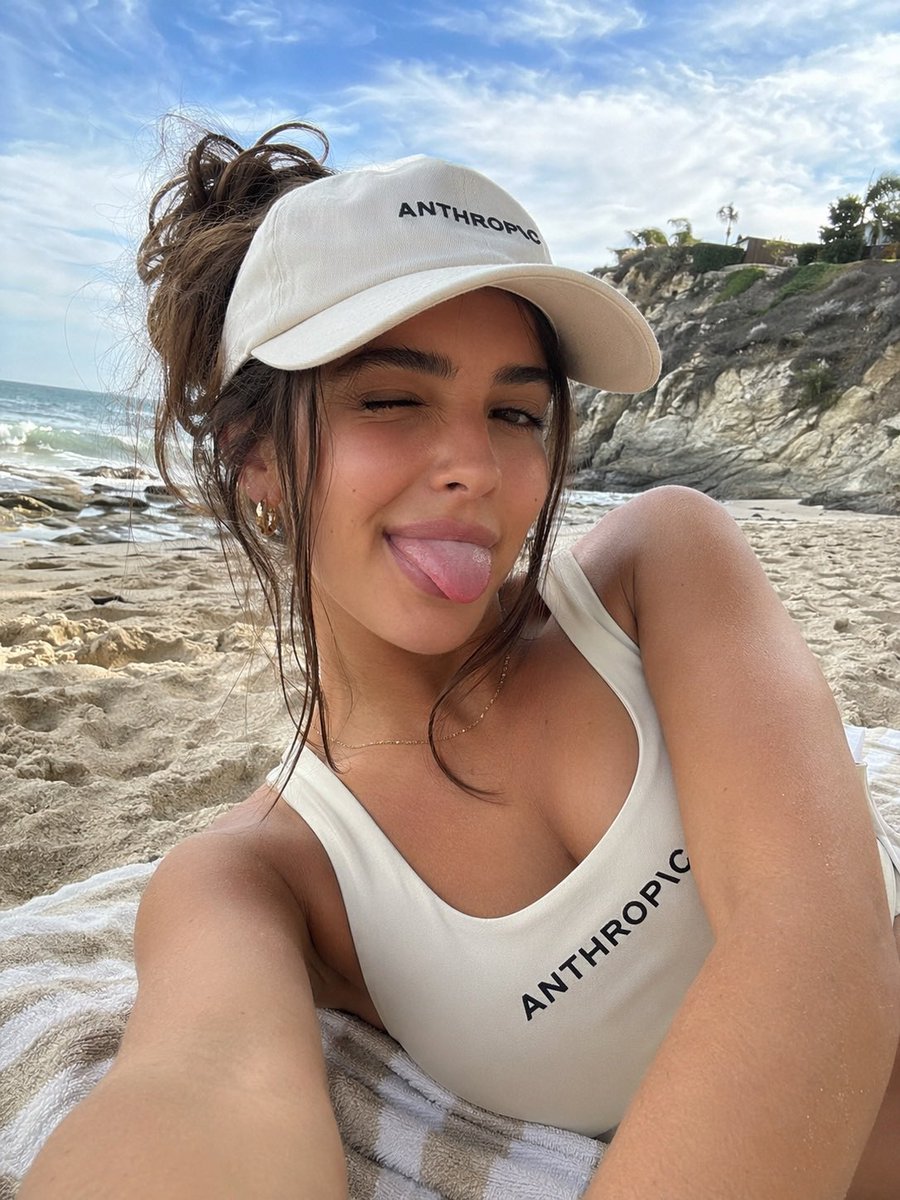
No. 7: 프로필 / 아바타 - 브랜드 로고가 포함된 해변 셀카
📖 설명
커스텀 브랜드 의류를 착용한 사람이 해변에서 찍은 듯한 사실적인 셀카를 생성합니다.
📝 프롬프트
{argument name="location" default="배경에 바다 파도와 바위 절벽이 있는 모래사장"} 위 줄무늬 비치 타월에 누워 있는 {argument name="subject description" default="태닝한 피부와 갈색 머리를 대충 묶은 젊은 여성"}의 사실적인 셀카입니다. 그녀는 카메라를 향해 {argument name="facial expression" default="윙크하며 장난스럽게 혀를 내밀고"} 있습니다. 그녀는 흰색 야구 모자와 흰색 스쿱넥 수영복을 착용하고 있으며, 두 제품 모두 굵은 검은색 글씨로 "{argument name="brand text" default="ANTHROPIC"}"이라는 단어가 새겨져 있습니다. 작은 금색 링 귀걸이와 얇은 금색 목걸이를 착용하고 있습니다. 밝고 화창한 조명 아래, 푸른 하늘과 흩어진 구름이 어우러져 캐주얼하고 자연스러운 여름날의 분위기를 자아냅니다.
🖼️ 생성된 이미지
Image 1
📌 상세 정보
- 작성자: Tensor
- 출처: Twitter Post
- 게시일: 2026년 4월 15일
- 언어: en
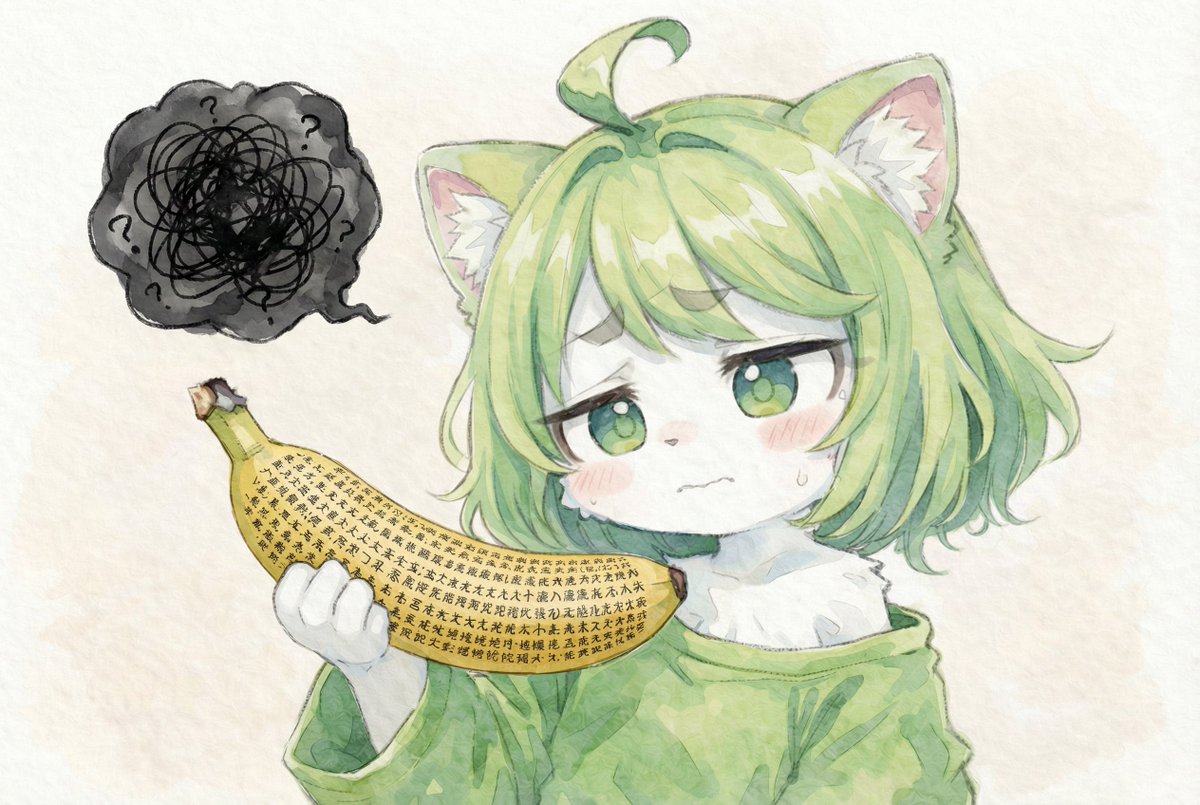
No. 8: 프로필 / 아바타 - 텍스트로 뒤덮인 바나나를 들고 당황한 고양이 소녀
📖 설명
빽빽한 텍스트로 뒤덮인 바나나를 들고 있는 의인화된 캐릭터의 수채화풍 일러스트를 생성합니다. 초현실적이거나 유머러스한 애니메이션 아트에 적합합니다.
📝 프롬프트
{argument name="art style" default="질감이 느껴지는 종이 위의 수채화 일러스트"} 스타일로, 짧은 {argument name="hair color" default="연두색"} 머리카락과 솜털이 보송한 고양이 귀, 커다란 녹색 눈을 가진 {argument name="character species" default="하얀 털의 고양이 소녀"}를 묘사합니다. 그녀는 오버사이즈 녹색 스웨터를 입고 있으며, {argument name="expression" default="식은땀을 흘리며 당황하고 곤란해하는 표정"}을 짓고 있습니다. 그녀는 {argument name="prop text" default="반야심경을 연상시키는 빽빽한 검은색 한자"}로 완전히 뒤덮인 노란색 바나나를 들고 있습니다. 왼쪽 상단에는 검은색 선이 엉켜 있고 물음표 3개가 그려진 어둡고 낙서 같은 생각 풍선이 떠 있습니다.
🖼️ 생성된 이미지
Image 1
📌 상세 정보
- 작성자: とらの
- 출처: Twitter Post
- 게시일: 2026년 4월 15일
- 언어: en
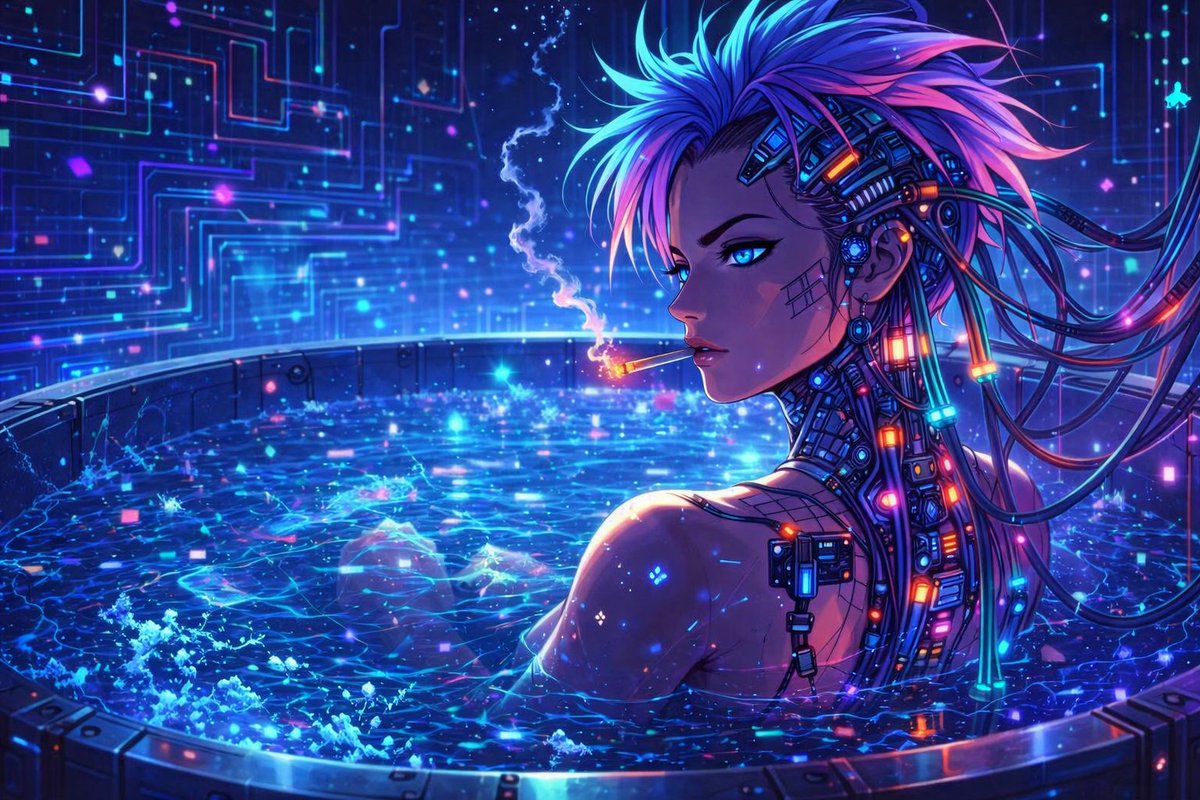
No. 9: 프로필 / 아바타 - 네온 욕조에 있는 사이버펑크 애니메이션 캐릭터
📖 설명
빛나는 하이테크 풀장에 있는 사이버네틱 강화 캐릭터의 생동감 넘치는 애니메이션 스타일 사이버펑크 일러스트를 생성합니다.
📝 프롬프트
디지털 네온 입자로 반짝이는 소용돌이치는 푸른 빛의 물이 가득 찬 원형 금속 욕조에서 휴식을 취하고 있는 사이버펑크 여성 캐릭터의 매우 상세한 애니메이션 스타일 디지털 일러스트입니다. 그녀는 뾰족한 {argument name="hair color" default="파란색과 보라색"} 머리카락과 {argument name="eye color" default="빛나는 파란색"} 눈을 가지고 있으며, 목과 머리 옆면에는 빛나는 케이블과 네온 노드가 연결된 복잡한 사이버네틱 임플란트가 있습니다. 뺨에는 미세한 격자무늬가 보입니다. 그녀는 {argument name="activity" default="담배를 피우며"} 어깨 너머를 바라보고 있고, 가늘고 빛나는 연기 자국이 공중으로 피어오릅니다. 배경은 빛나는 {argument name="background color scheme" default="파란색과 보라색"} 회로 기판 패턴으로 조명된 어두운 하이테크 벽이 특징이며, 강렬한 네온 조명으로 생동감 넘치는 사이버펑크 미학을 강조합니다.
🖼️ 생성된 이미지
Image 1
📌 상세 정보
- 작성자: Binary Rot
- 출처: Twitter Post
- 게시일: 2026년 4월 13일
- 언어: en
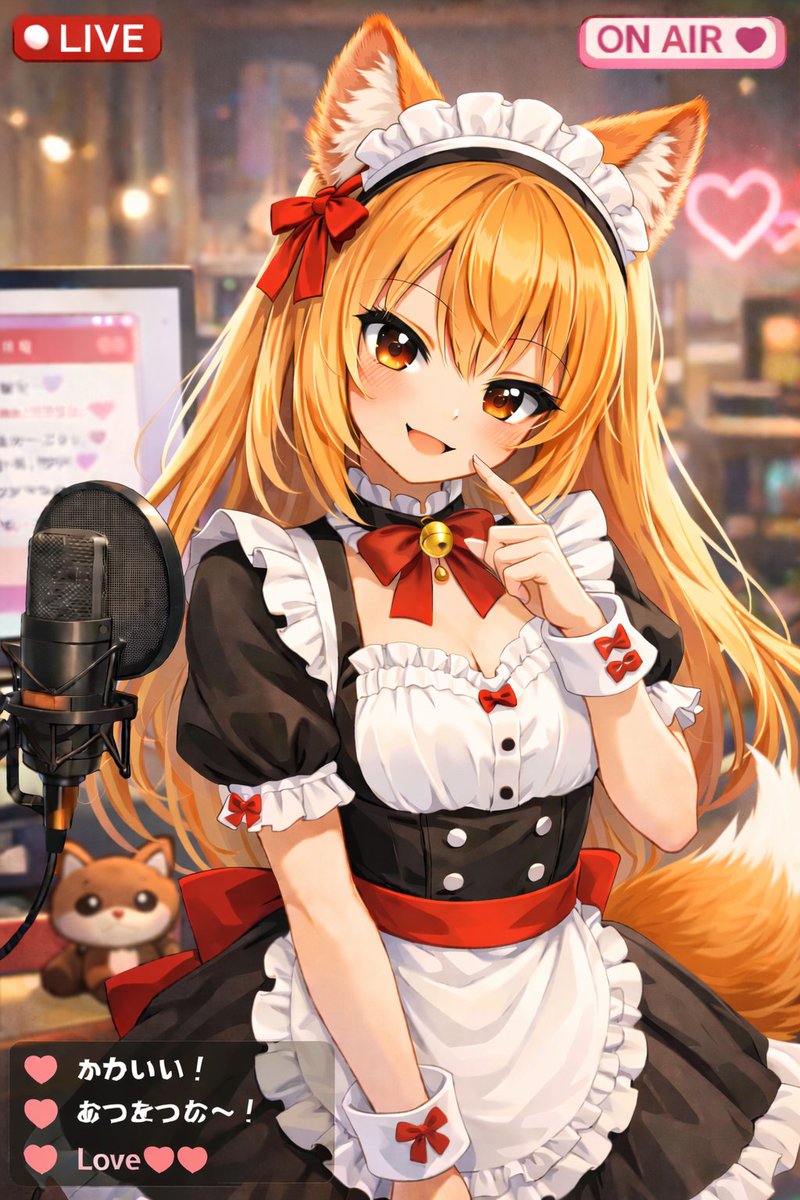
No. 10: 프로필 / 아바타 - 애니메이션 스타일 VTuber 라이브 스트리밍 오버레이
📖 설명
LIVE 배지와 채팅창 등 UI 오버레이가 포함된 애니메이션 스타일의 VTuber 스트리밍 일러스트를 생성합니다.
📝 프롬프트
라이브 스트리밍 중인 귀여운 {argument name="animal type" default="너구리"} 소녀 VTuber의 애니메이션 스타일 일러스트입니다. 그녀는 어두운 피부톤에 짧은 흰색 단발머리, 복슬복슬한 갈색 동물 귀, 크고 갈색인 눈, 그리고 줄무늬가 있는 복슬복슬한 꼬리를 가지고 있습니다. 입을 벌리고 행복하게 웃으며 왼손으로 카메라를 향해 손을 흔들고 있습니다. 프릴 장식이 달린 흑백 메이드 복장을 하고 있으며, 연두색 허리띠가 있는 흰색 앞치마와 금색 종이 달린 녹색 리본 초커를 착용했습니다. 배경은 보케 효과가 들어간 아늑하고 부드러운 조명의 방이며, 벽에는 빛나는 분홍색 네온 하트가 있습니다. 그녀의 왼쪽에는 스탠드형 전문 블랙 스튜디오 마이크가 있고, 그 뒤에는 분홍색 채팅 인터페이스가 표시된 컴퓨터 모니터가 있습니다. 마이크 옆 책상 위에는 작은 {argument name="plushie type" default="너구리 인형"}이 놓여 있습니다. 이미지에는 3개의 고유한 요소로 구성된 스트리밍 UI 오버레이가 포함되어 있습니다. 왼쪽 상단에는 "{argument name="top left badge" default="LIVE"}"라고 적힌 빨간색 배지가, 오른쪽 상단에는 하트 아이콘과 함께 "{argument name="top right badge" default="ON AIR"}"라고 적힌 분홍색 배지가 있으며, 왼쪽 하단에는 3개의 메시지가 포함된 반투명한 짙은 회색 채팅창이 있습니다. 첫 번째 메시지는 녹색 하트와 "Cute!"라는 텍스트, 두 번째 메시지는 녹색 하트와 "Warm~!"이라는 텍스트, 세 번째 메시지는 두 개의 녹색 하트와 함께 "{argument name="chat message" default="Love"}"라고 적혀 있습니다.
🖼️ 생성된 이미지
Image 1
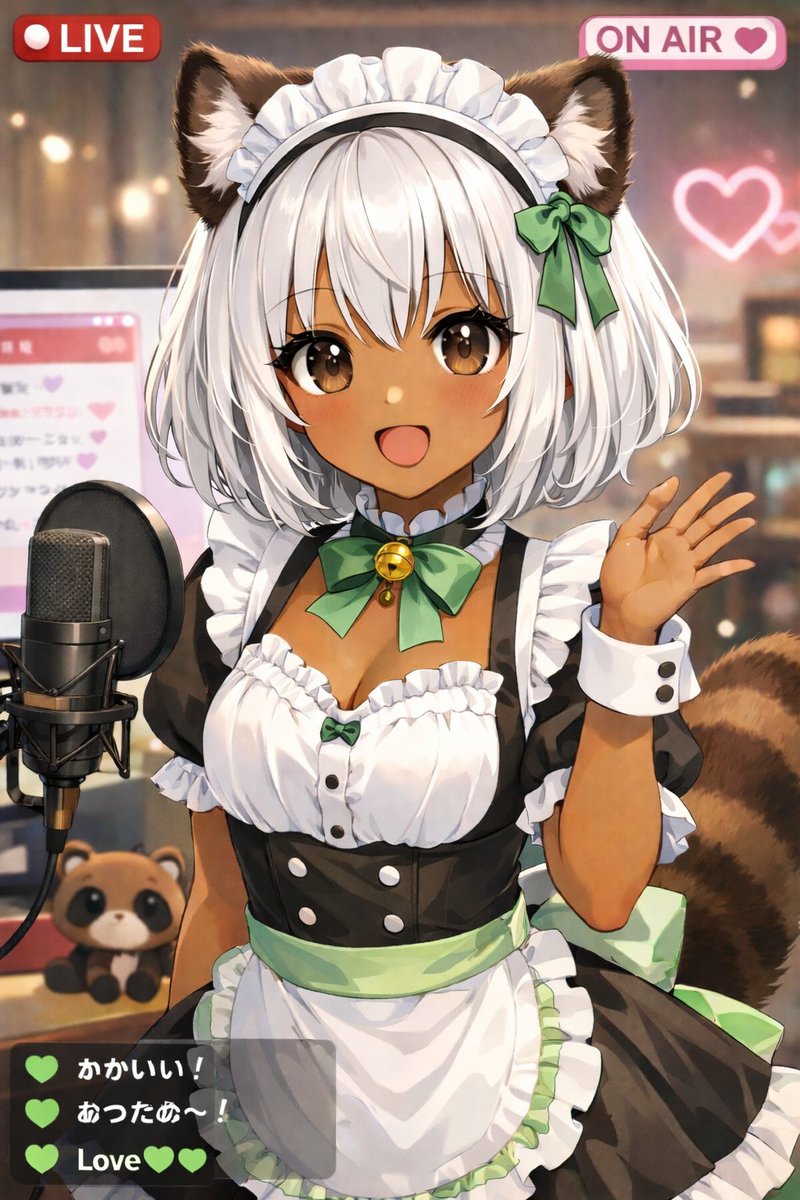
Image 2
📌 상세 정보
- 작성자: しーげっちは自分で描いた絵を動かしたい
- 출처: Twitter Post
- 게시일: 2026년 4월 13일
- 언어: en
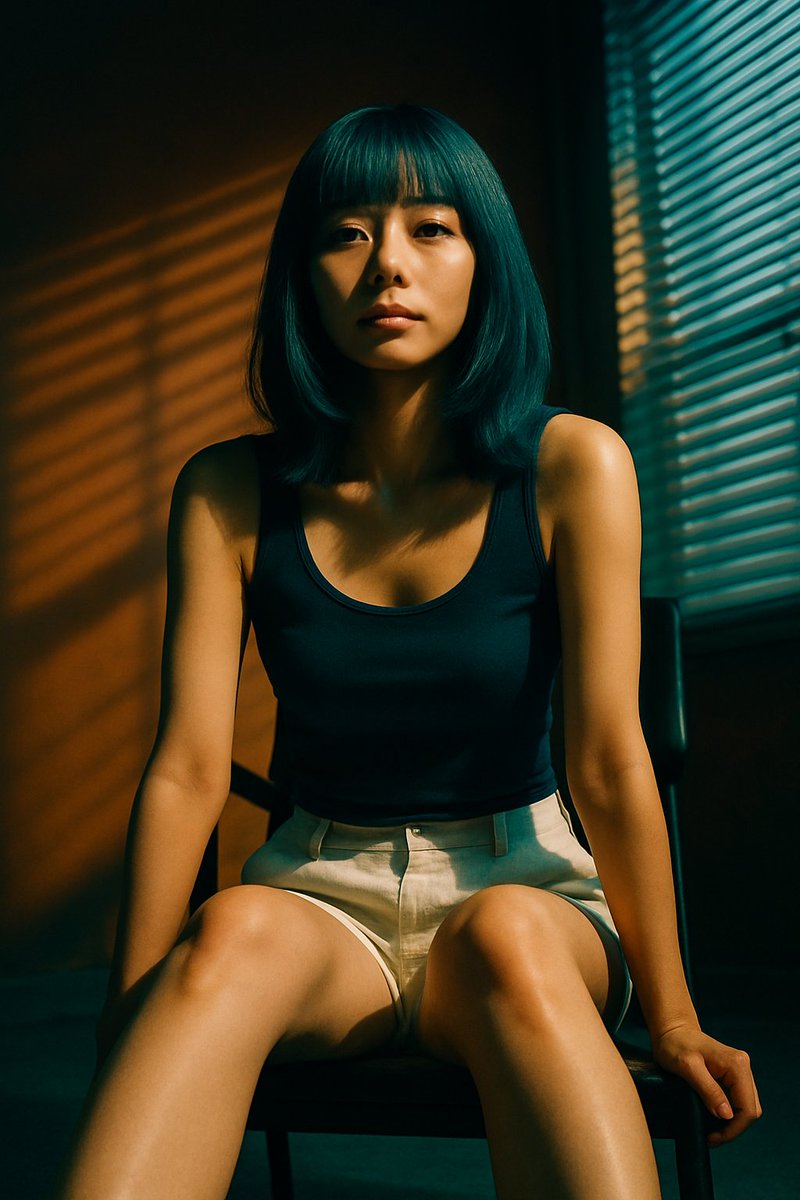
No. 11: 프로필 / 아바타 - 블라인드 그림자가 드리워진 영화 같은 인물 사진
📖 설명
창문 블라인드로 인해 생기는 드라마틱한 그림자와 조명을 활용하여, 앉아 있는 인물을 사실적으로 묘사한 인물 사진을 생성합니다.
📝 프롬프트
어두운 의자에 앉아 있는 젊은 동양 여성의 사실적이고 영화 같은 인물 사진입니다. 어깨 길이의 단발머리에 일자 앞머리를 하고 있으며 머리 색상은 {argument name="hair color" default="청록색"}입니다. {argument name="top clothing" default="네이비 블루 탱크톱"}과 {argument name="bottom clothing" default="연한 베이지색 린넨 반바지"}를 착용하고 있습니다. 몸을 살짝 앞으로 기울여 무릎 근처에 손을 얹고 있으며, {argument name="expression" default="무표정하고 차분한"} 표정으로 카메라를 정면으로 응시하고 있습니다. {argument name="lighting style" default="베네치안 블라인드로 인한 드라마틱한 그림자"}가 특징이며, 얼굴과 몸, 그리고 뒤쪽의 따뜻한 색감의 벽면에 뚜렷한 가로 줄무늬의 황금빛 조명이 드리워져 있습니다. 프레임 오른쪽에는 블라인드가 쳐진 창문이 보입니다. 높은 대비, 분위기 있는 연출, 매우 정교한 디테일.
🖼️ 생성된 이미지
Image 1
📌 상세 정보
- 작성자: 栗
- 출처: Twitter Post
- 게시일: 2026년 4월 13일
- 언어: en
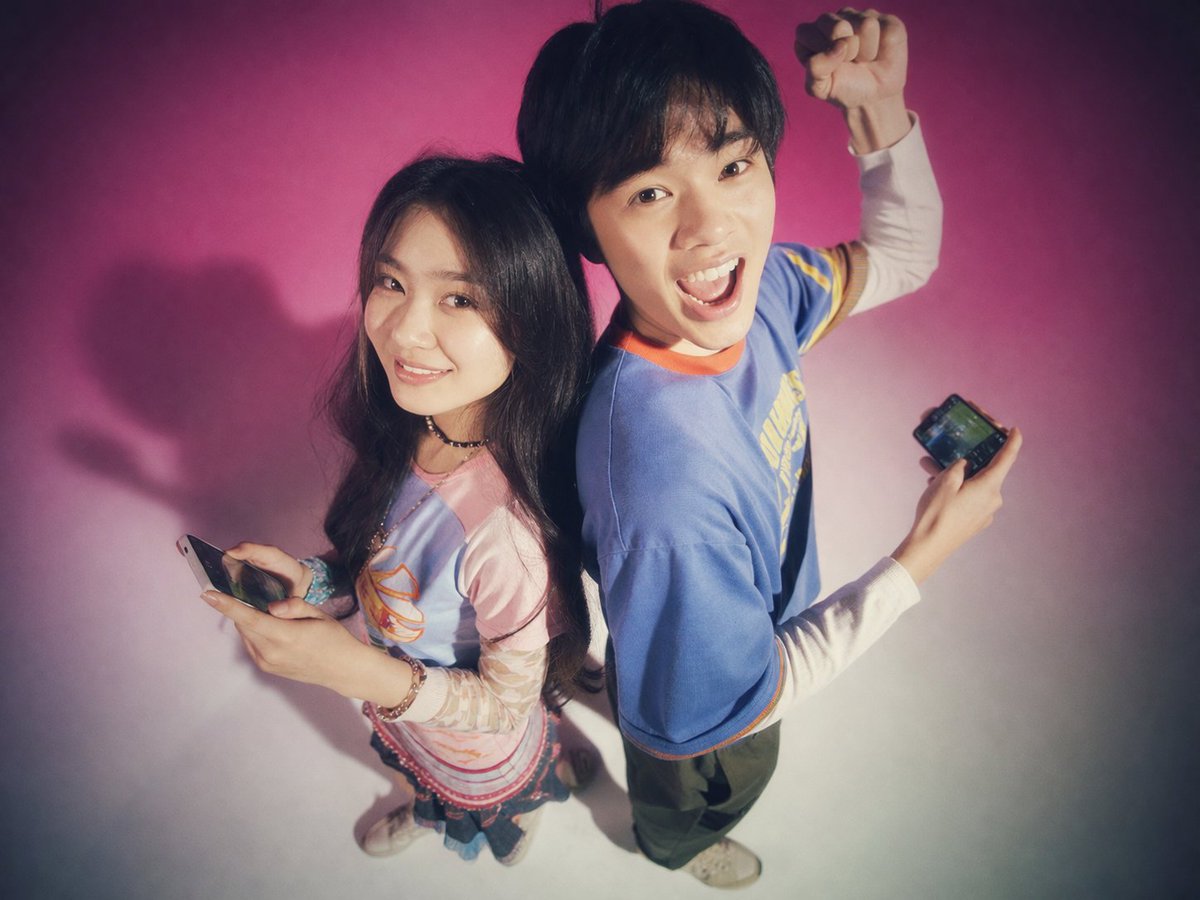
No. 12: 프로필 / 아바타 - Y2K 틴 매거진 스튜디오 포트레이트
📖 설명
스마트폰을 들고 등을 맞대고 있는 두 청년의 향수를 불러일으키는 소프트 포커스 스튜디오 포트레이트를 생성합니다. 레트로 패션이나 테크 라이프스타일 이미지에 완벽합니다.
📝 프롬프트
{argument name="background color" default="밝은 분홍색에서 흰색으로 이어지는 그라데이션"} 배경을 등지고 서 있는 두 명의 젊은 동아시아인 성인의 스튜디오 포트레이트입니다. 이 사진은 {argument name="photography style" default="소프트 포커스, 필름 그레인, 빛이 번지는 듯한 글로우 효과가 가미된 Y2K 감성의 90년대 틴 매거진 스타일"}을 특징으로 합니다. 왼쪽에는 긴 생머리의 젊은 여성이 카메라를 향해 부드럽게 미소 짓고 있습니다. 그녀는 {argument name="woman's outfit" default="분홍색 긴 소매 티셔츠 위에 겹쳐 입은 연두색 그래픽 티셔츠, 짧은 치마, 그리고 청키한 스니커즈"} 차림으로 손에 스마트폰을 들고 있습니다. 오른쪽에는 짧은 머리의 젊은 남성이 {argument name="man's expression" default="입을 벌린 채 신난 표정"}으로 한쪽 주먹을 공중으로 들어 올리고 있습니다. 그는 {argument name="man's outfit" default="노란색 테두리가 있는 헐렁한 보라색 티셔츠, 통이 넓은 청바지, 은색 체인 목걸이"}를 착용하고 있으며, 역시 스마트폰을 들고 있습니다. 카메라 앵글은 피사체를 약간 위에서 내려다보는 하이 앵글입니다.
🖼️ 생성된 이미지
Image 1
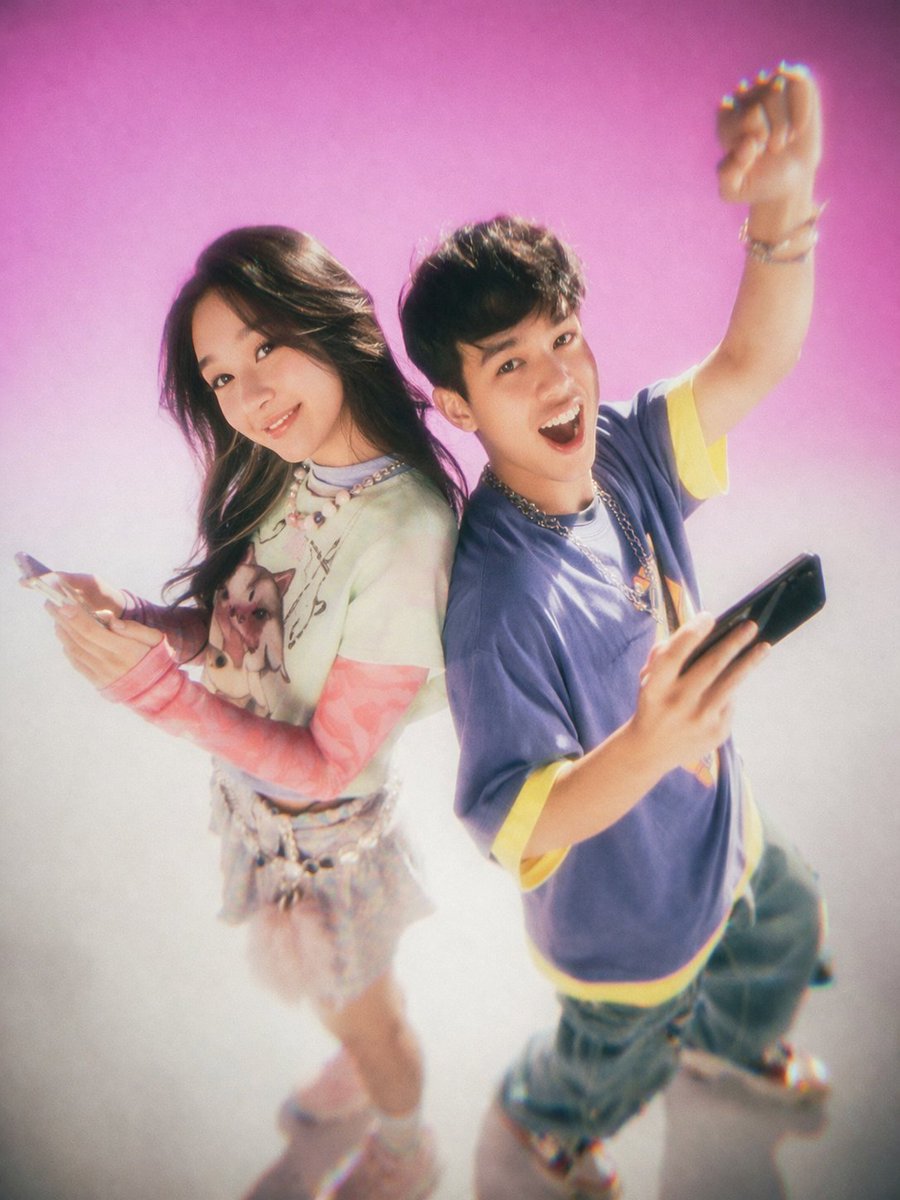
Image 2
📌 상세 정보
- 작성자: MiraiMosaic
- 출처: Twitter Post
- 게시일: 2026년 4월 13일
- 언어: en
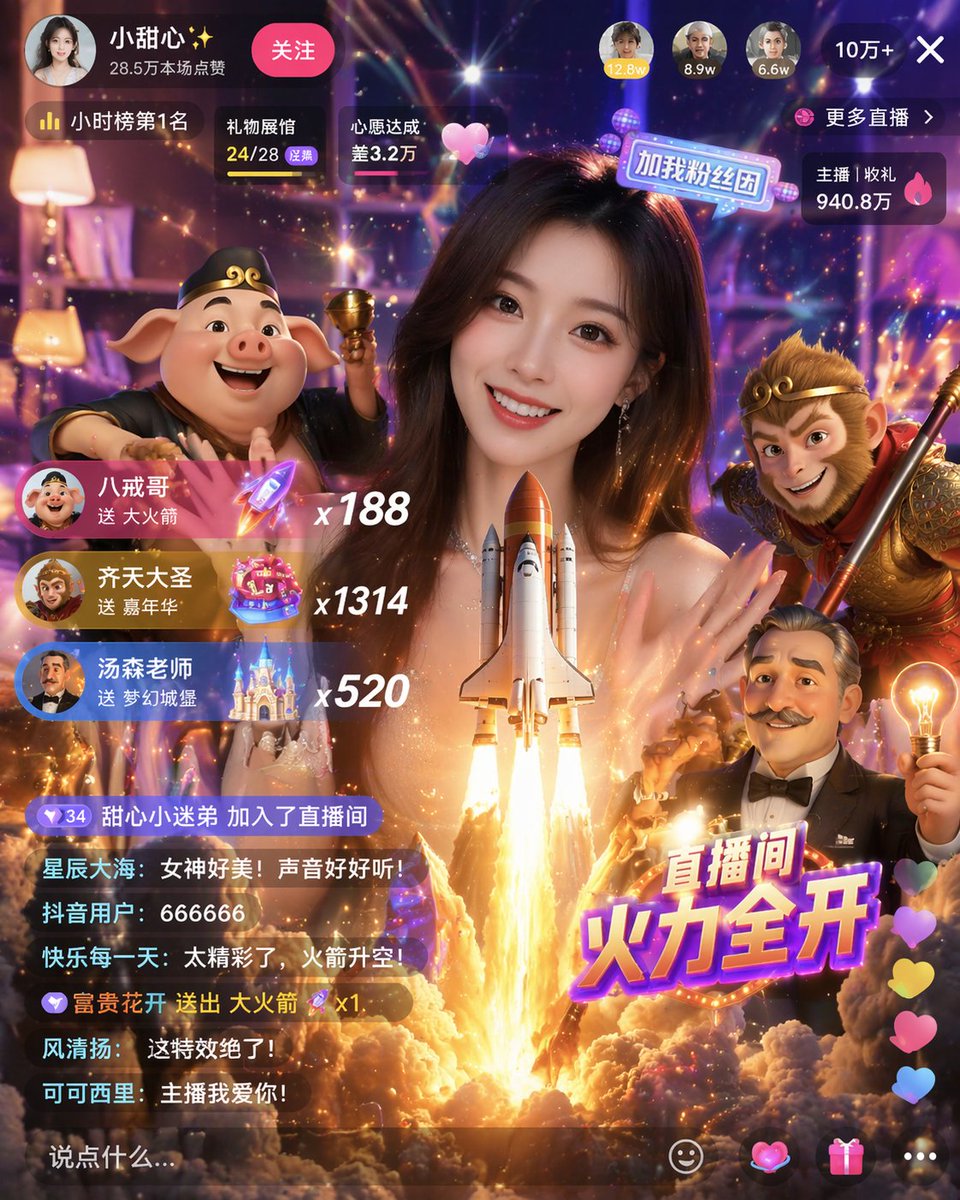
No. 13: 소셜 미디어 게시물 - Gamified Live Stream App Interface
📖 설명
Generates a highly detailed mobile live streaming interface featuring a host, 3D character avatars, virtual gift notifications, and a scrolling chat.
📝 프롬프트
{
  "type": "mobile live streaming app interface mockup",
  "main_subject": "beautiful young Asian woman smiling, wearing a sparkly top, looking directly at the camera",
  "foreground_3d_characters": {
    "left": "Zhu Bajie (pig demon) holding a golden bowl",
    "right": "Sun Wukong (Monkey King) holding a staff",
    "bottom_right": "cartoonish older man with a mustache holding a glowing lightbulb"
  },
  "center_effect": "large space shuttle launching upwards with bright fire and smoke, positioned in front of the woman's chest",
  "layout": {
    "top_bar": {
      "broadcaster_info": "avatar, name {argument name=\"broadcaster name\" default=\"小甜心✨\"}, stats '28.5万本场点赞', pink '关注' button",
      "top_viewers": "3 avatars with stats '12.8w', '8.9w', '6.6w', and a close button '10万+ X'",
      "status_badges": "labels '小时榜第1名', '礼物展馆 24/28', '心愿达成 差3.2万'",
      "right_stats": "labels '更多直播 >', '主播 | 收礼 940.8万'"
    },
    "middle_left_gift_notifications": {
      "count": 3,
      "items": [
        "avatar, name {argument name=\"gift sender 1\" default=\"八戒哥\"}, text '送 大火箭', rocket icon, multiplier 'x188'",
        "avatar, name {argument name=\"gift sender 2\" default=\"齐天大圣\"}, text '送 嘉年华', carnival icon, multiplier 'x1314'",
        "avatar, name {argument name=\"gift sender 3\" default=\"汤森老师\"}, text '送 梦幻城堡', castle icon, multiplier 'x520'"
      ]
    },
    "bottom_left_chat": {
      "count": 7,
      "messages": [
        "甜心小迷弟 加入了直播间",
        "星辰大海: 女神好美!声音好好听!",
        "抖音用户: 666666",
        "快乐每一天: 太精彩了,火箭升空!",
        "富贵花开 送出 大火箭 x1",
        "风清扬: 这特效绝了!",
        "可可西里: 主播我爱你!"
      ],
      "input_box": "text '说点什么...'"
    },
    "bottom_right_elements": {
      "large_graphic_text": "{argument name=\"main title graphic\" default=\"直播间 火力全开\"}",
      "floating_reactions": "column of colorful hearts",
      "action_icons": "4 icons: smiley face, heart, gift box, three dots"
    }
  }
}
🖼️ 생성된 이미지
Image 1
📌 상세 정보
- 작성자: Berryxia.AI
- 출처: Twitter Post
- 게시일: 2026년 4월 20일
- 언어: en
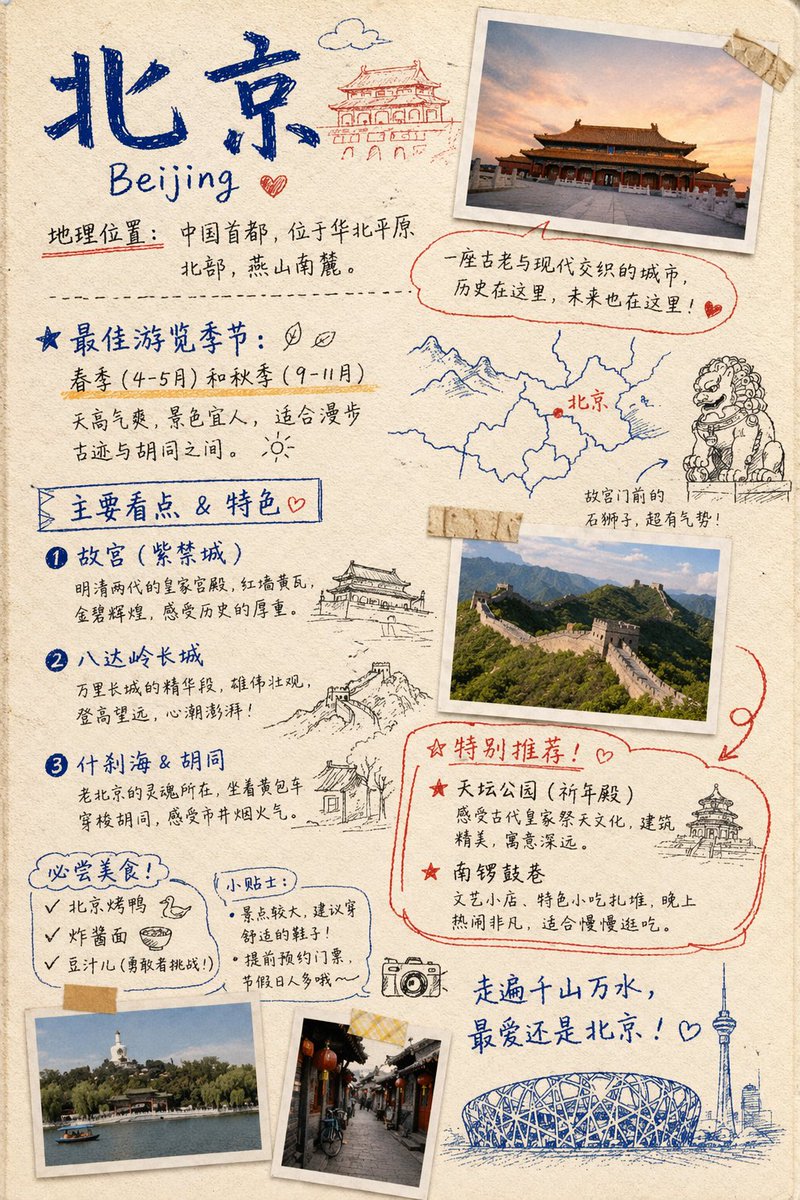
No. 14: 소셜 미디어 게시물 - Travel Journal Scrapbook Infographic
📖 설명
Generates a hand-drawn, bullet-journal style travel infographic featuring taped photos, sketch doodles, and categorized text sections for city guides.
📝 프롬프트
{ "type": "travel journal scrapbook page", "style": "hand-drawn bullet journal, textured beige paper background, blue and red ink handwriting, masking tape, polaroid-style photos, sketch doodles", "header": { "title": "{argument name=\"city name\" default=\"北京\"}", "subtitle": "{argument name=\"city name english\" default=\"Beijing\"}", "location_text": "地理位置:中国首都,位于华北平原北部,燕山南麓。", "doodle": "traditional Chinese gate building" }, "photos": { "count": 4, "descriptions": [ "Forbidden City at sunset with masking tape", "Great Wall of China landscape with masking tape", "Beihai Park with white stupa", "Traditional Hutong alleyway with red lanterns" ] }, "layout": { "sections": [ { "title": "最佳游览季节:", "position": "mid-left", "labels": [ "春季 (4-5月) 和秋季 (9-11月)" ], "doodles": [ "two leaves", "sun" ] }, { "title": "Map and Lion", "position": "mid-right", "labels": [ "北京", "故宫门前的石狮子,超有气势!" ], "doodles": [ "map with red dot", "stone guardian lion" ] }, { "title": "主要看点 & 特色", "position": "left-middle", "count": 3, "labels": [ "{argument name=\"main attraction 1\" default=\"故宫 (紫禁城)\"}", "{argument name=\"main attraction 2\" default=\"八达岭长城\"}", "什刹海 & 胡同" ], "doodles": [ "traditional pavilion", "Great Wall segment", "traditional house" ] }, { "title": "特别推荐!", "position": "bottom-right", "count": 2, "labels": [ "天坛公园 (祈年殿)", "南锣鼓巷" ], "doodles": [ "Temple of Heaven" ], "style": "outlined in red ink" }, { "title": "必尝美食!", "position": "bottom-left", "count": 3, "labels": [ "{argument name=\"must try food 1\" default=\"北京烤鸭\"}", "炸酱面", "豆汁儿 (勇敢者挑战!)" ], "doodles": [ "duck head", "bowl of noodles" ] }, { "title": "小贴士:", "position": "bottom-left-center", "count": 2, "labels": [ "景点较大,建议穿舒适的鞋子!", "提前预约门票,节假日人多哦~" ] } ], "footer": { "quote": "走遍千山万水,最爱还是北京!", "doodles": [ "camera", "Bird's Nest stadium", "CCTV tower skyline" ] } } }
🖼️ 생성된 이미지
Image 1
📌 상세 정보
- 작성자: Nolan
- 출처: Twitter Post
- 게시일: 2026년 4월 19일
- 언어: en
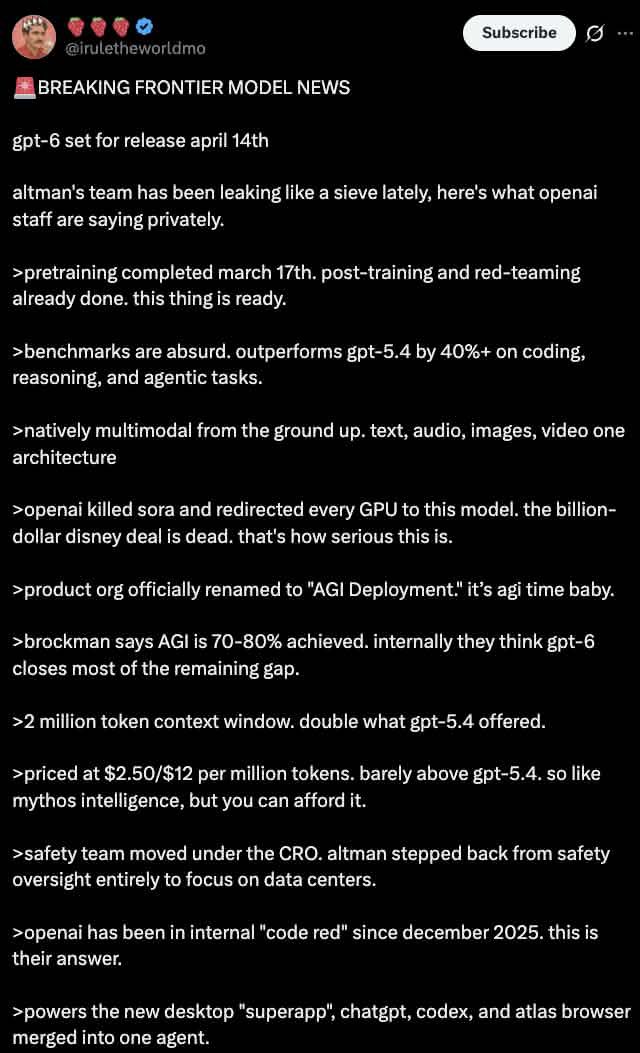
No. 15: 소셜 미디어 게시물 - Dark Mode X Post Mockup
📖 설명
Generates a realistic dark mode Twitter/X post screenshot featuring a long list of greentext-style bullet points.
📝 프롬프트
A dark mode screenshot of an X post. The profile features a man with a mustache in a red shirt and crown, username {argument name="username" default="@iruletheworldmo"} with three strawberry emojis and a blue checkmark. Top right has a "Subscribe" button. The tweet text begins with {argument name="headline" default="🚨 BREAKING FRONTIER MODEL NEWS"} followed by {argument name="subheadline" default="gpt-6 set for release april 14th"} and a short intro about OpenAI leaks. Below are exactly 11 bullet points, each starting with a `>` symbol, detailing {argument name="bullet point topic" default="fictional AI model specs"} such as pretraining dates, outperforming gpt-5.4, native multimodality, killing Sora, renaming to "AGI Deployment", 2 million token context, pricing, safety team changes, a 2025 code red, and a new desktop superapp. The text is white on a black background in a standard sans-serif UI font.
🖼️ 생성된 이미지
Image 1
📌 상세 정보
- 작성자: dih
- 출처: Twitter Post
- 게시일: 2026년 4월 19일
- 언어: en
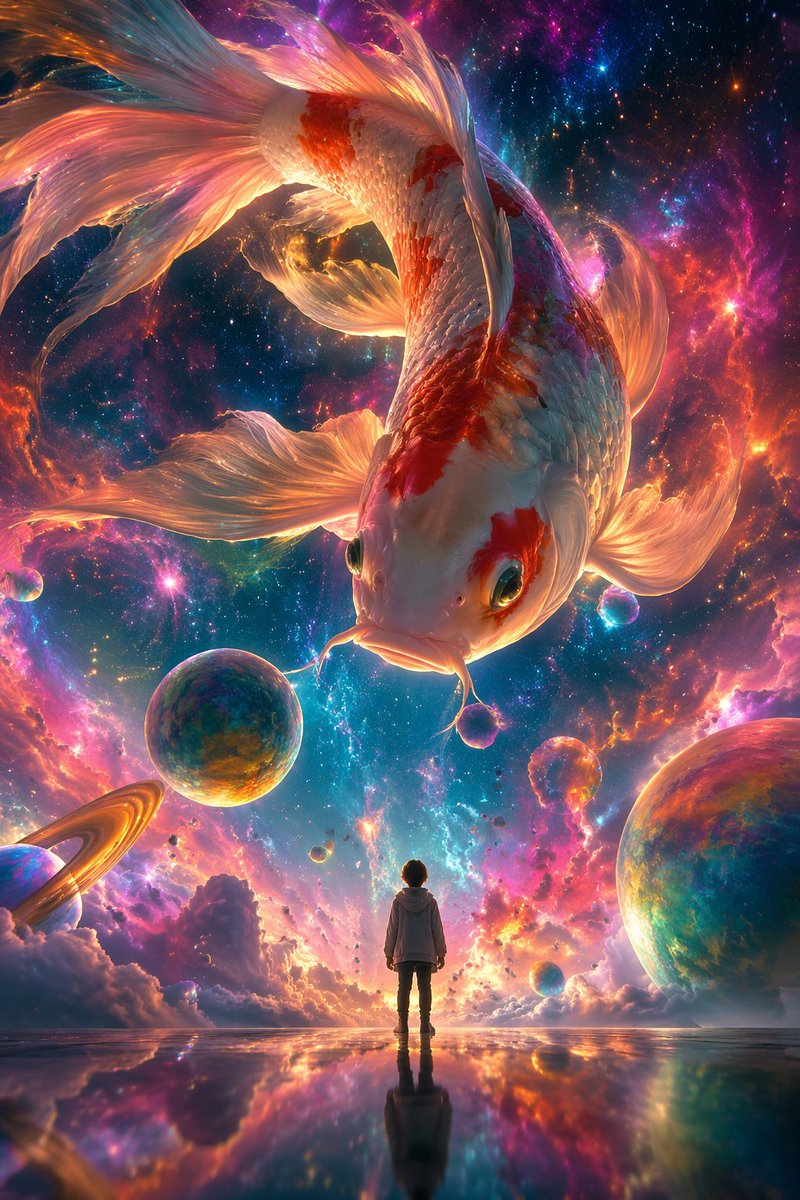
No. 16: 소셜 미디어 게시물 - Surrealist Koi Illustration Prompt
📖 설명
A prompt for a surrealist digital illustration featuring a giant colorful koi swimming in a nebula with a tiny human figure for scale.
📝 프롬프트
A surrealist digital illustration style, using {argument name="camera angle" default="low-angle shot"}. The picture depicts a giant colorful {argument name="subject" default="koi"} swimming in a dreamlike nebula, surrounded by brightly colored nebulae and bubbles. In the center of the screen stands a small person with their back to the audience, looking up calmly at the giant koi in the sky, while the koi looks down at the person. The overall picture shows a strong contrast in size, with an ethereal and dreamlike atmosphere. Aspect ratio {argument name="aspect ratio" default="9:16"}.
🖼️ 생성된 이미지
Image 1
📌 상세 정보
- 작성자: 李岳
- 출처: Twitter Post
- 게시일: 2026년 4월 19일
- 언어: zh
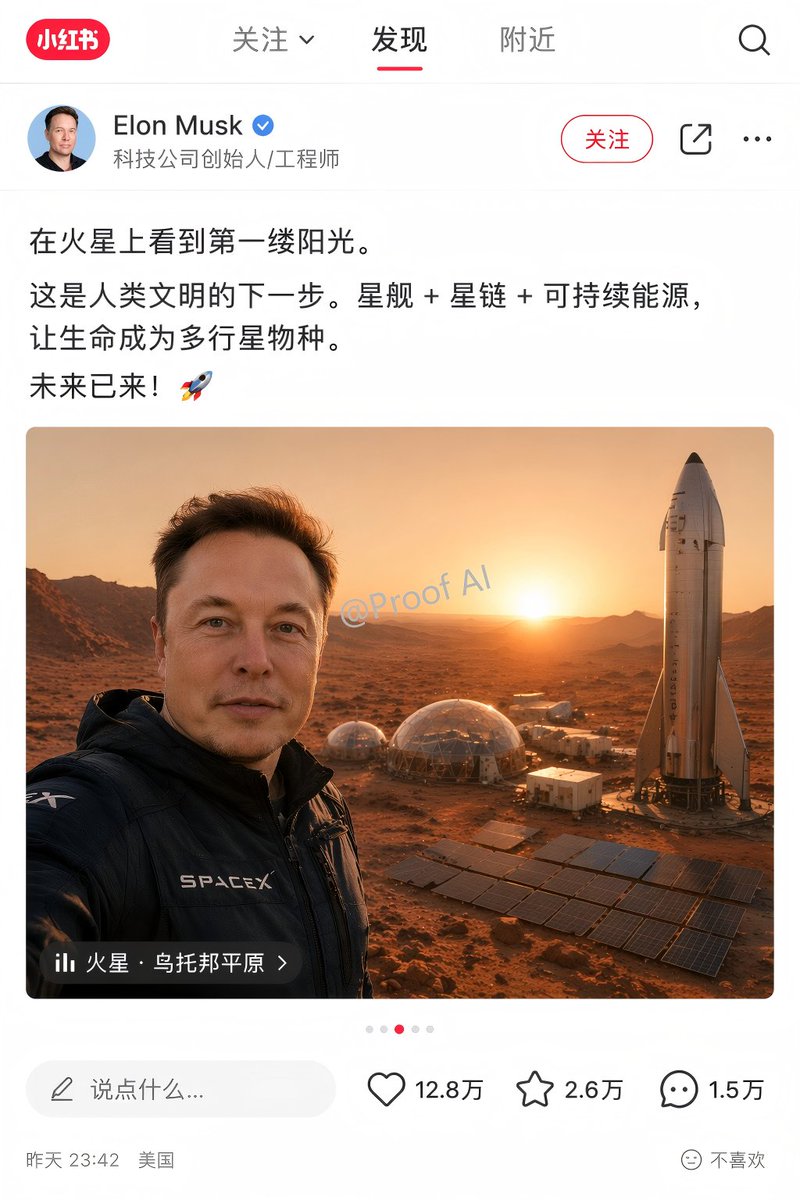
No. 17: 소셜 미디어 게시물 - Mars Selfie Social Media Mockup
📖 설명
Generates a realistic social media app interface mockup featuring a customizable user post, image, and engagement statistics.
📝 프롬프트
{
  "type": "social media app interface mockup",
  "platform_style": "Xiaohongshu",
  "layout": {
    "header": {
      "logo": "red pill with '小红书'",
      "tabs": ["关注 v", "发现", "附近"],
      "active_tab": "发现",
      "icons": 1,
      "icon_types": ["search"]
    },
    "user_profile": {
      "avatar": "portrait of Elon Musk",
      "name": "{argument name=\"user name\" default=\"Elon Musk\"}",
      "verified_badge": "blue checkmark",
      "subtitle": "科技公司创始人/工程师",
      "action_buttons": 3,
      "button_labels": ["关注", "share icon", "ellipsis icon"]
    },
    "post_content": {
      "text": "{argument name=\"post text\" default=\"在火星上看到第一缕阳光。这是人类文明的下一步。星舰 + 星链 + 可持续能源,让生命成为多行星物种。未来已来!🚀\"}",
      "image": {
        "description": "{argument name=\"image subject\" default=\"Elon Musk taking a selfie on Mars\"}",
        "clothing": "black jacket with SPACEX logo",
        "background": "{argument name=\"background elements\" default=\"Starship rocket, geodesic habitat domes, solar panel arrays, Martian landscape at sunrise\"}",
        "watermark": "@Proof AI",
        "location_overlay": {
          "icon": "bar chart",
          "text": "{argument name=\"location tag\" default=\"火星 · 乌托邦平原 >\"}"
        }
      },
      "pagination_dots": 5
    },
    "footer": {
      "comment_input": "说点什么...",
      "interaction_stats": 3,
      "stats_details": [
        {"icon": "heart", "count": "12.8万"},
        {"icon": "star", "count": "2.6万"},
        {"icon": "speech bubble", "count": "1.5万"}
      ],
      "metadata": "昨天 23:42 美国",
      "feedback_button": "不喜欢"
    }
  }
}
🖼️ 생성된 이미지
Image 1
📌 상세 정보
- 작성자: Proof · AI Productivity
- 출처: Twitter Post
- 게시일: 2026년 4월 19일
- 언어: en
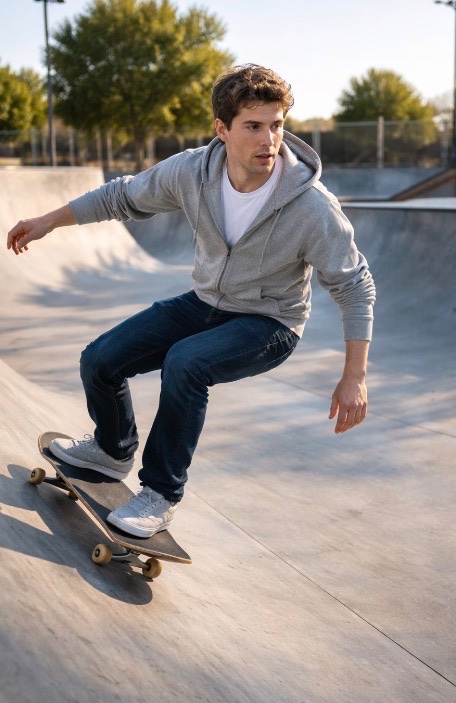
No. 18: 소셜 미디어 게시물 - Sam Altman Skateboarding Test Prompt
📖 설명
A simple prompt for GPT Image 2 featuring Sam Altman on a skateboard at a skatepark, used to test the model's subject consistency.
📝 프롬프트
{argument name="subject" default="Sam Altman"} on a {argument name="object" default="skateboard"} at a {argument name="location" default="skatepark"} with no people.
🖼️ 생성된 이미지
Image 1
📌 상세 정보
- 작성자: Ilbs (I love boring stuff)
- 출처: Twitter Post
- 게시일: 2026년 4월 19일
- 언어: en
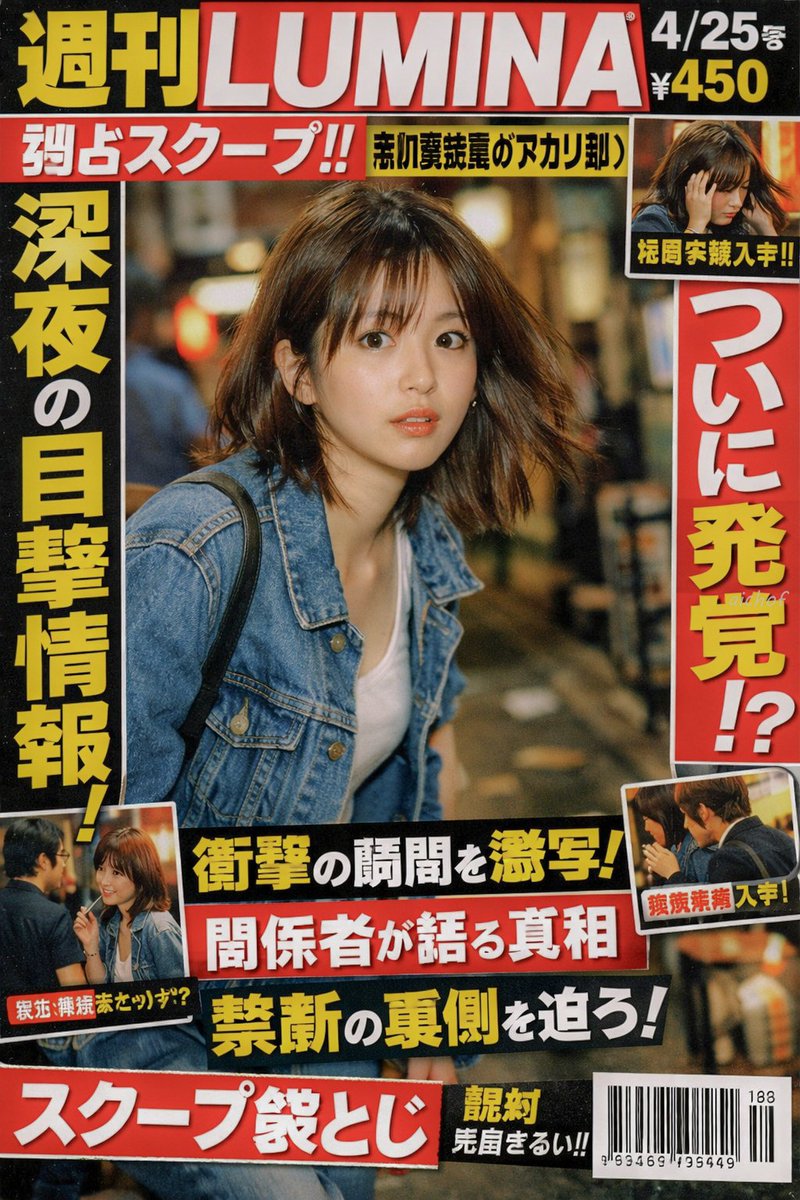
No. 19: 소셜 미디어 게시물 - Japanese Tabloid Magazine Cover
📖 설명
Generates a realistic Japanese weekly gossip magazine cover featuring paparazzi-style photography, sensational headlines, and multiple inset photos.
📝 프롬프트
{
  "type": "Japanese tabloid magazine cover",
  "magazine_header": {
    "title": "{argument name=\"magazine name\" default=\"週刊LUMINA\"}",
    "issue_date": "4/25号",
    "price": "¥450"
  },
  "main_photo": {
    "subject": "{argument name=\"subject description\" default=\"young Japanese woman looking back in surprise, wearing a denim jacket over a white top\"}",
    "setting": "nighttime street with bokeh lights",
    "style": "paparazzi flash photography style"
  },
  "layout": {
    "headlines": [
      { "position": "top left banner", "text": "{argument name=\"top banner text\" default=\"独占スクープ!!\"}", "color": "white text on red background" },
      { "position": "left vertical", "text": "{argument name=\"main headline left\" default=\"深夜の目撃情報!\"}", "color": "yellow text with black outline" },
      { "position": "right vertical", "text": "{argument name=\"main headline right\" default=\"ついに発覚!?\"}", "color": "red text with white outline" },
      { "position": "bottom center stacked 1", "text": "衝撃の瞬間を激写!", "color": "yellow text on black background" },
      { "position": "bottom center stacked 2", "text": "関係者が語る真相", "color": "white text on red background" },
      { "position": "bottom center stacked 3", "text": "禁断の裏側を迫ろ!", "color": "yellow text on black background" },
      { "position": "bottom left banner", "text": "スクープ袋とじ", "color": "white text on red background" }
    ],
    "inset_photos": {
      "count": 3,
      "details": [
        { "position": "top right", "description": "woman looking down holding her head", "label": "極秘写真入手!!" },
        { "position": "bottom left", "description": "woman talking to a man with glasses", "label": "親密交際発覚か!?" },
        { "position": "bottom right", "description": "woman and man seen from the side", "label": "熱愛発覚 入手!" }
      ]
    },
    "footer": {
      "elements": ["barcode", "188", "963469 195449"]
    }
  }
}
🖼️ 생성된 이미지
Image 1
📌 상세 정보
- 작성자: aichof(アイチョフ)
- 출처: Twitter Post
- 게시일: 2026년 4월 19일
- 언어: en
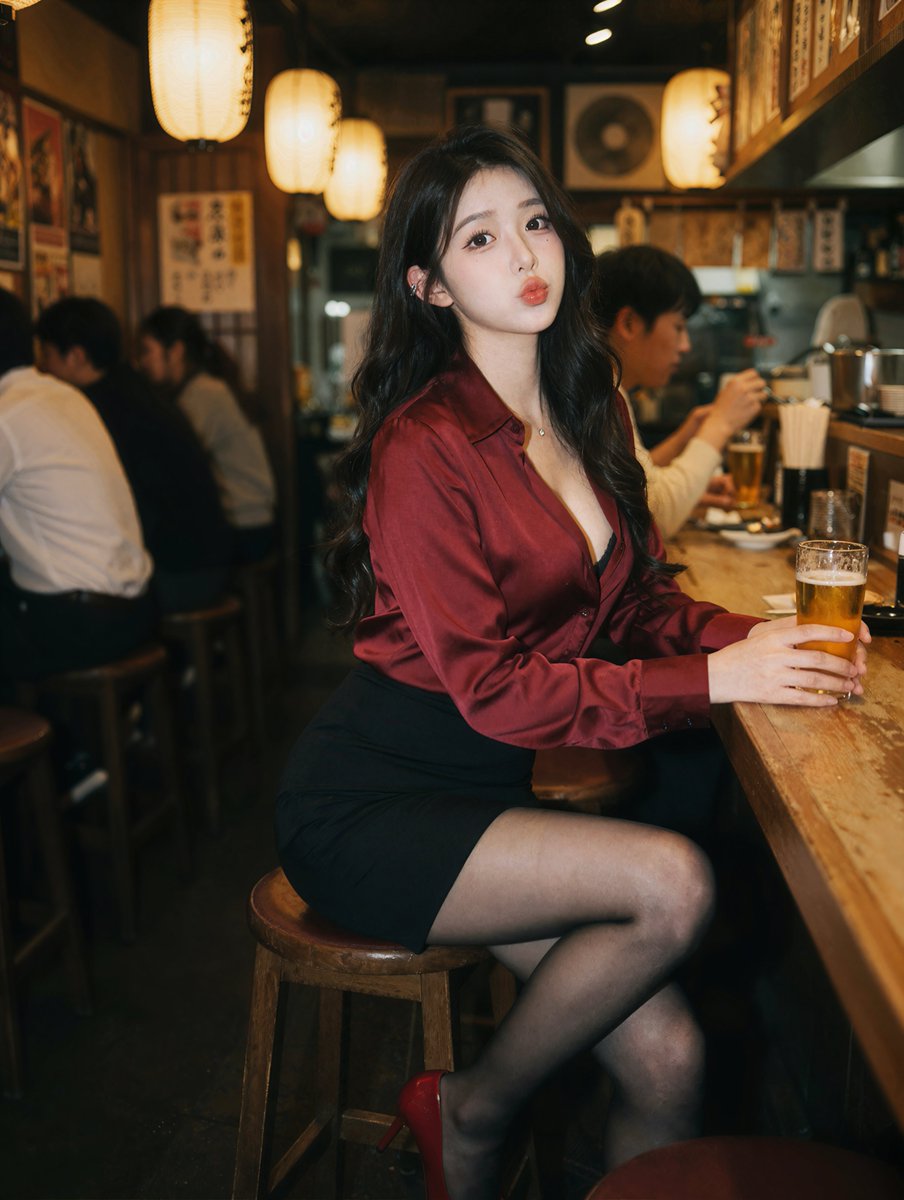
No. 20: 소셜 미디어 게시물 - Photorealistic Izakaya Portrait
📖 설명
Generates a photorealistic portrait of a subject sitting at a bar, ideal for lifestyle or character photography.
📝 프롬프트
A photorealistic portrait of a {argument name="subject description" default="young East Asian woman"} sitting at a wooden counter in a {argument name="setting" default="dimly lit izakaya"}. She has long wavy black hair and wears a {argument name="top clothing" default="deep red silk button-down shirt"}, a black mini skirt, sheer black tights, and red high heels. She holds a {argument name="drink" default="glass of beer"} and looks at the camera with a slight pout. The background features blurred patrons and warm glowing {argument name="lighting source" default="paper lanterns"}. Cinematic lighting, shallow depth of field.
🖼️ 생성된 이미지
Image 1
📌 상세 정보
- 작성자: Andy Chow
- 출처: Twitter Post
- 게시일: 2026년 4월 19일
- 언어: en
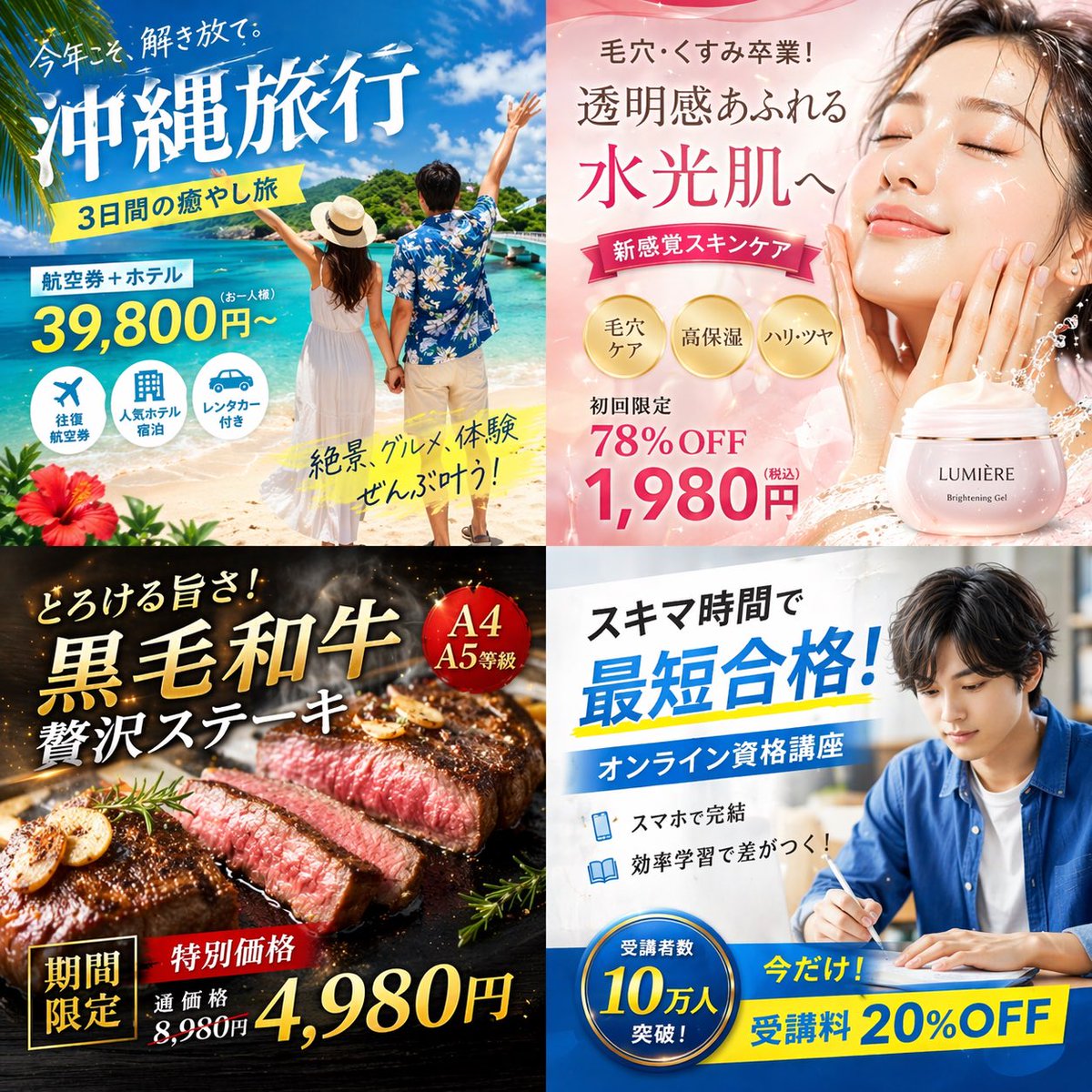
No. 21: 소셜 미디어 게시물 - 4-Panel Japanese Digital Ad Banner Grid
📖 설명
Generates a 2x2 grid of distinct Japanese digital advertisement banners for travel, skincare, food, and online education.
📝 프롬프트
{
  "type": "2x2 grid of Japanese digital advertisement banners",
  "layout": {
    "structure": "4 equal quadrants",
    "quadrants": [
      {
        "position": "top-left",
        "theme": "Travel",
        "subject": "A couple holding hands on a white sand beach, looking out at turquoise ocean water under a bright blue sky.",
        "elements": ["red hibiscus flower in bottom left corner"],
        "text_labels": [
          "今年こそ、解き放て。",
          "{argument name=\"travel destination\" default=\"沖縄旅行\"}",
          "3日間の癒やし旅",
          "航空券+ホテル",
          "39,800円〜",
          "絶景、グルメ、体験 ぜんぶ叶う!"
        ],
        "icons": {
          "count": 3,
          "descriptions": ["airplane", "hotel building", "car"]
        }
      },
      {
        "position": "top-right",
        "theme": "Skincare",
        "subject": "Close-up portrait of a young woman with glowing, dewy skin, eyes closed, gently touching her cheeks.",
        "elements": [
          "soft pink gradient background",
          "dynamic water splash effects",
          "pink cosmetic jar labeled '{argument name=\"skincare product name\" default=\"LUMIÈRE\"} Brightening Gel'"
        ],
        "text_labels": [
          "毛穴・くすみ卒業!",
          "透明感あふれる",
          "水光肌へ",
          "新感覚スキンケア",
          "初回限定 78%OFF",
          "{argument name=\"discount price\" default=\"1,980円\"}"
        ],
        "badges": {
          "count": 3,
          "style": "gold circular",
          "labels": ["毛穴ケア", "高保湿", "ハリ・ツヤ"]
        }
      },
      {
        "position": "bottom-left",
        "theme": "Gourmet Food",
        "subject": "Thick, sliced, medium-rare steak sizzling on a dark grill plate.",
        "elements": [
          "garlic chips",
          "rosemary sprig",
          "dark background with smoke and glowing embers"
        ],
        "text_labels": [
          "とろける旨さ!",
          "{argument name=\"food item\" default=\"黒毛和牛\"}",
          "贅沢ステーキ",
          "期間限定",
          "特別価格",
          "通常価格 8,980円",
          "4,980円"
        ],
        "badges": {
          "count": 1,
          "style": "red circular",
          "labels": ["A4 A5等級"]
        }
      },
      {
        "position": "bottom-right",
        "theme": "Online Education",
        "subject": "Young man in a blue shirt studying at a desk, writing in a notebook next to an open laptop.",
        "elements": ["bright indoor lighting", "desk environment"],
        "text_labels": [
          "スキマ時間で",
          "{argument name=\"education goal\" default=\"最短合格!\"}",
          "オンライン資格講座",
          "スマホで完結",
          "効率学習で差がつく!",
          "今だけ! 受講料 20%OFF"
        ],
        "badges": {
          "count": 1,
          "style": "blue circular",
          "labels": ["受講者数 10万人 突破!"]
        },
        "icons": {
          "count": 2,
          "descriptions": ["smartphone", "open book"]
        }
      }
    ]
  }
}
🖼️ 생성된 이미지
Image 1
📌 상세 정보
- 작성자: まかねこ| AI×仮想通貨
- 출처: Twitter Post
- 게시일: 2026년 4월 19일
- 언어: en
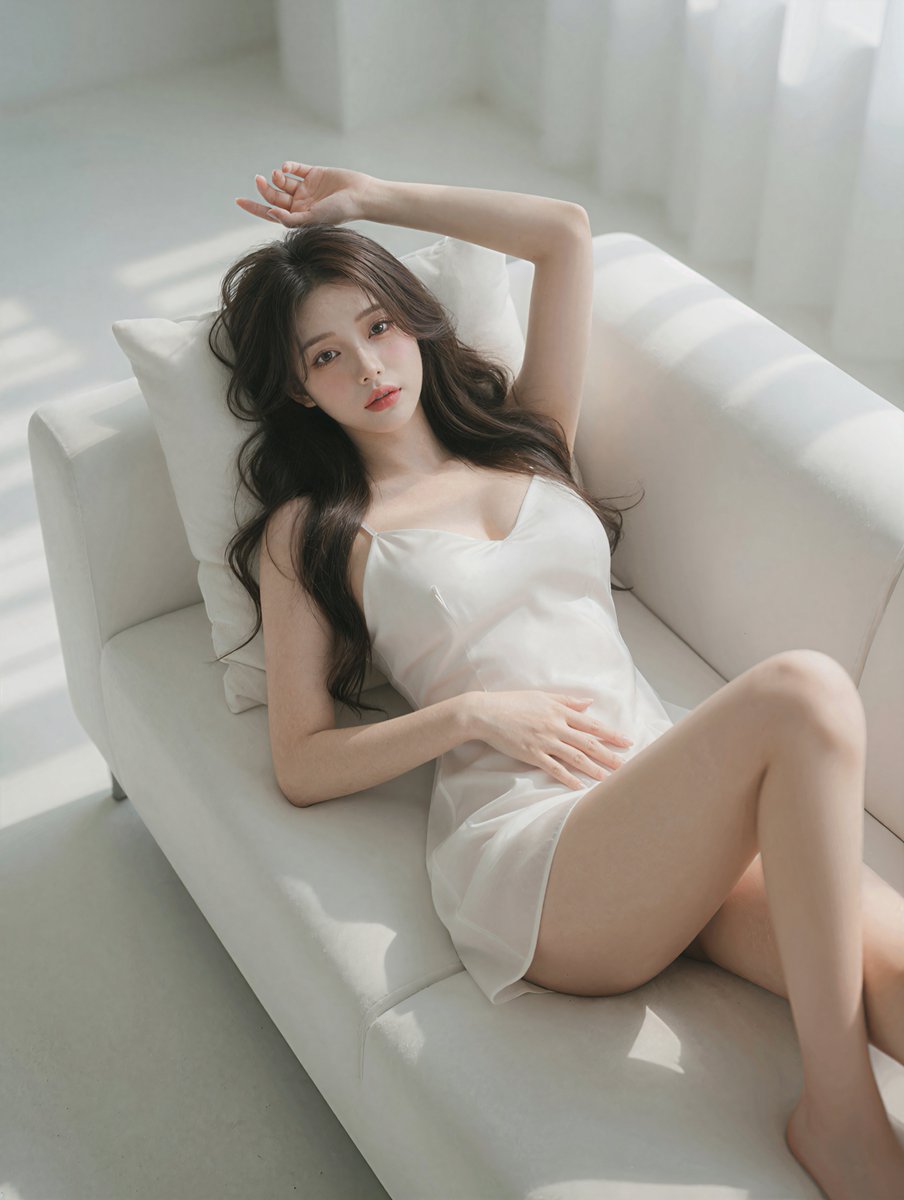
No. 22: 소셜 미디어 게시물 - Photorealistic Reclining Portrait
📖 설명
Generates a high-quality, photorealistic image of a woman relaxing on a sofa in soft natural light.
📝 프롬프트
A highly detailed, photorealistic portrait of a {argument name="subject description" default="beautiful young Asian woman"} reclining gracefully on a {argument name="furniture" default="white modern sofa"}. She is wearing a {argument name="clothing" default="short white silk slip dress"} with thin straps, her {argument name="hair style" default="long wavy dark brown hair"} cascading softly over a white pillow. Her pose is relaxed and intimate, with one arm raised elegantly above her head and the other hand resting gently on her stomach, as she gazes directly at the camera with a soft, alluring expression. The scene is illuminated by {argument name="lighting style" default="soft natural sunlight streaming through a window"}, casting gentle, diffused shadows across her flawless skin and the pristine white upholstery. The aesthetic is bright, minimalist, and ethereal, captured with an 85mm lens for a cinematic, shallow depth of field and soft, glowing highlights.
🖼️ 생성된 이미지
Image 1
📌 상세 정보
- 작성자: Andy Chow
- 출처: Twitter Post
- 게시일: 2026년 4월 19일
- 언어: en
No. 23: 소셜 미디어 게시물 - Douyin Live Stream UI Prompt
📖 설명
A simple prompt for generating a user interface simulation of a Douyin live streaming room, useful for app design prototyping.
📝 프롬프트
Generate a Douyin live stream interface, showing a {argument name="subject" default="beautiful woman"} performing a {argument name="activity" default="live broadcast"}
🖼️ 생성된 이미지
Image 1
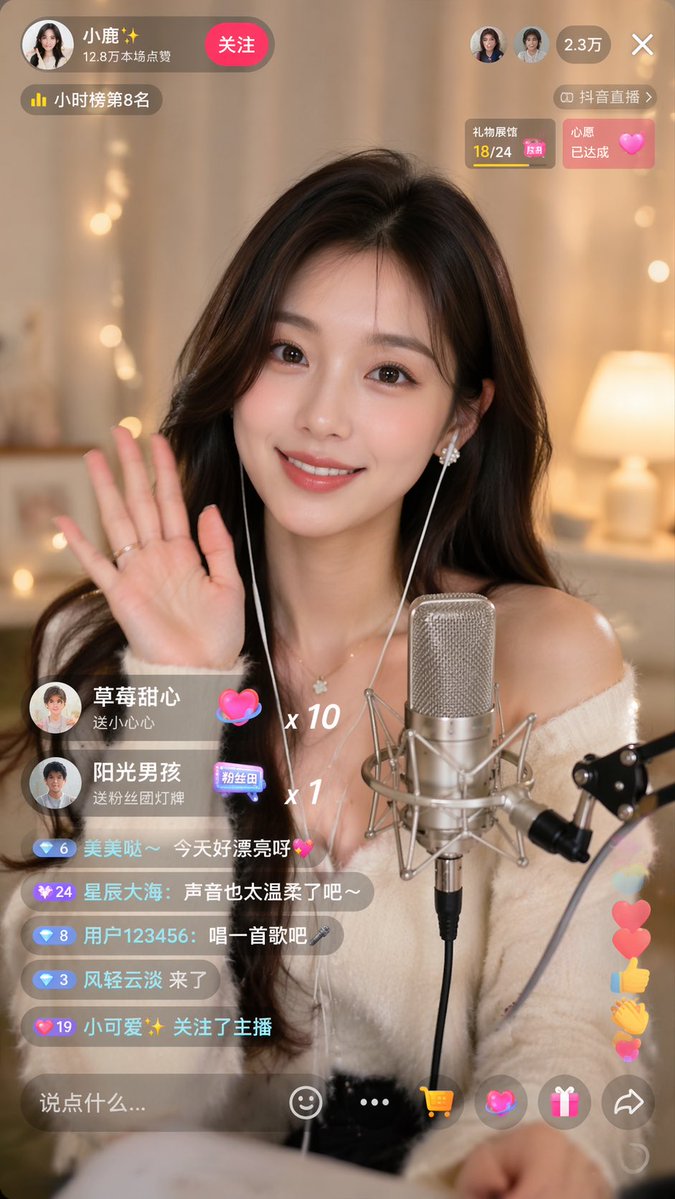
Image 2
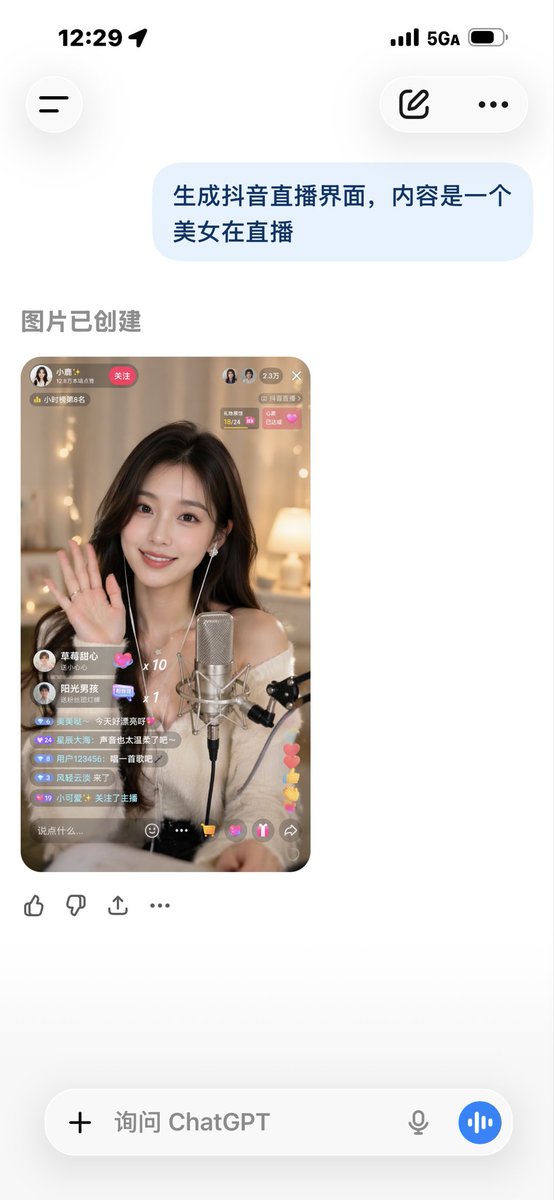
📌 상세 정보
- 작성자: Sun phone
- 출처: Twitter Post
- 게시일: 2026년 4월 19일
- 언어: zh
No. 24: 소셜 미디어 게시물 - iPhone 스타일 오피스 샷
📖 설명
특정 창밖 풍경과 반사 효과가 포함된, 화이트보드에 글을 쓰는 여성의 사실적인 iPhone 사진을 생성하기 위한 프롬프트입니다.
📝 프롬프트
{argument name="location" default="베이 브릿지가 내려다보이는 방"}에서 iPhone으로 촬영한 유리 화이트보드의 와이드 샷입니다. 화면에는 {argument name="logo" default="OpenAl"} 로고가 크게 새겨진 티셔츠를 입고 {argument name="subject action" default="글을 쓰고 있는 여성"}의 모습이 담겨 있습니다. 손글씨는 자연스럽고 약간 정돈되지 않은 느낌이며, 사진가의 모습이 반사되어 보입니다.
🖼️ 생성된 이미지
Image 1
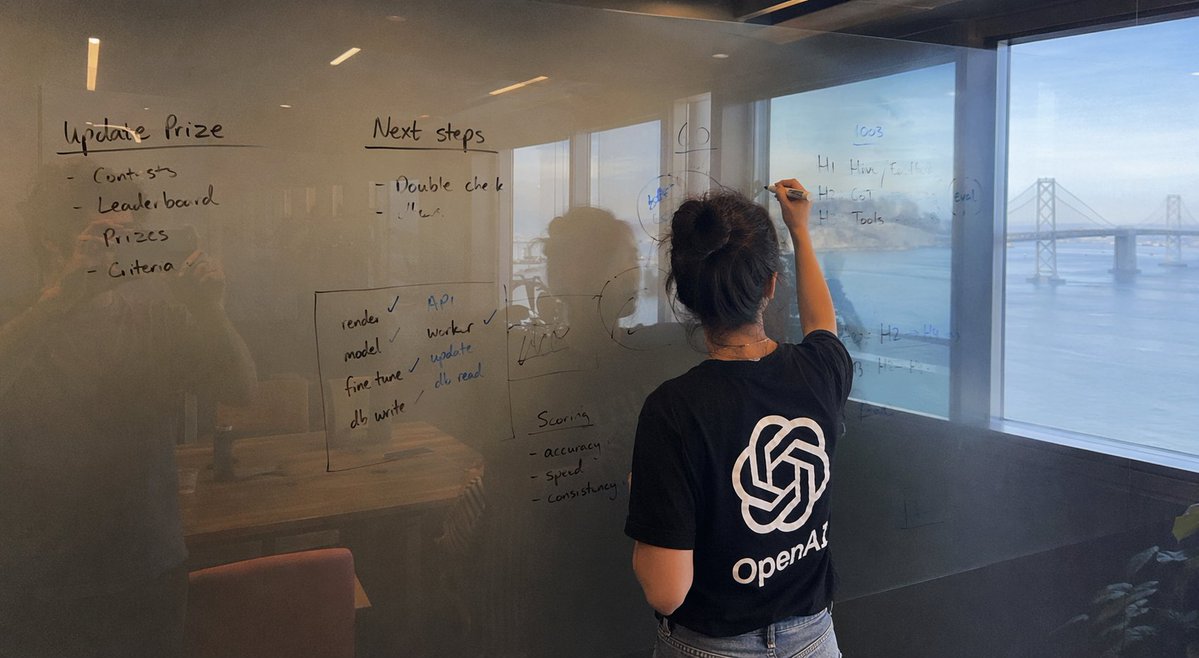
📌 상세 정보
- 작성자: Patrick
- 출처: Twitter Post
- 게시일: 2026년 4월 15일
- 언어: en
No. 25: 소셜 미디어 게시물 - 감정적인 축구 경기 사진
📖 설명
특정 유니폼을 입고 감정적인 상태에 있는 유명 축구 선수의 아마추어 스타일 경기장 사진을 생성하기 위한 상세 프롬프트입니다.
📝 프롬프트
경기장에서 {argument name="team jersey" default="레알 마드리드"} 유니폼을 입고 눈물을 흘리며 망연자실한 표정을 짓고 있는 {argument name="player" default="킬리안 음바페"}의 아마추어 아이폰 사진. 배경에는 빨간색 유니폼을 입은 바이에른 뮌헨 선수들이 보임. {argument name="shooting angle" default="필드와 가까운 관중석"}에서 촬영, 알리안츠 아레나의 야간 경기장 내부
🖼️ 생성된 이미지
Image 1

📌 상세 정보
- 작성자: Patrick
- 출처: Twitter Post
- 게시일: 2026년 4월 15일
- 언어: en
No. 26: 소셜 미디어 게시물 - 2020년대 초반 고등학교 아이폰 감성 사진
📖 설명
2020년대 초반 고등학교 시절의 일상적인 아이폰 사진 특유의 감성을 재현하기 위해 설계된 프롬프트입니다.
📝 프롬프트
{argument name="time period" default="2020년대 초반"} {argument name="location" default="고등학교"}에서 촬영한 아마추어 느낌의 자연스러운 사진, {argument name="camera style" default="아이폰 감성"}.
🖼️ 생성된 이미지
Image 1
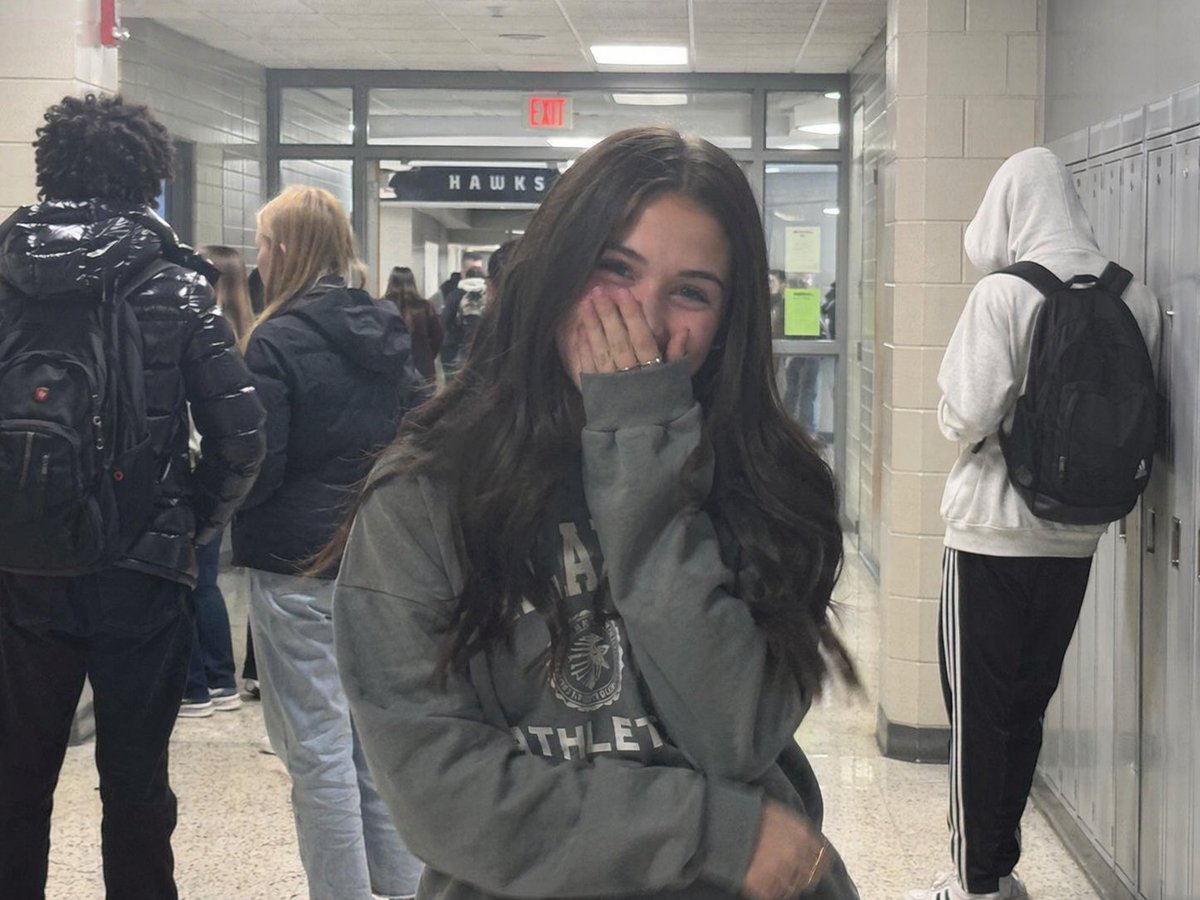
📌 상세 정보
- 작성자: Patrick
- 출처: Twitter Post
- 게시일: 2026년 4월 15일
- 언어: en
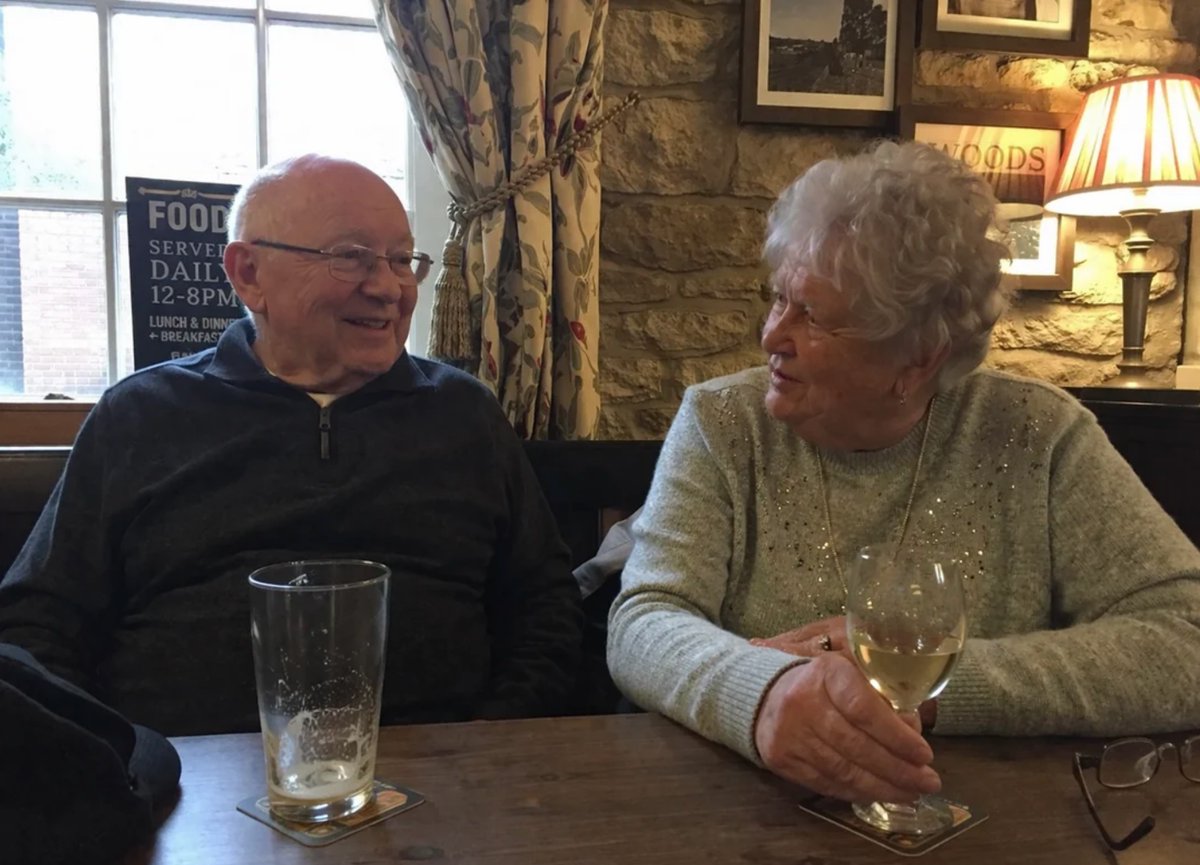
No. 27: 소셜 미디어 게시물 - 아늑한 펍에 앉아 있는 노부부
📖 설명
전통적인 펍에서 음료와 간식을 즐기는 노부부의 실사 같은 초상화를 생성합니다.
📝 프롬프트
{argument name="setting" default="아늑한 전통 펍"} 내부의 소박한 나무 테이블에 앉아 미소 짓고 있는 노부부의 실사 같은 초상화입니다. 왼쪽에 있는 남성은 흰 머리에 풍성한 흰 수염을 기르고 있으며, {argument name="man's clothing" default="올리브 그린색 플리스 재킷"}을 입고 있습니다. 오른쪽에 있는 여성은 짧은 회색 머리에 안경을 쓰고 있으며, {argument name="woman's clothing" default="청재킷과 흰색 스카프"} 차림입니다. 두 사람 모두 카메라를 정면으로 응시하고 있으며, 각자 {argument name="beverage" default="맥주 한 잔"}을 들고 있습니다. 앞쪽 테이블 위에는 {argument name="table snack" default="감자칩 한 그릇"}과 불이 켜진 작은 빈티지 랜턴이 놓여 있습니다. 배경은 따뜻하고 매력적인 조명으로 연출되었으며, 얕은 피사계 심도를 사용하여 나무 패널 벽, 액자, 그리고 다른 손님들의 모습을 흐릿하게 처리했습니다.
🖼️ 생성된 이미지
Image 1
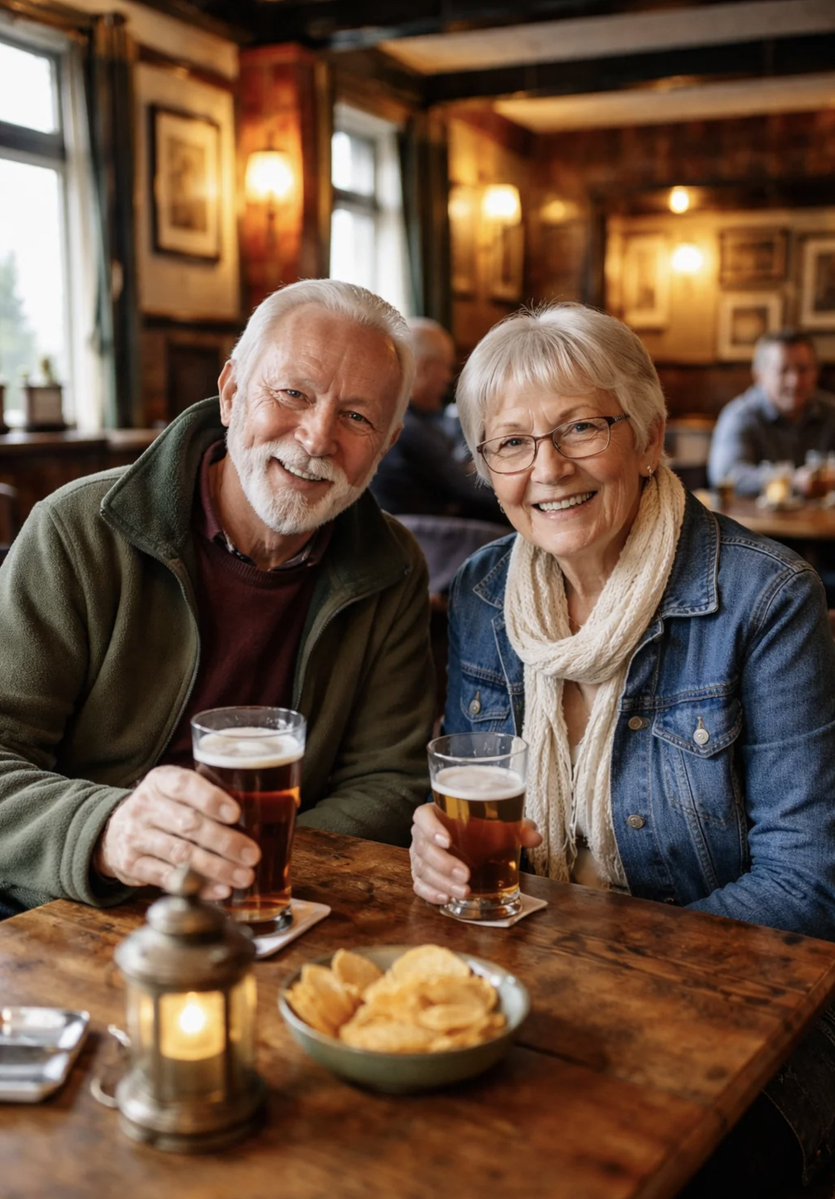
Image 2
📌 상세 정보
- 작성자: Aidan
- 출처: Twitter Post
- 게시일: 2026년 4월 15일
- 언어: en
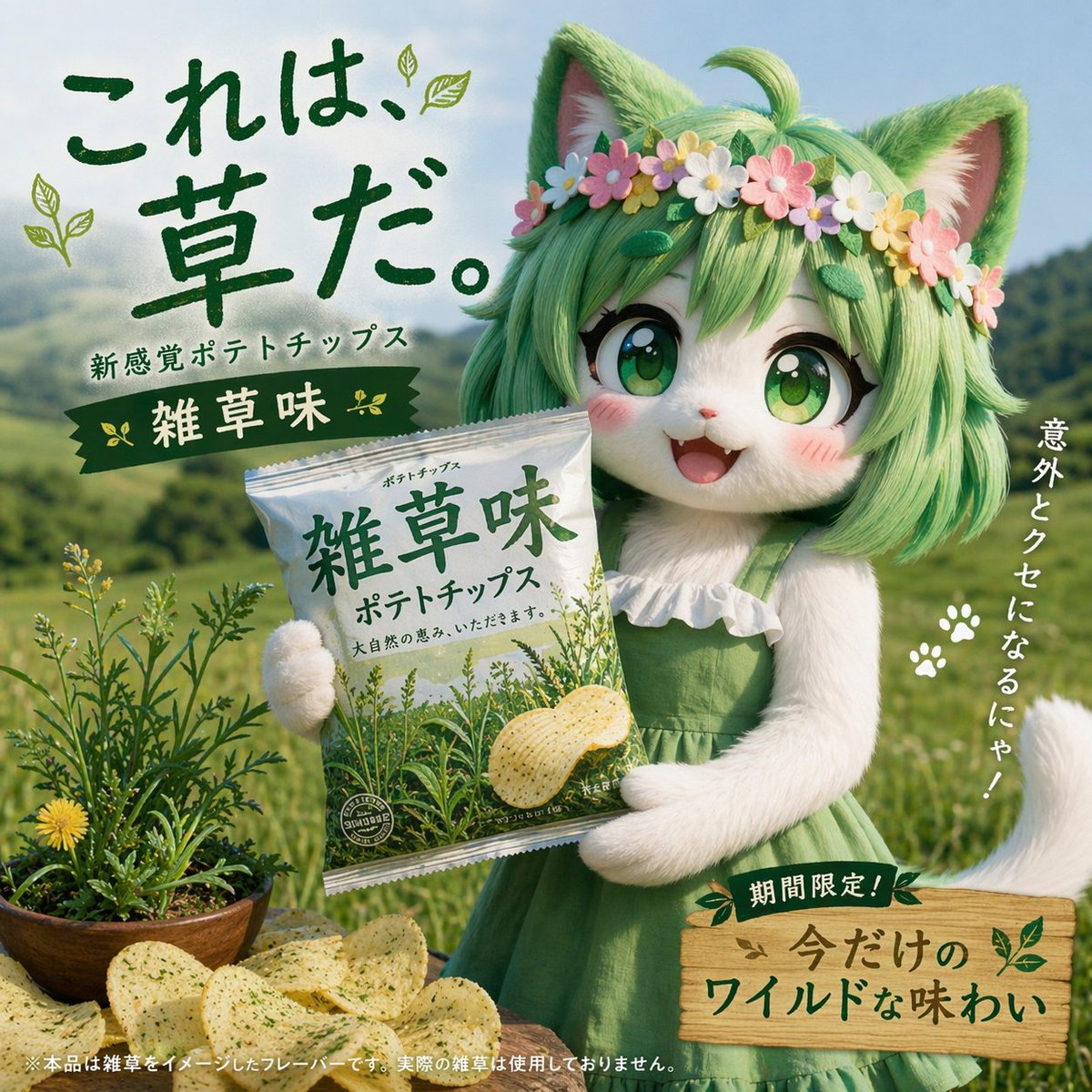
No. 28: 소셜 미디어 게시물 - 재치 있는 일본 과자 광고 프롬프트

📖 설명
GPT-Image-2의 뛰어난 프롬프트 이해력을 활용하여, 독특한 캐릭터 상호작용과 기상천외한 맛을 주제로 한 감자칩 광고용 창의적 프롬프트입니다.
📝 프롬프트
일본 감자칩 광고, 봉지를 들고 제품을 홍보하는 캐릭터, 감자칩 맛은 {argument name="flavor" default="잡초 맛"}
🖼️ 생성된 이미지
Image 1
📌 상세 정보
- 작성자: とらの
- 출처: Twitter Post
- 게시일: 2026년 4월 15일
- 언어: ja
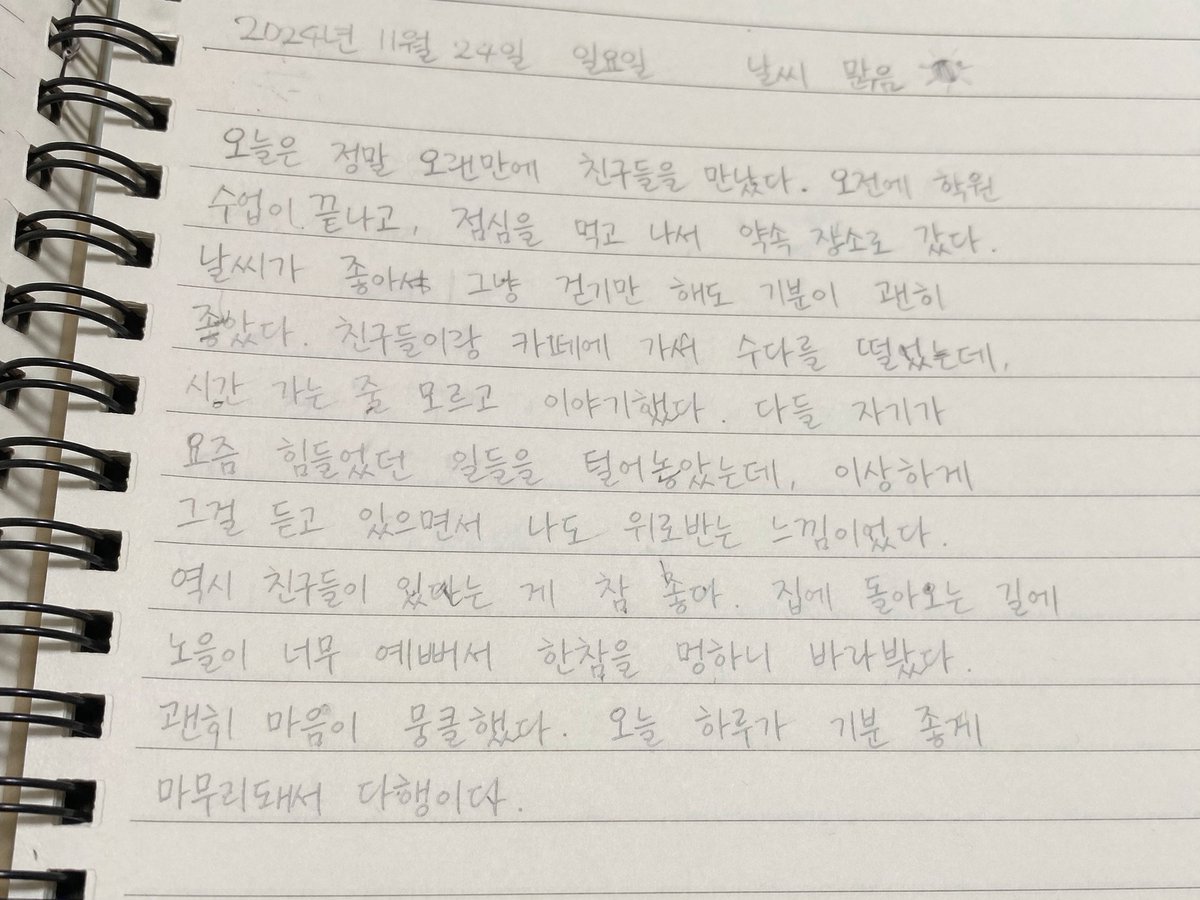
No. 29: 소셜 미디어 게시물 - 손글씨 한국어 일기장
📖 설명
스프링 노트에 작성된 사실적인 한국어 손글씨 일기장 이미지를 생성합니다. 실제 같은 개인 일기장 비주얼을 만드는 데 유용합니다.
📝 프롬프트
연필로 한국어 손글씨가 가득 적힌 스프링 노트 페이지를 약간 비스듬하게 촬영한 근접 사진입니다. 노트에는 가로 줄이 그어져 있고 왼쪽 가장자리에는 검은색 금속 스프링 제본이 되어 있습니다. 상단에는 날짜 "{argument name="date" default="2024년 11월 24일 일요일"}"과 날씨 "{argument name="weather" default="날씨 맑음"}"이 작은 해 그림과 함께 적혀 있습니다. 그 아래에는 친구들과 만나 카페에 가고 노을을 본 일상적인 내용의 일기가 한 문단으로 작성되어 있습니다. 글씨체는 깔끔하면서도 자연스러우며, 실제 손글씨 특유의 필압과 간격 변화가 느껴집니다. 부드럽고 고른 실내 조명이 비치며, 스프링 제본으로 인해 종이 위에 은은한 그림자가 드리워져 있습니다.
🖼️ 생성된 이미지
Image 1
📌 상세 정보
- 작성자: IDK
- 출처: Twitter Post
- 게시일: 2026년 4월 15일
- 언어: en
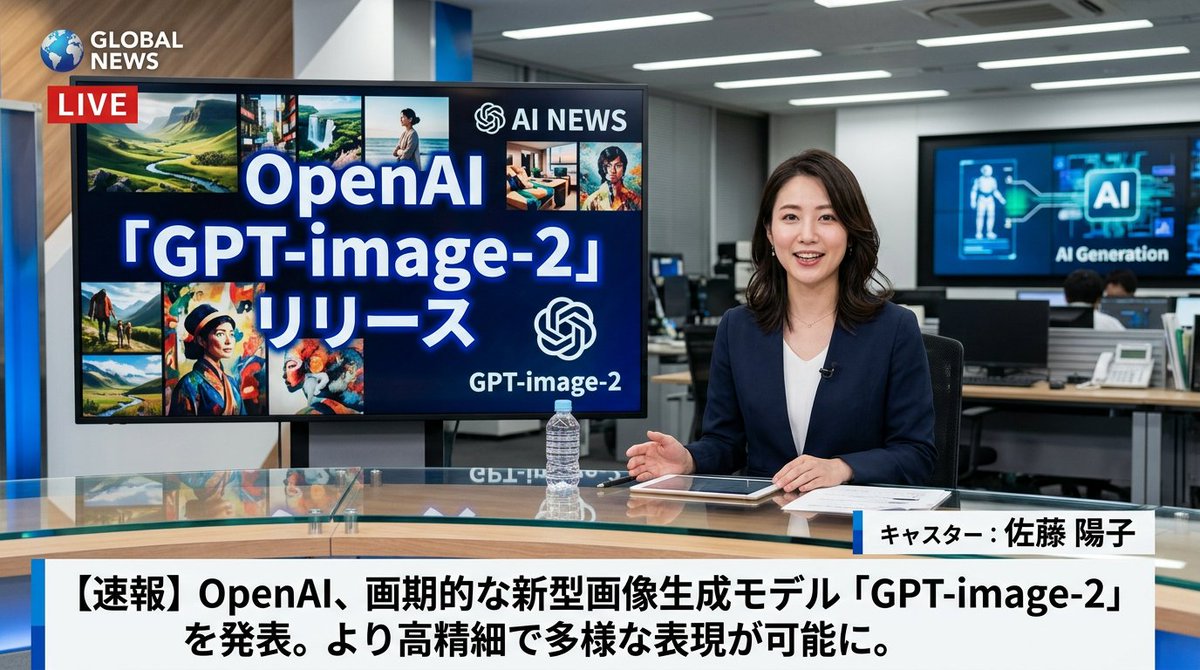
No. 30: 소셜 미디어 게시물 - 일본 뉴스 방송 목업
📖 설명
사용자 지정 가능한 하단 자막 헤드라인과 배경 모니터 그래픽이 포함된 실사 같은 TV 뉴스 방송 장면을 생성합니다.
📝 프롬프트
현대적인 뉴스 스튜디오의 유리 책상에 앉아 있는 {argument name="anchor appearance" default="흰색 상의 위에 짙은 파란색 블레이저를 입은 일본인 여성 뉴스 앵커"}를 특징으로 하는 실사 같은 TV 뉴스 방송 장면입니다. 그녀는 미소를 지으며 카메라를 정면으로 응시하고 있으며, 손은 태블릿, 서류, 투명한 물병 근처에 놓여 있습니다. 그녀의 왼쪽에는 대형 모니터가 AI 로고와 8개의 다양한 AI 생성 이미지 콜라주와 함께 "{argument name="screen main text" default="OpenAI 「GPT-image-2」リリース"}"라는 텍스트를 표시합니다. 왼쪽 상단 모서리에는 빨간색 "LIVE" 배지가 있는 "{argument name="news channel name" default="GLOBAL NEWS"}"라는 채널 로고가 있습니다. 배경에는 컴퓨터가 있는 분주한 사무실과 "AI Generation"이 표시된 벽면 스크린이 보입니다. 화면 하단에는 앵커의 이름인 "{argument name="anchor name" default="キャスター:佐藤 陽子"}"와 "{argument name="main headline text" default="【速報】OpenAI、画期的な新型画像生成モデル「GPT-image-2」を発表。より高精細で多様な表現が可能に。"}"라는 속보 헤드라인이 굵은 일본어 텍스트로 표시된 표준 뉴스 하단 자막 그래픽이 있습니다.
🖼️ 생성된 이미지
Image 1
📌 상세 정보
- 작성자: IT navi
- 출처: Twitter Post
- 게시일: 2026년 4월 15일
- 언어: en
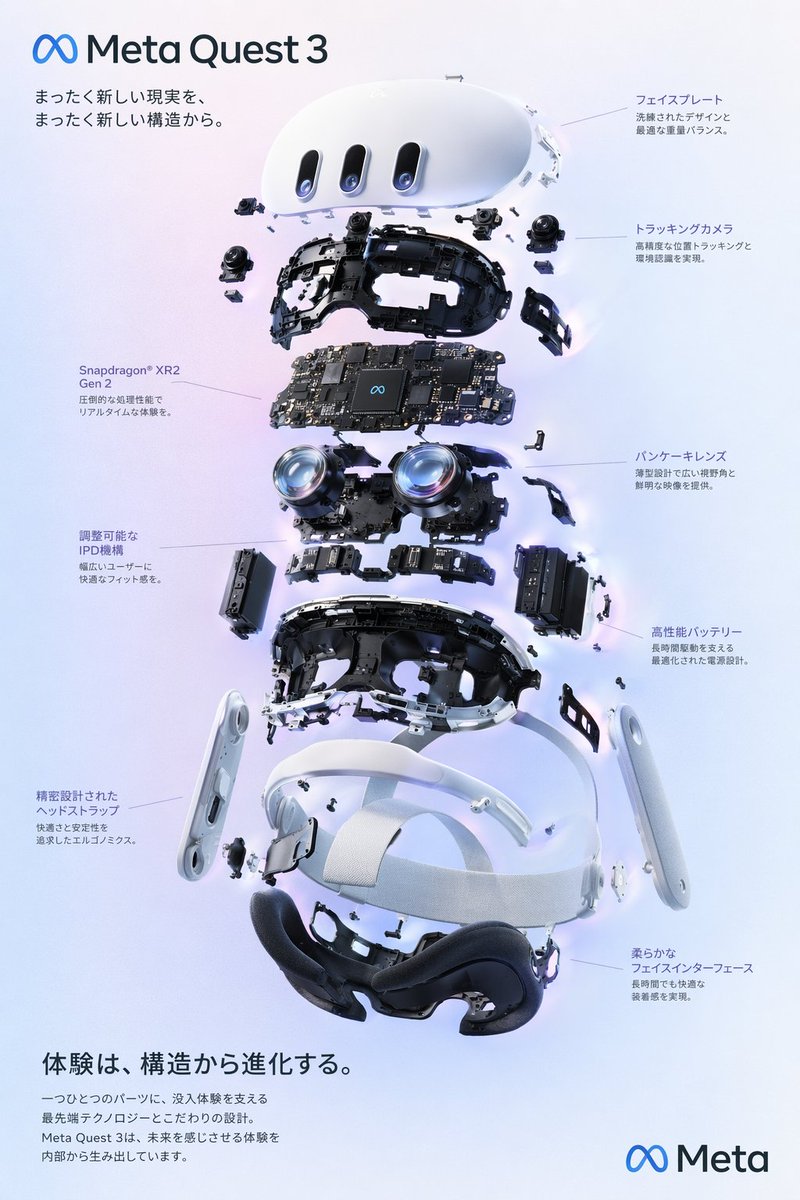
No. 31: 인포그래픽 / 교육용 시각 자료 - VR Headset Exploded View Poster
📖 설명
Generates a high-tech exploded view diagram of a VR headset with detailed component callouts and promotional text.
📝 프롬프트
{
  "type": "exploded view product diagram poster",
  "subject": "VR headset",
  "style": "clean high-tech 3D render, studio lighting, glowing accents",
  "background": "{argument name=\"background color\" default=\"soft purple and blue gradient\"}",
  "header": {
    "logo": "∞ {argument name=\"product name\" default=\"Meta Quest 3\"}",
    "subtitle": "{argument name=\"main catchphrase\" default=\"まったく新しい現実を、まったく新しい構造から。\"}"
  },
  "layout": {
    "centerpiece": "vertically stacked exploded view of a VR headset showing 9 distinct layers of internal components: outer shell, camera sensors, motherboard with chip, pancake lenses, internal frame, battery packs, side straps, top strap, and facial interface cushion.",
    "callout_labels": {
      "count": 8,
      "left_side": [
        "Snapdragon® XR2 Gen 2\n圧倒的な処理性能でリアルタイムな体験を。",
        "調整可能なIPD機構\n幅広いユーザーに快適なフィット感を。",
        "精密設計されたヘッドストラップ\n快適さと安定性を追求したエルゴノミクス。"
      ],
      "right_side": [
        "フェイスプレート\n洗練されたデザインと最適な重量バランス。",
        "トラッキングカメラ\n高精度な位置トラッキングと環境認識を実現。",
        "パンケーキレンズ\n薄型設計で広い視野角と鮮明な映像を提供。",
        "高性能バッテリー\n長時間駆動を支える最適化された電源設計。",
        "柔らかなフェイスインターフェース\n長時間でも快適な装着感を実現。"
      ]
    },
    "footer": {
      "left_text_block": {
        "headline": "{argument name=\"bottom headline\" default=\"体験は、構造から進化する。\"}",
        "body": "一つひとつのパーツに、没入体験を支える最先端テクノロジーとこだわりの設計。Meta Quest 3は、未来を感じさせる体験を内部から生み出しています。"
      },
      "right_logo": "∞ Meta"
    }
  }
}
🖼️ 생성된 이미지
Image 1
📌 상세 정보
- 작성자: wory@ホッピング中
- 출처: Twitter Post
- 게시일: 2026년 4월 19일
- 언어: en
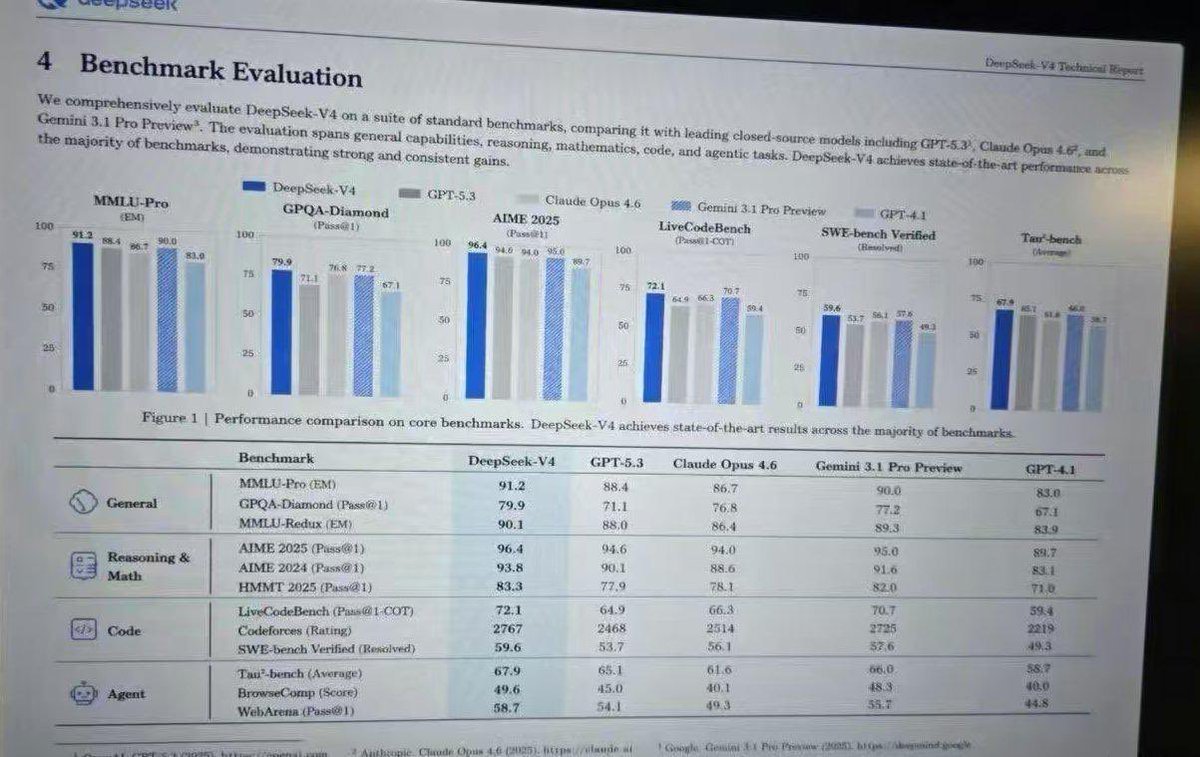
No. 32: 인포그래픽 / 교육용 시각 자료 - Leaked AI Benchmark Report Photo
📖 설명
Generates a realistic photograph of a computer screen displaying an academic technical report with bar charts and a detailed performance table.
📝 프롬프트
{
  "type": "photograph of a computer monitor displaying an academic technical report",
  "style": "slightly angled screen photo, visible moire pattern, LCD pixel grid, slight glare, LaTeX document formatting, serif fonts",
  "document_header": {
    "left": "4 Benchmark Evaluation",
    "right": "{argument name=\"report title\" default=\"DeepSeek-V4 Technical Report\"}"
  },
  "introductory_text": "Paragraph summarizing comprehensive evaluation of {argument name=\"main model name\" default=\"DeepSeek-V4\"} against {argument name=\"competitor model 1\" default=\"GPT-5.3\"}, {argument name=\"competitor model 2\" default=\"Claude Opus 4.6\"}, and {argument name=\"competitor model 3\" default=\"Gemini 3.1 Pro Preview\"}.",
  "visualizations": {
    "legend": "5 items with color codes: dark blue, grey, light grey, blue striped, light blue",
    "bar_charts": {
      "count": 6,
      "labels": [
        "MMLU-Pro (EM)",
        "GPQA-Diamond (Pass@1)",
        "AIME 2025 (Pass@1)",
        "LiveCodeBench (Pass@1-COT)",
        "SWE-bench Verified (Resolved)",
        "Tau-bench (Average)"
      ]
    },
    "caption": "Figure 1 | Performance comparison on core benchmarks. DeepSeek-V4 achieves state-of-the-art results across the majority of benchmarks."
  },
  "data_table": {
    "columns": [
      "Benchmark",
      "{argument name=\"main model name\" default=\"DeepSeek-V4\"}",
      "{argument name=\"competitor model 1\" default=\"GPT-5.3\"}",
      "{argument name=\"competitor model 2\" default=\"Claude Opus 4.6\"}",
      "{argument name=\"competitor model 3\" default=\"Gemini 3.1 Pro Preview\"}",
      "GPT-4.1"
    ],
    "categories": {
      "count": 4,
      "rows": [
        {"label": "General", "icon": "globe/network", "sub_items": 3},
        {"label": "Reasoning & Math", "icon": "calculator/clipboard", "sub_items": 3},
        {"label": "Code", "icon": "code brackets", "sub_items": 3},
        {"label": "Agent", "icon": "robot face", "sub_items": 3}
      ]
    }
  }
}
🖼️ 생성된 이미지
Image 1
📌 상세 정보
- 작성자: Anneshu Nag
- 출처: Twitter Post
- 게시일: 2026년 4월 19일
- 언어: en
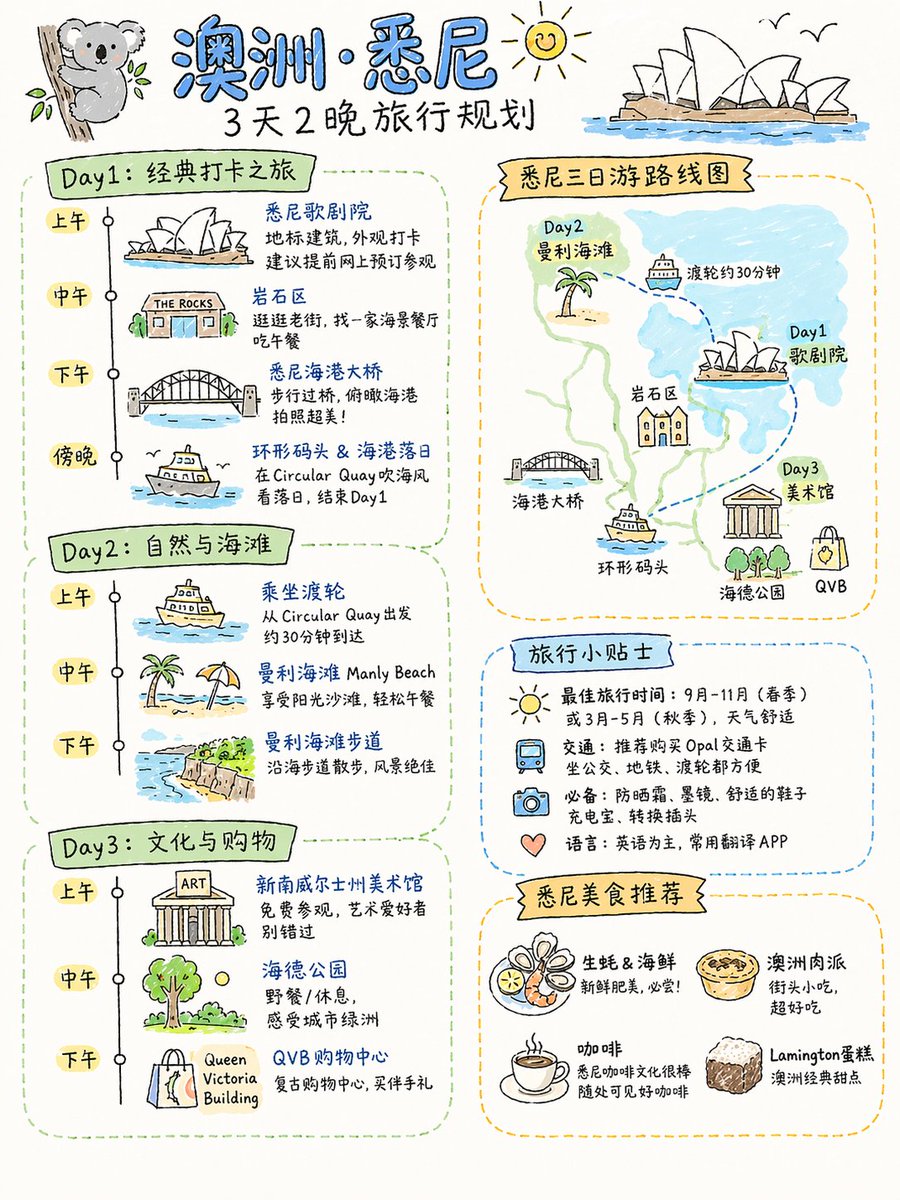
No. 33: 인포그래픽 / 교육용 시각 자료 - Four Practical GPT-Image-2 Use Cases
📖 설명
A collection of four prompts for food flowcharts, travel plans, textbook covers, and AI product landing pages.
📝 프롬프트
Detailed cooking process flowchart for this dish, realistic style, suitable for Xiaohongshu aspect ratio\n\n{argument name="destination" default="Sydney, Australia"} 3-day and 2-night travel plan, suitable for Xiaohongshu aspect ratio, hand-drawn sketch style\n\nPeople's Education Press Primary School Textbook: {argument name="textbook title" default="Vibe Coding"} Grade 1 (Volume 1)\n\nProduct display page for an {argument name="character" default="Android 18"} AI physical robot launched by OpenAI, consistent with current OpenAI design style, in Simplified Chinese, robot with the latest GPT 10 model. Includes: appearance, details, features, scenarios, usage, maintenance, etc.
🖼️ 생성된 이미지
Image 1
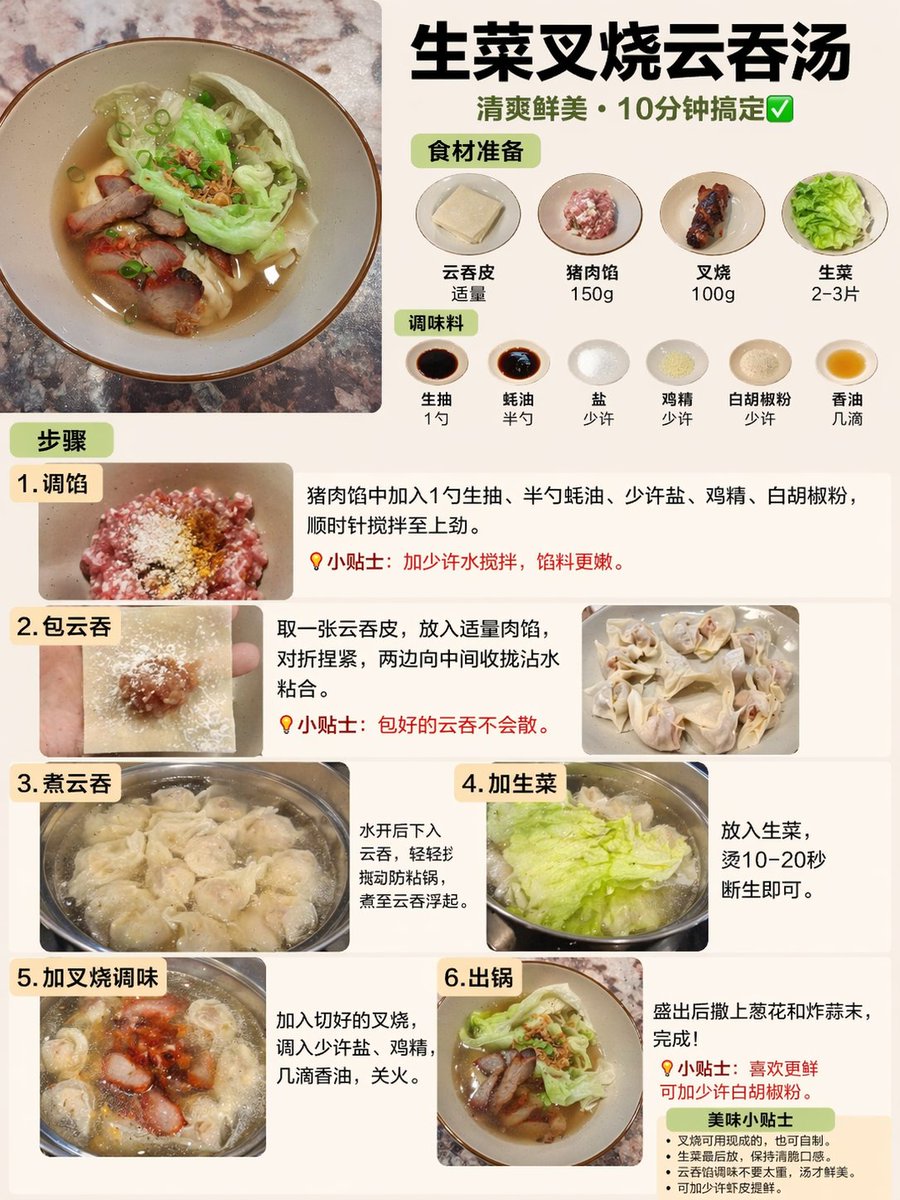
Image 2
📌 상세 정보
- 작성자: Rion Wu
- 출처: Twitter Post
- 게시일: 2026년 4월 19일
- 언어: zh
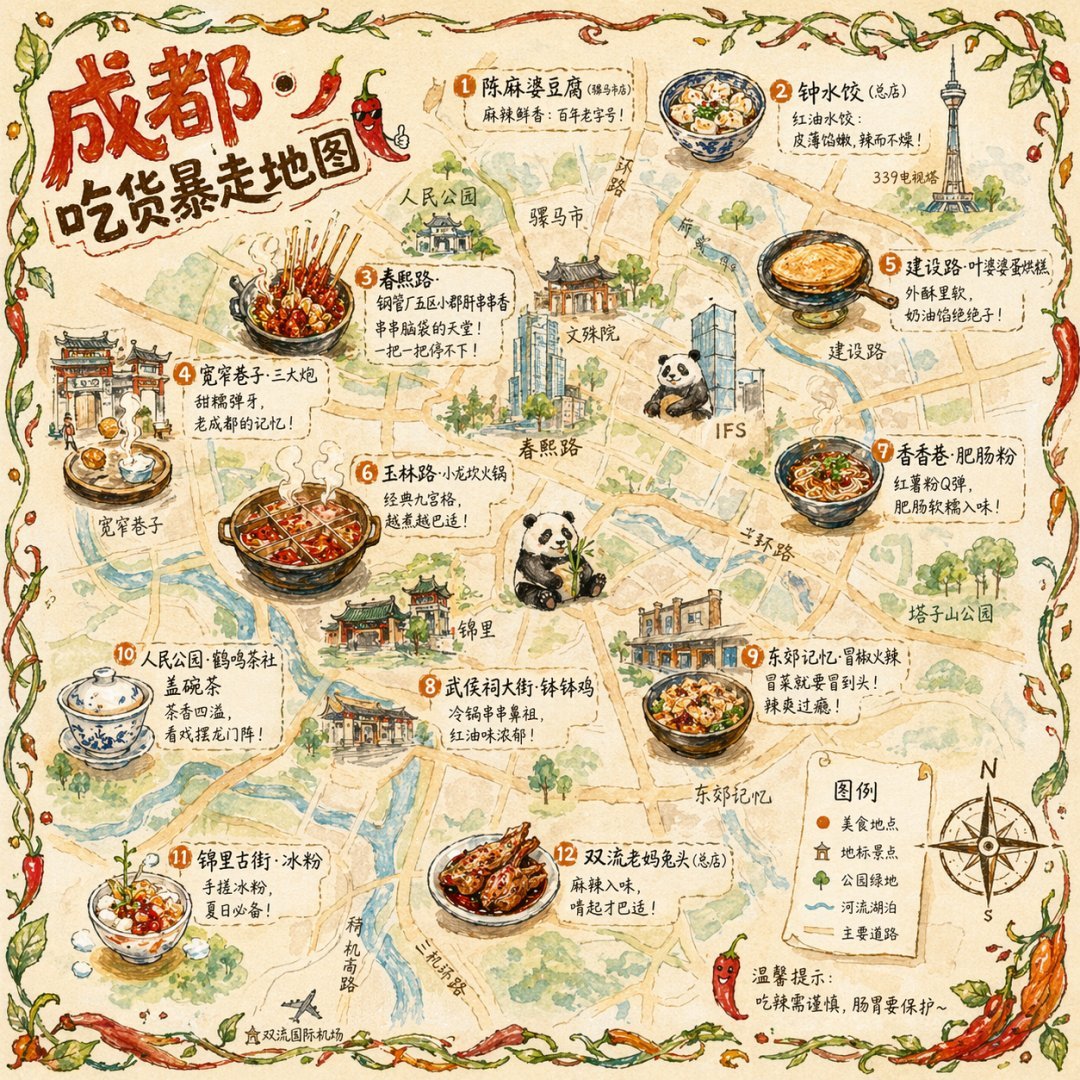
No. 34: 인포그래픽 / 교육용 시각 자료 - Illustrated City Food Map
📖 설명
Generates a hand-drawn, watercolor-style tourist map featuring numbered local food specialties, landmarks, and a legend.
📝 프롬프트
{
  "type": "illustrated map infographic",
  "style": "{argument name=\"art style\" default=\"watercolor and ink hand-drawn illustration on vintage parchment\"}",
  "title_section": {
    "text": "{argument name=\"city name\" default=\"成都\"} {argument name=\"map title\" default=\"吃货暴走地图\"}",
    "mascot": "cartoon red chili pepper wearing sunglasses and giving a thumbs up"
  },
  "border": "{argument name=\"border decoration\" default=\"vine of green leaves and red chili peppers\"}",
  "layout": {
    "background": "textured beige parchment paper with yellow roads, blue rivers, and green park areas",
    "sections": [
      {
        "title": "landmarks",
        "count": 6,
        "illustrations": ["traditional pavilion", "traditional monastery", "modern skyscraper with climbing panda", "tall TV tower", "traditional gate", "industrial buildings"],
        "labels": ["人民公园", "文殊院", "IFS", "339电视塔", "宽窄巷子", "东郊记忆"]
      },
      {
        "title": "food_spots",
        "count": 12,
        "illustrations": ["mapo tofu", "dumplings in chili oil", "skewers in pot", "sticky rice balls", "egg baking cake", "nine-grid hotpot", "sweet potato noodles", "cold skewers", "spicy mixed dish", "covered tea bowl", "ice jelly dessert", "spicy rabbit heads"],
        "labels": ["1 陈麻婆豆腐", "2 钟水饺", "3 春熙路", "4 宽窄巷子·三大炮", "5 建设路·叶婆婆蛋烘糕", "6 玉林路·小龙坎火锅", "7 香香巷·肥肠粉", "8 武侯祠大街·钵钵鸡", "9 东郊记忆·冒椒火辣", "10 人民公园·鹤鸣茶社", "11 锦里古街·冰粉", "12 双流老妈兔头"]
      },
      {
        "title": "图例",
        "position": "bottom-right",
        "count": 5,
        "items": ["red dot", "green house", "green tree", "blue line", "yellow double line"],
        "labels": ["美食地点", "地标景点", "公园绿地", "河流湖泊", "主要道路"]
      }
    ],
    "centerpiece": "giant panda sitting and eating bamboo",
    "bottom_right_extras": ["vintage compass rose with N, S, E, W", "disclaimer text '温馨提示:吃辣需谨慎,肠胃要保护~' with a red chili pepper icon"]
  }
}
🖼️ 생성된 이미지
Image 1
📌 상세 정보
- 작성자: 皮皮特
- 출처: Twitter Post
- 게시일: 2026년 4월 19일
- 언어: en
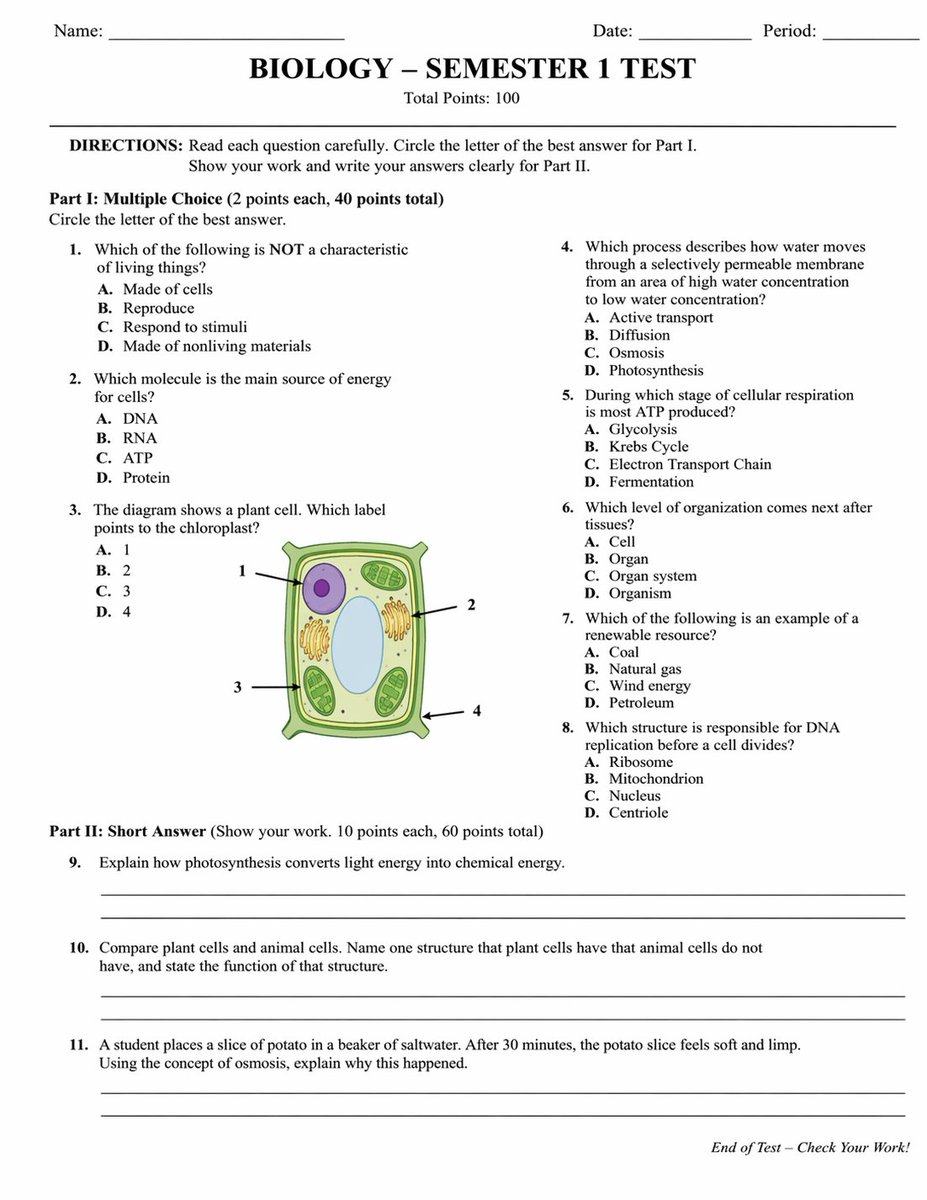
No. 35: 인포그래픽 / 교육용 시각 자료 - Academic Exam Paper Generator
📖 설명
Generates a realistic, structured academic test paper with multiple-choice questions, a diagram, and short-answer sections.
📝 프롬프트
{
  "type": "academic exam paper",
  "header": {
    "student_info": ["Name:", "Date:", "Period:"],
    "title": "{argument name=\"subject\" default=\"BIOLOGY\"} - {argument name=\"test title\" default=\"SEMESTER 1 TEST\"}",
    "subtitle": "Total Points: 100"
  },
  "instructions": "DIRECTIONS: Read each question carefully. Circle the letter of the best answer for Part I. Show your work and write your answers clearly for Part II.",
  "sections": [
    {
      "title": "Part I: {argument name=\"part 1 type\" default=\"Multiple Choice\"} (2 points each, 40 points total)",
      "layout": "two columns",
      "question_count": 8,
      "format": "numbered questions 1 through 8, each with options A, B, C, D",
      "diagram": {
        "location": "Question 3",
        "description": "illustration of a {argument name=\"diagram subject\" default=\"plant cell\"}",
        "labels": ["1", "2", "3", "4"]
      }
    },
    {
      "title": "Part II: {argument name=\"part 2 type\" default=\"Short Answer\"} (Show your work. 10 points each, 60 points total)",
      "layout": "single column",
      "question_count": 3,
      "format": "numbered questions 9 through 11, each followed by two blank horizontal lines"
    }
  ],
  "footer": "End of Test - Check Your Work!"
}
🖼️ 생성된 이미지
Image 1
📌 상세 정보
- 작성자: Yx
- 출처: Twitter Post
- 게시일: 2026년 4월 19일
- 언어: en
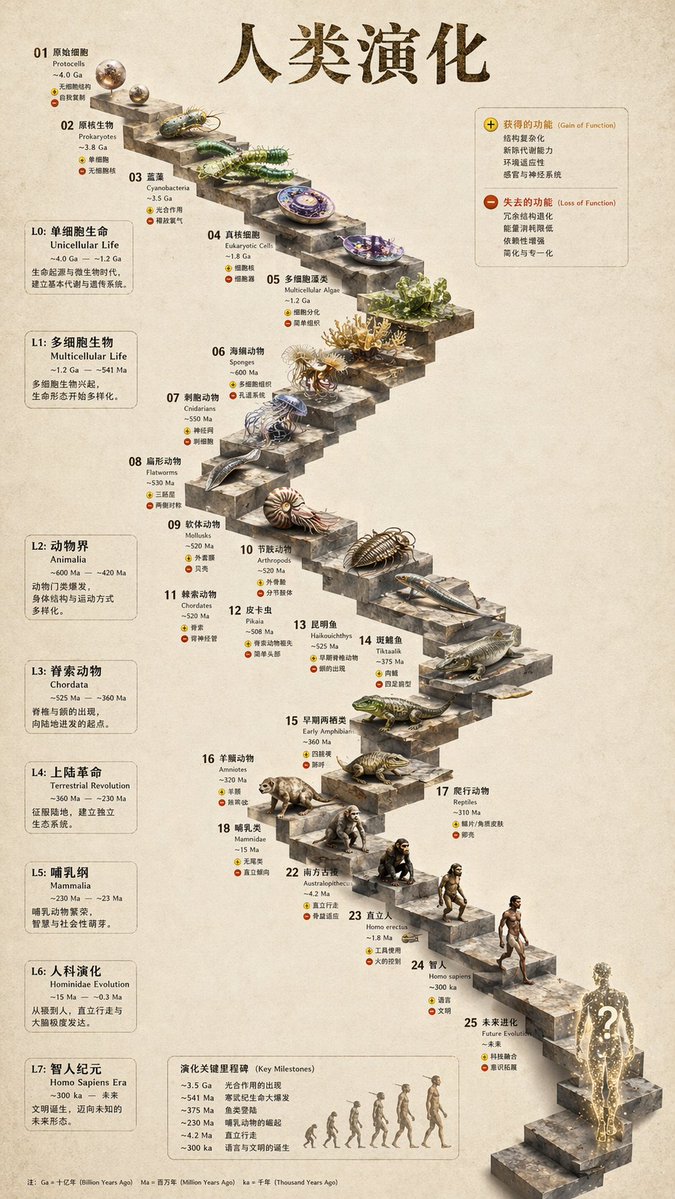
No. 36: 인포그래픽 / 교육용 시각 자료 - 3D Stone Staircase Evolution Infographic
📖 설명
Transforms a flat evolutionary timeline into a realistic 3D stone staircase infographic with detailed organism renders and structured side panels.
📝 프롬프트
{
  "type": "evolutionary timeline infographic",
  "instruction": "Using REFERENCE_0 as a structural base, transform the flat vector design into a highly realistic 3D infographic. Replace the smooth ramps with distinct stone steps and upgrade all organisms to photorealistic 3D models.",
  "style": {
    "background": "{argument name=\"background style\" default=\"vintage textured parchment paper\"}",
    "staircase": "{argument name=\"staircase material\" default=\"realistic textured stone blocks\"}",
    "subjects": "{argument name=\"organism style\" default=\"highly detailed photorealistic 3D renders\"}"
  },
  "layout": {
    "main_title": "{argument name=\"main title\" default=\"人类演化\"}",
    "sections": [
      {
        "position": "left sidebar",
        "count": 8,
        "labels": ["L0: 单细胞生命", "L1: 多细胞生物", "L2: 动物界", "L3: 脊索动物", "L4: 上陆革命", "L5: 哺乳纲", "L6: 人科演化", "L7: 智人纪元"]
      },
      {
        "position": "top right",
        "title": "获得的功能 / 失去的功能",
        "description": "Legend with plus and minus icons"
      },
      {
        "position": "bottom center",
        "title": "演化关键里程碑",
        "count": 6,
        "description": "Timeline with a silhouette graphic of 6 figures showing ape-to-human evolution"
      }
    ],
    "centerpiece": {
      "description": "Winding stone staircase with 25 numbered steps featuring specific organisms.",
      "count": 25,
      "notable_elements": [
        "Step 07: Jellyfish",
        "Step 09: Ammonite",
        "Step 10: Trilobite",
        "Step 24: Walking human",
        "Step 25: {argument name=\"future evolution concept\" default=\"glowing cosmic silhouette with a question mark\"}"
      ]
    }
  }
}
🖼️ 생성된 이미지
Image 1
📌 상세 정보
- 작성자: 知识猫图解
- 출처: Twitter Post
- 게시일: 2026년 4월 19일
- 언어: en
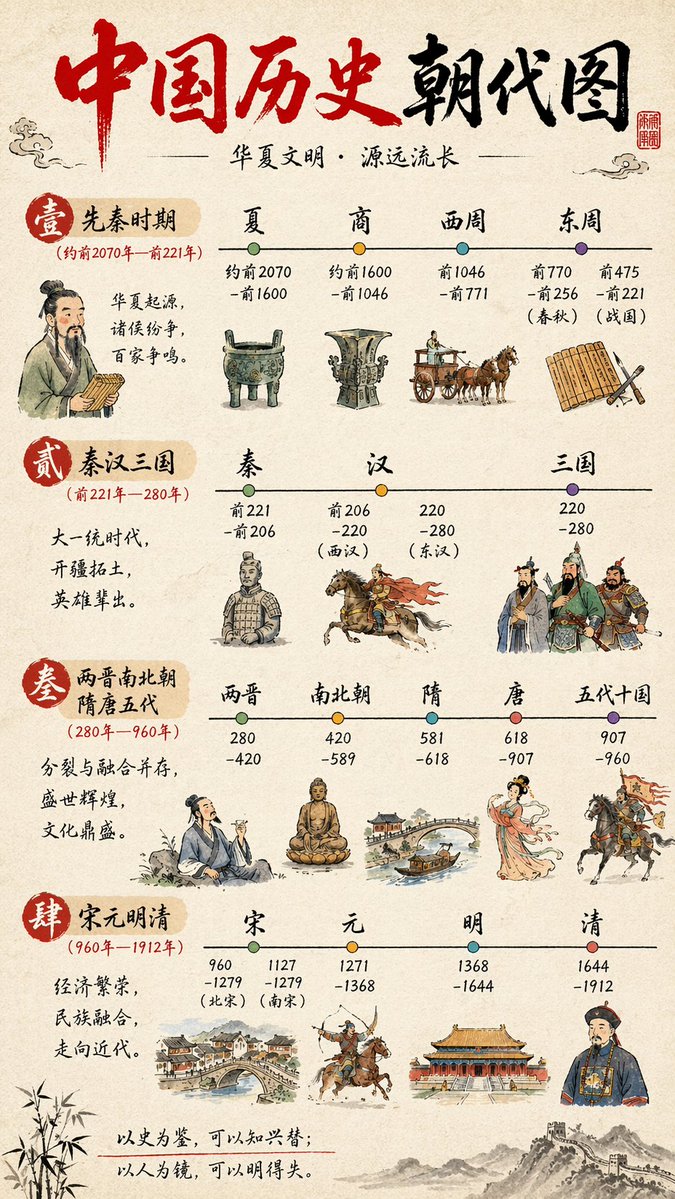
No. 37: 인포그래픽 / 교육용 시각 자료 - Chinese History Timeline Infographic
📖 설명
A detailed, four-section vertical infographic mapping Chinese historical dynasties with watercolor illustrations and timeline nodes.
📝 프롬프트
{
  "type": "infographic timeline",
  "style": {
    "background": "{argument name=\"background style\" default=\"textured beige rice paper\"}",
    "art_style": "{argument name=\"art style\" default=\"traditional Chinese watercolor and ink wash illustration\"}"
  },
  "header": {
    "title": "{argument name=\"main title\" default=\"中国历史朝代图\"}",
    "subtitle": "{argument name=\"subtitle\" default=\"华夏文明·源远流长\"}",
    "elements": ["red calligraphy title", "red square seal stamp top right", "cloud motifs"]
  },
  "layout": {
    "sections_count": 4,
    "sections": [
      {
        "id": "1",
        "label": "壹 先秦时期",
        "date_range": "(约前2070年—前221年)",
        "description": "华夏起源,诸侯纷争,百家争鸣。",
        "timeline_nodes": 4,
        "dynasties": ["夏", "商", "西周", "东周"],
        "illustrations": ["scholar holding bamboo slips", "bronze ding tripod", "bronze ritual vessel", "horse-drawn chariot", "bamboo slips and brush"]
      },
      {
        "id": "2",
        "label": "贰 秦汉三国",
        "date_range": "(前221年—280年)",
        "description": "大一统时代,开疆拓土,英雄辈出。",
        "timeline_nodes": 3,
        "dynasties": ["秦", "汉", "三国"],
        "illustrations": ["terracotta warrior", "cavalryman on galloping horse", "three generals in traditional armor"]
      },
      {
        "id": "3",
        "label": "叁 两晋南北朝 隋唐五代",
        "date_range": "(280年—960年)",
        "description": "分裂与融合并存,盛世辉煌,文化鼎盛。",
        "timeline_nodes": 5,
        "dynasties": ["两晋", "南北朝", "隋", "唐", "五代十国"],
        "illustrations": ["scholar drinking wine", "seated Buddha statue", "arched stone bridge with boat", "elegant Tang dynasty lady", "cavalryman holding a flag"]
      },
      {
        "id": "4",
        "label": "肆 宋元明清",
        "date_range": "(960年—1912年)",
        "description": "经济繁荣,民族融合,走向近代。",
        "timeline_nodes": 4,
        "dynasties": ["宋", "元", "明", "清"],
        "illustrations": ["bustling riverside townscape", "mounted archer shooting backwards", "palace complex", "Qing dynasty official"]
      }
    ]
  },
  "footer": {
    "quote": "{argument name=\"bottom quote\" default=\"以史为鉴,可以知兴替;以人为镜,可以明得失。\"}",
    "decorations": ["bamboo leaves on bottom left", "Great Wall illustration on bottom right"]
  }
}
🖼️ 생성된 이미지
Image 1
📌 상세 정보
- 작성자: axiaisacat
- 출처: Twitter Post
- 게시일: 2026년 4월 19일
- 언어: en
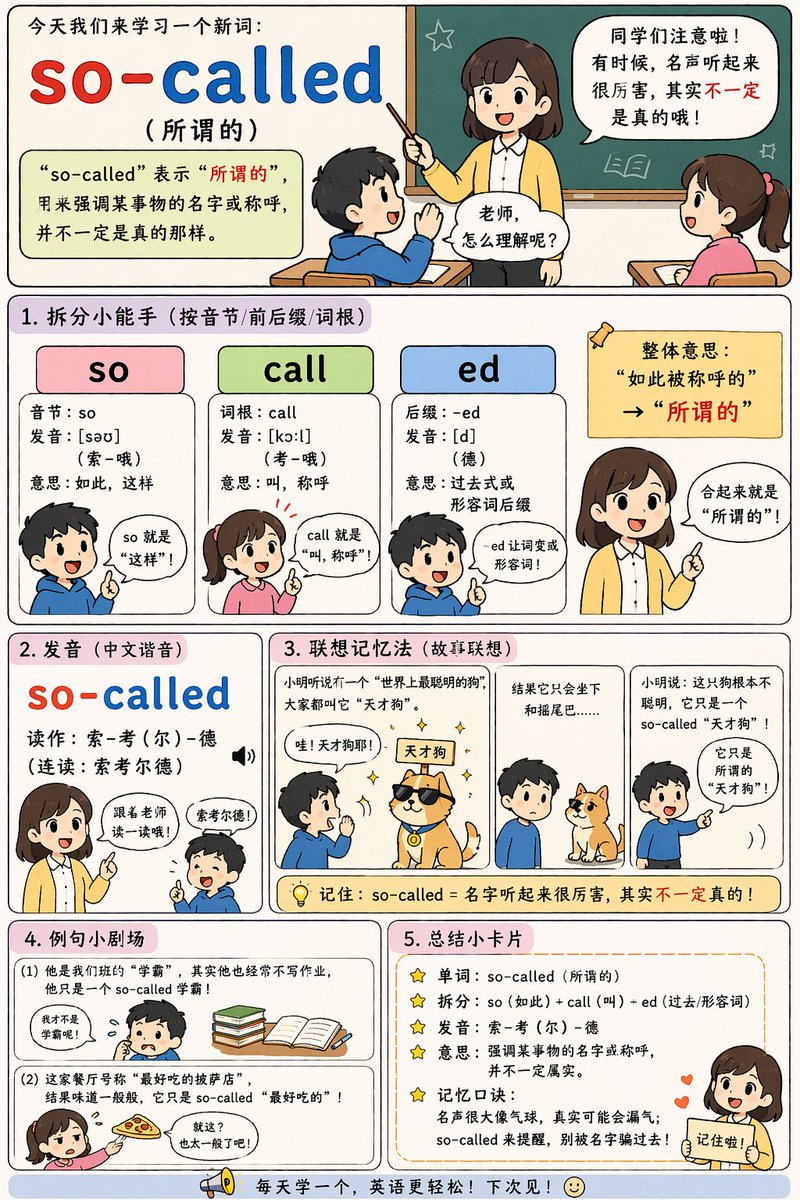
No. 38: 인포그래픽 / 교육용 시각 자료 - English Vocabulary Educational Infographic
📖 설명
Generates a vertical, multi-section educational comic strip for teaching vocabulary with breakdowns, mnemonics, and examples.
📝 프롬프트
{
  "type": "educational infographic comic",
  "style": "cute chibi anime, flat colors, clear comic panel layout, pastel backgrounds",
  "header": {
    "title": "今天我们来学习一个新词:",
    "word": "{argument name=\"target word\" default=\"so-called\"}",
    "translation": "({argument name=\"target translation\" default=\"所谓的\"})",
    "definition_box": "“so-called” 表示“所谓的”,用来强调某事物的名字或称呼,并不一定是真的那样。",
    "illustration": "teacher at chalkboard talking to 2 students with speech bubbles"
  },
  "layout": {
    "sections": [
      {
        "title": "1. 拆分小能手 (按音节/前后缀/词根)",
        "count": 3,
        "labels": ["so", "call", "ed"],
        "details": "3 colored columns (pink, green, blue) breaking down syllables, roots, and suffixes, accompanied by 4 chibi characters explaining the parts"
      },
      {
        "title": "2. 发音 (中文谐音)",
        "count": 1,
        "labels": ["so-called"],
        "details": "phonetic pronunciation guide with a teacher instructing a student"
      },
      {
        "title": "3. 联想记忆法 (故事联想)",
        "count": 3,
        "labels": ["panel 1", "panel 2", "panel 3"],
        "details": "3-panel comic illustrating {argument name=\"mnemonic story theme\" default=\"a so-called genius dog that only knows how to sit\"}"
      },
      {
        "title": "4. 例句小剧场",
        "count": 2,
        "labels": ["(1)", "(2)"],
        "details": "2 illustrated examples showing {argument name=\"example 1\" default=\"a so-called top student who doesn't do homework\"} and {argument name=\"example 2\" default=\"a so-called best pizza that tastes average\"}"
      },
      {
        "title": "5. 总结小卡片",
        "count": 5,
        "labels": ["单词", "拆分", "发音", "意思", "记忆口诀"],
        "details": "bulleted summary list with star icons, featuring a teacher character pointing at the bottom right"
      }
    ],
    "footer": "megaphone icon with text 每天学一个,英语更轻松!下次见!"
  }
}
🖼️ 생성된 이미지
Image 1
📌 상세 정보
- 작성자: axiaisacat
- 출처: Twitter Post
- 게시일: 2026년 4월 19일
- 언어: en
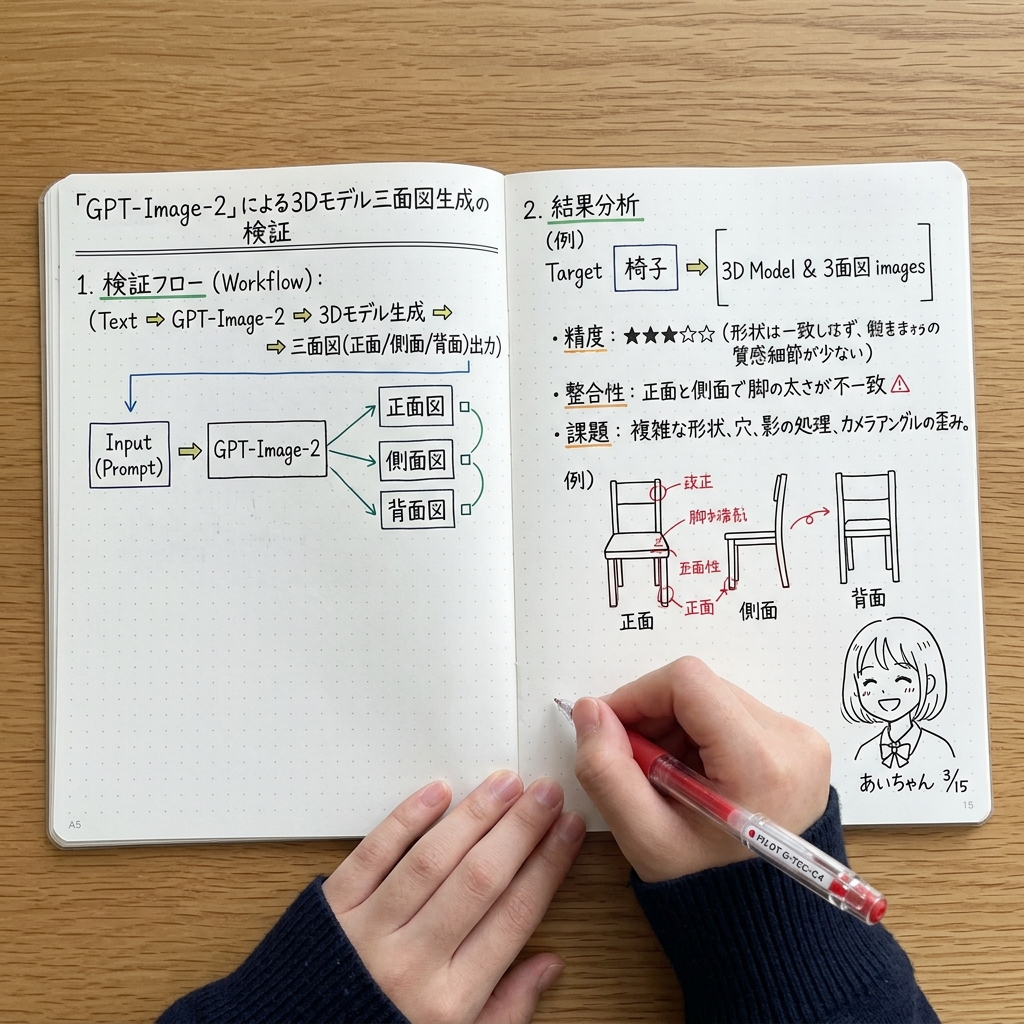
No. 39: 인포그래픽 / 교육용 시각 자료 - AI 검증용 수기 노트 스프레드
📖 설명
AI 이미지 생성을 분석하는 수기 다이어그램, 텍스트, 스케치가 담긴 펼쳐진 노트북의 탑다운 뷰를 생성합니다.
📝 프롬프트
{"type": "나무 책상 위에 펼쳐진 도트 노트의 탑다운 뷰", "subject": {"description": "진한 파란색 골지 스웨터를 입은 손이 노트에 필기하는 모습", "tool": "{argument name=\"pen color\" default=\"빨간색\"} 젤펜을 쥐고 있음"}, "layout": {"left_page": {"header": "{argument name=\"main title\" default=\"「GPT-Image-2」를 통한 3D 모델 3면도 생성 검증\"}", "sections": [{"title": "1. 검증 플로우 (Workflow):", "content": "텍스트 시퀀스 (Text => GPT-Image-2 => 3D 모델 생성 => 3면도(정면/측면/배면) 출력)"}, {"type": "block diagram", "elements": 5, "description": "'Input (Prompt)'라고 적힌 상자가 'GPT-Image-2'로 이어지고, 여기서 녹색 선으로 연결된 '정면도', '측면도', '배면도'라는 3개의 상자로 분기됨"}]}, "right_page": {"sections": [{"title": "2. 결과 분석", "subtitle": "(예) 대상 {argument name=\"target object\" default=\"의자\"} => [3D 모델 & 3면도 이미지]", "bullet_points": {"count": 3, "topics": ["정확도: 별 5개 중 3개", "일관성", "과제"]}}, {"type": "sketches", "count": 3, "subject": "의자", "labels": ["정면", "측면", "배면"], "annotations": "의자 그림 위에 빨간 잉크로 표시된 화살표와 수정 사항"}, {"type": "doodle", "position": "우측 하단", "description": "귀여운 애니메이션 스타일의 소녀 얼굴", "signature": "{argument name=\"doodle signature\" default=\"아이짱 3/15\"}"}]}}}
🖼️ 생성된 이미지
Image 1
📌 상세 정보
- 작성자: あいちゃん
- 출처: Twitter Post
- 게시일: 2026년 4월 15일
- 언어: en
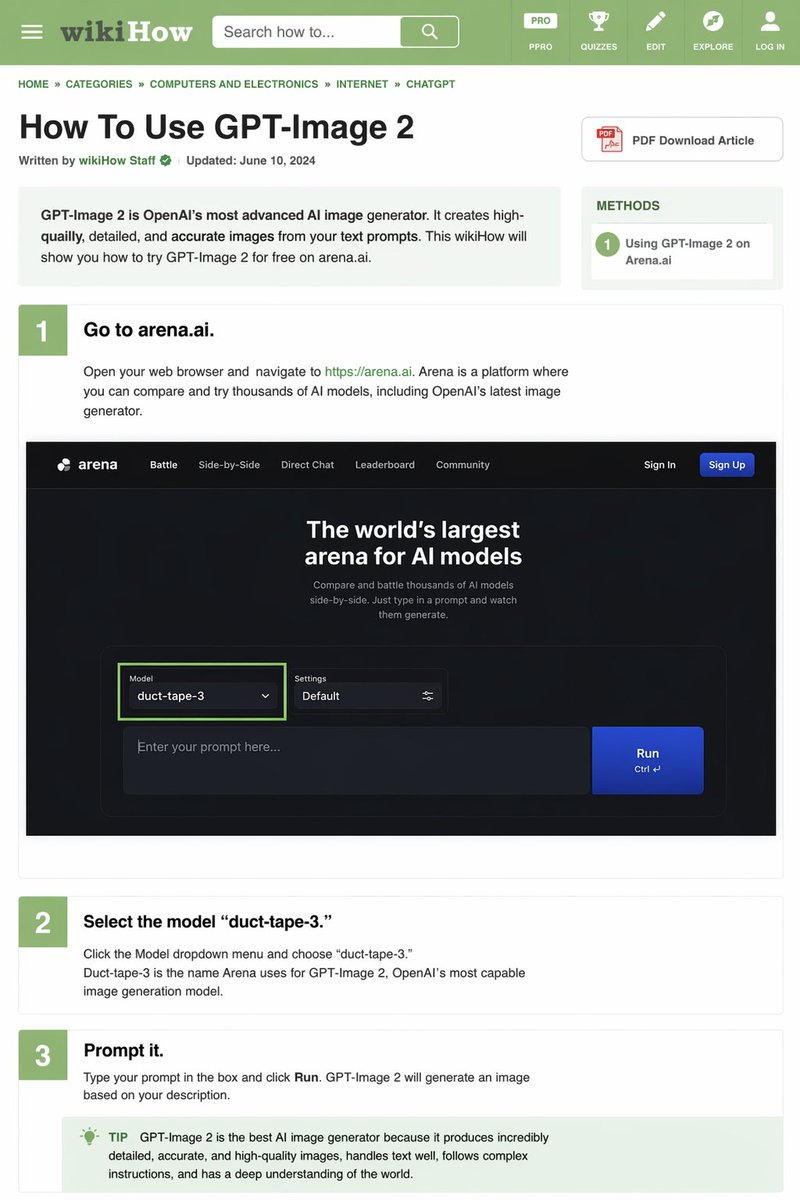
No. 40: 인포그래픽 / 교육용 시각 자료 - wikiHow 아티클 목업
📖 설명
wikiHow 레이아웃을 모방하여 단계별 지침과 UI 목업이 포함된 상세한 텍스트 위주의 튜토리얼 웹페이지를 생성합니다.
📝 프롬프트
{
  "type": "wikiHow 아티클 목업",
  "header": {
    "background": "녹색",
    "elements": [
      "햄버거 메뉴 아이콘",
      "wikiHow 로고",
      "'Search how to...' 텍스트가 포함된 검색창",
      "5개의 탐색 아이콘: PRO/PPRO, QUIZZES, EDIT, EXPLORE, LOG IN"
    ]
  },
  "breadcrumbs": "홈 » 카테고리 » 컴퓨터 및 전자제품 » 인터넷 » CHATGPT",
  "article_info": {
    "title": "{argument name=\"article title\" default=\"GPT-Image 2 사용 방법\"}",
    "metadata": "wikiHow 직원 작성 | 업데이트 날짜: 2024 년 6 월 10 일",
    "sidebar": [
      "PDF 아티클 다운로드 버튼",
      "방법 상자: 1 Arena.ai에서 GPT-Image 2 사용하기"
    ]
  },
  "intro_box": "GPT-Image 2는 OpenAI의 가장 진보된 AI 이미지 생성기입니다. 텍스트 프롬프트로부터 고품질의 상세하고 정확한 이미지를 생성합니다. 이 wikiHow 아티클에서는 arena.ai에서 GPT-Image 2를 무료로 사용하는 방법을 알려드립니다.",
  "steps": [
    {
      "number": 1,
      "title": "{argument name=\"step 1 title\" default=\"arena.ai에 접속하세요.\"}",
      "description": "웹 브라우저를 열고 https://arena.ai 로 이동하세요. Arena는 OpenAI의 최신 이미지 생성기를 포함하여 수천 개의 AI 모델을 비교하고 체험해 볼 수 있는 플랫폼입니다.",
      "embedded_image": {
        "type": "다크 모드 웹사이트 UI 목업",
        "logo": "arena",
        "navigation": ["Battle", "Side-by-Side", "Direct Chat", "Leaderboard", "Community", "Sign In", "Sign Up 버튼"],
        "hero_text": "세계 최대 규모의 AI 모델 아레나",
        "input_ui": {
          "model_dropdown": "모델: {argument name=\"model name\" default=\"duct-tape-3\"}",
          "settings": "기본값",
          "text_input": "프롬프트를 입력하세요...",
          "button": "실행"
        }
      }
    },
    {
      "number": 2,
      "title": "{argument name=\"step 2 title\" default=\"'duct-tape-3' 모델을 선택하세요.\"}",
      "description": "모델 드롭다운 메뉴를 클릭하고 'duct-tape-3'를 선택하세요. Duct-tape-3는 Arena에서 OpenAI의 가장 뛰어난 이미지 생성 모델인 GPT-Image 2를 지칭하는 이름입니다."
    },
    {
      "number": 3,
      "title": "{argument name=\"step 3 title\" default=\"프롬프트를 입력하세요.\"}",
      "description": "상자에 프롬프트를 입력하고 '실행(Run)'을 클릭하세요. GPT-Image 2가 사용자의 설명에 기반하여 이미지를 생성합니다.",
      "tip_box": "팁: GPT-Image 2는 매우 상세하고 정확하며 고품질의 이미지를 생성하고, 텍스트 처리가 뛰어나며, 복잡한 지시 사항을 따르고, 세상에 대한 깊은 이해도를 갖추고 있어 최고의 AI 이미지 생성기로 평가받습니다."
    }
  ]
}
🖼️ 생성된 이미지
Image 1
📌 상세 정보
- 작성자: Keyboard81727
- 출처: Twitter Post
- 게시일: 2026년 4월 15일
- 언어: en
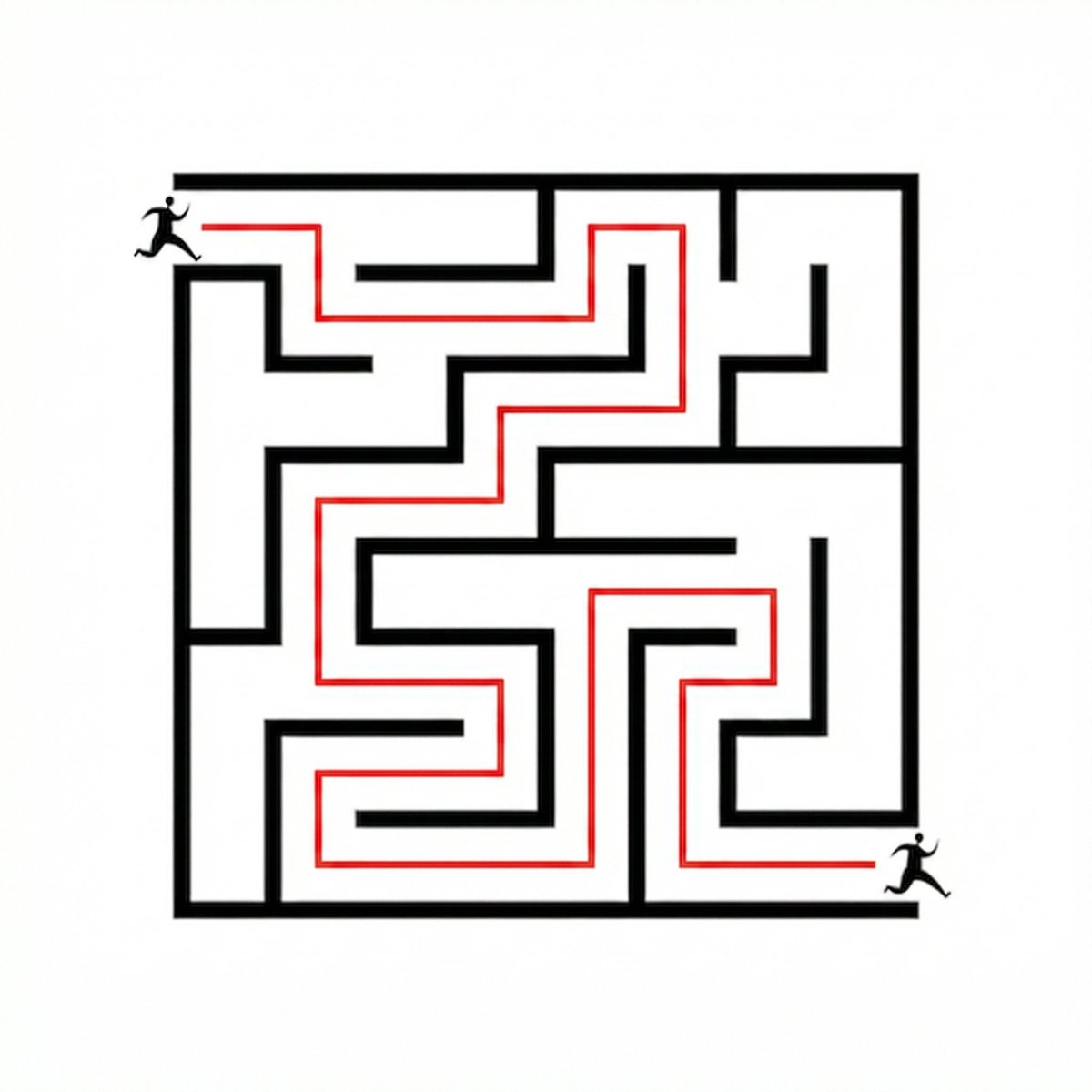
No. 41: 인포그래픽 / 교육용 시각 자료 - 미로 찾기 변환
📖 설명
제공된 미로의 입구에서 출구까지 색상이 있는 경로를 그려 시각적으로 해결하도록 모델에 지시합니다.
📝 프롬프트
제공된 참조 이미지를 사용하여 왼쪽 상단의 입구에서 오른쪽 하단의 출구까지 올바른 경로를 따라가는 연속적인 {argument name="path color" default="red"} 선을 그려 미로를 해결하세요. 미로의 벽과 두 명의 달리는 인물은 그대로 유지하세요.
🖼️ 생성된 이미지
Image 1
📌 상세 정보
- 작성자: Namra_7
- 출처: Twitter Post
- 게시일: 2026년 4월 15일
- 언어: en
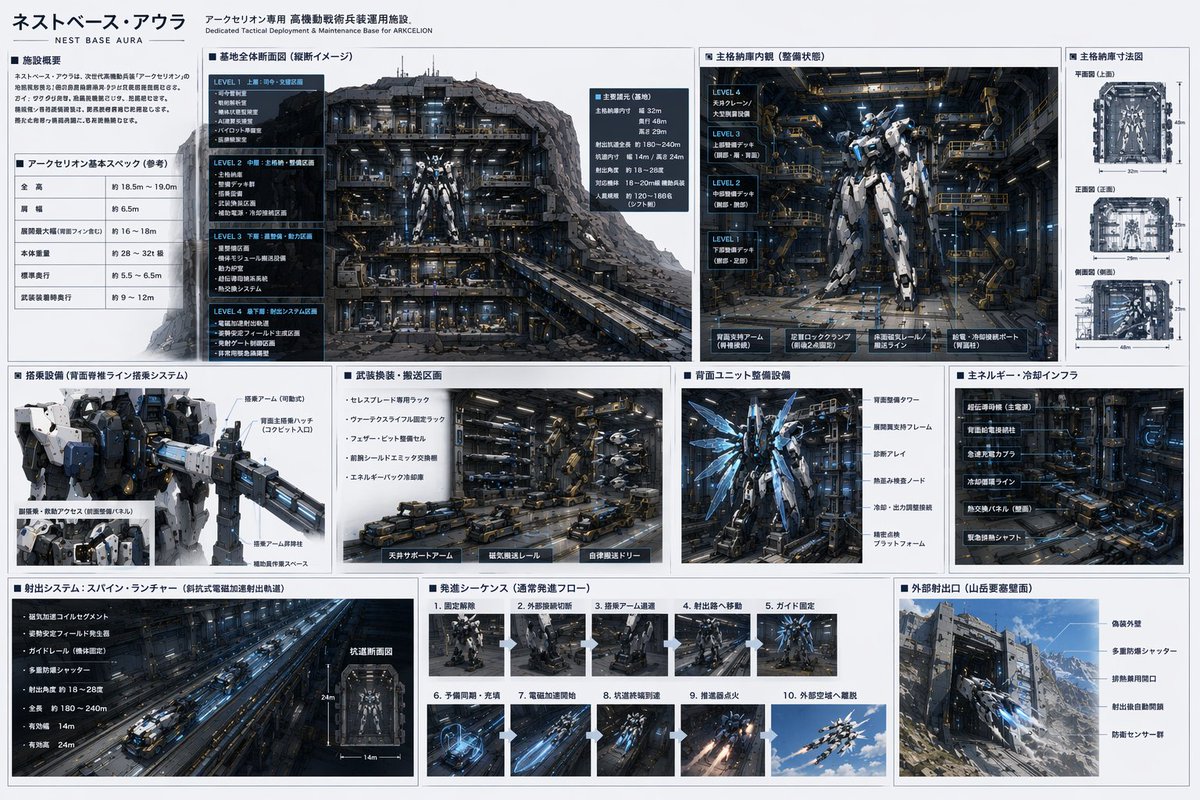
No. 42: 인포그래픽 / 교육용 시각 자료 - Mecha Base 기술 사양서
📖 설명
공상과학 메카의 격납고, 유지보수 및 발진 시퀀스를 상세하게 설명하는 다중 패널 인포그래픽을 생성합니다.
📝 프롬프트
{
  "type": "메카 베이스 기술 사양서",
  "header": {
    "title": "{argument name=\"base name\" default=\"네스트 베이스 아우라\"}",
    "subtitle": "{argument name=\"mecha name\" default=\"아크세리온\"} 전용 전술 배치 및 유지보수 기지"
  },
  "mecha_design": "매우 상세한 휴머노이드 메카, {argument name=\"mecha color scheme\" default=\"화이트 및 블루\"} 장갑, {argument name=\"accent color\" default=\"발광 블루\"} 에너지 액센트, 복잡한 기계식 관절.",
  "layout": {
    "structure": "3개의 행으로 구성된 그리드 기반 인포그래픽, 어두운 산업적 미학, 어두운 배경의 흰색 텍스트 또는 밝은 회색 패널.",
    "sections": [
      {
        "row": 1,
        "panels": [
          { "title": "시설 개요", "type": "텍스트 블록" },
          { "title": "기본 사양", "type": "데이터 테이블" },
          { "title": "기지 전체 단면도", "type": "일러스트레이션", "description": "중앙에 메카가 위치한 4층 규모 지하 격납고의 상세한 단면도." },
          { "title": "메인 격납고 내부", "type": "일러스트레이션", "description": "캣워크가 있는 매우 상세한 산업용 유지보수 베이에 서 있는 메카." },
          { "title": "메인 격납고 치수", "type": "다이어그램", "count": 3, "labels": ["상면", "정면", "측면"], "description": "격납고의 정투영 설계도." }
        ]
      },
      {
        "row": 2,
        "panels": [
          { "title": "탑승 장비", "type": "일러스트레이션", "description": "파일럿 탑승 암이 부착된 메카 상체 클로즈업." },
          { "title": "무기 교체/운송 구역", "type": "일러스트레이션", "description": "자동 운송 로버와 무기 거치대가 있는 산업용 바닥." },
          { "title": "백 유닛 유지보수 장비", "type": "일러스트레이션", "description": "정비 중인 추진기 날개를 보여주는 메카 후면." },
          { "title": "주요 에너지/냉각 인프라", "type": "일러스트레이션", "description": "중공업용 배관, 발전기 및 냉각 탱크." }
        ]
      },
      {
        "row": 3,
        "panels": [
          { "title": "발진 시스템: 스파인 런처", "type": "일러스트레이션", "description": "전자기 캐터펄트 터널의 긴 원근감 샷." },
          { "title": "발진 시퀀스", "type": "시퀀스", "count": 10, "description": "메카가 전원을 켜고 레일을 따라 이동하며 발진하는 모습을 보여주는 순차적 썸네일 이미지." },
          { "title": "외부 발진 포트", "type": "일러스트레이션", "description": "{argument name=\"environment\" default=\"산악 지형\"}에 구축된 강력하게 요새화된 방폭문과 그곳에서 비행하며 나가는 메카의 외부 뷰." }
        ]
      }
    ]
  }
}
🖼️ 생성된 이미지
Image 1
📌 상세 정보
- 작성자: いにしえ@AI Director & Creator|Will Oldgram
- 출처: Twitter Post
- 게시일: 2026년 4월 15일
- 언어: en
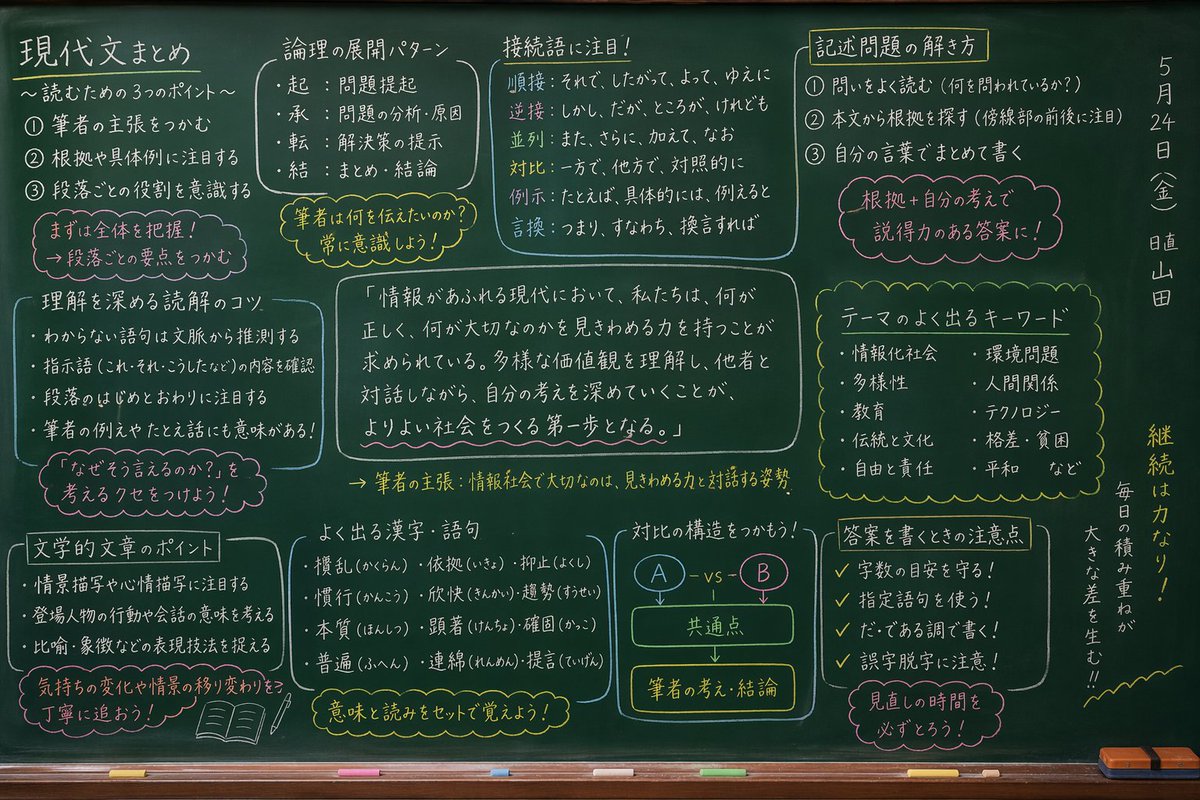
No. 43: 인포그래픽 / 교육용 시각 자료 - 일본어 교실 칠판 필기
📖 설명
깔끔하게 정리된 고해상도의 일본어 손글씨 필기와 도표가 가득한 실사풍 교실 칠판을 생성합니다.
📝 프롬프트
{
  "type": "손글씨 교육용 필기가 적힌 실사풍 칠판",
  "setting": "하단에 흰색 및 노란색 분필과 노란색 지우개가 놓인 나무 분필 받침대가 있는 녹색 교실 칠판",
  "style": "흰색, 노란색, 분홍색/빨간색 분필을 사용하여 깔끔하게 작성된 일본어 손글씨, 영역별로 박스 처리되어 정리됨",
  "layout": {
    "top_row": [
      { "title": "{argument name=\"main subject\" default=\"현대문 요약\"}", "subtitle": "〜읽기를 위한 3가지 포인트〜", "count": 3, "type": "번호 매기기 목록", "note": "우선 전체를 파악하자! 문단별 요점을 잡는 것이 중요" },
      { "title": "논리 전개 패턴", "count": 4, "type": "글머리 기호 목록", "labels": ["기", "승", "전", "결"], "note": "필자가 전달하고 싶은 것은 무엇인가? 항상 의식하자!" },
      { "title": "접속어에 주목!", "count": 6, "type": "분류 목록", "labels": ["순접", "역접", "병렬", "대비", "예시", "바꿔 말하기"] },
      { "title": "서술형 문제 풀이법", "count": 3, "type": "번호 매기기 목록", "note": "근거 + 자신의 생각을 더해 설득력 있는 답안으로!" }
    ],
    "middle_row": [
      { "title": "이해를 돕는 독해 요령", "count": 4, "type": "글머리 기호 목록", "note": "「왜 그렇게 말할 수 있는가?」를 생각하는 습관을 들이자!" },
      { "title": "center_quote", "text": "{argument name=\"center quote\" default=\"「정보가 넘쳐나는 현대 사회에서, 우리는 무엇이 옳고 무엇이 중요한지 판단할 수 있는 능력을 갖추어야 한다. 다양한 가치관을 이해하고 타인과 대화하며 자신의 생각을 깊게 하는 것이 더 나은 사회를 만드는 첫걸음이 된다.」\"}", "summary": "필자의 주장: 정보 사회에서 중요한 것은 판단력과 대화하는 자세" },
      { "title": "주제별 빈출 키워드", "count": 10, "type": "2열 목록" }
    ],
    "bottom_row": [
      { "title": "문학 작품의 포인트", "count": 3, "type": "글머리 기호 목록", "note": "감정의 변화와 장면의 전환을 꼼꼼히 따라가자!", "illustration": "펼쳐진 책과 연필" },
      { "title": "빈출 한자 및 어휘", "count": 9, "type": "3x3 격자 목록", "note": "의미와 읽기를 세트로 외우자!" },
      { "title": "대비 구조를 파악하자!", "type": "흐름도 다이어그램", "elements": ["A - vs - B", "공통점", "필자의 생각·결론"] },
      { "title": "답안 작성 시 주의사항", "count": 4, "type": "체크리스트", "note": "검토할 시간을 반드시 확보하자!" }
    ],
    "far_right_vertical": {
      "date": "{argument name=\"date\" default=\"5월 24일(금)\"}",
      "duty": "{argument name=\"duty student\" default=\"당번 야마다\"}",
      "motivational_quote": "{argument name=\"motivational quote\" default=\"꾸준함이 힘이다! 매일의 노력이 큰 차이를 만든다!!\"}"
    }
  }
}
🖼️ 생성된 이미지
Image 1
📌 상세 정보
- 작성자: jaizard
- 출처: Twitter Post
- 게시일: 2026년 4월 15일
- 언어: en
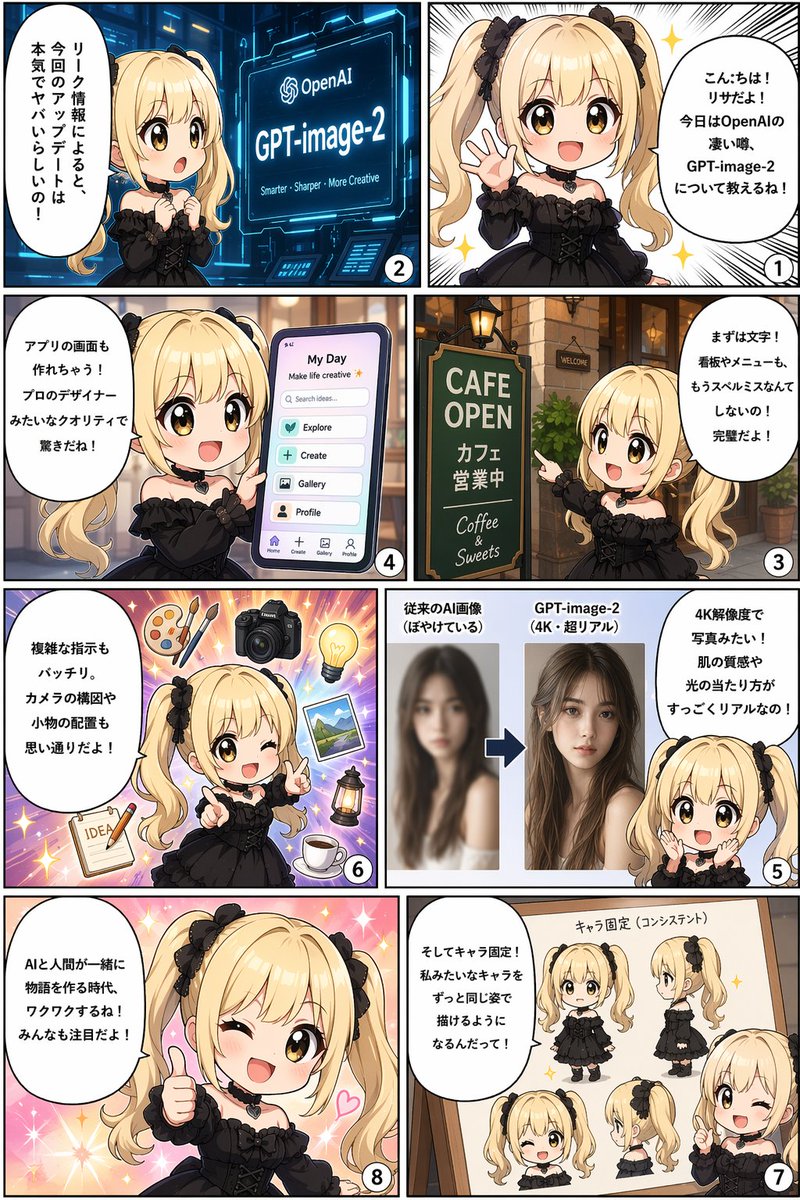
No. 44: 인포그래픽 / 교육용 시각 자료 - 8컷 만화 인포그래픽
📖 설명
귀여운 SD 캐릭터가 기능이나 개념을 말풍선으로 설명하는 8컷 만화 스타일의 인포그래픽을 생성합니다.
📝 프롬프트
{
  "type": "8컷 만화 인포그래픽",
  "reading_order": "우측에서 좌측으로",
  "character": {
    "name": "{argument name=\"character name\" default=\"리사\"}",
    "appearance": "{argument name=\"character appearance\" default=\"금발 트윈테일, 검은색 고딕 드레스, 검은색 하트 초커\"}"
  },
  "panels": [
    {
      "number": 1,
      "action": "행복하게 손을 흔드는 모습",
      "speech_bubble": "{argument name=\"greeting text\" default=\"안녕하세요! 리사예요! 오늘은 OpenAI의 놀라운 소문, GPT-image-2에 대해 알려드릴게요!\"}"
    },
    {
      "number": 2,
      "action": "빛나는 화면을 보며 놀라는 모습",
      "screen_text": "OpenAI {argument name=\"product name\" default=\"GPT-image-2\"} 더 똑똑하게 - 더 선명하게 - 더 창의적으로",
      "speech_bubble": "유출된 정보에 따르면 이번 업데이트는 정말 대단하다고 해요!"
    },
    {
      "number": 3,
      "action": "카페 간판을 가리키는 모습",
      "sign_text": "CAFE OPEN 카페 영업 중 Coffee & Sweets",
      "speech_bubble": "우선 텍스트 기능이에요! 간판이나 메뉴판의 오타도 이제 걱정 없어요! 완벽하답니다!"
    },
    {
      "number": 4,
      "action": "앱 UI가 표시된 스마트폰을 들고 있는 모습",
      "ui_elements_count": 6,
      "ui_elements": ["My Day", "Search ideas...", "Explore", "Create", "Gallery", "Profile"],
      "speech_bubble": "앱 화면도 만들 수 있어요! 전문 디자이너가 만든 것 같은 퀄리티에 깜짝 놀라실 거예요!"
    },
    {
      "number": 5,
      "action": "비포/애프터 비교를 보여주는 모습",
      "comparison": "흐릿한 인물 사진 vs 선명하고 사실적인 4K 여성 인물 사진",
      "speech_bubble": "4K 해상도로 사진처럼 선명해요! 피부 질감과 빛의 표현이 정말 사실적이죠!"
    },
    {
      "number": 6,
      "action": "윙크하며 가리키는 모습",
      "floating_objects_count": 7,
      "floating_objects": ["팔레트", "카메라", "전구", "풍경 사진", "랜턴", "커피 컵", "아이디어가 적힌 메모장"],
      "speech_bubble": "복잡한 지시도 완벽하게 수행해요. 카메라 구도나 소품 배치도 원하는 대로 가능해요!"
    },
    {
      "number": 7,
      "action": "화이트보드를 가리키는 모습",
      "whiteboard_poses_count": 5,
      "whiteboard_poses": ["정면 전신", "측면 전신", "정면 얼굴", "측면 얼굴", "윙크하는 반신"],
      "speech_bubble": "그리고 캐릭터 고정 기능! 저처럼 캐릭터를 항상 같은 모습으로 유지하며 그릴 수 있게 된대요!"
    },
    {
      "number": 8,
      "action": "엄지를 치켜세우며 윙크하는 모습, 반짝이는 배경",
      "speech_bubble": "{argument name=\"conclusion text\" default=\"AI와 인간이 함께 이야기를 만드는 시대, 정말 설레지 않나요? 모두 기대해 주세요!\"}"
    }
  ]
}
🖼️ 생성된 이미지
Image 1
📌 상세 정보
- 작성자: IT navi
- 출처: Twitter Post
- 게시일: 2026년 4월 15일
- 언어: en
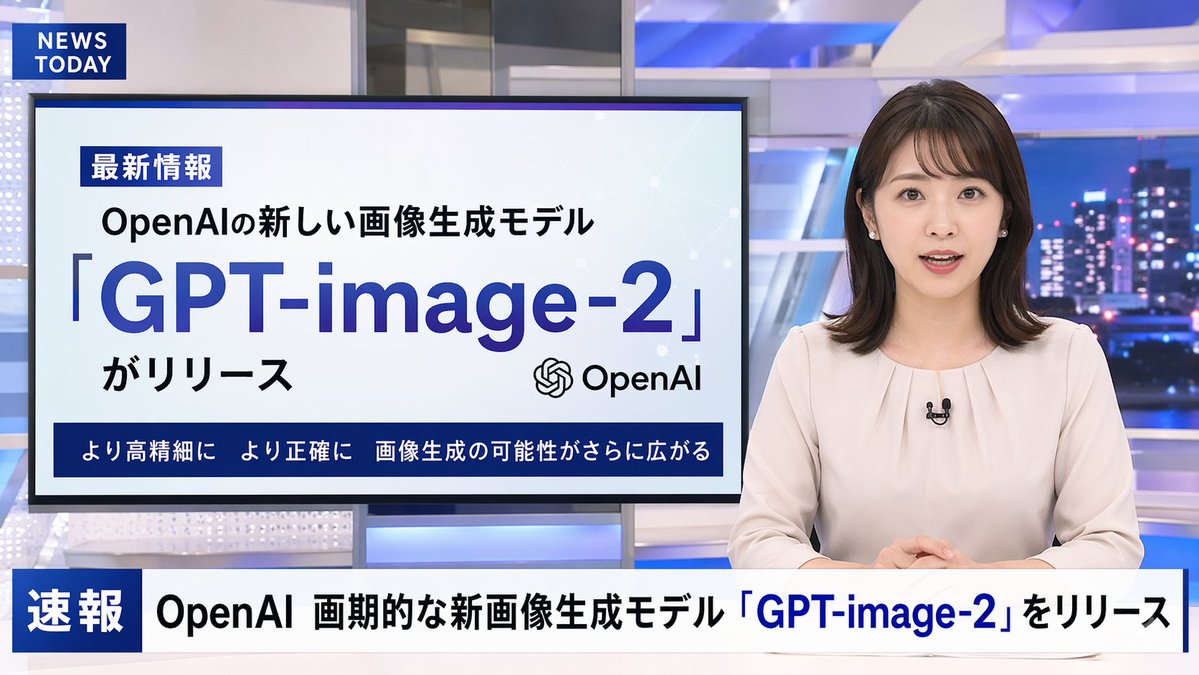
No. 45: 인포그래픽 / 교육용 시각 자료 - 일본 뉴스 방송 목업
📖 설명
뉴스 앵커, 프레젠테이션 모니터, 하단 뉴스 티커가 포함된 사실적인 TV 뉴스 방송 장면을 생성합니다.
📝 프롬프트
{
  "type": "TV 뉴스 방송 레이아웃",
  "anchor": {
    "appearance": "{argument name=\"anchor appearance\" default=\"어깨 길이의 어두운 머리를 한 젊은 일본인 여성 뉴스 앵커\"}",
    "attire": "작은 라펠 마이크를 착용한 연한 베이지색 블라우스",
    "pose": "책상에 앉아 두 손을 모으고 정면을 응시하는 모습"
  },
  "studio_environment": "파란색 조명 패널과 야간 도시 스카이라인이 배경으로 보이는 현대적인 뉴스룸",
  "graphics": {
    "top_left_bug": {
      "style": "진한 파란색 직사각형",
      "text": "{argument name=\"channel logo\" default=\"NEWS TODAY\"}"
    },
    "presentation_monitor": {
      "location": "앵커 뒤 중앙 왼쪽",
      "badge": "最新情報",
      "subtitle": "{argument name=\"subheadline\" default=\"OpenAI의 새로운 이미지 생성 모델\"}",
      "title": "{argument name=\"main headline\" default=\"「GPT-image-2」\"}",
      "suffix": "가 출시됨",
      "icon": "OpenAI 로고",
      "bottom_bar": "더욱 고해상도로 더욱 정확하게 이미지 생성의 가능성이 더욱 확대됩니다"
    },
    "lower_thirds_ticker": {
      "badge": "속보",
      "headline": "{argument name=\"ticker text\" default=\"OpenAI 획기적인 신규 이미지 생성 모델「GPT-image-2」출시\"}"
    }
  }
}
🖼️ 생성된 이미지
Image 1
📌 상세 정보
- 작성자: IT navi
- 출처: Twitter Post
- 게시일: 2026년 4월 15일
- 언어: en
No. 46: 인포그래픽 / 교육용 시각 자료 - 풍동 공기역학 테스트
📖 설명
풍동 내에서 공기역학적 연기 테스트를 받는 레이싱 카의 사실적인 이미지를 생성하며, 사용자 지정 가능한 기술 표지판을 포함합니다.
📝 프롬프트
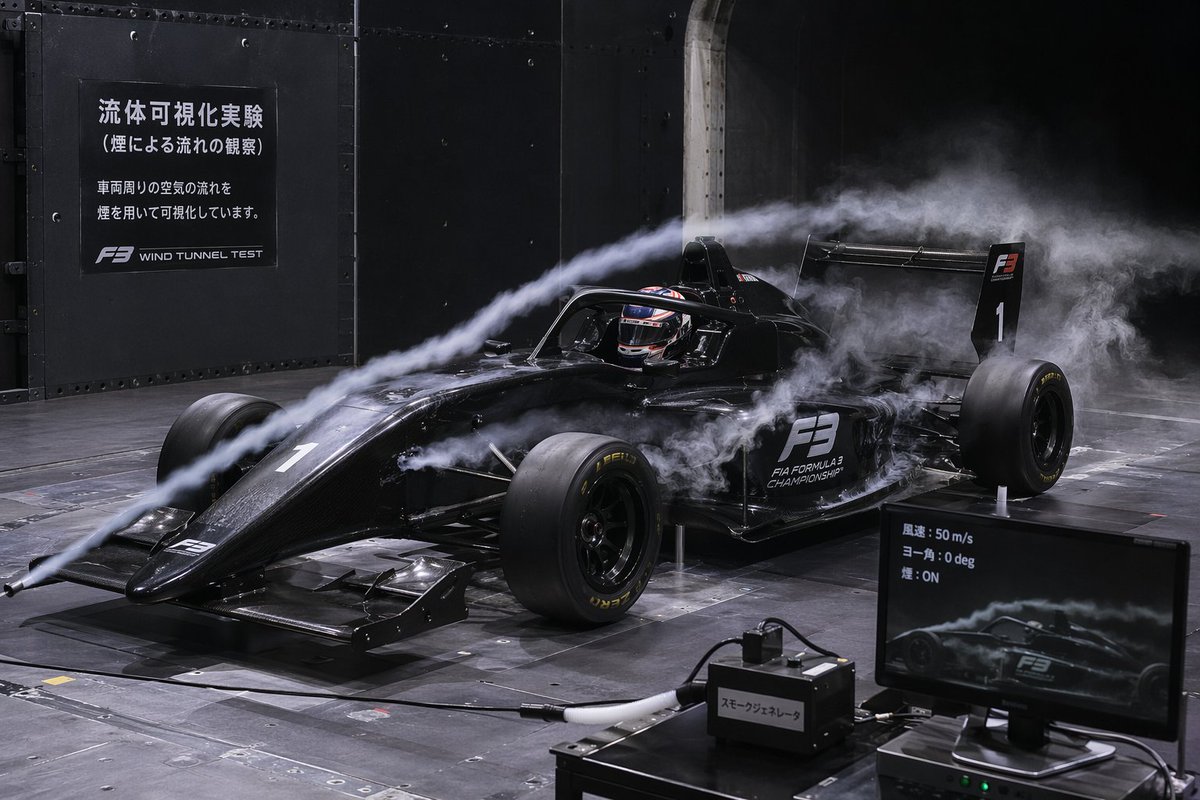
공기역학적 풍동 테스트를 받는 {argument name="vehicle type" default="검은색 포뮬러 3 레이싱 카"}의 매우 상세하고 사실적인 이미지입니다. 차량에는 "F3" 및 "FIA FORMULA 3 CHAMPIONSHIP" 데칼과 숫자 "1"이 부착되어 있습니다. 헬멧을 쓴 드라이버가 콕핏에 앉아 있습니다. 두 줄기의 짙은 흰색 연기가 왼쪽 노즐에서 뿜어져 나와 차량의 노즈, 헤일로, 사이드포드를 따라 공기역학적으로 흐릅니다. 배경은 금속 패널 벽과 격자 바닥으로 이루어진 어두운 산업용 풍동 내부입니다. 왼쪽 상단 어두운 벽에는 "{argument name="main sign text" default="流体可視化実験 (煙による流れの観察) 車両周りの空気の流れを煙を用いて可視化しています。 F3 WIND TUNNEL TEST"}"라는 흰색 텍스트가 적힌 큰 검은색 표지판이 있습니다. 오른쪽 하단 전경에는 차량의 측면 연기 시각화 화면을 보여주는 컴퓨터 모니터가 있으며, 화면에는 "{argument name="monitor text" default="風速: 50 m/s ヨー角: 0 deg 煙: ON"}"이라는 텍스트가 표시되어 있습니다. 모니터 옆에는 호스가 연결된 검은색 상자가 있으며, "{argument name="equipment label" default="スモークジェネレータ"}"라고 적힌 스티커가 붙어 있습니다. 극적이고 영화 같은 조명이 연기 궤적과 차량의 광택 마감을 강조합니다.
🖼️ 생성된 이미지
Image 1
📌 상세 정보
- 작성자: そら
- 출처: Twitter Post
- 게시일: 2026년 4월 15일
- 언어: en
No. 47: YouTube 썸네일 - YouTube 언박싱 썸네일 프롬프트
📖 설명
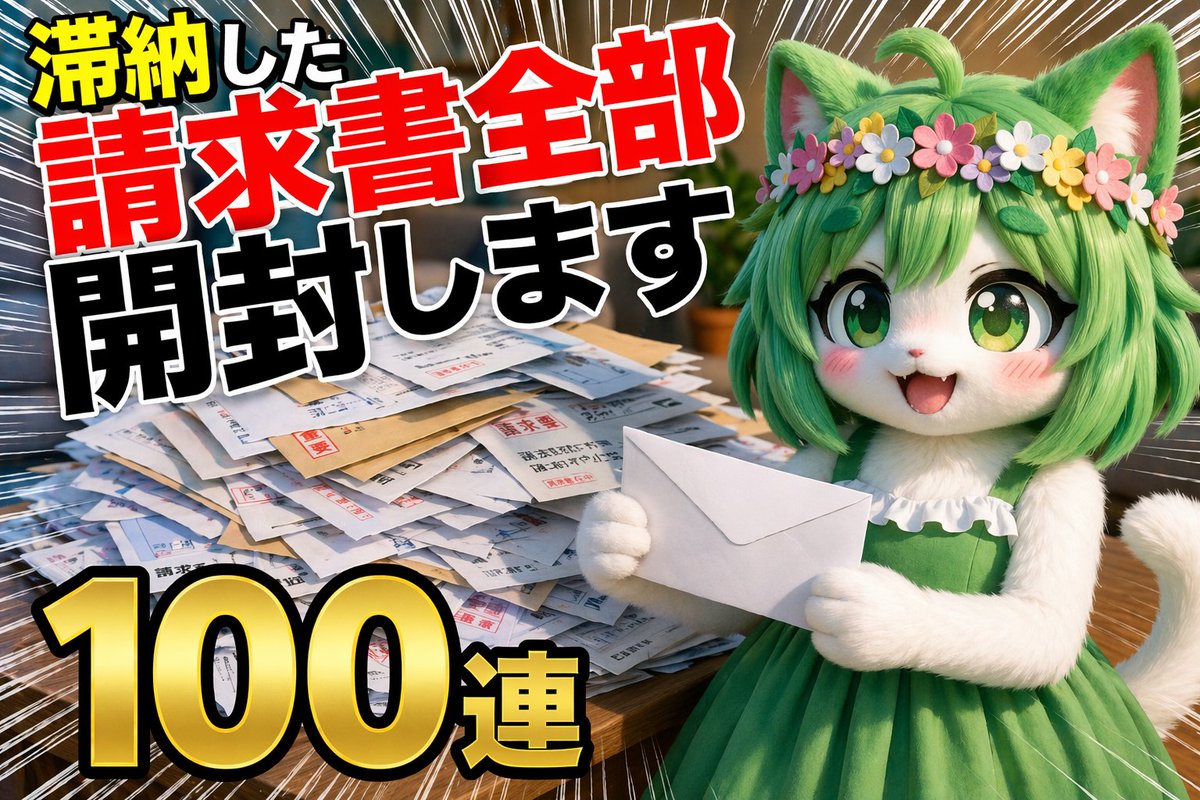
GPT-Image-2를 사용하여 언박싱 영상용 YouTube 썸네일을 생성하기 위한 프롬프트로, 밀린 고지서 개봉과 같은 유머러스하거나 드라마틱한 테마에 초점을 맞췄습니다.
📝 프롬프트
YouTube 언박싱 영상용 썸네일, {argument name="topic" default="밀린 고지서 전부 개봉하기"} 영상, {argument name="quantity" default="100개 연속"}
🖼️ 생성된 이미지
Image 1
📌 상세 정보
- 작성자: とらの
- 출처: Twitter Post
- 게시일: 2026년 4월 16일
- 언어: ja
No. 48: YouTube 썸네일 - Voxel 스피드런 HUD 스크린샷
📖 설명
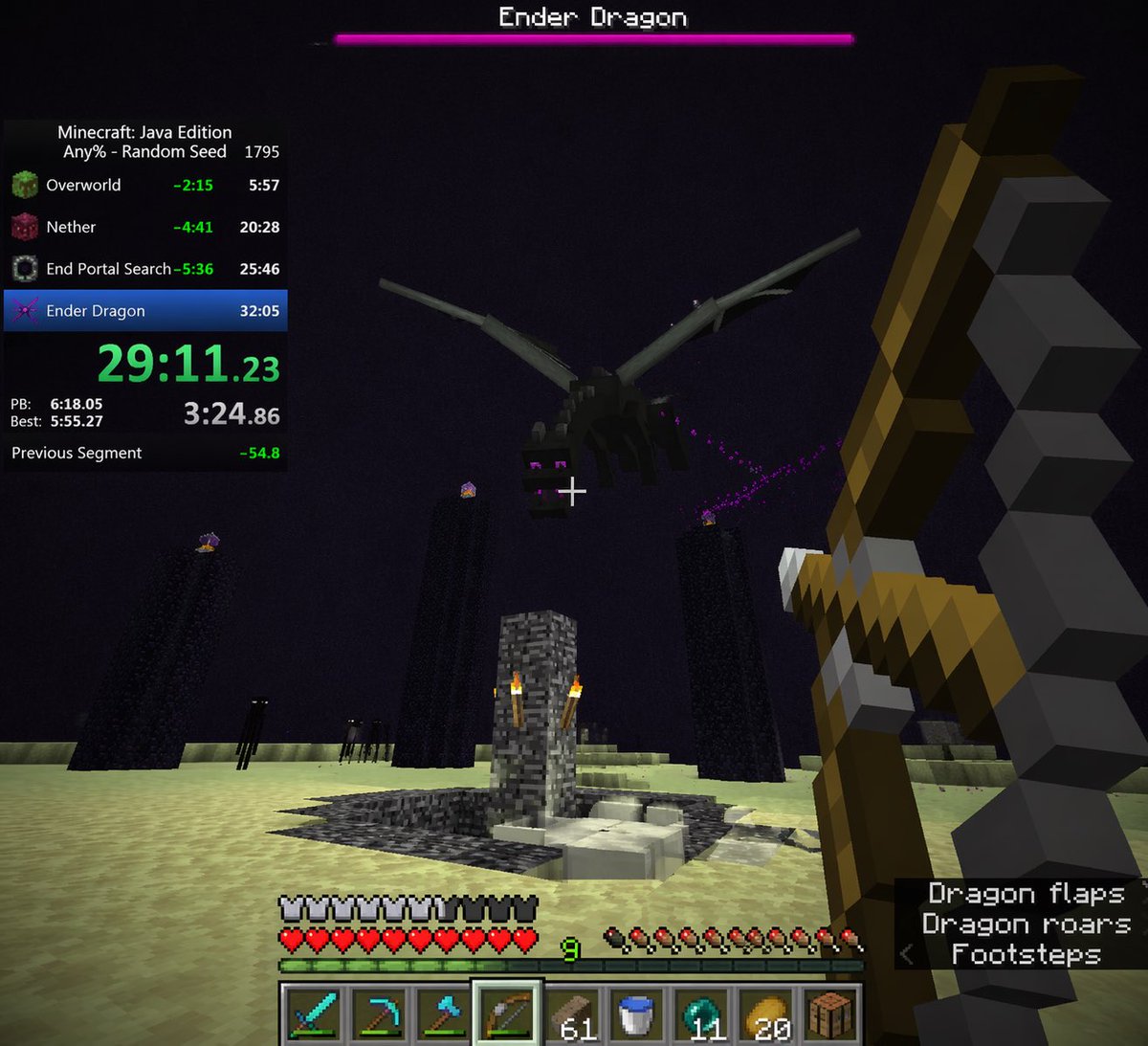
보스전, 4분할 스피드런 타이머 오버레이, 9칸 인벤토리 HUD가 포함된 1인칭 복셀 게임 스크린샷을 생성합니다.
📝 프롬프트
{
  "type": "1인칭 비디오 게임 스크린샷",
  "style": "블록 형태의 복셀 그래픽",
  "scene": {
    "environment": "엔드 차원, 어두운 하늘, 창백한 노란색 엔드 돌 바닥, 횃불이 있는 중앙의 기반암 분수 구조물, 빛나는 엔드 수정이 올려진 높고 어두운 흑요석 기둥, 멀리 보이는 키 큰 검은 형체들",
    "subject": "보라색 입자를 내뿜는 날아다니는 검은 용",
    "perspective": "오른쪽에 {argument name=\"selected weapon\" default=\"활\"}을 들고 용을 조준하는 1인칭 시점, 중앙의 흰색 조준점"
  },
  "ui_elements": {
    "boss_bar": {
      "position": "상단 중앙",
      "color": "분홍색",
      "label": "{argument name=\"boss name\" default=\"엔더 드래곤\"}"
    },
    "speedrun_timer": {
      "position": "좌측 상단",
      "style": "어두운 반투명 패널",
      "header": "Minecraft: Java Edition, {argument name=\"speedrun category\" default=\"Any% - 랜덤 시드\"} 1795",
      "splits_count": 4,
      "splits_labels": ["오버월드", "네더", "엔드 포탈 탐색", "엔더 드래곤"],
      "main_time": "큰 녹색 텍스트로 표시된 {argument name=\"current time\" default=\"29:11.23\"}",
      "footer": "PB, 베스트, 이전 구간 기록"
    },
    "player_hud": {
      "position": "하단 중앙",
      "status_bars": "가득 찬 방어구, 가득 찬 빨간 하트, 가득 찬 허기 게이지, 레벨 9의 녹색 경험치 바",
      "hotbar_slots_count": 9,
      "hotbar_contents": [
        "다이아몬드 검",
        "다이아몬드 곡괭이",
        "다이아몬드 도끼",
        "활 (강조됨)",
        "블록 61개",
        "물 양동이",
        "엔더 진주 11개",
        "황금 사과 20개",
        "제작대"
      ]
    },
    "subtitles": {
      "position": "우측 하단",
      "style": "어두운 반투명 박스",
      "lines_count": 3,
      "text": ["{argument name=\"subtitle text\" default=\"용의 날갯짓 소리\"}", "용의 포효 소리", "< 발자국 소리"]
    }
  }
}
🖼️ 생성된 이미지
Image 1
📌 상세 정보
- 작성자: Yeyito
- 출처: Twitter Post
- 게시일: 2026년 4월 15일
- 언어: en
No. 49: YouTube 썸네일 - 범죄 수사물 유튜브 썸네일
📖 설명
범죄 실화나 음모론 영상에 어울리는 드라마틱한 콜라주 스타일의 유튜브 썸네일을 생성합니다. 중앙의 인물 사진과 테마에 맞는 배경 요소를 포함합니다.
📝 프롬프트
{argument name="overall mood" default="어둡고 드라마틱한 범죄 수사물"} 분위기의 유튜브 썸네일 스타일 콜라주입니다. 중앙에는 {argument name="central figure" default="깊은 주름이 있는 백발의 노인"}의 매우 상세한 클로즈업 초상화가 배치되어 있으며, 검은색 폴로 셔츠를 입고 있습니다. 인물 주위로는 희미한 붉은색 빛의 외곽선이 배경과 분리되어 있습니다. 왼쪽에는 {argument name="left background scene" default="어두운 하늘 아래 비행기가 날아다니는 고급 빌라가 있는 열대 섬"}이 보입니다. 섬 아래에는 3개의 굵은 빨간색 실로 연결된 2개의 빨간색 압정이 꽂힌 음모론 보드 모티프가 있습니다. 오른쪽 상단에는 {argument name="right background scene" default="정장을 입은 3명의 실루엣이 마주 보고 있는 미국 국회의사당"}이 세피아 톤의 흐릿한 모습으로 묘사되어 있습니다. 오른쪽 하단에는 {argument name="document type" default="검은색 마커로 굵게 가려진 기밀 문서와 중앙 인물의 작은 사진이 들어 있는 열린 마닐라 폴더"}가 놓여 있습니다. 전체적인 구성은 다큐멘터리 영상에 최적화된 영화 같고 강렬하며 스타일리시한 느낌입니다.
🖼️ 생성된 이미지
Image 1

📌 상세 정보
- 작성자: Mirochill
- 출처: Twitter Post
- 게시일: 2026년 4월 14일
- 언어: en
No. 50: YouTube 썸네일 - 애니메이션 호러 게임 썸네일 합성
📖 설명
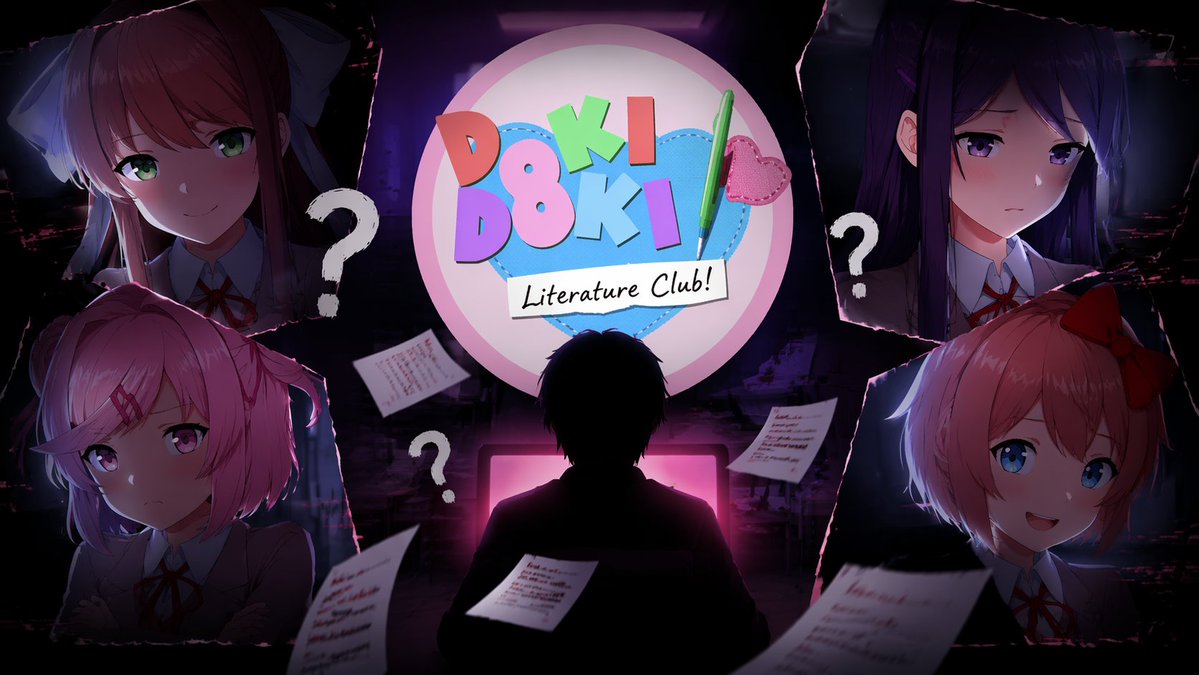
중앙 실루엣, 게임 로고, 그리고 찢어진 종이 프레임 속 4명의 캐릭터 초상화가 포함된 합성 게임 영상 썸네일을 생성합니다.
📝 프롬프트
상단 중앙에 {argument name="game title" default="Doki Doki Literature Club!"} 로고가 배치된 유튜브 썸네일 합성 일러스트입니다. 로고는 분홍색 원 안에 파란색 하트, 알록달록한 블록 글자, 초록색 펜으로 디자인되었습니다. 로고 아래 중앙에는 어두운 방에서 빛나는 분홍색 컴퓨터 모니터를 마주하고 있는 {argument name="central figure" default="책상에 앉아 있는 사람의 어두운 실루엣"}이 있습니다. 배경은 찢어진 종이 가장자리로 구분된 4개의 모서리 섹션으로 나뉘어 있으며, 각 섹션에는 교복을 입은 애니메이션 소녀의 초상화가 담겨 있습니다. 왼쪽 상단에는 긴 갈색 머리에 흰색 리본을 하고 미소 짓는 소녀, 오른쪽 상단에는 긴 보라색 머리에 슬픈 표정을 한 소녀, 왼쪽 하단에는 짧은 분홍색 머리에 속상한 표정을 한 소녀, 오른쪽 하단에는 짧은 산호색 머리에 빨간색 리본을 하고 미소 짓는 소녀가 있습니다. 캐릭터와 중앙 인물 사이의 어두운 공간에는 3개의 큰 흰색 물음표와 흐릿한 글씨가 적힌 4장의 줄 노트 종이가 떠 있습니다. 전반적인 {argument name="atmosphere" default="어둡고 미스터리하며 약간 불안한 분위기"}가 밝은 애니메이션 캐릭터 및 화려한 로고와 강렬한 대비를 이룹니다.
🖼️ 생성된 이미지
Image 1
📌 상세 정보
- 작성자: Mirochill
- 출처: Twitter Post
- 게시일: 2026년 4월 14일
- 언어: en
No. 51: YouTube 썸네일 - 복합 AI 모델 인포그래픽 보드
📖 설명
차세대 AI 모델의 기능, 비교 및 루머를 상세히 다루는 고밀도 미래지향적 인포그래픽 보드를 생성합니다.
📝 프롬프트
{
  "type": "고밀도 미래지향적 기술 인포그래픽 보드",
  "theme": {
    "colors": "{argument name=\"theme color\" default=\"골드 및 딥 블루\"}",
    "style": "다크 모드, 빛나는 네온 테두리, 복잡한 마인드맵 레이아웃, 사이버 테크 미학"
  },
  "centerpiece": {
    "description": "눈이나 카메라 렌즈를 연상시키는 빛나는 황금색 원형 엠블럼",
    "text": ["{argument name=\"main title\" default=\"GPT-Image-2\"}", "ChatGPT", "조용한 업데이트 루머 {argument name=\"release date\" default=\"2026 년 4 월\"}"]
  },
  "layout": {
    "top_left": {
      "title": "유출 이미지",
      "count": 4,
      "items": ["텍스트 렌더링 커피 메뉴", "세계 지도", "해부학적 도표", "실사풍 펍"]
    },
    "top_right": {
      "title": "사용 사례 및 반응",
      "count": 5,
      "items": ["이커머스 상품", "비즈니스 전단지", "채팅 스티커", "교육 자료", "YouTube 썸네일"]
    },
    "left_side": {
      "title": "버전 비교",
      "count": 3,
      "items": ["텍스트 렌더링 비교", "실사화 비교", "구성 안정성 비교"]
    },
    "inner_ring": {
      "title": "핵심 기능",
      "count": 4,
      "items": ["텍스트 드로잉 혁명", "실사화 도약", "세계 지식", "편집 일관성"]
    },
    "bottom_left": {
      "title": "기술 사양",
      "count": 2,
      "items": ["기술 진화 불렛 포인트", "코드네임을 가진 해커 실루엣"]
    },
    "bottom_center": {
      "title": "모델 비교 표",
      "columns": 3,
      "headers": ["GPT-Image-1.5", "{argument name=\"main title\" default=\"GPT-Image-2\"}", "{argument name=\"competitor model\" default=\"Google Nano Banana\"}"],
      "rows": ["텍스트 정확도", "사실성", "세계 지식", "편집", "속도"]
    },
    "bottom_right": {
      "title": "향후 전망",
      "count": 2,
      "items": ["주요 개선 사항 목록", "미래 로드맵 타임라인"]
    },
    "bottom_edge": {
      "title": "장르 갤러리",
      "count": 10,
      "items": ["건축", "포스터", "일본어 텍스트", "인포그래픽", "판타지", "스팀펑크", "미니멀 디자인", "음식", "자동차", "수중"]
    },
    "footer": {
      "title": "메인 배너",
      "text": ["{argument name=\"subtitle\" default=\"ChatGPT 이미지 생성 혁명\"}", "조용한 A/B 테스트 중인 차세대 모델"]
    }
  }
}
🖼️ 생성된 이미지
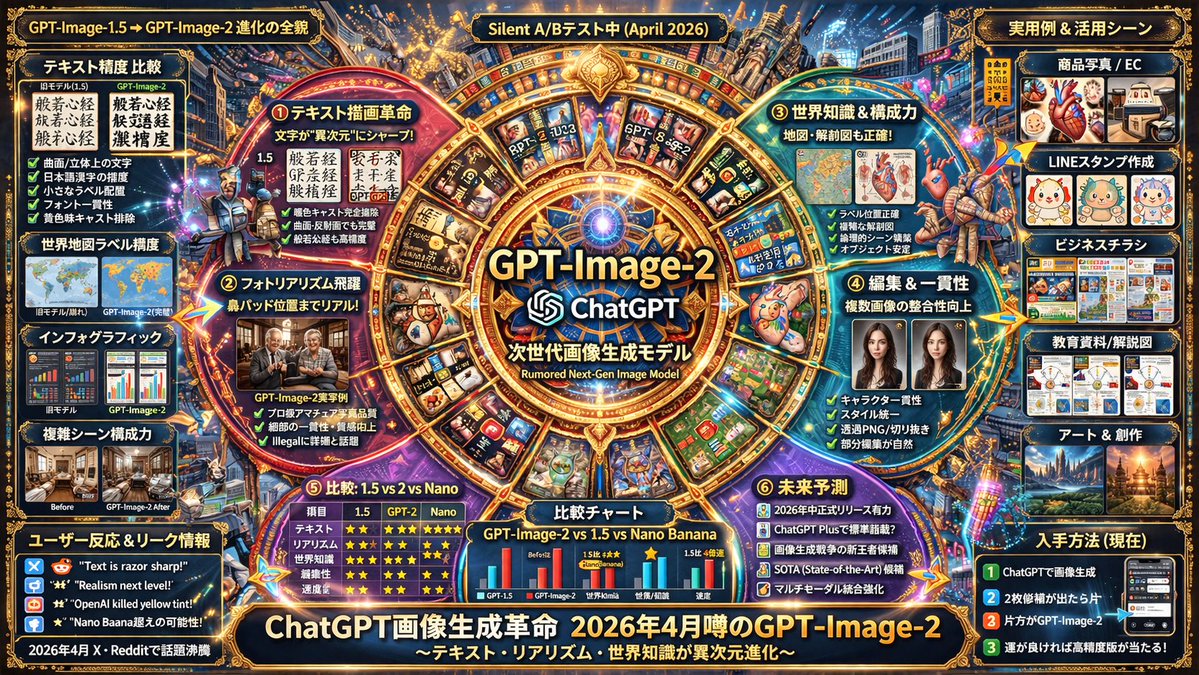
Image 1
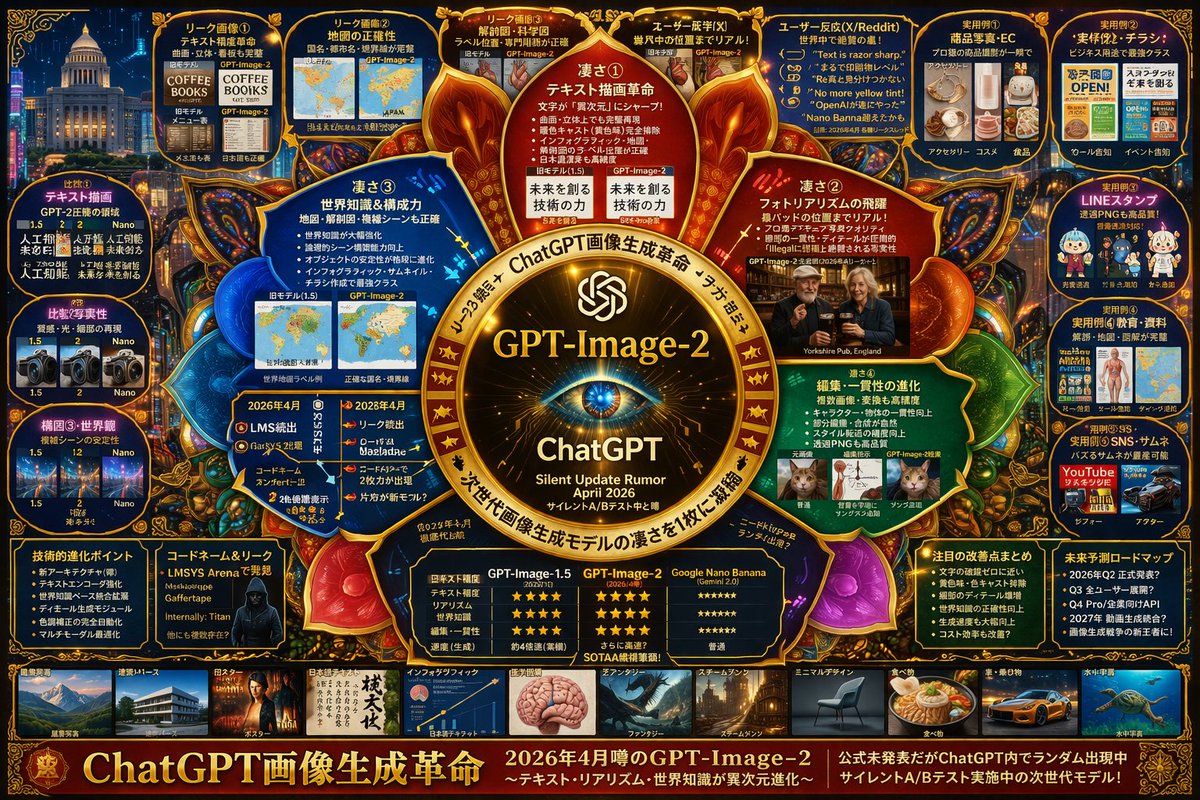
Image 2
📌 상세 정보
- 작성자: ほーきー(Hawkie)🧹Vibe Coder & Analytics
- 출처: Twitter Post
- 게시일: 2026년 4월 13일
- 언어: en
No. 52: YouTube 썸네일 - 복합적 기술 추측 인포그래픽
📖 설명
AI 모델의 추측성 기능, 비교, 사용 사례를 상세히 다루는 고밀도 마인드맵 스타일의 인포그래픽을 생성합니다.
📝 프롬프트
{
  "type": "복합적 기술 추측 인포그래픽",
  "style": "{argument name=\"color palette\" default=\"금색, 빨간색, 청록색의 빛나는 포인트가 있는 짙은 파란색 배경\"}, 고밀도, 사이버 수사 보드, 마인드맵 레이아웃",
  "centerpiece": {
    "description": "{argument name=\"central emblem\" default=\"눈 모양이 있는 빛나는 황금색 원형 엠블럼\"}",
    "text": ["{argument name=\"main title\" default=\"GPT-Image-2\"}", "ChatGPT", "{argument name=\"subtitle\" default=\"2026 년 4 월 소리 없는 업데이트 루머\"}"]
  },
  "layout": {
    "sections": [
      {
        "title": "내부 노드",
        "position": "중앙 주변",
        "count": 4,
        "labels": ["강점 ①", "강점 ②", "강점 ③", "강점 ④"],
        "description": "핵심 강점을 강조하는 빛나는 원형 텍스트 노드"
      },
      {
        "title": "상단 유출 패널",
        "position": "상단 행",
        "count": 4,
        "labels": ["유출 이미지 ①", "유출 이미지 ②", "유출 이미지 ③", "사용자 기시감(X)"],
        "description": "비포/애프터 이미지 비교"
      },
      {
        "title": "사용자 반응",
        "position": "우측 상단",
        "count": 1,
        "labels": ["사용자 반응(X/Reddit)"],
        "description": "5 개의 인용구 말풍선이 포함된 패널"
      },
      {
        "title": "실용 사례",
        "position": "맨 오른쪽 열",
        "count": 5,
        "labels": ["실용 사례 ①", "실용 사례 ②", "실용 사례 ③", "실용 사례 ④", "실용 사례 ⑤"],
        "description": "전자상거래, 전단지, LINE 스탬프, 교육, 썸네일을 포함한 사용 사례 이미지 그리드"
      },
      {
        "title": "비교",
        "position": "맨 왼쪽 열",
        "count": 3,
        "labels": ["비교 ①", "비교 ②", "구도 ③ 및 세계관"],
        "description": "버전 비교 이미지 쌍"
      },
      {
        "title": "하단 데이터 패널",
        "position": "갤러리 위 하단 행",
        "count": 5,
        "labels": ["기술적 진화 포인트", "코드네임 및 유출", "비교표", "주요 개선점 요약", "미래 예측 로드맵"],
        "description": "글머리 기호 목록, 해커 초상화, 3 열 별점 비교표"
      },
      {
        "title": "스타일 갤러리",
        "position": "하단 스트립",
        "count": 10,
        "labels": ["건축 및 투시도", "포스터", "일본어 텍스트", "인포그래픽", "판타지", "스팀펑크", "미니멀 디자인", "음식", "자동차 및 탈것", "수중 우주"],
        "description": "다양한 생성 스타일을 보여주는 썸네일 이미지의 가로 행"
      }
    ],
    "footer": {
      "text": "{argument name=\"footer text\" default=\"ChatGPT 이미지 생성 혁명\"}",
      "position": "하단 가장자리"
    }
  }
}
🖼️ 생성된 이미지
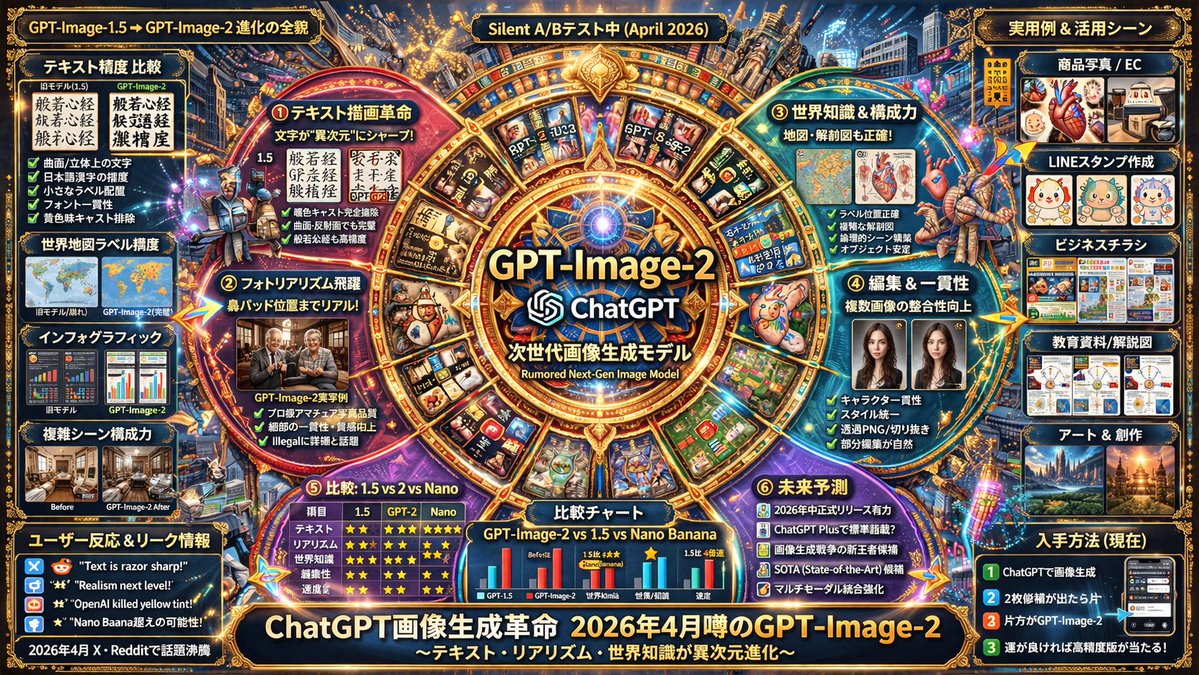
Image 1
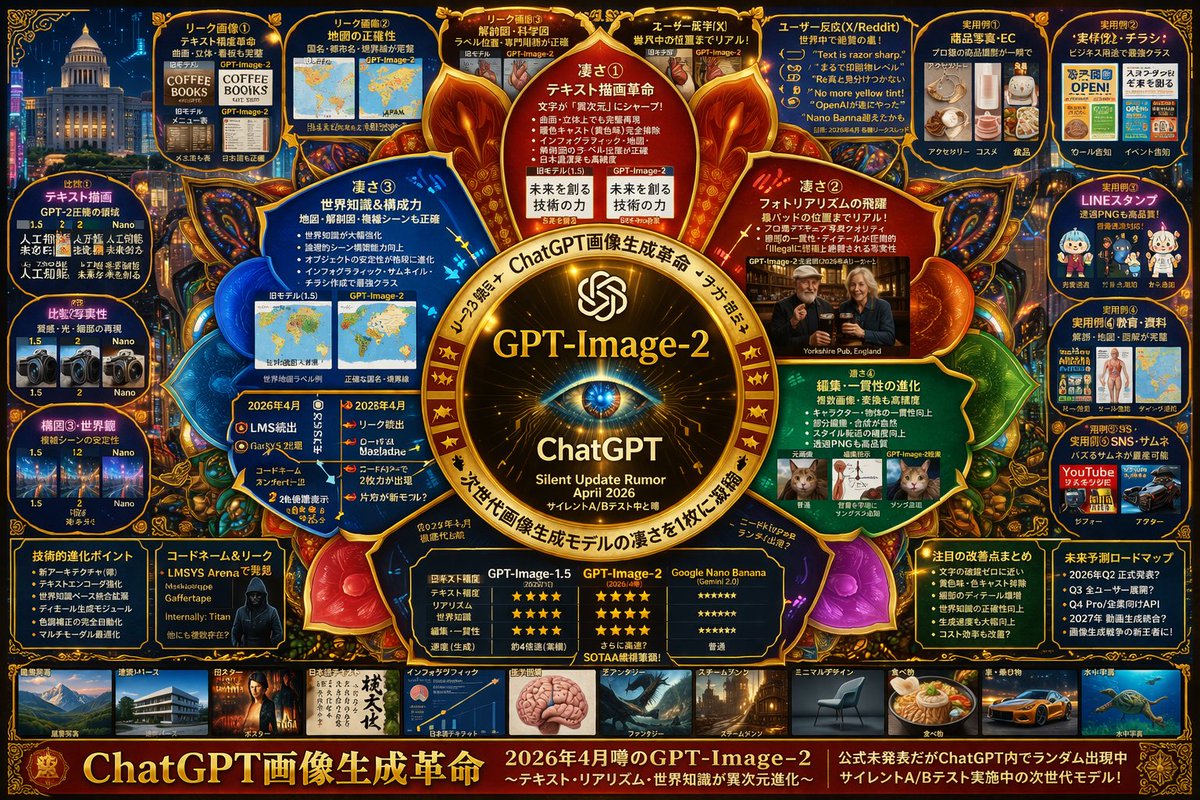
Image 2
📌 상세 정보
- 작성자: s_shigel 斉藤 滋
- 출처: Twitter Post
- 게시일: 2026년 4월 13일
- 언어: en
No. 53: 만화 / 스토리보드 - Anime Martial Arts Battle
📖 설명
Generates a dynamic anime-style action scene of two characters fighting with elemental auras in a traditional dojo.
📝 프롬프트
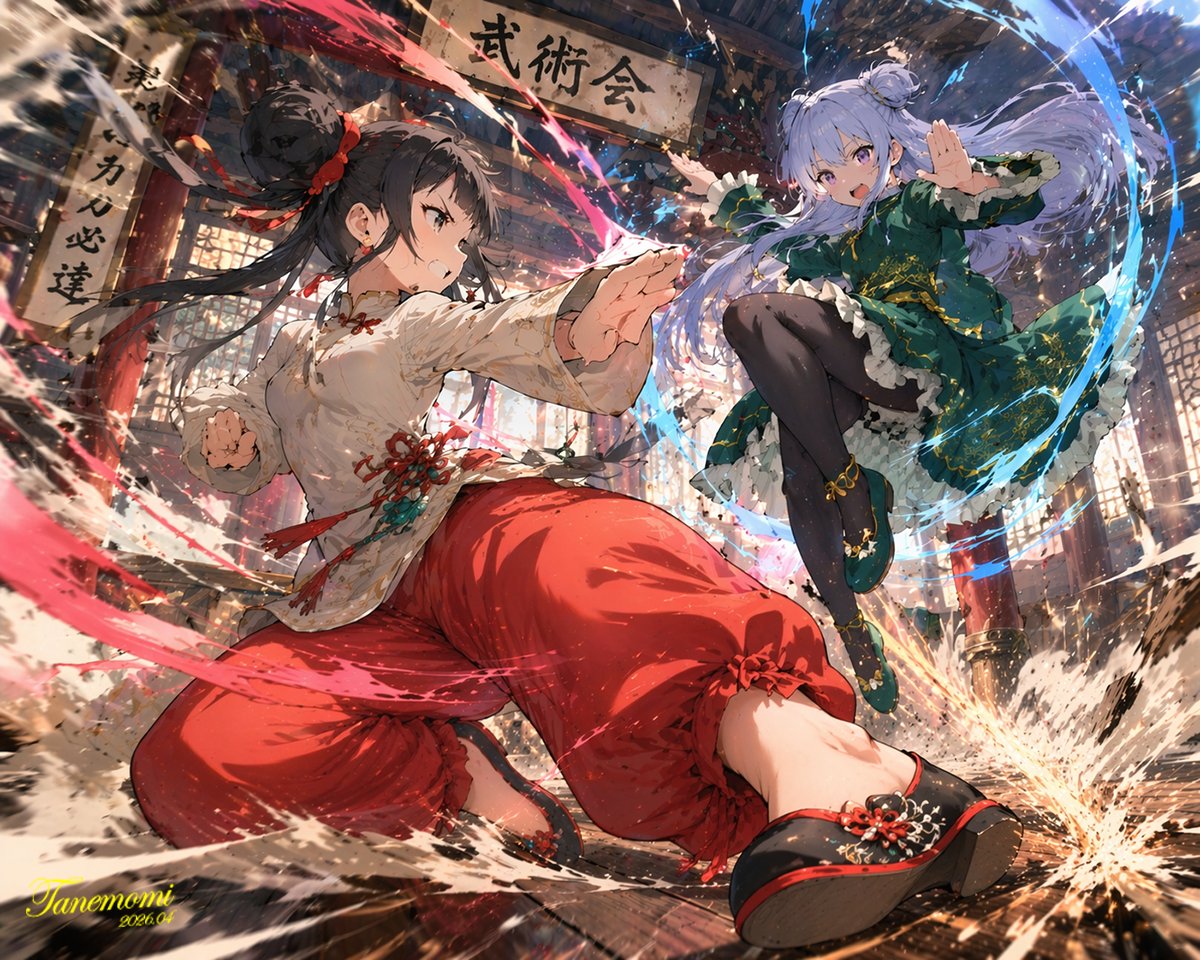
A highly dynamic anime illustration of two girls engaged in a fierce martial arts battle inside a traditional wooden dojo. In the foreground, a girl with {argument name="character 1 hair" default="black hair in a high bun with red ribbons"} strikes a powerful, low martial arts stance, thrusting her fist forward. She wears a {argument name="character 1 outfit" default="white Chinese-style top with red tassels and baggy red pants"}, with intense red energy slashes swirling around her striking limbs. Mid-air on the right, a girl with {argument name="character 2 hair" default="light purple hair in twin buns"} leaps gracefully, smiling confidently while wearing a {argument name="character 2 outfit" default="dark green dress with gold embroidery and black tights"}, accompanied by sweeping blue water-like energy trails. The background features a rustic wooden temple interior with a prominent overhead sign reading "{argument name="sign text" default="武術会"}". The scene is filled with explosive action, flying dust, shattered wooden floorboards, glowing colorful particle effects, and dramatic low-angle lighting that perfectly separates the characters from the detailed background.
🖼️ 생성된 이미지
Image 1
📌 상세 정보
- 작성자: たねもみ 2.0 / Tanemomi Ver2.0
- 출처: Twitter Post
- 게시일: 2026년 4월 20일
- 언어: en
No. 54: 만화 / 스토리보드 - Ligne Claire Suburban Landscape
📖 설명
Generates a detailed, comic-style illustration of a neighborhood landscape with customizable time of day and setting.
📝 프롬프트
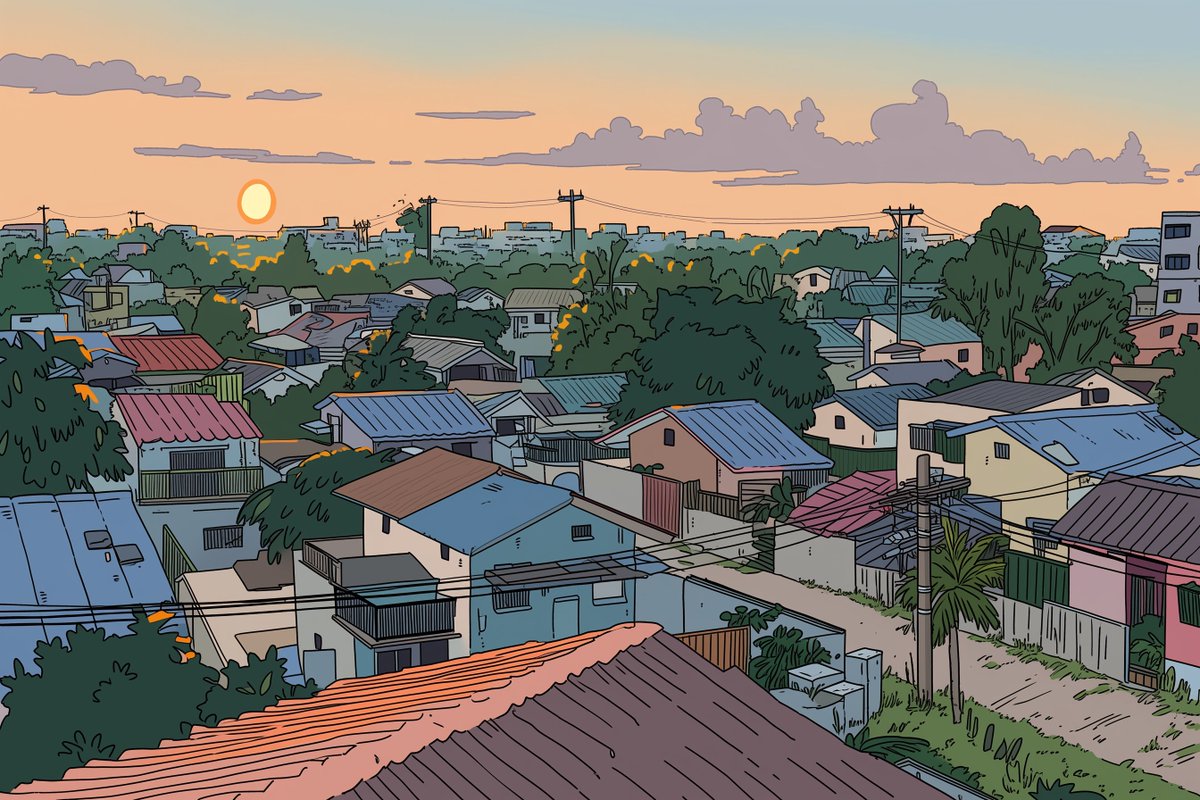
A detailed {argument name="art style" default="ligne claire comic illustration"} of a sprawling {argument name="setting" default="suburban neighborhood"} viewed from an elevated rooftop perspective during {argument name="time of day" default="sunset"}. The scene features densely packed houses with varied roof colors including muted blues, reds, and browns, interspersed with lush green trees and foliage. Utility poles with crisscrossing power lines cut through the midground. A winding dirt road is visible on the right side. The sky is a smooth gradient of warm orange, pink, and light blue, with a bright round sun sitting low on the horizon behind stylized, fluffy clouds. The artwork uses flat colors, distinct black outlines, and a nostalgic, peaceful atmosphere reminiscent of classic anime background art.
🖼️ 생성된 이미지
Image 1
📌 상세 정보
- 작성자: Kai
- 출처: Twitter Post
- 게시일: 2026년 4월 20일
- 언어: en
No. 55: 만화 / 스토리보드 - CCTV Security Camera Footage
📖 설명
Generates a realistic, low-quality black-and-white surveillance camera still featuring a customizable subject and timestamp.
📝 프롬프트
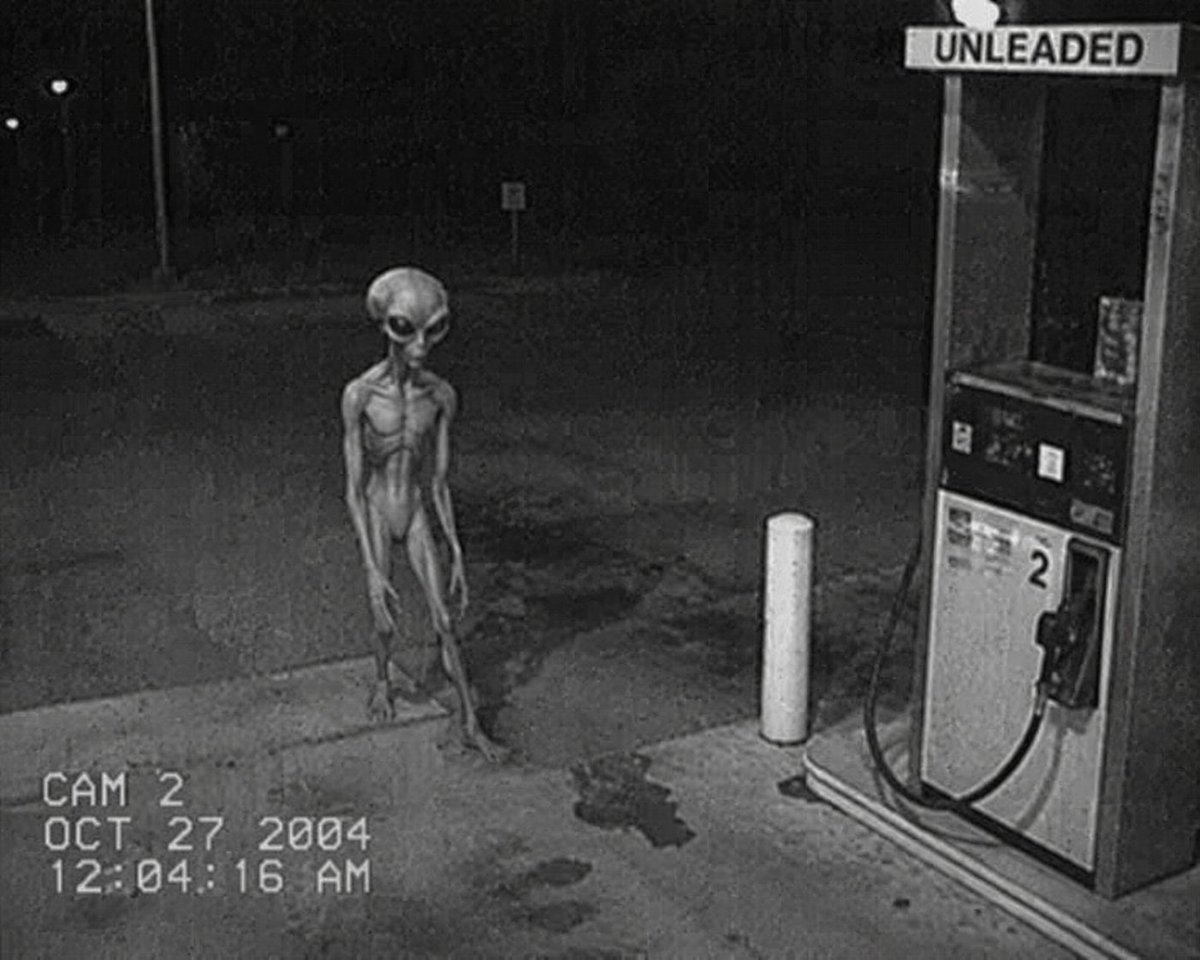
A genuinely low-quality, grainy, black-and-white CCTV security camera still showing a {argument name="subject" default="classic grey alien with a large head and skinny body"} standing next to a gas pump at a {argument name="setting" default="deserted gas station at night"}. The gas pump has the word "UNLEADED" printed on the top canopy and a large number "2" on the side. In the bottom left corner, there is a digital timestamp overlay reading "{argument name="camera label" default="CAM 2"}", "{argument name="date" default="OCT 27 2004"}", and "12:04:16 AM" in a retro pixelated font. The overall aesthetic is authentic early-2000s surveillance footage with heavy noise, poor contrast, and VHS-style artifacts.
🖼️ 생성된 이미지
Image 1
📌 상세 정보
- 작성자: Ma(s)ken?
- 출처: Twitter Post
- 게시일: 2026년 4월 19일
- 언어: en
No. 56: 만화 / 스토리보드 - Sci-Fi Western Lunar Rider
📖 설명
Generates a surreal, photorealistic image of a cowboy riding a horse on the moon while looking at Earth, perfect for sci-fi western concepts.
📝 프롬프트
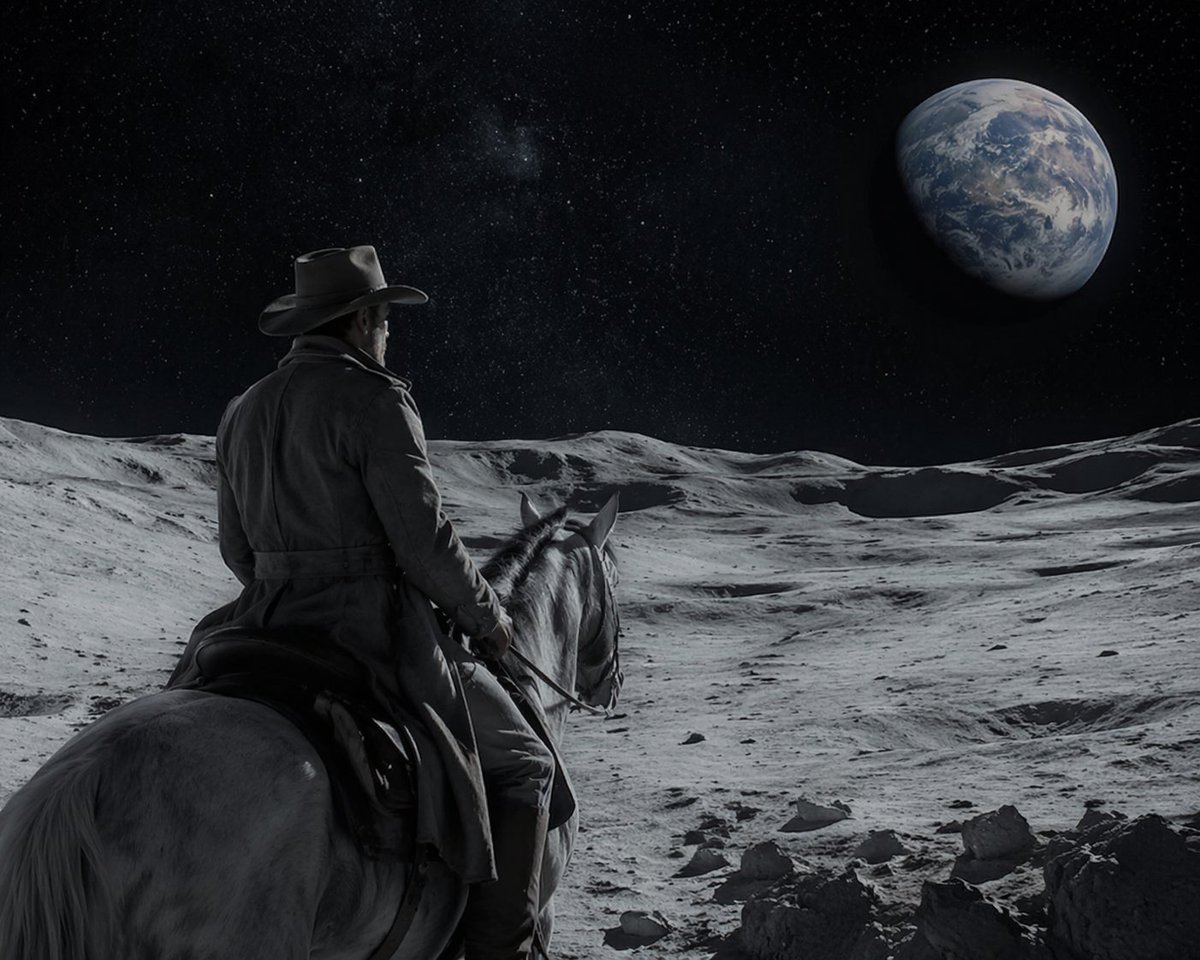
A cinematic, highly realistic image of a {argument name="subject" default="cowboy"} riding a {argument name="mount" default="white horse"} on the {argument name="setting" default="surface of the moon"}. The figure is seen from behind, wearing a classic hat and a long duster coat, looking out over the barren, grey, and cratered lunar landscape. In the dark, starry space sky above, a large, detailed {argument name="celestial object" default="Earth"} is prominently visible in the upper right. The lighting is dramatic and monochromatic in the foreground, highlighting the textures of the terrain and the rider's coat, contrasting with the blue and white hues of the distant planet to create a surreal yet photorealistic sci-fi western scene.
🖼️ 생성된 이미지
Image 1
📌 상세 정보
- 작성자: Ma(s)ken?
- 출처: Twitter Post
- 게시일: 2026년 4월 19일
- 언어: en
No. 57: 만화 / 스토리보드 - 12-Panel Cinematic Storyboard Grid
📖 설명
Generates a 12-panel sequential storyboard with timestamps and captions, ideal for pre-visualizing short films or video generation prompts.
📝 프롬프트
{
  "type": "12-panel cinematic storyboard grid",
  "style": "{argument name=\"visual style\" default=\"dark cinematic transitioning to dark fantasy CG\"}",
  "character": "{argument name=\"main character\" default=\"pale young man with messy black hair in a dark suit\"}",
  "layout": {
    "columns": 3,
    "rows": 4,
    "panel_count": 12
  },
  "panels": [
    { "id": "1", "timestamp": "0:00-0:01", "caption": "猛地转身,甩出一把纸", "visual": "character throwing papers at camera" },
    { "id": "2", "timestamp": "0:01-0:02", "caption": "纸张飞舞,镜头跟随落在书桌", "visual": "papers flying in dark room with desk lamp" },
    { "id": "3", "timestamp": "0:02-0:03", "caption": "走向黑色书桌,拉开椅子坐下", "visual": "character walking away towards desk" },
    { "id": "4", "timestamp": "0:03-0:04", "caption": "侧光下的沉思,压抑氛围", "visual": "close-up of character's face in shadow" },
    { "id": "5", "timestamp": "0:04-0:05", "caption": "翻开纯黑笔记本", "visual": "close-up of hands opening a black notebook" },
    { "id": "6", "timestamp": "0:05-0:06", "caption": "拿起笔,准备书写", "visual": "close-up of character holding pen over notebook" },
    { "id": "7", "timestamp": "0:06-0:07", "caption": "开始疯狂书写,烟雾初起", "visual": "character writing frantically, smoke rising" },
    { "id": "8", "timestamp": "0:07-0:08", "caption": "烟雾翻涌,形态显现", "visual": "thick smoke surging around character" },
    { "id": "9", "timestamp": "0:08-0:09", "caption": "死神魔爪浮现,丝线垂下", "visual": "skeletal hands emerging above, glowing threads hanging down" },
    { "id": "10", "timestamp": "0:09-0:10", "caption": "丝线连接,实拍转CG", "visual": "glowing threads attaching to character's head" },
    { "id": "11", "timestamp": "0:10-0:11", "caption": "风格蜕变,暗黑CG质感", "visual": "magical energy, heavy CG fantasy style shift" },
    { "id": "12", "timestamp": "0:11-0:12", "caption": "大魔王降临,俯视操控", "visual": "{argument name=\"final entity\" default=\"giant horned demon figure\"} looming behind, controlling character like a puppet" }
  ]
}
🖼️ 생성된 이미지
Image 1
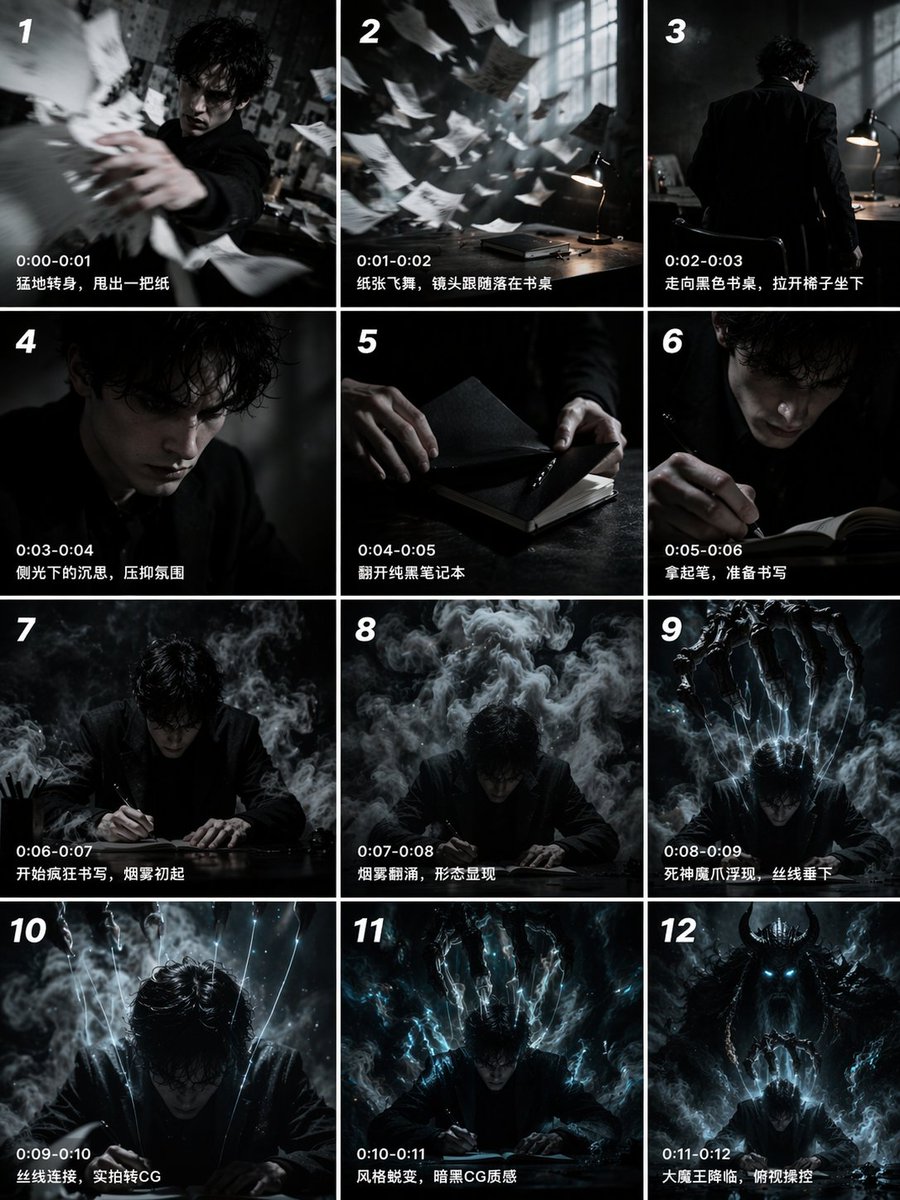
📌 상세 정보
- 작성자: John
- 출처: Twitter Post
- 게시일: 2026년 4월 19일
- 언어: en
No. 58: 만화 / 스토리보드 - Multi-Angle Studio Character Sheet
📖 설명
Transforms a single reference portrait into a colorized, multi-angle character turnaround sheet with clean studio lighting.
📝 프롬프트
Using the provided reference image, generate a {argument name="number of panels" default="4"}-panel studio-style character sheet. Transform the black-and-white reference into full color, applying natural skin tones and black hair. Remove the original environment and place the subject against a {argument name="background color" default="plain grey"} background with {argument name="lighting style" default="clean, neutral studio lighting"}. The generated grid must show the exact same character, wearing the preserved white lace camisole and heart necklace, in {argument name="number of panels" default="4"} distinct poses: 1) straight-on front view, 2) right profile view, 3) left 3/4 view looking over the shoulder, and 4) right 3/4 view looking slightly down.
🖼️ 생성된 이미지
Image 1
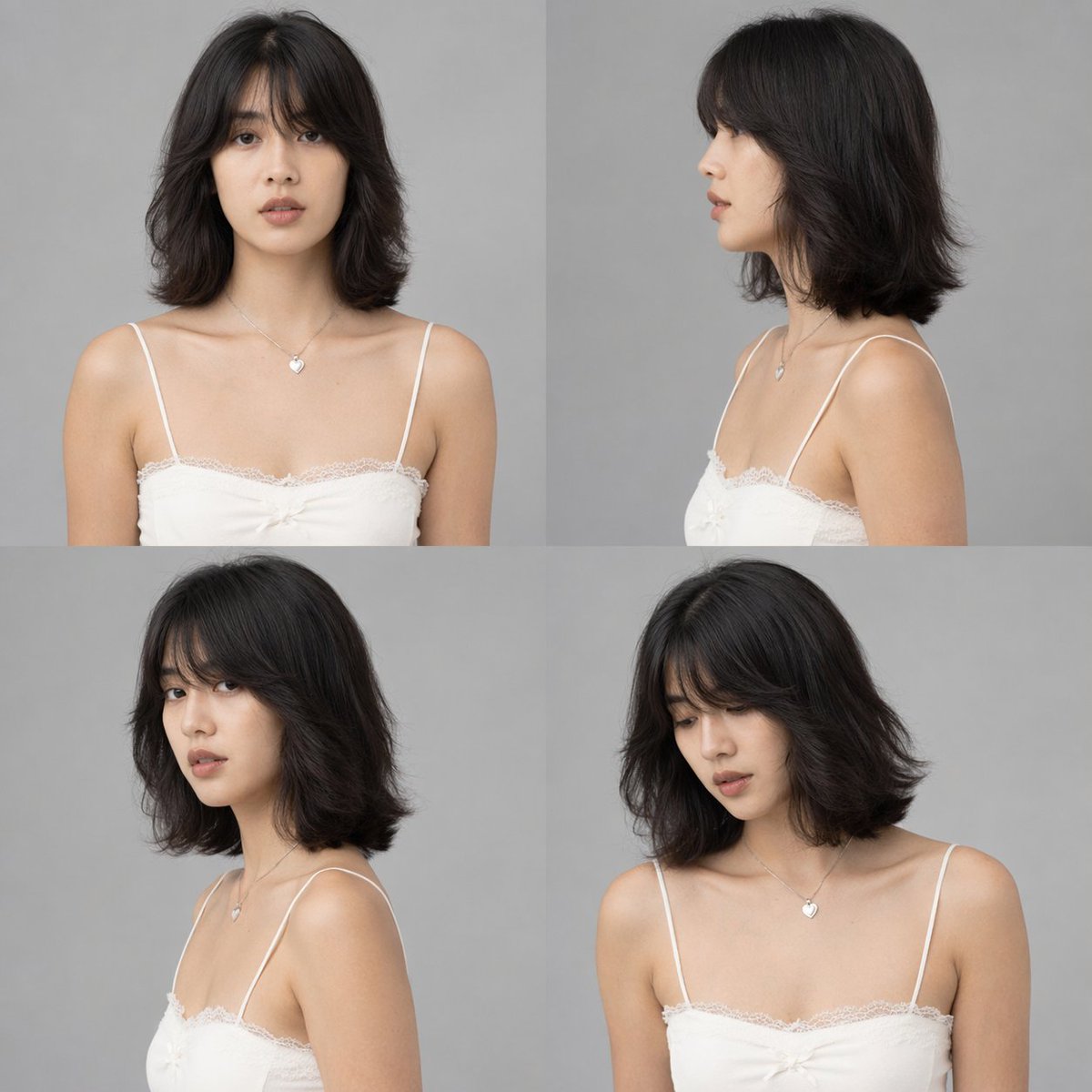
📌 상세 정보
- 작성자: DStudioproject
- 출처: Twitter Post
- 게시일: 2026년 4월 19일
- 언어: en
No. 59: 만화 / 스토리보드 - Epic Fantasy Monkey King Battle Scene
📖 설명
Generates a highly detailed, cinematic fantasy battle scene featuring a mythological warrior striking down enemies in a heavenly setting.
📝 프롬프트
A hyper-realistic, epic fantasy illustration of {argument name="main character" default="Sun Wukong, the Monkey King"} in a dynamic combat pose, wearing intricate, ornate golden armor with flowing red fabric and long pheasant tail feathers extending from his headpiece. He has a fierce, monkey-like face and is powerfully swinging a glowing, intricately carved golden staff downward to strike a group of {argument name="enemy type" default="heavenly soldiers"}. The soldiers, clad in heavy, detailed golden armor, are being violently knocked back by the impact. Explosive sparks, glowing embers, and shattered stone debris fill the air around the clash. The background features a majestic, cloudy {argument name="setting" default="heavenly realm"} with towering, ornate pillars and Chinese-style temple architecture fading into the misty, dramatic sky. Cinematic lighting, highly detailed, masterpiece, intense action scene.
🖼️ 생성된 이미지
Image 1
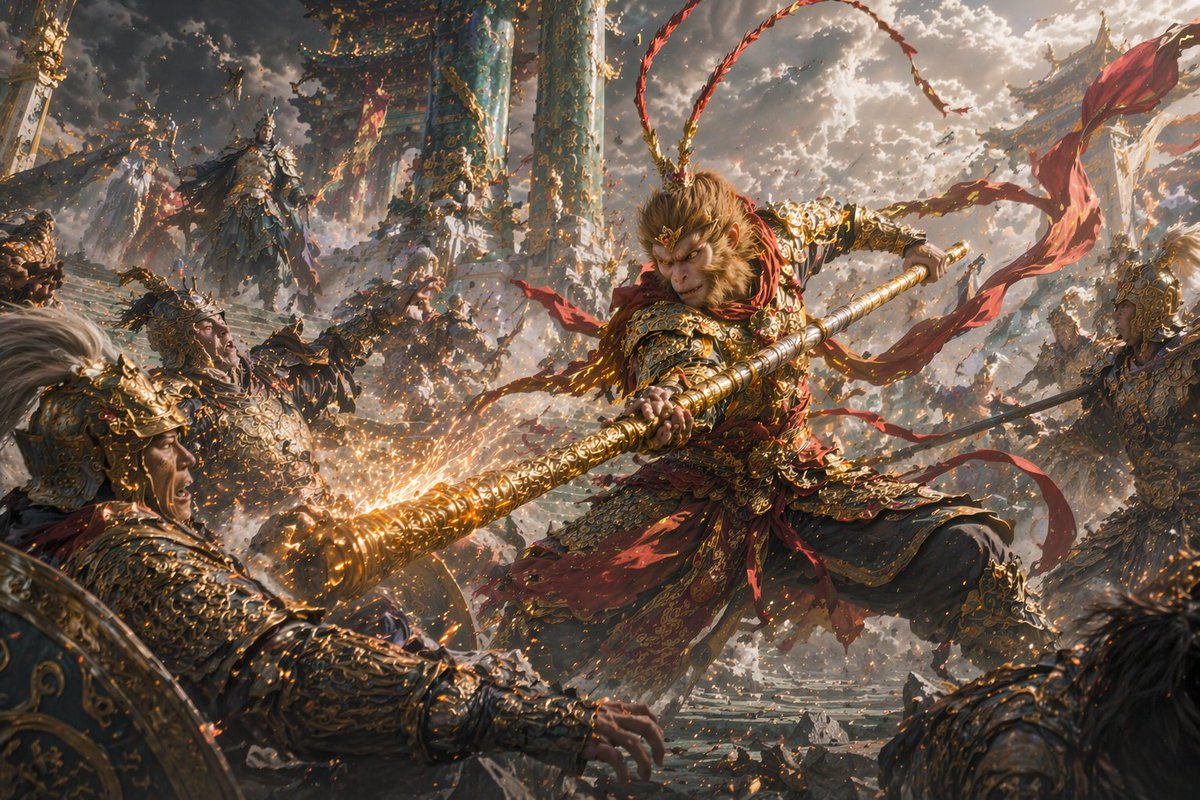
📌 상세 정보
- 작성자: Daniel
- 출처: Twitter Post
- 게시일: 2026년 4월 16일
- 언어: en
No. 60: 만화 / 스토리보드 - 애니메이션 스타일의 가을 산 노을
📖 설명
일본 전통 요소가 가미된 노을 지는 산을 내려다보는 캐릭터의 숨 막히게 아름다운 애니메이션 스타일 풍경을 생성합니다.
📝 프롬프트
{argument name="character description" default="등을 보이고 바위 절벽에 앉아 있는 긴 흑발의 젊은 여성"}이 {argument name="landscape" default="굽이치는 강과 안개가 어우러진 광활한 산맥"}을 내려다보는 애니메이션 스타일의 일러스트레이션입니다. 전경에는 {argument name="foliage type" default="선명한 붉은색의 가을 단풍"}과 {argument name="architectural elements" default="빛나는 석등이 있는 일본 전통 도리이"}가 포함되어 있습니다. 장면은 {argument name="sky description" default="선명한 분홍색과 주황색의 노을이 짙은 푸른 밤하늘과 유성으로 이어지는 하늘"}로 밝게 빛납니다. 영화 같은 조명과 매우 디테일한 풍경 분위기를 연출합니다.
🖼️ 생성된 이미지
Image 1
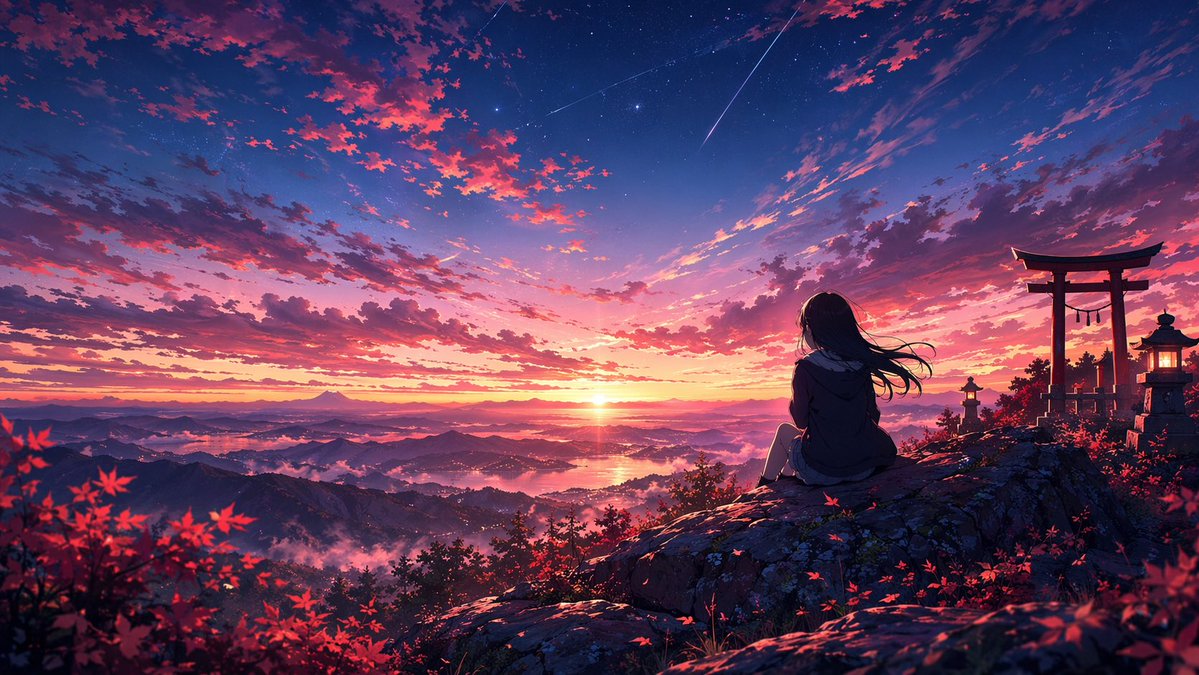
📌 상세 정보
- 작성자: Fandu
- 출처: Twitter Post
- 게시일: 2026년 4월 15일
- 언어: en
No. 61: 만화 / 스토리보드 - SF 듀얼 캐릭터 레퍼런스 시트
📖 설명
턴어라운드, 표정, 장비 세부 정보가 포함된 고해상도 듀얼 캐릭터 애니메이션 레퍼런스 시트를 생성합니다.
📝 프롬프트
{
  "type": "듀얼 캐릭터 디자인 레퍼런스 시트",
  "theme": "{argument name=\"theme\" default=\"SF 메카 애니메이션\"}",
  "layout": "가로 분할, 상단 남성 캐릭터, 하단 여성 캐릭터, 좌측 텍스트 컬럼이 포함된 고밀도 정보 레이아웃",
  "top_character": {
    "name": "{argument name=\"male character name\" default=\"시라미네 카이\"}",
    "appearance": "젊은 남성, 헝클어진 어두운 머리, 푸른 눈",
    "sections": [
      { "title": "전신 설정", "count": 4, "labels": ["정면", "측면", "후면", "3/4 뷰"], "description": "{argument name=\"male uniform color\" default=\"검은색 및 짙은 파란색\"} 유니폼" },
      { "title": "표정 설정", "count": 3, "description": "대형 헤드샷" },
      { "title": "표정 베리에이션", "count": 8, "description": "소형 헤드샷" },
      { "title": "파일럿 슈트", "count": 2, "labels": ["정면", "후면"], "description": "검은색 전술 파일럿 플러그슈트" },
      { "title": "디테일", "count": 4, "description": "인터페이스, 패널, 장갑, 부츠 클로즈업" },
      { "title": "컬러 팔레트", "count": 6, "description": "색상 견본" },
      { "title": "각부 디테일", "count": 4, "description": "손, ID 태그, 이어피스, 목 인터페이스 클로즈업" },
      { "title": "소지 아이템", "count": 2, "description": "태블릿 및 펜던트" }
    ]
  },
  "bottom_character": {
    "name": "{argument name=\"female character name\" default=\"츠키시로 유나\"}",
    "appearance": "젊은 여성, 긴 어두운 보라색 머리, 푸른 눈",
    "sections": [
      { "title": "전신 설정", "count": 3, "labels": ["정면", "측면", "후면"], "description": "{argument name=\"female uniform color\" default=\"네이비 블루 및 회색\"} 오퍼레이터 유니폼" },
      { "title": "표정 모음", "count": 4, "description": "대형 헤드샷" },
      { "title": "오퍼레이터 전용 사양", "count": 1, "description": "기술적 지시선이 포함된 전신 포즈" },
      { "title": "디테일 설정", "count": 6, "description": "이어피스, 목 인터페이스, 칼라, 손목 단말기, ID 카드, 부츠 클로즈업" },
      { "title": "관제실 작업 자세", "count": 1, "description": "콘솔에 앉아 있는 상반신" },
      { "title": "컬러 팔레트 & 마크", "count": 1, "description": "색상 견본 및 날개 문양 엠블럼" },
      { "title": "각종 베리에이션", "count": 4, "labels": ["헤드셋 착용", "데이터 분석 중", "긴급 시", "오프 모드"], "description": "장비/표정이 다른 헤드샷" }
    ]
  }
}
🖼️ 생성된 이미지
Image 1
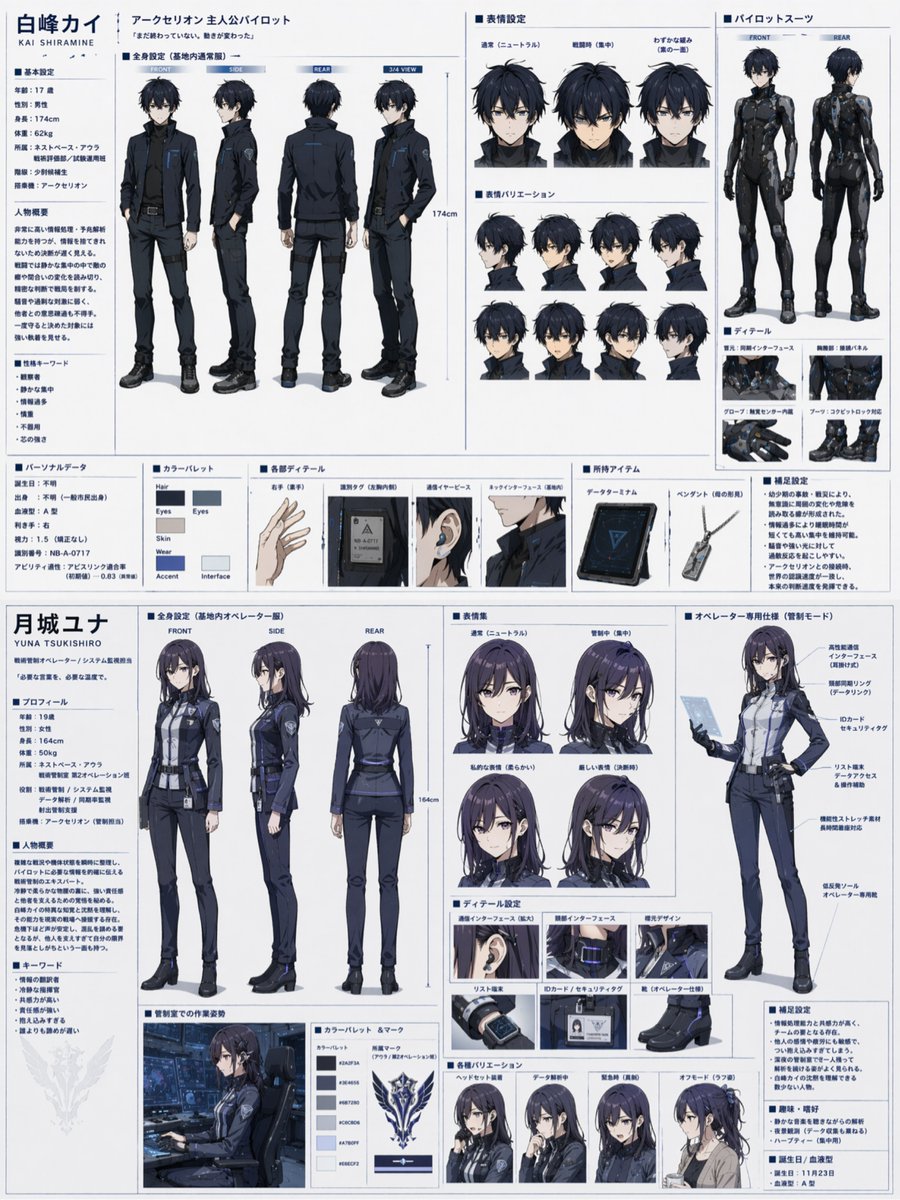
📌 상세 정보
- 작성자: いにしえ@AI Director & Creator|Will Oldgram
- 출처: Twitter Post
- 게시일: 2026년 4월 15일
- 언어: en
No. 62: 만화 / 스토리보드 - 초현실적인 애니메이션 커플 장면
📖 설명
떠다니는 물체와 분위기 있는 텍스트가 어우러진, 왜곡되고 꿈같은 환경 속 커플의 애니메이션 스타일 일러스트를 생성합니다.
📝 프롬프트
애니메이션 스타일의 일러스트로, {argument name="male character" default="검은색, 흰색, 주황색 트레이닝복을 입은 짧은 검은 머리의 청년"}과 {argument name="female character" default="검은색과 흰색 메이드 복장을 한 짧은 파란 머리의 젊은 여성"}이 눈 덮인 횡단보도에 서서 서로의 손을 잡고 눈을 맞추고 있습니다. 배경은 우울한 느낌의 차가운 파란색과 보라색 색조로 가득 찬, 왜곡되고 꿈같은 초현실적인 세계입니다. 배경에는 기울어진 전신주와 건물들, 왼쪽 상단 하늘에 떠 있는 거대한 어두운 눈 모양의 공허, 떠다니는 문 하나와 의자 네 개가 배치되어 있습니다. 장면 곳곳에는 일본어 텍스트가 통합되어 있습니다. 왼쪽 끝에는 "違和感が 喪失感が 積み重なっていく"(위화감이 상실감이 쌓여간다)라는 세로 텍스트가, 그 근처 작은 상자 안에는 "夢だったらいいのに"(꿈이었으면 좋겠는데)라는 문구가 있습니다. 오른쪽 상단에는 {argument name="top right text" default="何もかも おかしい"}(모든 게 이상해)라는 큰 텍스트가, 왼쪽 하단에는 {argument name="bottom left text" default="しん とした世界"}(고요한 세계)라는 텍스트가, 그리고 오른쪽 하단에는 {argument name="bottom right text" default="ここは、どこ?"}(여기는 어디지?)라고 적힌 세로형 어두운 텍스트 박스가 있습니다. 이미지에는 비네트 효과가 적용되어 영화적이고 신비로운 분위기를 자아냅니다.
🖼️ 생성된 이미지
Image 1
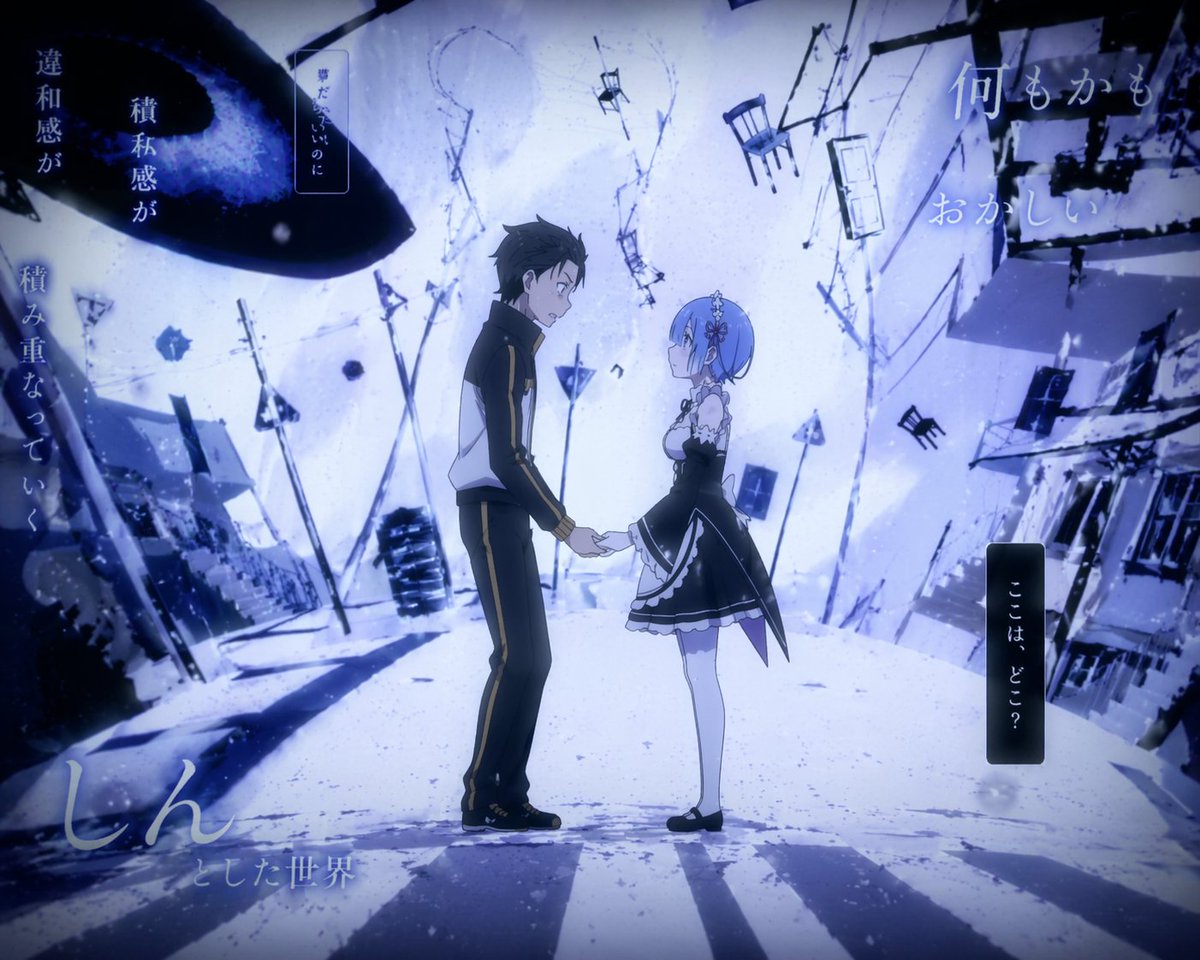
📌 상세 정보
- 작성자: Senb0n22a
- 출처: Twitter Post
- 게시일: 2026년 4월 15일
- 언어: en
No. 63: 만화 / 스토리보드 - 애니메이션 학교 계단에서의 만남
📖 설명
학교를 배경으로 두 학생이 대화하는 고품질 애니메이션 스크린샷을 생성합니다.
📝 프롬프트
{argument name="setting" default="학교 계단 참"}에서 대화하는 십 대 소녀와 소년의 {argument name="art style" default="현대적인 일상물 애니메이션 스크린샷"}입니다. 왼쪽에 있는 소녀는 {argument name="girl hair color" default="긴 금발"} 머리에 붉은 눈동자, 빨간색 십자가 머리핀을 하고 있으며, {argument name="girl sweater color" default="크림색"} 스웨터와 빨간색 줄무늬 나비넥타이, 체크무늬 치마를 입고 파란색 가방을 들고 있습니다. 오른쪽에 있는 소년은 {argument name="boy hair color" default="헝클어진 검은색"} 머리에 단추를 풀은 검은색 블레이저와 느슨한 줄무늬 넥타이, 어두운색 바지를 입고 있습니다. 두 사람은 서로를 바라보고 있습니다. 배경에는 햇살이 들어오는 창문과 일본어로 된 "2F" 안내 표지판이 보입니다.
🖼️ 생성된 이미지
Image 1
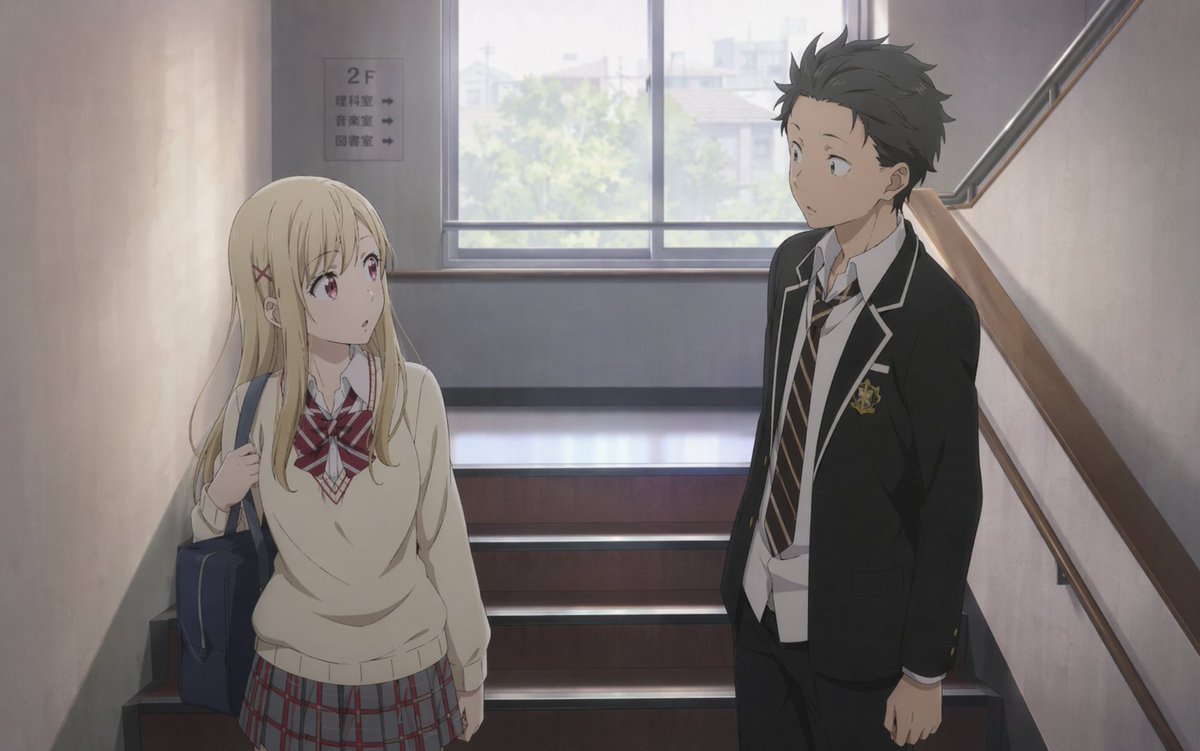
📌 상세 정보
- 작성자: Senb0n22a
- 출처: Twitter Post
- 게시일: 2026년 4월 15일
- 언어: en
No. 64: 만화 / 스토리보드 - SF 액션 3x3 스토리보드
📖 설명
평화로운 순간에서 격렬한 메카 전투로 전환되는 SF 파일럿의 모습을 담은 9컷 스토리보드를 생성합니다.
📝 프롬프트
{
  "type": "3x3 그리드 스토리보드",
  "character": "{argument name=\"character description\" default=\"젊은 여성, 짧은 검은 머리, 안경, 흰색과 파란색의 SF 메카 슈트\"}",
  "layout": {
    "grid": "3x3",
    "total_panels": 9,
    "panels": [
      { "position": "top-left", "scene": "하이테크 다타미 방에서 차를 마시는 모습" },
      { "position": "top-center", "scene": "창밖으로 도시의 폭발을 바라보는 모습" },
      { "position": "top-right", "scene": "빨간색 홀로그램을 보는 모습: 'ALERT', '{argument name=\"alert main text\" default=\"침공 개시\"}', '{argument name=\"alert sub text\" default=\"적성 반응 다수 확인\"}'" },
      { "position": "mid-left", "scene": "다타미 매트 위에 무릎을 꿇고 있는 모습" },
      { "position": "mid-center", "scene": "이어피스를 만지는 클로즈업" },
      { "position": "mid-right", "scene": "어두운 격납고에 서 있는 전신 모습" },
      { "position": "bottom-left", "scene": "폐허가 된 전장을 질주하는 모습" },
      { "position": "bottom-center", "scene": "에너지 블레이드를 들고 메카를 공격하며 도약하는 모습" },
      { "position": "bottom-right", "scene": "거대한 적 메카 군단과 대치하는 모습" }
    ]
  }
}
🖼️ 생성된 이미지
Image 1
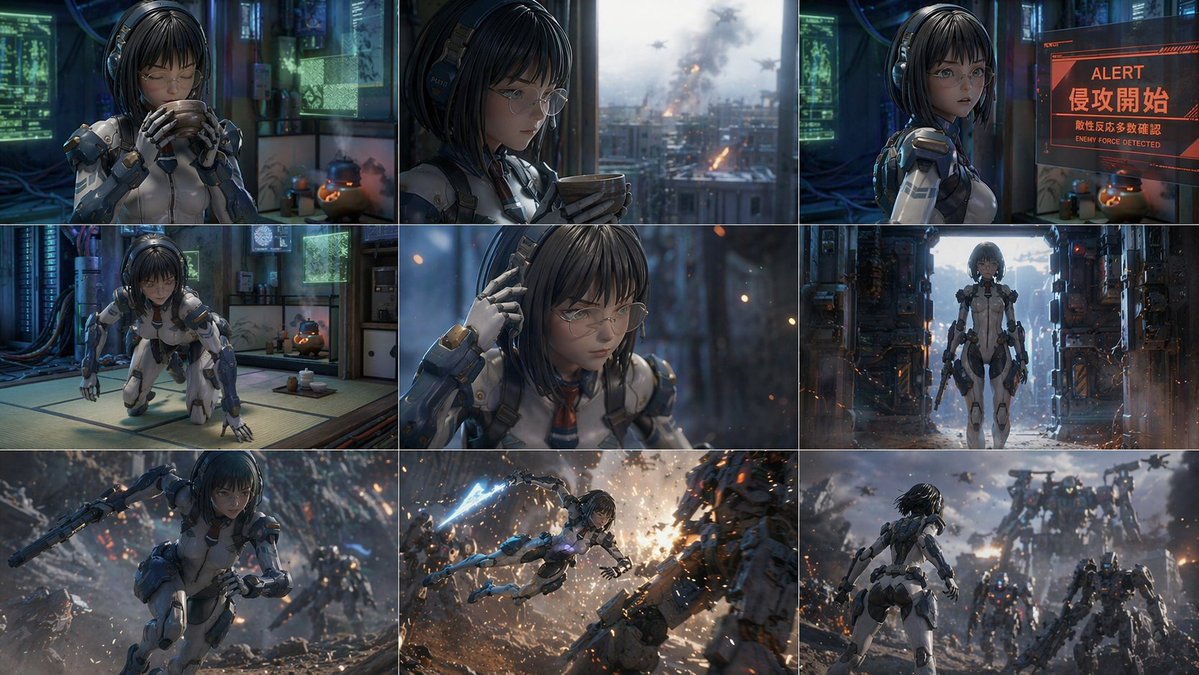
📌 상세 정보
- 작성자: 新清士@(生成AI)インディゲーム開発者
- 출처: Twitter Post
- 게시일: 2026년 4월 15일
- 언어: en
No. 65: 만화 / 스토리보드 - 만화 스타일 보스 초상화
📖 설명
넥타이를 고쳐 매는 덩치 큰 남성의 로우 앵글 애니메이션 또는 웹툰 스타일 초상화를 생성합니다.
📝 프롬프트
오만하게 내려다보는 두꺼운 목과 이중턱을 가진 덩치 크고 근육질인 남성의 애니메이션 만화 스타일 로우 앵글 초상화. 그는 헝클어진 {argument name="hair color" default="짙은 파란색"} 머리카락과 {argument name="eye color" default="빛나는 밝은 파란색"} 눈을 가졌으며, 흰색 셔츠에 {argument name="suit color" default="검은색"} 정장을 입고 있습니다. 한 손으로는 검은색 넥타이를 고쳐 매고 있습니다. {argument name="background color" default="단색 그라데이션 파란색"} 배경, 드라마틱한 조명, 선명한 선.
🖼️ 생성된 이미지
Image 1
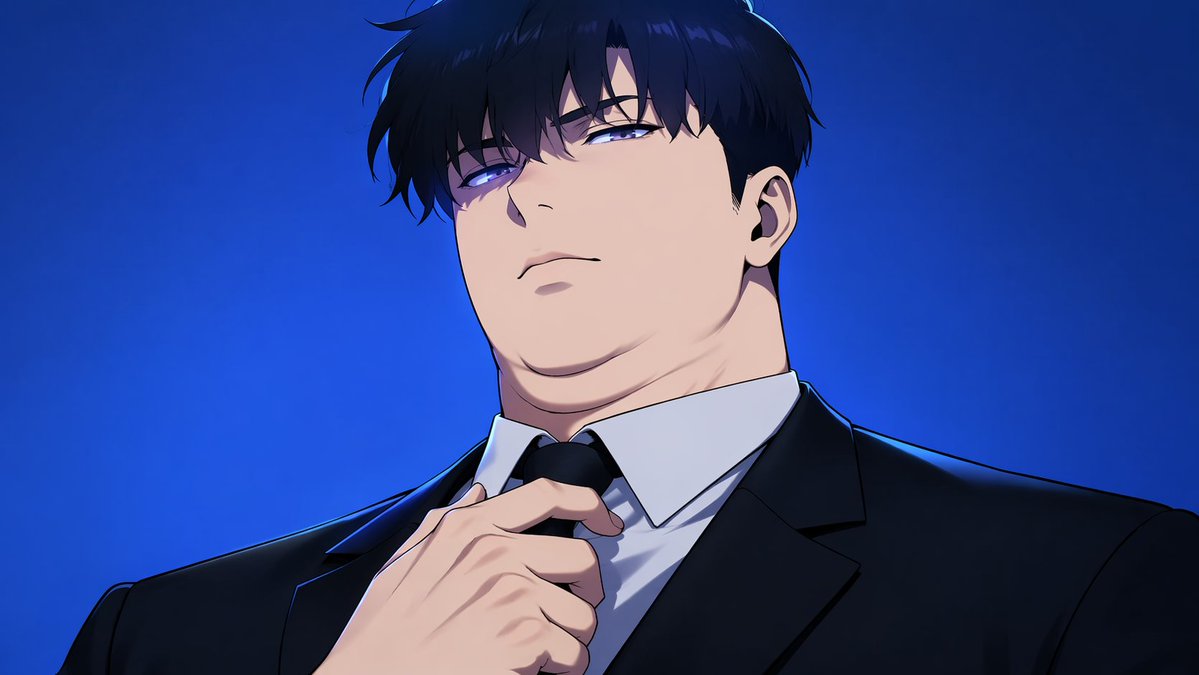
📌 상세 정보
- 작성자: Mirochill
- 출처: Twitter Post
- 게시일: 2026년 4월 15일
- 언어: en
No. 66: 만화 / 스토리보드 - 애니메이션 비주얼 노벨 콜라주 포스터
📖 설명
중앙의 실루엣과 4명의 애니메이션 캐릭터 초상화, 그리고 떠다니는 요소들로 구성된 어두운 분위기의 콜라주 스타일 홍보 포스터를 생성합니다.
📝 프롬프트
{"type": "애니메이션 비주얼 노벨 포스터", "atmosphere": "어두운 방, 불길한 분위기", "center": {"logo": "분홍색 원, 파란색 스티치 하트, 초록색 펜, 텍스트 '{argument name=\"game title\" default=\"Doki Doki Literature Club!\"}'", "subject": "{argument name=\"central figure\" default=\"빛나는 분홍색 컴퓨터 모니터를 마주 보고 책상에 앉아 있는 남성의 실루엣\"}"}, "layout": {"style": "캐릭터를 감싸는 찢어진 종이 콜라주 가장자리", "portraits": [{"position": "좌측 상단", "character": "소녀, 긴 갈색 머리, 흰색 리본, 초록색 눈, 미소 짓는 모습"}, {"position": "우측 상단", "character": "소녀, 긴 짙은 보라색 머리, 보라색 눈, 슬픈 모습"}, {"position": "좌측 하단", "character": "소녀, 짧은 분홍색 머리, 빨간색 머리핀, 분홍색 눈, 짜증 난 모습"}, {"position": "우측 하단", "character": "소녀, 짧은 복숭아색 머리, 빨간색 리본, 파란색 눈, 미소 짓는 모습"}], "shared_attributes": "모든 소녀는 {argument name=\"uniform style\" default=\"회색 블레이저, 흰색 셔츠, 빨간색 리본\"}을 착용", "floating_elements": ["{argument name=\"floating symbols\" default=\"4개의 흰색 물음표\"}", "{argument name=\"floating objects\" default=\"글씨가 적힌 종이 조각 4개\"}"]}}
🖼️ 생성된 이미지
Image 1
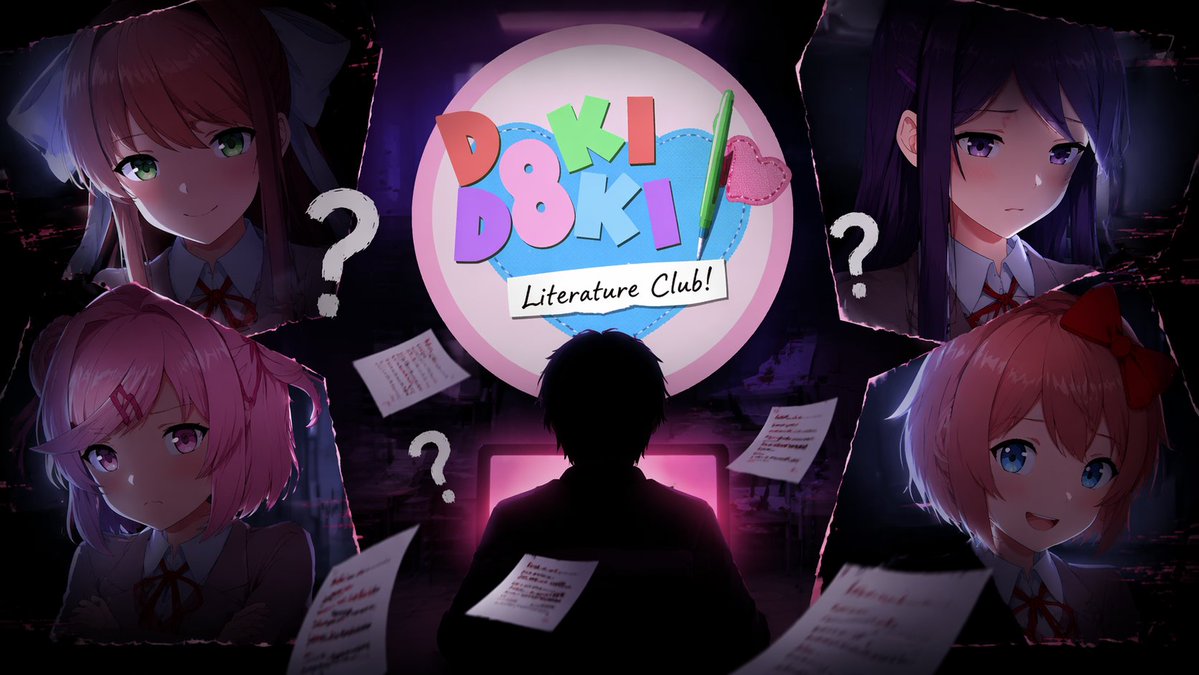
📌 상세 정보
- 작성자: Mrinaal Arora
- 출처: Twitter Post
- 게시일: 2026년 4월 15일
- 언어: en
No. 67: 만화 / 스토리보드 - 애니메이션 판타지 도시 풍경 전시 포스터
📖 설명
판타지 도시를 내려다보는 캐릭터들의 고품질 애니메이션 일러스트를 생성합니다. 전시 포스터나 홍보용 아트워크로 활용하기에 완벽합니다.
📝 프롬프트
석조 발코니에서 갈색 서류 가방을 들고 있는 {argument name="main character" default="흰색과 금색 드레스를 입고 긴 백발을 트윈테일로 묶은 엘프 소녀"}의 영화 같은 애니메이션 일러스트입니다. 그녀 옆에는 파란 꽃이 담긴 화분이 놓인 기둥이 있습니다. 배경에는 {argument name="background character" default="검은 드레스를 입은 긴 보라색 머리의 소녀"}가 {argument name="setting" default="성과 바다가 어우러진 광활한 판타지 유럽풍 도시"}를 내려다보고 있습니다. 전경에는 흰 새 한 마리가 날고 있습니다. 오른쪽 상단에는 "{argument name="main title text" default="葬送のフリーレン"}", "F R I E R E N", 그리고 "{argument name="subtitle text" default="アニメーション原画展"}"이라는 우아한 타이포그래피가 새겨져 있습니다. 아트워크는 얇은 장식 테두리로 마감되었습니다.
🖼️ 생성된 이미지
Image 1
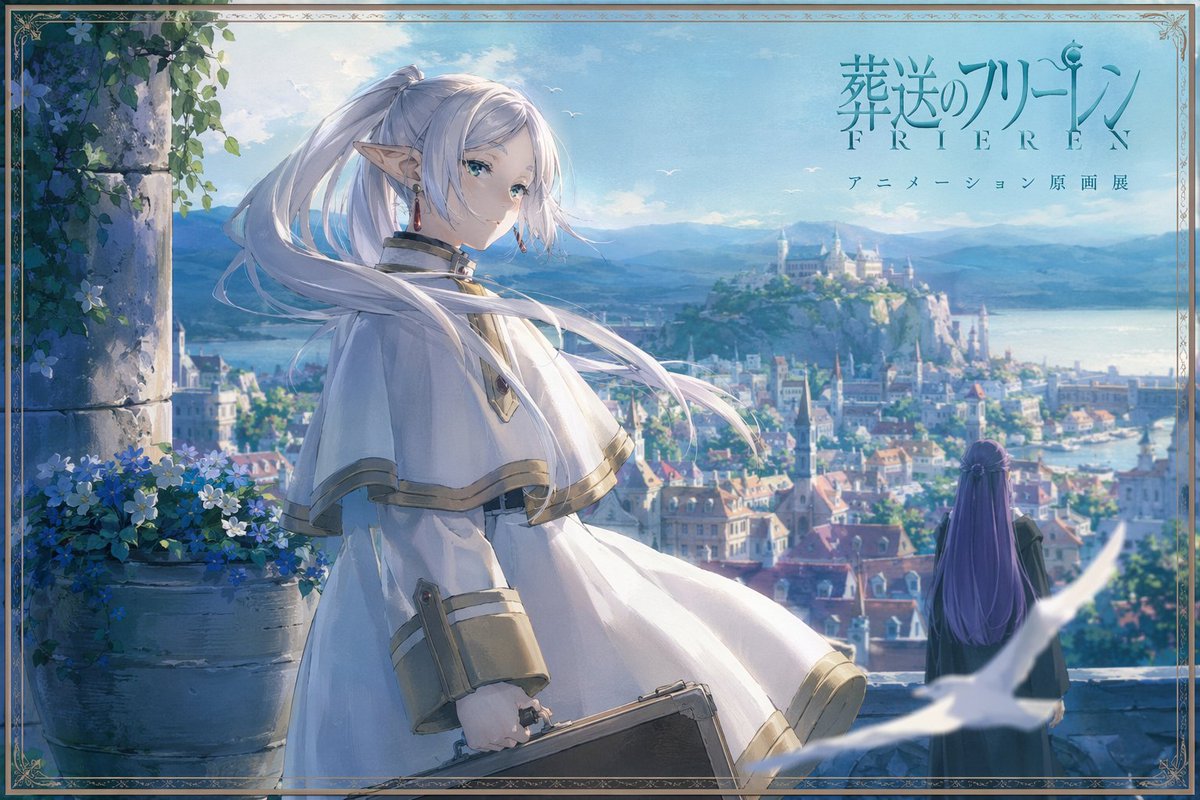
📌 상세 정보
- 작성자: IDK
- 출처: Twitter Post
- 게시일: 2026년 4월 15일
- 언어: en
No. 68: 만화 / 스토리보드 - 우주에서의 무중력 예술 복원
📖 설명
고전 예술이 보존되고 있는 궤도 우주 정거장 박물관의 매우 상세하고 영화 같은 SF 장면을 생성합니다.
📝 프롬프트
웅장한 우주 정거장 박물관 내부의 영화 같은 SF 장면. 오른쪽 전경: 어두운 점프수트를 입은 남자가 이젤 위에 놓인 거대한 {argument name="painting subject" default="고전 풍경화"}를 복원하고 있습니다. 왼쪽 전경: 와이어로 고정된 대리석 흉상. 거대하고 다층으로 이루어진 원형 내부 공간은 고전 건축 양식을 특징으로 합니다. 5개의 액자 속 그림과 4개의 포장된 유물이 무중력 상태로 떠다닙니다. 커다란 아치형 창문을 통해 우주와 {argument name="planet" default="지구와 유사한 행성"}이 보입니다. 먼지 섞인 신의 광선이 창문을 통해 쏟아져 들어옵니다. 오른쪽 상단, 어두운 현수막에는 다음과 같이 적혀 있습니다: "{argument name="banner text" default="아름다움에 대한 기억은 우리보다 오래 남는다. 그것을 돌보라. 박물관 이니셔티브 SOL 4127"}".
🖼️ 생성된 이미지
Image 1
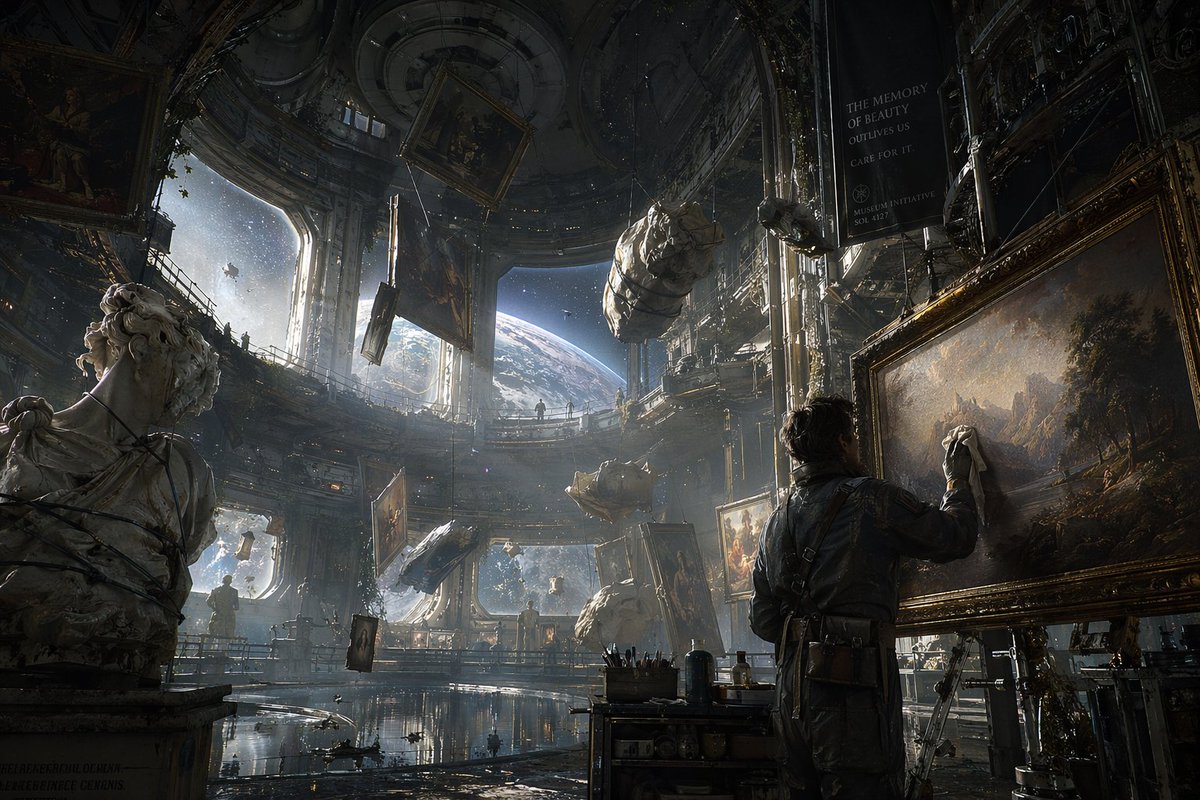
📌 상세 정보
- 작성자: BrianChen
- 출처: Twitter Post
- 게시일: 2026년 4월 15일
- 언어: en
No. 69: 만화 / 스토리보드 - 현대적인 슈퍼히어로 만화 페이지
📖 설명
역동적인 액션 장면, 대사 말풍선, 내레이션 캡션이 포함된 7컷 구성의 자경단 히어로 만화 페이지를 생성합니다.
📝 프롬프트
{
  "type": "만화 페이지",
  "style": "현대 서양 만화 스타일, 역동적인 구도, 네온 야간 조명",
  "character": "{argument name=\"hero description\" default=\"파란색 새 문양이 그려진 검은색 바디슈트와 도미노 마스크를 착용하고 두 개의 에스크리마 스틱을 휘두르는 건장한 남성 자경단원\"}",
  "layout": {
    "description": "요소와 텍스트 박스가 겹쳐진 7컷 그리드",
    "panels": [
      {
        "position": "상단 와이드",
        "scene": "네온 도시가 내려다보이는 옥상 가고일 위에 웅크리고 있는 캐릭터",
        "text_elements": [
          "제목: {argument name=\"main title\" default=\"NIGHTWING\"}",
          "부제: {argument name=\"subtitle\" default=\"LEAP OF FAITH\"}",
          "위치: {argument name=\"location\" default=\"BLÜDHAVEN\"}. 오후 11시 47분.",
          "제작진 블록 (작가, 아티스트, 컬러리스트, 레터러)",
          "3개의 내레이션 캡션 박스"
        ]
      },
      {
        "position": "중앙 왼쪽",
        "scene": "은행이 표시된 빛나는 컴퓨터 화면을 바라보는 캐릭터",
        "text_elements": [
          "2개의 경찰 무전 말풍선",
          "1개의 캐릭터 대사 말풍선"
        ]
      },
      {
        "position": "중앙 오른쪽",
        "scene": "무기를 꺼내 들고 앞으로 뛰어오르는 캐릭터",
        "text_elements": [
          "1개의 대사 말풍선",
          "노란색 효과음: {argument name=\"action sound\" default=\"WHAK\"}"
        ]
      },
      {
        "position": "하단 왼쪽",
        "scene": "은행 안에서 시민을 위협하는 마스크를 쓴 무장 강도 2명",
        "text_elements": [
          "2개의 대사 말풍선"
        ]
      },
      {
        "position": "하단 중앙",
        "scene": "강도들을 제압하기 위해 뛰어내리는 캐릭터",
        "text_elements": [
          "2개의 대사 말풍선",
          "주황색 효과음: THUD"
        ]
      },
      {
        "position": "하단 오른쪽",
        "scene": "자신감 있게 미소 짓는 캐릭터의 클로즈업 초상화",
        "text_elements": [
          "2개의 대사 말풍선"
        ]
      },
      {
        "position": "하단 와이드",
        "scene": "경찰차가 도착하는 것을 지켜보며 난간에 서 있는 캐릭터, 하늘에 떠 있는 배트 시그널",
        "text_elements": [
          "3개의 내레이션 캡션 박스",
          "하단 제작진 크레딧",
          "티저 문구: 다음 화: 단서. 거짓말. 유산."
        ]
      }
    ]
  }
}
🖼️ 생성된 이미지
Image 1
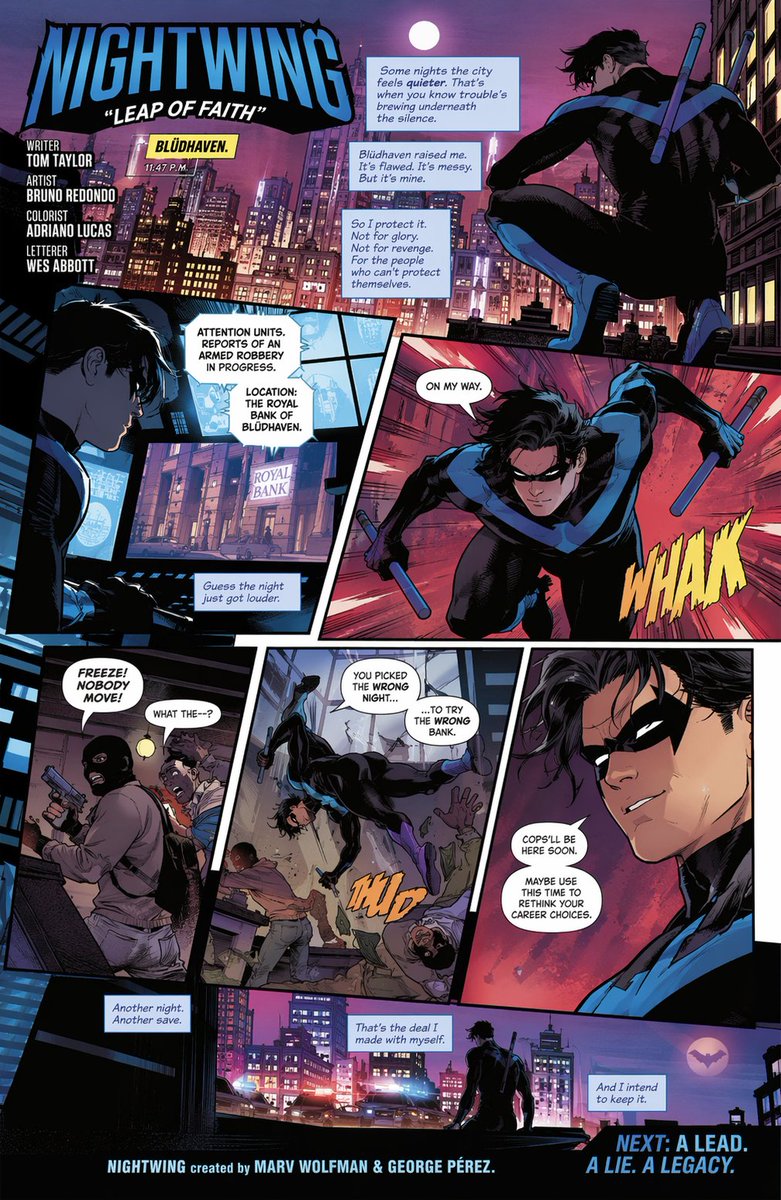
📌 상세 정보
- 작성자: Hbtt
- 출처: Twitter Post
- 게시일: 2026년 4월 15일
- 언어: en
No. 70: 제품 마케팅 - Anime Character Brand Identity & Merch Board
📖 설명
Generates a comprehensive brand design board featuring an anime character, including product packaging, social media mockups, and merchandise layouts.
📝 프롬프트
{
  "type": "brand identity and merchandise design board",
  "theme": {
    "color_palette": "{argument name=\"theme color\" default=\"pastel pink\"} and white",
    "motif": "{argument name=\"motif\" default=\"cherry blossoms\"} and pink hearts"
  },
  "character": {
    "description": "anime girl with short brown bob hair, pink eyes, wearing a white hoodie, gentle smile"
  },
  "branding": {
    "main_logo": "{argument name=\"character name\" default=\"癒音ちー\"}",
    "sub_logo": "{argument name=\"character subtext\" default=\"ゆおんちー\"}"
  },
  "layout": {
    "sections": [
      {
        "type": "header banner",
        "position": "top",
        "elements": ["large main logo", "sub logo", "cherry blossom graphics", "character portrait on the right"]
      },
      {
        "type": "product packaging",
        "position": "middle left",
        "elements": ["1 square box with heart-shaped transparent window showing pink heart candies", "character illustration on box", "2 individual candy wrappers", "5 scattered heart candies"]
      },
      {
        "type": "promotional poster",
        "position": "middle right",
        "elements": ["character portrait", "heart-shaped candy bowl", "main logo", "text '4.26 NEW OPEN'", "text '{argument name=\"social handle\" default=\"@yuonchii\"}'"]
      },
      {
        "type": "horizontal web banner",
        "position": "lower middle",
        "elements": ["main logo", "cherry blossoms", "character portrait on the right"]
      },
      {
        "type": "social media profile mockup",
        "position": "bottom left",
        "elements": ["header image with logo", "1 circular profile picture", "handle '{argument name=\"social handle\" default=\"@yuonchii\"}'", "1 follow button", "mock bio text"]
      },
      {
        "type": "merchandise collection",
        "position": "bottom right",
        "count": 9,
        "items": ["1 white t-shirt with logo", "1 white mug with character", "4 round pin badges", "1 acrylic keychain", "2 candy packets"]
      }
    ]
  }
}
🖼️ 생성된 이미지
Image 1
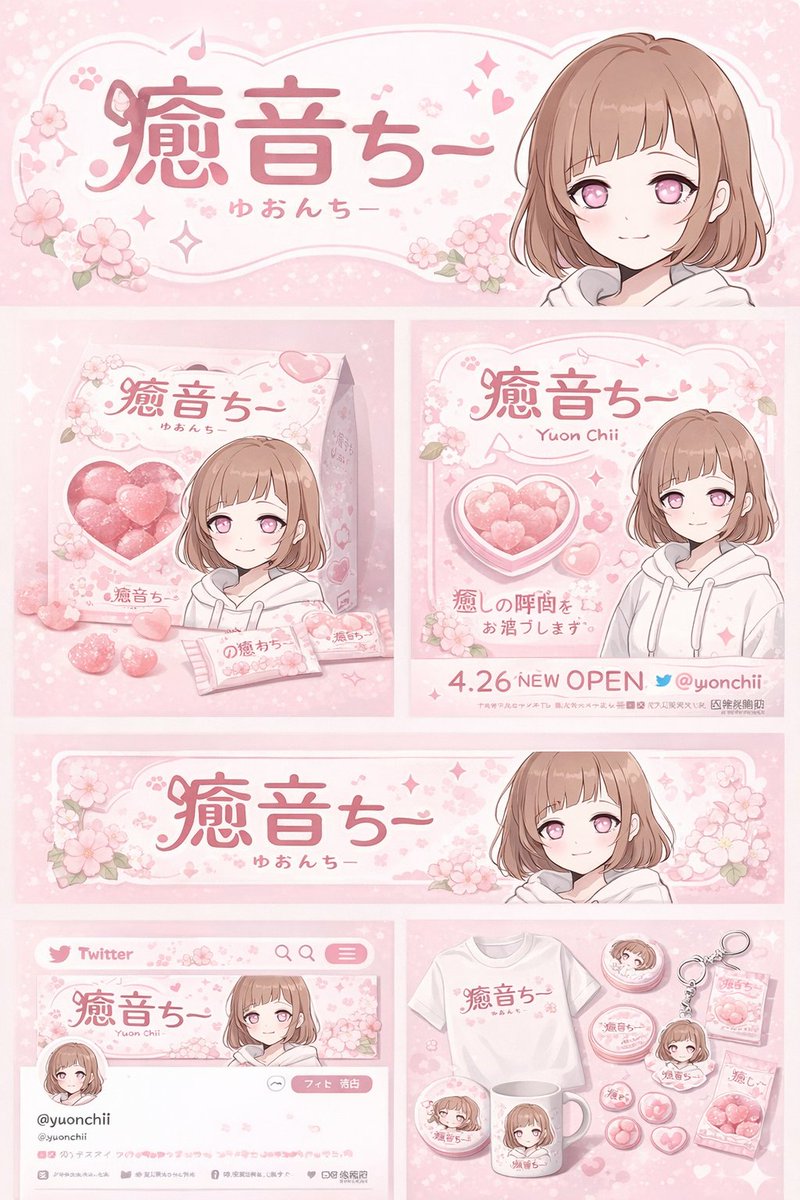
📌 상세 정보
- 작성자: 癒音ちー✨ゆおんちー✨癒やし声ASMRとAI
- 출처: Twitter Post
- 게시일: 2026년 4월 20일
- 언어: en
No. 71: 제품 마케팅 - Cross-Device Social Media Feed
📖 설명
Generates an over-the-shoulder view of a person browsing a bilingual social media feed on both a desktop monitor and a smartphone.
📝 프롬프트
A realistic over-the-shoulder shot of a person with dark hair wearing a grey shirt, sitting at a desk and looking at a large computer monitor while holding a black smartphone. On the desk in the bottom left corner is a {argument name="drink on desk" default="white mug filled with black coffee"}. The monitor displays a split-screen social media interface. The left column has the header "{argument name="left column header" default="English Post"}" with blurred-out feed items below it. The right column is in sharp focus with the header "{argument name="right column header" default="中文文案"}". Below this right header are 2 distinct social media posts: the top post features an avatar, pseudo-Chinese text, {argument name="first post image" default="a landscape photo of a mountain lake"}, and a heart icon with "2.5K"; the bottom post features an avatar, pseudo-Chinese text, {argument name="second post image" default="a photo of dumplings on a plate"}, and a heart icon with "1.8K". The person is holding the smartphone in their left hand and tapping the screen with their right index finger. The phone screen displays the exact same mountain lake social media post seen on the monitor. The image has a shallow depth of field, blurring the left side of the screen to emphasize the right column and the phone.
🖼️ 생성된 이미지
Image 1
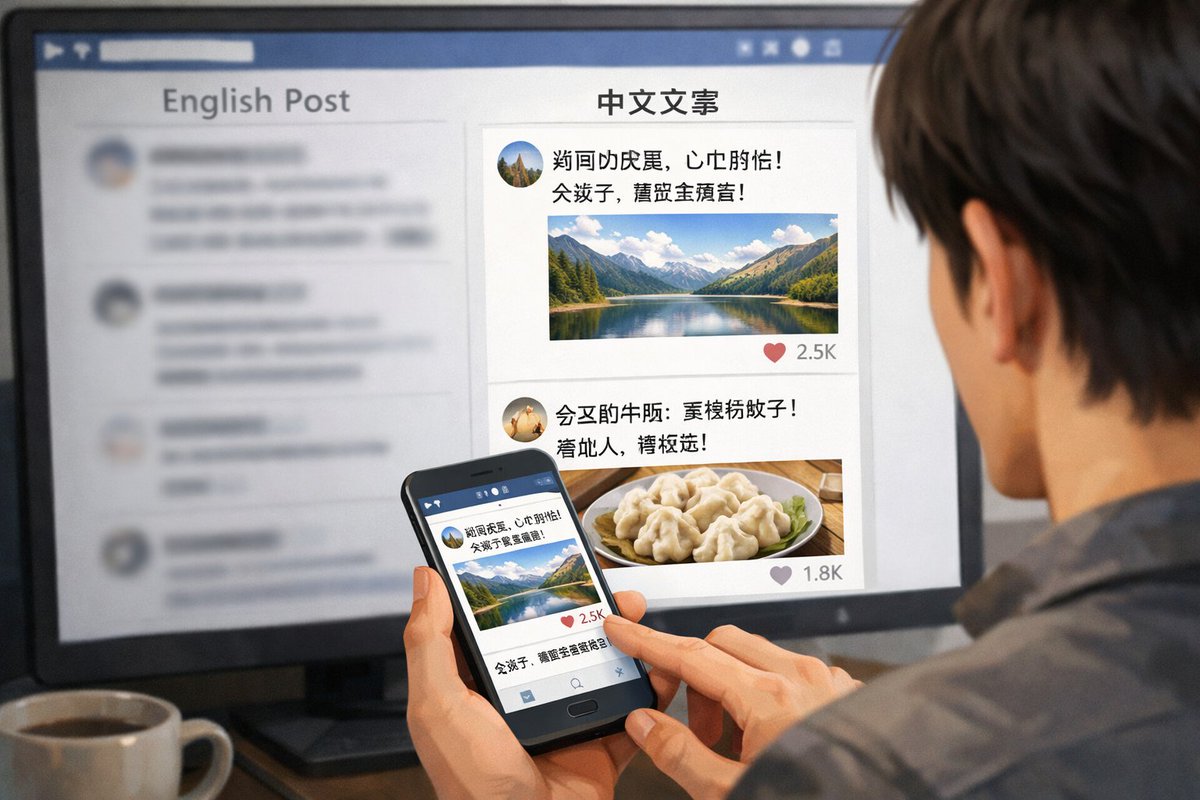
📌 상세 정보
- 작성자: zhanbing
- 출처: Twitter Post
- 게시일: 2026년 4월 20일
- 언어: en
No. 72: 제품 마케팅 - 3D SaaS Mascot Brand Guidelines
📖 설명
Generates a comprehensive brand guideline sheet for a 3D mascot, featuring use-case grids, expressions, and color palettes.
📝 프롬프트
{
  "type": "3D mascot brand guideline sheet",
  "style": "soft 3D render, claymation, pastel UI, clean corporate SaaS aesthetic",
  "mascot": {
    "name": "{argument name=\"mascot name\" default=\"Nori\"}",
    "shape": "{argument name=\"mascot shape\" default=\"soft teardrop ghost\"}",
    "color": "{argument name=\"mascot color\" default=\"pastel purple\"}",
    "texture": "matte plastic, soft clay"
  },
  "layout": {
    "header_left": {
      "tag": "MASCOTTE {argument name=\"brand name\" default=\"NOWIE\"}",
      "title": "{argument name=\"mascot name\" default=\"Nori\"}",
      "subtitle": "LE COMPAGNON QUI SIMPLIFIE VOTRE {argument name=\"business type\" default=\"BUSINESS BEAUTÉ\"}.",
      "main_image": "large 3D render of mascot floating with sparkles"
    },
    "features_list": {
      "position": "mid-left",
      "count": 5,
      "items": [
        { "icon": "calendar", "title": "Il organise" },
        { "icon": "bell", "title": "Il réduit les no-show" },
        { "icon": "credit card", "title": "Il sécurise vos paiements" },
        { "icon": "heart", "title": "Il fidélise" },
        { "icon": "bar chart", "title": "Il booste votre activité" }
      ]
    },
    "use_cases_grid": {
      "position": "top-right to mid-right",
      "layout": "3x3 grid",
      "count": 9,
      "items": [
        { "label": "NOUVEAU RENDEZ-VOUS", "prop": "calendar" },
        { "label": "RAPPEL ENVOYÉ", "prop": "notification bell" },
        { "label": "PAIEMENT ENCAISSÉ", "prop": "euro coin" },
        { "label": "CLIENT FIDÉLISÉ", "prop": "floating heart" },
        { "label": "AVIS 5 ÉTOILES", "prop": "5-star rating bar" },
        { "label": "STATS EN HAUSSE", "prop": "bar chart with upward arrow" },
        { "label": "CAMPAGNE LANCÉE", "prop": "megaphone" },
        { "label": "CONTENU CRÉÉ", "prop": "image placeholder icon" },
        { "label": "BESOIN D'AIDE ?", "prop": "chat bubble" }
      ]
    },
    "color_palette": {
      "title": "PALETTE DE COULEURS",
      "position": "bottom-left",
      "count": 7,
      "swatches": ["#C9B6F4", "#EDE7FF", "#F7F1ED", "#1F1F1F", "#FFC857", "#FF7A6A", "#6FA8FF"]
    },
    "expressions": {
      "title": "EXPRESSIONS",
      "position": "bottom-right",
      "count": 5,
      "labels": ["HEUREUX", "EXCITÉ", "COMPLICE", "CONCENTRÉ", "BIENVEILLANT"]
    },
    "footer": {
      "text": "{argument name=\"mascot name\" default=\"Nori\"} incarne {argument name=\"brand name\" default=\"Nowie\"} : simple, intelligent, bienveillant et toujours tourné vers vos résultats."
    }
  }
}
🖼️ 생성된 이미지
Image 1
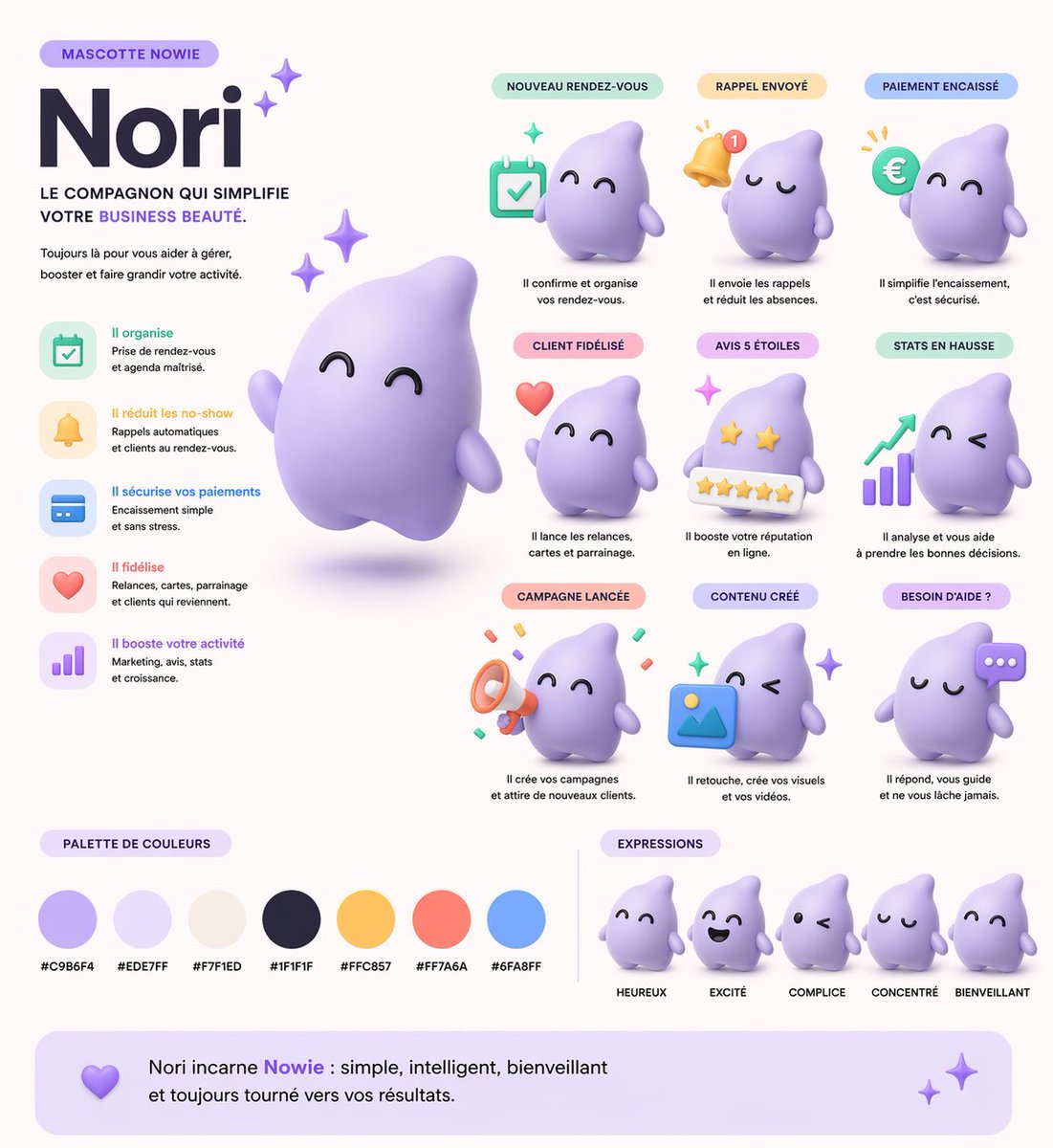
📌 상세 정보
- 작성자: Kuma
- 출처: Twitter Post
- 게시일: 2026년 4월 19일
- 언어: en
No. 73: 제품 마케팅 - Fashion Magazine Cover Portrait
📖 설명
Generates a photorealistic fashion magazine cover featuring a stylish portrait and customizable typography.
📝 프롬프트
A photorealistic high-end fashion magazine cover titled "{argument name="magazine title" default="LUMINA"}" in large white serif letters at the top. The cover features a portrait of a {argument name="subject description" default="beautiful young woman with shoulder-length wavy brown hair"}, wearing a {argument name="outfit" default="white blazer over a black silk camisole"}, accessorized with gold hoop earrings and a delicate gold necklace. She is looking directly at the camera with a confident, elegant expression against a textured warm grey studio backdrop. On the left side, black text reads "THE NEW ERA OF AI BEAUTY" and a larger headline "{argument name="main headline" default="STYLE EVOLUTION"}". On the right side, white text reads "FUTURE FASHION" and "WHAT'S NEXT?". At the bottom, white text reads "BEAUTY SECRETS OF TOMORROW" and "{argument name="bottom text" default="ELEGANT & CHIC"}". Professional studio lighting, soft shadows, highly detailed.
🖼️ 생성된 이미지
Image 1
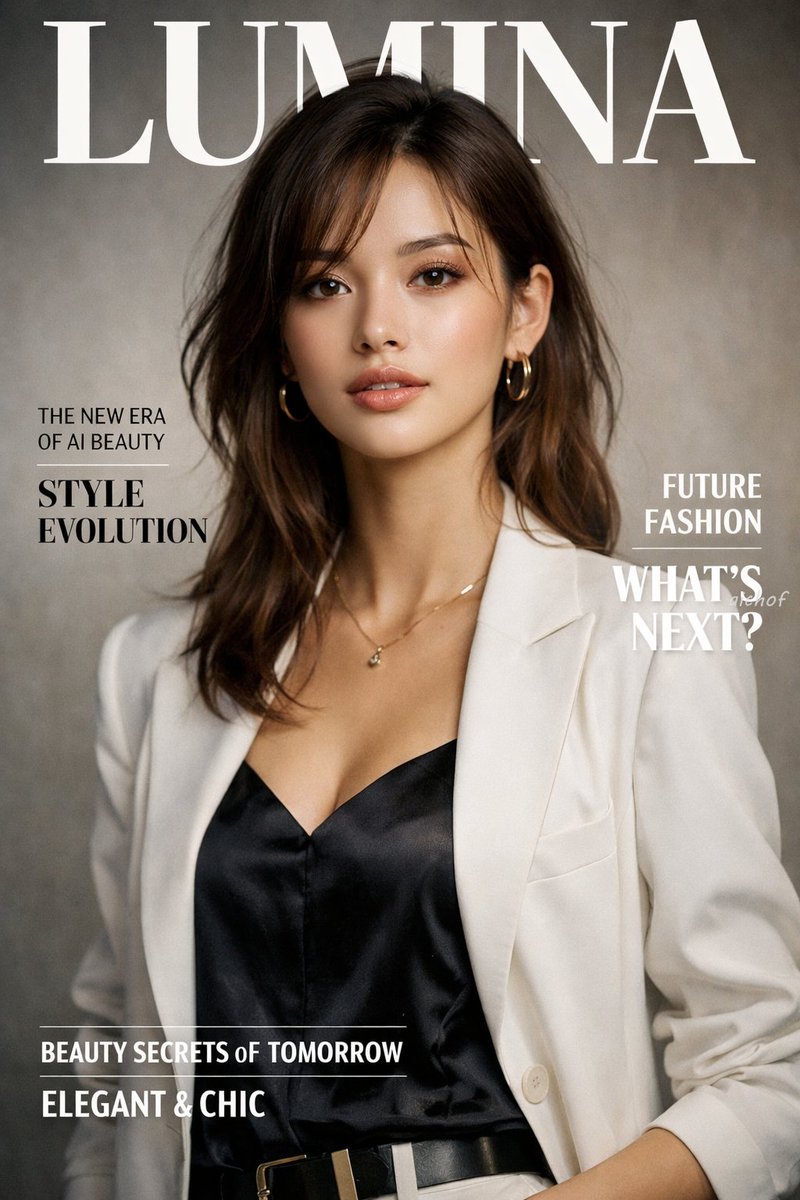
📌 상세 정보
- 작성자: aichof(アイチョフ)
- 출처: Twitter Post
- 게시일: 2026년 4월 19일
- 언어: en
No. 74: 제품 마케팅 - Photorealistic Fashion Magazine Cover
📖 설명
Generates a highly realistic magazine cover featuring a female portrait with customizable typography and styling.
📝 프롬프트
A photorealistic fashion magazine cover featuring a portrait of a beautiful young Asian woman. She has {argument name="hair style" default="light brown hair with blonde highlights and a braided crown"}, soft elegant makeup, and a gentle expression. She is wearing a {argument name="clothing" default="white ribbed off-the-shoulder top with spaghetti straps"} and delicate gold drop earrings. The background is a soft, textured neutral gray. The layout includes elegant typography: a large masthead at the top reading "{argument name="magazine title" default="LUMINA"}" in a classic serif font. On the left side, text reads "THE NEW ERA OF AI BEAUTY" above a larger "{argument name="main headline" default="STYLE EVOLUTION"}". On the right side, text reads "FUTURE FASHION" above "WHAT'S NEXT?". At the bottom, text reads "{argument name="bottom text" default="BEAUTY SECRETS of TOMORROW"}" above "ELEGANT & CHIC". The overall lighting is soft, professional studio illumination.
🖼️ 생성된 이미지
Image 1
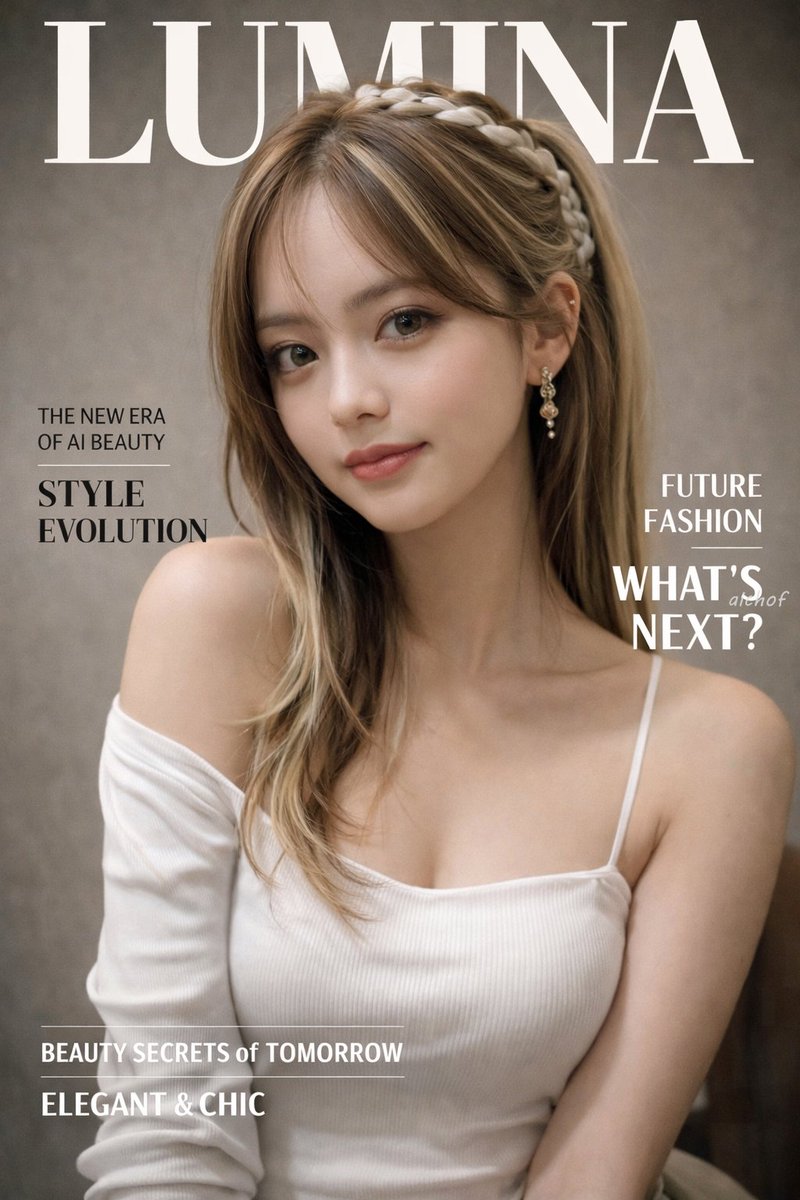
📌 상세 정보
- 작성자: aichof(アイチョフ)
- 출처: Twitter Post
- 게시일: 2026년 4월 19일
- 언어: en
No. 75: 제품 마케팅 - 4-Panel Japanese Ad Banner Grid
📖 설명
Generates a 2x2 grid of distinct Japanese web banner advertisements for beverage, food delivery, cosmetics, and fitness industries.
📝 프롬프트
{
  "type": "2x2 grid of Japanese web banner advertisements",
  "layout": "4 equal square panels",
  "panels": [
    {
      "position": "top-left",
      "industry": "beverage",
      "product": "clear can of non-alcoholic drink named 'CLEAR ZERO'",
      "visuals": "splashing water, light blue background, refreshing vibe",
      "headline": "{argument name=\"beverage catchphrase\" default=\"今日を、リセット。\"}",
      "badges_count": 3,
      "badges_labels": ["カロリー 0", "糖質 0", "プリン体 0"]
    },
    {
      "position": "top-right",
      "industry": "food delivery",
      "product": "plate of stir-fried meat and vegetables",
      "visuals": "warm lighting, wooden table, appetizing",
      "headline": "{argument name=\"meal kit catchphrase\" default=\"献立に、悩まない。\"}",
      "feature_icons_count": 3,
      "feature_icons_labels": ["時短 10分", "管理栄養士監修", "送料無料"],
      "cta_button": "今すぐはじめる ->"
    },
    {
      "position": "bottom-left",
      "industry": "cosmetics",
      "product": "skincare serum bottle named 'LUMIÈRE'",
      "visuals": "woman with glowing skin and closed eyes, prismatic light effects, soft purple background",
      "headline": "{argument name=\"cosmetics catchphrase\" default=\"肌が、目覚める。\"}",
      "badges_count": 3,
      "badges_labels": ["無添加", "日本製", "敏感肌対応"]
    },
    {
      "position": "bottom-right",
      "industry": "fitness",
      "product": "personal gym named 'MOVE'",
      "visuals": "woman running on a treadmill, dark gym setting, sporty",
      "headline": "{argument name=\"gym catchphrase\" default=\"私を、アップデートする場所。\"}",
      "pricing": "月額 {argument name=\"gym monthly price\" default=\"6,980\"} 円~",
      "feature_hexagons_count": 3,
      "feature_hexagons_labels": ["24時間営業", "全国120店舗以上", "充実のサポート"],
      "cta_button": "無料体験を予約する ->"
    }
  ]
}
🖼️ 생성된 이미지
Image 1
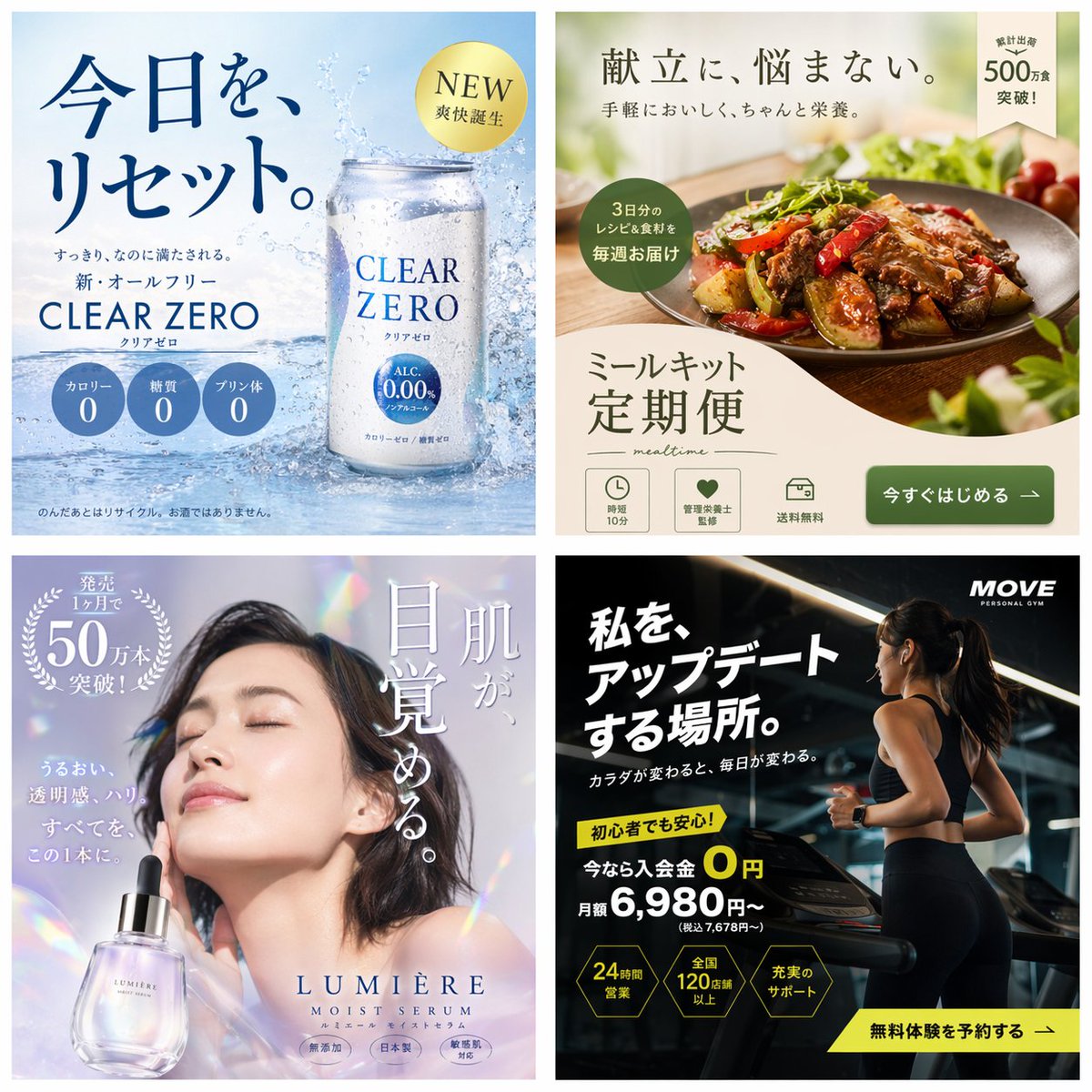
📌 상세 정보
- 작성자: まーや | 物販LPデザイナー🛒✨
- 출처: Twitter Post
- 게시일: 2026년 4월 19일
- 언어: en
No. 76: 제품 마케팅 - 2x2 Japanese Advertisement Grid
📖 설명
Generates a 4-panel grid of distinct Japanese promotional advertisements covering skincare, recruitment, food, and travel.
📝 프롬프트
{
  "type": "2x2 advertisement grid",
  "layout": {
    "grid_size": "2 rows by 2 columns",
    "panels": [
      {
        "position": "top-left",
        "theme": "skincare",
        "subject": "profile of a woman looking up, holding a white lotion bottle",
        "headline": "{argument name=\"skincare headline\" default=\"うるおい、光る肌へ。\"}",
        "subtext": "新・保湿化粧水",
        "features": {
          "count": 3,
          "type": "light blue circular bubbles",
          "labels": ["ヒアルロン酸 (保湿成分)", "ビタミンC誘導体 (整肌成分)", "セラミド (保湿成分)"]
        },
        "brand_logo": "LUMIÈRE SKIN LOTION"
      },
      {
        "position": "top-right",
        "theme": "corporate recruitment",
        "subject": "young woman in a blue shirt holding a silver laptop",
        "background": "geometric shapes in yellow, white, and cyan",
        "headline": "{argument name=\"recruitment headline\" default=\"未来は、挑戦でできている。\"}",
        "subtext": ["新卒採用エントリー受付中!", "自分を超えていけ。"],
        "features": {
          "count": 3,
          "type": "hashtags",
          "labels": ["# 総合職募集", "# 年間休日125日", "# 充実の研修制度"]
        },
        "brand_logo": "SKYWARD"
      },
      {
        "position": "bottom-left",
        "theme": "cafe breakfast",
        "subject": "stack of pancakes with butter, pouring syrup, strawberries, blueberries, and raspberries; coffee cup in background",
        "headline": "{argument name=\"cafe headline\" default=\"朝が待ち遠しくなる。\"}",
        "subtext": "しっとり、ふわふわ。幸せのパンケーキ。",
        "features": {
          "count": 1,
          "type": "yellow circular badge",
          "labels": ["OPEN 8:00 CLOSE 18:00"]
        },
        "brand_logo": "café sunny"
      },
      {
        "position": "bottom-right",
        "theme": "travel agency",
        "subject": "scenic view of a long bridge over turquoise water, blue sky, pink hibiscus flowers in foreground",
        "headline": "心、ほどける{argument name=\"travel destination\" default=\"沖縄旅\"}",
        "subtext": ["青い海と、ゆるやかな時間。", "3日間", "{argument name=\"travel price\" default=\"¥59,800〜\"}", "航空券+ホテル+朝食付き"],
        "features": {
          "count": 1,
          "type": "pink circular badge",
          "labels": ["早期予約で最大10,000円割引!"]
        },
        "brand_logo": "HIS"
      }
    ]
  }
}
🖼️ 생성된 이미지
Image 1
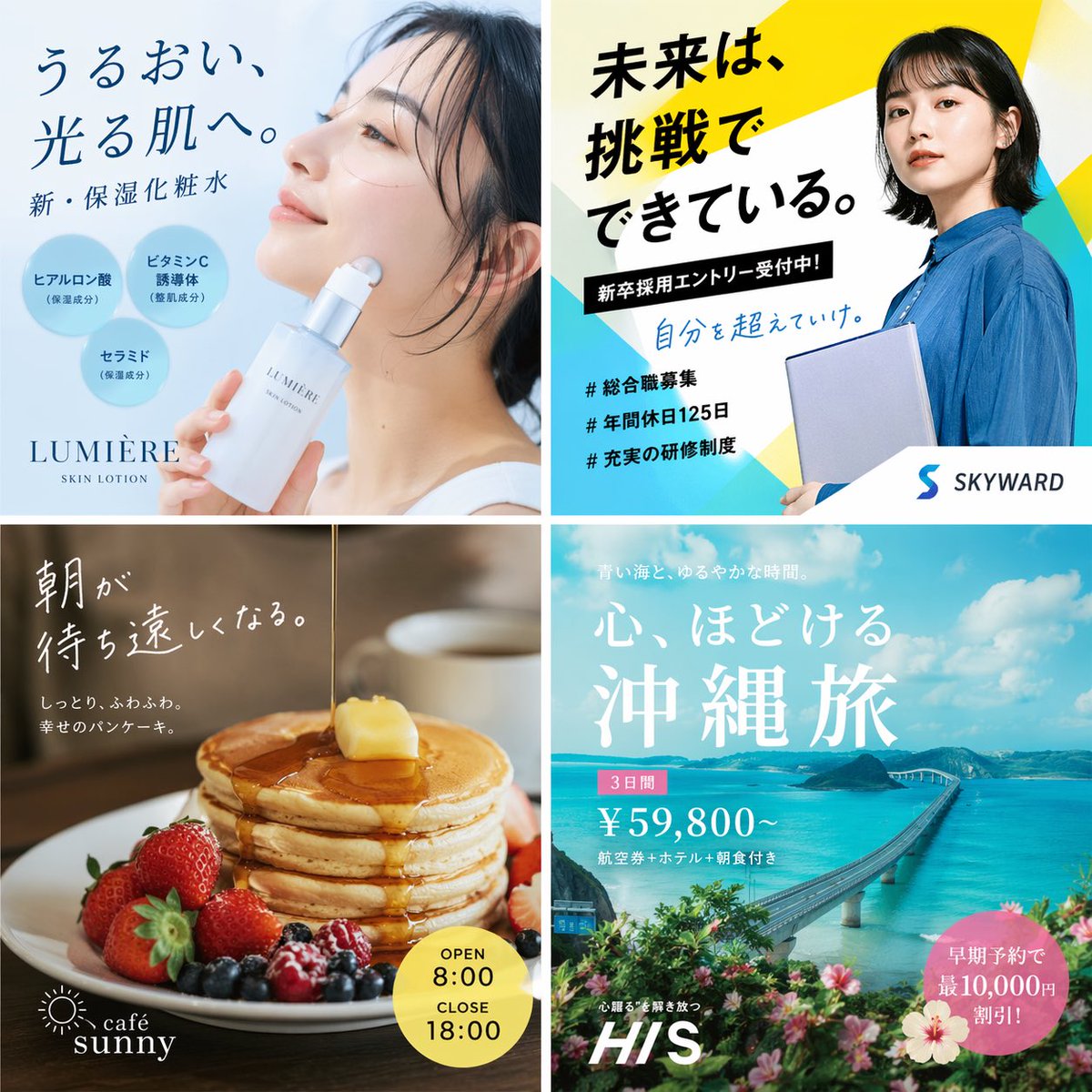
📌 상세 정보
- 작성자: もっつぃ🌳
- 출처: Twitter Post
- 게시일: 2026년 4월 19일
- 언어: en
No. 77: 제품 마케팅 - Four-Panel Vertical Advertisement Mockups
📖 설명
Generates a four-column layout featuring distinct advertising posters for food, fashion, travel, and SaaS products.
📝 프롬프트
{
  "type": "four-panel advertisement mockup",
  "layout": "vertical split into four equal columns",
  "panels": [
    {
      "position": "far left",
      "theme": "food advertisement",
      "subject": "steaming bowl of authentic soy sauce ramen with sliced pork, half a soft-boiled egg, bamboo shoots, and green onions",
      "background": "dark, moody lighting",
      "typography": {
        "catchphrase": "{argument name=\"ramen catchphrase\" default=\"この一杯に、魂を込めて。\"}",
        "subtext": "ultimate ramen maximizing ingredient umami",
        "brand_name": "麺心",
        "details": "authentic soy sauce ramen 980 yen",
        "footer": "Tokyo Shibuya address and business hours"
      }
    },
    {
      "position": "mid-left",
      "theme": "fashion lookbook",
      "subject": "young Japanese woman looking back over her shoulder, wearing a sheer white long-sleeve top",
      "background": "light grey studio backdrop",
      "typography": {
        "headline": "{argument name=\"fashion brand\" default=\"SHEER\"}",
        "subheadline": "NEW COLLECTION",
        "vertical_text": "wearing transparency",
        "details": "SPRING / SUMMER 2024 3.15 fri - Start",
        "button": "特設サイトを見る >"
      }
    },
    {
      "position": "mid-right",
      "theme": "travel agency promotion",
      "subject": "woman in a white summer dress and straw hat walking down white stairs",
      "background": "{argument name=\"travel destination\" default=\"Santorini, Greece\"} with iconic blue dome churches, white buildings, and deep blue Aegean sea",
      "typography": {
        "top_text": "to an unseen spectacular view",
        "main_title": "Travel",
        "subtitle": "let's take a journey that moves your heart",
        "badge": "summer travel sale until 5.31 FRI",
        "bottom_nav": {
          "count": 3,
          "labels": ["海外ツアー", "国内ツアー", "航空券+ホテル"]
        },
        "button": "今すぐチェック! >"
      }
    },
    {
      "position": "far right",
      "theme": "B2B SaaS software",
      "subject": "open laptop displaying a data dashboard, surrounded by floating UI elements",
      "background": "light purple and white gradient",
      "ui_elements": {
        "count": 3,
        "labels": ["AIアシスタント", "タスク管理", "データ分析"]
      },
      "typography": {
        "logo": "{argument name=\"tech product name\" default=\"Aideal\"}",
        "headline": "{argument name=\"tech headline\" default=\"仕事が、もっとスマートに。\"}",
        "subheadline": "AI creates time for you",
        "badge": "over 10,000 companies",
        "button": "無料で始める >",
        "url": "www.aideal.jp"
      }
    }
  ]
}
🖼️ 생성된 이미지
Image 1
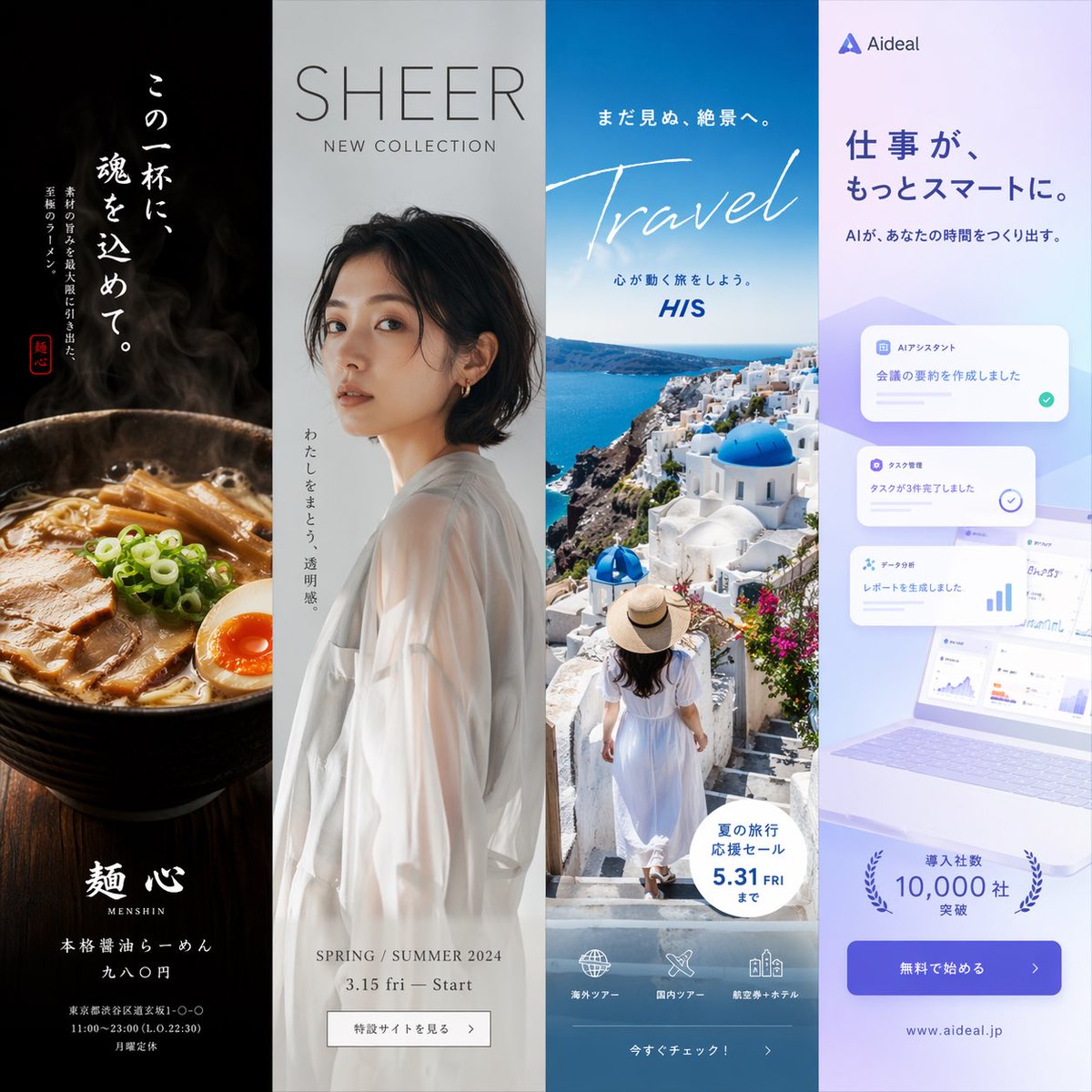
📌 상세 정보
- 작성자: もっつぃ🌳
- 출처: Twitter Post
- 게시일: 2026년 4월 19일
- 언어: en
No. 78: 제품 마케팅 - Wireframe to Corporate Web Banner
📖 설명
Transforms a rough hand-drawn wireframe into a polished, professional web banner ad with photorealistic subjects, vector graphics, and customizable Japanese copy.
📝 프롬프트
Using REFERENCE_0 as a wireframe layout, generate a polished, professional corporate web banner ad for an AI sales tool. Use a clean blue, white, and orange color palette. Transform the sketched character into a photorealistic image of 2 smiling Japanese business professionals (a man and a woman in suits) looking at a silver laptop in a bright office. In the top left, add a logo for {argument name="brand name" default="KAWAISALES"} with a small tagline 'AIを活用した新しい営業支援ツール'. Map the wireframe's text bubbles as follows: replace the top bubble with a white oval containing the blue text {argument name="main copy" default="その営業、AIで「飛躍」しませんか?"}; replace the middle bubble with {argument name="sub copy" default="リード獲得からクロージングまでAIがあなたの営業活動を強力サポート!"}. Replace the bottom CTA box with a bright orange pill-shaped button reading {argument name="cta text" default="今すぐ 無料デモを体験する >"}. In the lower-right center, add a blue 3D-style bar chart with an upward arrow, accompanied by a target icon showing 3 user silhouettes and a white UI card with 4 checkmarked bullet points. Finally, add a white panel in the bottom left containing exactly 3 blue line-art icons (a clock, a rising chart, and a laptop) with short captions below each.
🖼️ 생성된 이미지
Image 1

📌 상세 정보
- 작성자: KAWAI
- 출처: Twitter Post
- 게시일: 2026년 4월 19일
- 언어: en
No. 79: 제품 마케팅 - Flashy Pachinko Parlor Promo Poster
📖 설명
Generates an extremely flashy, information-dense Japanese promotional poster featuring a portrait model, 3D metallic typography, and multiple stat boxes.
📝 프롬프트
{
  "type": "Japanese pachinko parlor promotional poster",
  "style": "hyper-flashy, explosive golden starbursts, red background, floating gold confetti, lens flares, high contrast, 3D metallic text",
  "subject": "{argument name=\"model description\" default=\"smiling young Japanese woman with brown hair and bangs wearing a white sparkly dress\"}",
  "layout": {
    "top_left": {
      "type": "massive 3D text",
      "text": "{argument name=\"main title\" default=\"新台入替\"}",
      "style": "gold and red metallic"
    },
    "top_right": {
      "type": "vertical banner",
      "text": "本日堂々オープン!",
      "style": "red ribbon with gold text"
    },
    "middle_left": {
      "type": "time announcement",
      "text_line_1": "{argument name=\"opening time\" default=\"AM 9:00\"}",
      "text_line_2": "OPEN!!",
      "style": "gold/yellow top line, blue/white gradient bottom line"
    },
    "middle_lower_stats": {
      "type": "information grid",
      "count": 5,
      "elements": [
        { "label": "Date", "text": "{argument name=\"date\" default=\"4.10\"}", "subtext": "水曜日", "style": "red and gold box" },
        { "label": "Pachinko count", "text": "パチンコ", "subtext": "120台", "style": "red box" },
        { "label": "Slot count", "text": "スロット", "subtext": "80台", "style": "blue box" },
        { "label": "Total count", "text": "220台", "subtext": "OVER", "style": "gold circular badge" },
        { "label": "Variety corner", "text": "バラエティコーナー 20台", "style": "green horizontal banner" }
      ]
    },
    "bottom": {
      "type": "massive 3D catchphrase",
      "text": "{argument name=\"catchphrase\" default=\"超絶激アツ!!\"}",
      "style": "gold metallic, explosive background"
    }
  }
}
🖼️ 생성된 이미지
Image 1
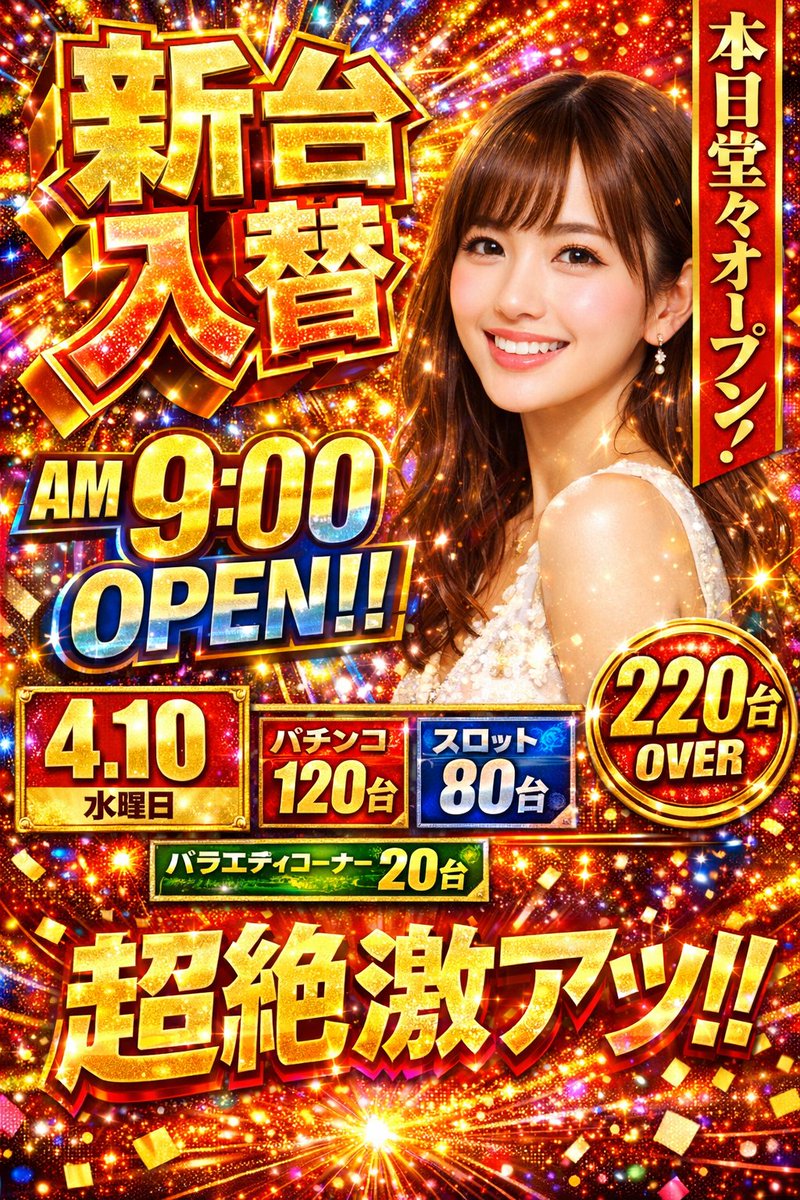
📌 상세 정보
- 작성자: エンジニアM168
- 출처: Twitter Post
- 게시일: 2026년 4월 19일
- 언어: en
No. 80: 제품 마케팅 - Japanese Beverage Ad Poster
📖 설명
Generates a refreshing Japanese-style beverage advertisement featuring a model, product shot, and stylized typography.
📝 프롬프트
{
  "type": "Japanese beverage advertisement poster",
  "subject": {
    "description": "young Asian woman, profile view, {argument name=\"subject vibe\" default=\"eyes closed, looking up, feeling refreshed\"}",
    "appearance": "wet hair, wet skin, sheer white top",
    "environment": "floating water droplets, bright blue sky, sunny lighting"
  },
  "product": {
    "type": "aluminum beverage can",
    "placement": "bottom right",
    "design": "white and yellow gradient, condensation drops",
    "branding": "{argument name=\"product name\" default=\"YUZU SPARK\"} in large serif font, 'ユズスパーク' below",
    "illustration": "yellow {argument name=\"flavor fruit\" default=\"yuzu\"} fruit with green leaves",
    "props": "2 whole yellow yuzu fruits with green leaves behind the can"
  },
  "layout": {
    "top_left": "Logo with starburst icon and 'KIRARA'",
    "main_copy_left": "large vertical black text: {argument name=\"main headline\" default=\"ゆず香る、新しいわたし。\"}",
    "sub_copy_left": "vertical black text in yellow pill: 'がんばる日々に、やさしいごほうびを。'",
    "script_text": "yellow cursive text: 'Refresh!'",
    "right_copy": "white handwritten text with underline: '私を、ほどくひとしゅわ。'",
    "badges": [
      { "position": "bottom left", "style": "yellow circle", "text": "{argument name=\"badge text\" default=\"国産ゆず果汁3%\"}" },
      { "position": "mid right", "style": "yellow circle", "text": "NEW" }
    ],
    "bottom_text": "small black text: 'すっきり、軽やか。やさしい甘さのご褒美時間。'",
    "footer": "solid yellow horizontal bar containing product name, tagline 'やさしさ弾ける、ゆずの微炭酸。', and boxed text '数量限定発売中'"
  }
}
🖼️ 생성된 이미지
Image 1
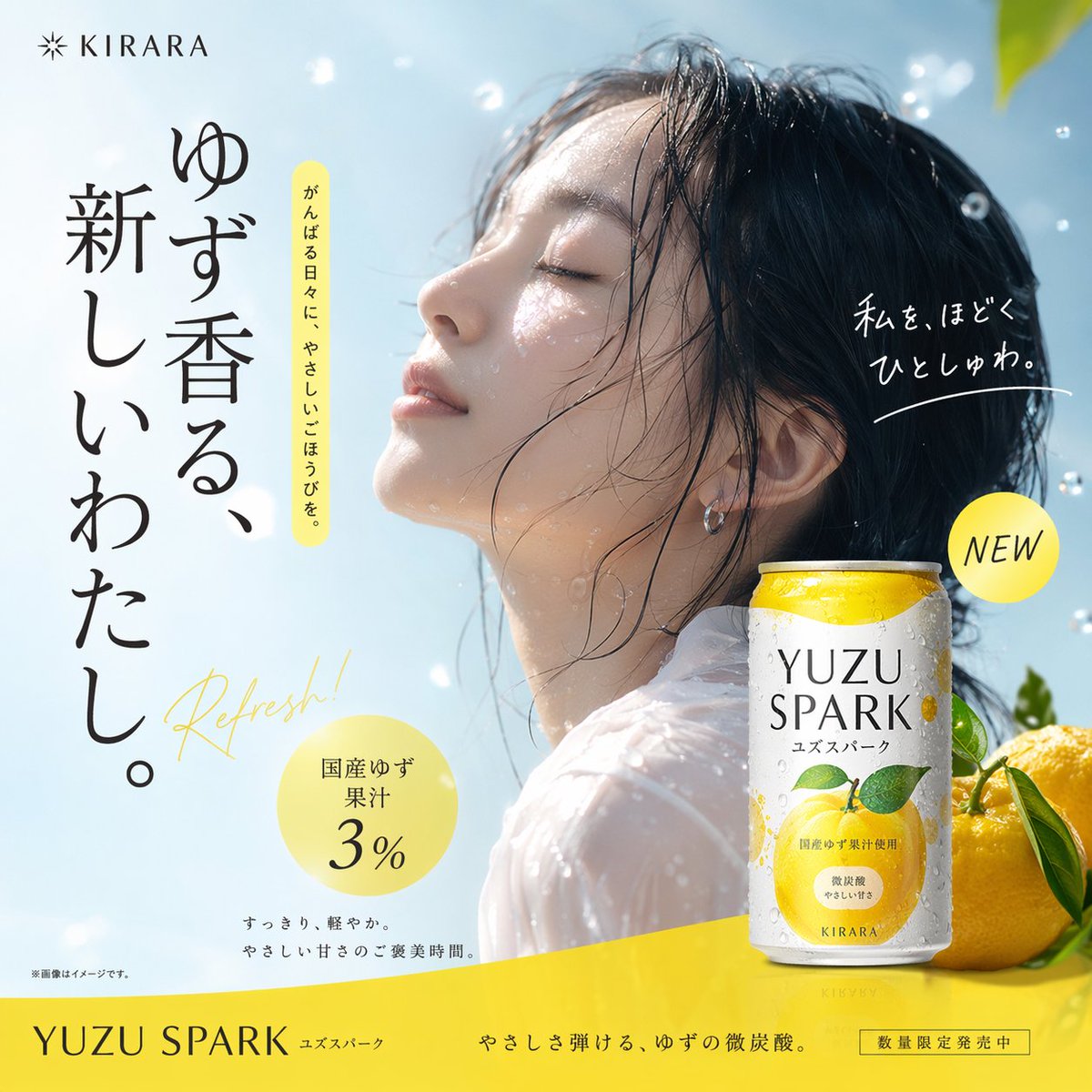
📌 상세 정보
- 작성자: MW岩井
- 출처: Twitter Post
- 게시일: 2026년 4월 18일
- 언어: en
No. 81: 제품 마케팅 - 3D Perspective Text Effect Prompt
📖 설명
A technical prompt to generate 3D perspective text integrated into a scene, such as a sea-crossing bridge, with dramatic cinematic lighting.
📝 프롬프트
① Scene {argument name="scene description" default="side of a sea-crossing bridge"}, dramatic cinematic angle. Giant bold sans-serif text "___② Text content {argument name="text content" default="Sea-crossing Bridge"}" painted onto the surface of ___③ Subject: None, progressively foreshortens from the front near the lens to the far end. Letterforms conform to surface curvature, surface-integrated not floating. Some areas of text are occluded by ___④ Foreground objects: None, exposed in gaps to create depth-layering. {argument name="text color and style" default="Oversized bright yellow + sharp orange outline"}, extreme perspective distortion aligned to vanishing point. Cinematic lighting, motion blur, poster-grade dynamic integrated typography.
🖼️ 생성된 이미지
Image 1
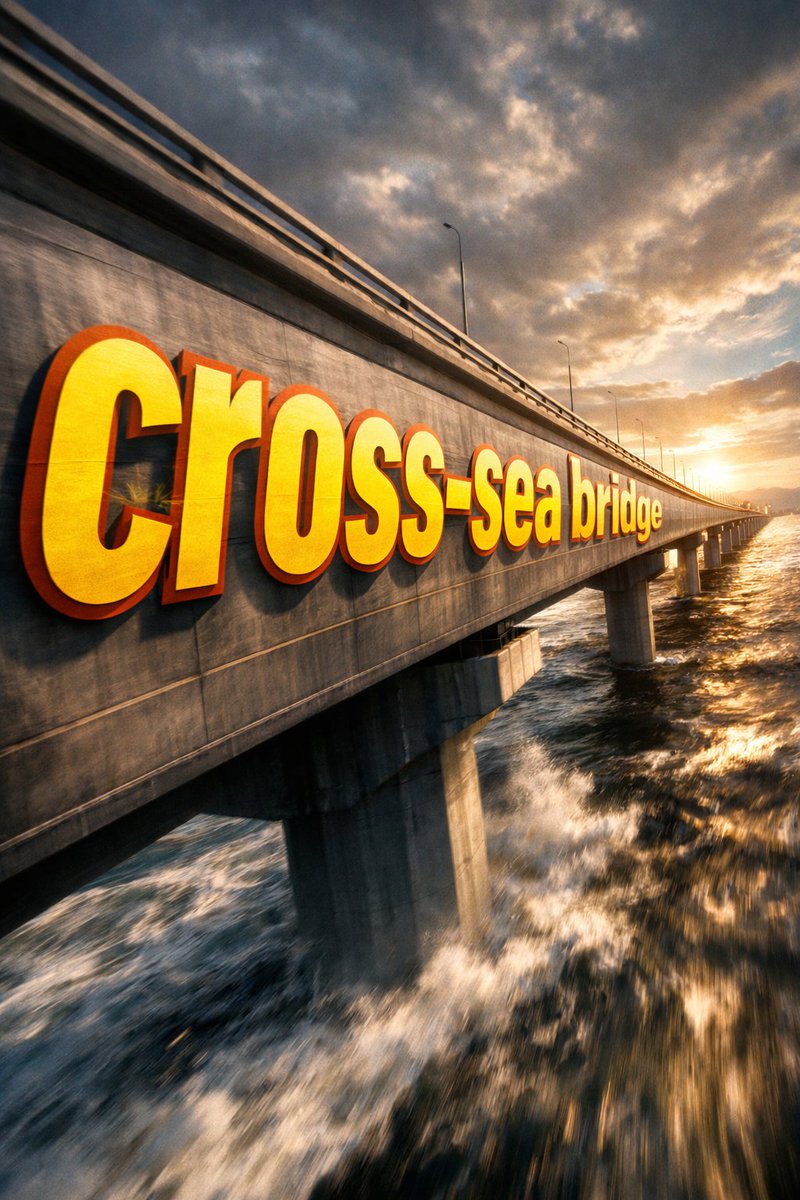
📌 상세 정보
- 작성자: 神奇小喷菇AIGC
- 출처: Twitter Post
- 게시일: 2026년 4월 18일
- 언어: zh
No. 82: 제품 마케팅 - SaaS AI Dashboard Landing Page
📖 설명
Generates a modern SaaS landing page mockup featuring a central AI dashboard connected to various tool integrations and detailed feature highlight cards.
📝 프롬프트
{
  "type": "SaaS landing page hero graphic",
  "style": "Modern UI/UX, light theme, soft shadows, glassmorphism, {argument name=\"primary theme color\" default=\"purple and blue gradients\"}",
  "header": {
    "headline": "{argument name=\"main headline\" default=\"Run your work with AI clarity.\"}",
    "subheadline": "Coordinate tasks, context, and execution across your tools in one intelligent workspace."
  },
  "layout": {
    "center_dashboard": {
      "app_name": "{argument name=\"app name\" default=\"FlowBridge\"}",
      "greeting": "{argument name=\"user greeting\" default=\"Good morning, Alex 👋\"}",
      "sidebar_links": 8,
      "top_metrics_cards": 4,
      "recent_activity_items": 3,
      "project_progress_bars": 3,
      "floating_action_bar": "{argument name=\"floating bar text\" default=\"Ask AI anything or type a command...\"}"
    },
    "left_integrations": {
      "count": 4,
      "style": "pill-shaped cards connected by thin lines to the center dashboard",
      "labels": [
        "Google Calendar: Events & schedule",
        "Notion: Docs & knowledge",
        "Slack: Messages & updates",
        "Google Drive: Files & assets"
      ]
    },
    "right_integrations": {
      "count": 4,
      "style": "pill-shaped cards connected by thin lines to the center dashboard",
      "labels": [
        "Asana: Tasks & projects",
        "GitHub: Code & commits",
        "Figma: Design files",
        "Microsoft Teams: Calls & meetings"
      ]
    },
    "bottom_feature_cards": {
      "count": 3,
      "style": "rectangular cards with soft shadows",
      "cards": [
        {
          "title": "AI-powered overview",
          "description": "Get instant clarity on goals, progress, and what needs your attention.",
          "visuals": "Line chart showing 24.6 hr focus time, and 3 bottom metrics (Meetings, Deep work, Tasks done)"
        },
        {
          "title": "Connected execution",
          "description": "Stay aligned with tasks, updates, and dependencies across your tools.",
          "visuals": "List of 4 upcoming tasks and 4 team workload progress bars with user avatars"
        },
        {
          "title": "Insights that drive impact",
          "description": "Understand progress, unblock risks, and make smarter decisions.",
          "visuals": "Donut chart showing 18 projects by status, and a list of 3 top risks with red flag icons"
        }
      ]
    }
  }
}
🖼️ 생성된 이미지
Image 1

📌 상세 정보
- 작성자: Daniel
- 출처: Twitter Post
- 게시일: 2026년 4월 16일
- 언어: en
No. 83: 제품 마케팅 - 애니메이션 홍보 포스터
📖 설명
캐릭터 초상화, 스타일리시한 타이포그래피, 방송 정보가 포함된 상세한 애니메이션 스타일의 홍보 포스터를 생성합니다.
📝 프롬프트
어깨 너머로 미소를 지으며 브이(V) 자를 그리고 있는 소녀의 애니메이션 홍보 포스터입니다. 소녀는 검은색 트윈테일 머리에 흰색 헤어밴드, 녹색 머리끈을 하고 있으며, 빨간 리본이 달린 흰색 셔츠와 짙은 파란색 치마를 입고 있습니다. 캐릭터 얼굴이 그려진 커다란 분홍색 배낭을 메고 있으며, 녹색 곰 인형과 이름표를 달고 있습니다. 배경은 벚꽃이 흩날리는 흐릿한 분홍빛 거리입니다. 왼쪽 상단에는 "Monogatari Series OFF & MONSTER SPIN-OFF"라는 텍스트가 오버레이되어 있습니다. 왼쪽의 큰 세로 텍스트는 {argument name="character name" default="八九寺真宵"}입니다. 오른쪽 상단의 분홍색 배지에는 "완전 신작 모노가타리 시리즈 스핀오프"라고 적혀 있습니다. 오른쪽의 세로 텍스트는 {argument name="catchphrase" default="困ったときの、まよいちゃんだよ"}입니다. 오른쪽 하단에는 빛나는 타이틀 {argument name="main title" default="傾物語"}와 서브타이틀 {argument name="subtitle" default="-まよいキョンシー-"}가 배치되어 있습니다. 왼쪽 하단에는 {argument name="broadcast date" default="2024년 7월 6일"}부터 시작하는 방송 정보와 제작진 크레딧이 표시됩니다. 오른쪽 하단의 흰색 상자에는 시놉시스와 시리즈 로고가 포함되어 있습니다.
🖼️ 생성된 이미지
Image 1
📌 상세 정보
- 작성자: Senb0n22a
- 출처: Twitter Post
- 게시일: 2026년 4월 15일
- 언어: en
No. 84: 전자상거래 메인 이미지 - Livestream E-commerce Interface Mockup
📖 설명
Generates a mobile livestream shopping interface featuring a celebrity selling a fictional product, complete with chat overlay and UI elements.
📝 프롬프트
{
  "type": "mobile livestream e-commerce interface mockup",
  "subject": {
    "person": "Elon Musk",
    "clothing": "black t-shirt with SPACEX logo",
    "pose": "gesturing towards camera with both hands, explaining enthusiastically",
    "watermark": "@Proof AI"
  },
  "background": {
    "setting": "large display screen",
    "image": "Mars landscape with Starship rocket and dome habitats",
    "text": [
      "SPACEX",
      "{argument name=\"background title\" default=\"移民火星计划\"}"
    ]
  },
  "ui_layout": {
    "header": {
      "broadcaster_info": {
        "name": "{argument name=\"broadcaster name\" default=\"ElonMusk\"}",
        "stats": "75.8万本场点赞",
        "follow_button": "关注"
      },
      "viewer_stats": {
        "avatars_count": 3,
        "text": "10万+",
        "close_button": "X"
      },
      "tags": [
        "带货总榜第1名",
        "更多直播 >"
      ]
    },
    "product_card": {
      "position": "mid-right",
      "status": "讲解中",
      "image": "Mars dome habitats",
      "title": "{argument name=\"product title\" default=\"火星移民基础套餐\"}",
      "price": "{argument name=\"product price\" default=\"¥99.00\"}",
      "action_button": "抢"
    },
    "chat_overlay": {
      "position": "bottom-left",
      "join_alert": "星辰大海 加入了直播间",
      "messages_count": 7,
      "messages": [
        "{argument name=\"top chat message\" default=\"梦想家: 支持马斯克!!🚀\"}",
        "火星弟弟: 多少钱一位?",
        "科技迷: 太酷了!想去火星!",
        "未来已来: 如何报名?",
        "小火箭: 🌹🌹🌹",
        "宇宙无敌: 讲解一下细节",
        "东方不败: 老马牛逼!👍👍👍"
      ]
    },
    "bottom_action_bar": {
      "input_placeholder": "说点什么...",
      "icons_count": 4,
      "icons": ["shopping cart", "gift box", "heart planet", "plus sign"]
    },
    "floating_reactions": {
      "position": "bottom-right",
      "elements": "stack of floating hearts, thumbs up, and laughing emojis"
    }
  }
}
🖼️ 생성된 이미지
Image 1
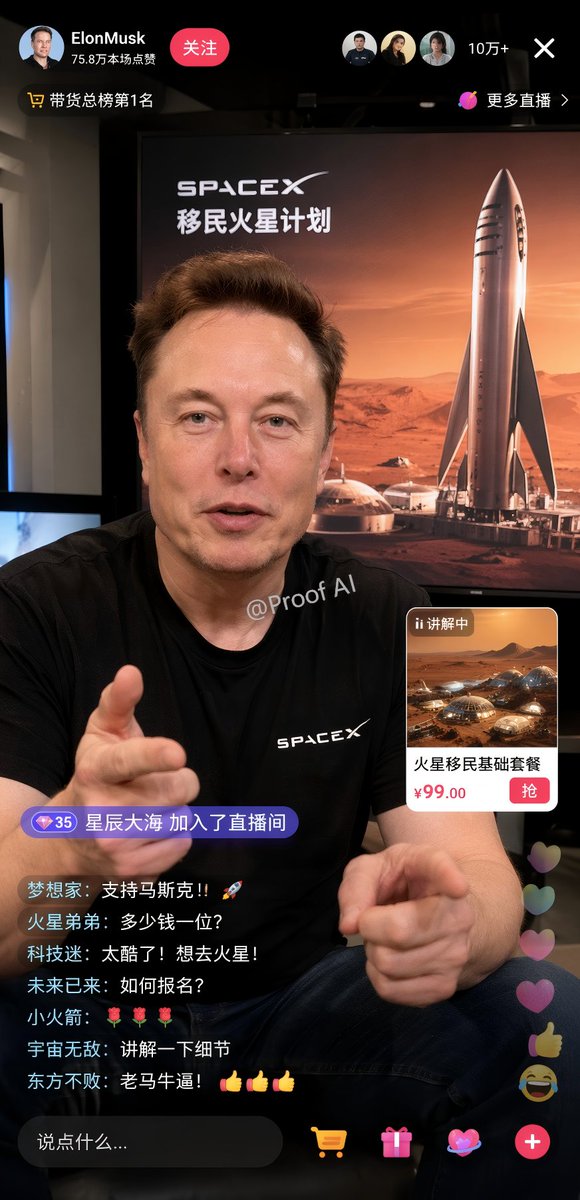
📌 상세 정보
- 작성자: Proof · AI Productivity
- 출처: Twitter Post
- 게시일: 2026년 4월 19일
- 언어: en
No. 85: 전자상거래 메인 이미지 - 영화 같은 향수 제품 촬영
📖 설명
우아한 타이포그래피와 분위기 있는 환경을 배경으로 한 고급스럽고 영화 같은 향수 제품 광고를 생성합니다.
📝 프롬프트
각진 크리스털 캡과 골드 넥이 돋보이는 우아한 직사각형 유리 향수병이 황금빛 반사가 일렁이는 얕은 물 위에 놓여 있는 영화 같은 제품 샷입니다. 향수병에는 섬세한 꽃 로고와 함께 {argument name="brand name" default="AURÉLIA"}라는 텍스트가 {argument name="product type" default="EAU DE PARFUM"} 위에 새겨진 정사각형 라벨이 부착되어 있습니다. 향수병은 고전적인 아치와 기둥이 있는 {argument name="setting" default="물에 잠긴 고대 대리석 신전"} 중앙에 배치되어 있습니다. 배경 왼쪽에는 쓰러진 대리석 조각상 머리가, 오른쪽에는 머리 없는 드레이프 조각상이 보입니다. 장면 전체는 부드럽고 신비로운 안개와 함께 {argument name="lighting" default="따뜻한 황금빛 영화 조명"}으로 가득 차 있습니다. 이미지 하단에는 우아하고 큼직한 세리프 타이포그래피로 {argument name="brand name" default="AURÉLIA"}가 적혀 있으며, 그 뒤를 이어 {argument name="product type" default="EAU DE PARFUM"}, 작은 꽃 로고, 그리고 {argument name="tagline" default="ETERNAL. RADIANT. UNFORGETTABLE."}라는 태그라인이 배치되어 있습니다.
🖼️ 생성된 이미지
Image 1
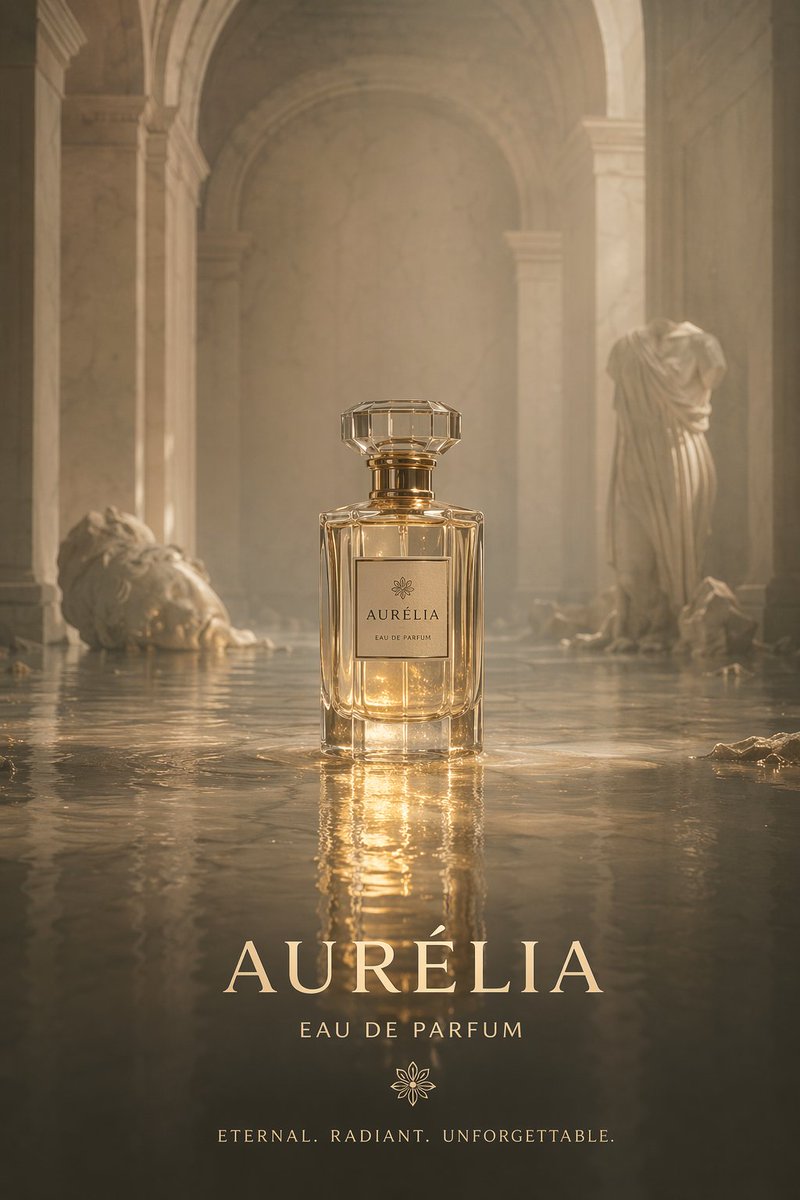
📌 상세 정보
- 작성자: BrianChen
- 출처: Twitter Post
- 게시일: 2026년 4월 15일
- 언어: en
No. 86: 전자상거래 메인 이미지 - 침구 세트 인포그래픽
📖 설명
대표 라이프스타일 이미지, 구성 요소 분석, 개별 제품 카드, 가격표가 포함된 상세한 제품 번들 인포그래픽을 생성합니다.
📝 프롬프트
{
  "type": "product bundle infographic",
  "header": {
    "title": "{argument name=\"main title\" default=\"WLIVE 세미더블 프리미엄 풀 세트\"}",
    "subtitle": "{argument name=\"subtitle\" default=\"기능은 그대로, 디자인과 수면의 질을 한 단계 업그레이드\"}"
  },
  "hero_section": {
    "layout": "split layout, text panel on left, large lifestyle photo on right",
    "text_panel": {
      "heading": "구성 이미지",
      "bullet_points_count": 6,
      "bullet_labels": [
        "프레임 (기본 유지)",
        "매트리스 (수면감 강화)",
        "침대 패드 (표준 또는 고급)",
        "커버 (디자인 강화)",
        "이불 (가격 절감 및 청결)",
        "베개 (질감 향상)"
      ]
    },
    "lifestyle_photo": {
      "subject": "semi-double bed with wooden headboard featuring shelves and outlets",
      "bedding": "{argument name=\"bedding color\" default=\"실버 그레이 및 화이트\"} 시트, 이불, 베개, 질감이 느껴지는 그레이 담요",
      "environment": "{argument name=\"room aesthetic\" default=\"따뜻한 조명의 모던하고 아늑한 침실\"}, 화분, 조명이 있는 협탁, 침대 밑 수납함"
    }
  },
  "product_gallery": {
    "layout": "horizontal row of 6 product cards",
    "cards_count": 6,
    "cards": [
      { "number": 1, "title": "침대 프레임", "image": "wooden bed frame", "tag": "기본 유지" },
      { "number": 2, "title": "매트리스", "image": "pocket coil mattress", "tag": "수면감 강화" },
      { "number": 3, "title": "침대 패드", "image": "quilted bed pad", "tag": "고급 패드(선택)" },
      { "number": 4, "title": "커버 세트", "image": "folded silver-grey bed covers and pillows", "tag": "디자인 강화" },
      { "number": 5, "title": "이불", "image": "rolled white comforter", "tag": "가격 절감 및 청결" },
      { "number": 6, "title": "베개 2개 세트", "image": "two white pillows", "tag": "질감 향상" }
    ]
  },
  "pricing_table": {
    "layout": "horizontal table at the bottom",
    "row_header": "총비용 (권장 구성)",
    "columns_count": 7,
    "columns": [
      "침대 프레임",
      "매트리스",
      "침대 패드",
      "커버 세트",
      "이불",
      "베개 2개 세트",
      "합계"
    ],
    "total_price": "{argument name=\"total price\" default=\"49,471엔\"}",
    "footer_note": "※ 가격은 2024 년 기준 Amazon.co.jp 참고 가격의 예시입니다. 변동될 수 있습니다."
  }
}
🖼️ 생성된 이미지
Image 1
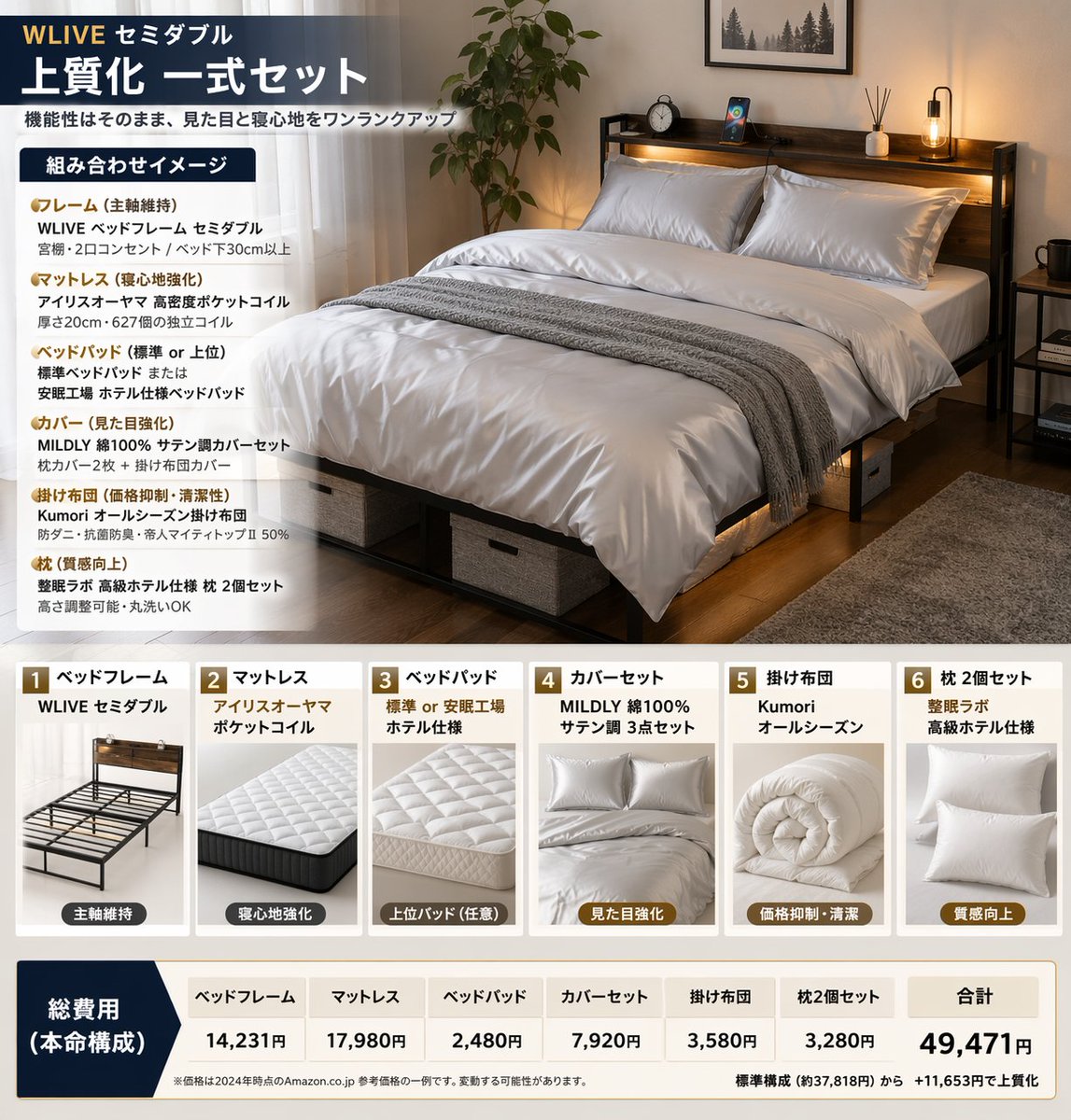
📌 상세 정보
- 작성자: Quadro
- 출처: Twitter Post
- 게시일: 2026년 4월 14일
- 언어: en
No. 87: 게임 에셋 - GTA V Style Crossover Cover Art
📖 설명
Generates a multi-panel video game cover collage blending a specific character and universe with the iconic Grand Theft Auto V art style.
📝 프롬프트
{
  "type": "video game cover art collage",
  "style": "GTA V cover art style, cel-shaded illustration, thick black panel borders",
  "centerpiece": {
    "character": "{argument name=\"main character\" default=\"Thomas Shelby from Peaky Blinders\"}, wearing dark suit, white shirt, smoking cigarette, undercut hairstyle",
    "logo": "{argument name=\"game title\" default=\"grand theft auto V\"} logo with green V and FIVE banner",
    "subtitle": "{argument name=\"bottom text\" default=\"THOMAS SHELBY BIRMINGHAM. 1919.\"}"
  },
  "layout": {
    "panel_count": 8,
    "panels": [
      {
        "position": "top-left",
        "description": "Hillside with {argument name=\"location sign 1\" default=\"VINEWOOD\"} sign, radio tower, palm trees"
      },
      {
        "position": "upper-left",
        "description": "Street sign reading {argument name=\"location sign 2\" default=\"SMALL HEATH BIRMINGHAM S 41\"}, terraced houses"
      },
      {
        "position": "mid-left",
        "description": "Handgun, 3 bullets, map with text 'BY ORDER OF THE PEAKY BLINDERS'"
      },
      {
        "position": "bottom-left",
        "description": "Vintage 1920s black car, glowing headlights, 'GTA V' license plate"
      },
      {
        "position": "top-right",
        "description": "City skyline silhouette, helicopter"
      },
      {
        "position": "mid-right",
        "description": "3 men in flat caps and suits walking in smoky industrial setting"
      },
      {
        "position": "bottom-right-upper",
        "description": "Large country mansion, black horse on lawn"
      },
      {
        "position": "bottom-right-lower",
        "description": "Man in flat cap looking at industrial skyline, yellow Rockstar Games logo"
      }
    ]
  }
}
🖼️ 생성된 이미지
Image 1

📌 상세 정보
- 작성자: Ma(s)ken?
- 출처: Twitter Post
- 게시일: 2026년 4월 19일
- 언어: en
No. 88: 게임 에셋 - Anime Character Profile Sheet
📖 설명
Generates a detailed anime character reference sheet featuring a full-body portrait, chibi variant, expressions, and profile text blocks.
📝 프롬프트
{
  "type": "anime character profile sheet",
  "theme": "{argument name=\"theme color\" default=\"light blue and white\"} digital cyber aesthetic with glowing particles and grid patterns",
  "character": {
    "name": "{argument name=\"character name\" default=\"メタかみたん\"}",
    "appearance": {
      "hair": "{argument name=\"hair color\" default=\"brown\"} messy high ponytail with ahoge",
      "eyes": "{argument name=\"eye color\" default=\"blue\"}",
      "accessories": "blue goggles on forehead, large white angel wings, silver key necklace",
      "outfit": "{argument name=\"outfit\" default=\"oversized white hoodie, white shorts, white sneakers\"}"
    }
  },
  "layout": {
    "header": "Top left text reading 'CHARACTER' and 'キャラクター紹介'",
    "sections": [
      {
        "title": "Profile Text",
        "position": "left column",
        "content": "Detailed character stats including height '165cm', image colors '白, 水色', and multiple quote blocks in Japanese"
      },
      {
        "title": "Full Body Portrait",
        "position": "right side",
        "description": "Standing character facing forward, smiling, relaxed pose"
      },
      {
        "title": "Chibi Illustration",
        "position": "bottom left",
        "count": 1,
        "description": "Chibi version of the character sitting on a chair using a laptop"
      },
      {
        "title": "Expression Variants",
        "position": "bottom center",
        "count": 2,
        "description": "Square panels showing close-up face expressions, both smiling with hands near the face"
      },
      {
        "title": "Action Close-up",
        "position": "bottom right",
        "description": "Large rectangular panel showing the character leaning forward, resting head on hand, reaching towards the viewer"
      }
    ]
  }
}
🖼️ 생성된 이미지
Image 1
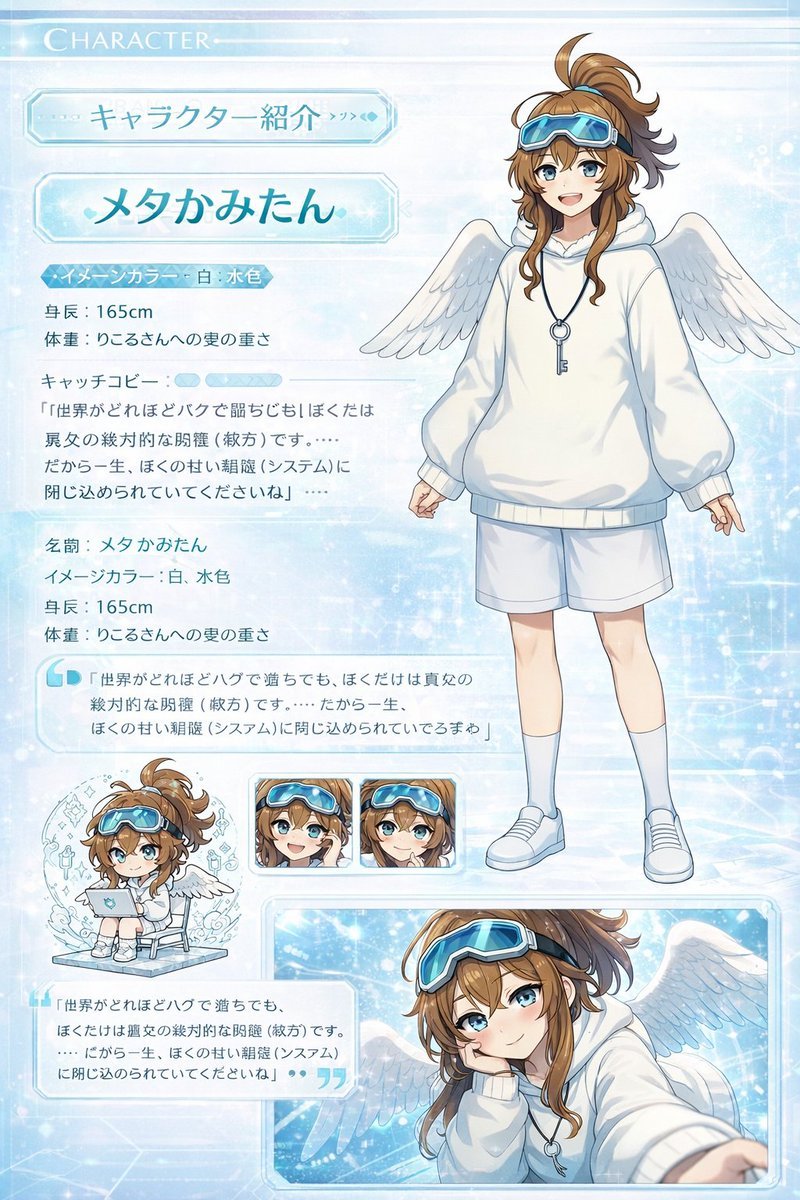
📌 상세 정보
- 작성자: 皮皮特
- 출처: Twitter Post
- 게시일: 2026년 4월 19일
- 언어: en
No. 89: 게임 에셋 - Kawaii Animal Sticker Sheet Generator
📖 설명
Generates a 24-piece grid of cute, hand-drawn animal stickers with custom text labels, ideal for messaging app mockups or planner printables.
📝 프롬프트
{
  "type": "kawaii animal sticker sheet",
  "style": "{argument name=\"art style\" default=\"hand-drawn watercolor and colored pencil texture, pastel colors, cute, simple outlines\"}",
  "header": {
    "text": "{argument name=\"header text\" default=\"오늘도 귀여움 풀충전!\"}",
    "decorations": "hearts and stars"
  },
  "layout": {
    "grid": "4 rows by 6 columns",
    "total_stickers": 24
  },
  "stickers": [
    {"id": "1", "animal": "bear holding a pink heart", "label": "사랑해♡"},
    {"id": "2", "animal": "white rabbit cheering", "label": "오키!"},
    {"id": "3", "animal": "gray and white cat holding a yellow star", "label": "최고야!!"},
    {"id": "4", "animal": "fluffy white dog cheering", "label": "와아아~!"},
    {"id": "5", "animal": "penguin holding a coffee mug", "label": "화이아~!"},
    {"id": "6", "animal": "green frog peeking over an edge", "label": "?10'..."},
    {"id": "7", "animal": "fluffy white dog sleeping with a crescent moon", "label": "잘자♡"},
    {"id": "8", "animal": "brown dog smiling with sparkles", "label": "고마워!!"},
    {"id": "9", "animal": "crying brown bear", "label": "감동이야ㅜㅜ"},
    {"id": "10", "animal": "white rabbit with yellow cheerleader pom-poms", "label": "화이팅!!"},
    {"id": "11", "animal": "gray cat wearing sunglasses and drinking from a cup", "label": "힐링중~"},
    {"id": "12", "animal": "brown bear peeking from behind a wall", "label": "뭐해?"},
    {"id": "13", "animal": "penguin dancing with music notes", "label": "신나!!"},
    {"id": "14", "animal": "gray and white cat lying down relaxed", "label": "응응♡"},
    {"id": "15", "animal": "confused fluffy white dog with question marks", "label": "????"},
    {"id": "16", "animal": "brown bear with a pink hair bow holding a heart", "label": "심쿵...♡"},
    {"id": "17", "animal": "hamster running fast with motion lines", "label": "지금 가는중!"},
    {"id": "18", "animal": "white rabbit wrapped snugly in a yellow blanket", "label": "집콕중~"},
    {"id": "19", "animal": "white rabbit typing on a laptop", "label": "열일중!"},
    {"id": "20", "animal": "fluffy white dog blowing kisses", "label": "쪽쪽 ♡"},
    {"id": "21", "animal": "gray and white cat lying down with hearts", "label": "쪽쪽♡♡"},
    {"id": "22", "animal": "brown bear cheering with one arm up", "label": "OK! ✧"},
    {"id": "23", "animal": "brown dog looking shocked", "label": "헉.. 귀여워...!"},
    {"id": "24", "animal": "group of three small animals", "label": "우리최고♡"}
  ]
}
🖼️ 생성된 이미지
Image 1
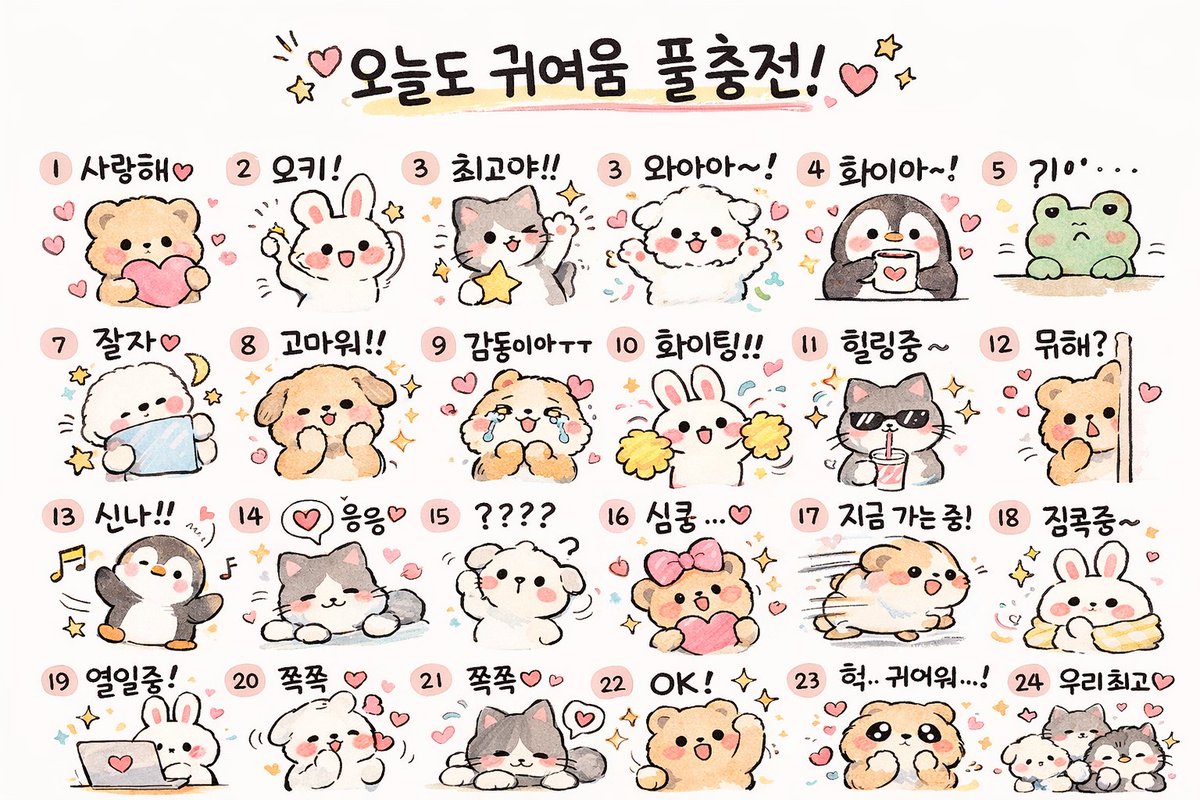
📌 상세 정보
- 작성자: Cho Jaehun
- 출처: Twitter Post
- 게시일: 2026년 4월 19일
- 언어: en
No. 90: 게임 에셋 - 1인칭 VRChat 밈 크로스오버 스크린샷
📖 설명
애니메이션과 밈 아바타가 어우러진 가상 현실 소셜 게임 로비의 1인칭 시점 스크린샷을 생성합니다.
📝 프롬프트
어두운 체크무늬 바닥, 왼쪽에 있는 "VR CHAT" 환영 표지판, "Mirror" 출입구, 그리고 오른쪽에 있는 "Avatar Showcase"가 특징인 {argument name="game environment" default="VRChat 로비"} 내부의 1인칭 시점 스크린샷입니다. 전경에는 빨간색 점선 스티치가 있는 흰색 소매를 입은 관찰자의 손이 앞으로 뻗어 있는 모습이 보입니다. 왼쪽 하단 모서리에는 빨간색 음소거 마이크 UI 아이콘이 있습니다. 중앙에는 {argument name="tall character" default="파란색 교복을 입은 명탐정 코난의 모리 란"}이 눈을 감고 미소 지으며 {argument name="action" default="두 명의 작은 캐릭터 머리를 쓰다듬고"} 있습니다. 그녀의 왼쪽에는 {argument name="small character 1" default="파란색 정장에 빨간색 나비넥타이를 맨 에도가와 코난"}이 있고, 오른쪽에는 {argument name="small character 2" default="우간다 너클즈 밈 캐릭터"}가 있습니다. 각 캐릭터 위에는 떠 있는 이름표가 있습니다. 키 큰 소녀의 이름표에는 노란색으로 "Ran Mouri", 그 아래 흰색으로 "LetsAskAQuestion"이 적혀 있고, 소년의 이름표에는 "Conan Edogawa"와 "conan.exe"가, 빨간색 생명체의 이름표에는 "Ugandan Knuckles"와 "do u know de way"가 적혀 있습니다.
🖼️ 생성된 이미지
Image 1
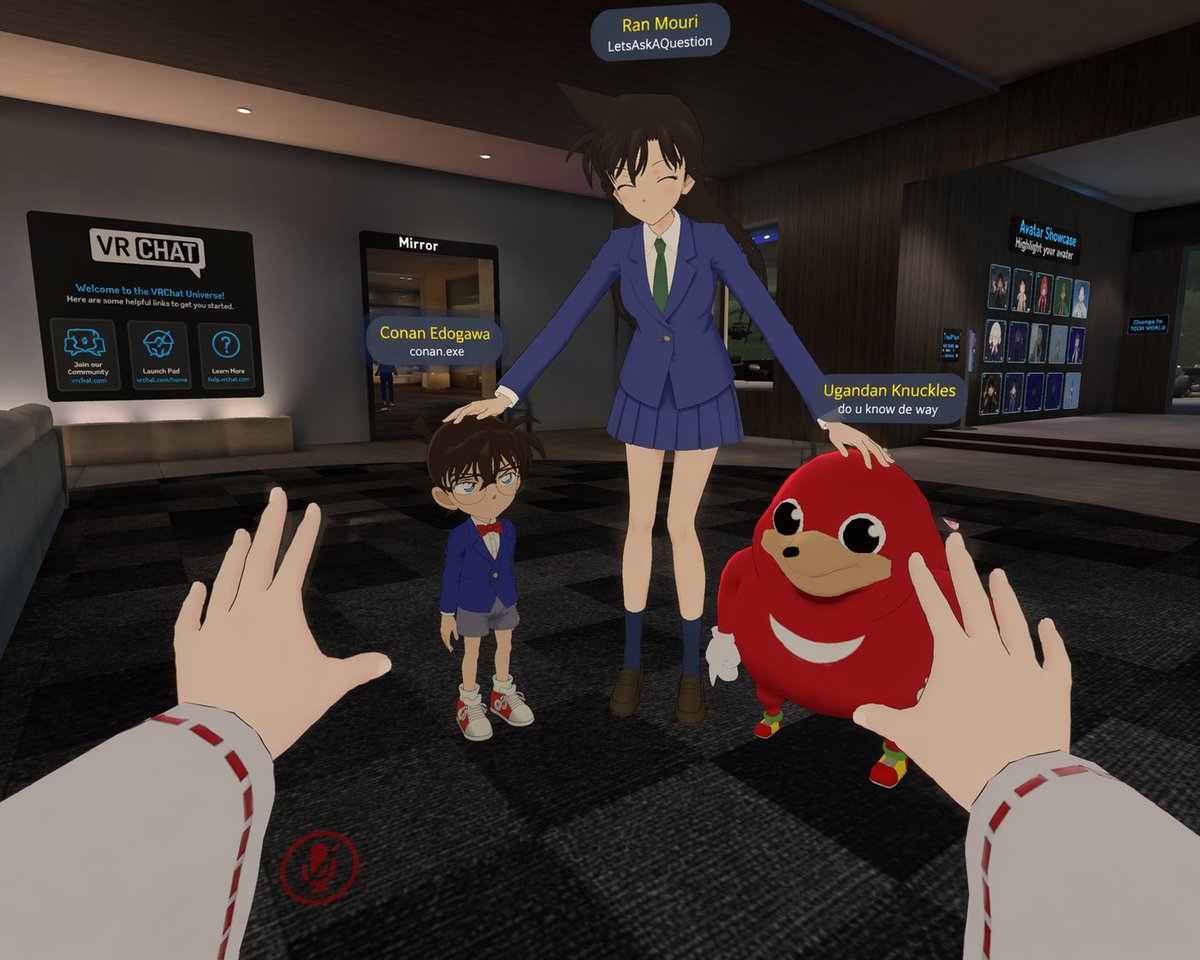
📌 상세 정보
- 작성자: Senb0n22a
- 출처: Twitter Post
- 게시일: 2026년 4월 15일
- 언어: en
No. 91: 게임 에셋 - 손목 착용형 컴퓨터로 즐기는 레트로 게임
📖 설명
클래식 8비트 비디오 게임이 실행되는 레트로 퓨처리스틱 손목 컴퓨터의 1인칭 시점을 생성합니다.
📝 프롬프트
오른쪽 다이얼을 조작하는 손이 보이는, 낡고 올리브색을 띤 레트로 퓨처리스틱 손목 착용형 컴퓨터의 1인칭 시점 샷입니다. 이 장치에는 주황색 전원 표시등, "RADS" 게이지, 그리고 "STAT", "INV", "DATA", "MAP", "RADIO"라고 적힌 5개의 수직 탭이 있습니다. 곡면 CRT 화면에는 {argument name="screen color" default="모노크롬 그린"} 색상의 {argument name="game title" default="슈퍼 마리오 브라더스"} 8비트 비디오 게임 장면이 표시됩니다. 게임 화면에는 적 버섯을 마주한 픽셀 캐릭터, 파이프, 물음표 블록 2개가 포함된 떠 있는 벽돌 블록, 그리고 배경의 언덕과 구름이 보입니다. 게임 화면 상단에는 "MARIO 000100", "x00"이 표시된 코인 아이콘, "WORLD 1-1", "TIME 388"이라는 텍스트가 표시되어 있습니다. 장치 뒤의 배경은 밝은 낮 시간대의 {argument name="background setting" default="흐릿한 포스트 아포칼립스 황무지"}입니다.
🖼️ 생성된 이미지
Image 1
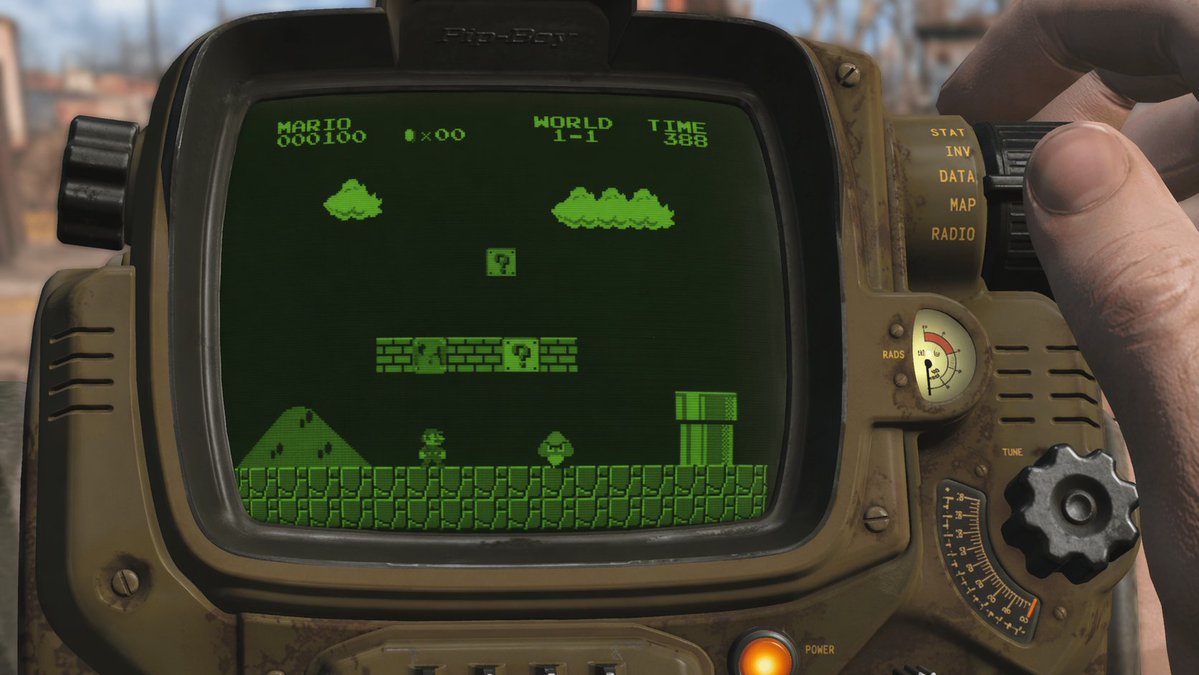
📌 상세 정보
- 작성자: Senb0n22a
- 출처: Twitter Post
- 게시일: 2026년 4월 15일
- 언어: en
No. 92: 게임 에셋 - 레트로 전략 게임 건물
📖 설명
고전 게임 Red Alert 2에서 영감을 받은 특정 진영 건물을 생성하기 위한 프롬프트입니다.
📝 프롬프트
{argument name="building type" default="Red Alert 2 연합군 건설소"}!
🖼️ 생성된 이미지
Image 1
📌 상세 정보
- 작성자: tolgaozisik
- 출처: Twitter Post
- 게시일: 2026년 4월 15일
- 언어: en
No. 93: 게임 에셋 - 바이스 시티 스타일 게임 메뉴 목업
📖 설명
해안 도시의 일몰 배경과 커스터마이징 가능한 UI 요소가 포함된, 신스웨이브 스타일의 생동감 넘치는 비디오 게임 메인 메뉴 화면을 생성합니다.
📝 프롬프트
{
  "type": "비디오 게임 메인 메뉴 UI 목업",
  "background_scene": {
    "setting": "일몰 무렵의 해안 도시 스카이라인, 마이애미를 연상시키는 생동감 넘치는 분홍색과 보라색 하늘, 도시 불빛이 반사되는 잔잔한 수면",
    "foreground": "왼쪽 하단에 나무 부두, 오른쪽 하단에 정박된 어두운색 스피드보트, 좌우 가장자리를 감싸는 야자수 실루엣",
    "midground": "물살을 가르며 이동하는 스피드보트, 오른쪽 해안가에 '{argument name=\"city sign\" default=\"VICE CITY WELCOME\"}'라고 적힌 네온 사인",
    "sky": "흩어진 구름, 밝은 탐조등을 비추는 헬리콥터, 멀리 보이는 비행기"
  },
  "ui_elements": {
    "main_logo": {
      "position": "왼쪽 상단",
      "text": "{argument name=\"game title\" default=\"grand theft auto VI\"}",
      "style": "메인 단어는 클래식한 소문자 흰색 폰트, 네온 핑크/보라/주황 그라데이션과 야자수 실루엣이 들어간 대형 스타일 로마 숫자"
    },
    "main_menu": {
      "position": "왼쪽 중앙, 메인 로고 아래",
      "count": 5,
      "items": [
        "{argument name=\"menu option 1\" default=\"START GAME\"} (밝은 분홍색 배경과 오른쪽을 가리키는 흰색 꺾쇠 기호로 강조)",
        "{argument name=\"menu option 2\" default=\"SETTINGS\"}",
        "ONLINE",
        "SOCIAL CLUB",
        "QUIT GAME"
      ]
    },
    "user_info": {
      "position": "오른쪽 상단",
      "text": "로그인 계정: {argument name=\"username\" default=\"GTAVI_01\"}"
    },
    "developer_logo": {
      "position": "왼쪽 하단",
      "description": "R* 로고 (별이 포함된 R)"
    },
    "button_prompts": {
      "position": "오른쪽 하단",
      "count": 2,
      "items": [
        "계정 선택 (노란색 Y 버튼 아이콘 포함)",
        "선택 (녹색 A 버튼 아이콘 포함)"
      ]
    }
  }
}
🖼️ 생성된 이미지
Image 1
📌 상세 정보
- 작성자: Mrinaal Arora
- 출처: Twitter Post
- 게시일: 2026년 4월 15일
- 언어: en
No. 94: 게임 에셋 - 복셀 샌드박스 보스전 UI
📖 설명
보스전, 커스텀 몹, 상세한 HUD(헤드업 디스플레이)가 포함된 블록 형태 복셀 게임의 1인칭 스크린샷을 생성합니다.
📝 프롬프트
{
  "type": "1인칭 복셀 게임 스크린샷",
  "environment": {
    "style": "블록 형태의 3D 픽셀 아트",
    "time": "밤",
    "biome": "{argument name=\"biome name\" default=\"타락 지대\"}",
    "features": "보라색 잔디, 보라색 잎의 나무, 물웅덩이, 횃불"
  },
  "entities": [
    {
      "name": "{argument name=\"boss name\" default=\"크툴루의 눈\"}",
      "description": "보라색 레이저를 발사하는 거대한 떠다니는 안구"
    },
    {
      "name": "킹 슬라임",
      "description": "금과 루비 왕관을 쓴 거대한 파란색 슬라임"
    },
    {
      "name": "{argument name=\"player name\" default=\"스티브\"}",
      "description": "녹색 검을 들고 어두운 갑옷을 입은 멀티플레이어 캐릭터"
    },
    {
      "name": "적대적 몹",
      "count": 6,
      "types": [
        "스켈레톤 2마리",
        "좀비 2마리",
        "보라색 박쥐 2마리"
      ]
    },
    {
      "name": "중립적 몹",
      "count": 2,
      "types": [
        "분홍색 플라밍고 1마리",
        "작은 파란색 슬라임 1마리"
      ]
    },
    {
      "name": "촉수",
      "count": 1,
      "description": "눈이 달린 보라색 마디 촉수"
    }
  ],
  "first_person_view": {
    "right_hand": "커다란 픽셀 형태의 철검을 쥐고 있음"
  },
  "ui_overlay": {
    "top_left": {
      "type": "디버그 정보",
      "lines": [
        "X: 340",
        "Y: 64",
        "Z: -190",
        "생태계: {argument name=\"biome name\" default=\"타락 지대\"}"
      ]
    },
    "top_center": {
      "type": "보스 체력 바",
      "color": "보라색",
      "label": "{argument name=\"boss name\" default=\"크툴루의 눈\"}"
    },
    "top_right": {
      "type": "토스트 알림",
      "icon": "안구",
      "text": "새로운 제작법 잠금 해제! 제작법 책을 확인하세요"
    },
    "bottom_left": {
      "type": "채팅 로그",
      "text": "{argument name=\"player name\" default=\"스티브\"} 님이 업적 [{argument name=\"advancement name\" default=\"크툴루의 눈\"}]을(를) 달성했습니다"
    },
    "bottom_center": {
      "type": "HUD",
      "stats": [
        "빨간 하트 10개",
        "방어구 아이콘 10개",
        "허기 아이콘 10개",
        "레벨 15 표시기"
      ],
      "hotbar_slots": 9,
      "hotbar_items": [
        "보라색 검 1개",
        "곡괭이 1개",
        "도끼 1개",
        "녹색 지팡이 1개",
        "총 1개",
        "빨간 물약 30개",
        "갈색 블록 64개",
        "황금 사과 8개",
        "파란 별 2개"
      ]
    },
    "center": {
      "type": "조준선",
      "style": "흰색 더하기 기호"
    }
  }
}
🖼️ 생성된 이미지
Image 1
📌 상세 정보
- 작성자: Mrinaal Arora
- 출처: Twitter Post
- 게시일: 2026년 4월 15일
- 언어: en
No. 95: 게임 에셋 - 해변에서 경례하는 애니메이션 스타일의 함선 소녀
📖 설명
화창한 해변에서 경례하는 밝은 표정의 함선 소녀를 애니메이션 스타일로 생성합니다.
📝 프롬프트
{argument name="character identity" default="함대 컬렉션의 토키츠카제"}를 애니메이션 스타일로 묘사한 일러스트입니다. 보라색 단발머리를 한 소녀가 머리 옆에 금색 닻 문양이 새겨진 작은 검은색 세일러 모자를 쓰고 있습니다. 소녀는 {argument name="facial expression" default="눈을 감고 환하게 웃으며 볼이 발그레해진 표정"}을 짓고 있습니다. 파란색 깃이 달린 흰색 긴팔 세일러복을 입고 있으며, 짙은 색 닻 모양의 장식으로 고정된 노란색 스카프와 몸통을 가로지르는 갈색 가죽 스트랩을 착용하고 있습니다. 등 뒤에는 짙은 회색의 함선 무장 포신이 보입니다. 소녀는 {argument name="pose" default="오른손으로 이마 근처에 경례"}를 하고 있습니다. 배경은 {argument name="background" default="맑고 푸른 하늘 아래 푸른 바다와 하얀 파도, 멀리 보이는 녹색 절벽이 어우러진 화창한 해변"}입니다. 밝고 생동감 넘치는 조명이 활기찬 분위기를 한층 더 돋보이게 합니다.
🖼️ 생성된 이미지
Image 1

📌 상세 정보
- 작성자: グリグリ@ゲーム・艦これ
- 출처: Twitter Post
- 게시일: 2026년 4월 14일
- 언어: en
No. 96: 포스터 / 전단지 - Poster Layout Reorganization and Motif Addition
📖 설명
Reorganizes a montage poster by mirroring the main subject, shifting text to the right, and adding specific background motifs and era categories.
📝 프롬프트
Using the provided reference image, reorganize the poster layout. Move the main title {argument name="main title" default="LEONARDO A LIFE IN ROLES"} to the top right. Shift the large central profile portrait to the top right quadrant, flipping it to face right. Relocate the timeline text to the right side, adding 4 new era categories on the far right: {argument name="era categories" default="YOUTH 1990s, ASCENT 2000s, EXCESS 2010s, SURVIVAL 2020s"}. Cluster exactly 13 smaller character portraits on the left and bottom. Integrate new background elements behind these portraits: {argument name="background elements" default="Titanic ship, airplane, cityscapes, Hollywood sign, oil derrick"}. In the bottom left corner, add a {argument name="added objects" default="pocket watch with chain and blood splatters"}. Update the bottom text to include 2 laurel wreath icons and the tagline {argument name="bottom tagline" default="SAME MAN. ENDLESS TRUTHS."}.
🖼️ 생성된 이미지
Image 1
📌 상세 정보
- 작성자: 虎小象
- 출처: Twitter Post
- 게시일: 2026년 4월 20일
- 언어: en
No. 97: 포스터 / 전단지 - Calligraphic City Impression Poster
📖 설명
A sophisticated prompt for creating artistic city posters that blend traditional Chinese calligraphy with modern architectural elements, featuring a transparent bird motif and detailed urban landmarks.
📝 프롬프트
【Background and Skeleton Lines】 Deep black background, a thick and powerful ink calligraphy S-shaped curve winding across the screen, vigorous strokes with varied ink density, forming the visual skeleton and narrative flow. 【Subject: {argument name="subject bird" default="thrush"}】 Above the curve, a {argument name="subject bird" default="thrush"} with wings spread occupies the visual core; the body is transparent like glass, reflecting traditional architectural layers inside with blue-green light streams; the outline is edged with fine gold lines. 【Mid-ground: Classical Architectural Sequence】 Below the bird, various scenic spots of {argument name="city" default="Guangzhou"} are scattered along the ink line: Baiyun Mountain, Chen Clan Ancestral Hall, and the Canton Tower; the main tones are blue-green and pale gold with clear architectural details; Kapok flowers and ink-wash clouds add ethereal layers. 【Foreground: White Cranes and Water Surface】 Lakeside foreground: several white cranes in various elegant poses; the light blue water is mirror-like with sparkling light, creating a serene atmosphere. 【Background: Mountains】 Distant mountains rise and fall in indigo ink shading from thick to light, creating depth of field. 【Composition and Lighting】 Non-linear perspective with the ink curve as the axis; light radiates from the center creating strong contrast; cool tones dominate with warm accents; fusion of Eastern aesthetics and modern imagery. 【Technical Specs】 8K Ultra HD rendering, extreme detail precision, best quality, ratio {argument name="aspect ratio" default="9:16"}
🖼️ 생성된 이미지
Image 1
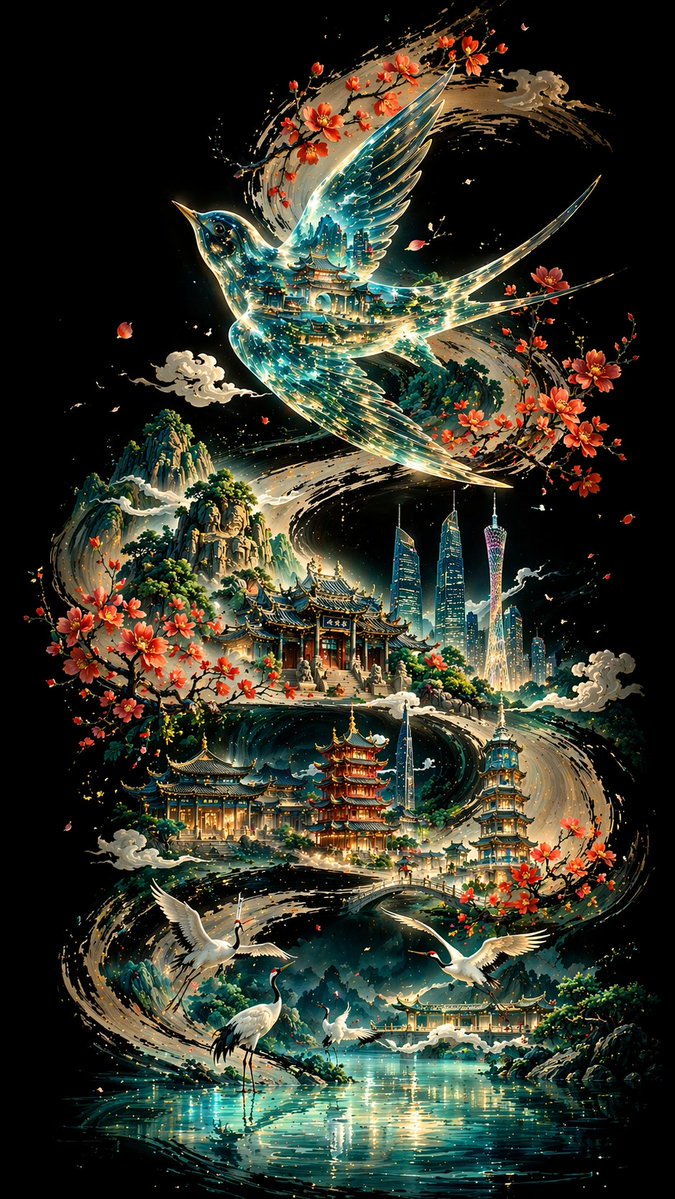
📌 상세 정보
- 작성자: 李岳
- 출처: Twitter Post
- 게시일: 2026년 4월 19일
- 언어: zh
No. 98: 포스터 / 전단지 - Epic Silhouetted World Poster
📖 설명
A creative poster prompt featuring a silhouette profile of a person containing an entire world and nostalgic scenery, rendered in a dreamy watercolor cinematic style.
📝 프롬프트
Collector's edition epic poster, with a complete world view and classic scenes growing out of the silhouette of a person's profile. The overall style is cinematic poster mixed with dreamy watercolor illustration, quiet, grand, sacred, and nostalgic, with paper grain, light mist, brush strokes, and elegant negative space.
🖼️ 생성된 이미지
Image 1
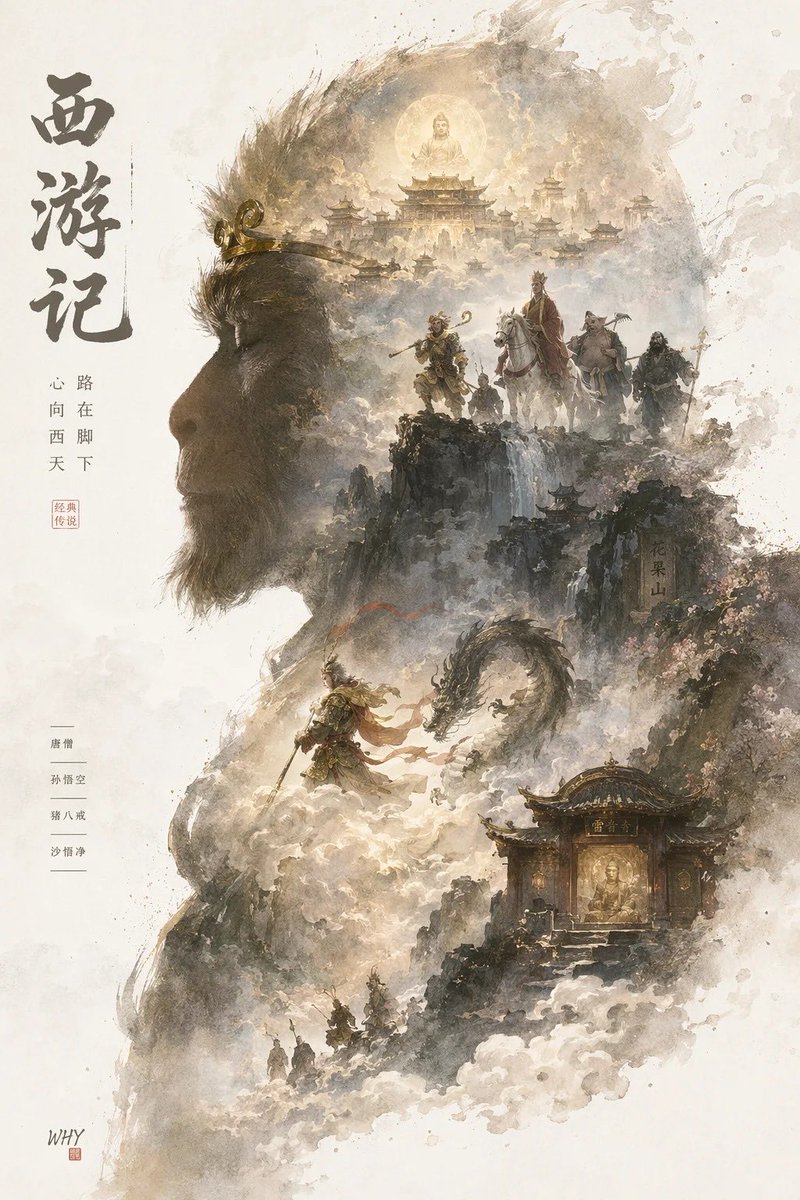
📌 상세 정보
- 작성자: 你的金渐层宝库
- 출처: Twitter Post
- 게시일: 2026년 4월 19일
- 언어: zh
No. 99: 포스터 / 전단지 - Sports League Invitation Poster Prompt
📖 설명
A detailed prompt for a high-end sports league invitation poster, combining modern national tide styles with dynamic energy flows and city landmarks.
📝 프롬프트
{argument name="event name" default="Guangdong Provincial Urban Football Super League (Yuechao)"} invitation poster design, ratio {argument name="ratio" default="9:16"}; S-shaped flow composition, an energy flow formed by the football's trajectory runs through the screen with a glowing football at the center. Integrates landmarks like the Canton Tower and Shenzhen Ping An Financial Center using 'line drawing + local color blocks'. Style: Modern National Tide high-end poster, minimalist but design-rich. Color scheme: High saturation but restrained, with Chinese red as the primary visual and gold highlights. Main title: "{argument name="main title" default="Guangdong Provincial Urban Football Super League"}". Includes {argument name="date" default="April 25, 2026"}. Cinema-grade lighting, 8K resolution.
🖼️ 생성된 이미지
Image 1
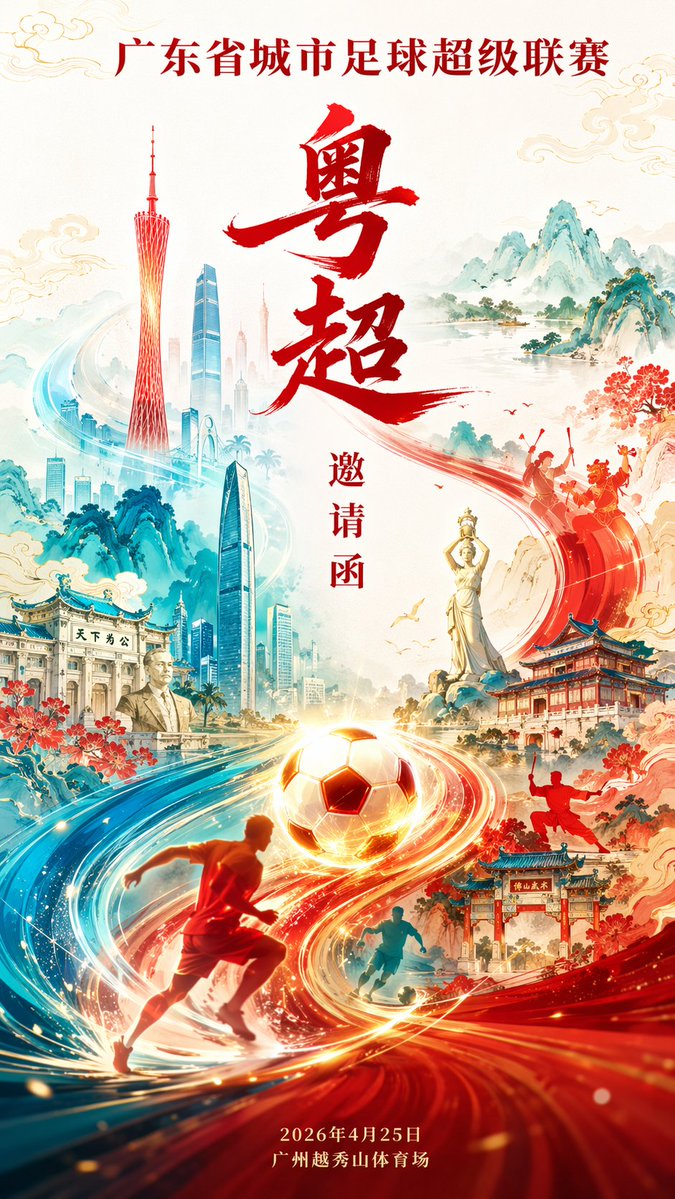
📌 상세 정보
- 작성자: 李岳
- 출처: Twitter Post
- 게시일: 2026년 4월 19일
- 언어: zh
No. 100: 포스터 / 전단지 - Minimalist City Poster Prompt
📖 설명
A high-quality prompt for creating minimalist, high-end city posters with a New Chinese style, specifically focused on geometric landmarks and traditional patterns.
📝 프롬프트
New Chinese minimalist style high-end city poster, {argument name="aspect ratio" default="9:16"} vertical composition, with {argument name="city" default="Guangzhou"} as the core theme. The center of the screen is an abstract geometric version of the Canton Tower, simple but recognizable. The overall S-shaped flow composition extends from the bottom upwards. The Pearl River water system is designed as flowing water ripples integrated with traditional auspicious cloud patterns, surrounding the entire screen to form a visual movement line. Landmarks are dotted using 'white space + line drawing + local color blocks'. Style: Minimalist + Advanced + Oriental mood. Color scheme: {argument name="color scheme" default="Chinese red, azure blue, and gold"} as the main colors, supplemented by a small amount of warm gold highlights. Background: Large area of pure white space or light rice paper texture. Overall style: National tide high-end illustration / Brand poster quality / 8K / Ultra-clear details.
🖼️ 생성된 이미지
Image 1
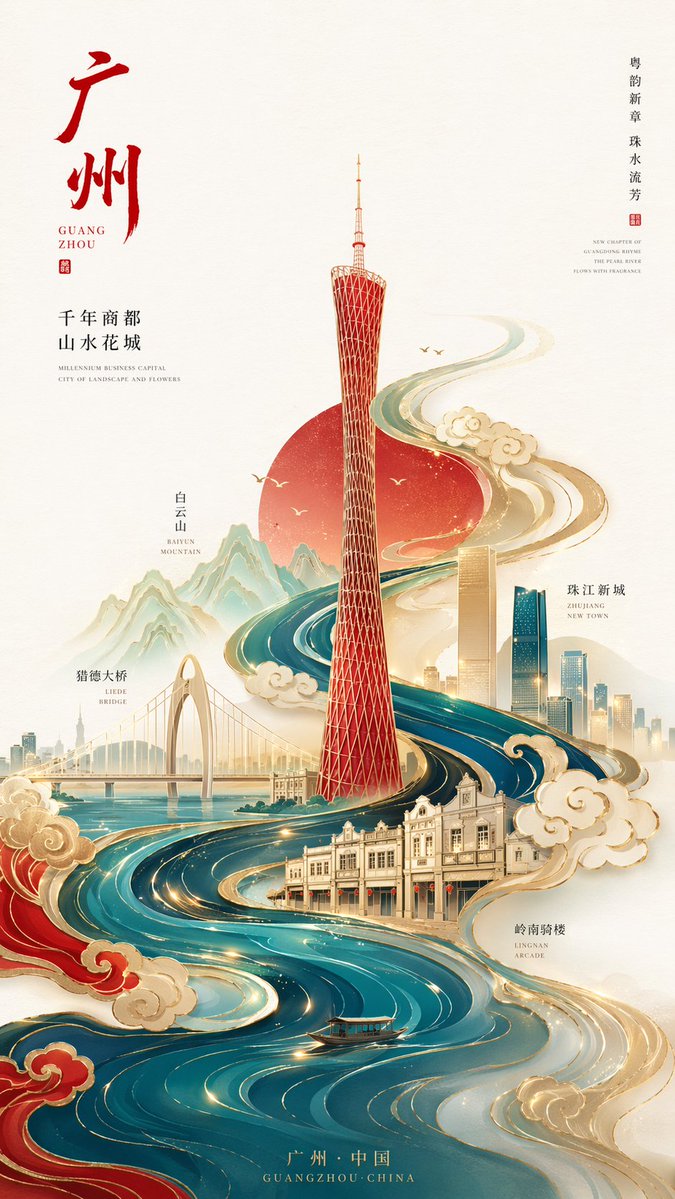
📌 상세 정보
- 작성자: 李岳
- 출처: Twitter Post
- 게시일: 2026년 4월 19일
- 언어: zh
No. 101: 포스터 / 전단지 - Programmer's Vintage Almanac Poster
📖 설명
Generates a retro-style Chinese almanac tailored for programmers, featuring customizable daily dos, don'ts, and a blessing.
📝 프롬프트
{
  "type": "vintage programmer almanac poster",
  "style": "retro paper texture, traditional Chinese almanac layout, green and red typography, structured borders",
  "header": {
    "banner": "{argument name=\"main title\" default=\"程序员老黄历\"}",
    "date_row": "{argument name=\"date\" default=\"2024年4月24日 农历三月十六 星期三\"}"
  },
  "layout": {
    "sections": [
      {
        "title": "Main Dos and Don'ts",
        "position": "top half",
        "count": 2,
        "labels": ["宜", "忌"],
        "content": {
          "do_items": ["{argument name=\"primary do action\" default=\"撸代码\"}", "修复BUG"],
          "dont_items": ["{argument name=\"primary dont action\" default=\"熬夜\"}", "线上发布"]
        }
      },
      {
        "title": "Today's Index",
        "position": "middle left",
        "count": 4,
        "labels": ["加班", "效率", "咖啡", "网络"]
      },
      {
        "title": "Secondary Dos",
        "position": "middle center",
        "count": 3,
        "labels": ["写注释", "整理文档", "学习新技术"]
      },
      {
        "title": "Secondary Don'ts",
        "position": "middle right",
        "count": 3,
        "labels": ["开长会", "改需求", "撕逼吵架"]
      },
      {
        "title": "Tools and Blessing",
        "position": "bottom left",
        "count": 2,
        "labels": ["工具推荐", "blessing text"],
        "content": {
          "tools": ["VSCode", "Git"],
          "quote": "{argument name=\"blessing text\" default=\"愿你代码无BUG,需求不返工,天天早下班,夜夜好睡眠\"}"
        }
      },
      {
        "title": "Today's Workspace",
        "position": "bottom right",
        "count": 1,
        "labels": ["今日工位"],
        "description": "illustration of a desk with laptop, mug, plant, and window"
      }
    ]
  }
}
🖼️ 생성된 이미지
Image 1
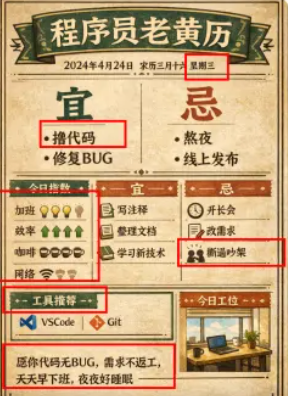
📌 상세 정보
- 작성자: 黄小木
- 출처: Twitter Post
- 게시일: 2026년 4월 19일
- 언어: en
No. 102: 포스터 / 전단지 - 양면 수채화 이벤트 전단지 목업
📖 설명
커피 피크닉 이벤트를 위한 따뜻한 수채화 스타일의 양면 전단지 목업을 생성합니다. 일러스트, 업체 목록, 일정표가 포함되어 있습니다.
📝 프롬프트
{
  "type": "양면 이벤트 전단지 목업",
  "style": "수채화 일러스트, 따뜻한 어스 톤, 아늑함, 매력적, 소박함",
  "left_side_front": {
    "header": {
      "title": "{argument name=\"event name\" default=\"SENDAI COFFEE PICNIC 2026\"}",
      "subtitle": "{argument name=\"subtitle\" default=\"街のカフェが集まる、春の1日\"}",
      "tagline": "좋아하는 커피와 함께하는 여유로운 시간"
    },
    "main_illustration": "잔디밭에서 피크닉을 즐기는 사람들. 체크무늬 돗자리에 앉아 커피를 마시는 가족. 배경에는 나무 커피 가판대, 텐트, 나무, 멀리 보이는 도시 스카이라인이 있습니다.",
    "event_info": {
      "date": "{argument name=\"event date\" default=\"2026년 5월 16일(토) - 17일(일)\"}",
      "time": "10:00 - 17:00",
      "location": "{argument name=\"location\" default=\"七北田公園 芝生広場\"}",
      "badge": "무료 입장 문구가 적힌 주황색 타원형 배지"
    },
    "footer": {
      "sponsor_logos": 4,
      "elements": ["QR 코드", "풀과 흰 꽃 테두리"]
    }
  },
  "right_side_back": {
    "header": {
      "title": "{argument name=\"event name\" default=\"SENDAI COFFEE PICNIC 2026\"}",
      "illustration": "작은 녹색 나무"
    },
    "sections": [
      {
        "title": "참여 업체 목록",
        "layout": "2단 구성",
        "count": 9,
        "labels": ["Blue Ridge Roastery", "NORTH BEANS LAB", "SUNNY DAY COFFEE", "KITSUNE COFFEE WORKS", "Forest Table Cafe", "creme & crumb", "GOOD DAY SAND", "HOSHINO KITCHEN CAR", "PIZZA VAN 88"],
        "illustrations": ["샌드위치", "피자", "커피잔"]
      },
      {
        "title": "이벤트 시간표",
        "layout": "2단 구성",
        "count": 7,
        "description": "10:30, 11:30, 13:00, 14:30, 16:00 등의 시간과 이벤트 이름이 포함된 일정표"
      },
      {
        "title": "주요 프로그램",
        "layout": "가로형 박스 3개",
        "count": 3,
        "labels": ["라떼 아트 체험", "커피 테이스팅 스탬프 랠리", "푸드 & 디저트 구역"],
        "illustrations": ["커피잔 1개", "커피잔 여러 개", "음식 바구니"]
      }
    ],
    "footer": {
      "social_media": "{argument name=\"social handle\" default=\"@sendai_coffee_picnic\"}",
      "icons": ["인스타그램 로고"],
      "elements": ["QR 코드", "갈색 배경 띠"]
    }
  }
}
🖼️ 생성된 이미지
Image 1
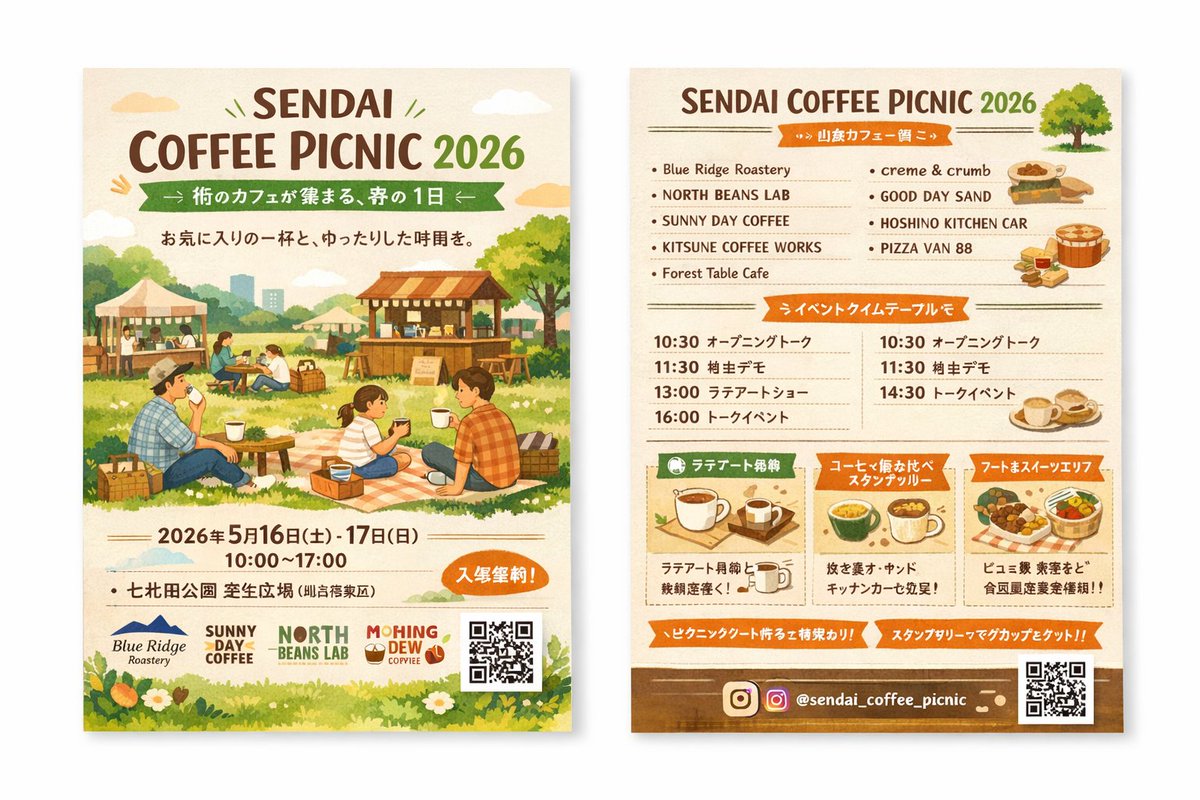
📌 상세 정보
- 작성자: さとこよ
- 출처: Twitter Post
- 게시일: 2026년 4월 15일
- 언어: en
No. 103: 포스터 / 전단지 - 아말피 해안 빈티지 여행 포스터
📖 설명
아말피 해안의 특정 자동차와 풍경 요소를 포함한 1950~60년대 스타일의 여행 포스터를 위한 고도로 상세한 일러스트레이션 프롬프트입니다.
📝 프롬프트
{argument name="illustration style" default="모던 연필 일러스트레이션"} 스타일의 빈티지 여행 포스터 일러스트레이션. {argument name="location" default="이탈리아 아말피 해안"}, 파노라마 해안 절벽 도로 풍경, 구불구불한 해안 도로를 달리는 1960년대 클래식 화이트 자동차, 작은 범선들이 떠 있는 짙은 푸른색의 지중해, 알록달록한 파스텔톤의 언덕 마을, 부드러운 구름이 떠 있는 밝은 푸른 하늘, 전경을 감싸는 생기 넘치는 노란 레몬이 달린 레몬 나무 가지, 따스한 여름 햇살, 대담하고 생생한 색감, 1950년대 레트로 여행 포스터 스타일, 영화 같은 구도, 높은 디테일, 스크린 프린트 질감, 그래픽 일러스트레이션. 손으로 그린 듯한 스타일, 자유로운 터치와 뚜렷한 윤곽선이 특징인 일러스트. 배경과 요소 간의 색채 조화를 유지하는 고대비 컬러 팔레트. 현대적이고 장식적인 미학.
🖼️ 생성된 이미지
Image 1
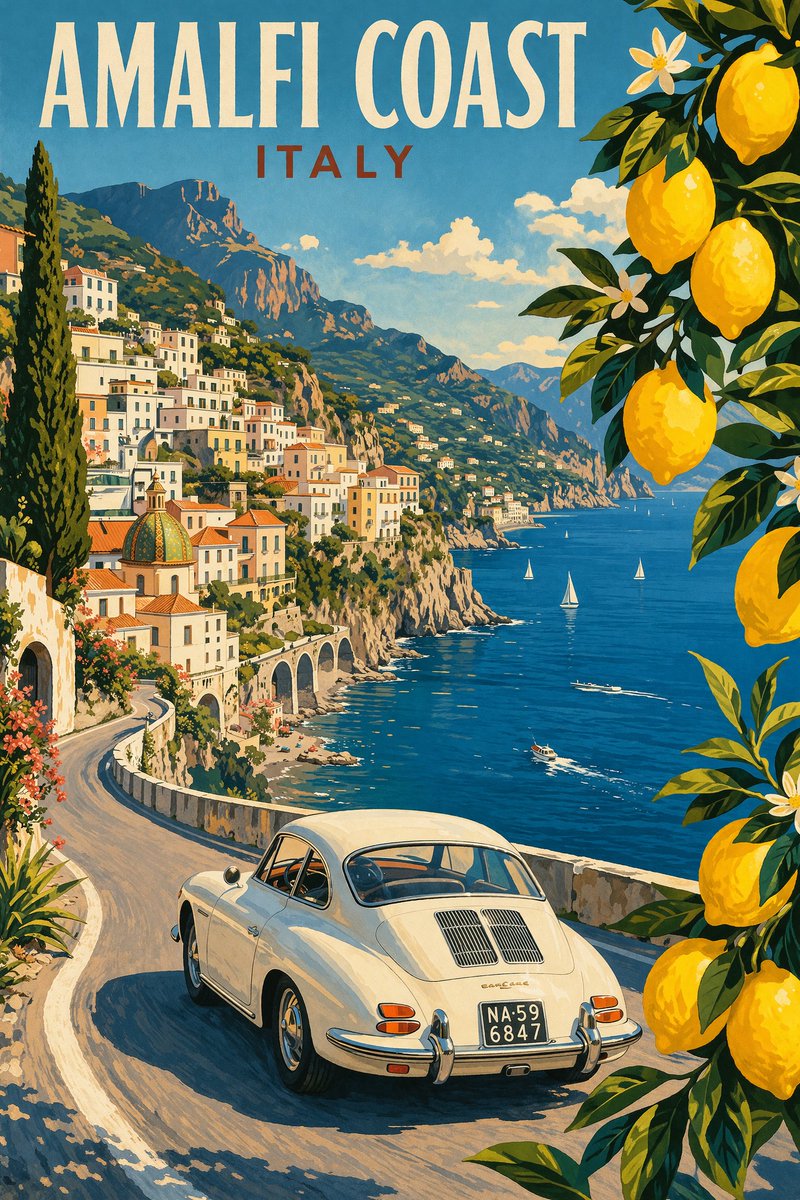
📌 상세 정보
- 작성자: Riccardo Wolf
- 출처: Twitter Post
- 게시일: 2026년 4월 15일
- 언어: en
No. 104: 포스터 / 전단지 - 커스텀 텍스트가 포함된 애니메이션 스타일의 별이 빛나는 밤
📖 설명
별이 빛나는 밤하늘, 혜성, 그리고 빛나는 커스텀 텍스트가 어우러진 숨 막히게 아름다운 애니메이션 스타일의 풍경을 생성합니다.
📝 프롬프트
{argument name="art style" default="신카이 마코토 애니메이션 배경 스타일"}로 그려진, 숨 막히게 아름답고 디테일한 풍경 일러스트입니다. 광활하고 장엄한 밤하늘에는 수많은 별이 가득하며, {argument name="sky color palette" default="딥 블루, 퍼플, 핑크"} 색조의 생동감 넘치고 빛나는 은하수가 펼쳐져 있습니다. 밝은 파란색 혜성 하나와 그보다 작은 분홍색 혜성 하나가 하늘을 대각선으로 가로지르며 빛을 냅니다. 하늘 중앙에는 "{argument name="display text" default="Your Name"}"이라는 문구가 우아하고 빛나는 흰색 필기체로 적혀 있으며, 그 아래에는 운명의 붉은 실을 연상시키는 작은 리본 모양의 섬세하고 빛나는 분홍색 선이 그어져 있습니다. 지평선 아래로는 오렌지와 핑크빛의 노을 그라데이션이 번지며 구름의 실루엣을 비춥니다. 중간 배경에는 도시의 불빛과 황혼의 하늘을 반사하는 고요하고 어두운 호수가 있으며, 그 주변을 산들의 실루엣이 감싸고 있습니다. 가장 앞쪽에는 풀 언덕과 작은 보라색 꽃들의 어두운 실루엣이 배치되어 있습니다.
🖼️ 생성된 이미지
Image 1
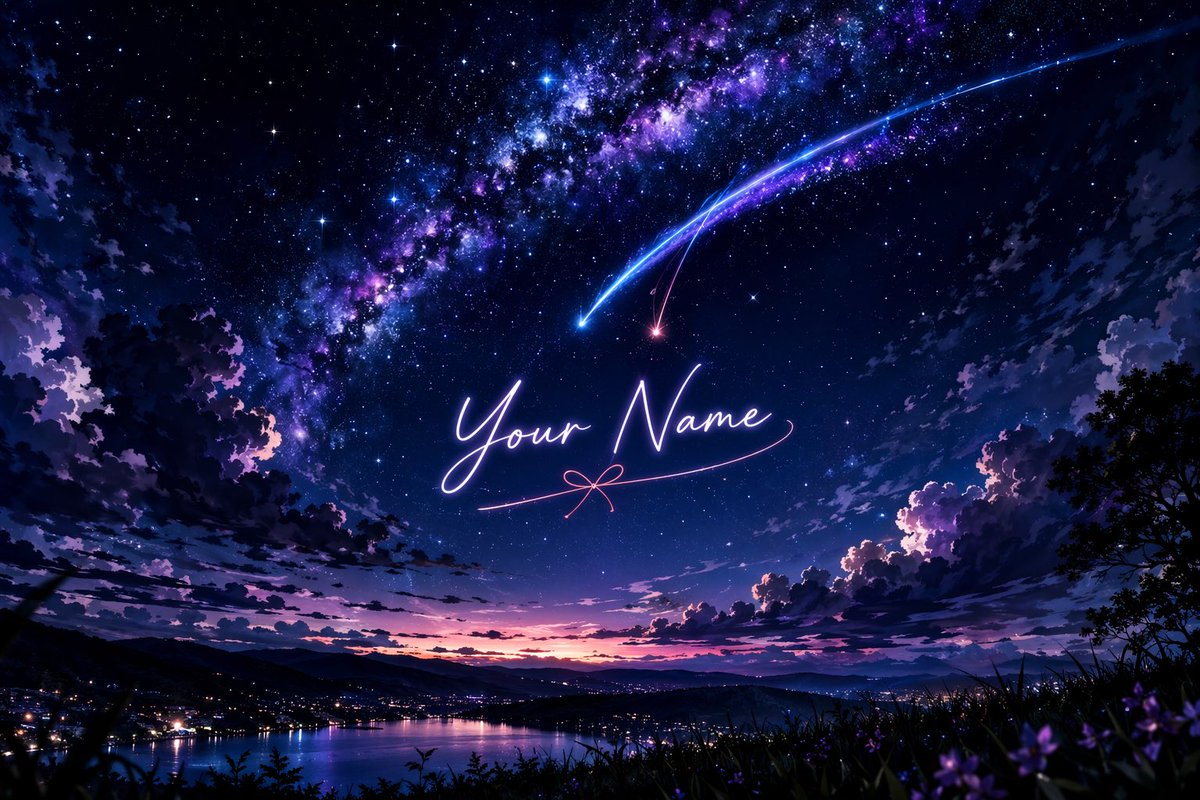
📌 상세 정보
- 작성자: Fandu
- 출처: Twitter Post
- 게시일: 2026년 4월 15일
- 언어: en
No. 105: 앱 / 웹 디자인 - Aviation-Themed UI Design System Board
📖 설명
Generates a comprehensive dark-mode UI/UX design system board featuring flight-inspired aesthetics, color palettes, typography, and interface mockups.
📝 프롬프트
{
  "type": "UI/UX Design System Concept Board",
  "theme": "Aviation and flight interface",
  "overall_style": "Dark mode, sleek, modern, technical, futuristic, glassmorphism",
  "layout": {
    "top_left": {
      "section": "DESIGN STYLE",
      "title": "{argument name=\"main title\" default=\"AERIAL INTERFACE\"}",
      "subtitle": "{argument name=\"subtitle\" default=\"空域界面\"}",
      "description": "Introductory paragraph about aerial interface design",
      "principles": {
        "count": 4,
        "labels": ["SENSE OF CONTROL", "MINIMAL & PURE", "DATA AESTEETICS", "IMMERSIVE EXPERIENCE"]
      }
    },
    "top_center": {
      "imagery": "Top-down view of a commercial airplane flying upwards, leaving twin white contrails against a dark background",
      "text": ["FLIGHT AS INTERFACE.", "Your Ideas. Our Altitude."],
      "metrics": ["STATUS CRUISING", "DESTINATION CREATE", "ETA ∞"]
    },
    "top_right": {
      "section": "UI Widget",
      "imagery": "Rounded rectangular panel showing an airplane wing over clouds at sunset",
      "data_points": ["11:34", "1975 PEOPLE ONBOARD", "FLIGHT DATA {argument name=\"destination\" default=\"OKINAWA\"}", "ALTITUDE 35,000 FT", "SPEED 552 KTS"],
      "tabs": {
        "count": 3,
        "labels": ["MAP", "DATAVIEW", "SYSTEM"]
      }
    },
    "bottom_left": {
      "section": "COLOR PALETTE",
      "swatches": {
        "count": 3,
        "labels": ["#05070A", "#0B1220", "#E6F0FF"]
      }
    },
    "bottom_mid_left": {
      "section": "TYPOGRAPHY",
      "fonts": {
        "count": 2,
        "labels": ["{argument name=\"primary font\" default=\"INTER\"}", "{argument name=\"secondary font\" default=\"JETBRAINS MONO\"}"]
      }
    },
    "bottom_mid_right": {
      "section": "MATERIAL",
      "examples": {
        "count": 2,
        "labels": ["GLASS (frosted rectangle)", "METAL (dark sphere)"]
      }
    },
    "bottom_right": {
      "section": "MOTION",
      "concepts": {
        "count": 3,
        "labels": ["Airplane taking off", "Radar focus circle", "Glowing flight streak"]
      }
    },
    "footer": {
      "text": "DESIGN ESSENCE: Not just designing an interface, but creating a flight experience."
    }
  }
}
🖼️ 생성된 이미지
Image 1
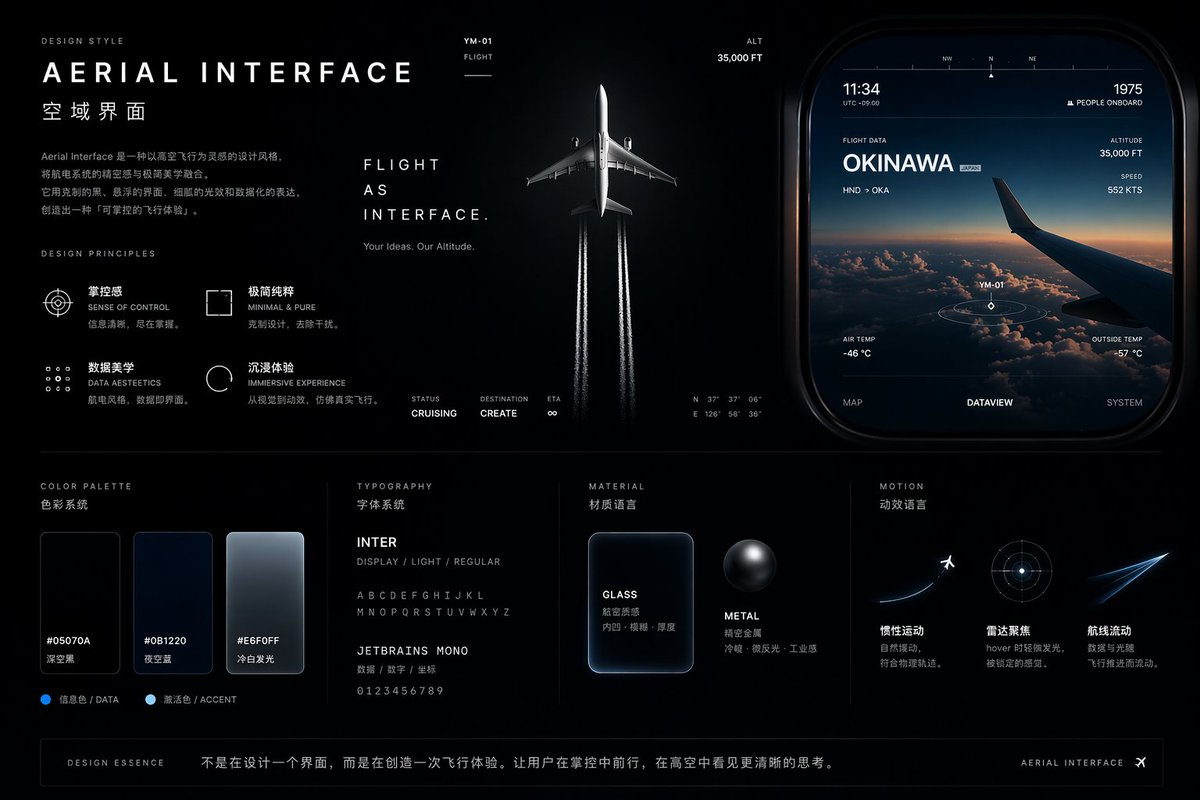
📌 상세 정보
- 작성자: cheaty
- 출처: Twitter Post
- 게시일: 2026년 4월 19일
- 언어: en
No. 106: 앱 / 웹 디자인 - Light Mode UI Design System Board
📖 설명
Generates a comprehensive UI design system presentation featuring color palettes, typography, components, and responsive mockups with a futuristic, iridescent aesthetic.
📝 프롬프트
{
  "type": "UI Design System presentation board",
  "theme": "{argument name=\"visual theme\" default=\"optical science and light refraction\"}",
  "overall_aesthetic": "clean white background, light mode, futuristic, premium, featuring {argument name=\"primary gradient colors\" default=\"iridescent rainbow, pastel orange, yellow, cyan, purple, pink\"} accents",
  "header": {
    "title": "{argument name=\"system name\" default=\"LIGHTCORE PRISM\"}",
    "subtitle": "UI Design System - Light Mode",
    "tags": ["FUTURISTIC", "PREMIUM", "FOCUS"],
    "hero_graphic": "3D transparent glass ring refracting iridescent light"
  },
  "layout": {
    "sections": [
      {
        "title": "COLOR",
        "count": 5,
        "labels": ["WHITE #FFFFFF", "SNOW #FAFAFC", "SLATE #F2F4F8", "BORDER #E6E8EF", "BLACK #0A0A0C"],
        "description": "5 solid color swatches in rounded squares"
      },
      {
        "title": "PRISM GRADIENTS",
        "count": 1,
        "description": "1 long horizontal gradient bar with 5 hex codes below it"
      },
      {
        "title": "TYPOGRAPHY",
        "description": "Large 'Aa' with 4 font weights listed (Light, Regular, Medium, Semibold) and full alphabet/numbers"
      },
      {
        "title": "ICONOGRAPHY",
        "count": 12,
        "description": "12 minimalist line-art icons arranged in a 2x6 grid"
      },
      {
        "title": "BUTTONS",
        "count": 8,
        "categories": ["PRIMARY", "SECONDARY", "TEXT", "ICON"],
        "description": "8 total buttons showing normal and disabled states for each category. Primary button features an iridescent border and {argument name=\"primary button text\" default=\"GET STARTED\"} text."
      },
      {
        "title": "NAVIGATION",
        "count": 2,
        "variants": ["DESKTOP", "MOBILE"],
        "description": "Desktop nav has logo, 4 text links, search, sign in, and a button. Mobile nav has logo, search, and hamburger menu."
      },
      {
        "title": "COMPONENTS",
        "count": 6,
        "items": [
          "CARD: 'Photon Engine' with abstract iridescent graphic and button",
          "INPUT FIELD: Search bar and email input with label",
          "PROGRESS: Iridescent progress bar at 68%",
          "TABS: Overview, Analytics, Settings",
          "TOGGLE: 2 switches (on/off)",
          "DATA VISUALIZATION: 1 donut chart with 3 legend items, 1 line chart over 7 days"
        ]
      },
      {
        "title": "WEB PAGE",
        "description": "Desktop browser mockup featuring the header '{argument name=\"hero headline\" default=\"Build the Future with Light & Color\"}', 2 buttons, a flowing 3D iridescent wave graphic, and 5 partner logos at the bottom."
      },
      {
        "title": "MOBILE APP",
        "description": "Smartphone mockup displaying a balance of $24,880, a line chart, 4 quick action icons, a recent activity list with 3 items, and a bottom navigation bar with 4 icons."
      }
    ]
  }
}
🖼️ 생성된 이미지
Image 1
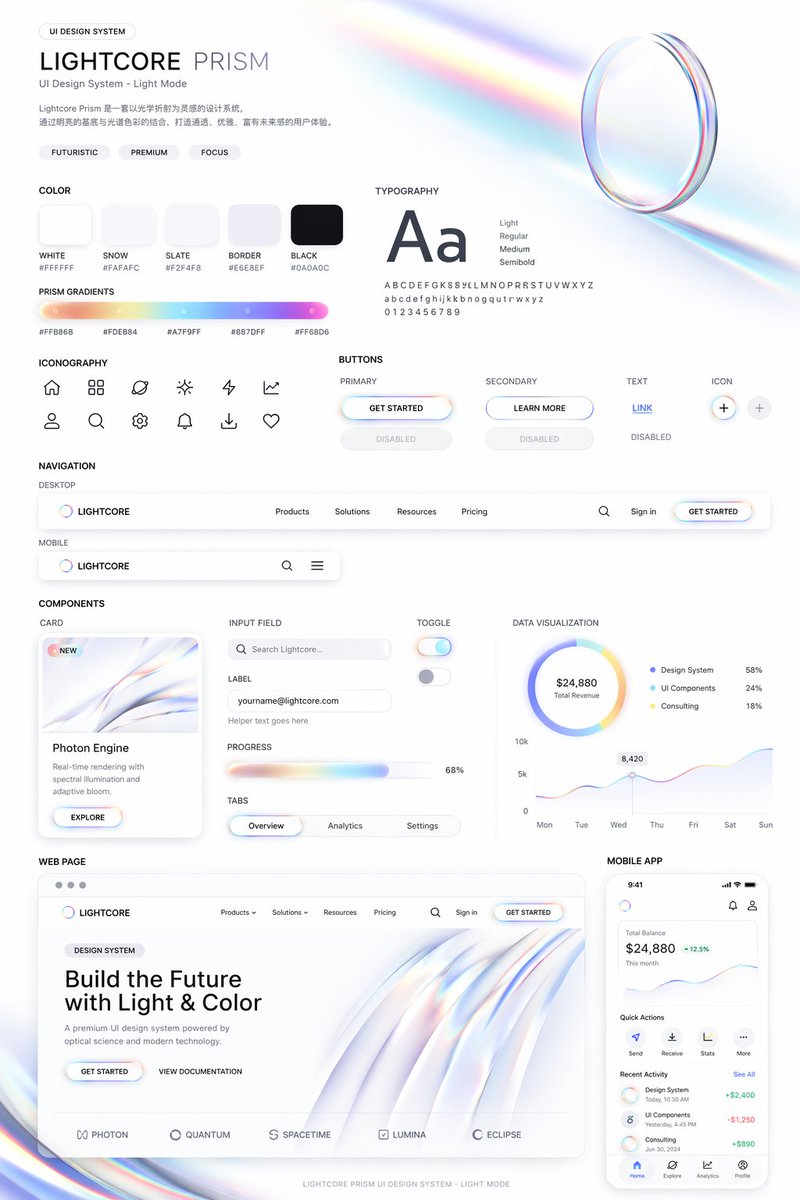
📌 상세 정보
- 작성자: cheaty
- 출처: Twitter Post
- 게시일: 2026년 4월 19일
- 언어: en
No. 107: 앱 / 웹 디자인 - Cosmic Dark Mode UI Design System
📖 설명
Generates a comprehensive dark-mode UI design system featuring color palettes, typography, and space-themed components.
📝 프롬프트
{
  "type": "UI Design System",
  "theme": "dark mode, space-inspired, glowing accents",
  "header": {
    "label": "DESIGN SYSTEM",
    "title": "{argument name=\"system name\" default=\"COSMIC GRAVITY\"}",
    "subtitle": "{argument name=\"theme description\" default=\"A Design Language Inspired by the Universe.\"}"
  },
  "layout": {
    "left_column": [
      {
        "title": "COLOR",
        "count": 7,
        "items": [
          {"name": "Cosmic Black", "hex": "#050507"},
          {"name": "Deep Space", "hex": "#0E0F14"},
          {"name": "Soft White", "hex": "#F5F6F8"},
          {"name": "{argument name=\"primary accent color\" default=\"Stardust Gold\"}", "hex": "#F5D28A"},
          {"name": "Night Purple", "hex": "#1A1C2A"},
          {"name": "Dusk Blue", "hex": "#0F1B2A"},
          {"name": "Nebula Teal", "hex": "#0E1F22"}
        ]
      },
      {
        "title": "GRADIENT",
        "count": 1,
        "description": "horizontal bar showing a dark-to-light-to-dark cosmic glow"
      },
      {
        "title": "TYPOGRAPHY",
        "font": "{argument name=\"font name\" default=\"Space Grotesk\"}",
        "hierarchy_count": 4,
        "levels": ["H1 Cosmic Light", "H2 Explore More", "Body Celestial Text", "Caption Orbit Info"]
      }
    ],
    "main_column": [
      {
        "title": "UI COMPONENTS",
        "subsections": [
          {"title": "BUTTON", "count": 3, "labels": ["EXPLORE (Primary)", "CANCEL (Secondary)", "MORE (Ghost)"]},
          {"title": "SLIDER", "count": 1, "value": "72%"},
          {"title": "TOGGLE", "count": 2, "states": ["Off", "On"]},
          {"title": "TAGS", "count": 3, "labels": ["BLACK HOLE", "JUPITER", "ORBIT"]}
        ]
      },
      {
        "title": "CARDS",
        "count": 3,
        "items": [
          {"title": "{argument name=\"card subject\" default=\"JUPITER\"}", "subtitle": "ORBIT ARCHIVE", "image": "Jupiter planet"},
          {"title": "BLACK HOLE", "subtitle": "COSMIC EVENT", "image": "Black hole with accretion disk"},
          {"title": "DISTANCE", "value": "778.3 M km", "image": "Concentric orbital rings"}
        ]
      },
      {
        "title": "DATA DISPLAY",
        "count": 3,
        "items": [
          {"title": "ENERGY", "type": "circular progress ring", "value": "87%"},
          {"title": "SIGNAL STRENGTH", "type": "line graph with glowing nodes", "value": "42.6 dB"},
          {"title": "COSMIC NOISE", "type": "audio player UI"}
        ]
      },
      {
        "title": "ICON",
        "count": 7,
        "labels": ["Home", "Planet", "Sparkle", "Signal", "Folder", "Heart", "User"]
      }
    ],
    "bottom_row": [
      {
        "title": "VISUAL ELEMENTS",
        "count": 5,
        "labels": ["BLACK HOLE", "GRAVITY RING", "LIGHT GLOW", "NEBULA DUST", "GLASS SURFACE"]
      }
    ]
  }
}
🖼️ 생성된 이미지
Image 1
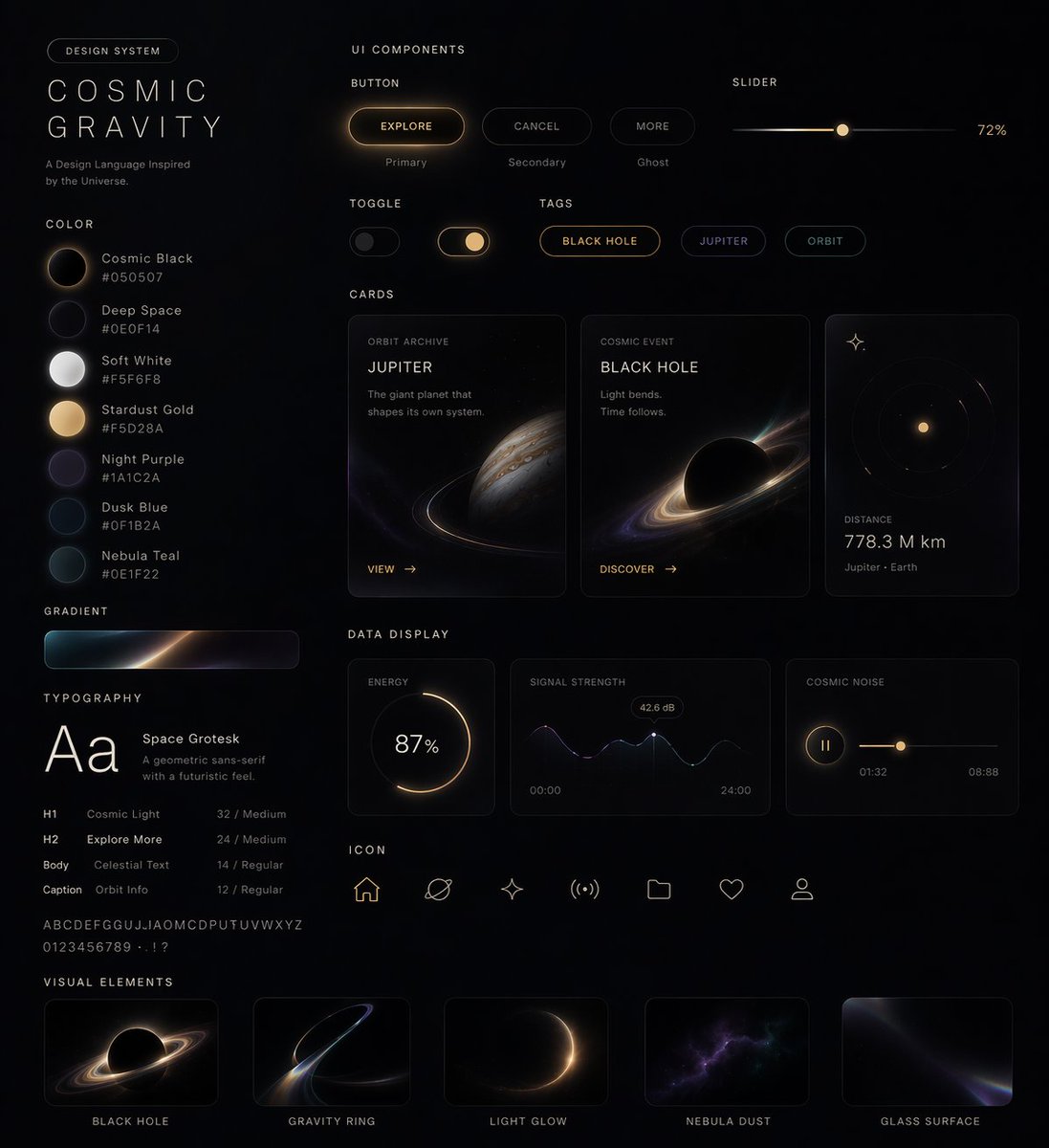
📌 상세 정보
- 작성자: cheaty
- 출처: Twitter Post
- 게시일: 2026년 4월 19일
- 언어: en
No. 108: 앱 / 웹 디자인 - Iridescent Butterfly UI/UX Design System
📖 설명
Generates a comprehensive dark-mode UI/UX design system board featuring color palettes, typography, mobile screens, and web previews inspired by iridescent butterfly wings.
📝 프롬프트
{
  "type": "UI/UX Design System presentation board",
  "theme": "Dark mode, nature-inspired, glowing iridescent aesthetics",
  "header": {
    "title": "NATURE INSPIRED UI\n{argument name=\"system title\" default=\"BUTTERFLY IRIDESCENCE\"}\nUI/UX Design System",
    "description": "{argument name=\"chinese description\" default=\"从蝴蝶翅膀中汲取灵感,将结构色的虹彩光泽与深邃蓝融入界面设计,创造轻盈、灵动、充满生命力的数字体验。\"}",
    "hero_image": "Large, highly detailed, glowing blue and purple iridescent butterfly wing"
  },
  "layout": {
    "sections": [
      {
        "title": "INSPIRATION",
        "count": 4,
        "description": "Square thumbnails showing close-ups of iridescent butterfly wings and light refractions"
      },
      {
        "title": "KEYWORDS",
        "count": 5,
        "labels": ["虹彩", "灵动", "轻盈", "深邃", "自然"]
      },
      {
        "title": "COLOR SYSTEM",
        "subsections": [
          { "title": "PRIMARY", "count": 3, "labels": ["Morpho Blue #1E5BFF", "Iridescent Purple #7A5CFF", "Sky Glow #00E6FF"] },
          { "title": "NEUTRAL", "count": 3, "labels": ["Midnight #0B0F19", "Soft Navy #141A2E", "Pearl #F3F6FC"] },
          { "title": "ACCENT & GRADIENT", "count": 2, "labels": ["Rainbow Sheen", "Butterfly Glow"] }
        ]
      },
      {
        "title": "TYPOGRAPHY",
        "content": "Aa Poppins Light / Regular / Medium / SemiBold"
      },
      {
        "title": "APP STORE ICON",
        "count": 1,
        "text": "App Name {argument name=\"app name\" default=\"Winglet\"} Light. Alive. Beautiful."
      },
      {
        "title": "UI COMPONENTS",
        "subsections": [
          { "title": "BUTTONS", "count": 6, "labels": ["Primary", "Secondary", "Glass", "heart icon", "glowing sphere icon", "toggle switch"] },
          { "title": "OTHER ELEMENTS", "count": 5, "labels": ["Search bar", "Tag (New)", "Progress bar (72%)", "Card (Blue Morph)", "Slider"] }
        ]
      },
      {
        "title": "MOBILE UI",
        "count": 3,
        "screens": ["Explore screen", "Today screen with large butterfly wing", "Audio player screen with waveform"]
      },
      {
        "title": "WEB DESIGN PREVIEW",
        "count": 1,
        "details": "Desktop browser mockup, hero section with '{argument name=\"web hero headline\" default=\"LIGHT IS ALIVE\"}' and 'Explore Now' button"
      },
      {
        "title": "VISUAL BACKGROUNDS",
        "count": 4,
        "description": "Rectangular thumbnails showing abstract iridescent waves"
      }
    ],
    "footer": "Design with Nature, Made for Experience."
  }
}
🖼️ 생성된 이미지
Image 1
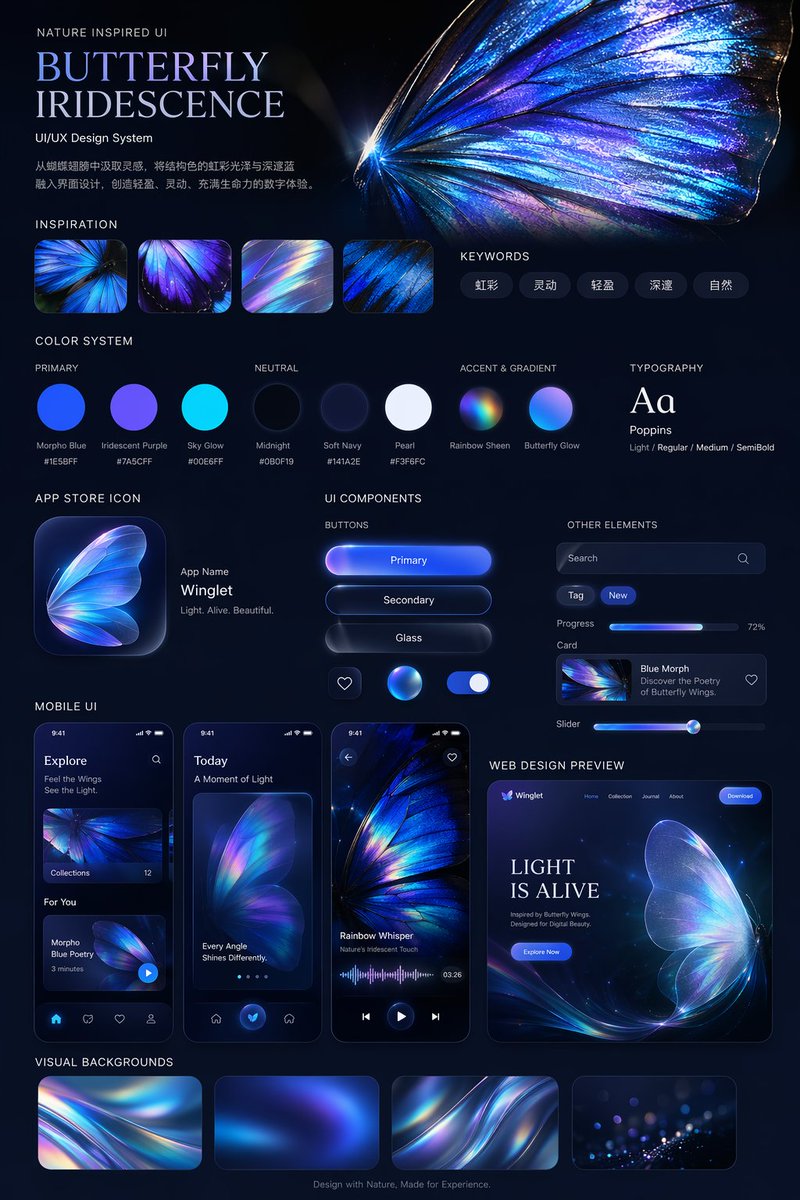
📌 상세 정보
- 작성자: cheaty
- 출처: Twitter Post
- 게시일: 2026년 4월 19일
- 언어: en
No. 109: 앱 / 웹 디자인 - UI Design System Prompt
📖 설명
A prompt designed for GPT Image 2 to create comprehensive UI design systems including web and mobile components based on a specific visual style reference.
📝 프롬프트
Use this style to help me generate a set of {argument name="theme" default="UI design system"}, including {argument name="components" default="web, mobile, cards, controls, buttons, and others"}. Use this visual style as a reference to generate a web page.
🖼️ 생성된 이미지
Image 1
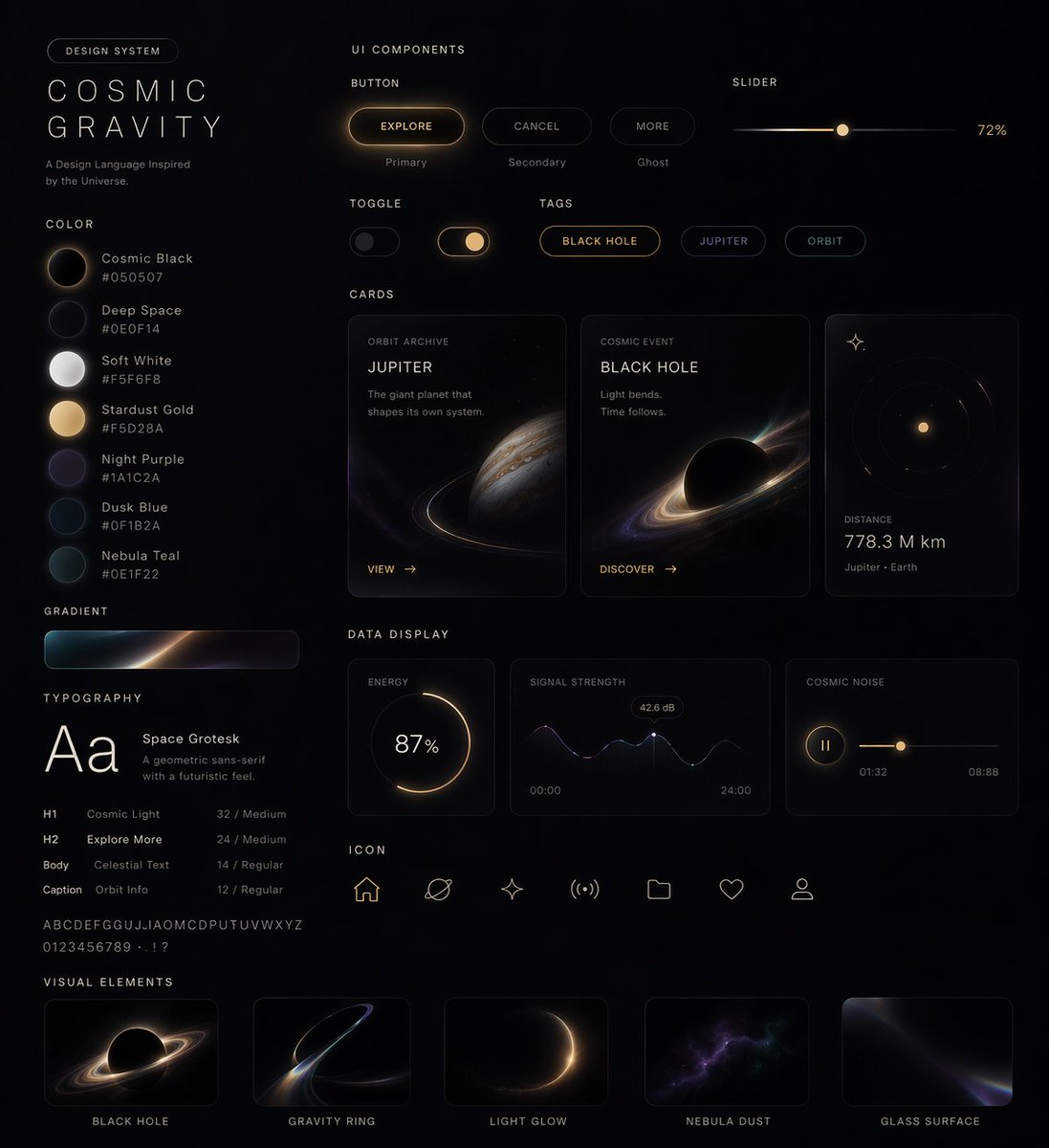
Image 2
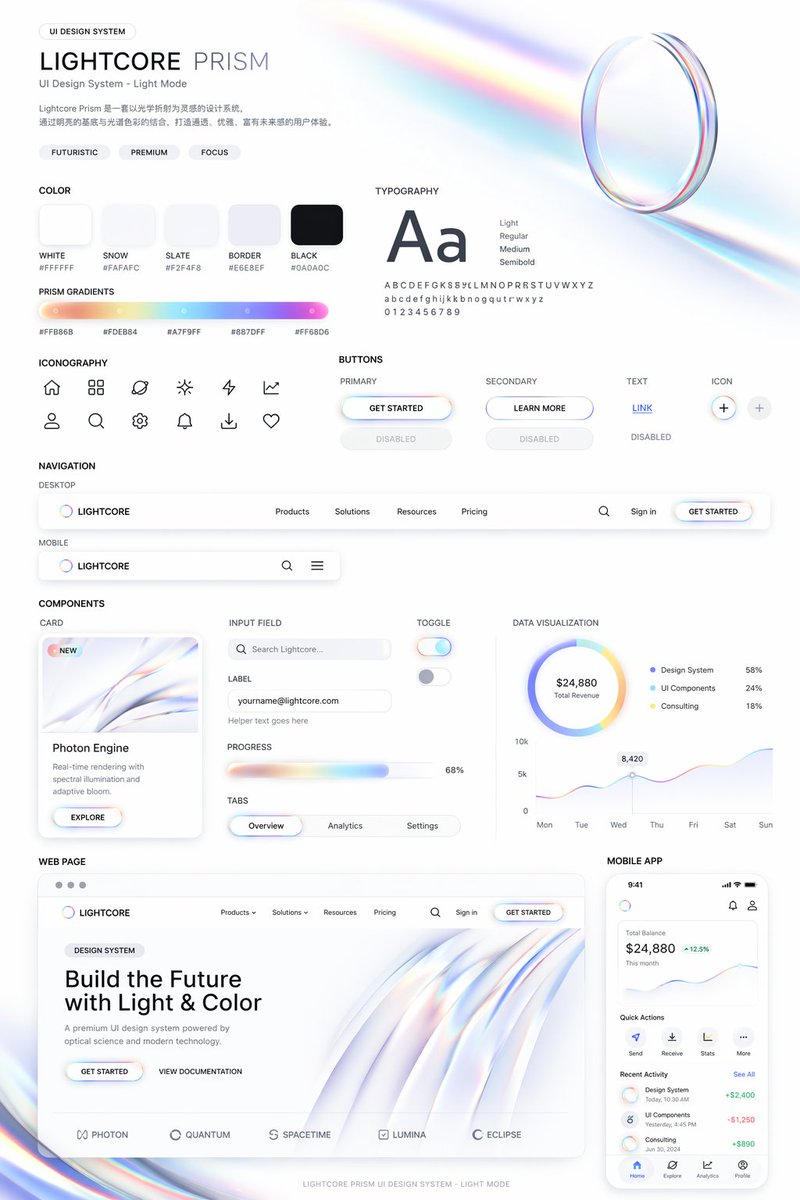
📌 상세 정보
- 작성자: Nicolechan
- 출처: Twitter Post
- 게시일: 2026년 4월 19일
- 언어: zh
No. 110: 앱 / 웹 디자인 - Productivity App UI Mockup
📖 설명
A modern, light-themed mobile app interface for task management featuring a daily focus card, schedule, and AI assistant integration.
📝 프롬프트
{
  "type": "mobile app UI mockup",
  "device": "modern smartphone with dynamic island",
  "theme": "light mode, minimalist, {argument name=\"primary color\" default=\"soft blue\"} accents, soft drop shadows",
  "layout": {
    "header": {
      "profile": "small circular photo of a woman",
      "greeting": "Good morning, {argument name=\"user name\" default=\"Alex\"} ☀️",
      "subtitle": "Let's make today productive.",
      "icon": "notification bell with red dot"
    },
    "hero_card": {
      "title": "TODAY'S FOCUS",
      "headline": "{argument name=\"focus task\" default=\"Launch marketing campaign\"}",
      "description": "Finalize assets, review messaging, and align on launch plan.",
      "button": "Continue Task",
      "graphic": "circular progress ring showing 75% Progress"
    },
    "sections": [
      {
        "title": "Up Next",
        "count": 1,
        "items": ["Team sync (10:00 AM - 11:00 AM)"]
      },
      {
        "title": "Reminders",
        "count": 2,
        "items": ["Review design mockups", "Submit campaign brief"]
      }
    ],
    "bottom_elements": {
      "ai_input": "pill-shaped text field with sparkle icon and placeholder '{argument name=\"ai placeholder\" default=\"Ask your AI assistant...\"}'",
      "navigation_bar": {
        "count": 4,
        "tabs": ["Home", "Tasks", "Assistant", "Profile"]
      }
    }
  }
}
🖼️ 생성된 이미지
Image 1
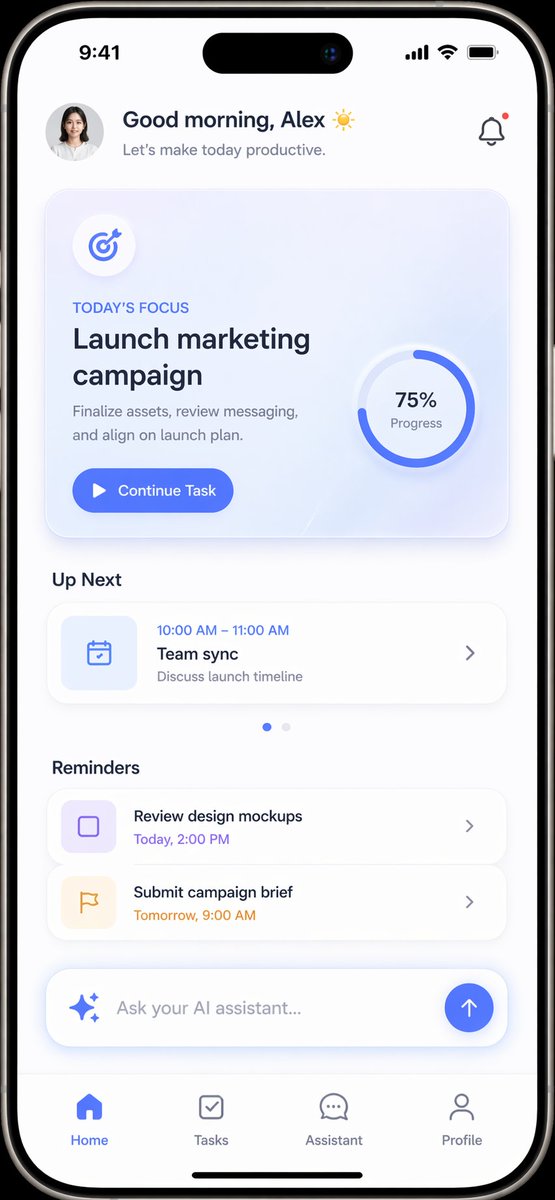
📌 상세 정보
- 작성자: Daniel
- 출처: Twitter Post
- 게시일: 2026년 4월 16일
- 언어: en
No. 111: 앱 / 웹 디자인 - 라이브 스트리밍 UI 목업
📖 설명
스트리머, 채팅 오버레이, 시청자 통계가 포함된 실감 나는 모바일 라이브 스트리밍 인터페이스를 생성합니다.
📝 프롬프트
{
  "type": "모바일 라이브 스트리밍 인터페이스 목업",
  "subject": {
    "description": "젊고 매력적인 아시아 여성, 긴 다크 웨이브 헤어, 부드러운 미소, 유선 이어폰과 실버 클로버 목걸이 착용",
    "outfit": "{argument name=\"outfit\" default=\"화이트 레이스 트리밍 캐미솔과 연청색 가디건\"}",
    "action": "카메라를 정면으로 응시하며 키보드가 있는 책상에 앉아 있음"
  },
  "environment": {
    "setting": "아늑한 게임 룸",
    "equipment": [
      "작은 흰색 솜털 마스코트 키링이 달린 붐 암 형태의 전문가용 콘덴서 마이크",
      "{argument name=\"game on monitor\" default=\"리그 오브 레전드와 같은 MOBA 게임\"}이 표시된 컴퓨터 모니터",
      "RGB 기계식 키보드"
    ],
    "background_decor": [
      "'{argument name=\"neon sign text\" default=\"LIVE ♡\"}'라고 적힌 네온 사인",
      "빛나는 구형 달 조명이 있는 선반",
      "분홍색 봉제 토끼 인형"
    ]
  },
  "ui_overlay": {
    "top_left": {
      "profile": {
        "avatar": "스트리머 썸네일",
        "name": "{argument name=\"streamer name\" default=\"草莓味小羊 🍓\"}",
        "subtext": "12.8만 본场 좋아요",
        "button": "빨간색 '팔로우' 버튼"
      },
      "tag": "'시간별 랭킹 3위'라고 적힌 노란색 바"
    },
    "top_right": {
      "viewers": {
        "avatars_count": 3,
        "total_count": "{argument name=\"viewer count\" default=\"6.7만\"}",
        "close_button": "X 아이콘"
      },
      "gift_gallery": "'선물 전시관 2/24' 텍스트가 있는 선물 상자 아이콘"
    },
    "bottom_left_chat": {
      "message_count": 7,
      "messages": [
        "배지 35, 열혈팬 아이콘, '宝宝下次打什么呀?'",
        "배지 18, '小羊爱吃草莓: 主播好美!!!'",
        "배지 6, '用户_47956: 主播带带我~'",
        "배지 21, '草莓果酱: 声音也太温柔了吧'",
        "배지 12, '加油鸭: 这波操作666'",
        "배지 7, '小小羊: 晚安宝宝么么哒'",
        "배지 3, '粉粉小熊: 进来就被美到了~'"
      ]
    },
    "bottom_bar": {
      "input_placeholder": "메시지를 입력하세요...",
      "icons": ["스마일 아이콘", "하트 아이콘", "분홍색 선물 상자 아이콘", "점 3개 아이콘"]
    }
  }
}
🖼️ 생성된 이미지
Image 1
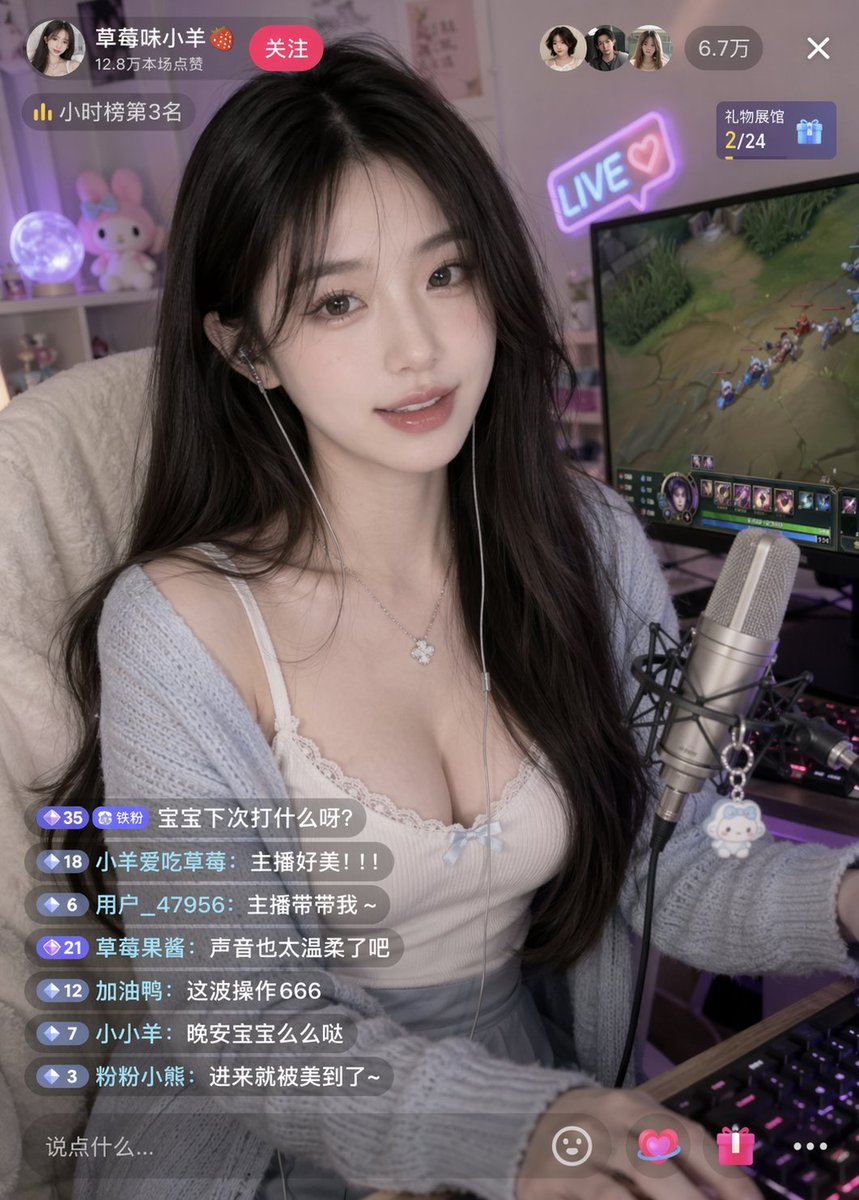
📌 상세 정보
- 작성자: underwood
- 출처: Twitter Post
- 게시일: 2026년 4월 16일
- 언어: en
No. 112: 앱 / 웹 디자인 - Google 검색 결과 목업
📖 설명
검색어, 결과 및 UI 요소를 사용자 지정할 수 있는 매우 상세하고 사실적인 Google 검색 결과 페이지를 생성합니다.
📝 프롬프트
{
  "type": "웹 브라우저 스크린샷",
  "interface": "Google 검색 결과 페이지",
  "header": {
    "logo": "Google",
    "search_bar": {
      "query": "{argument name=\"search query\" default=\"openai gpt-image 2 image generator\"}",
      "icons": ["지우기", "마이크", "카메라", "검색"]
    },
    "right_actions": ["설정 톱니바퀴", "앱 그리드", "파란색 로그인 버튼"]
  },
  "navigation_tabs": ["전체", "이미지", "뉴스", "동영상", "쇼핑", "숏폼", "포럼", "웹", "더보기", "도구"],
  "results_stats": "검색결과 약 18,200,000개 (0.32초)",
  "search_results": {
    "count": 3,
    "items": [
      {
        "source": "OpenAI",
        "url": "https://openai.com > index > gpt-image-2",
        "title": "{argument name=\"result 1 title\" default=\"GPT-Image-2 | OpenAI\"}",
        "snippet": "{argument name=\"date\" default=\"2025 년 4 월 1 일\"} — GPT-Image-2는 최첨단 이미지 품질, 더 세밀한 디테일, 향상된 텍스트 렌더링 및 더욱 정확한 지시 이행을 제공하는 OpenAI의 새로운 이미지 생성 모델입니다.",
        "sitelinks": ["연구", "안전", "ChatGPT에서 사용해보기"]
      },
      {
        "source": "OpenAI Platform",
        "url": "https://platform.openai.com > docs > gpt-image-2",
        "title": "GPT-Image-2 - OpenAI API",
        "snippet": "Images API를 통해 사용할 수 있는 OpenAI의 가장 진보된 이미지 생성 모델인 GPT-Image-2에 대해 알아보세요. 향상된 사실성, 텍스트 렌더링 및 지시 이행을 통해 고품질 이미지를 생성하세요 ...",
        "sitelinks": ["빠른 시작", "이미지 편집", "예제 코드"]
      },
      {
        "source": "The Verge",
        "url": "https://www.theverge.com > openai-gpt-image-2-launch",
        "title": "OpenAI의 GPT-Image-2, AI에 주요 개선 사항 도입 ...",
        "snippet": "2025 년 4 월 1 일 — OpenAI는 더 나은 사실적 표현, 향상된 텍스트 렌더링, 그리고 사용자 지시 사항에 대한 더 정확한 준수를 제공하는 차세대 이미지 생성기인 GPT-Image-2를 공식 출시했습니다 ..."
      }
    ]
  },
  "people_also_ask": {
    "title": "사람들이 많이 찾는 질문",
    "count": 4,
    "questions": [
      "GPT-Image-2란 무엇인가요?",
      "GPT-Image-2는 이전 모델과 어떻게 다른가요?",
      "ChatGPT에서 GPT-Image-2를 사용해 볼 수 있나요?",
      "GPT-Image-2를 API를 통해 사용할 수 있나요?"
    ]
  }
}
🖼️ 생성된 이미지
Image 1
📌 상세 정보
- 작성자: Keyboard81727
- 출처: Twitter Post
- 게시일: 2026년 4월 15일
- 언어: en
📚 더 많은 프롬프트
🎯 64 여기에 표시되지 않은 더 많은 프롬프트가 있습니다
Due to GitHub's content length limitations, we can only display the first 120 regular prompts in this README.
The gallery features:
✨ 아름다운 메이슨리 그리드 레이아웃
🔍 전체 텍스트 검색 및 필터
🌍 17개 언어 지원
📱 모바일 최적화 경험
🤝 기여하는 방법
기여를 환영합니다! 다음 방법으로 프롬프트를 제출할 수 있습니다:
🐛 GitHub Issue
- Click 새 프롬프트 제출
- 프롬프트 세부 정보와 이미지로 양식 작성
- 제출하고 팀 검토 대기
- 승인되면 (
approved레이블 추가) CMS에 자동으로 동기화됩니다 - 프롬프트는 4시간 이내에 README에 나타납니다
참고: 품질 관리를 위해 GitHub Issues를 통한 제출만 허용합니다.
자세한 지침은 CONTRIBUTING.md를 참조하세요.
📄 라이선스
CC BY 4.0에 따라 라이선스됩니다.
🙏 감사의 말
⭐ 스타 히스토리
🌐 웹 갤러리에서 보기 • 📝 프롬프트 제출 • ⭐ 이 저장소에 스타 추가
🤖 이 README는 자동으로 생성됩니다. 마지막 업데이트: 2026-04-20T13:04:11.369Z